Bioshock 2 Multiplayer Mouse/Aim Fix
Step 1
Get to your pc homescreen.
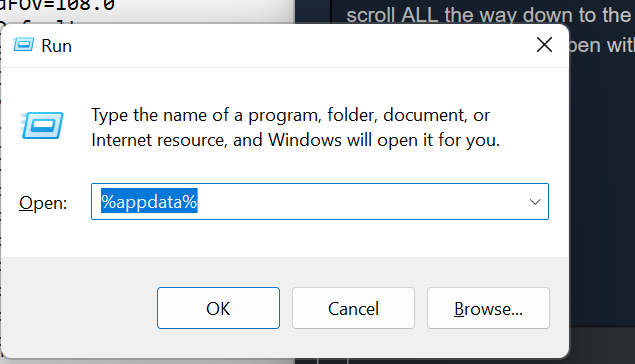
On your keyboard press Windows + R
type %appdata% then hit OK
Look for the folder titled Bioshock2Steam and double click it
scroll ALL the way down to the bottom to find the UserMP.ini file.
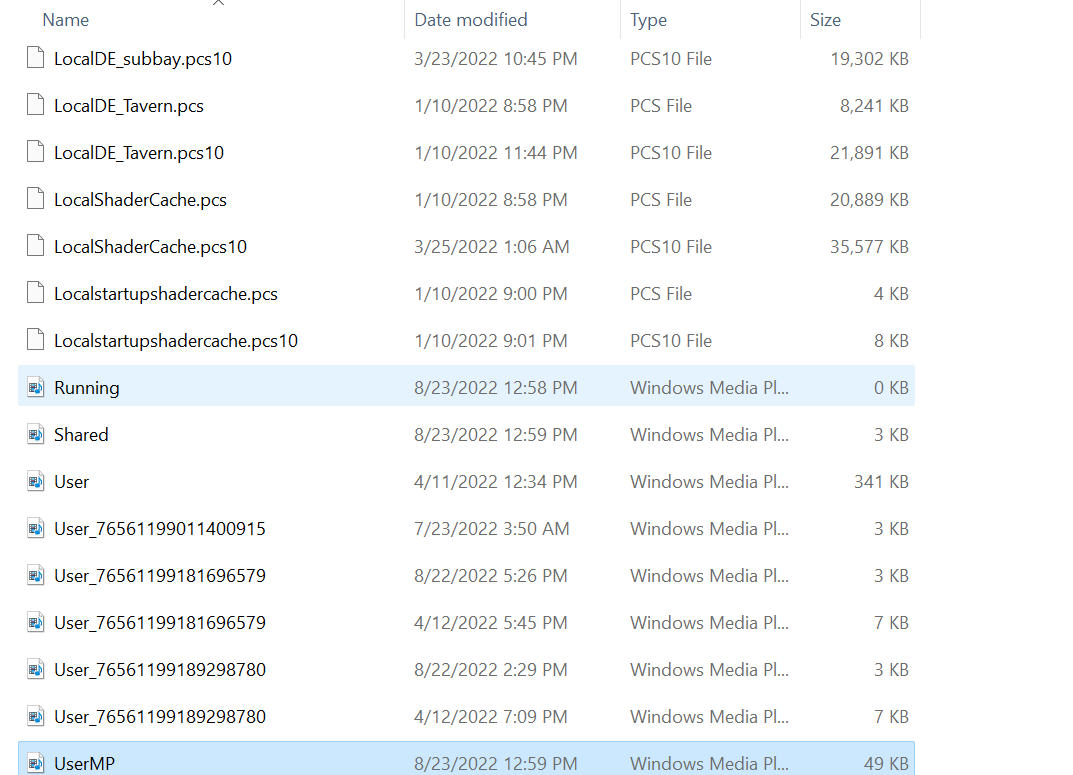
Right click UserMP.ini , select open with, then select notepad
On your keyboard press Windows + R
type %appdata% then hit OK
Look for the folder titled Bioshock2Steam and double click it
scroll ALL the way down to the bottom to find the UserMP.ini file.
Right click UserMP.ini , select open with, then select notepad
Step 2 (Sensitivity Fix)
You should now be in a Notepad document that looks like this: 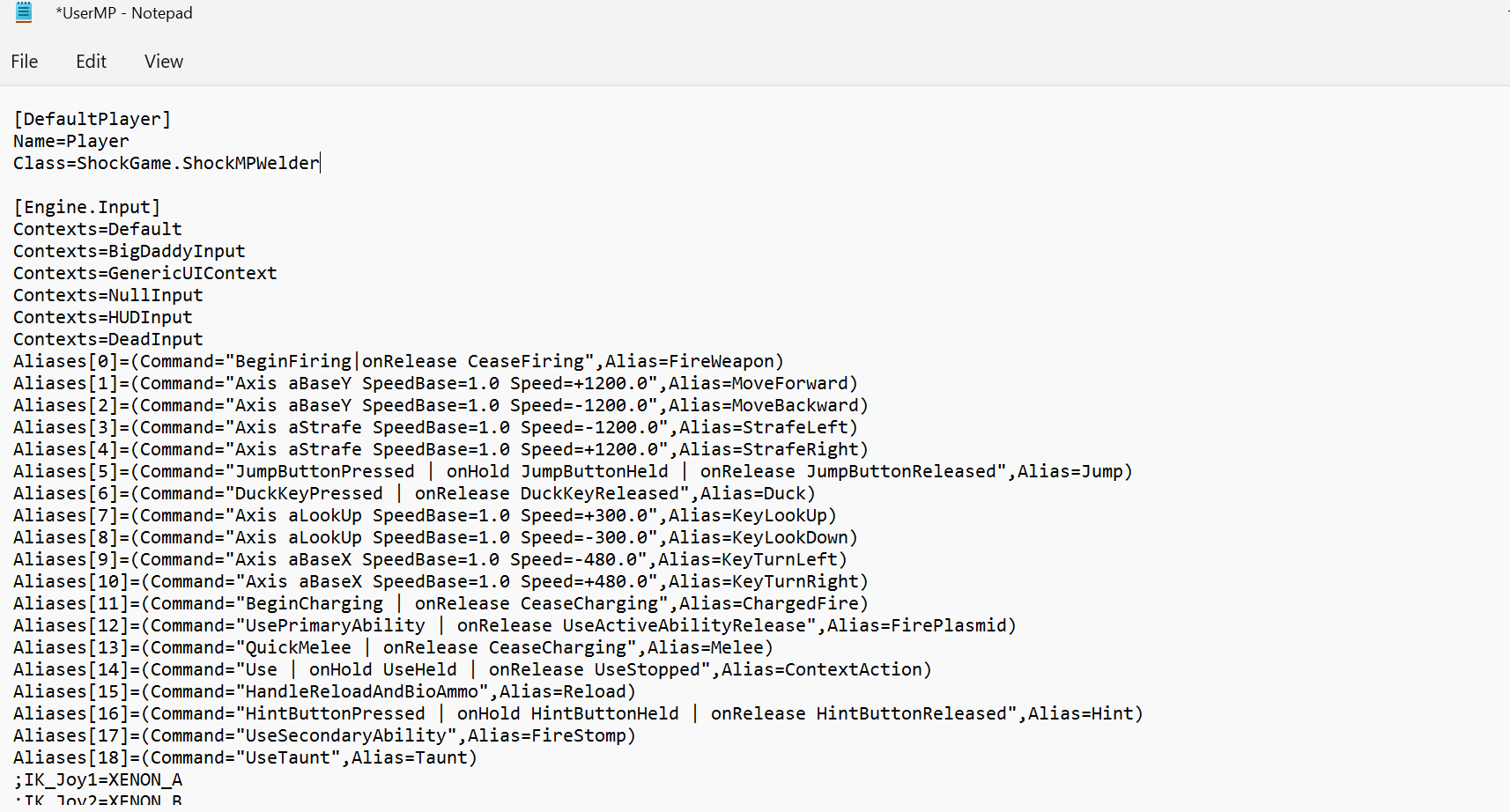
On your keyboard press ctrl + F
This should open a word search bar
type aMouse
Change the Speed value on the side of aMouseX and aMouseY to 200.0 instead of 2,000.0
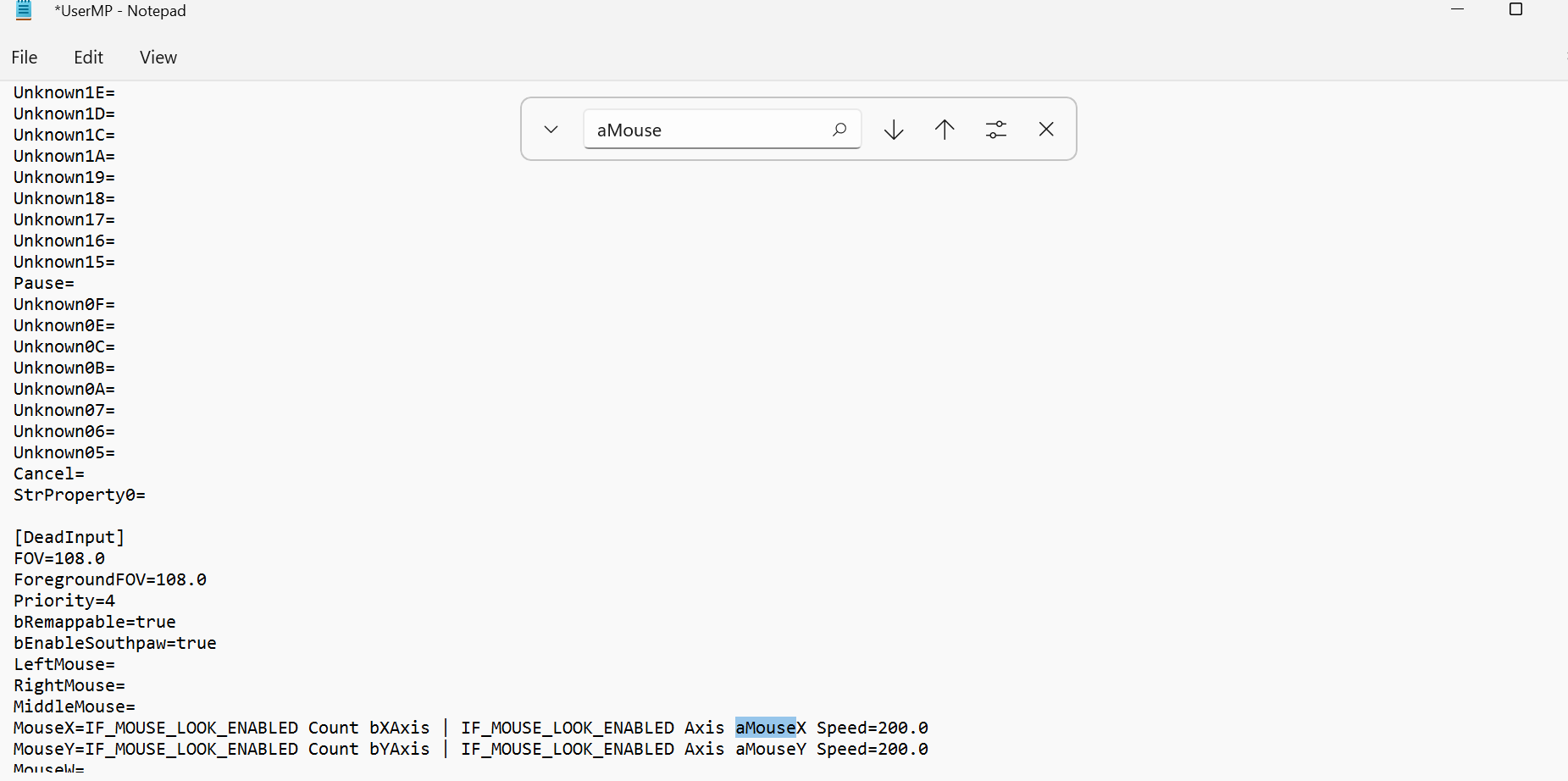
Now on the search bar that still says aMouse press the down arrow
 This should bring you to the next value that must be changed.
Do this same thing ALL of the aMouse values (There is a total of 10 values of 2,000.0 that must be changed to 200.0)
Now the sensitivity is fixed, BUT the mouse acceleration still remains.
On your keyboard press ctrl + F
This should open a word search bar
type aMouse
Change the Speed value on the side of aMouseX and aMouseY to 200.0 instead of 2,000.0
Now on the search bar that still says aMouse press the down arrow
This should bring you to the next value that must be changed.Do this same thing ALL of the aMouse values (There is a total of 10 values of 2,000.0 that must be changed to 200.0)
Now the sensitivity is fixed, BUT the mouse acceleration still remains.
Step 3 (Disabling Mouse Acceleration)
Continuing off of the last step you should still be in the notepad document.
Now in the same search bar from before, delete aMouse and instead type W=Move and search
Note:
If it says cannot find, try pressing the up and down arrows by the search bar.
If it still cant find it then slowly scroll down until you see the W=MoveForward appear for the first time on the left.
It should look like this
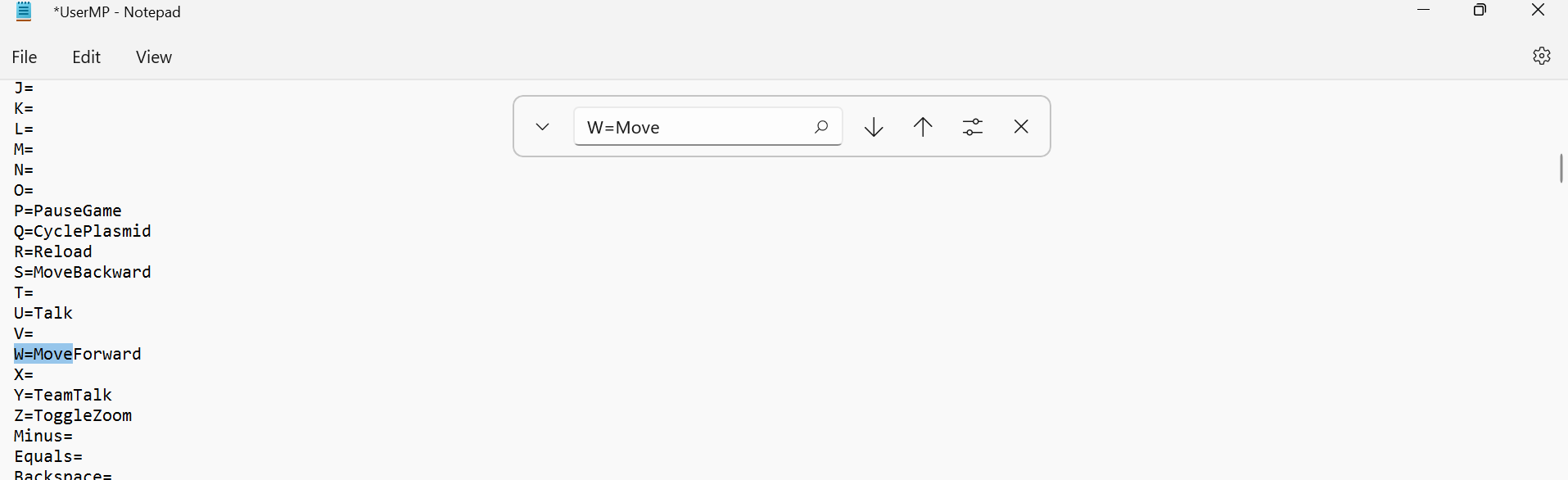
Now copy this next line and make sure to keep the space at the beginning!!!
| set Engine.PlayerInput MouseAccelThreshold 0.0 | set Engine.PlayerInput MouseSmoothingMode 0.0
Now paste that right after W=MoveForward in notepad
It should look like this:

Now you have done the aim Fix congrats, now you might be able to shoot straight! :)
Now in the same search bar from before, delete aMouse and instead type W=Move and search
Note:
If it says cannot find, try pressing the up and down arrows by the search bar.
If it still cant find it then slowly scroll down until you see the W=MoveForward appear for the first time on the left.
It should look like this
Now copy this next line and make sure to keep the space at the beginning!!!
| set Engine.PlayerInput MouseAccelThreshold 0.0 | set Engine.PlayerInput MouseSmoothingMode 0.0
Now paste that right after W=MoveForward in notepad
It should look like this:
Now you have done the aim Fix congrats, now you might be able to shoot straight! :)
More BioShock 2 guides
- Crashing of Bioshock 2 Solved★ 5 (1.4k)63k views1.6k ♥5 minUpdated Jun 8, 2020
- Руководство по достижениям в игре BioShock 2 + КОНЦОВКИ★ 5 (1.4k)18k views1.4k ♥12 minRussianUpdated Oct 22, 2015
- [RUS]/[ENG], Как получить достижение "9-Ирония"/ How to make the rare achievement - "9-Irony"★ 5 (333)12k views154 ♥1 minUpdated Oct 15, 2015
- Codes to all doors★ 512k views722 ♥1 minUpdated Apr 11, 2022
- Long Grind Multiplayer Achievements via Solo Play (Bioshock 2)★ 5 (461)11k views535 ♥3 minUpdated Apr 19, 2023
- Scheme guide to all 6 endings★ 4 (167)9.1k views149 ♥1 min


This guide was created by its original author on the Steam Community. Are you the author and want it removed? Request removal.