Blurry Textures Fix/VRAM Limit fix
Preface
I am very grateful to CDT for all the amazing work they're doing for DD1, without you this game would've died long time ago.
But no matter how amazing DD1 Redux is, it introduced a new constant issue: Blurry Textures i don't think anybody likes those play-doh textures.
So yeah, this is a simple guide to fix a simple issue.
Based on original guide by a fellow DD1 player: MaIheX (thank you)
But no matter how amazing DD1 Redux is, it introduced a new constant issue: Blurry Textures i don't think anybody likes those play-doh textures.
So yeah, this is a simple guide to fix a simple issue.
Based on original guide by a fellow DD1 player: MaIheX (thank you)
Steps must you take, to fix the blurry textures that you hate.
- #1 Go to your steam library
- #2 Search for Dungeon Defenders
- #3 Right click -> Manage -> Browse Local Files
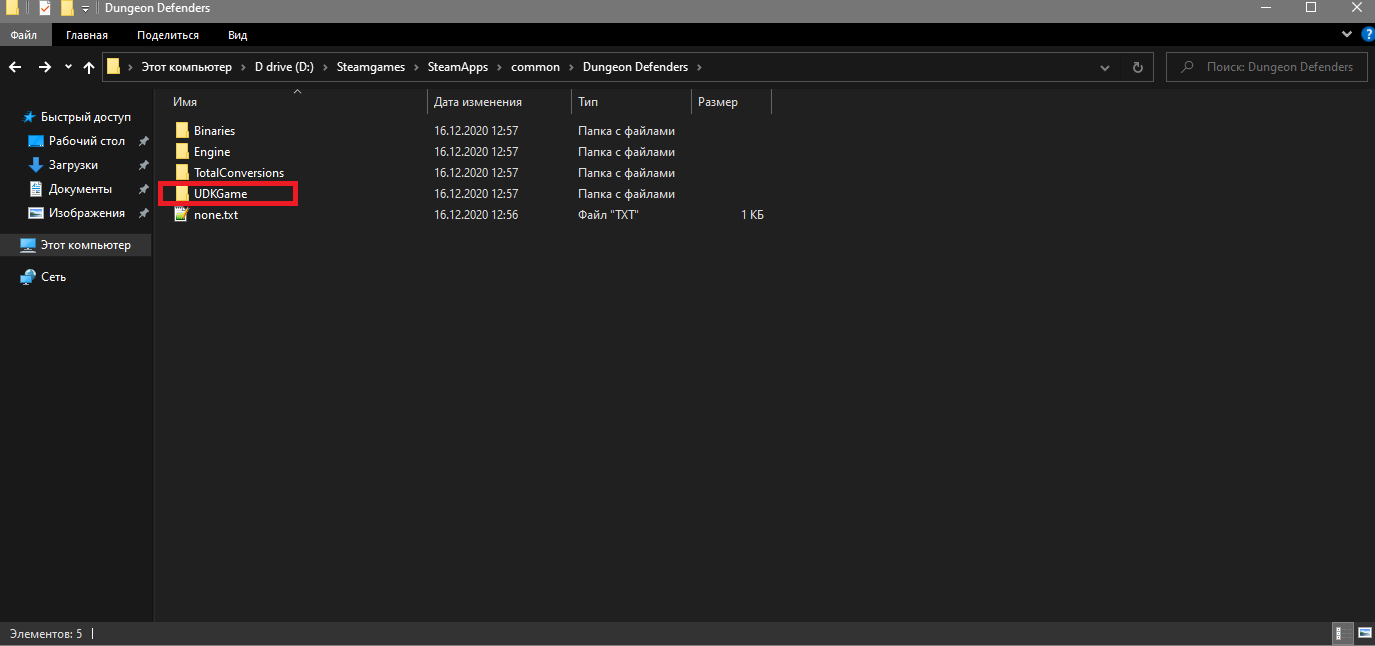
From there, go to UDKGame > Config folder, like this:
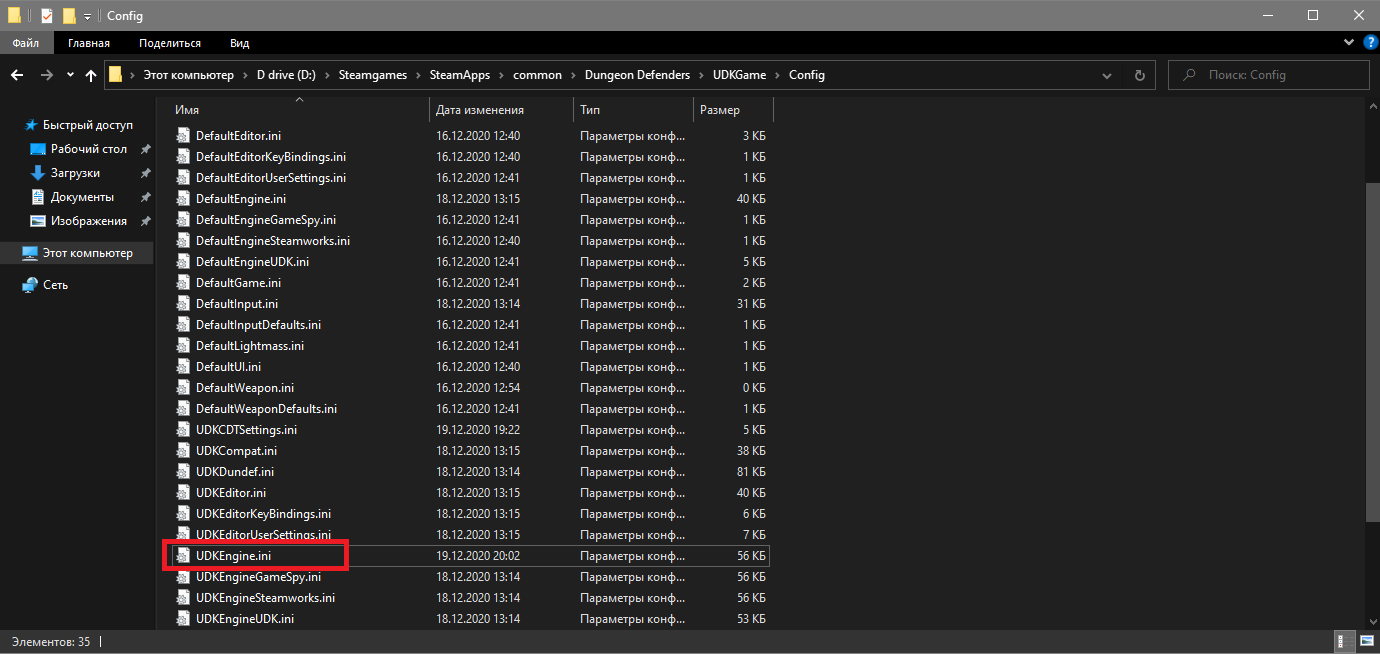
Now find the file we need to fix the blurry textures, it's called UDKEngine.ini
Open it and find the following lines:
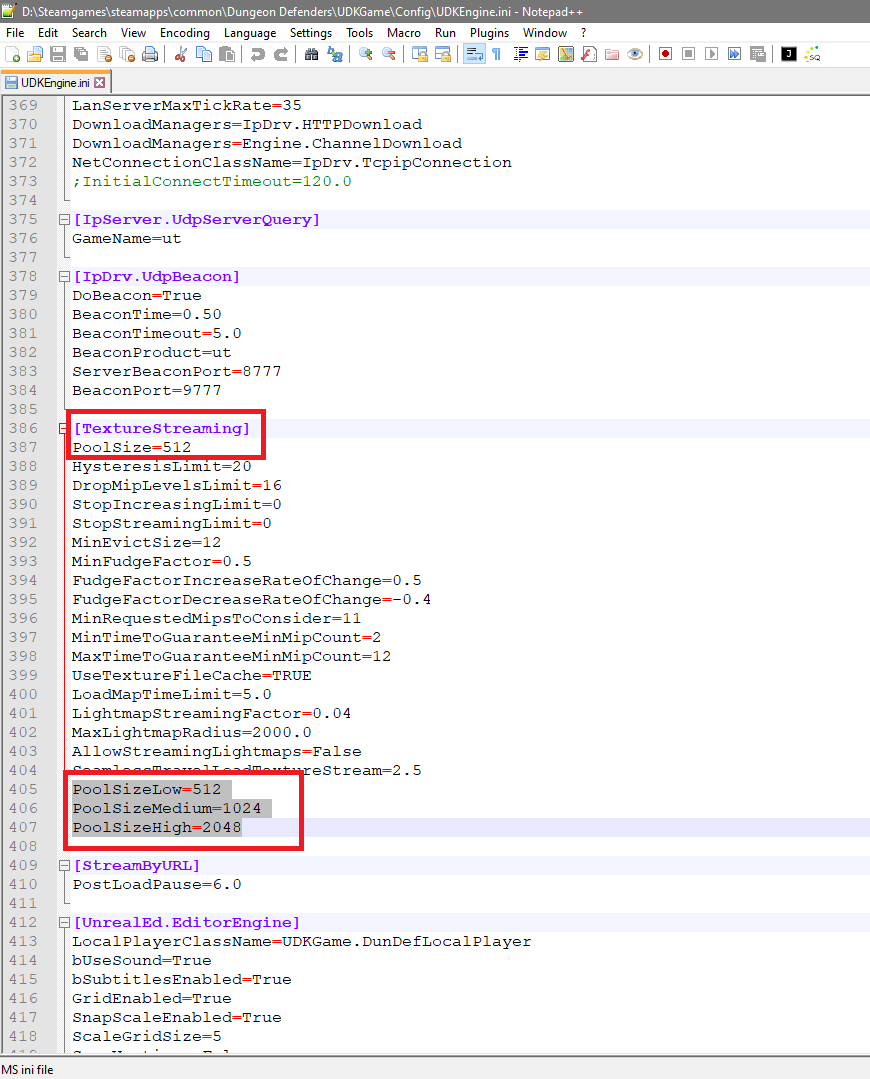
Default values will be different, change them to recommended values for stability sake.
Recommended values are:
- PoolSize=512
- PoolSizeLow=512
- PoolSizeMedium=1024
- PoolSizeHigh=2048
More Dungeon Defenders guides
- Dungeon Defenders 100% Solo Walkthrough★ 5 (564)27k views1.1k ♥87 minUpdated Mar 17, 2025
- Clear the game on Nightmare!★ 5 (727)25k views1.2k ♥27 minUpdated Jun 2, 2017
- Who is the best DPS hero on Nightmare?★ 5 (333)23k views471 ♥18 minUpdated Jun 2, 2017
- Endgame Progression★ 5 (422)21k views1.1k ♥37 minUpdated Jan 26, 2022
- Building your DPS★ 5 (236)20k views563 ♥26 minUpdated Jan 21, 2018
- Chiku's 0 to Early late-game Progression Guide (Updated as of 2026)★ 5 (539)18k views1.4k ♥49 minUpdated Jun 19


This guide was created by its original author on the Steam Community. Are you the author and want it removed? Request removal.