Coordinate your wardrobe
Abstract
This is not a tutorial to improve your ability to play the game.
This is not a mission walkthrough, a map cheat, an exploit, or a hack.
This is simply a way to appreciate and take advantage of the fact that, while we're only provided with a maximum of three colors to use on our gear, we have an incredible amount of control over those three colors (as well as the four body colors), and can actually use them to create something pretty impressive.
Hopefully, I won't be assuming you know anything that you actually don't about the game or anything else mentioned in this tutorial, but as long as you understand how the menus work, I think it should be pretty straightforward. This was done on the PC version, but it also works with the console versions, since the GUI is the same.
If you don't have a secondary device with a web browser, you'll need to do some alt-tabbing. Cutting and pasting may or may not work, so keep in mind that you might need to just remember the hex codes when choosing colors. They're only 6 characters long, but if you need to write them down, write them down.
If you're doing this from a console, and you don't have a secondary device… sorry.
There are many websites that can help you with this. I use ColorHexa[www.colorhexa.com], so the tutorial will be based on that particular website.
This is not a mission walkthrough, a map cheat, an exploit, or a hack.
This is simply a way to appreciate and take advantage of the fact that, while we're only provided with a maximum of three colors to use on our gear, we have an incredible amount of control over those three colors (as well as the four body colors), and can actually use them to create something pretty impressive.
Hopefully, I won't be assuming you know anything that you actually don't about the game or anything else mentioned in this tutorial, but as long as you understand how the menus work, I think it should be pretty straightforward. This was done on the PC version, but it also works with the console versions, since the GUI is the same.
If you don't have a secondary device with a web browser, you'll need to do some alt-tabbing. Cutting and pasting may or may not work, so keep in mind that you might need to just remember the hex codes when choosing colors. They're only 6 characters long, but if you need to write them down, write them down.
If you're doing this from a console, and you don't have a secondary device… sorry.
There are many websites that can help you with this. I use ColorHexa[www.colorhexa.com], so the tutorial will be based on that particular website.
From scratch
If you're in the process of creating a character, you can generally ignore setting the colors, and go straight into the game. The devs only saw fit to let you use the color sliders during character creation, but if you want to pick at least one color to use as a base, feel free. You can build from there after the fact.
Once you've created your character, burn through [or skip] the tutorial, and head to Metropolis. If you need to go through the Watchtower, do so. This is primarily because the style window seems to light your character based on your current surroundings, and Metropolis is nice and bright. It's probably best to stand on the roof of a building, so go ahead and hop up on top of the safehouse you just exited.
Once you've created your character, burn through [or skip] the tutorial, and head to Metropolis. If you need to go through the Watchtower, do so. This is primarily because the style window seems to light your character based on your current surroundings, and Metropolis is nice and bright. It's probably best to stand on the roof of a building, so go ahead and hop up on top of the safehouse you just exited.
Show some style
Open up your style tab, and switch to the Color tab. Your gear color palette will be represented by the three horizontally-oriented rectangles, and your Body palette will be represented by four vertically-oriented rectangles.
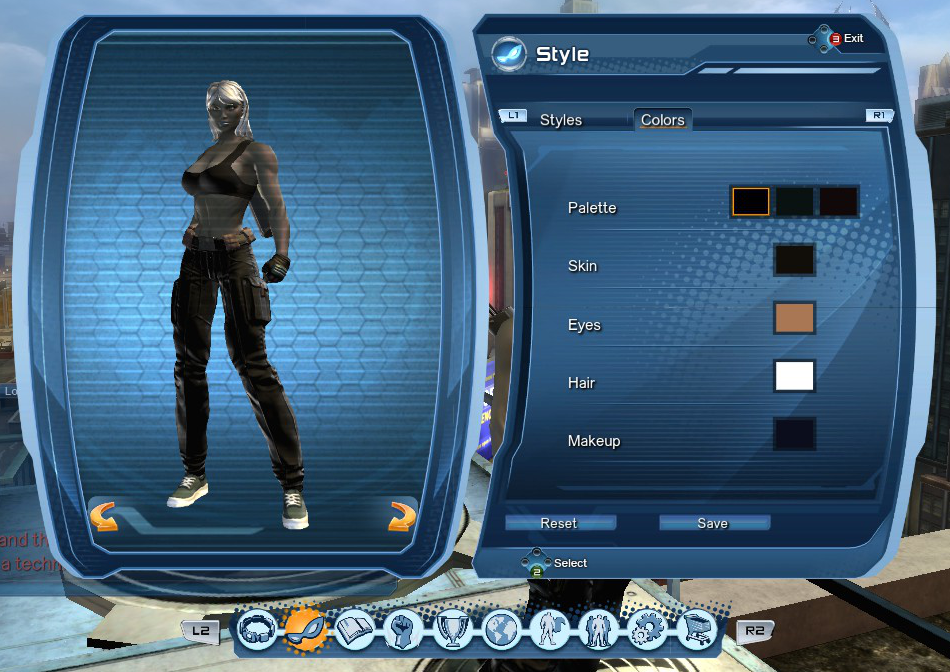
The settings for each individual color allow you to either use another slider, or to enter a hex code, in order to choose the color you want. The hex code is displayed in the lower right; that's what you'll be using.
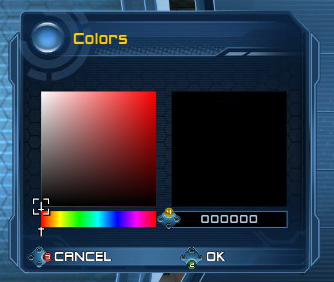
The settings for each individual color allow you to either use another slider, or to enter a hex code, in order to choose the color you want. The hex code is displayed in the lower right; that's what you'll be using.
The new #000000
From an Alt-Tab, or an alternate device, open up ColorHexa[www.colorhexa.com] in your web browser.
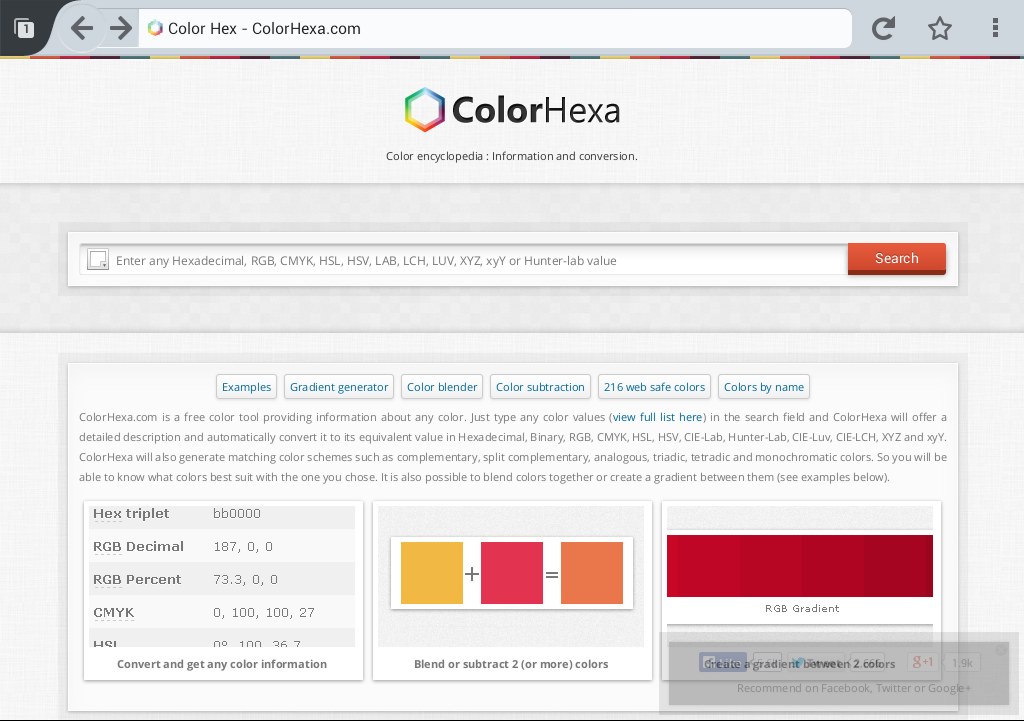
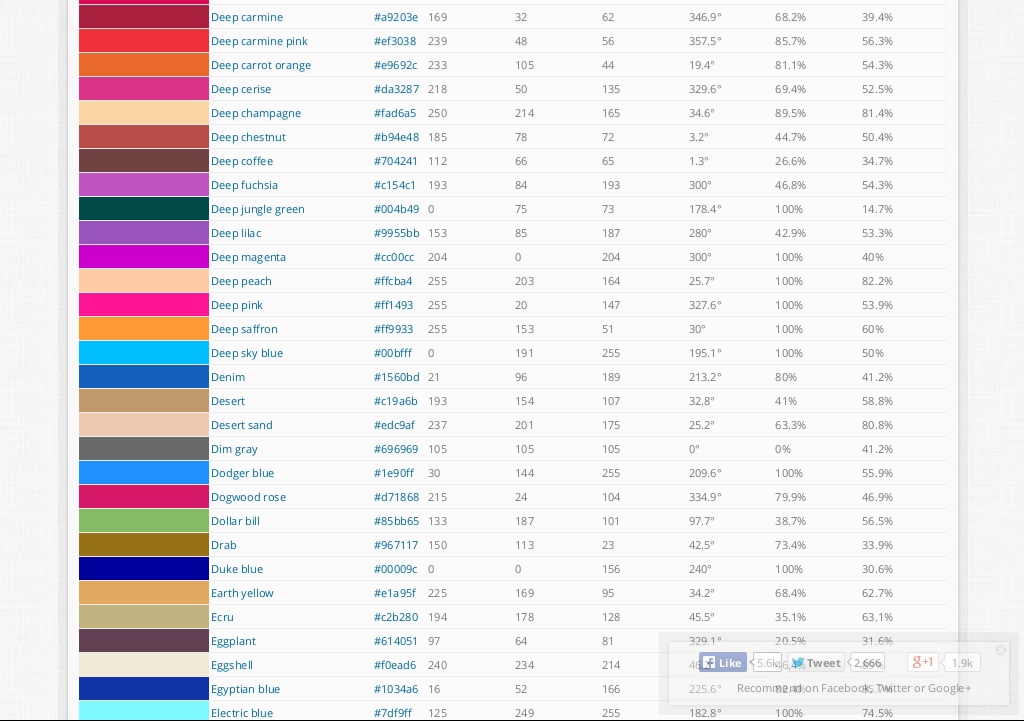
If you already have a base color you like, enter the hex code in the search bar. Otherwise, you can choose from an extensive list of already-established colors by clicking the "Colors by name" button on the far right, and opening a color's respective page.
Scroll down to the "Color Schemes" section.
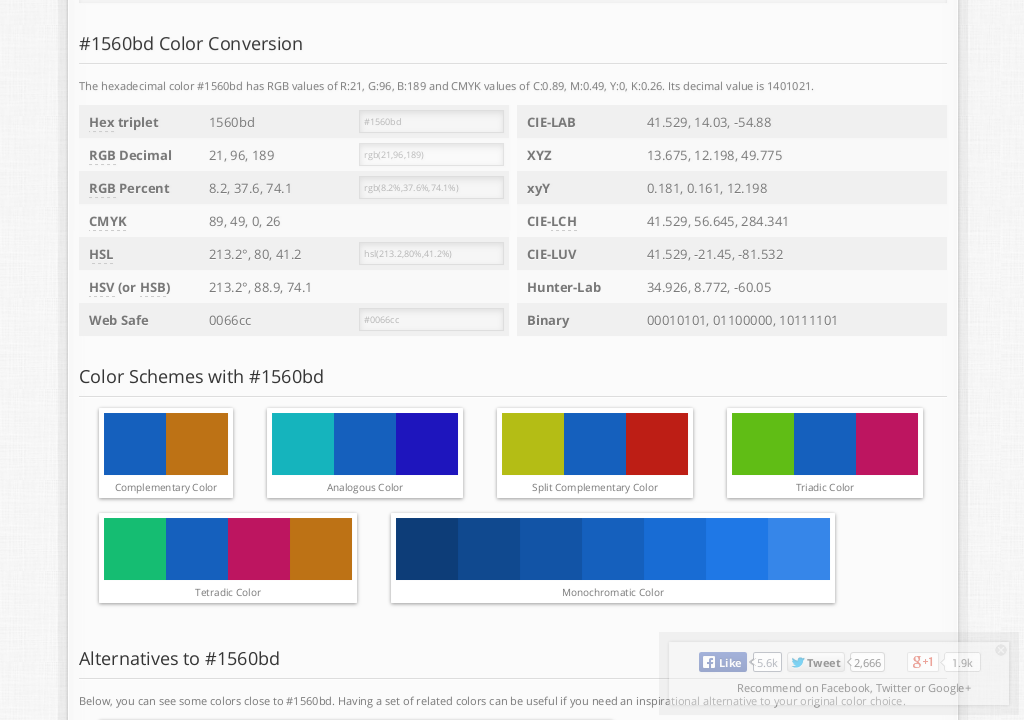
Hovering your mouse over the color squares will display their hex codes. This is the information you want. The hex code is the last part of the URL, so if you're using a touchscreen device, you'll probably need to long-press the color squares to bring up the dialog that asks what you want to do with the URL.
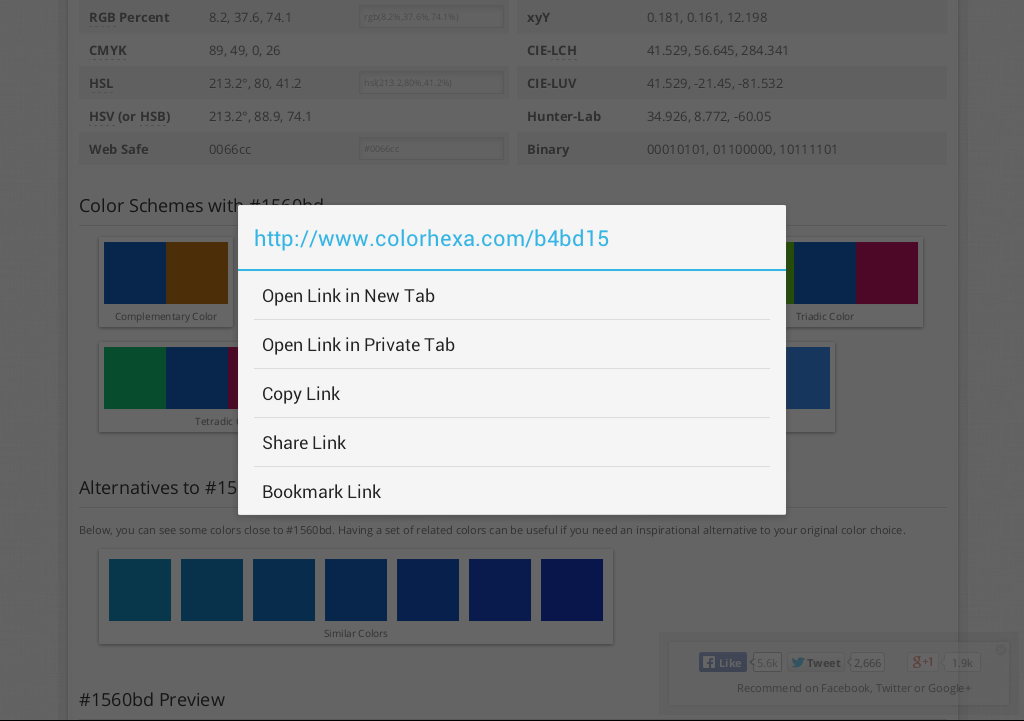
If it doesn't actually display the URL in that dialog box, go ahead and open the URL in a new tab. The hex code is written in several spots on the page, so you can still get it easily.
If you already have a base color you like, enter the hex code in the search bar. Otherwise, you can choose from an extensive list of already-established colors by clicking the "Colors by name" button on the far right, and opening a color's respective page.
Scroll down to the "Color Schemes" section.
Hovering your mouse over the color squares will display their hex codes. This is the information you want. The hex code is the last part of the URL, so if you're using a touchscreen device, you'll probably need to long-press the color squares to bring up the dialog that asks what you want to do with the URL.
If it doesn't actually display the URL in that dialog box, go ahead and open the URL in a new tab. The hex code is written in several spots on the page, so you can still get it easily.
Tone it down
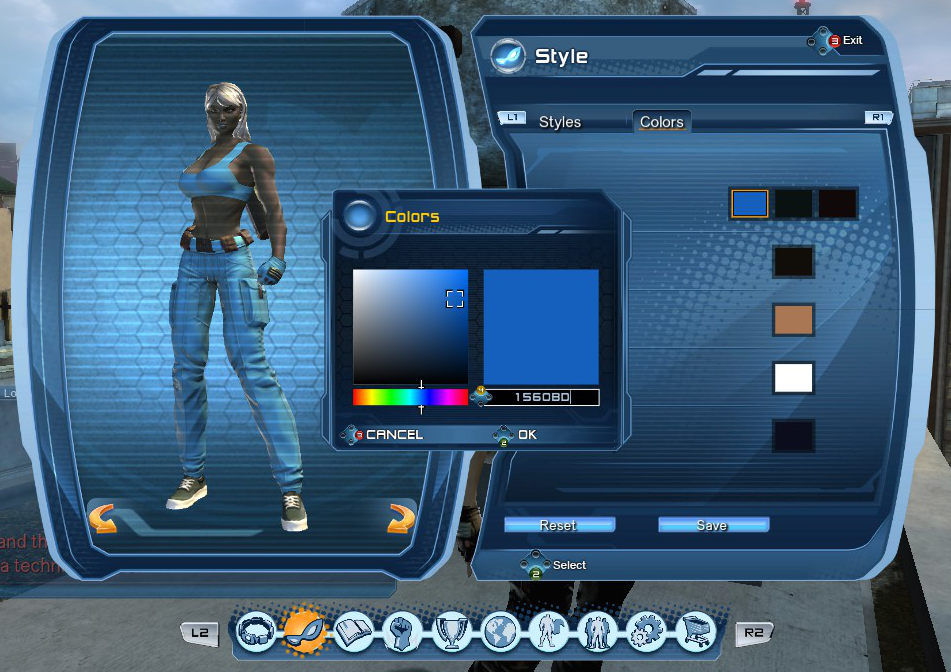
When you enter the colors, they'll probably look a lot brighter in-game than you were expecting. For example, I'm used to blue jeans being a bit darker of a blue (maybe that's just a personal issue, I dunno), but this is what "Denim" (#1560BD) looks like in DCUO:
If you want a darker version of your color, open the leftmost square on the monochromatic scheme of your chosen color in a new tab, and repeat the process until solid black (#000000) shows up in that spot.
I personally think that three shades lighter than "nothing" should be enough to be able to discern the colors in pretty much all lighting conditions; Metropolis; Gotham; safehouses, darker instances, whatever. You may want to go lower or higher; it's your costume, so feel free to play around.
If you want a darker version of your color, open the leftmost square on the monochromatic scheme of your chosen color in a new tab, and repeat the process until solid black (#000000) shows up in that spot.
I personally think that three shades lighter than "nothing" should be enough to be able to discern the colors in pretty much all lighting conditions; Metropolis; Gotham; safehouses, darker instances, whatever. You may want to go lower or higher; it's your costume, so feel free to play around.
More DC Universe Online guides
- Episodes and DLC content.★ 5 (533)36k views527 ♥15 minUpdated May 11
- Casual Solo Player's Guide From Fresh Level 30, to CR 84★ 5 (250)17k views485 ♥85 minUpdated Aug 17, 2014
- Easy/Fast Treasure Chest Farming★ 4 (116)10k views147 ♥1 minUpdated Feb 17, 2016
- BECOMING A TANK!★ 4 (105)6.8k views116 ♥7 minUpdated Jan 11, 2014
- BECOMNG A TROLLER!★ 4 (60)6.6k views70 ♥3 minUpdated Jan 10, 2014
- Quick Beginners Guide★ 4 (60)5k views86 ♥7 minUpdated Nov 19, 2025




This guide was created by its original author on the Steam Community. Are you the author and want it removed? Request removal.