Day of Defeat bots (but in english)
Step 1
First, we have to enter the Sturmbot webpage (name of the mod). Search in your browser "Sturmbot" (it should be the first option to appear) or copy paste this link: sturmbot .org (I put a space between sturmbot and .org to prevent the steam link filter to delete it)
Step 2
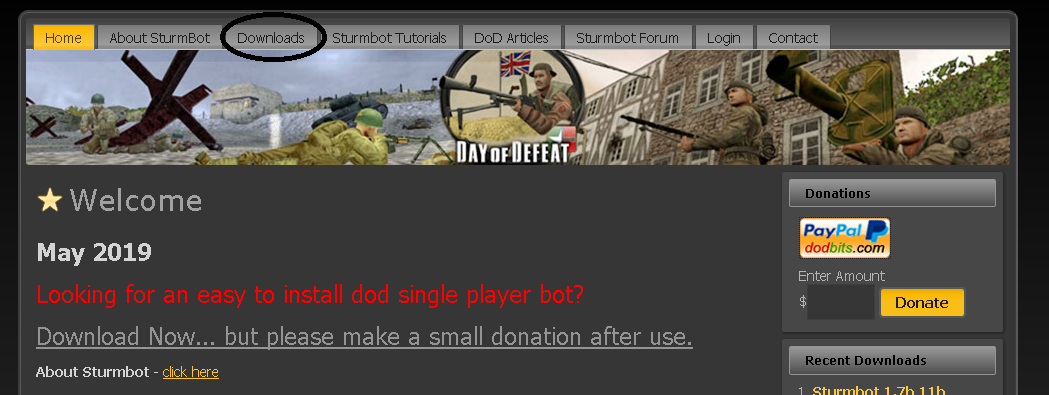
Once you are in the page, click "Downloads"
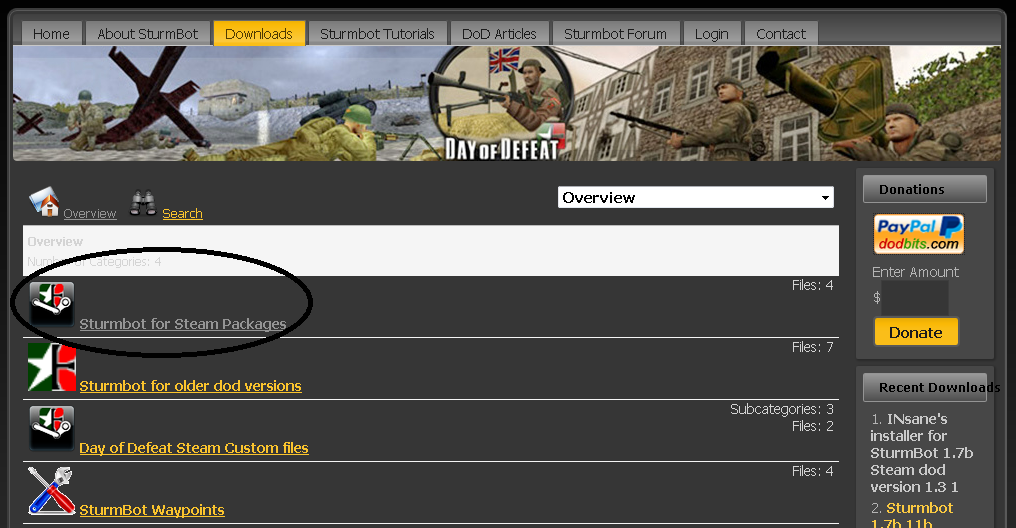
 Then click on "Sturmbot for Steam Packages"
 Next and finally, click on the latest option available to download (in this case it is the 1.9). Click on the download button on the right corner of the option:
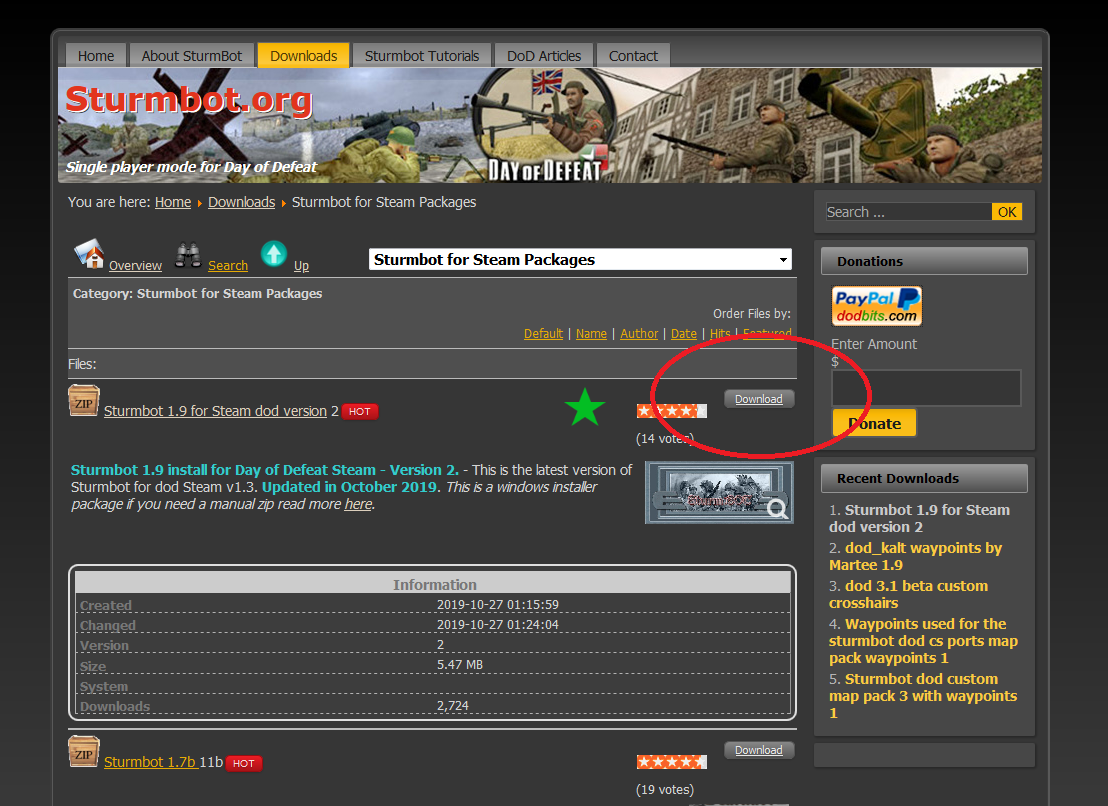
Then click on "Sturmbot for Steam Packages"Next and finally, click on the latest option available to download (in this case it is the 1.9). Click on the download button on the right corner of the option:
Step 3
Once your file has been downloaded, proceed to unzip it and click on the executable file
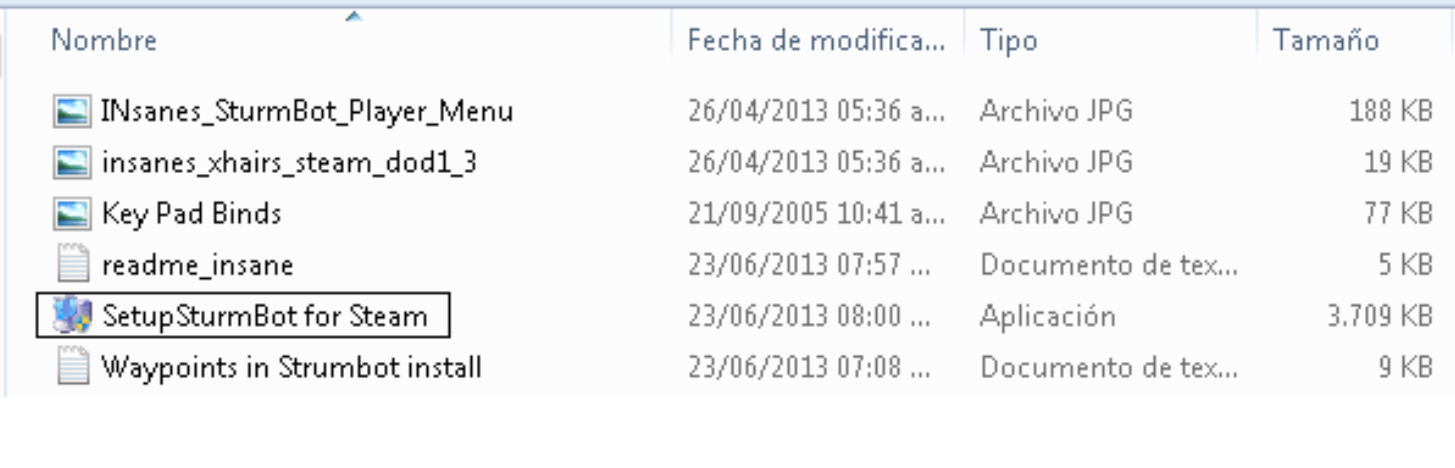 A window will pop-up
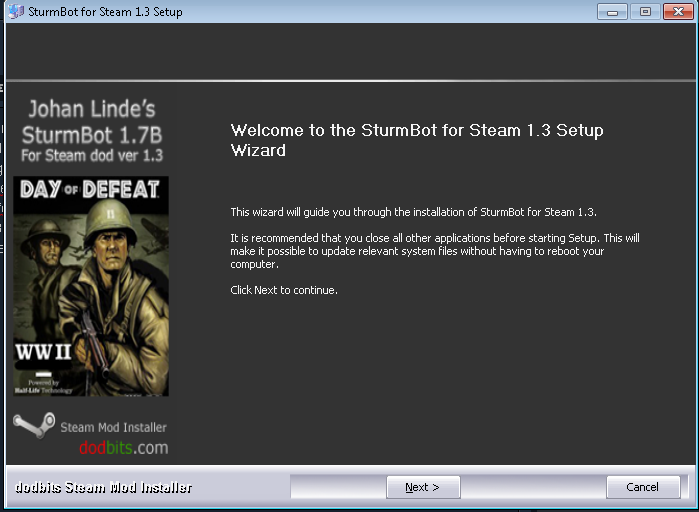 Now, click "next" and then "I agree"
Finally, click again "next" and then "Install"
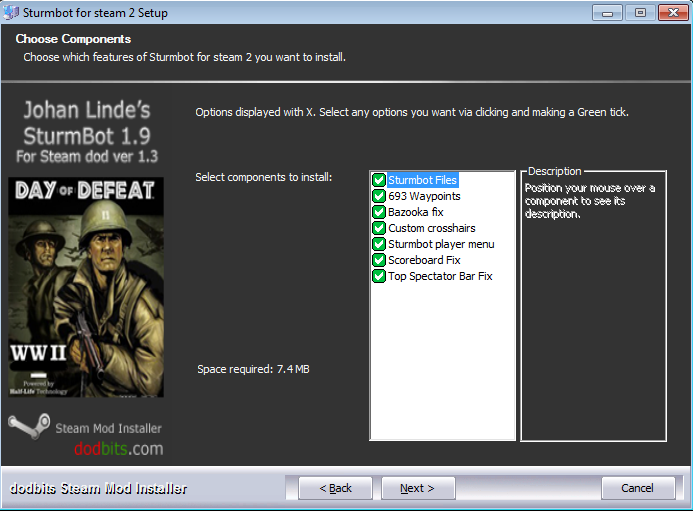 /
/
PrO GAmEr tip: you can read a manual about the mod if you wish

A window will pop-upNow, click "next" and then "I agree"Finally, click again "next" and then "Install"
/PrO GAmEr tip: you can read a manual about the mod if you wish
Now, how do I play with bots?
Start the game, select "new game" and choose a map (preferentially choose one of the maps that come with the game, as bots sometimes can produce lag on non-base-game maps)


Tap your key and a menu should appear, it will let you add/remove bots and other stuff from your game

You're done!
- If starting the game this sturmbot text appears, you're ready to start playing
- Pause the game, go to options, keyboard and click on "Sturmbot main menu". Double click the option and bind a new key of your preference, save and resume the game.
Tap your key and a menu should appear, it will let you add/remove bots and other stuff from your game
You're done!
Extra and important
If you are playing in english, press the x key and this menu should appear:

It lets you configure the bots like you want, that's it.
It lets you configure the bots like you want, that's it.
End
Cool
Also, thanks for coming to my TED Talk
Also, thanks for coming to my TED Talk
More Day of Defeat guides


This guide was created by its original author on the Steam Community. Are you the author and want it removed? Request removal.