Developer Menu
Preparation
Go to your steam library, right click on Alan Wake and open properties -> "Set launch options".
Type in "-developermenu" (without quotes).
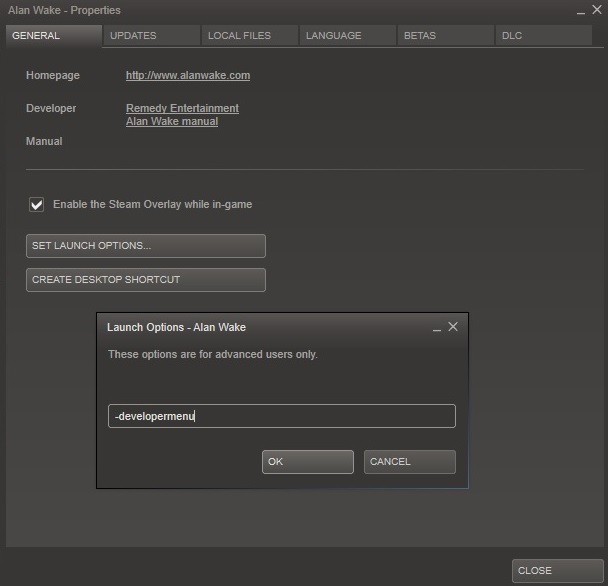
Type in "-developermenu" (without quotes).
Ingame
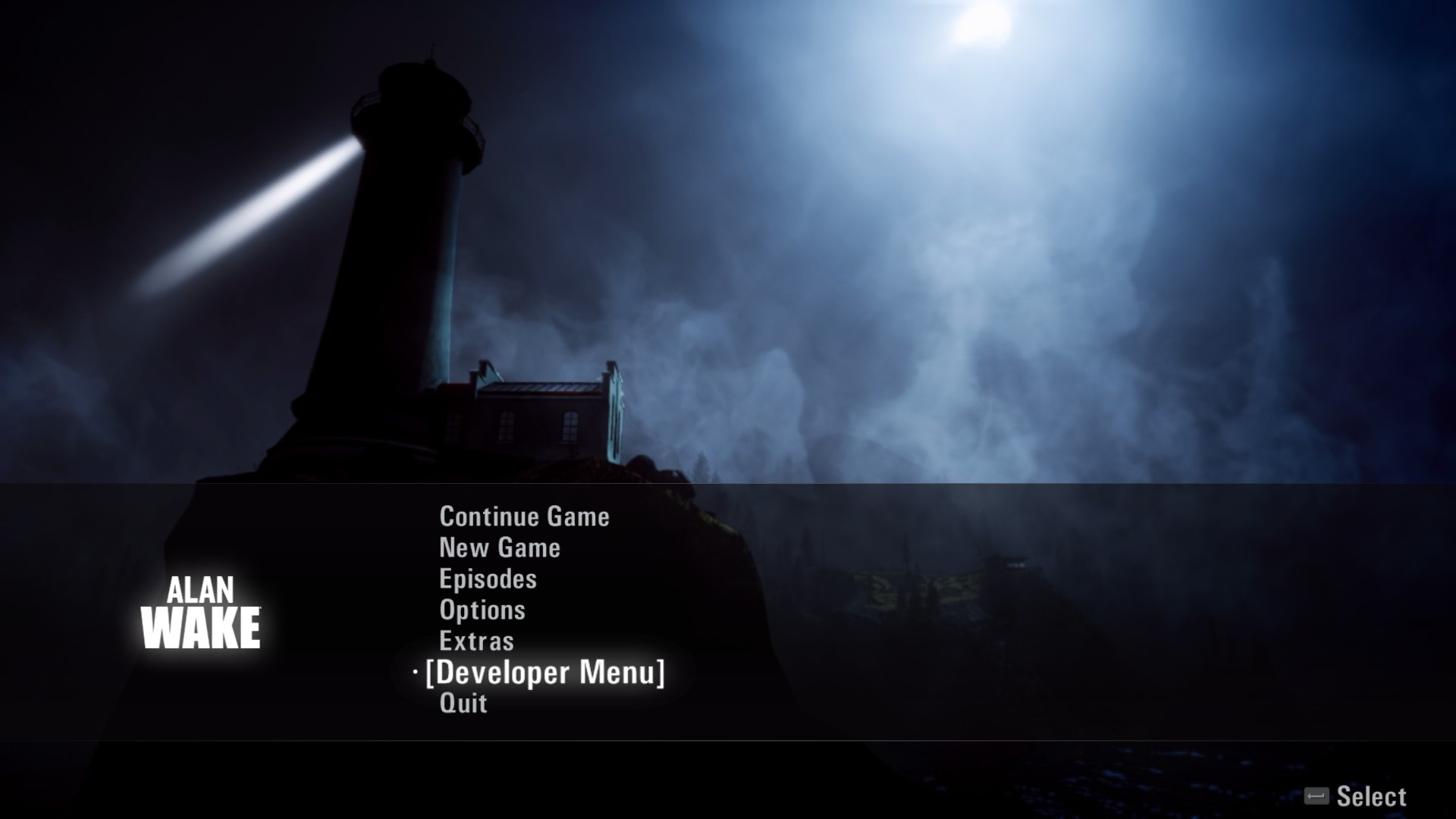
In the main menu you will now see a new option "Developer Menu".
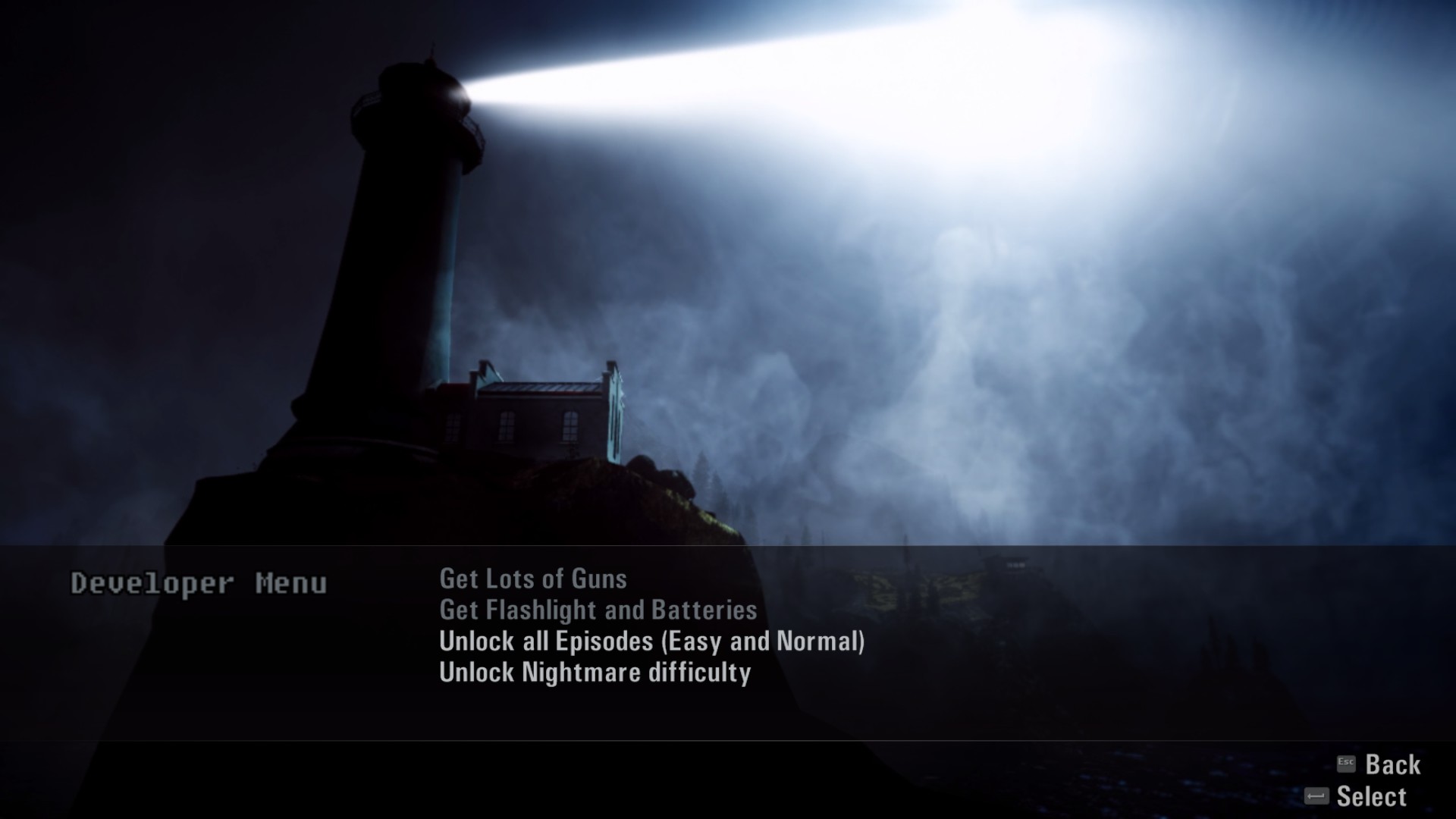
This will allow you start from any episode or difficulty you choose and can be useful for those who have lost their progress.
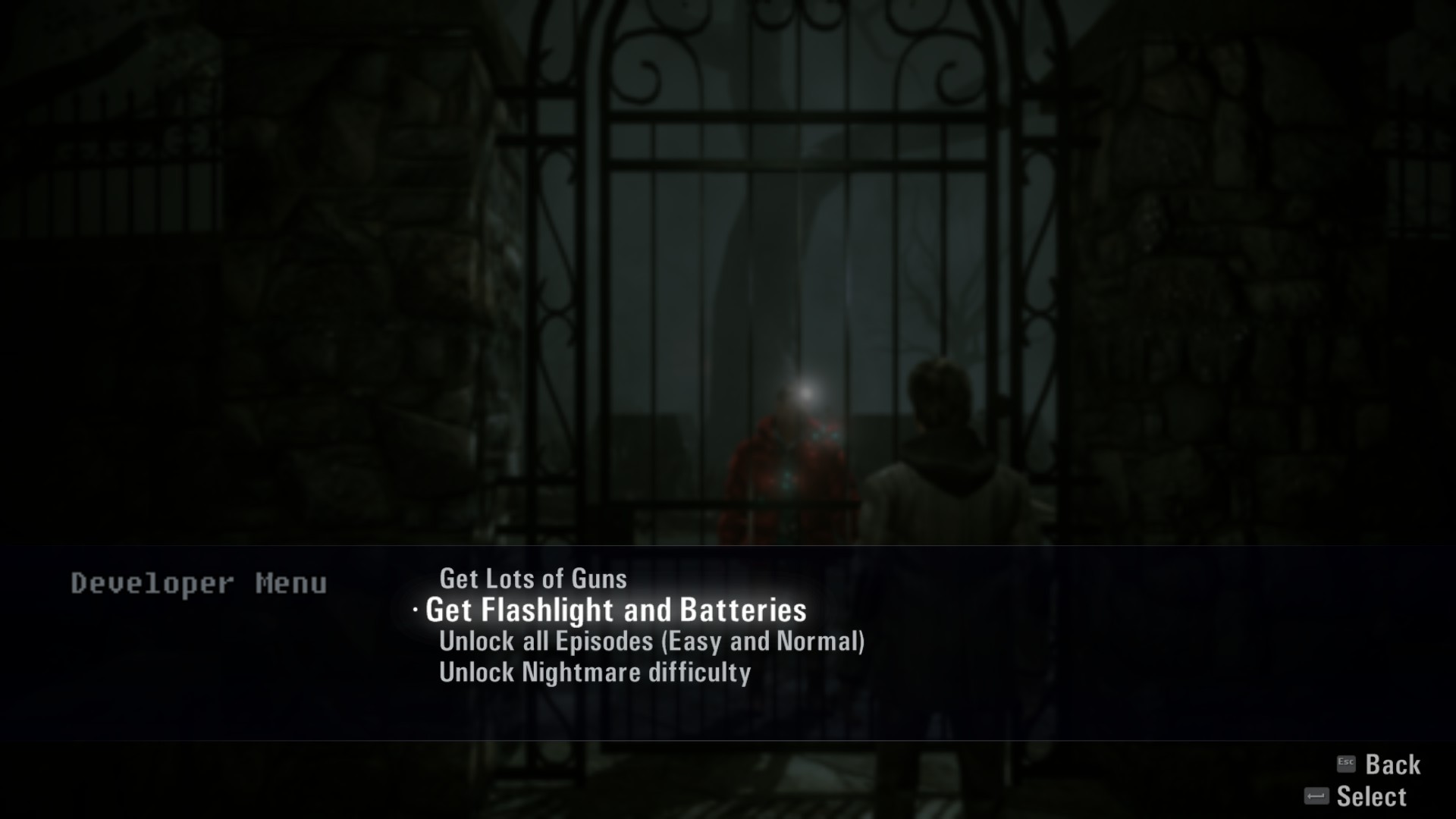
Additionaly, the developer menu can be used to get access to maximum possible ammo for the guns, flash bangs, flares etc.
Note
Please use the developer menu if and only if you have lost hope of clearing the level, or if you have lost all your progress and need to unlock the chapters.
Using cheats snatch away the fun of playing games.
Using cheats snatch away the fun of playing games.
Alan Wake´s American Nightmare Guide
Reviews, more Guides and YouTube Channel
To see my reviews, please feel free to follow me and/or my curator group:
http://steamcommunity.com/id/Ov3RT4K3R/myworkshopfiles/?section=guides
http://steamcommunity.com/groups/orcollective#curation
Also feel free to check out my YouTube Channel:
https://www.youtube.com/channel/UC83DYCmrWfl9ttrhX54jmWA
http://steamcommunity.com/id/Ov3RT4K3R/myworkshopfiles/?section=guides
http://steamcommunity.com/groups/orcollective#curation
Also feel free to check out my YouTube Channel:
https://www.youtube.com/channel/UC83DYCmrWfl9ttrhX54jmWA
More Alan Wake guides
- Русская озвучка Alan Wake от GamesVoice★ 5 (1.4k)44k views1.8k ♥1 minRussianUpdated Aug 29, 2020
- 100% Achievement Guide + DLC (by THN)★ 5 (1.7k)36k views2.5k ♥23 minUpdated Jan 7, 2021
- Ачивменты — от начала и до конца★ 5 (1.8k)27k views1.8k ♥9 minRussianUpdated Dec 19, 2023
- Месторасположение всех предметов + получение всех достижений★ 5 (2.2k)25k views2.6k ♥40 minRussianUpdated May 9, 2024
- Alan Wake - All In One★ 5 (701)16k views803 ♥1 minUpdated Dec 26, 2017
- Alan Wake - Отключение размытия (повышение FPS)★ 5 (440)14k views385 ♥1 minRussianUpdated Aug 29, 2024




This guide was created by its original author on the Steam Community. Are you the author and want it removed? Request removal.