[ENG] Overlay in Age of Empires III: Complete Collection.
GENERAL INFORMATION ABOUT THE GUIDE:
The guide concerns how to how to enable Steam Overlay while playing.
INSTRUCTION:
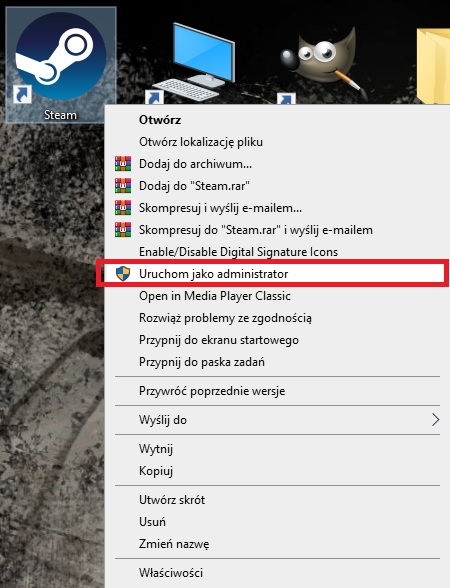
- 1.Right-click on the Steam application icon and select: Run as administrator.
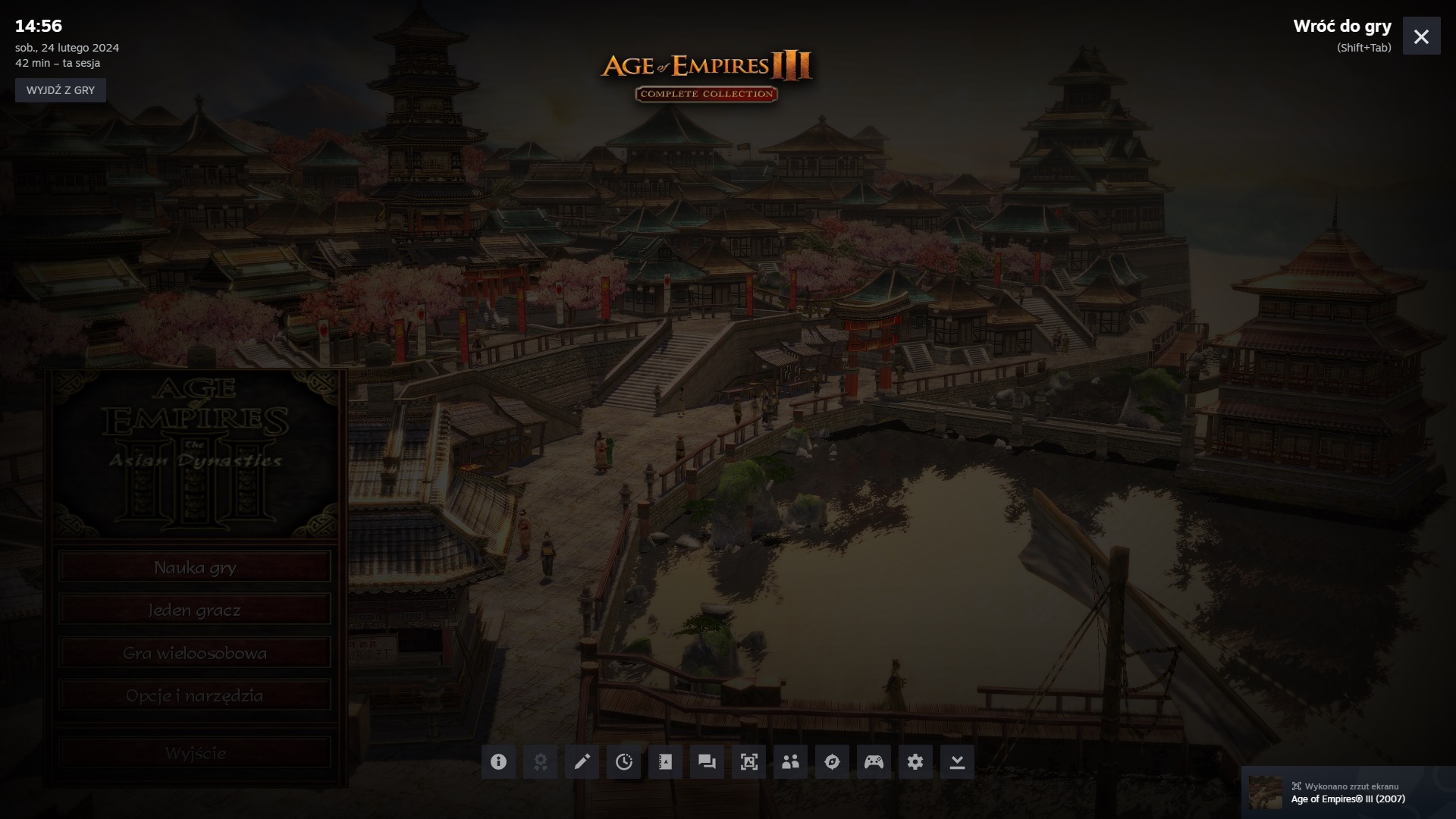
- 2.Then, while playing the game, we can turn on the Steam Overlay. Press the key combination, (usually) Shift + Tab.
SUMMARY:
The overlay enables the game to communicate with Steam and allow your purchase to be made while playing. Friend, game & group invites. You can access your friends list, Steam chat, as well as group/game invites while in the overlay.
More Age of Empires® III (2007) guides
- Aussiedroid's AoE III Cheat Codes★ 5 (430)18k views530 ♥3 minUpdated Oct 31, 2014
- How to Play The Asian Dynasties and The Warchiefs★ 4 (157)15k views60 ♥1 minUpdated Dec 29, 2017
- Age of Empires® III: Complete Collection Overview of Cheats★ 5 (227)14k views431 ♥4 minUpdated Mar 10, 2017
- Русификатор текста и речи Age of Empires III★ 5 (281)14k views358 ♥5 minRussianUpdated Jan 8, 2022
- Wars of Liberty Mod : Getting started★ 5 (187)13k views267 ♥3 minUpdated Oct 10, 2017
- Quick Shortcut to DLC Startup★ 4 (154)7.3k views67 ♥1 minUpdated Jul 17


This guide was created by its original author on the Steam Community. Are you the author and want it removed? Request removal.