FPS issue fix
About issue:
If you had connected gamepad before, you'll get 30-9fps because of steam input
Game and/or egs can't properly handle this feature.
Game and/or egs can't properly handle this feature.
Workaround:
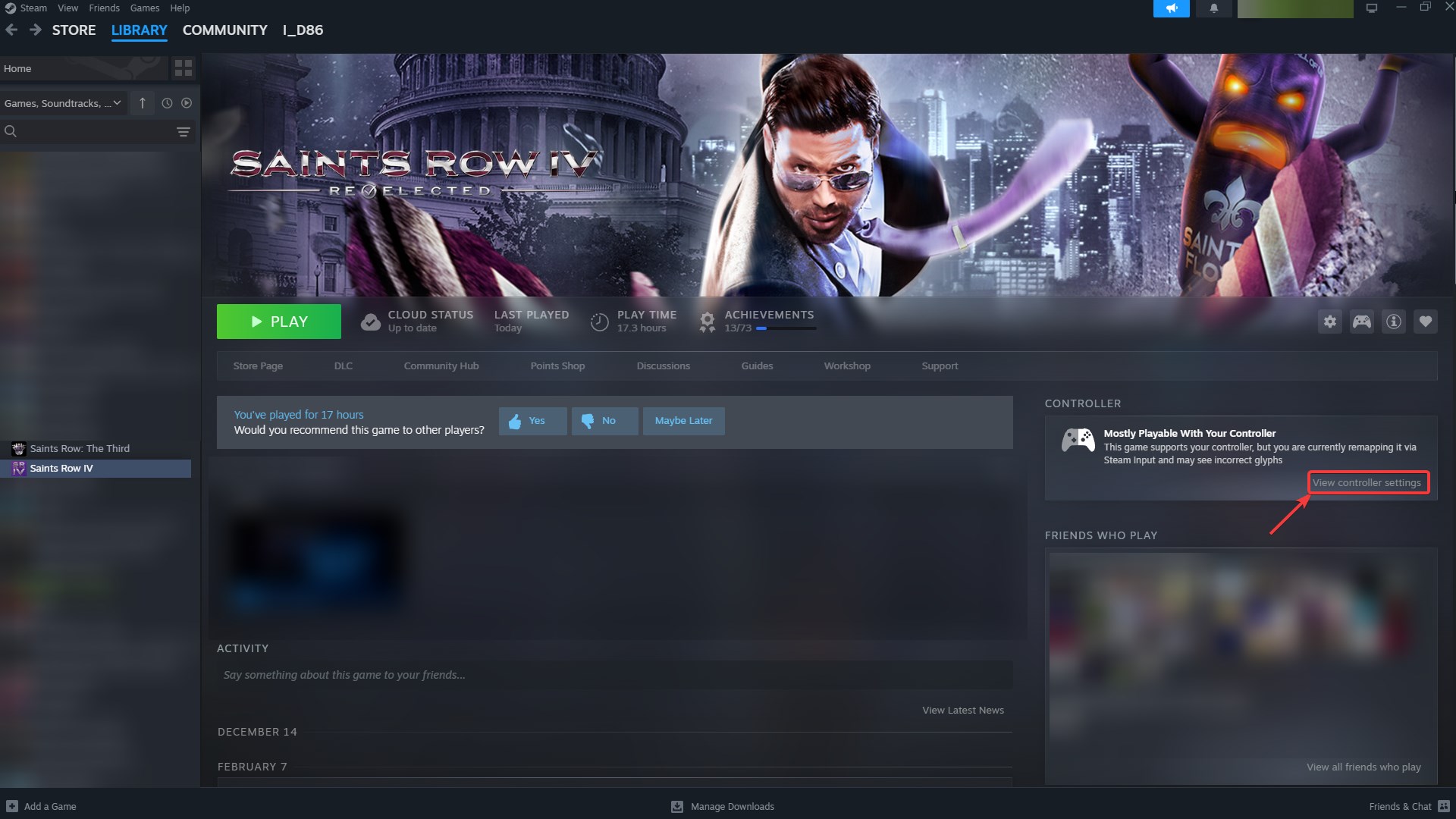
Click Saints Row 4, then click to "View controller settings"
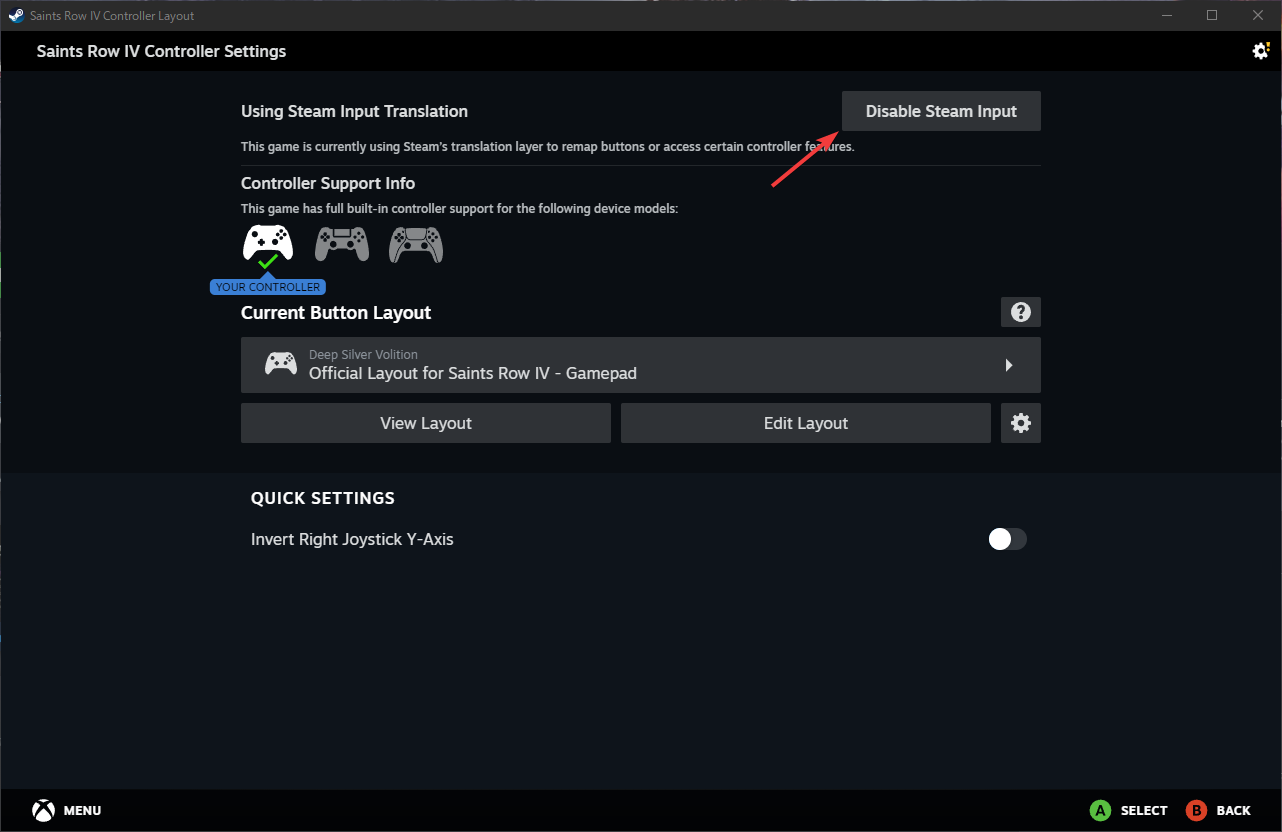
 In new window just click "Disable steam input" button
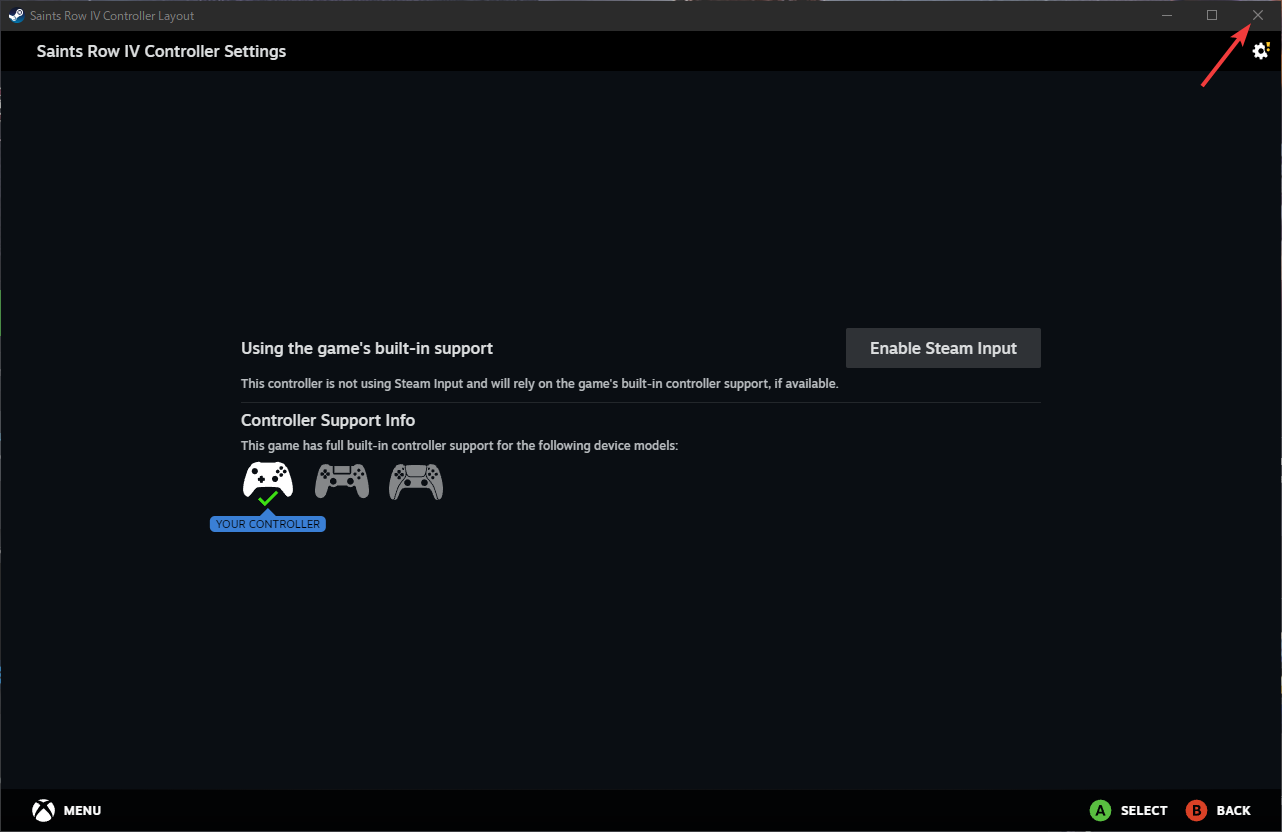
 After that close Steam input window
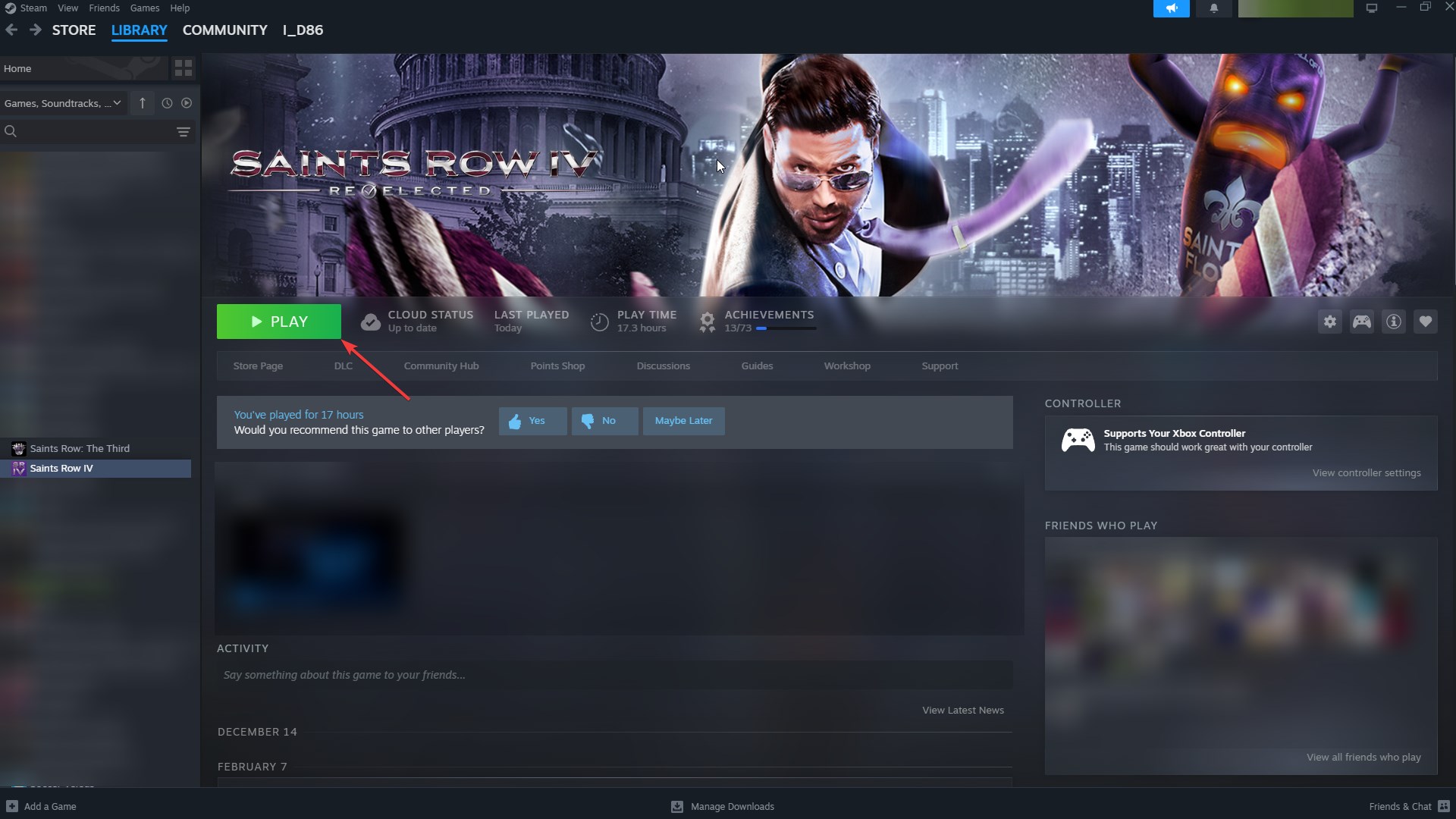
 And launch a game
Enjoy your FPS (optional)
In new window just click "Disable steam input" buttonAfter that close Steam input windowAnd launch a game Enjoy your FPS (optional)
same but in another way
in case controller menu ain't listed there
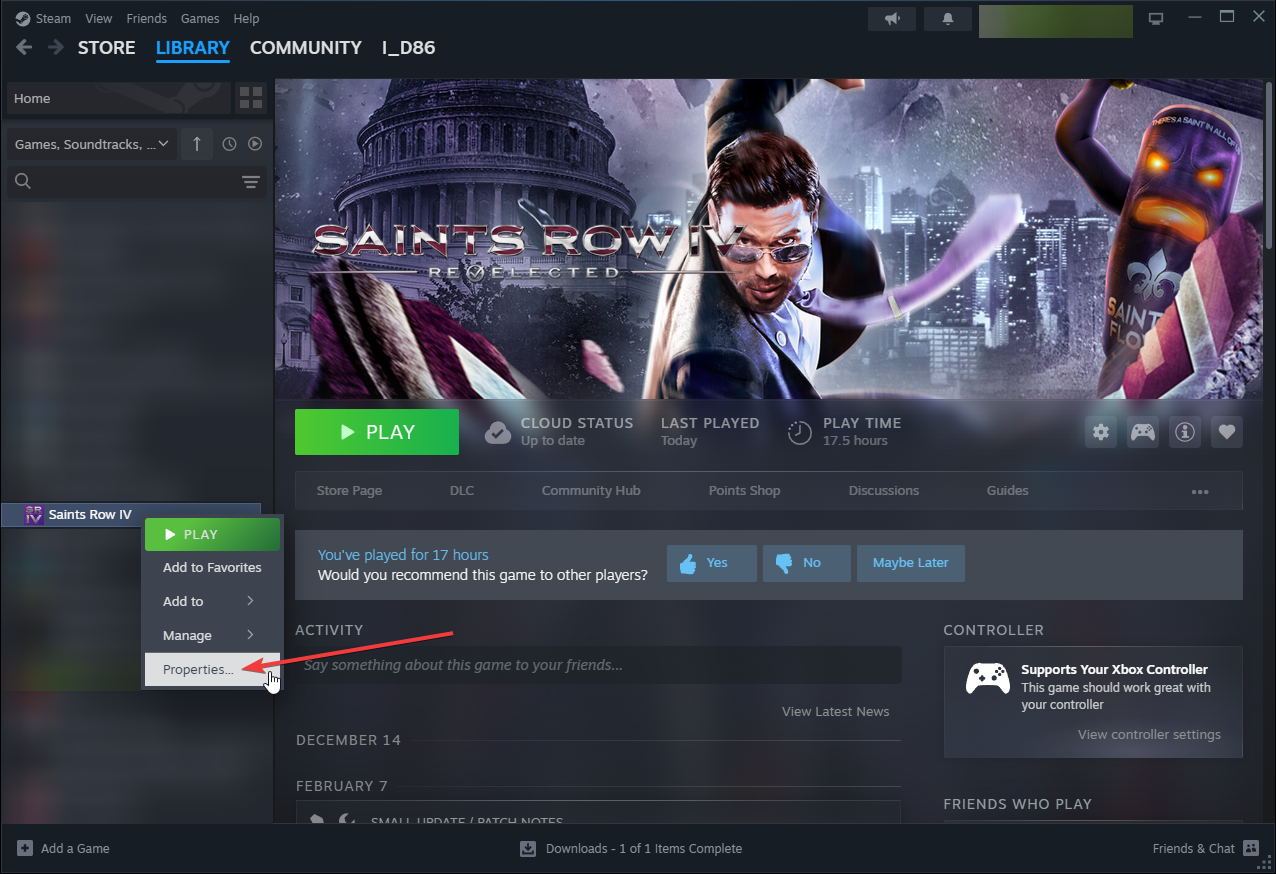
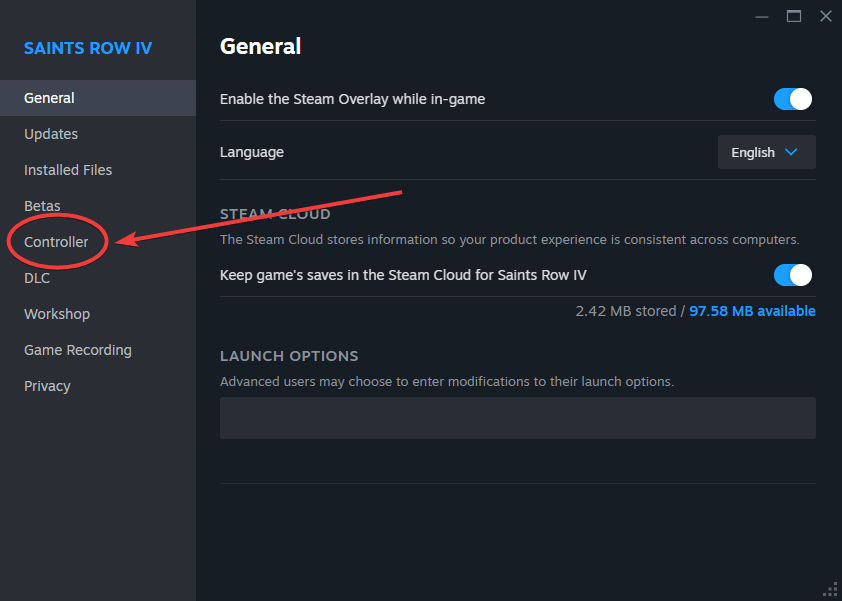
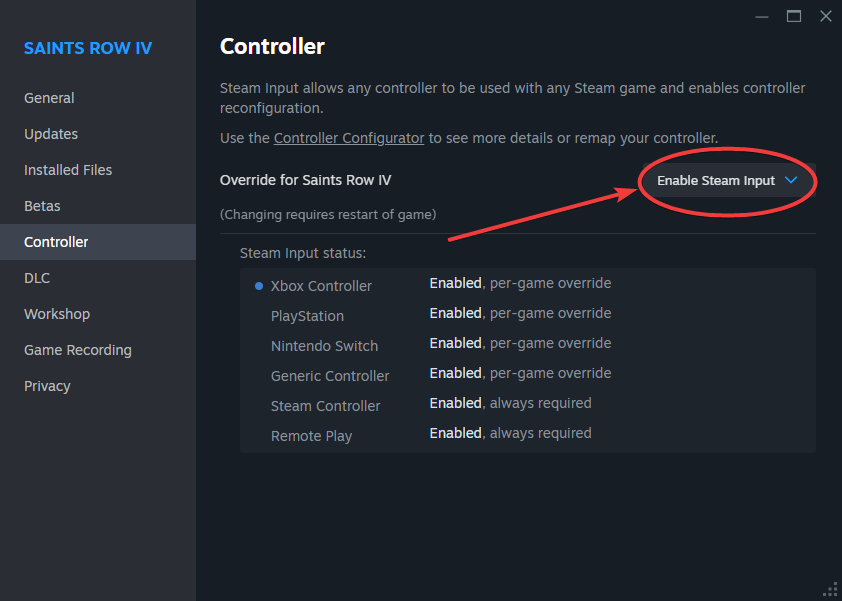
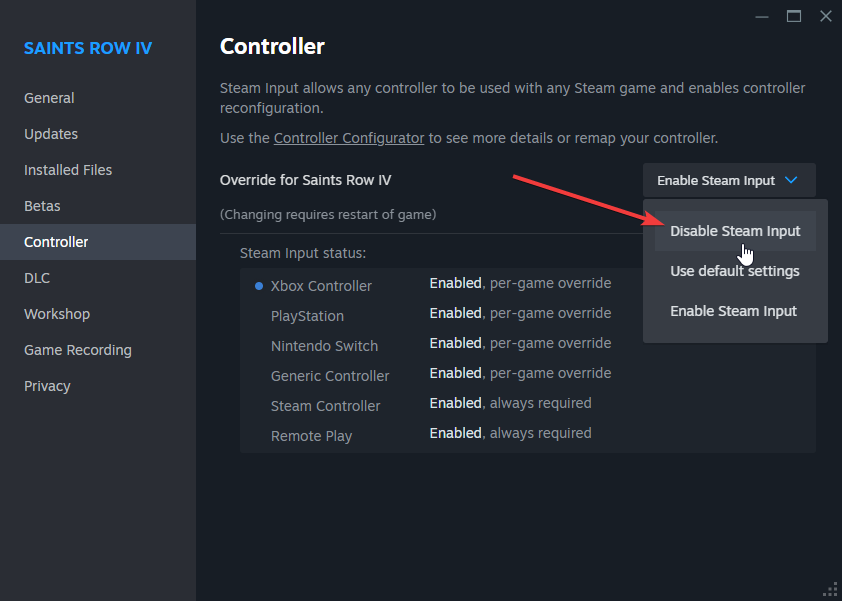 close window and launch game
close window and launch game
It WON'T work?
Please make sure you do all steps right.
If it won't work for you then please provide additional details!
If it won't work for you then please provide additional details!
More Saints Row IV guides
- Store hacking made easy - ALL 34 hacks inside★ 5 (1.8k)61k views2.2k ♥1 minBulgarianUpdated Aug 24, 2013
- Как убрать цензуру★ 5 (305)39k views528 ♥1 minRussianUpdated Dec 30, 2018
- [RUS] Гайд по достижениям (Saints Row IV)★ 5 (2.2k)29k views2.5k ♥11 minRussianUpdated May 6, 2024
- Всё для создания красотки героини! [Saints Row: The Third / Saints Row IV]★ 5 (976)27k views999 ♥2 minRussianUpdated Nov 9, 2025
- Secret Achievements★ 5 (452)24k views435 ♥2 minUpdated Jun 25, 2016
- How the Saints Save Christmas DLC (100% Guide)★ 5 (693)21k views657 ♥7 minUpdated Mar 6, 2015



This guide was created by its original author on the Steam Community. Are you the author and want it removed? Request removal.