Halloween Mod
Obstacles & Cosmonaut



Power Ups

Obstacles

Downloadlink and files to replace
To download the files just click here[www.dropbox.com]
File locations Cosmonaut Skin
!!! Before you replace the files create a backup of the old files, in case you wanna change back to the default skin !!!
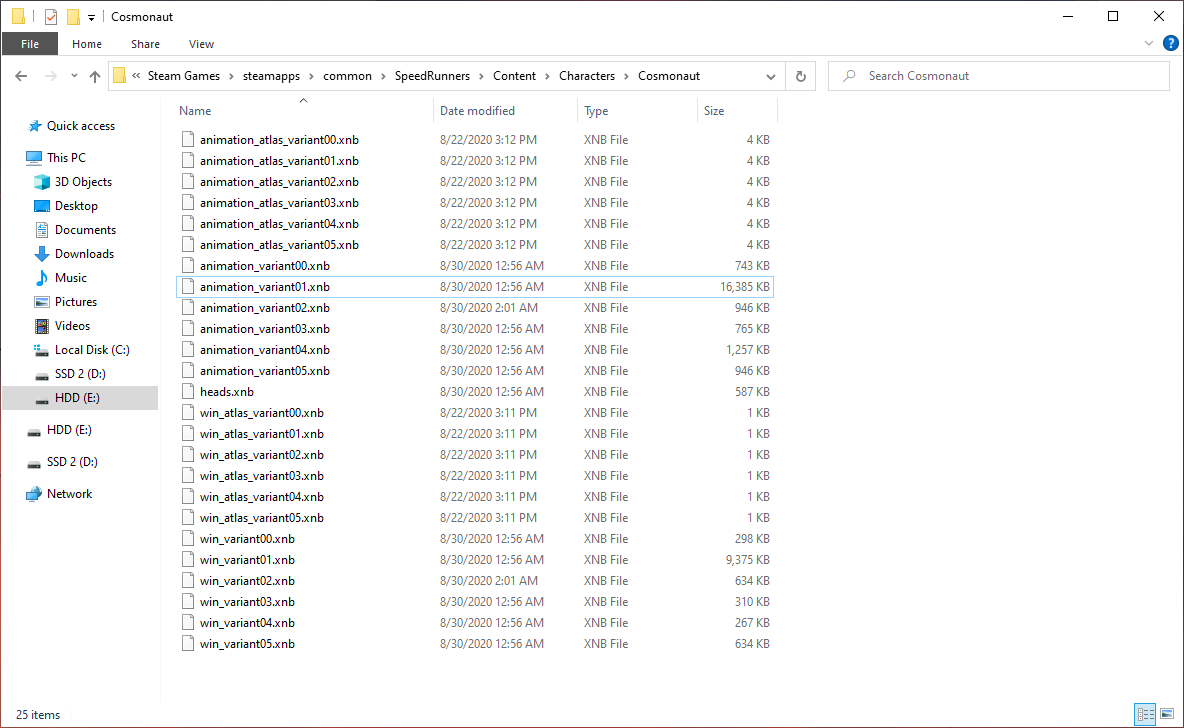
Replace ""animation_variant02.xnb", heads.xnb, "win_variant02.xnb" in the following path:
"\(your Steam folder)\steamapps\common\SpeedRunners\Content\Characters\Cosmonaut"
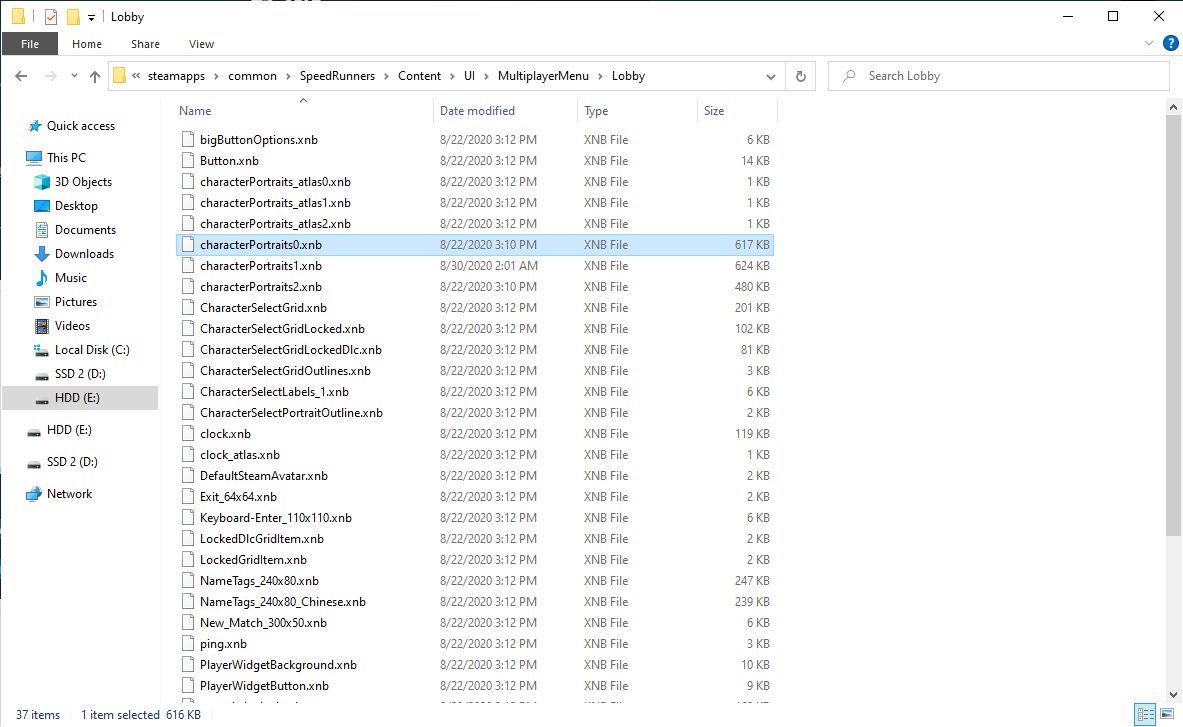
Replace "characterPortraits0.xnb" in the following path:
"\(your Steam folder)\steamapps\common\SpeedRunners\Content\UI\MultiplayerMenu\Lobby"
File location obstacles
!!! Before you replace the files make a backup of the old files, in case you wanna change back to the default skin !!!
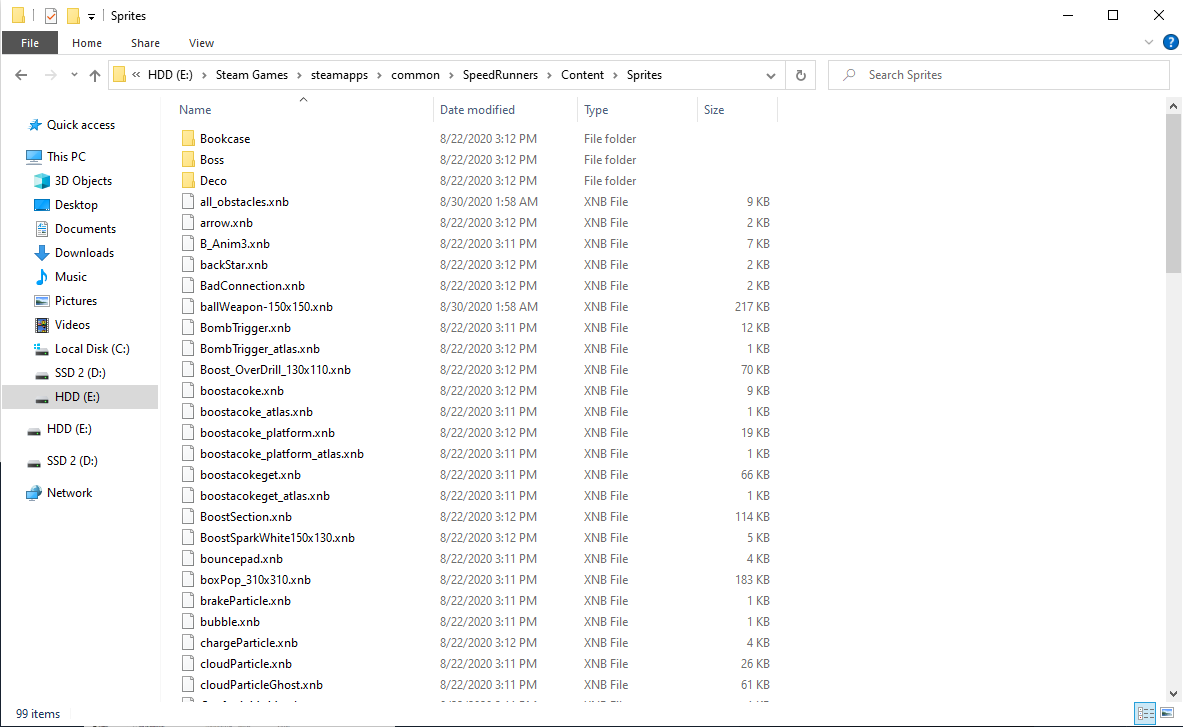
Replace "all_obstacles.xnb" in the following path:
\(your steam folder)\steamapps\common\SpeedRunners\Content\Sprites
File location Power Ups
!!! Before you replace the files make a backup of the old files, in case you wanna change back to the default skin !!!
To change the Power up HUD
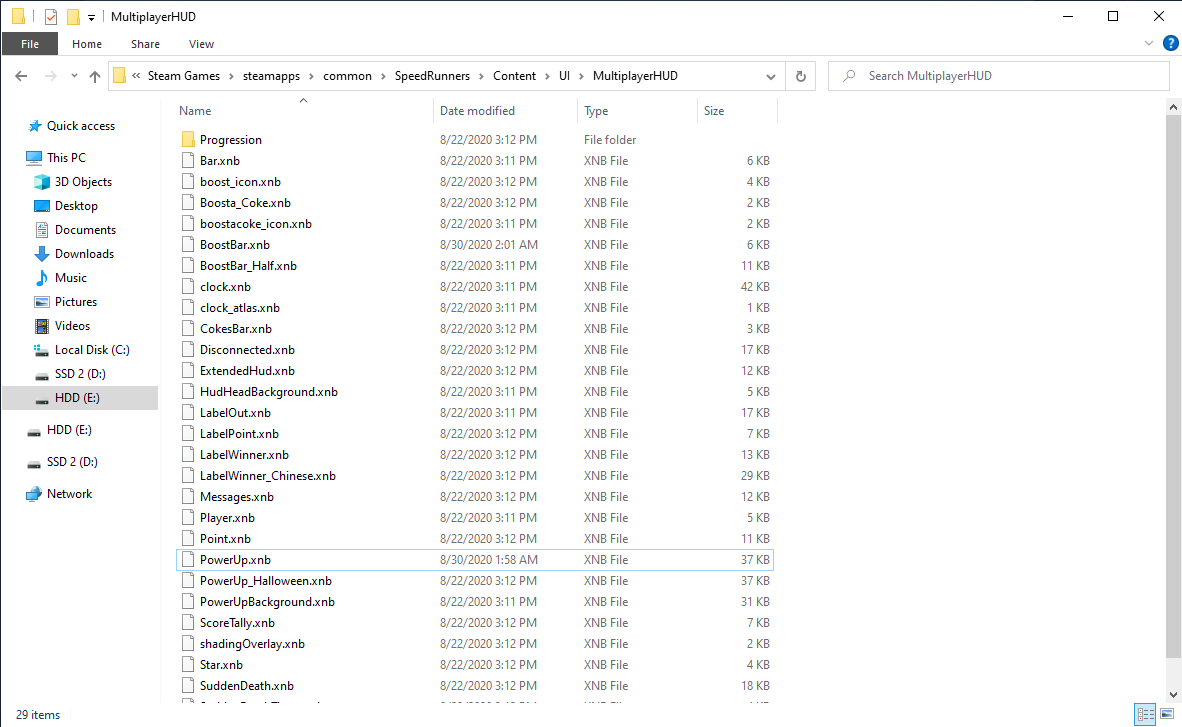
Replace "PowerUp.xnb" in the following path:
\(your steam folder)steamapps\common\SpeedRunners\Content\UI\MultiplayerHUD
To change the Power ups in game
Replace "ballWeapon-150x150.xnb", "rocket.xnb" in the following path:
\(your steam folder)\steamapps\common\SpeedRunners\Content\Sprites
End
If you have any questions feel free to ask in the comments or just add me on steam.
Have fun with the skin comrades! c:

Have fun with the skin comrades! c:
More SpeedRunners guides
- The official SpeedRunners controller guide★ 4 (111)99k views87 ♥5 minUpdated Sep 26, 2019
- SpeedRunners - All Secret Characters★ 5 (555)47k views656 ♥1 minUpdated Jun 19, 2015
- Hidden Characters★ 5 (865)44k views1.1k ♥1 minUpdated Jun 3, 2015
- The Ultimate Guide To Unlockable Characters★ 5 (235)27k views339 ♥2 minUpdated Nov 2, 2015
- Secret Characters★ 5 (378)25k views481 ♥1 minUpdated Dec 26, 2017
- Megamen in SR [UPDATED!]★ 4 (121)15k views66 ♥1 minBulgarianUpdated Aug 5, 2017




This guide was created by its original author on the Steam Community. Are you the author and want it removed? Request removal.