How to change the color of your custom classes.
Lets color those things!
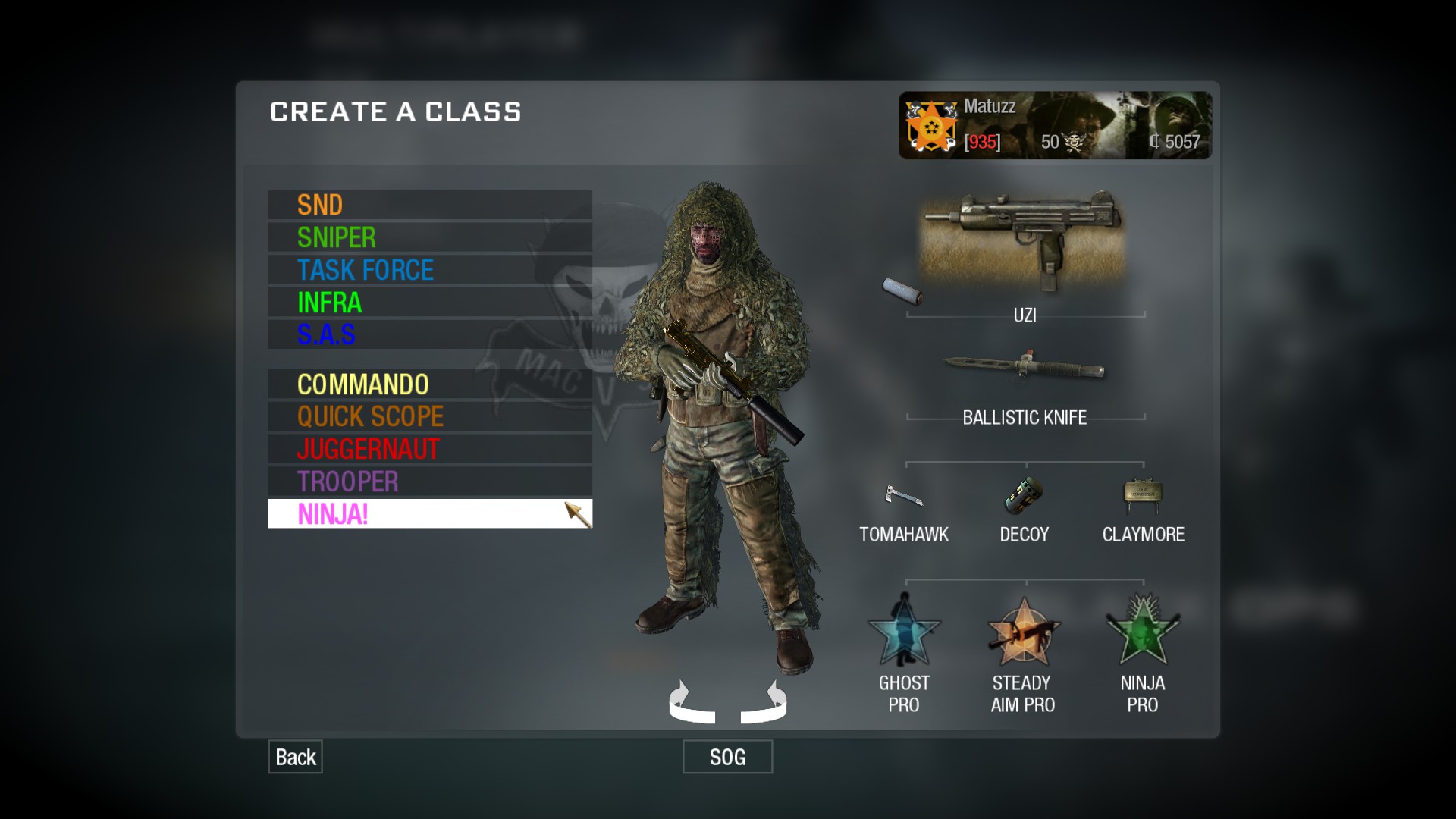
So thats what you want. And I will help you to achieve that.
You need to edit your config_mp file with text editor like WordPad / NotePad. You can find the file in your Black Ops game folder. Follow this path:
C:\Program Files (x86)\Steam\steamapps\common\call of duty black ops\players
Now open the config_mp with text editor. Press ctrl+f and search for customclass1.
You will find the name of your first custom class. To change the color add ^ and the color number/character of your choice infront of it. Do this to all of your five custom classes.
To change the name of the custom classes you have achieved as prestige rewards you need to use the search again. Now search for prestigeclass1. That will be your first prestige class. Do the same as above for all of them them.
Here are the colors available for use:
^1 RED
^2 GREEN
^3 YELLOW
^4 BLUE
^5 TEAL
^6 PINK
^7 WHITE
^8 GREY
^9 BROWN
^0 BLACK
^@ BROWN-ORANGE
^= LIGHTER BLUE
^; DARKER GREEN
^: DARKER RED
^> LIGHTER GREY
^< ORANGE
^? PURPLE
IMPORTANT!!!
Now that you are done save the changes you made. After that right click on the config_mp file, go to properties and tick READ ONLY.
This will prevent the game from overwriting the changes you just made.
More Call of Duty: Black Ops - Multiplayer guides
- Black Ops config★ 5 (246)24k views387 ♥5 minUpdated Dec 5, 2019
- How to be a great sniper Engl/Fre/Ger/Rus★ 4 (223)13k views52 ♥2 minUpdated Feb 12, 2016
- How to not get banned on servers 101★ 5 (236)11k views58 ♥1 minUpdated Oct 8, 2020
- possible Rank reset fix★ 4 (102)11k views59 ♥1 minBulgarianUpdated Jun 30
- Black ops 1 Smooth L96a1★ 4 (155)8.8k views155 ♥5 minUpdated Jan 2, 2017
- In the Money achievement in 2024★ 5 (326)8.5k views339 ♥2 minUpdated Nov 6, 2024





This guide was created by its original author on the Steam Community. Are you the author and want it removed? Request removal.