How to download the community T7patch by Serious and play online zombies safely (also FPS Fix)
Intro
As many are aware playing Black ops 3 online poses many security risks. Thankfully community member Alyssa, formally known as Serious, or shiversoftdev. Has made a patch that still works and helps to protect players playing zombies. Unfortunately she passed away in late 2025. May she rest in peace.
*A patch dropped on 2/20/26 that broke a lot of clients and mods. Community member Scropts has updated the T7 patch which will work for the current patch or downgraded game. Only for windows for now.
If you want to downgrade for whatever reason check out this guide here ----> https://steamcommunity.com/sharedfiles/filedetails/?id=3671765589
*A patch dropped on 2/20/26 that broke a lot of clients and mods. Community member Scropts has updated the T7 patch which will work for the current patch or downgraded game. Only for windows for now.
If you want to downgrade for whatever reason check out this guide here ----> https://steamcommunity.com/sharedfiles/filedetails/?id=3671765589
- Notes
- If you want to play mp look up "Clean ops"
- The patch fixes the fps issue the game has.
- This patch will not make you safe when matchmaking and connecting to strangers. It is for playing in private match with friends or solo while connected to the server for your unlocks.
- You can still matchmake if you want to if you just desire the "fps fix"
- Overwolf OBS plugin causes fatal crash in BO3 when patch is loading.
- Patch is not compatible with any mod menus.
- Do not try to use any public cheats with this patch. Almost all of them are incompatible.
- Not compatible with ZBR.
- D̶o̶e̶s̶n̶'t̶ w̶o̶r̶k̶ o̶n̶ s̶t̶e̶a̶m̶ d̶e̶c̶k̶, M̶a̶c̶ O̶s̶, o̶r̶ L̶i̶n̶u̶x̶ (̶L̶i̶n̶u̶x̶ m̶i̶g̶h̶t̶ w̶o̶r̶k̶ a̶f̶t̶e̶r̶ l̶a̶t̶e̶s̶t̶ u̶p̶d̶a̶t̶e̶)̶
- Update 2.03 Provides Linux and Steamdeck support! (You must use old version of patch on downgraded game for now)
- FAQ[github.com]
Tutorial
Version 3.00 is the latest version by Scropts and should be fully compatible with previous releases.
Version 2.04 is the old patch version for before the bo3update.
This is a Windows guide. For Linux and steam deck read here --> https://github.com/shiversoftdev/t7patch/tree/main?tab=readme-ov-file
Version 2.04 is the old patch version for before the bo3update.
This is a Windows guide. For Linux and steam deck read here --> https://github.com/shiversoftdev/t7patch/tree/main?tab=readme-ov-file
1. Make a folder
Make a folder(you can just put it on your desktop if you like) name it Black ops 3 patch.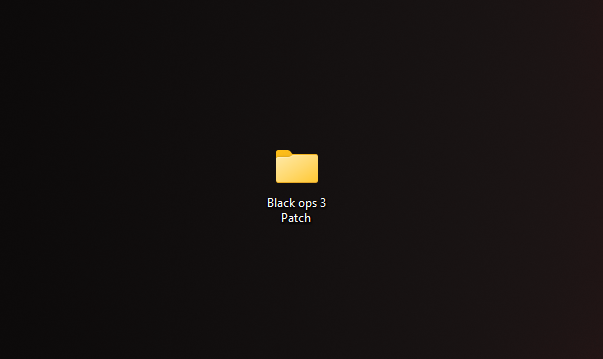
2. Download the Patch
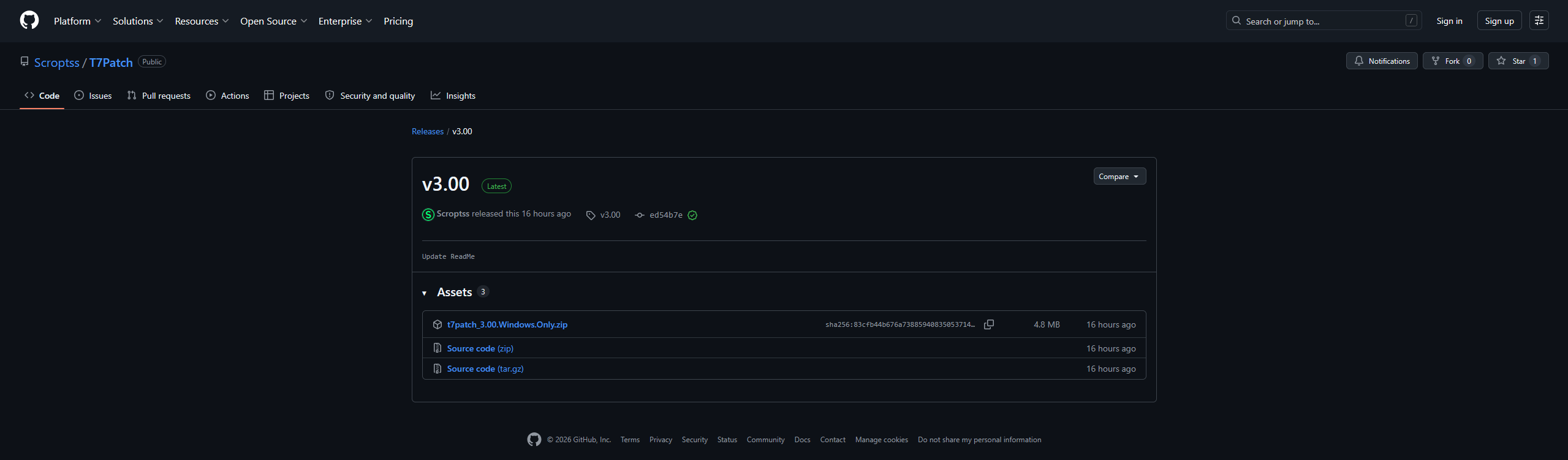
Go to https://github.com/Scroptss/T7Patch/releases/tag/v3.00 And download the latest version of the patch. You will want to click and download t7patch_3.00.Windows.Only.zip
3. Potential antivirus Issues
You may get a message that the file is unsafe and dangerous. Many antivirus software are going to be scared of it. If you can't download it you need to whitelist it on your antivirus software or temporarily turn off your antivirus but I wouldn't recommend that. There's hundreds of antivirus software's so I can't specifically tell you how to do this. For windows defender you can Go to Start > Settings > Update & Security > Windows Security > Virus & threat protection. Under Virus & threat protection settings, select Manage settings, and then under Exclusions, select Add or remove exclusions.
4. Extract it
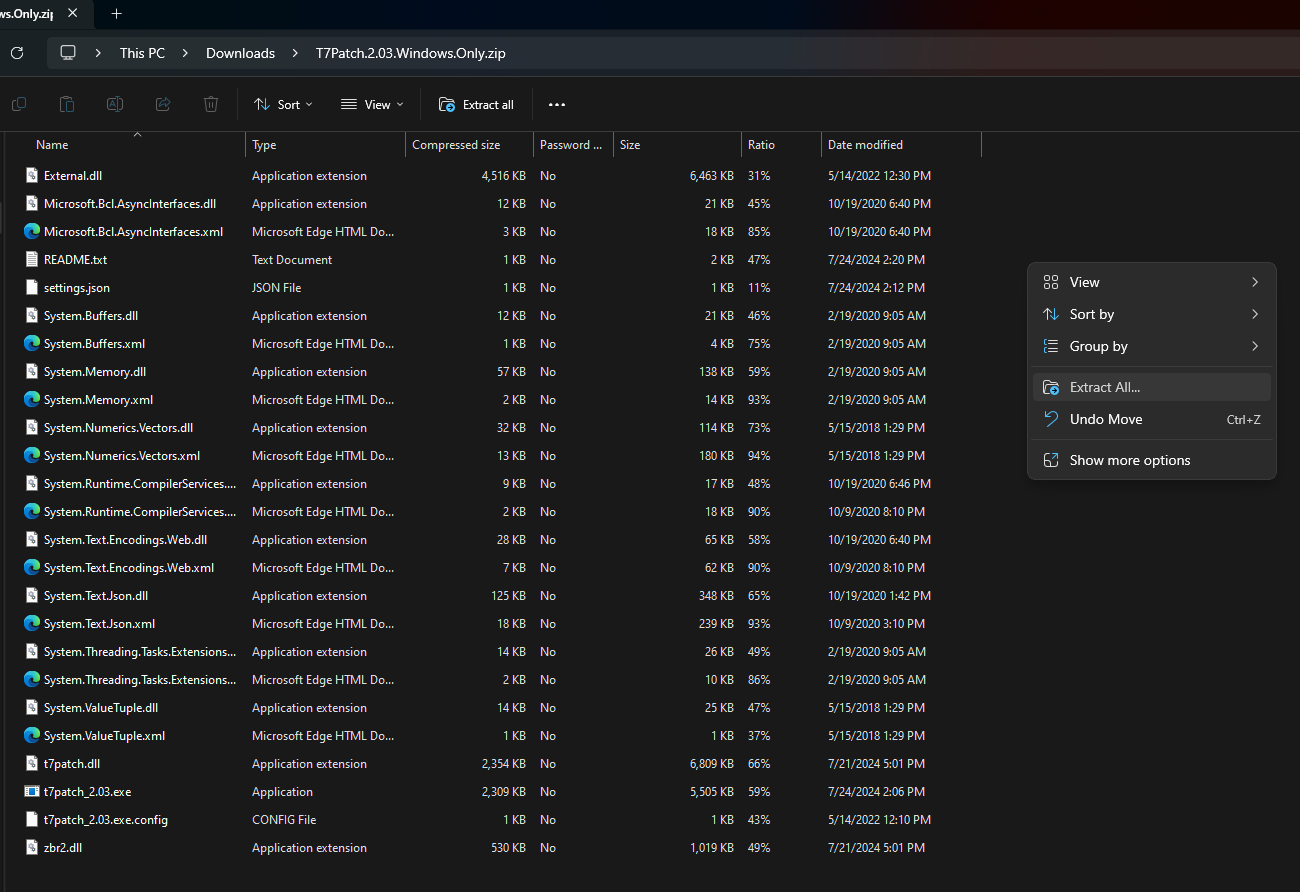
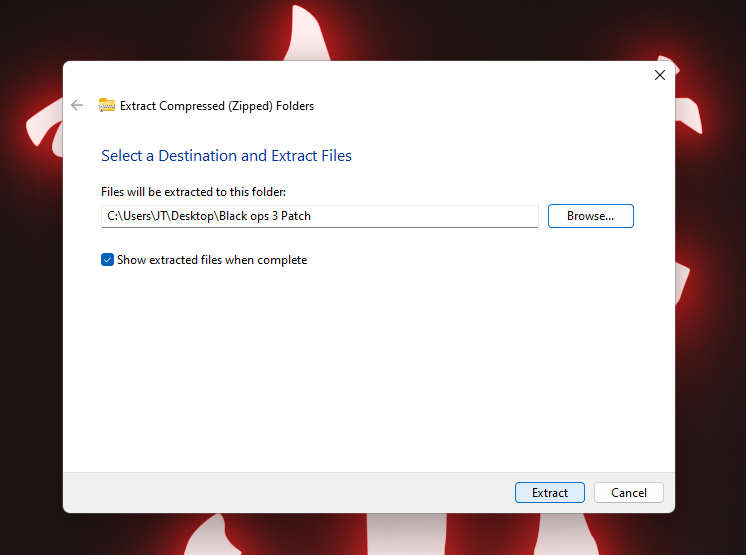
Once you download the file right click and extract it to the Black ops 3 patch folder you created. Windows has a built-in zip tool now so you probably won't need to download anything to do this. If you need to you can look up a guide on how to use WinRAR and extract zip folders. You will need to extract all of the files into a folder.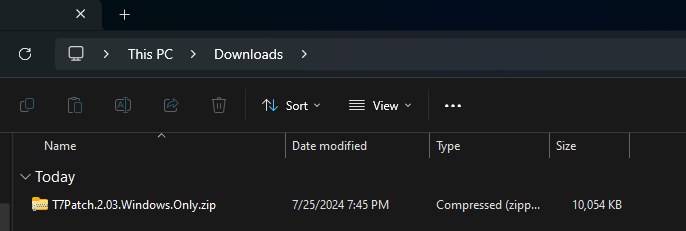
5. Run the Patch
Open the Black ops 3 patch folder and run the patcht7dwidm_protect.exe. If it doesn't open or it deletes it you once again have to whitelist this program on your antivirus software.

Also you can create a shortcut for it and place it on your desktop if you want.
Also you can create a shortcut for it and place it on your desktop if you want.
6. Patch Interface
You now have the patch downloaded but there are many things to note. You can change your name to whatever you want. If you're going to be streaming you're going to want to change your name and hide your steam name. You also see "network password" and I highly recommend you set it to something. Without a network password you may be vulnerable to crashes. If you're going to be playing public matches you can leave the network password blank but I would highly discourage that and it's a risk having random people in your games. Check the friends only box and share your network password with only people you trust so you can play together. If you play with a friend who doesn't have the patch without a network password you are still exposing yourself. So make sure you get everybody you're playing with protected.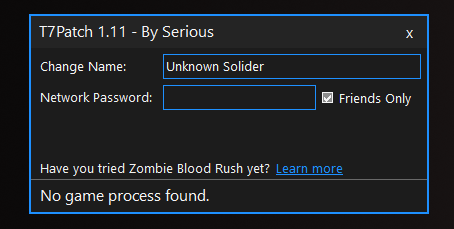
7. Make sure it is working
Always run the patch before you start the game. At the Start menu on the top right you should see that it says community patch by Serious with the version number. If you don't see it right away give it a second for it to change. Now have fun playing Bo3 zombies while protected! 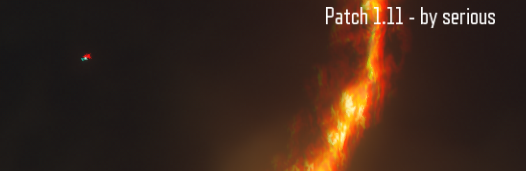
More Call of Duty: Black Ops III guides
- All Around Enhancement Mod Description And Info★ 5 (597)211k views1.2k ♥34 minUpdated Aug 10, 2023
- Black Ops 3: Console Commands★ 5 (1.1k)123k views2.4k ♥7 minUpdated Feb 13, 2020
- Origins Ultimate Guide★ 5 (562)72k views1.7k ♥17 minUpdated Jun 24, 2017
- Guide for Shadows of Evil [2020 updated]★ 5 (1.4k)67k views4.5k ♥24 minUpdated Mar 22, 2024
- Guide for Der Eisendrache [2020 updated]★ 5 (1.3k)65k views4.6k ♥30 minUpdated Feb 22, 2024
- Guide for Gorod Krovi [2020 updated]★ 5 (1.1k)48k views4.5k ♥32 minUpdated May 30, 2024






This guide was created by its original author on the Steam Community. Are you the author and want it removed? Request removal.