how to install and use Mumble for TeamSpeak
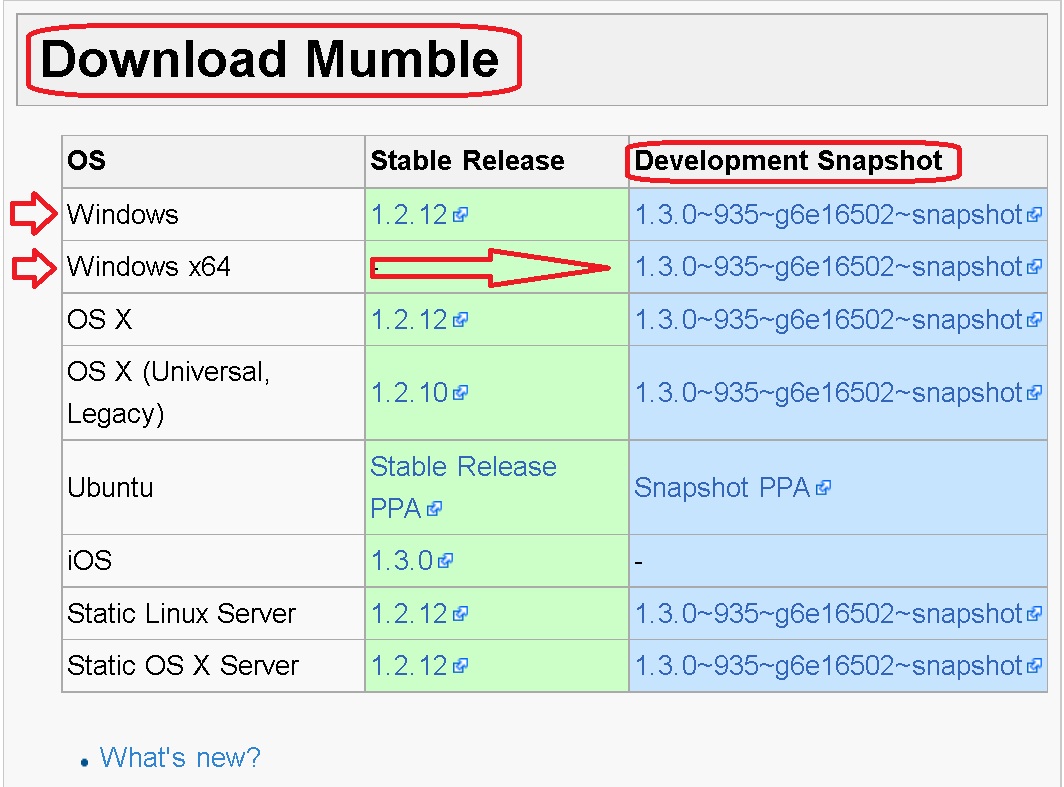
open Mumble site[mumble.info] and scroll down with mouse to download Mumble
click on Server then Connect and Add New enter Address voice.desislava.net
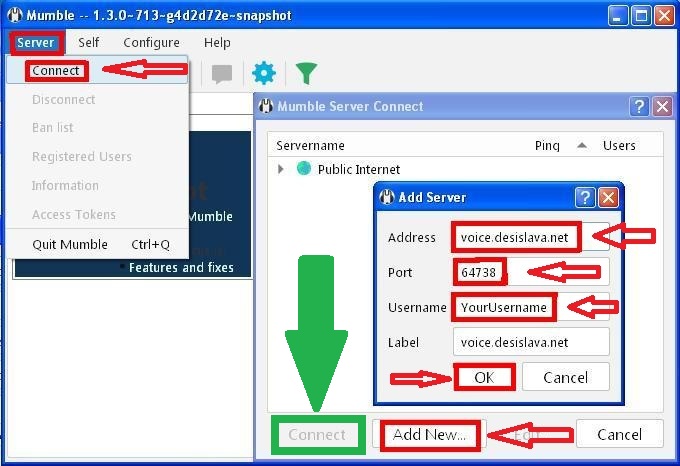
Port 64738 and UserName then confirm with OK and finally click on Connect
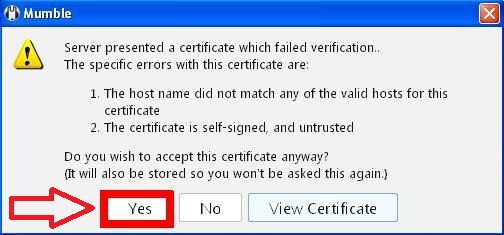
at first time only ( when you connect to our Mumble server ) can be seen that
More Homefront guides
- how to recognize fake Homefront servers★ 3 (71)14k views35 ♥1 minBulgarianUpdated Jan 23, 2016
- Все достижения в Homefront★ 5 (675)11k views496 ♥4 minRussianUpdated Nov 29, 2014
- Homefront Русификатор.★ 5 (391)10k views258 ♥1 minRussianUpdated Dec 1, 2015
- HomeFront Tweak & Fix Guide★ 5 (188)9.9k views218 ♥2 min
- Homefront Multiplayer ;]★ 3 (115)8.4k views30 ♥2 min
- Historian / Историк★ 5 (353)7.2k views223 ♥1 min





This guide was created by its original author on the Steam Community. Are you the author and want it removed? Request removal.