How to play Custom Maps
Step 1
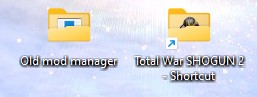
Create a new folder on your desktop called: Old mod manager
(You can also give it another name if you like)
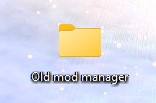
(You can also give it another name if you like)
Step 2
Download the files from this website and save them in your Old mod manager folder:
https://www.moddb.com/mods/napoleon-tw-files-prior-to-ca-patch-april-2023/downloads/shogun2-files-to-add-main-folder-modmanager
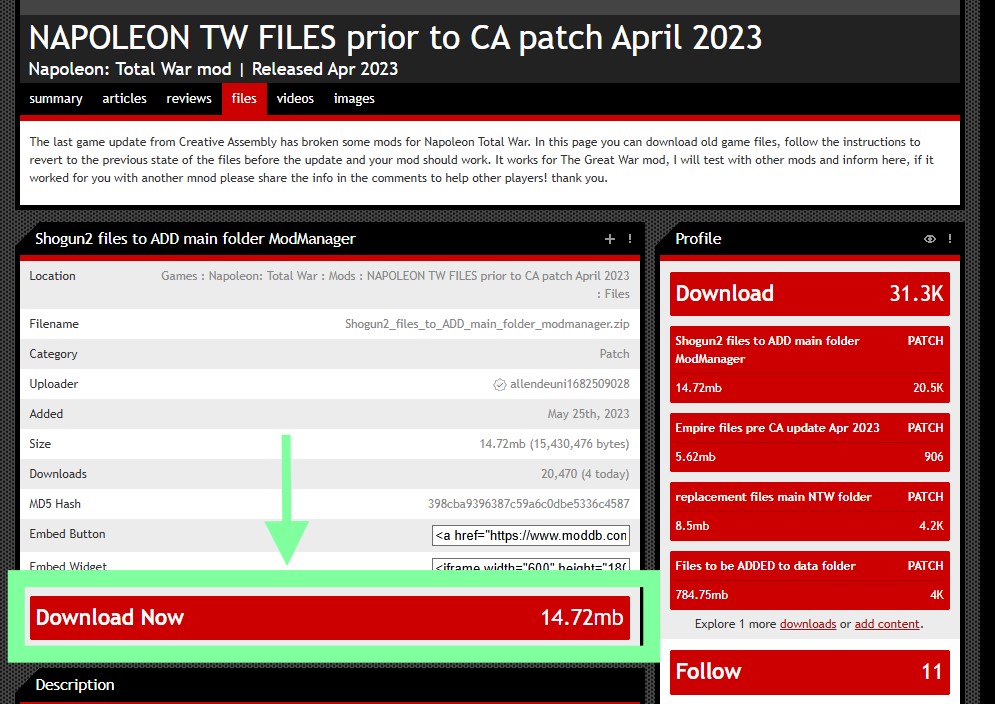
https://www.moddb.com/mods/napoleon-tw-files-prior-to-ca-patch-april-2023/downloads/shogun2-files-to-add-main-folder-modmanager
Step 3
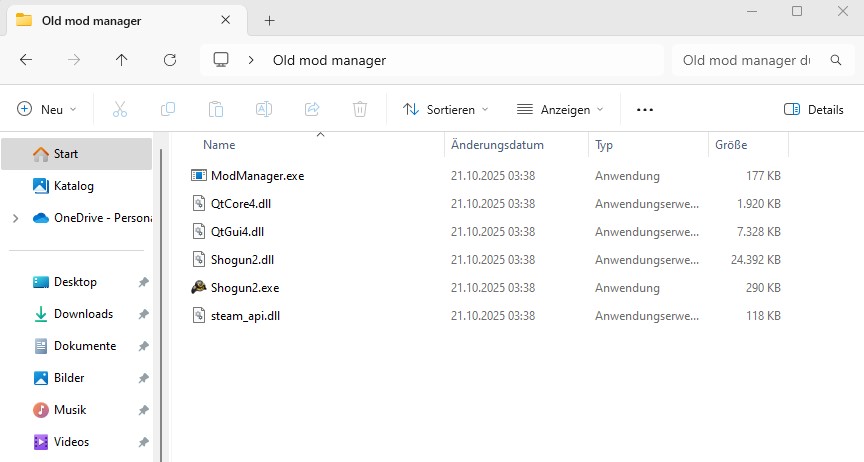
Extract the files of the .zip folder
Step 4
Go to your Steam library and do a right-click on Shogun 2.
Next you click on Properties...
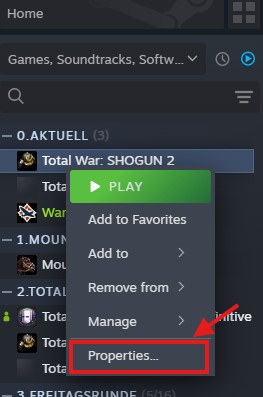
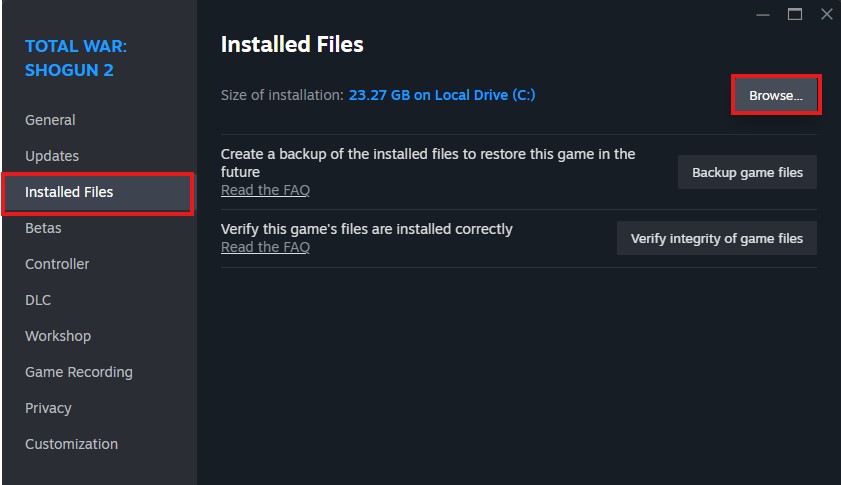
Now click on Installed Files and then on Browse to open the location where your game is stored.
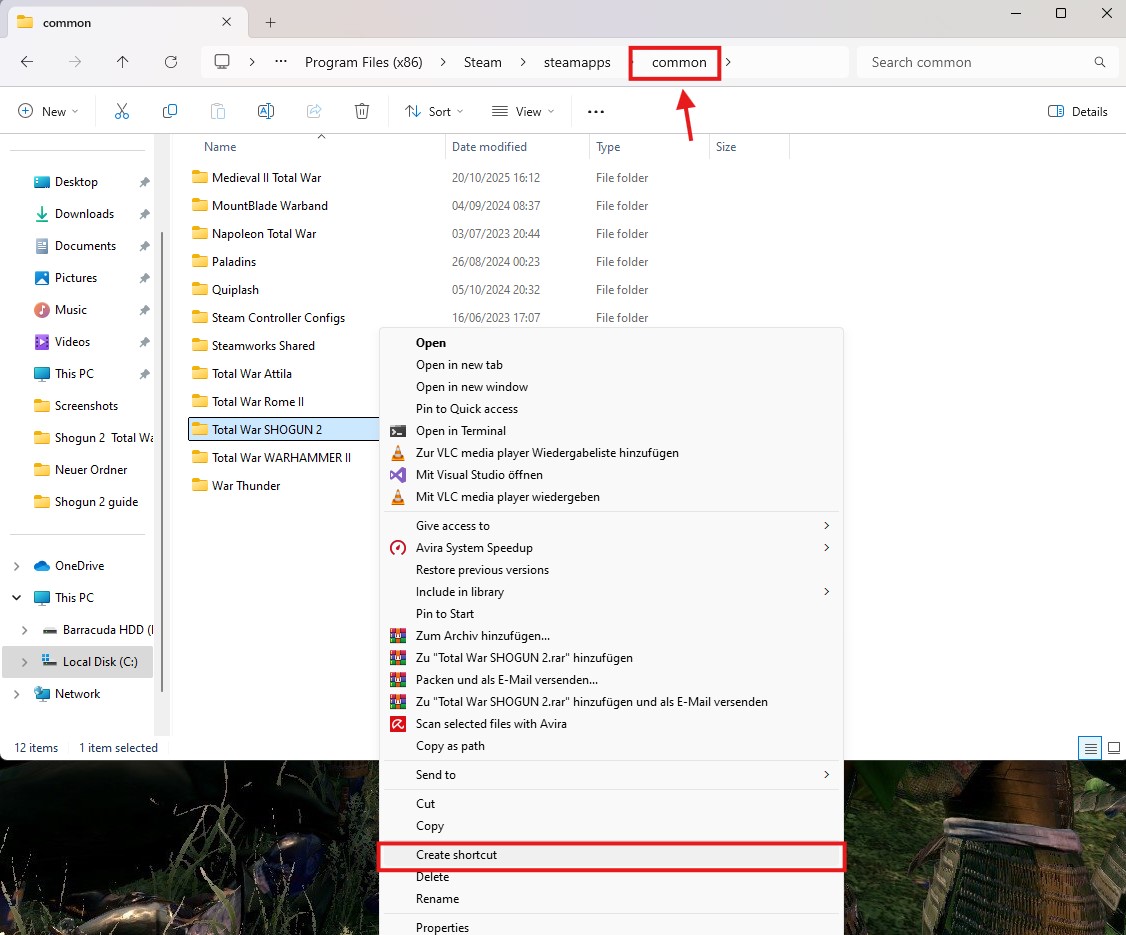
At this point I would advise to click on the top on common where you see a list of all your Steam games and create a Shortcut of Shogun 2 on your desktop
Next you click on Properties...
Now click on Installed Files and then on Browse to open the location where your game is stored.
At this point I would advise to click on the top on common where you see a list of all your Steam games and create a Shortcut of Shogun 2 on your desktop
Step 5
Now go to your folder Old mod manager and copy the files from there...
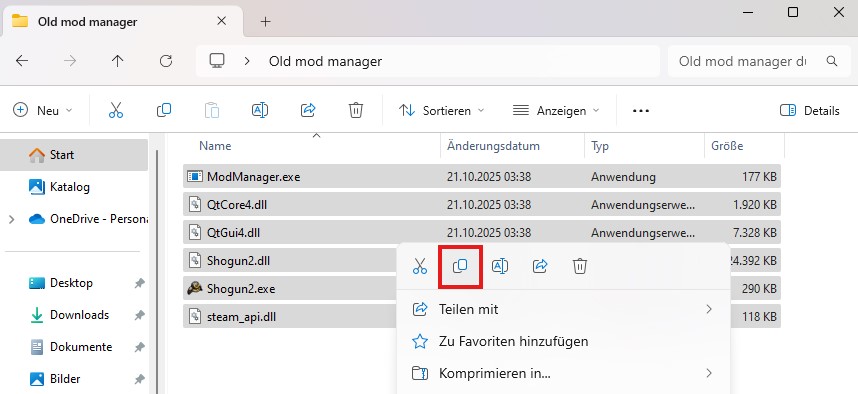
...and paste them into the Shogun 2 folder where your game is stored and accept to replace the files.
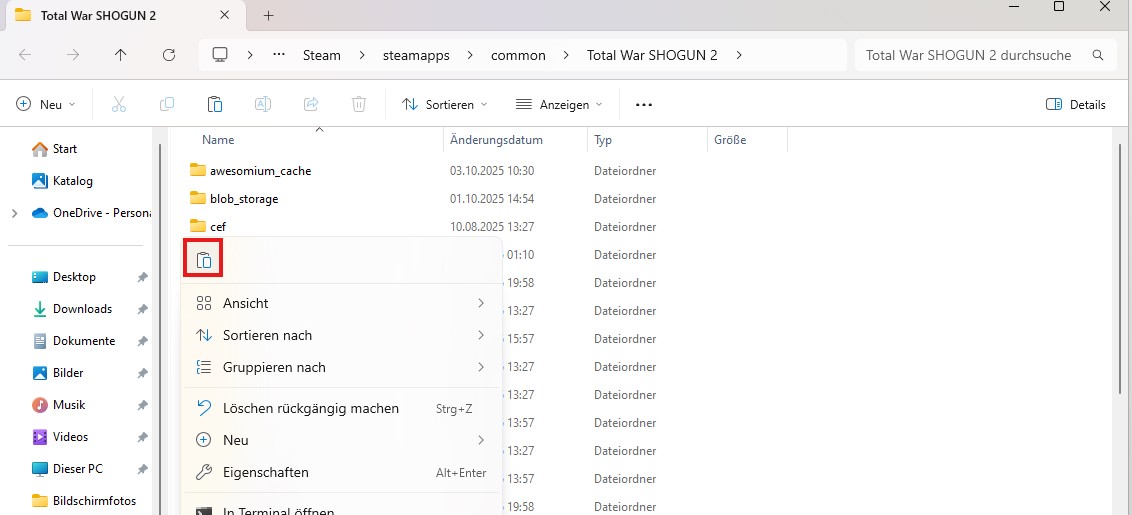
...and paste them into the Shogun 2 folder where your game is stored and accept to replace the files.
You are ready to play custom maps now!
Step 6
If you want to use the normal version of the game again all you have to do is going to your steam library again, right-click on Shogun 2 and click on Properties...
Now you go to Installed files where you find and click the button Verify integrity of game files
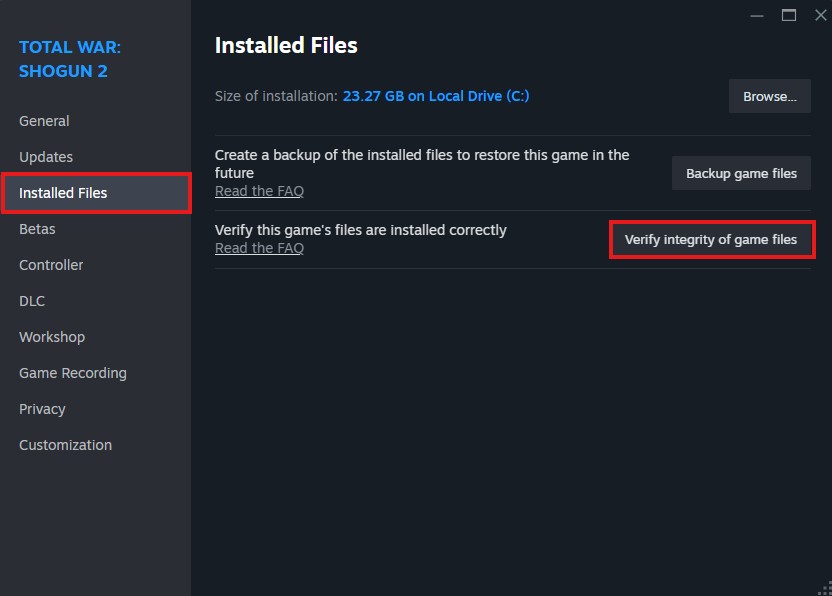
Wait a moment until the game resets to normal and you will be able to play unmodded again.
Now you go to Installed files where you find and click the button Verify integrity of game files
Wait a moment until the game resets to normal and you will be able to play unmodded again.
How to switch the versions in future
If you have set up the Old mod manager folder and the Shortcut to Shogun 2 all you got to do in future is simply to copy-paste the files from Old mod manager to the Shortcut - in other word simply only repeat step 5 to get the old version and Verify integrity of game files (step 6) to get the normal version. Once done a few times you will realise it is very simple and won't take much time at all :)
How to play custom maps
Obviously in order to play a custom map, you got to go to the workshop and subscribe to a certain map first(I also released some, so feel free to check them out 🙂)
People often seem to wonder why the maps do not appear in the launcher of the game. This is correct! Maps do NOT appear in the launcher but are simply found in the map list in-game. Make sure you also have selected the right match type (siege, naval or landbattle)
It should also be quite clear that if you want to play custom maps in multiplayer, all players got to use the old game version. Not everyone has to be subscribed to the map and it is possible to load them in the lobby. However this can take quite some time wheras maps are instantly ready if people subscribed to it before.
I hope you found this small guide useful and I wish you a lot of fun playing custom maps!
People often seem to wonder why the maps do not appear in the launcher of the game. This is correct! Maps do NOT appear in the launcher but are simply found in the map list in-game. Make sure you also have selected the right match type (siege, naval or landbattle)
It should also be quite clear that if you want to play custom maps in multiplayer, all players got to use the old game version. Not everyone has to be subscribed to the map and it is possible to load them in the lobby. However this can take quite some time wheras maps are instantly ready if people subscribed to it before.
I hope you found this small guide useful and I wish you a lot of fun playing custom maps!
More Total War: SHOGUN 2 guides
- The bonuses of all clans★ 5 (622)54k views710 ♥3 minUpdated Dec 28, 2020
- The Basics: Sun Tzu in Shogun 2★ 5 (1k)47k views1.5k ♥20 minUpdated Mar 20, 2021
- Shimazu - Everything you need to know★ 5 (564)44k views783 ♥10 minUpdated Jun 15, 2015
- Campaign Economy and Guidelines (S2, RotS, FotS) **Final version**★ 5 (564)38k views1.1k ♥20 minUpdated Oct 25, 2025
- On Rebels and Using Them to Your Advantage★ 5 (413)34k views454 ♥13 minUpdated Dec 5, 2021
- Ultimate Guide - Shogun 2★ 5 (274)21k views547 ♥25 minUpdated Nov 23, 2025



This guide was created by its original author on the Steam Community. Are you the author and want it removed? Request removal.