How to play Multiplayer / Spec Ops with your friends without errors
1. Downloading LogMeIn Hamachi
 1. Go to Official Hamachi website https://www.vpn.net/
2. Download it
3. Follow the instructions on installer
4. Skip unnecessary options
5. Restart your PC
2. Connect with your friends
NOTE: Free version of Hamachi is capable to have maximum amout of 5 people in one LAN network.
1. Run Hamachi
2. Run Hamachi with power button
3. Register or Login to your account
4. There are two ways to do it:
- Create network
Give your network name and password to your friend to join it.
- Join network
Get a network name and password from your friend to join it.
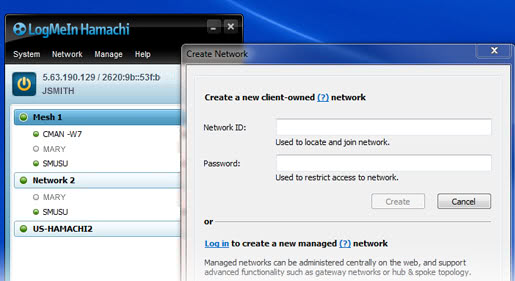
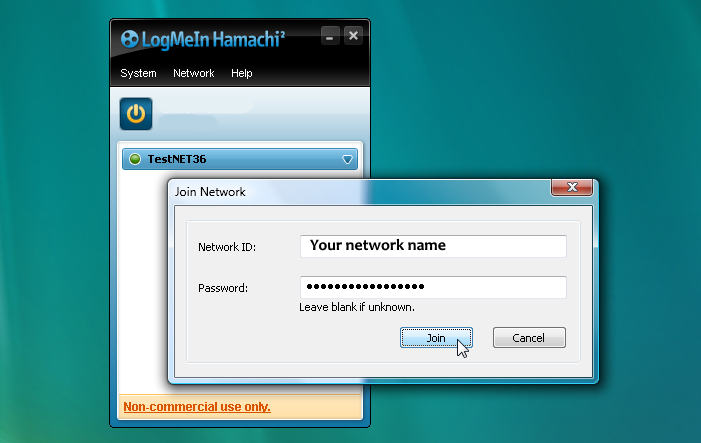 5. You are now in one LAN network!
1. Run Hamachi
2. Run Hamachi with power button
3. Register or Login to your account
4. There are two ways to do it:
- Create network
Give your network name and password to your friend to join it.
- Join network
Get a network name and password from your friend to join it.
5. You are now in one LAN network!
3. Join or Host and Play!
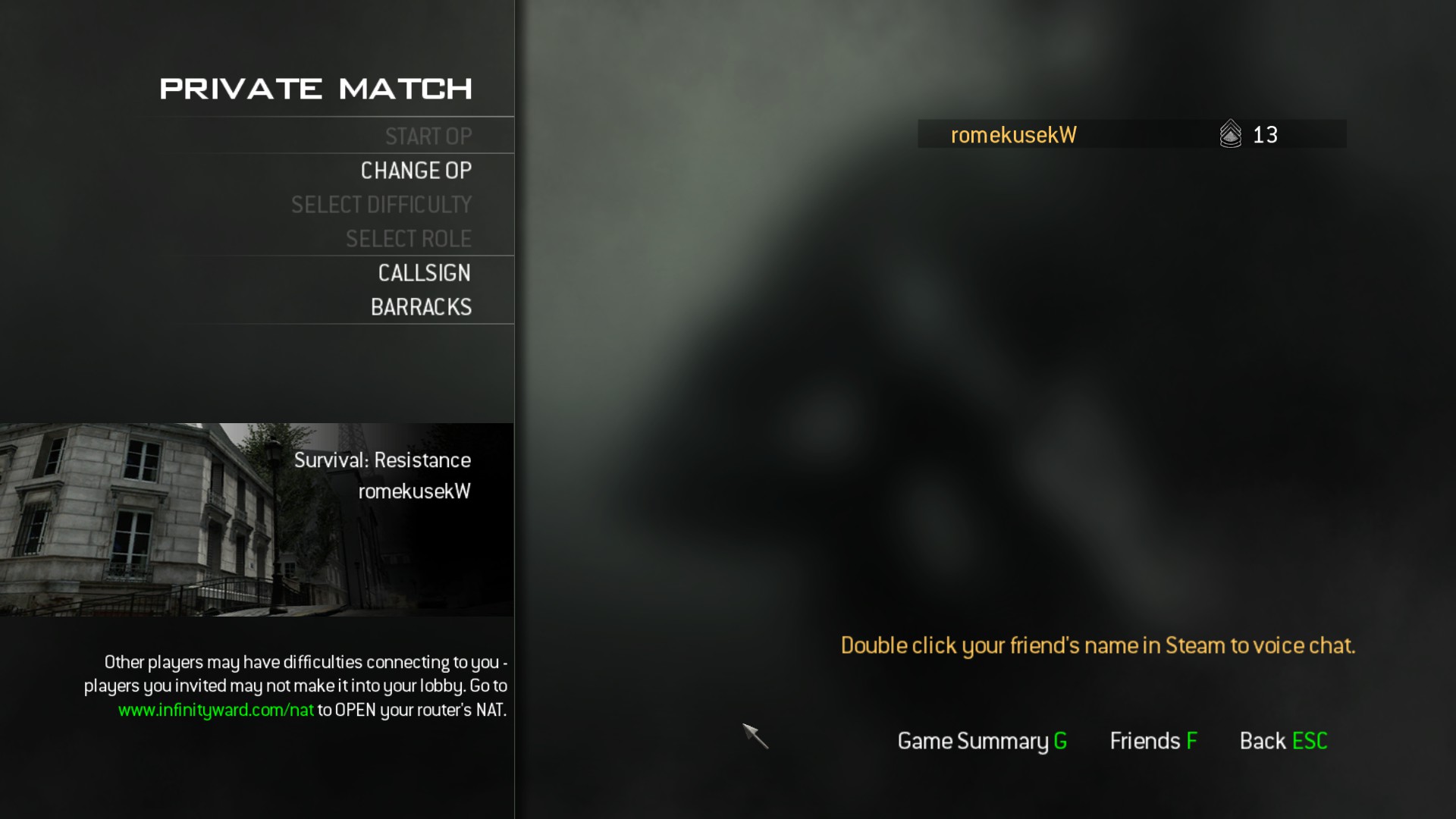 1. Open MW3
2. Run Hamachi
3. Turn on Hamachi
4. Make sure your network is online (same with your friend)
5. Go to Spec Ops or Multiplayer
6. Invite your friend via Steam or via Friends tab in Call of Duty
7. Done!
Thank you for reading this tutorial!
I hope it helps a lot of people who are struggling with this problem!
If you have any questions writ them in the comments and I can try to help you!
More Call of Duty®: Modern Warfare® 3 (2011) guides
- Русификатор Call of Duty: Modern Warfare 3 [v.1.9.461]★ 5 (472)25k views888 ♥2 minRussianUpdated May 7, 2024
- Modern Warfare 3 Singleplayer Veteran Walkthrough, Intel Locations + Special Ops★ 5 (483)23k views513 ♥1 minUpdated Jan 20, 2013
- how to tricksgote★ 5 (488)20k views92 ♥1 minBulgarian
- CoD MW3 Achievement Guide SP/SO★ 5 (724)20k views1.1k ♥8 minUpdated Dec 28, 2016
- How to change FoV in MW3 Singleplayer / Spec Ops★ 4 (118)19k views182 ♥2 minUpdated Mar 18, 2017
- a bit of bs don't read★ 4 (205)14k views209 ♥2 minUpdated Sep 24, 2024


This guide was created by its original author on the Steam Community. Are you the author and want it removed? Request removal.