How to play workshop maps with bots
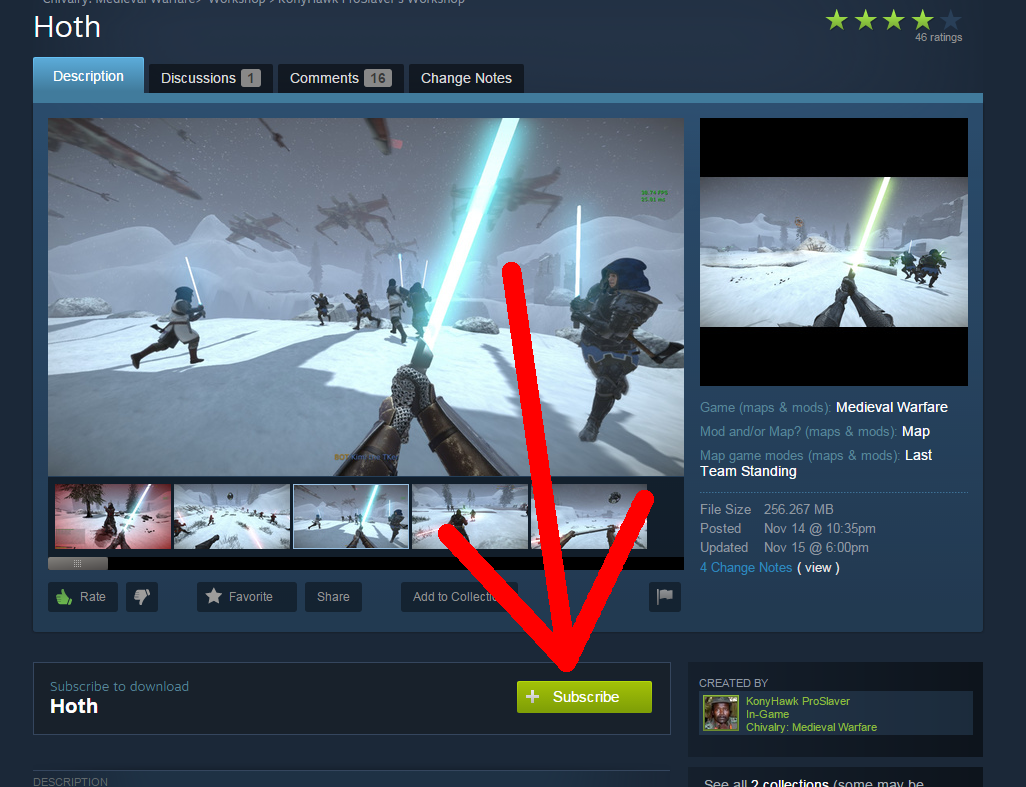
Subscribe to the workshop map
Click the green "Subscribe" button on the workshop page
Download the map in the launcher
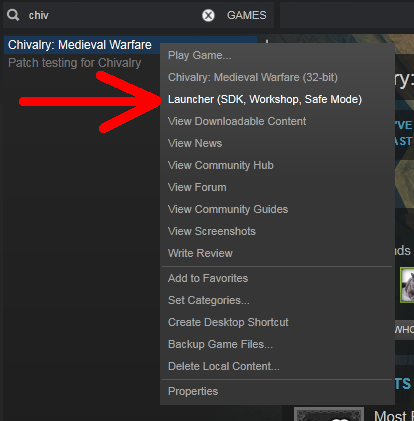
Bring up Chivalry's old launcher by right clicking Chivalry in your library, and click "Launcher (SDK, Workshop, Safe mode)"
 Now, click the button in the lower right corner of the launcher window.
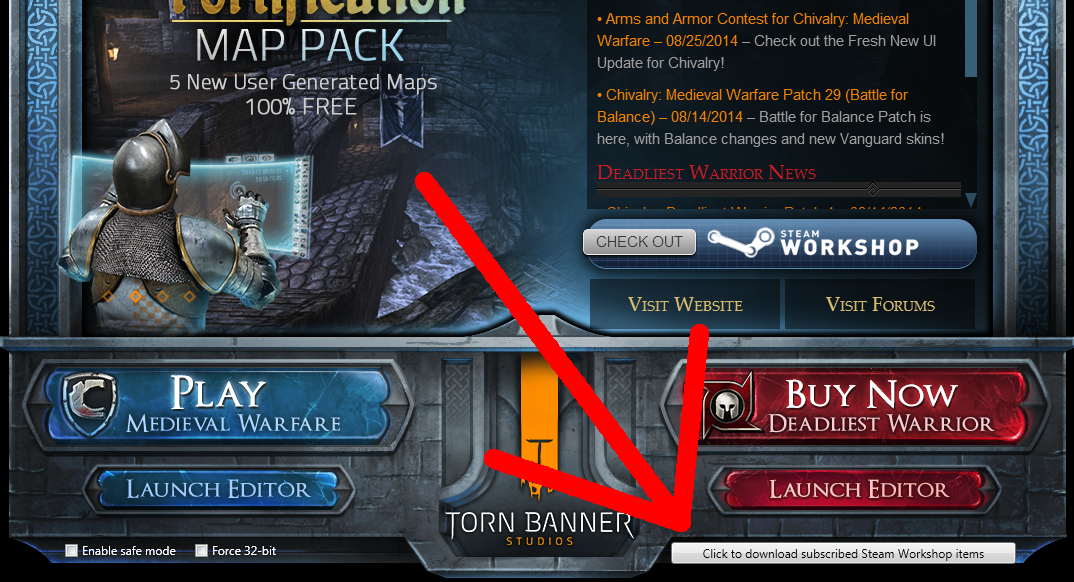
Now, click the button in the lower right corner of the launcher window.
Load the map
Launch Chivalry, and go to "Create game" It will bring up this window
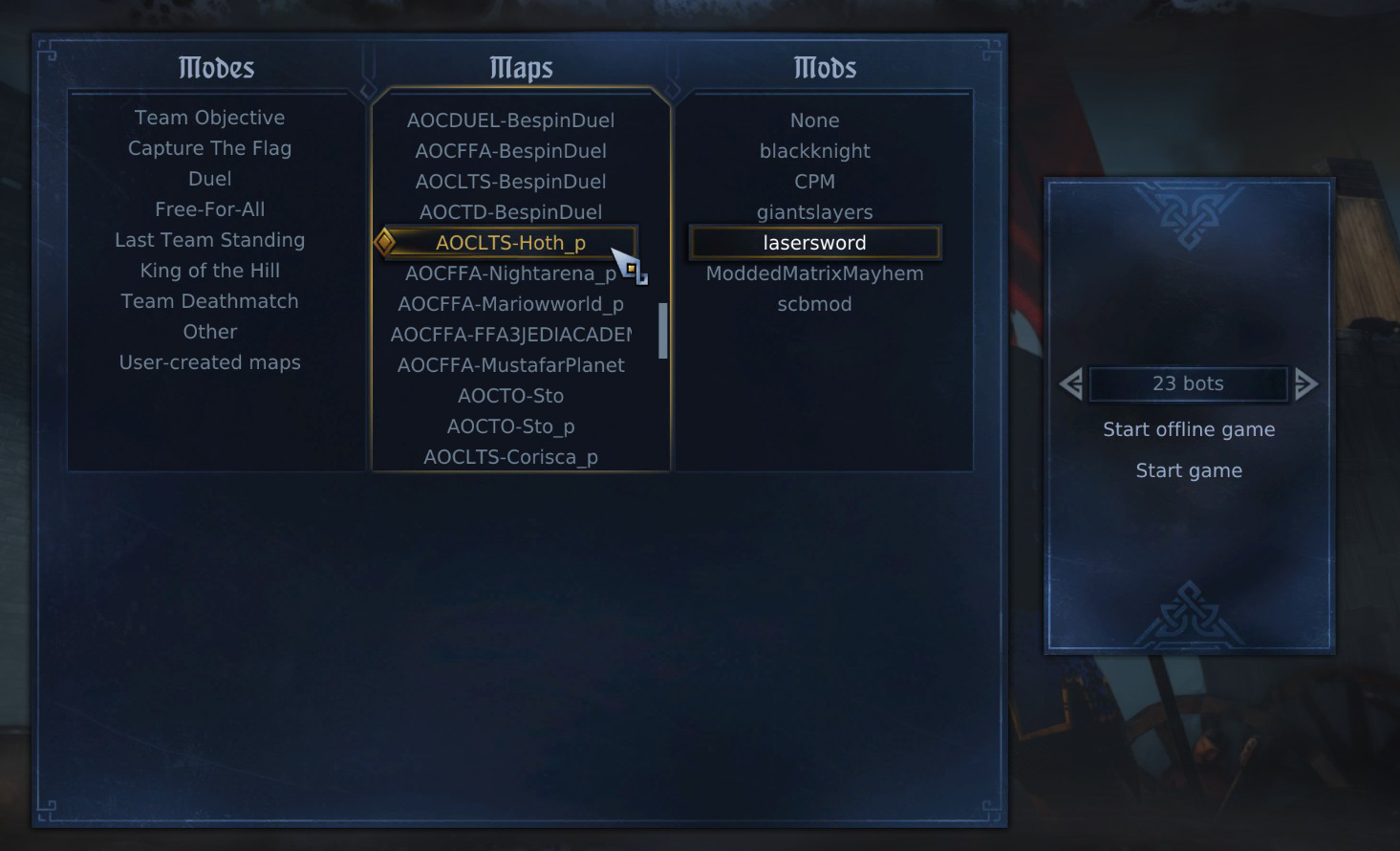 Click "User Created Maps" and scroll to find the map you downloaded. The in-game name of the map is always at the bottom of the description on the workshop page, under "Maps Included:"
Use the bot option to set how many bots you want.
Now you can click "Start offline game"
If you're playing a star wars map, then you may want to download the lasersword mod:
http://steamcommunity.com/sharedfiles/filedetails/?id=691189495
And select it under "Mods" when you're creating a bot match.
Click "User Created Maps" and scroll to find the map you downloaded. The in-game name of the map is always at the bottom of the description on the workshop page, under "Maps Included:"Use the bot option to set how many bots you want.
Now you can click "Start offline game"
If you're playing a star wars map, then you may want to download the lasersword mod:
http://steamcommunity.com/sharedfiles/filedetails/?id=691189495
And select it under "Mods" when you're creating a bot match.
More Chivalry: Medieval Warfare guides
- Manly Man's Guide to Manliness★ 5 (1.3k)40k views754 ♥19 minUpdated May 24, 2015
- A Guide to Advanced and Obscure Mechanics in Chivalry: How to gain an edge over everyone else.★ 5 (797)28k views941 ♥14 minUpdated Nov 1, 2014
- All Taunts, Respects and Insults!★ 5 (353)19k views280 ♥5 minCzechUpdated Oct 2, 2016
- Фехтование в Chivalry для чайников★ 5 (316)15k views322 ♥8 minRussian
- Быстро открываем оружие без читов.★ 4 (216)14k views190 ♥1 minRussianUpdated Oct 9, 2015
- Chivalry: Medieval Warfare Guide★ 4 (174)11k views196 ♥4 minUpdated May 10, 2025




This guide was created by its original author on the Steam Community. Are you the author and want it removed? Request removal.