How To Stop Red Faction Armageddon From Crashing
Single-Player & Offline 100% Crash Fix
Go to your Steam Library find Red Faction: Armageddon, now right-click on it and go to Properties after, click on BETAS under where it says Select the beta you would like to opt into pick publicbeta now it should update your game after, load into the game and set your game settings to these settings!
*Publicbeta Mode Warning* You will have to deal with random game code popping up all over the screen and random yellow and red outlines popping up on the side of the screen!
*Game Settings Warning* You have to reset your game settings every time you open the game up!
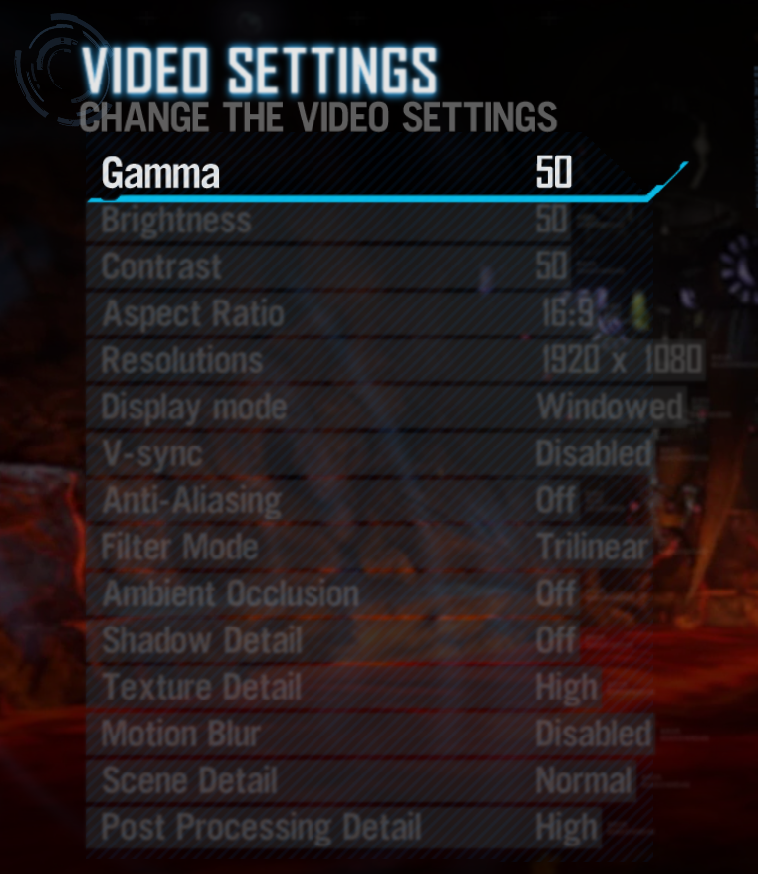
*Publicbeta Mode Warning* You will have to deal with random game code popping up all over the screen and random yellow and red outlines popping up on the side of the screen!
*Game Settings Warning* You have to reset your game settings every time you open the game up!
Single-Player & Offline Game Settings
Infestation Online Mode
Now when you are in publicbeta you can not play online with friends and other people so you have to repeat and disable publicbeta mode!
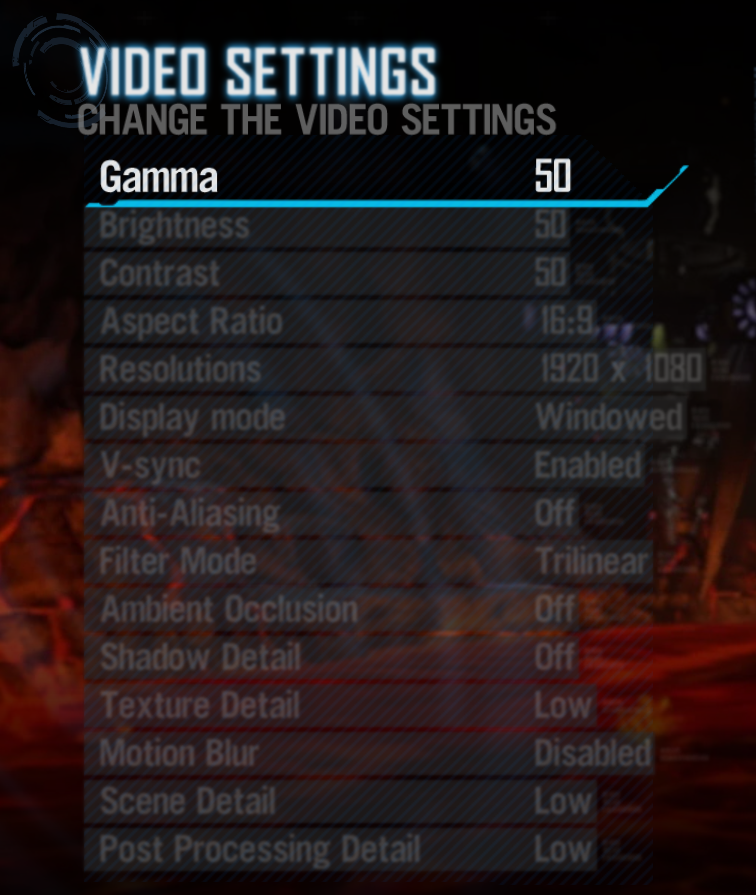
Publicbeta Mode Disabled Game Settings
More Red Faction: Armageddon guides
- All Achivements \ Все Достижения★ 5 (414)6.7k views326 ♥13 minUpdated Dec 8, 2014
- Mr.toots easter egg★ 4 (61)4.6k views27 ♥1 min
- Mr. Toots in RF: Armagedon★ 4 (46)3.5k views29 ♥1 minUpdated Jan 28, 2015
- Чинилка★ 3 (171)3.4k views5 ♥1 minRussianUpdated Dec 3, 2015
- Path to War Achievements★ 4 (116)3.2k views90 ♥2 minUpdated Jan 4, 2014
- Red Faction: Armageddon: All Audio logs (Chronicler)★ 4 (102)1.5k views116 ♥10 minUpdated Feb 15, 2018





This guide was created by its original author on the Steam Community. Are you the author and want it removed? Request removal.