How-to: View Your Latency
Prerequisites
- You must know how to read and understand English (important).
- Ragnarok Online 2 must already be running.
- Your Task Manager must be usable (not blocked by admin).
Steps
Step 1
Open up Task Manager by pressing Ctrl + Shift + Esc.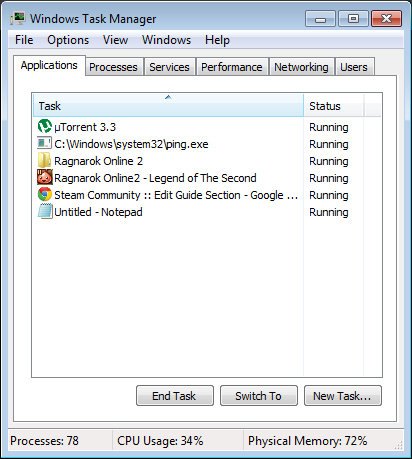
Step 2
Go to the Performance tab and click Resource Monitor.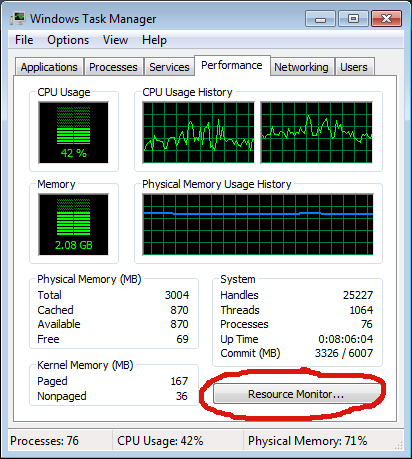
Step 3
On Resource Monitor, go to Network tab.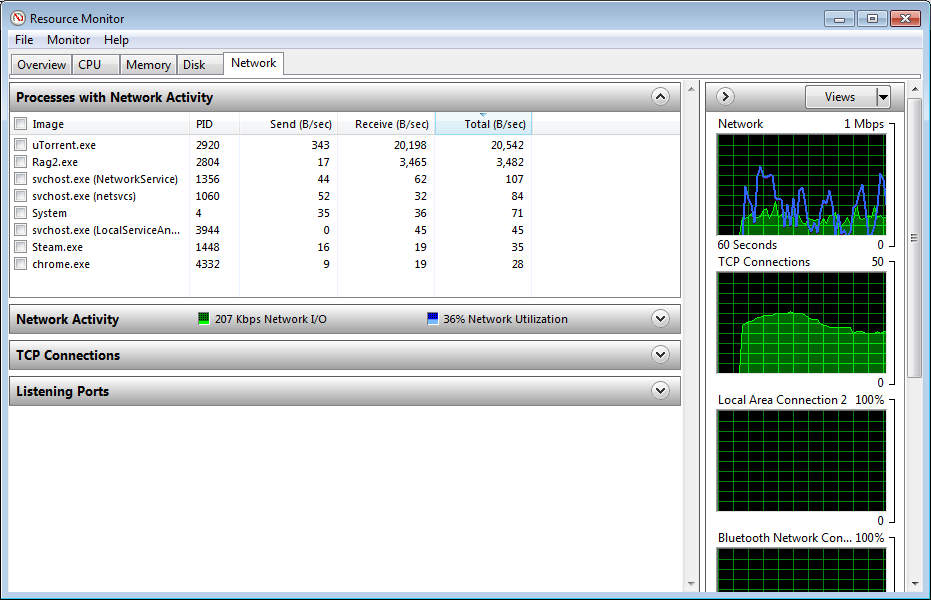
Step 4
Click on TCP Connections and search Rag2.exe on the Image column. You can arrange the list alphabetically by clicking on the Image column header.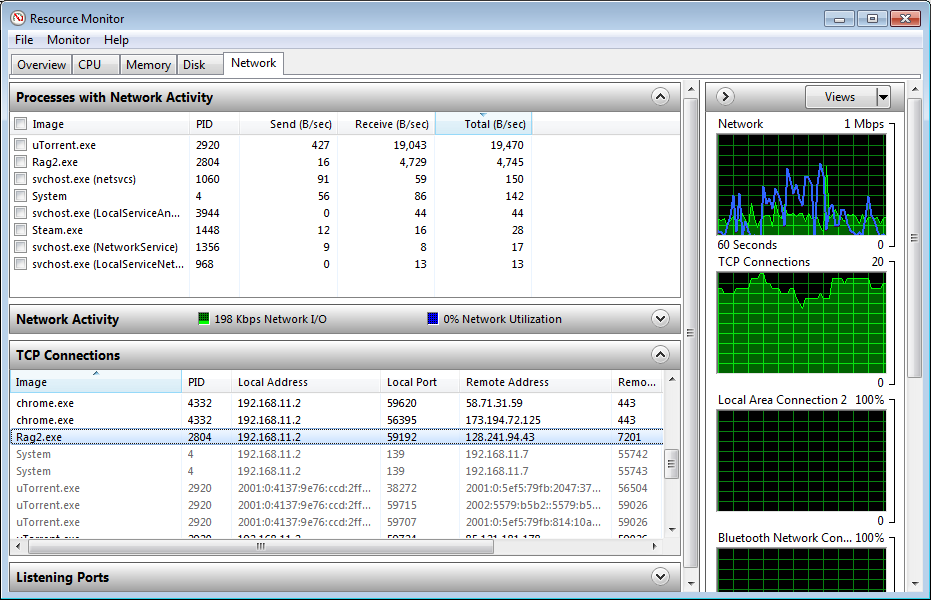
Step 5
Once you've located the Rag2.exe process, scroll to the right a bit more to view the Latency column.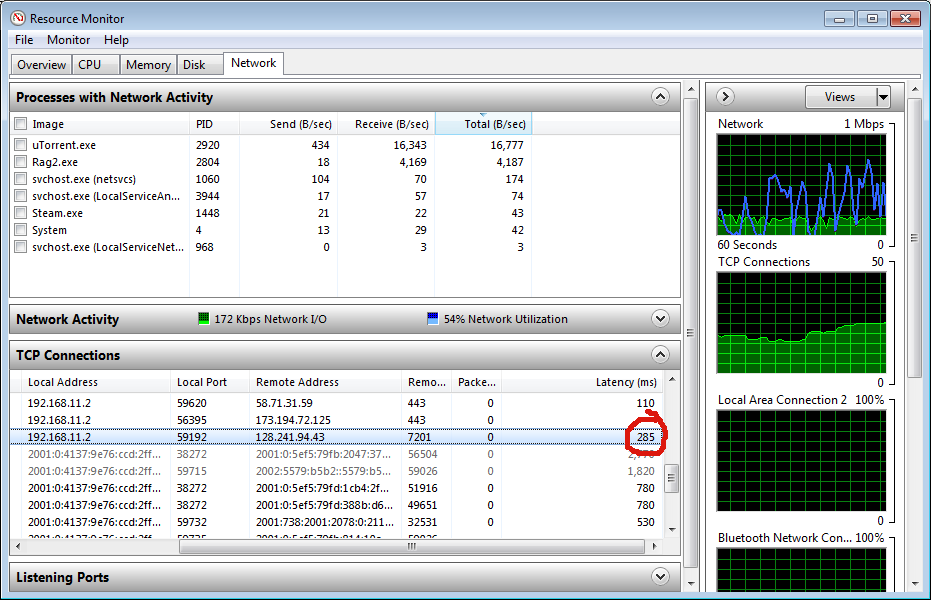
And there you have it! That's your latency.
Last Words
Although this guide may look long and cumbersome to do, it's really quite fast and simple. The reason it looked so long was because I included screenshots for each of the steps. Once you know this on your own, you can easily do it without looking at the guide at all.
Thanks for reading and I hope this helped you out.
Thanks for reading and I hope this helped you out.
More Ragnarok Online 2 guides
- Possible Fixes To Your Problems (Warp Portal, PhysX, Kafra Cash, Lag, etc)★ 4 (75)7.8k views50 ♥2 minUpdated Aug 17, 2013
- General tips and things you might not know★ 4 (148)7.7k views128 ♥22 minUpdated Jun 12, 2013
- Tips generales para nuevos y no tan nuevos★ 5 (212)4.8k views204 ♥36 minSpanishUpdated Jun 12, 2013
- RO2 Crafting Guide with Gathering Maps★ 4 (56)3.8k views48 ♥1 min
- Thief Guide [Sin or Rogue]★ 4 (44)3.8k views56 ♥3 minUpdated May 23, 2013
- Swordman - Knight guide / build★ 3 (43)3.4k views29 ♥18 minRussianUpdated Jul 9, 2013






This guide was created by its original author on the Steam Community. Are you the author and want it removed? Request removal.