Install Multiplayer Bots for MW3 (plutonium required)
Download & Installation
To download the required file you need to go to the following link https://github.com/ineedbots/piw5_bot_warfare/releases and download the "piw5bw210.zip" file only. It should look like this.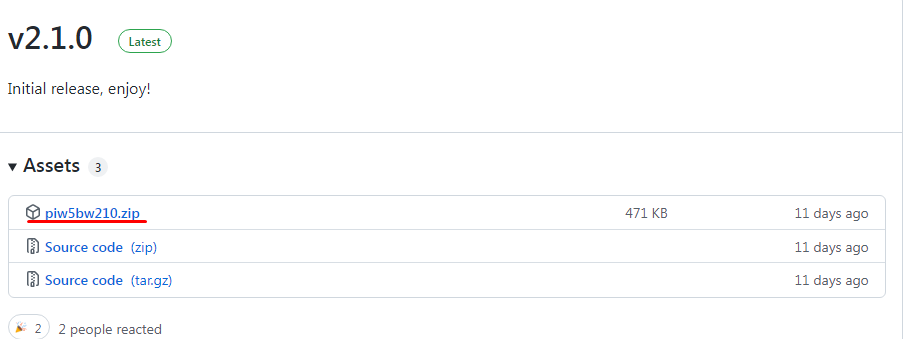
After you download the zip file, extract the content to desktop and and run the "install.bat" file. A cmd window will pop up and it will look like this
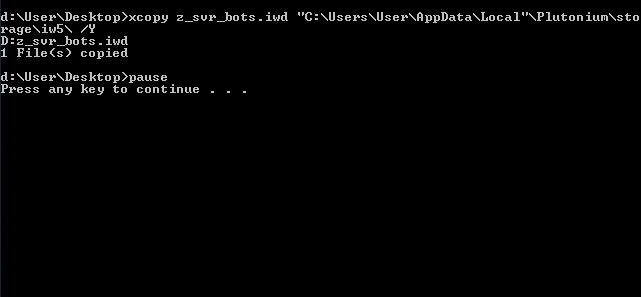
After the mod gets installed, launch your game through the plutonium launcher and you're set!
After you download the zip file, extract the content to desktop and and run the "install.bat" file. A cmd window will pop up and it will look like this
After the mod gets installed, launch your game through the plutonium launcher and you're set!
How to enable the bots & unlock everything
To get the bots working, you need to start a private match first to enable the bots. The default key to open and close the menu is your nightvision key (N). To move through the menu, use your movement keys (WASD). And to select the options, use your jump key (SPACE). You can also change the bot's settings
If you want to unlock everything, you need to open the console in the main menu (`) and type unlockall. This only works for the plutonium client only, and it will not carry to your steam stats!
Have fun!
If you want to unlock everything, you need to open the console in the main menu (`) and type unlockall. This only works for the plutonium client only, and it will not carry to your steam stats!
Have fun!
More Call of Duty®: Modern Warfare® 3 (2011) guides
- Русификатор Call of Duty: Modern Warfare 3 [v.1.9.461]★ 5 (472)25k views888 ♥2 minRussianUpdated May 7, 2024
- Modern Warfare 3 Singleplayer Veteran Walkthrough, Intel Locations + Special Ops★ 5 (483)23k views513 ♥1 minUpdated Jan 20, 2013
- how to tricksgote★ 5 (488)20k views92 ♥1 minBulgarian
- CoD MW3 Achievement Guide SP/SO★ 5 (724)20k views1.1k ♥8 minUpdated Dec 28, 2016
- How to change FoV in MW3 Singleplayer / Spec Ops★ 4 (118)19k views182 ♥2 minUpdated Mar 18, 2017
- a bit of bs don't read★ 4 (205)14k views209 ♥2 minUpdated Sep 24, 2024


This guide was created by its original author on the Steam Community. Are you the author and want it removed? Request removal.