[LATEST] CS 1.6 Bots & Settings Menu Fix(Post 25th Anniversary Update)
<📑Introduction>
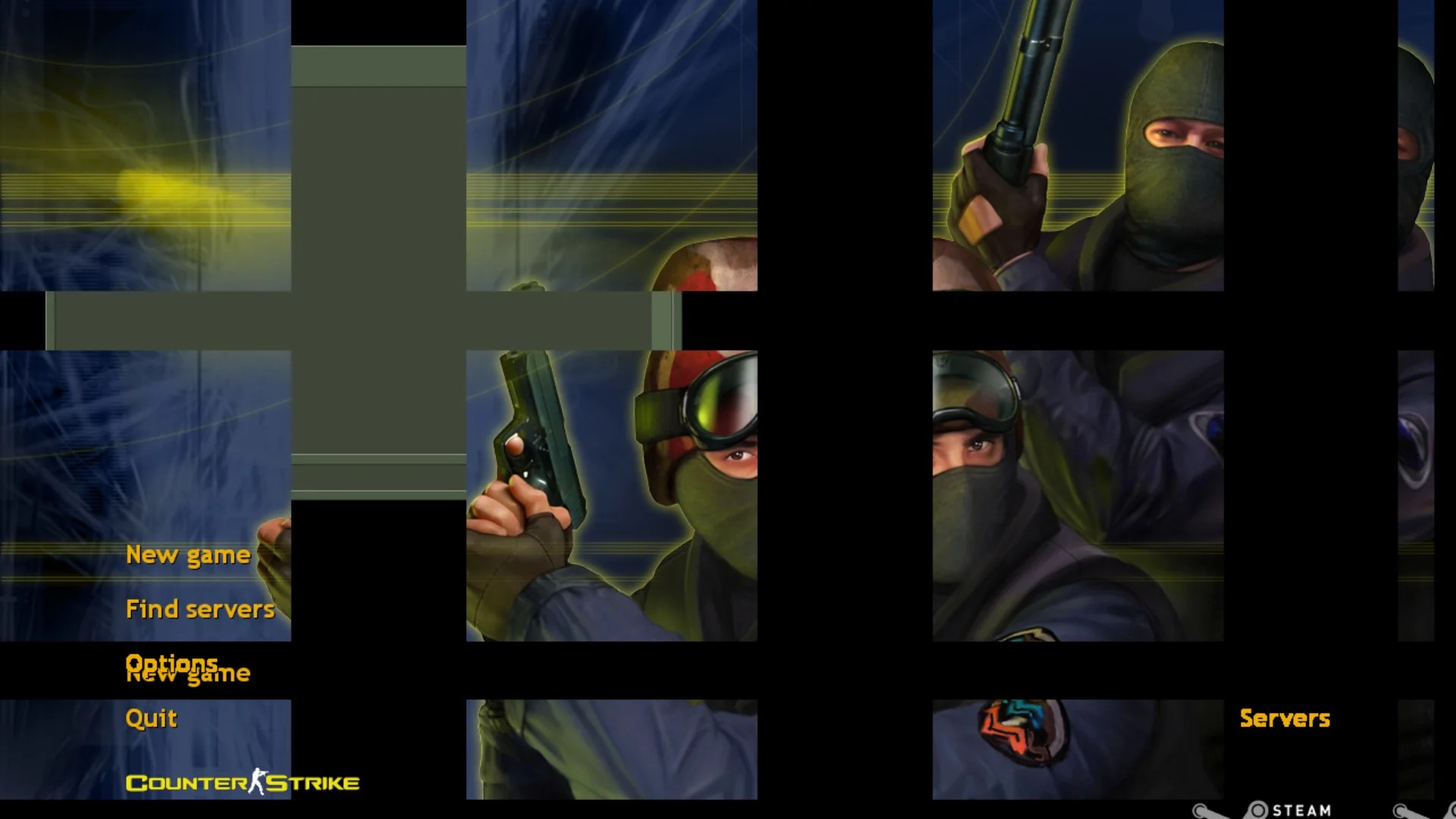
Following the 25th Anniversary Update, the "add bot" feature has stopped working and is causing issues within the main menu. The game crashes immediately after selecting the Settings option.
If you are experiencing the same issue, please uninstall the game and manually delete all remaining files in the installation directory.
Then, perform a clean install.
If you are experiencing the same issue, please uninstall the game and manually delete all remaining files in the installation directory.
Then, perform a clean install.
<🔧Fixes & Improvements>
- UI Improvements: Fixed the misaligned background image in the main menu for a proper fit.
- Bot Configuration: Restored the missing "Bot Settings" under the New Game tab; preferences are now correctly saved.
- Stability Fix: Resolved a critical issue where selecting the Settings tab would cause the game to crash.
- Menu Alignment: Fixed misaligned checkboxes, text fields, and sliders within the Settings menu.
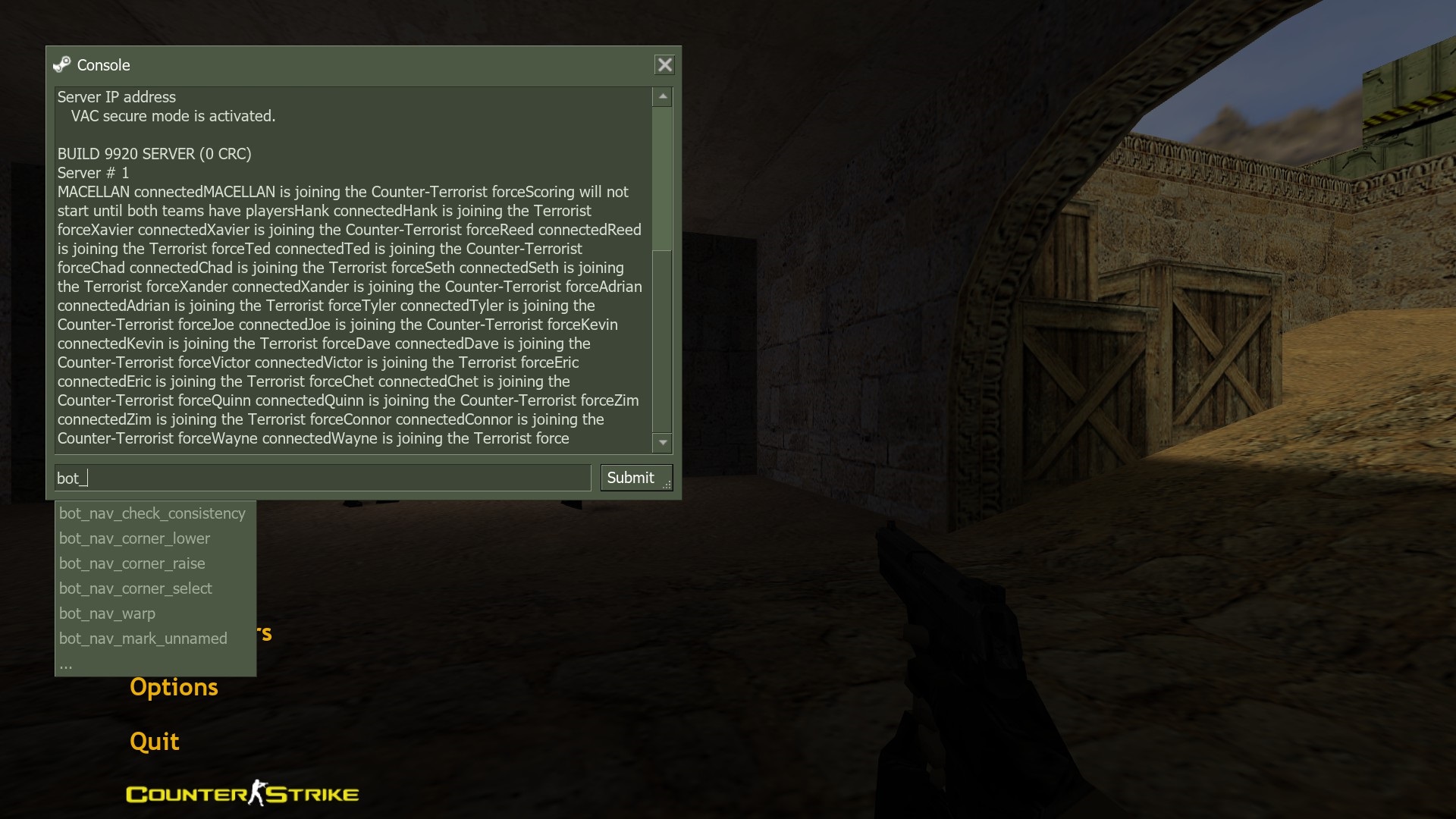
- Bot Spawning: Fixed a bug where bots failed to spawn and triggered the "All bot profiles at this difficulty level are in use" console error. Bots now spawn as intended.
<⚙️Installation Guide>
(1) The patch is available for download at the link provided below.:
https://drive.google.com/file/d/1AaVmbOetUhpQCbtEsa4A-KCg3aVef8-s/viewMD5
0c990af81955505525f6e8705f5efbf4
SHA-1
dbff2c7da5b22b6aec265c80a7000e7f473eba04
SHA-256
f777fed584ac7d23a9cb3b8b35308c6a38ffc68685119eb84e754a91aa71751e
File size
22.52 MB (23612370 bytes)
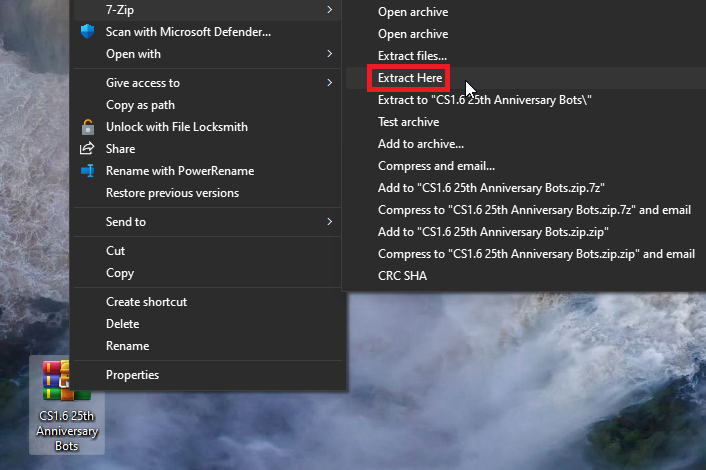
(2) Locate 'CS1.6 25th Anniversary Bots.zip' and extract it to your desktop directory.
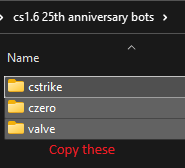
(3) Navigate to the extracted 'CS1.6 25th Anniversary Bots' folder and copy the 'cstrike', 'czero', and 'valve' directories.
(4) Navigate to the game's installation folder, paste the copied folders, and click 'Replace the files in the destination'.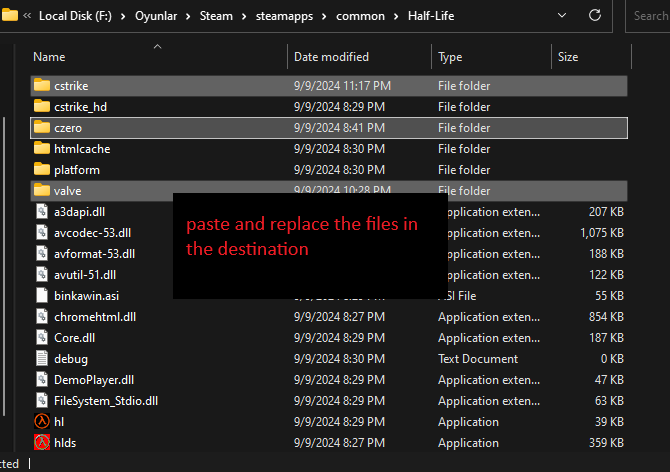
(5) Everything should be working perfectly now. Enjoy your game!
[How can i find location that where is the game installed?]
a. Launch Steam.
b. Navigate to the Library tab at the top.
c. Locate Counter-Strike in your list, right-click it, and select Properties.
d. Go to the Installed Files (or Local Files) section.
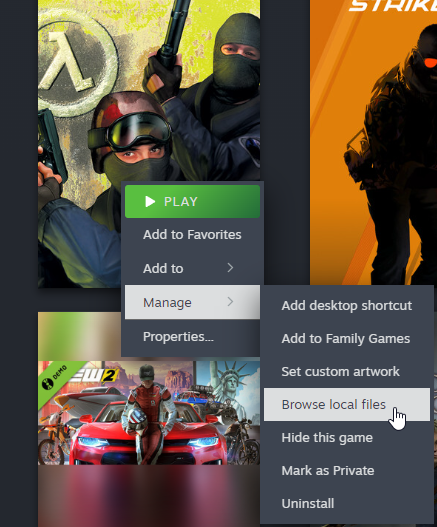
e. Paste the folders into that where is game installed location and click "Replace the files in the destination".
b. Navigate to the Library tab at the top.
c. Locate Counter-Strike in your list, right-click it, and select Properties.
d. Go to the Installed Files (or Local Files) section.
e. Paste the folders into that where is game installed location and click "Replace the files in the destination".
<🎮Disabling Camera Roll & Sway Effect>
The 25th Anniversary Update introduced new engine variables that cause the camera to tilt left and right while moving. Currently, these values reset to their default state (sv_rollangle 2 & sv_rollspeed 200) every time the game is launched. To disable this effect, use the following console commands:
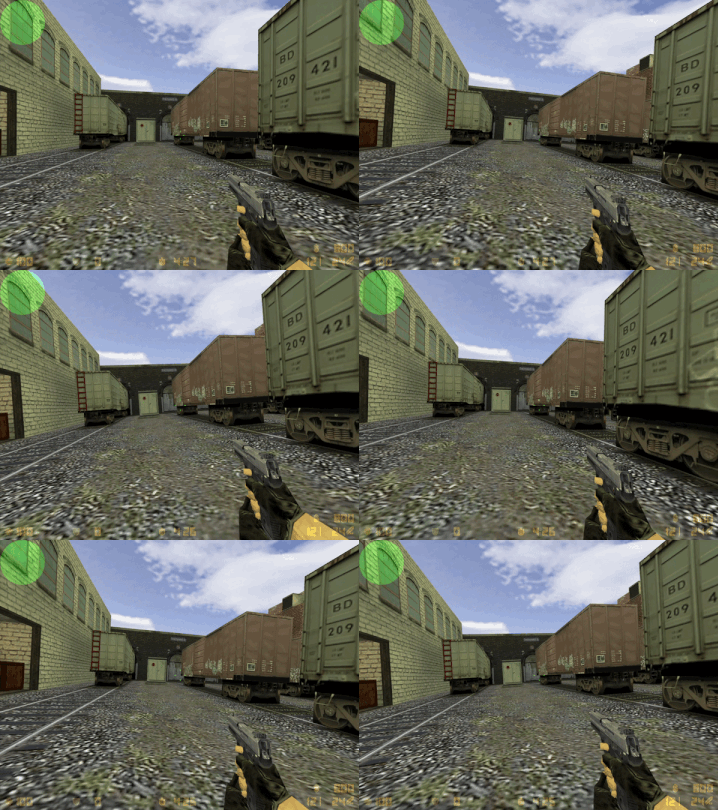
After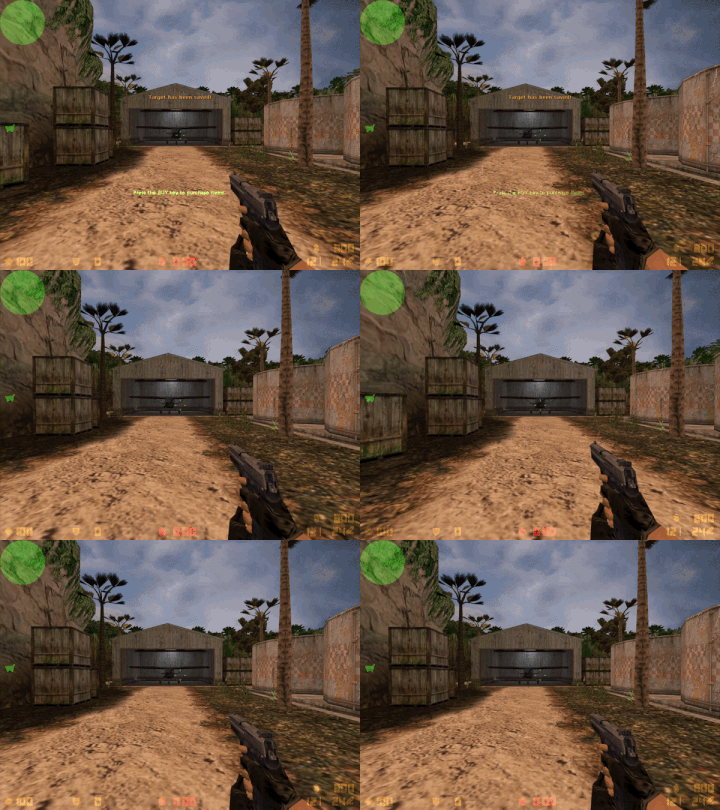
Pro Tip (Permanent Fix): To avoid entering these commands manually every session, you can add them to your userconfig.cfg file located in the cstrike folder. This ensures the values stay at 0 automatically.
sv_rollangle 0
sv_rollspeed 0
Before
After
Pro Tip (Permanent Fix):
<🐧Compatibility & System Support>
Windows Users:
The fix has been extensively tested on Windows 10 and Windows 11. It is confirmed to be working perfectly on both operating systems. Linux Users:
Native Linux: Runs flawlessly without any additional compatibility tools.
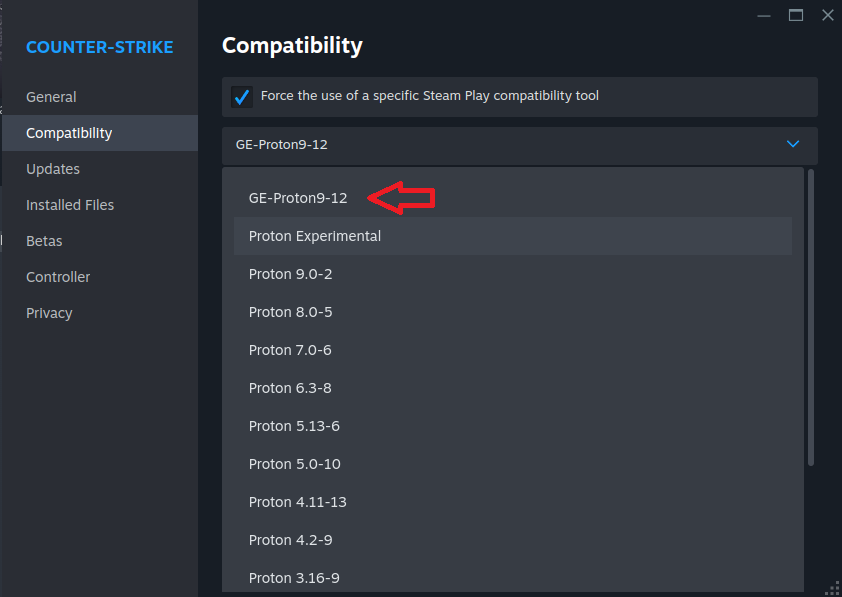
Proton Experimental: Please note that the latest Proton Experimental may cause UI alignment issues (misaligned checkboxes and text) in the Settings and New Game tabs.
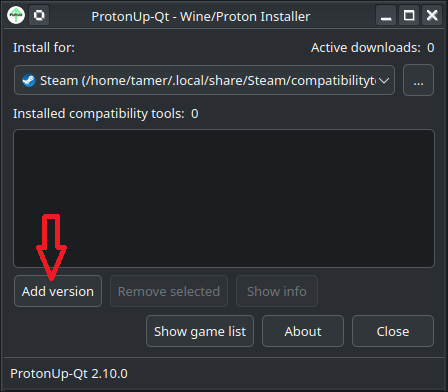
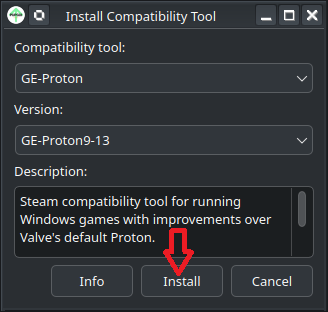
Recommended Fix for Linux: If you encounter UI issues, I recommend switching your compatibility tool to GE-Proton (tested and working on GE-Proton9-12).
Tip: You can easily manage and install various GE-Proton versions using ProtonUp-Qt.
🖥️Verified Test System
The fix has been tested and confirmed on the following Linux configuration:
*Operating System: CachyOS 26.03.08 (March 2026 Release)
*Kernel: Linux-XanMod-x64v3 (v6.19.10 or later)
*Graphics Driver: NVIDIA 595.97 (or latest 580.xx-dkms production branch)
*Display Server: Wayland (CachyOS default)
<🖼️Visual Confirmation (Post-Patch Screenshots)>
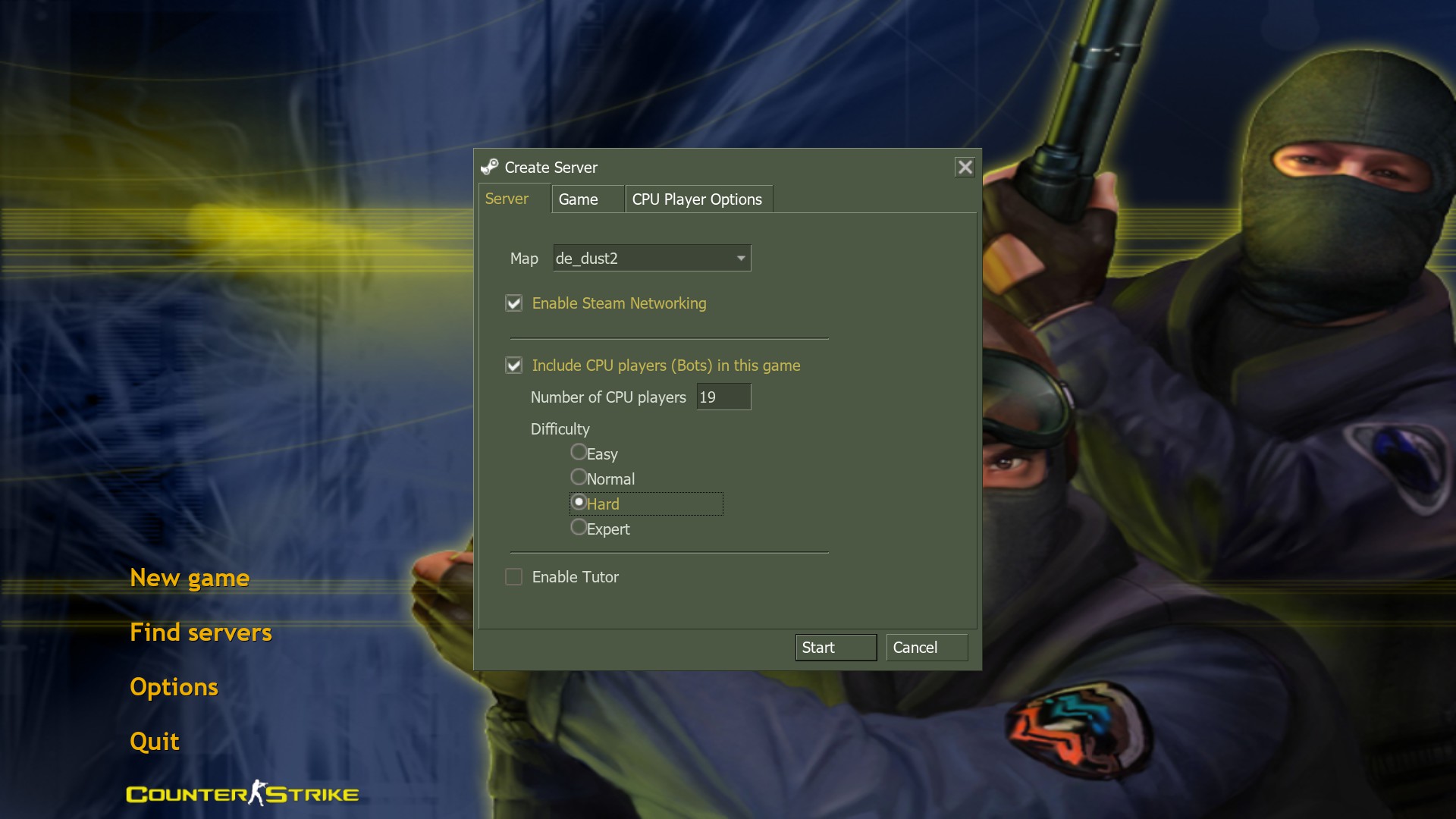
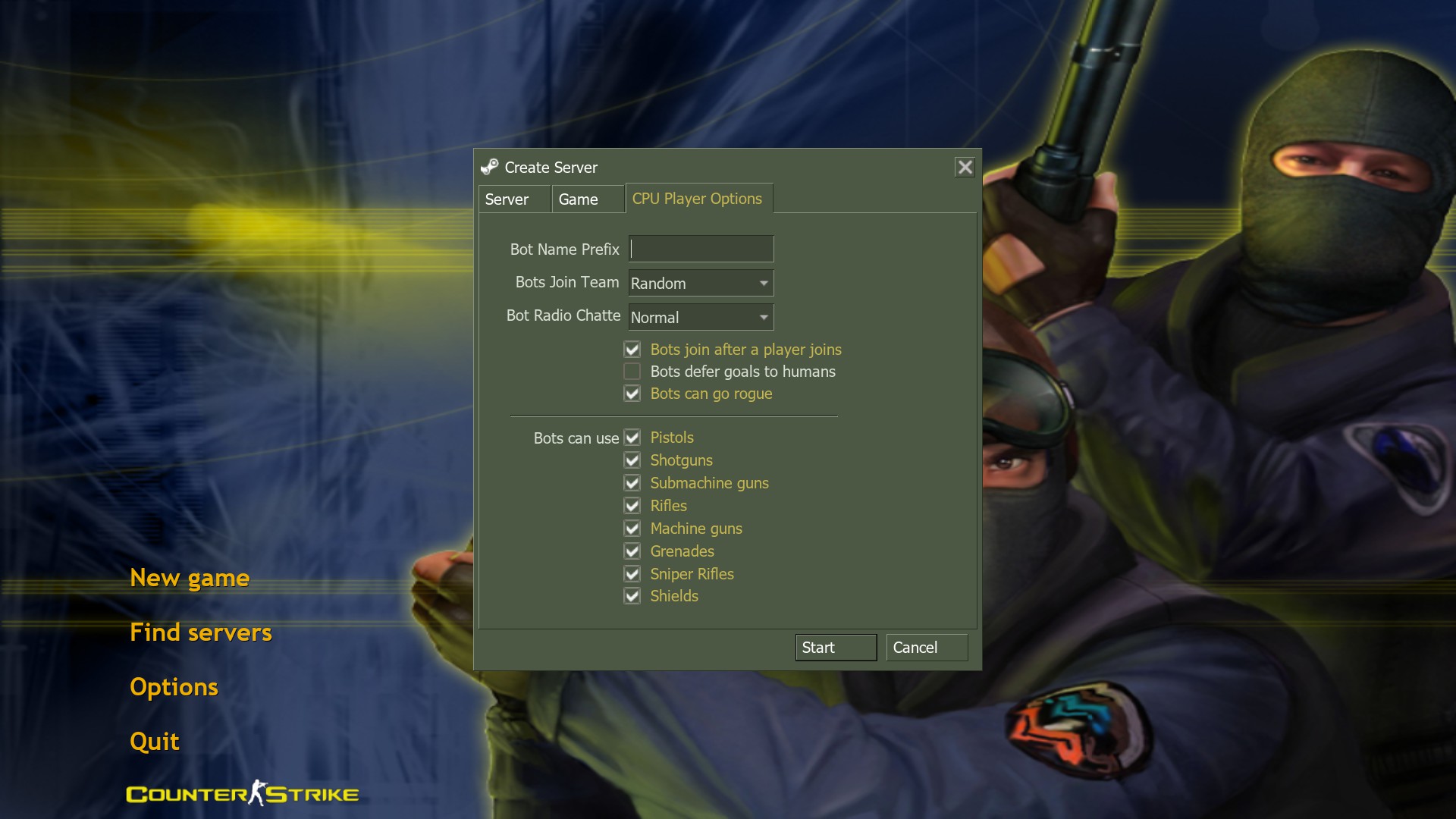
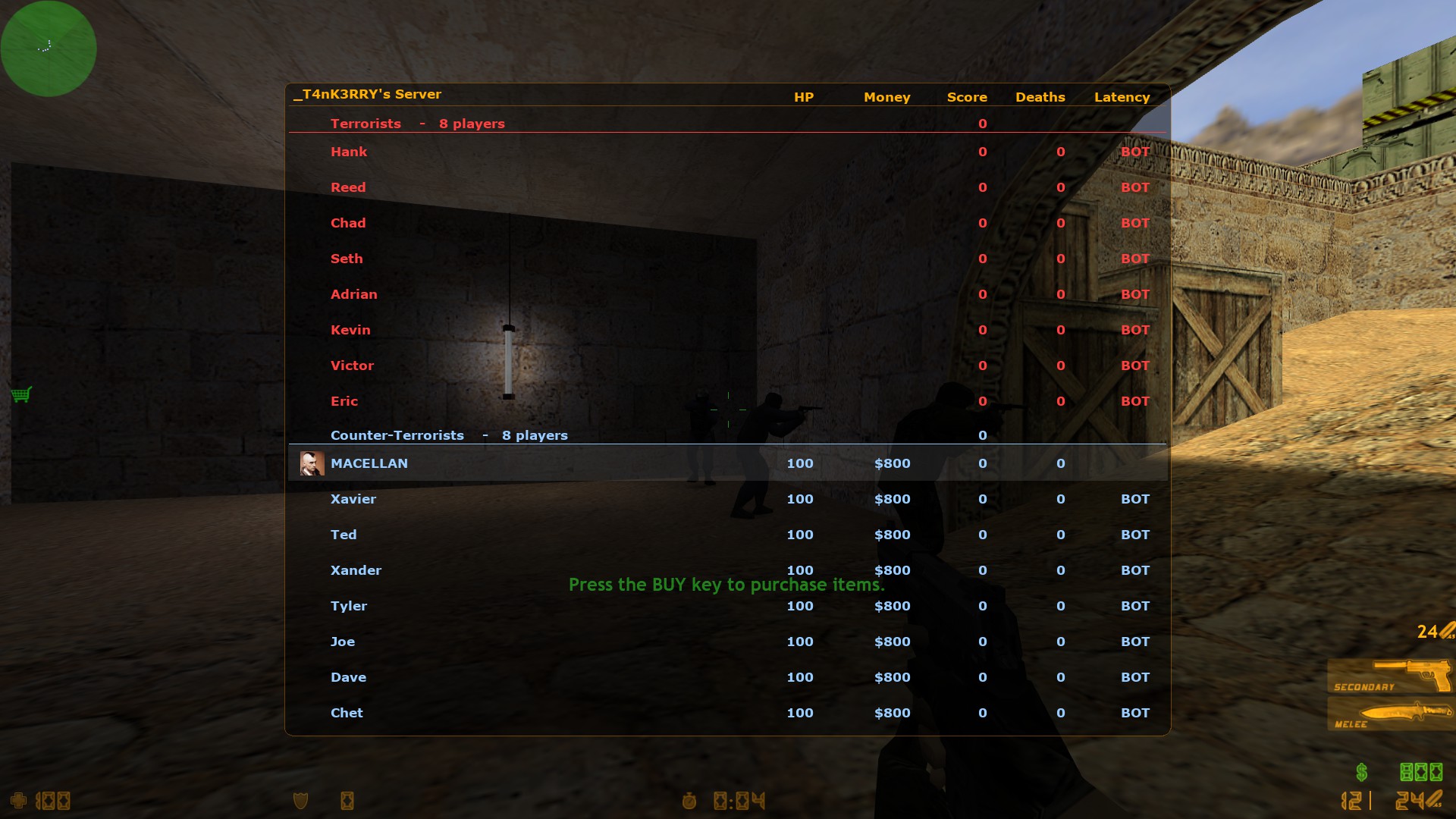
Below are the screenshots from the 25th Anniversary Edition after applying the fix. As shown, all UI elements are properly aligned and the bot integration is fully functional:
*Main Menu & Settings: The background is correctly scaled, and the Settings menu no longer causes crashes.
*New Game Tab: The Bot Settings options are restored and visible.
*Ingame Action: Bots are spawning correctly without any "Profile in use" error
![]()
*Main Menu & Settings: The background is correctly scaled, and the Settings menu no longer causes crashes.
*New Game Tab: The Bot Settings options are restored and visible.
*Ingame Action: Bots are spawning correctly without any "Profile in use" error
<⭐Support & Closing Statement>
If this fix helped you get back into the game, please consider supporting the guide:
👍 Rate & Favorite: A simple "Thumbs Up" and "Favorite" on Steam helps more players find this solution.
💬 Feedback: If you encounter any issues on different hardware/distros, please leave a comment below.
⭐ Share: Help the community by sharing this guide with fellow CS 1.6 players!
Special thanks to the open-source community and every player keeping the 1.6 spirit alive.
👍 Rate & Favorite: A simple "Thumbs Up" and "Favorite" on Steam helps more players find this solution.
💬 Feedback: If you encounter any issues on different hardware/distros, please leave a comment below.
⭐ Share: Help the community by sharing this guide with fellow CS 1.6 players!
Special thanks to the open-source community and every player keeping the 1.6 spirit alive.
<📚Benefited Sources & Credits>
ReGameDLL_CS github link [github.com]
HostImprov github link [github.com]
zBot github link [github.com]
liblist link to source
More Counter-Strike guides


This guide was created by its original author on the Steam Community. Are you the author and want it removed? Request removal.