Launching Problems Start-up Fix
The Problem
MapleStory is a wonderful game, In my opinion that is. A couple months ago I decided I would come back to MapleStory and play it again. Downloading the game was fine. I didn't run into any problems that way. I started up the game and on the bottom right corner I saw the Nexon Game Security sign pop up for a good 30 seconds. Then the whole game would disappear. I thought, "Well this is the first time the game is running.. Probably just a test or something."

I clicked play again. Same problem occured. So I decided to open task manager up and went looking for the game. There was NO sign of the game running. I clicked play once again and had task manager up and watched the process it went through. Once again the game completely closed out. I thought, "Well I'll come back to it a different day and see if anything changes.
So I came back about 2 days later still not working. I wasn't happy that I couldn't play a childhood game. So I contacted Nexon Support. The person who helped me wasnt much help. It was the typical questions..
Did you re-download the game?
Did you re-download the launcher?
Is your internet working correctly?
Did you restart your computer?
I tried all of that.. The guy walked me through something where I couldn't even open Steam anymore. I redid the whole process so I could use Steam again. I went searching in Steam to see a good amount of people were having the same problems I am. I found no-one had solutions. So I did some research. YouTube and Google can be your friend sometimes...
I clicked play again. Same problem occured. So I decided to open task manager up and went looking for the game. There was NO sign of the game running. I clicked play once again and had task manager up and watched the process it went through. Once again the game completely closed out. I thought, "Well I'll come back to it a different day and see if anything changes.
So I came back about 2 days later still not working. I wasn't happy that I couldn't play a childhood game. So I contacted Nexon Support. The person who helped me wasnt much help. It was the typical questions..
Did you re-download the game?
Did you re-download the launcher?
Is your internet working correctly?
Did you restart your computer?
I tried all of that.. The guy walked me through something where I couldn't even open Steam anymore. I redid the whole process so I could use Steam again. I went searching in Steam to see a good amount of people were having the same problems I am. I found no-one had solutions. So I did some research. YouTube and Google can be your friend sometimes...
The Solution
After doing my research finding something was near impossible. I am so happy that I know a lot about computers and softwares. So I used Windows Registry Editor. It was time to make some changes.
This process may seem confusing try to follow along though.
1. Go into start menu or press windows key
2. Search: Regedit and run command
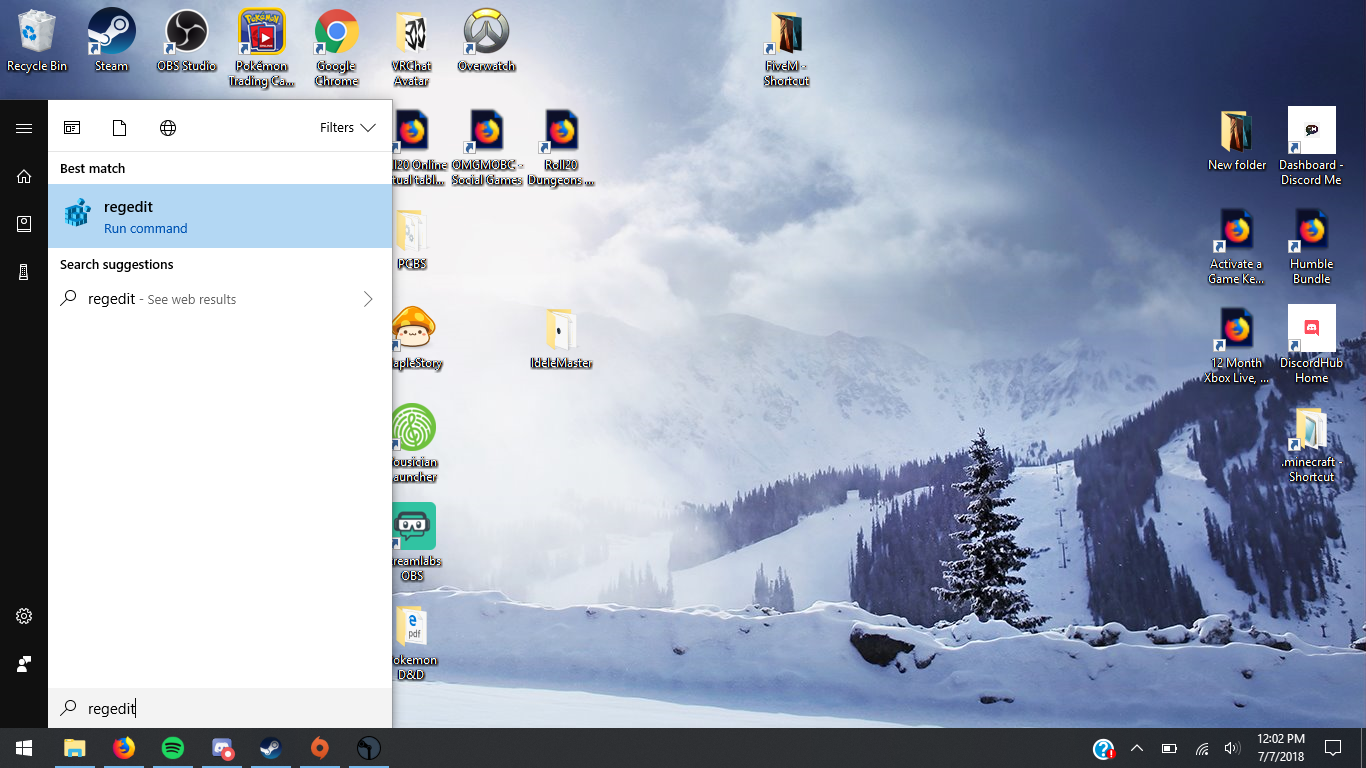
3. On the side click KEY_LOCAL_MACHINE
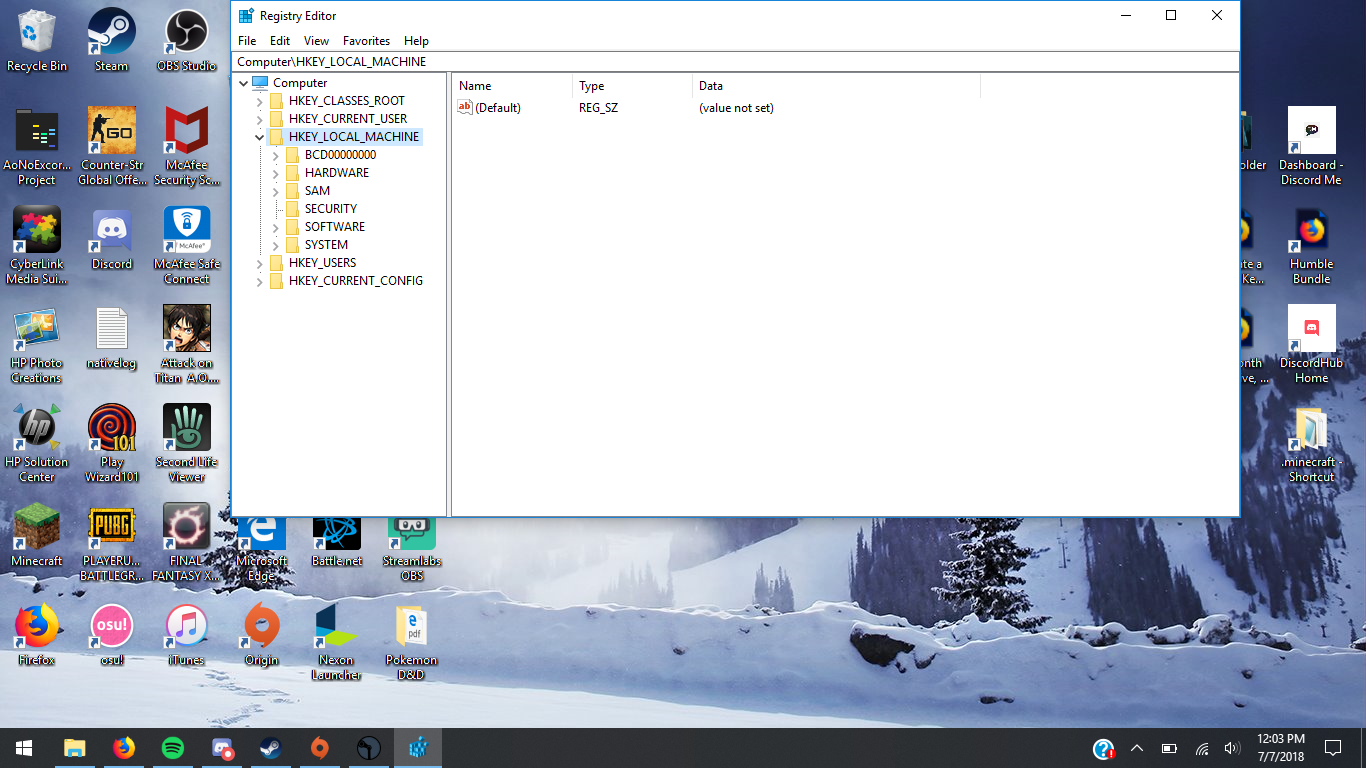
4. Go into SOFTWARE
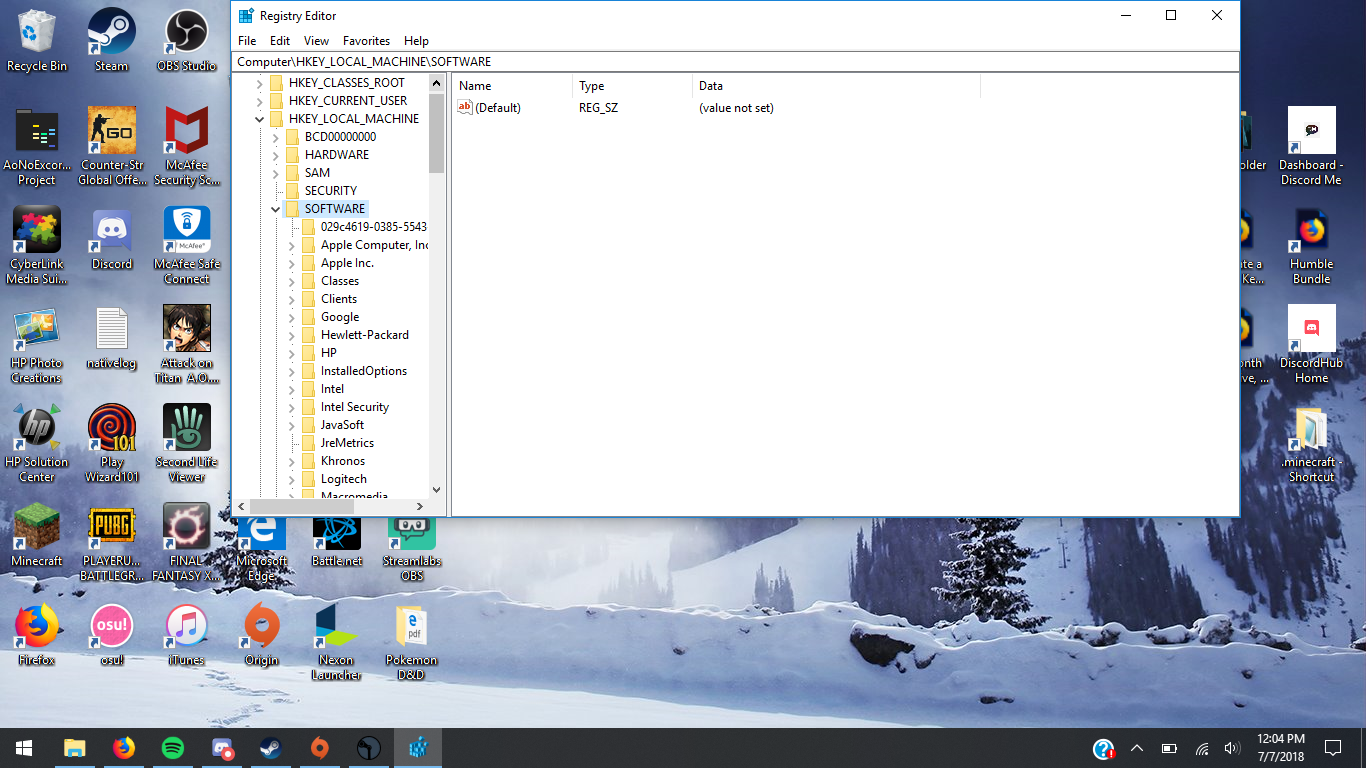
5. Scroll down into WOW6432NODE and click
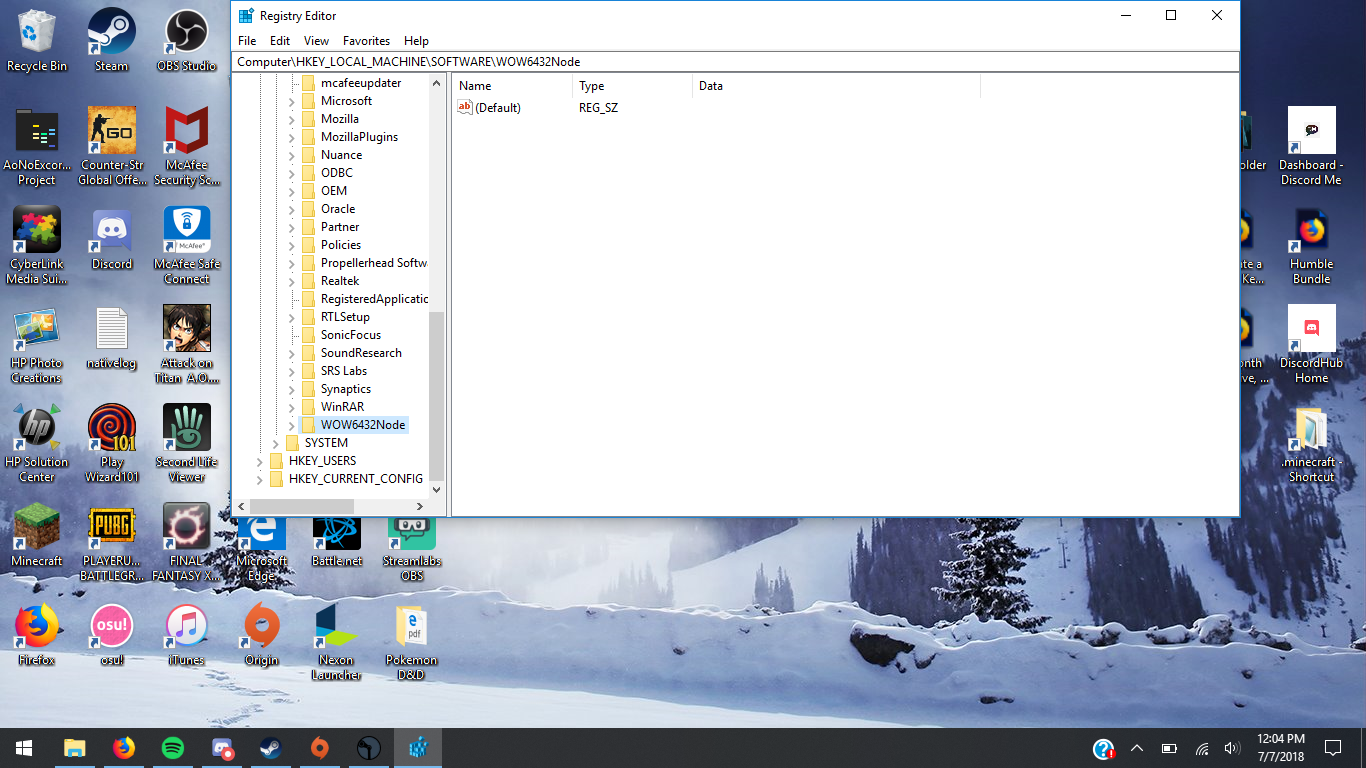
6. Scroll down into Wizet and click
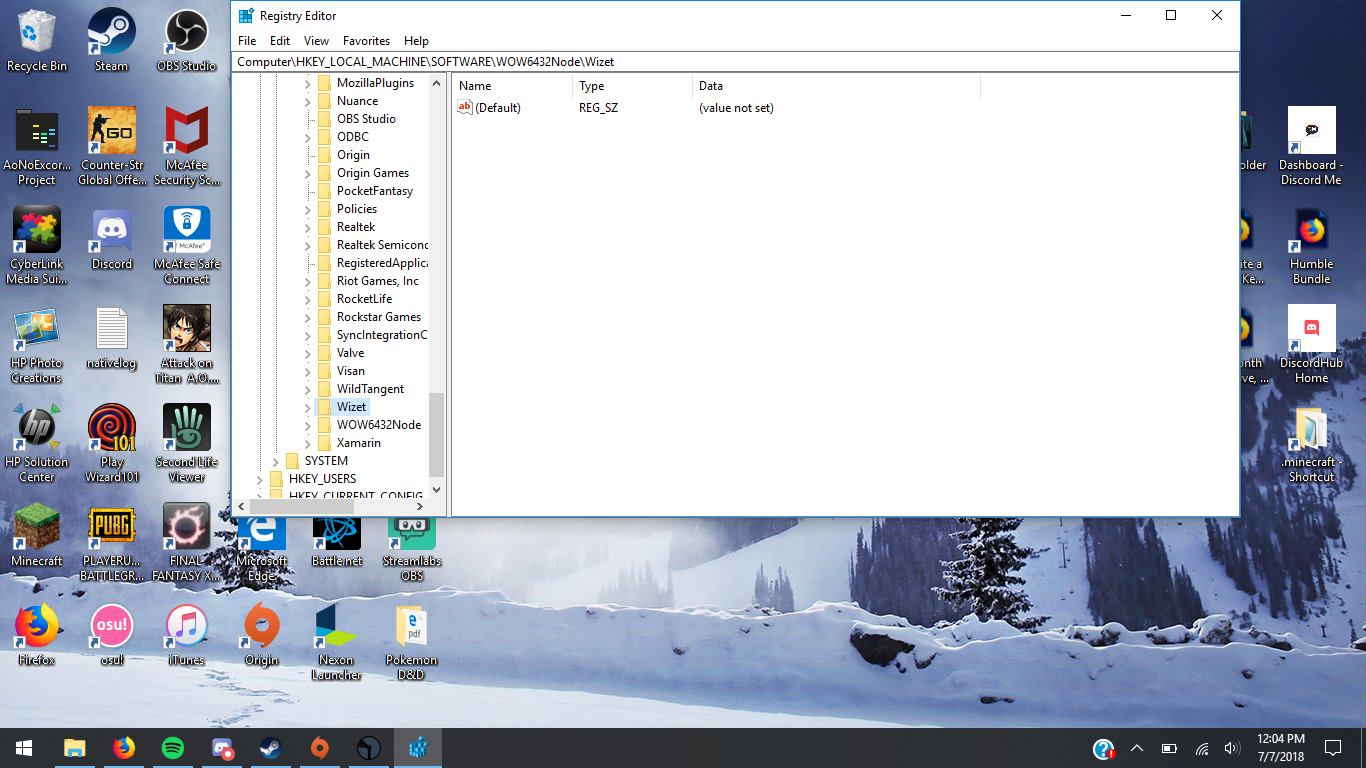
7. Find MapleStory right click and click on new, then click DWORD(32 bit) value
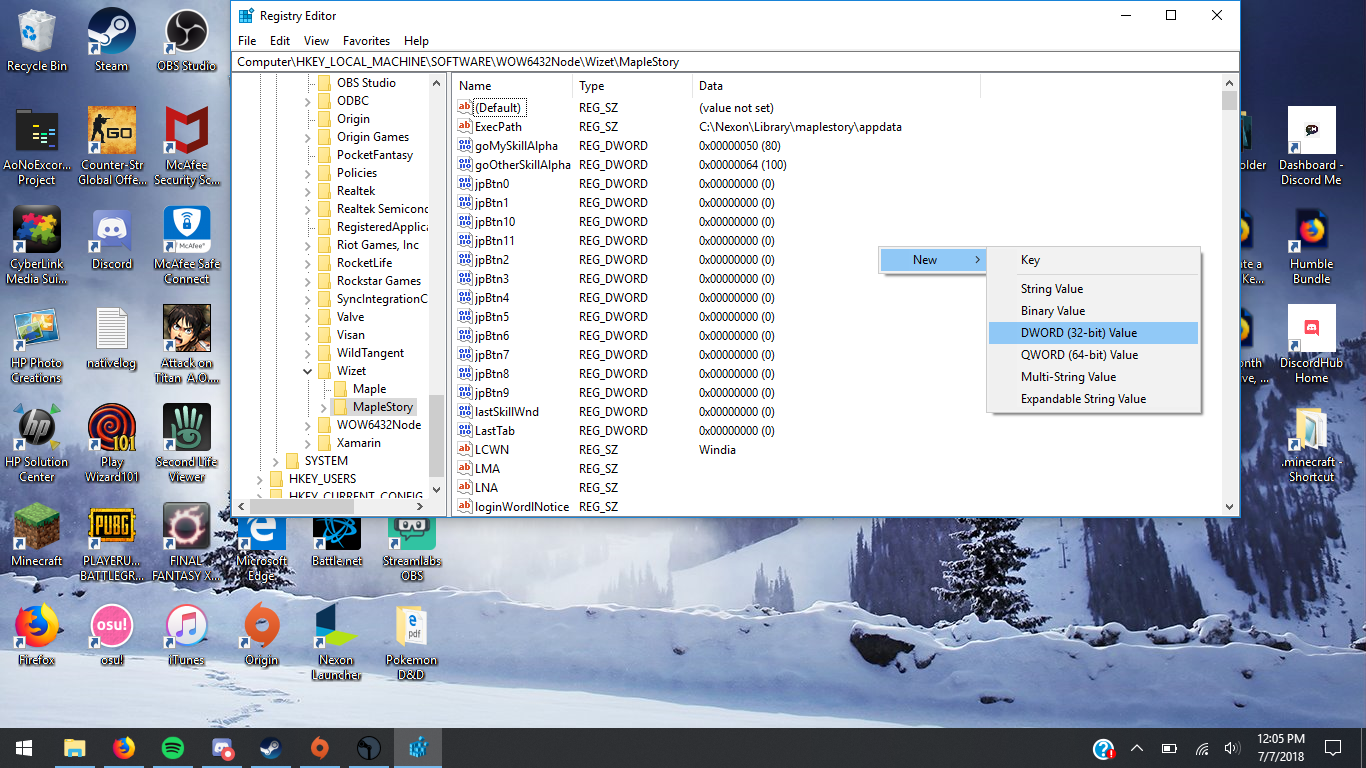
8. Name it: soScreenMode
9. Right click it and press modify
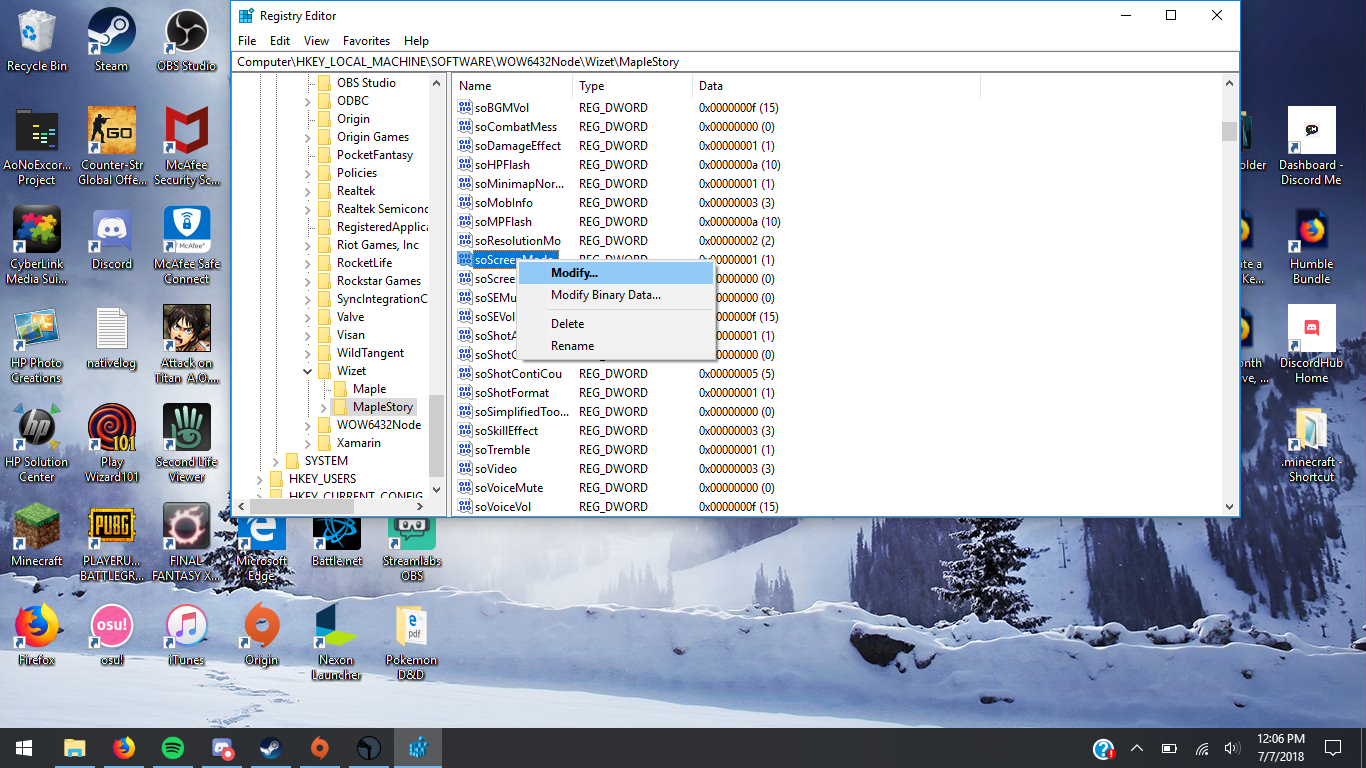
10. Change the Value Data to 3
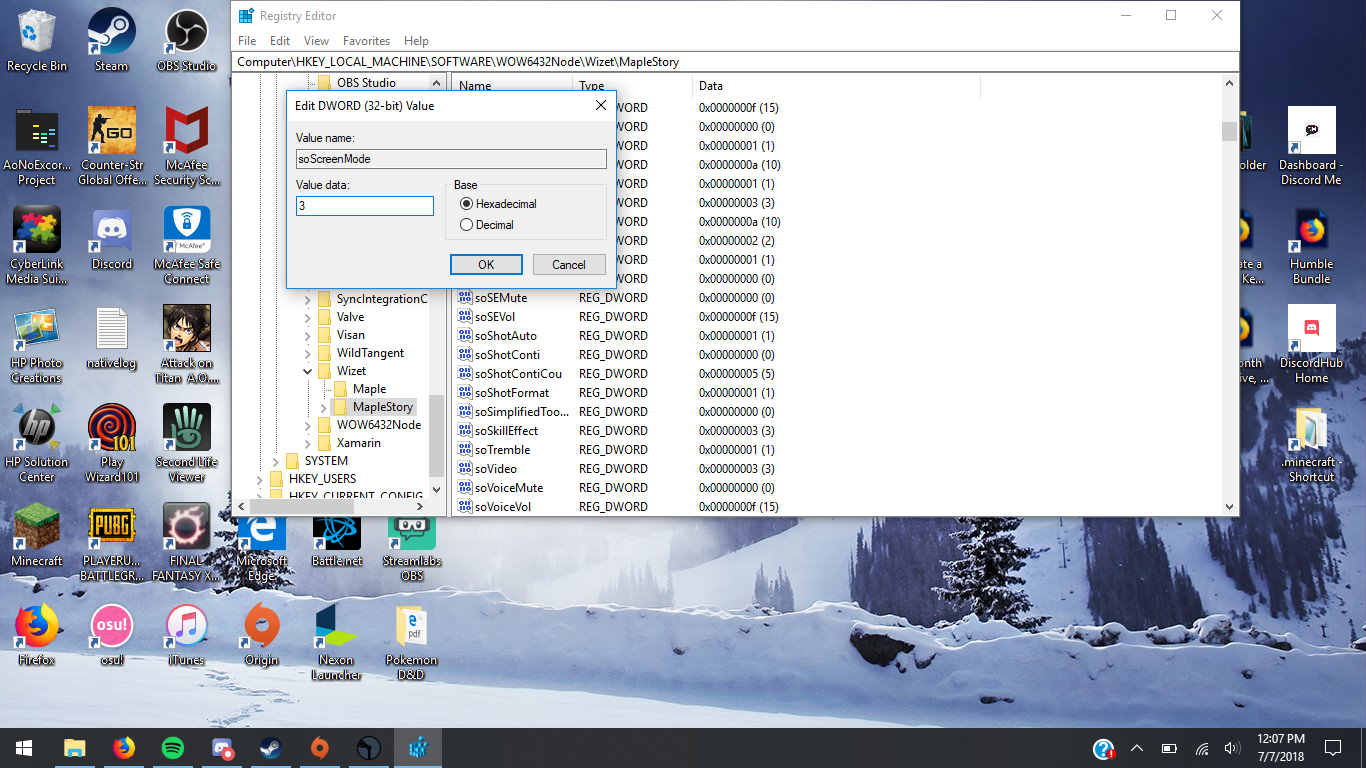
11. Run the game!
This process may seem confusing try to follow along though.
1. Go into start menu or press windows key
2. Search: Regedit and run command
3. On the side click KEY_LOCAL_MACHINE
4. Go into SOFTWARE
5. Scroll down into WOW6432NODE and click
6. Scroll down into Wizet and click
7. Find MapleStory right click and click on new, then click DWORD(32 bit) value
8. Name it: soScreenMode
9. Right click it and press modify
10. Change the Value Data to 3
11. Run the game!
More MapleStory guides
- THE ULTIMATE REBOOT GUIDE (very outdated)★ 5 (184)17k views412 ♥28 minUpdated Aug 12, 2020
- How to Pick Up Items★ 4 (289)17k views69 ♥1 minUpdated Jul 9, 2016
- A painfully detailed guide to MapleStory [DEC UPDATE] MAPLESCOUTER AND MORE★ 5 (191)13k views410 ♥82 minUpdated May 12
- Reboot Link Skill Farming Guide★ 4 (68)7.9k views132 ♥7 minUpdated May 15, 2017
- [Reboot] So You're Level 150★ 4 (55)5.6k views129 ♥26 minUpdated Jun 1, 2019
- Level 1-???: Best Training Grounds4.1k views37 ♥16 minUpdated Sep 16, 2014





This guide was created by its original author on the Steam Community. Are you the author and want it removed? Request removal.