Morrowind Cheat Code List
Start
To open the in-game console just press the key above TAB to insert your cheats.
You can Press Ctrl + F on this guide to locate a specific cheat code
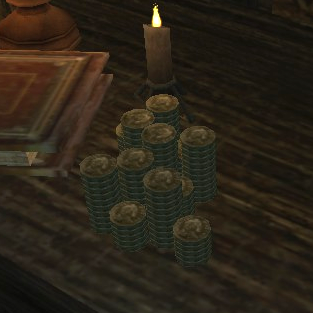
For all of the commands that directly affect the player, you need to put "player->" before the command to reference yourself. For example, to add 10,000 gold to your inventory, type this into the console without quotes: "player->additem gold_001 10000". Note that the maximum number you can add with a single command is 65,536 (which is 256 squared); any more will cause an overflow. For example, if you typed "player->additem gold_001 65540", you would be given 4 gold.
Thanks to Nicholas12194 for the info above :)
If you like this guide please like, favorite and award <3
and please check my Oblivion Cheat Code List as well =)
You can Press Ctrl + F on this guide to locate a specific cheat code
For all of the commands that directly affect the player, you need to put "player->" before the command to reference yourself. For example, to add 10,000 gold to your inventory, type this into the console without quotes: "player->additem gold_001 10000". Note that the maximum number you can add with a single command is 65,536 (which is 256 squared); any more will cause an overflow. For example, if you typed "player->additem gold_001 65540", you would be given 4 gold.
Thanks to Nicholas12194 for the info above :)
If you like this guide please like, favorite and award <3
and please check my Oblivion Cheat Code List as well =)
Cheat Codes!
Here is the list for the cheat codes! Enjoy!
setflying 1 - Enable Flight Mode.
setsuperjump 1 - Enable super jumps.
setwaterwalking 1 - Walk on water.
setwaterbreathing 1 - Breathe underwater.
setlevel [ number] - Set the player's level to the specified number.
additem "Gold_100" [number] - Add indicated amount of gold to your inventory.
setfatigue [ number] - Set maximum fatigue value.
setmagicka [ number] - Set maximum magic value.
sethealth [ number] - Set the player's health.
centeroncell -or- coc [ cell ID] - Place character in the named cell.
centeronexterior -or- coe [ x,y] - Place character in exterior cell grid.
createmaps ["filename.esp"] - Create map image file for Xbox.
filljournal - Add all entries to the journal.
fillmap - Show all towns on the full map.
fixme - Teleport 128 units from location.
getfactionreaction [ faction ID] - Get faction reaction.
help - Show help commands.
showvars -or- sv - Show variables.
stopcelltest -or- sct - Stop cell test.
testcells -or- tc - Test cells.
testinteriorcells -or- tic - Test interior cells.
testmodels -or- t3d - Test models.
toggleai -or- ta - Toggle AI.
toggleborders -or- tb - Toggle borders.
togglecombatstats -or- tcs - Toggle combat statistics.
togglecollision -or- tcl - Toggle collisions.
togglecollisionboxes -or- tcb - Toggle collision boxes.
togglecollisiongrid -or- tcg - Toggle collision grid.
toggledebugtext -or- tdt - Toggle debug text.
toggledialoguestats -or- tds - Toggle dialogue statistics.
togglefogofwar -or- tfow - Toggle fog of war.
togglegodmode -or- tgm - Toggle God Mode.
togglegrid -or- tg - Toggle grid.
togglekillstats -or- tks - Toggle kill statistics
.
toggleloadfade - Toggle load fade.
togglemagicstats -or- tms - Toggle magic statistics.
togglemenus -or- tm - Toggle menus.
tpg - Toggle path grid.
togglescripts - Toggle scripts.
togglestats -or- tst - Toggle stats.
togglesky -or- ts - Toggle sky.
toggletexturestring -or- tts - Toggle texture string.
togglewireframe -or- twf - Toggle wireframe.
toggleworld -or- tw - Toggle world.
togglefullhelp -or- tfh - Show ownership and script name.
sg - Show selected actor's party.
st - Show selected actor's targets.
showscenegraph -or- ssg - Show scene graph.
moto - One to one mode.
twa - Toggle water/no water.
tvm - Toggle vanity mode.
tso - Toggle script output.
tlf - Toggle load fade.
tai - Toggle bot AI.
ori - Display output info.
tl - Toggle lighting.
sv - Show variables.
sa - Show animations.
ra - Reset enemies, NPCs, and players.
pt - Purge textures.
setflying 1 - Enable Flight Mode.
setsuperjump 1 - Enable super jumps.
setwaterwalking 1 - Walk on water.
setwaterbreathing 1 - Breathe underwater.
setlevel [ number] - Set the player's level to the specified number.
additem "Gold_100" [number] - Add indicated amount of gold to your inventory.
setfatigue [ number] - Set maximum fatigue value.
setmagicka [ number] - Set maximum magic value.
sethealth [ number] - Set the player's health.
centeroncell -or- coc [ cell ID] - Place character in the named cell.
centeronexterior -or- coe [ x,y] - Place character in exterior cell grid.
createmaps ["filename.esp"] - Create map image file for Xbox.
filljournal - Add all entries to the journal.
fillmap - Show all towns on the full map.
fixme - Teleport 128 units from location.
getfactionreaction [ faction ID] - Get faction reaction.
help - Show help commands.
showvars -or- sv - Show variables.
stopcelltest -or- sct - Stop cell test.
testcells -or- tc - Test cells.
testinteriorcells -or- tic - Test interior cells.
testmodels -or- t3d - Test models.
toggleai -or- ta - Toggle AI.
toggleborders -or- tb - Toggle borders.
togglecombatstats -or- tcs - Toggle combat statistics.
togglecollision -or- tcl - Toggle collisions.
togglecollisionboxes -or- tcb - Toggle collision boxes.
togglecollisiongrid -or- tcg - Toggle collision grid.
toggledebugtext -or- tdt - Toggle debug text.
toggledialoguestats -or- tds - Toggle dialogue statistics.
togglefogofwar -or- tfow - Toggle fog of war.
togglegodmode -or- tgm - Toggle God Mode.
togglegrid -or- tg - Toggle grid.
togglekillstats -or- tks - Toggle kill statistics
.
toggleloadfade - Toggle load fade.
togglemagicstats -or- tms - Toggle magic statistics.
togglemenus -or- tm - Toggle menus.
tpg - Toggle path grid.
togglescripts - Toggle scripts.
togglestats -or- tst - Toggle stats.
togglesky -or- ts - Toggle sky.
toggletexturestring -or- tts - Toggle texture string.
togglewireframe -or- twf - Toggle wireframe.
toggleworld -or- tw - Toggle world.
togglefullhelp -or- tfh - Show ownership and script name.
sg - Show selected actor's party.
st - Show selected actor's targets.
showscenegraph -or- ssg - Show scene graph.
moto - One to one mode.
twa - Toggle water/no water.
tvm - Toggle vanity mode.
tso - Toggle script output.
tlf - Toggle load fade.
tai - Toggle bot AI.
ori - Display output info.
tl - Toggle lighting.
sv - Show variables.
sa - Show animations.
ra - Reset enemies, NPCs, and players.
pt - Purge textures.
More The Elder Scrolls III: Morrowind guides
- Morrowind 2024 Essential Modding Guide★ 5 (570)46k views1.7k ♥26 minUpdated Jul 31, 2024
- Русификатор The Elder Scrolls III Morrowind® Game of the Year Edition★ 5 (980)46k views2.1k ♥2 minRussianUpdated Jul 29, 2020
- Integrate OpenMW with Steam (the better way)★ 5 (1.1k)45k views1.9k ♥6 minUpdated Jun 16, 2025
- [FullRest] Улучшение графики, русификатор и оверлей★ 5 (1.1k)39k views2.7k ♥11 minRussianUpdated Oct 25, 2025
- How To Become OP Before Level 2★ 5 (550)34k views1.4k ♥4 minUpdated Jul 4, 2017
- The Morrowind Questing Guide★ 5 (1.6k)33k views3.4k ♥208 minUpdated Mar 27


This guide was created by its original author on the Steam Community. Are you the author and want it removed? Request removal.