Play Contracts after server shutdown (100% Achievements)
Credits:
I am not the creator or owner of this process. I am just explaining the process. All credits goes to original creator LennardF1989
Video Guide was created by: Ddk Oswald
Hosting server:
- Step: 1
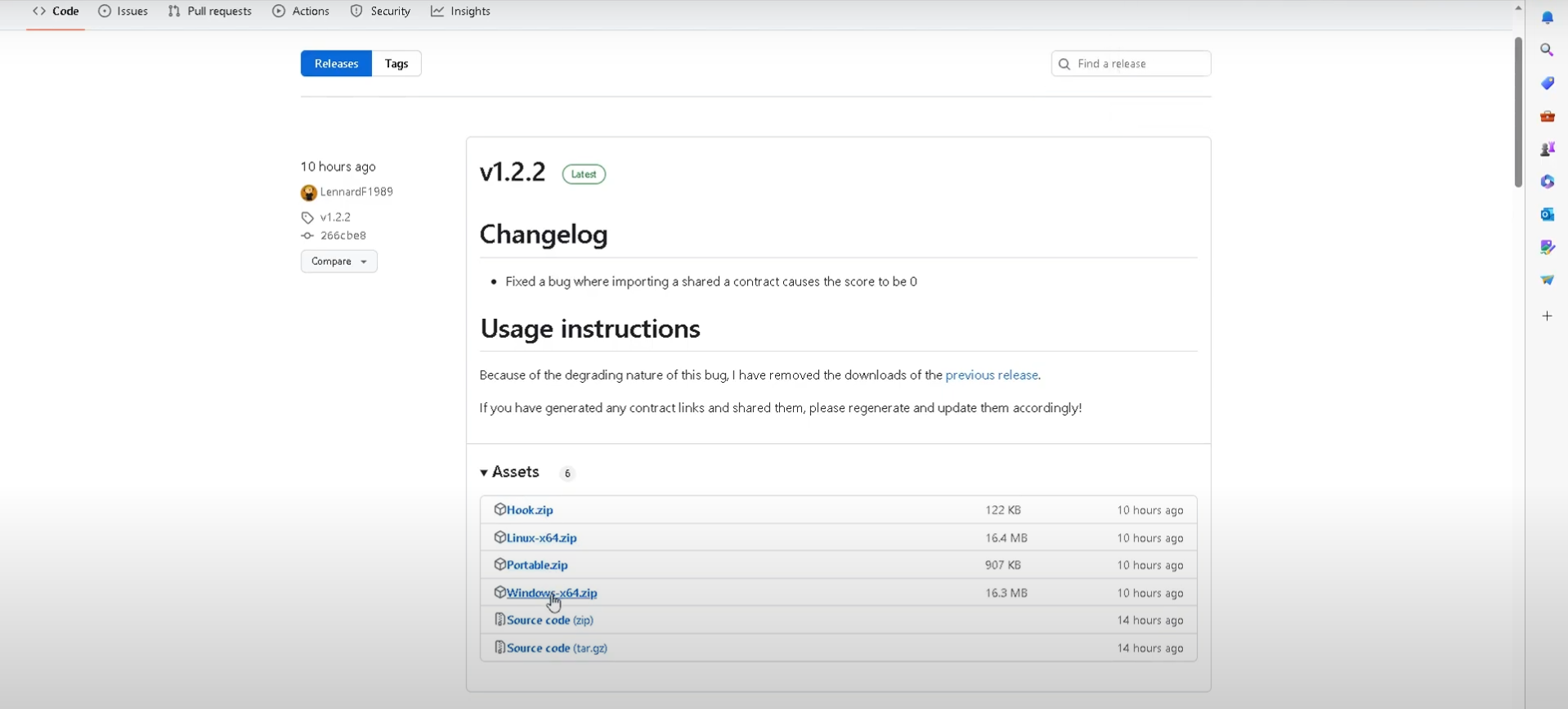
Go to https://github.com/LennardF1989/Hitman-5-Server
and click on releases on the right side of the screen
- Download the latest copies of both files: Hook.zip and Windows-x64.zip (or Linux-64.zip if you’re using Linux).
- Step: 2
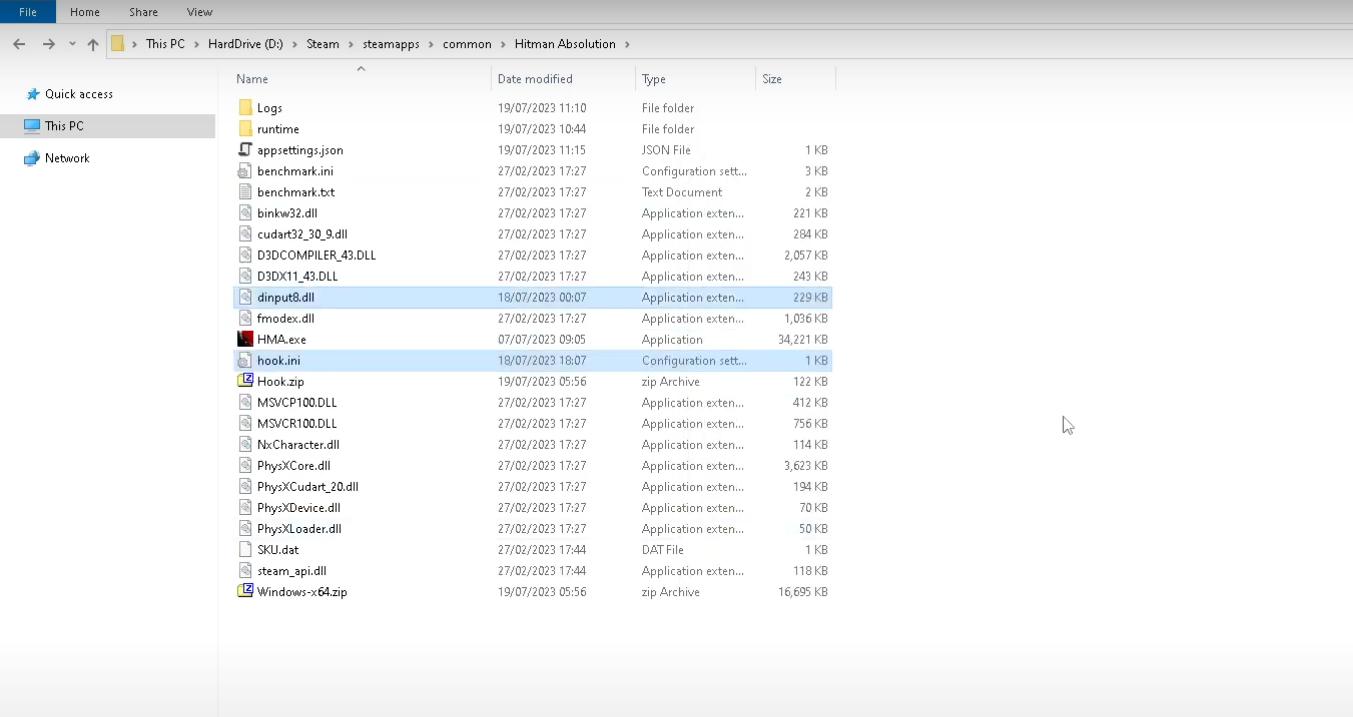
Extract Hook.zip into Hitman Absolution's game folder (the same folder with HMA.exe)
There should now be dinput8.dll and hook.ini in your games folder
- Step: 3
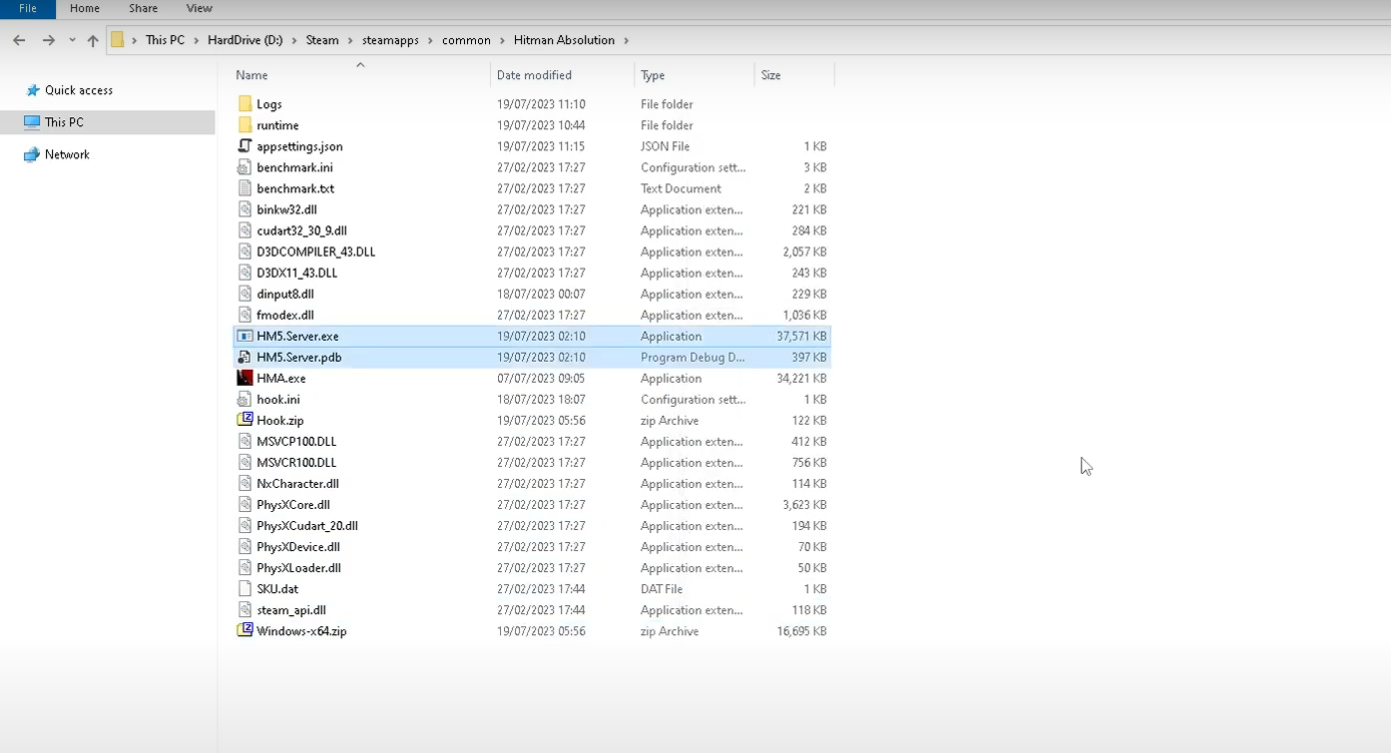
Extract all 3 files from Windows-x64.zip.
- Step: 4
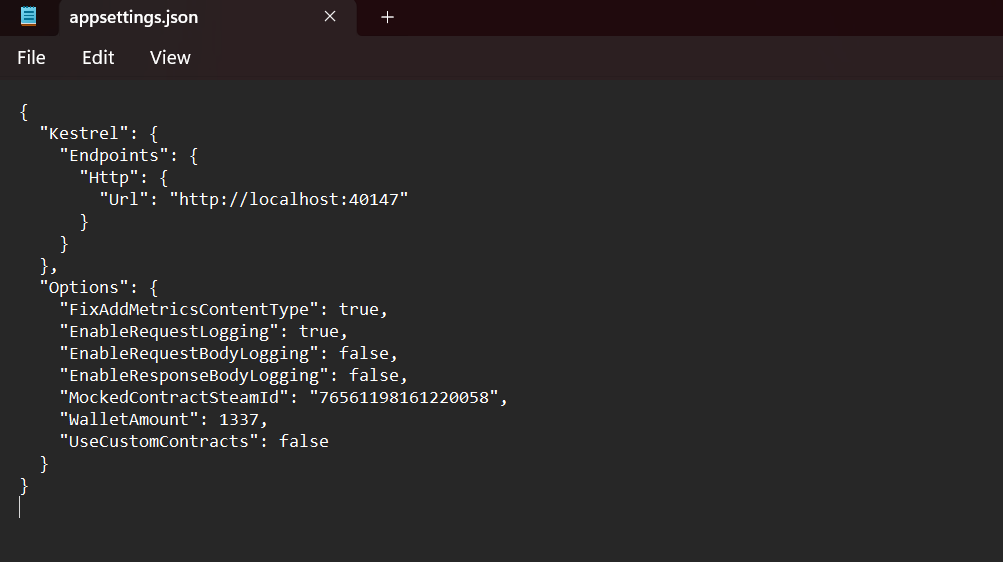
Before launching HM5.Server.exe, you can edit the following codes in appsettings.json
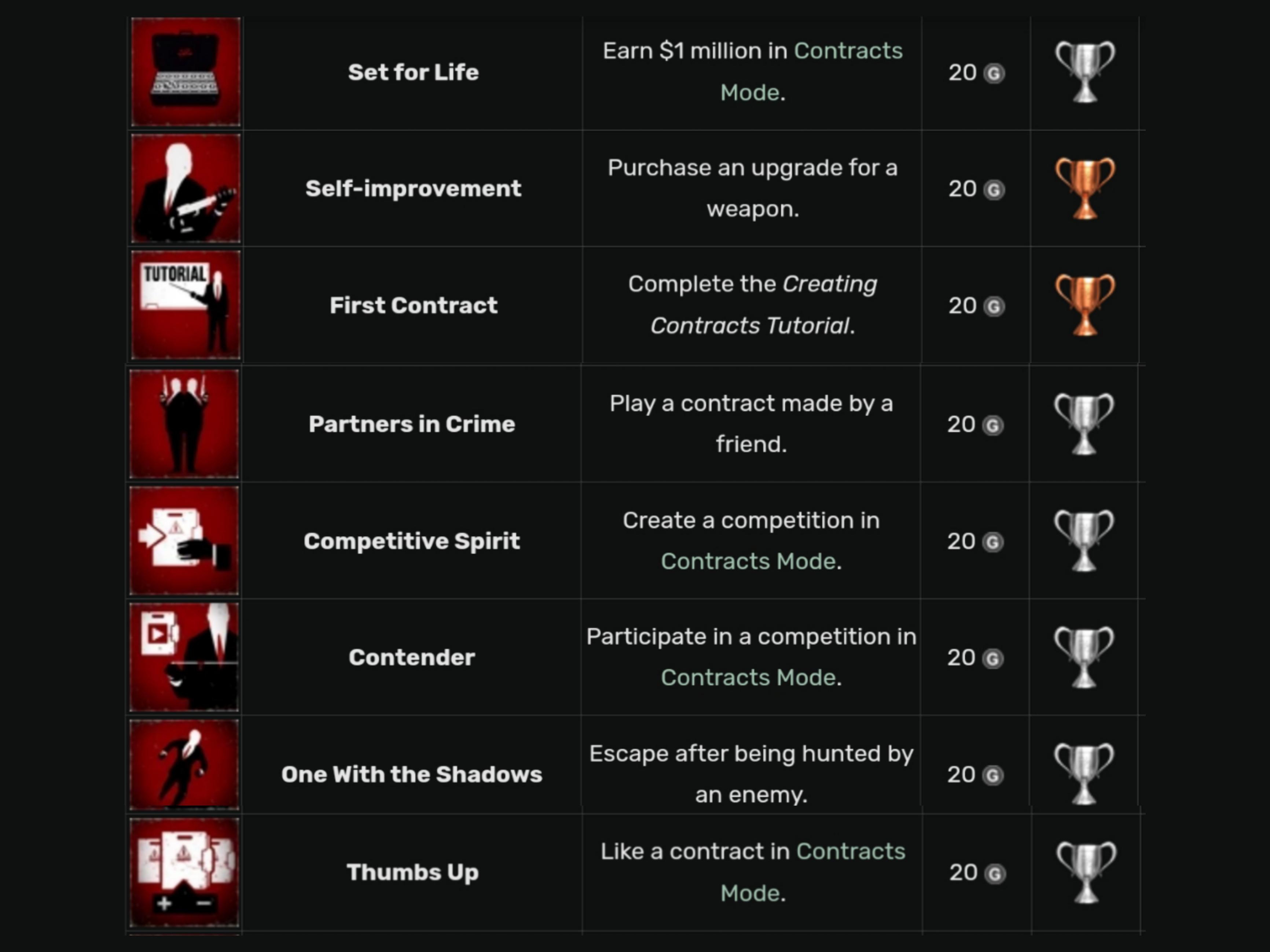
- Enter any friend's Steam ID in "MockedContractSteamId" to obtain the Partners in Crime achievement instead of 76xxxxxxxxxxxxxxx. You can find your friend's SteamID64 from his profile link: https://steamcommunity.com/profiles/76561199063067757/ (17 numbers at the last of the profile link)
- In order to achieve Set for Life achivement, you must enter a value in "WalletAmount" more than 1000000.
- If you would like to play other players' contracts, you can select true in "UseCustomContracts".
- Step: 5
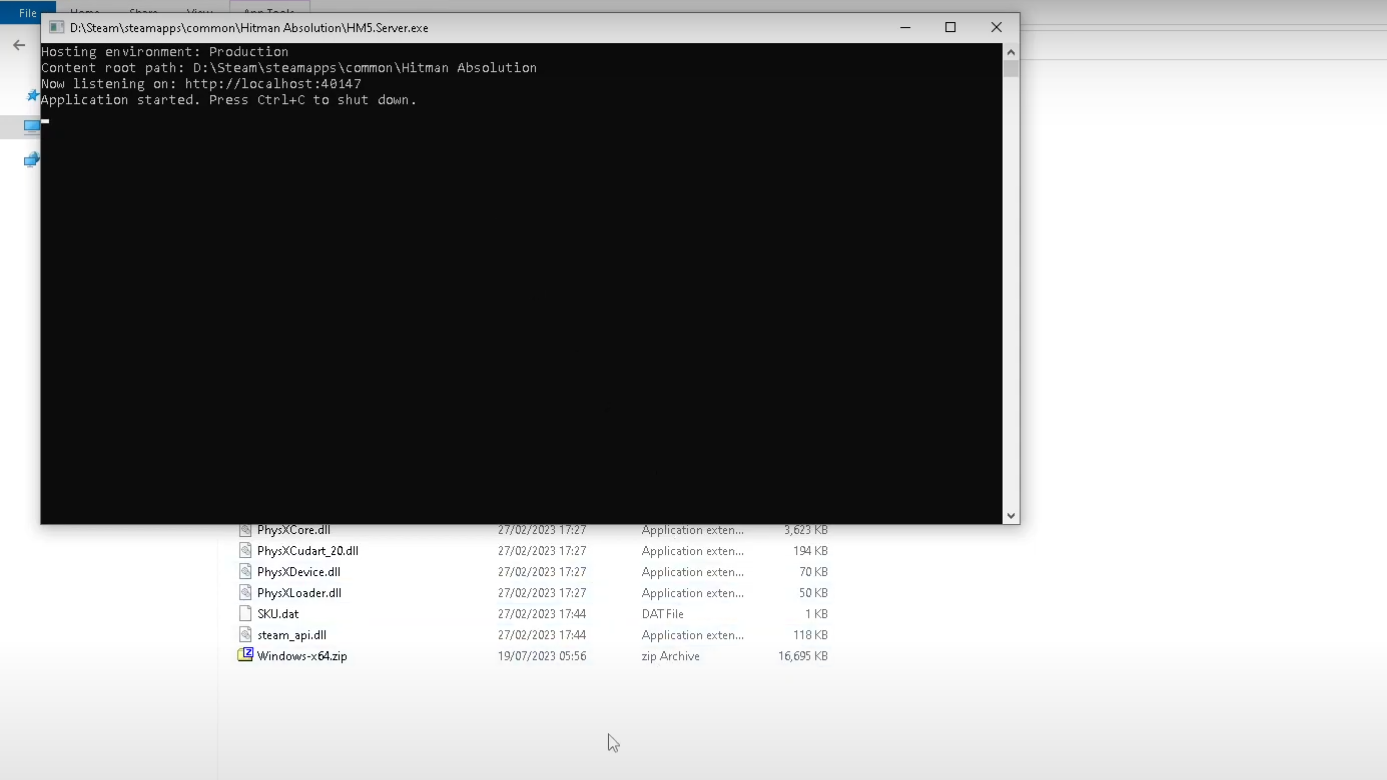
Open HM5.Server.exe and a console should appear.
This console is the server, you must leave this running when playing Absolution for the server to work.
- Step: 6
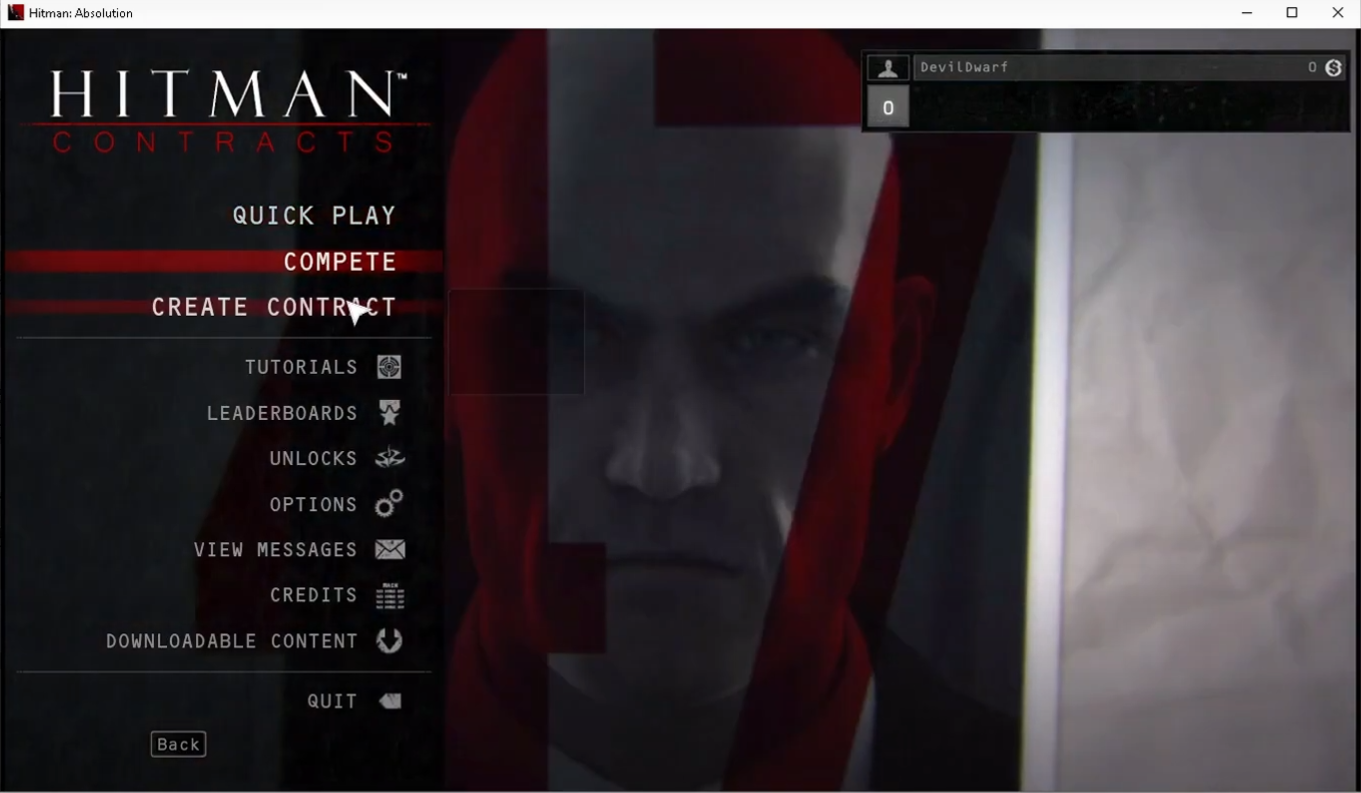
Start Hitman Absolution from steam and click on contracts, it should open just like it used too when the servers still existed.
Playing Other's Contracts:
To add more contracts or if you need help join LennardF1989's discord at
https://discord.gg/5WW3C3G2M3
If you what to install contracts from others:You have to set UseCustomContracts to true inside the appsettings.json
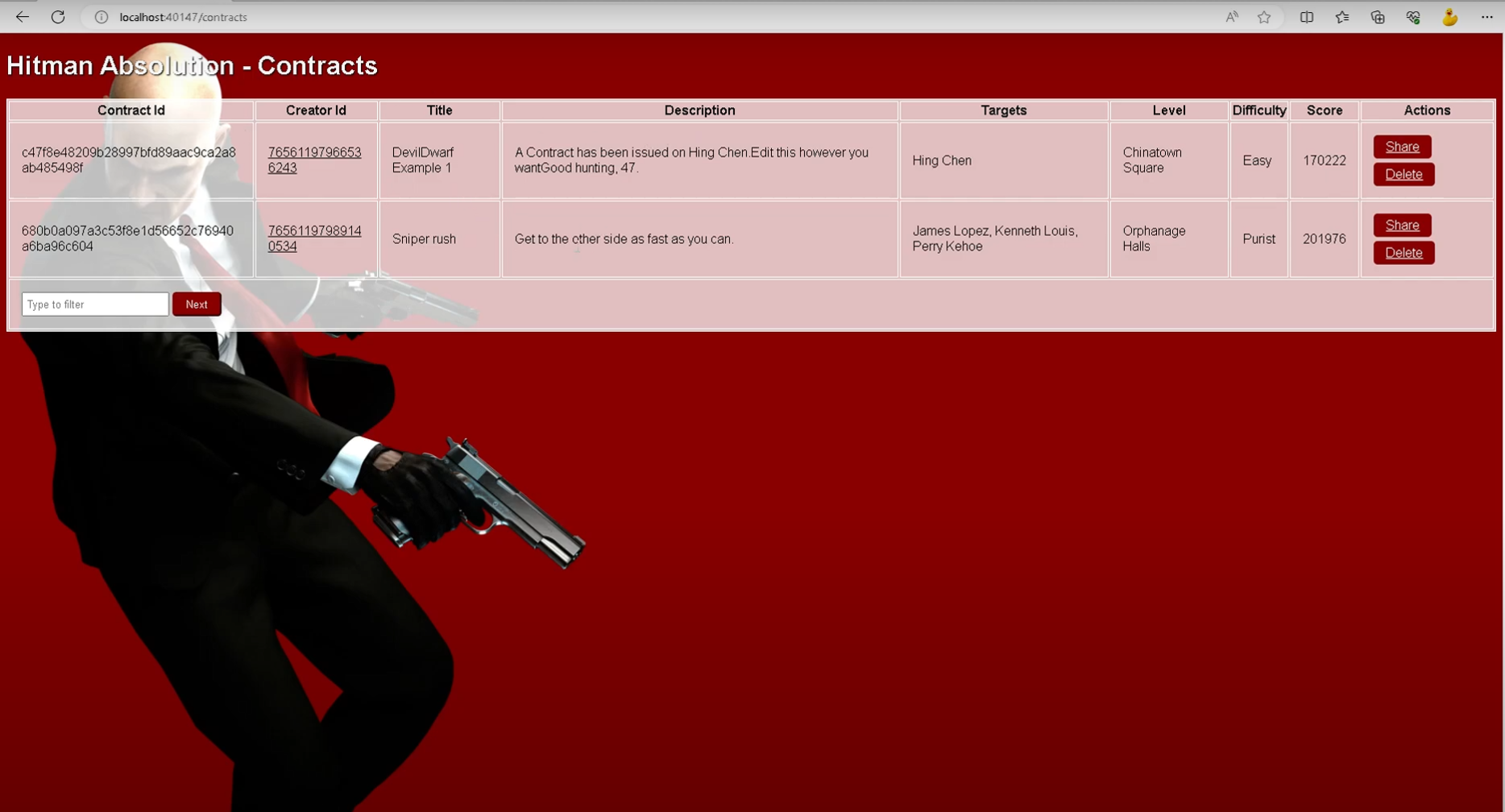
With the server still running, simply click on a contract link shared in the Discord Server, #share-contracts channel. The Web UI will open, the contract will be added to your list, and it will immediately appear in-game (after browsing around a bit — no restart needed).
You can view all your created and downloaded contracts through the Web UI at:
http://localhost:40147/contracts (requires the server to be running).In-case in the above steps not work. (most probably it will work. but Just in case)
Edit hook.ini File
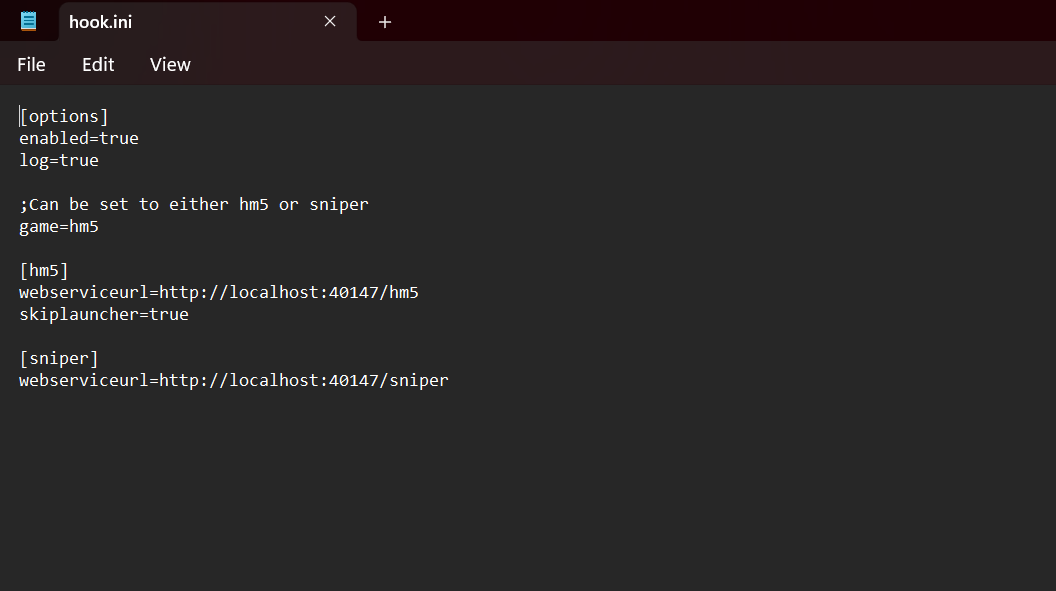
After placing the hook.ini in your game directory, you’ll need to configure it so the Contracts mode can run properly.
Right-click hook.ini, open with Notepad (or any editor), and replace the contents with the following settings:
In webserviceurl set the port(link) from appsettings.json
Video Guide:
Thanks for : Ddk Oswald
Achievements can Obtain:
Russian Version:
🏆
Beat Hitman: Absolution's 100% run?
Flex it — let your friends know you pulled it off.
More Hitman: Absolution guides
- Hitman Absolution All Challenges/Achievements★ 5 (927)29k views1.1k ♥2 minUpdated Oct 5, 2018
- Прохождение испытаний в Hitman: Absolution★ 5 (1.5k)28k views2.1k ♥30 minRussianUpdated Feb 17, 2014
- Гайд по получению достижений в Hitman: Absolution★ 5 (865)22k views1k ♥3 minRussianUpdated May 8, 2014
- Все достижения в Hitman: Absolution★ 5 (373)16k views893 ♥6 minRussianUpdated Nov 26, 2025
- Как пройти испытания и выполнить секретные задания★ 5 (513)15k views967 ♥37 minRussianUpdated Feb 9, 2020
- Почему кирпич является идеальным оружием?★ 5 (816)14k views330 ♥1 minRussianUpdated Aug 11, 2017



This guide was created by its original author on the Steam Community. Are you the author and want it removed? Request removal.