Starting Contracts server - Hitman: Absolution
Introduction
I'm just the author of the guide, server developer is LennardF1989, send all thanks to him.
1. Starting the server
Only on Windows
Download archive: https://github.com/LennardF1989/Hitman-5-Server/releases/download/v1.2.2/Windows-x64.zip and unpack to any directory.Only on Linux
Download archive: https://github.com/LennardF1989/Hitman-5-Server/releases/download/v1.2.2/Linux-x64.zip and unpack.Editing the config, WIndows and Linux
Before launching, need to edit appsettings.json in directory with server executable:{
"Kestrel": {
"Endpoints": {
"Http": {
"Url": "http://localhost:40147"
}
}
},
"Options": {
"FixAddMetricsContentType": true,
"EnableRequestLogging": true,
"EnableRequestBodyLogging": false,
"EnableResponseBodyLogging": false,
"MockedContractSteamId": "76xxxxxxxxxxxxxxx",
"WalletAmount": 1999999,
"UseCustomContracts": false
}
}
1. If some service is running on port 40147, you can replace it with any other in Url section, but if you want to play other players contracts, I don't recommend doing it.2. In MockedContractSteamId replace 76xxxxxxxxxxxxxxx to any friend steamID64 (for Partners in Crime achievement). You can ask a friend to give numbers from here: https://store.steampowered.com/account/.
3. In WalletAmount need to put a value greater than 1000000 (for Set for Life achievement).
4. You can set true in UseCustomContracts, if you want to play contracts of other players. Then you will have to save money from scratch and ask a friend to share the contract.
5. Save.
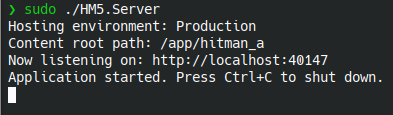
Starting the server
On windows launch HM5.Server.exe.On Linux HM5.Server (don't forget to add the execution permission)
chmod +x HM5.Server
Server started!
2. Launching Сontracts in the game
1. Download archive: https://github.com/LennardF1989/Hitman-5-Server/releases/download/v1.2.2/Hook.zip, unzip dinput8.dll and hook.ini to game root.
2. Edit hook.ini:
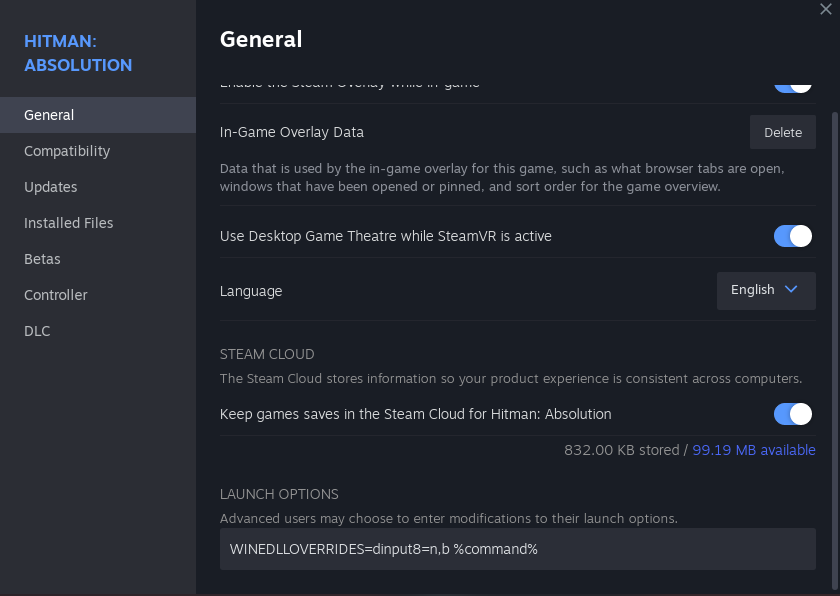
2.9 (linux only) Set in Launch opitons:
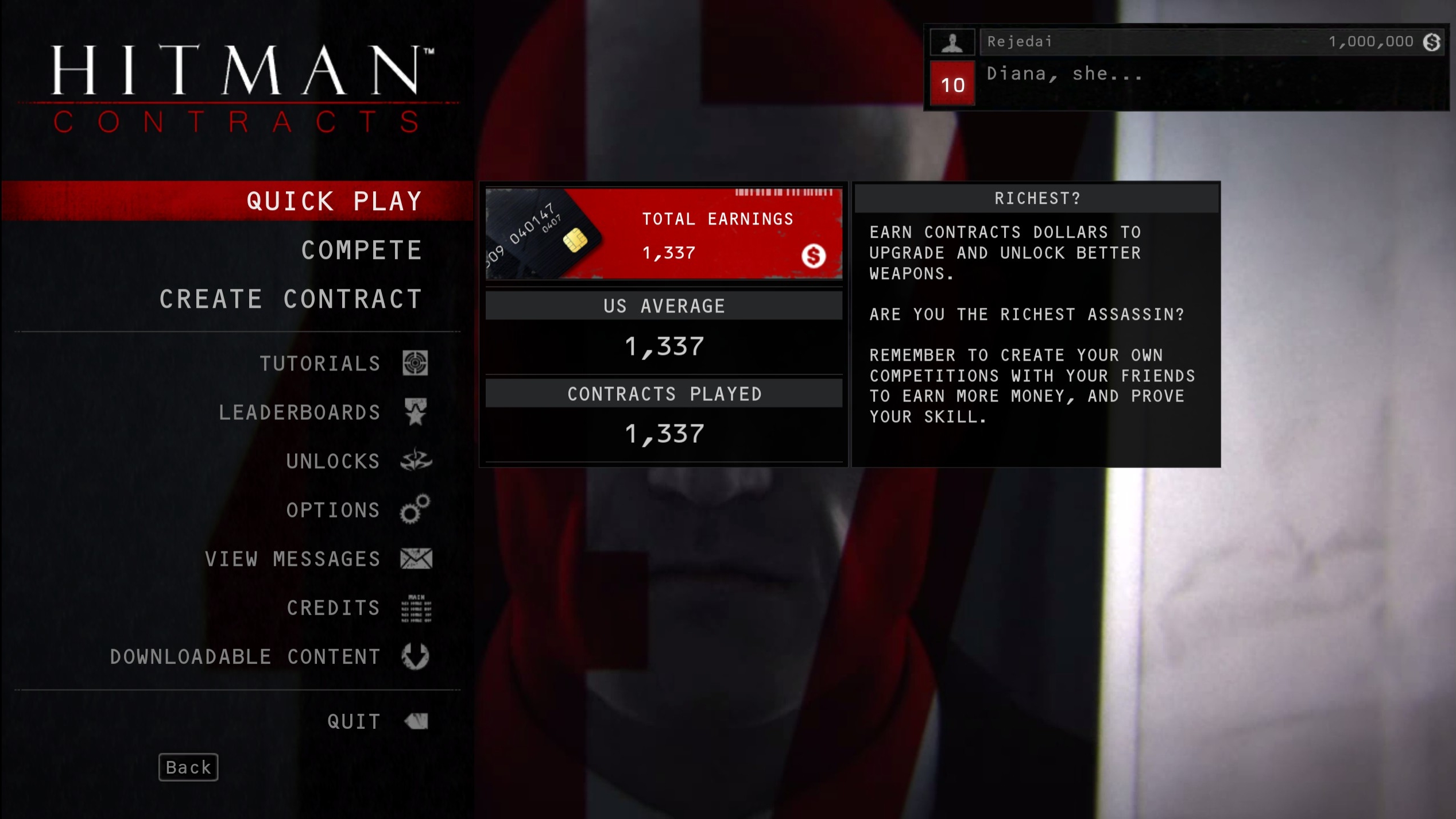
3. Launch the game, Сontracts should work
2. Edit hook.ini:
[options]
enabled=true
log=true
;Can be set to either hm5 or sniper
game=hm5
[hm5]
webserviceurl=http://localhost:40147/hm5
skiplauncher=true
[sniper]
webserviceurl=http://localhost:40147/sniper
In webserviceurl set port from appsettings.json.2.9 (linux only) Set in Launch opitons:
WINEDLLOVERRIDES=dinput8=n,b %command%
3. Launch the game, Сontracts should work
3. Launching contracts of other players.
Join LennardF1989 discord https://discord.gg/5WW3C3G2M3.
In the #share-contacts[discord.com] channel you can find links to create contracts, open it and contract should appear in the game.
You can see the list of contacts at the link: http://localhost:40147/contracts
In the #share-contacts[discord.com] channel you can find links to create contracts, open it and contract should appear in the game.
You can see the list of contacts at the link: http://localhost:40147/contracts
Achievements
With this server, you can unlock all achievements.
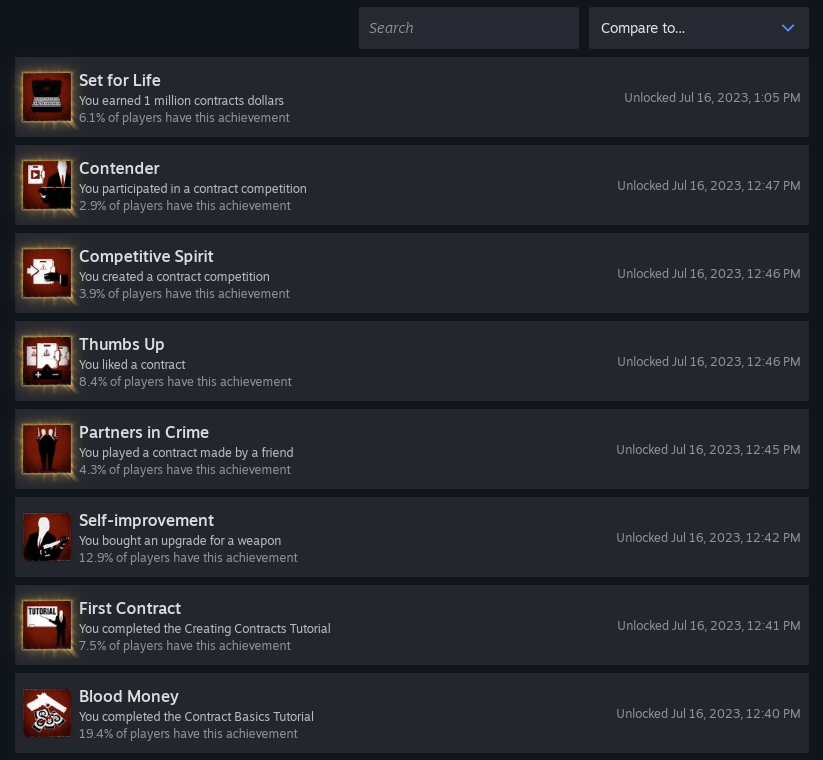
Contender
Lots of questions about the Contender achievement, to get it you need to run in Quick Play -> Find Contrats -> FakeContract48
Special Thanks
Thanks for the research DevilDwarf and Venom.
More Hitman: Absolution guides
- Hitman Absolution All Challenges/Achievements★ 5 (927)29k views1.1k ♥2 minUpdated Oct 5, 2018
- Прохождение испытаний в Hitman: Absolution★ 5 (1.5k)28k views2.1k ♥30 minRussianUpdated Feb 17, 2014
- Гайд по получению достижений в Hitman: Absolution★ 5 (865)22k views1k ♥3 minRussianUpdated May 8, 2014
- Все достижения в Hitman: Absolution★ 5 (373)16k views893 ♥6 minRussianUpdated Nov 26, 2025
- Как пройти испытания и выполнить секретные задания★ 5 (513)15k views967 ♥37 minRussianUpdated Feb 9, 2020
- Почему кирпич является идеальным оружием?★ 5 (816)14k views330 ♥1 minRussianUpdated Aug 11, 2017





This guide was created by its original author on the Steam Community. Are you the author and want it removed? Request removal.