Zoe's snapchat filter guide!~ (Forced AO)
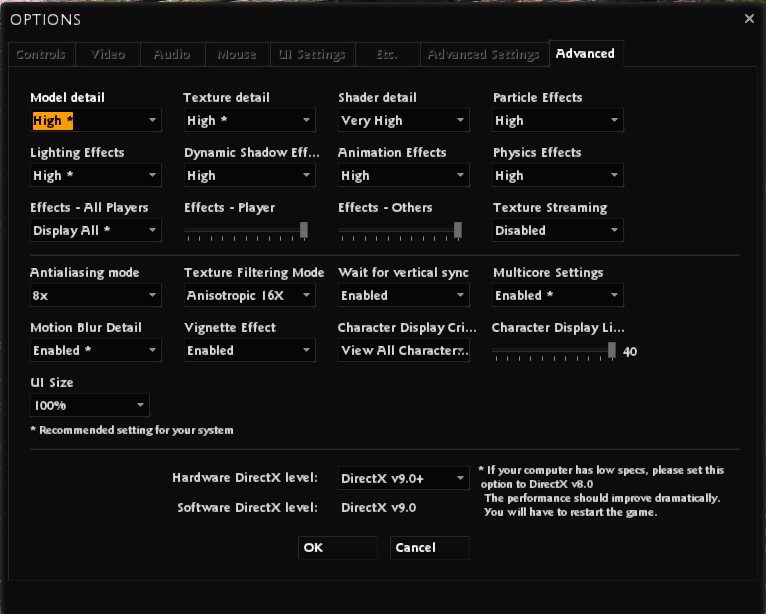
Step. 1 In-Game Graphic Settings
Ensure that your Vindictus is set to the HIGHEST settings!
Step 2. Download Nvidia Inspector
THIS LINK HAS EVERYTHING I USE!
PLEASE COPY AND PASTE LINK WITHOUT THE FORWARD SLASH AT THE BEGINNING FOR IT TO WORK! /https://www.mediafire.com/file/4esdez5nda32yim/zoe%2527s_nvidiaInspector.zip/file
PLEASE COPY AND PASTE LINK WITHOUT THE FORWARD SLASH AT THE BEGINNING FOR IT TO WORK! /https://www.mediafire.com/file/4esdez5nda32yim/zoe%2527s_nvidiaInspector.zip/file
Step 3. UNPACK, EXTRACT, or DRAG
UNPACK, EXTRACT, or DRAG the content outside of the downloaded folder somewhere you will not lose it!
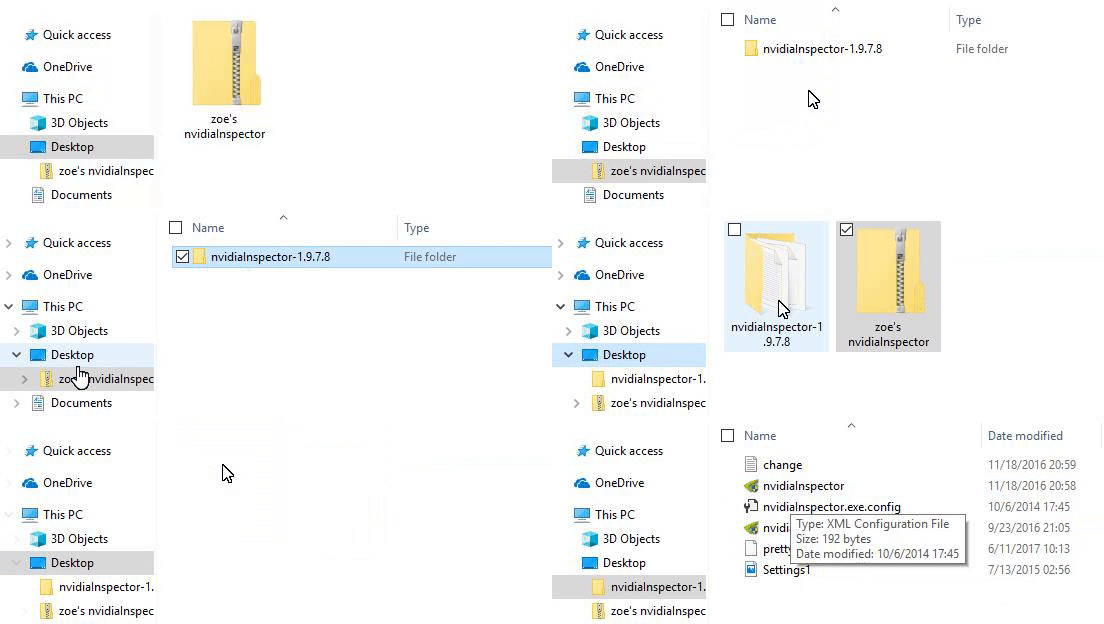
Step 4. nvidiaProfileInspector
Open nvidiaProfileInspector (not nvidiaInspector) as ADMINISTRATOR
(Should automatically open as admin, if it doesn't force run as admin)
(Should automatically open as admin, if it doesn't force run as admin)
Step 5. Importing Profile
On your toolbar, you will see a box with a green arrow pointing DOWN, click it and IMPORT the prettyzoe.nip file
prettyzoe.nip should be in the same folder your nvidiaProfileInspector is located.
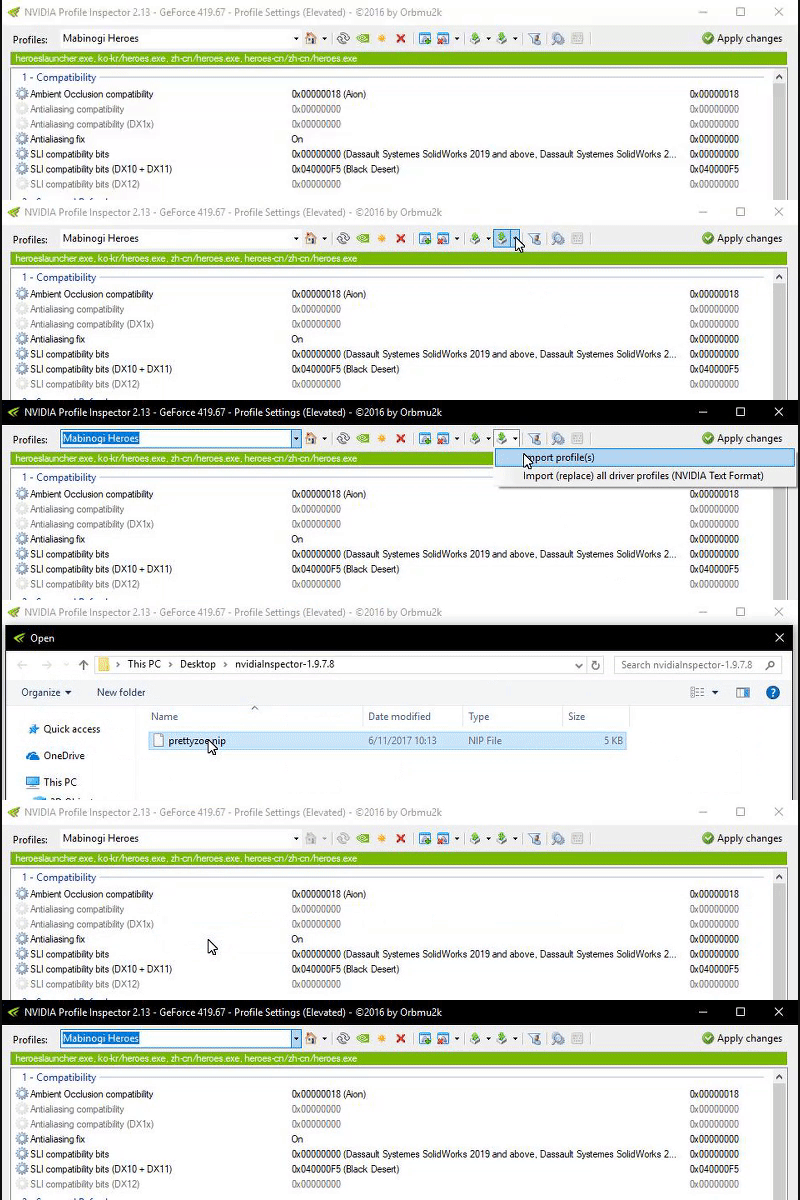
prettyzoe.nip should be in the same folder your nvidiaProfileInspector is located.
Step 6. Ensuring It Imported
You should now have a Vindictus profile in your nvidiainspector profiles dropdown menu. Click on it!!!!
All of my settings should automatically be set
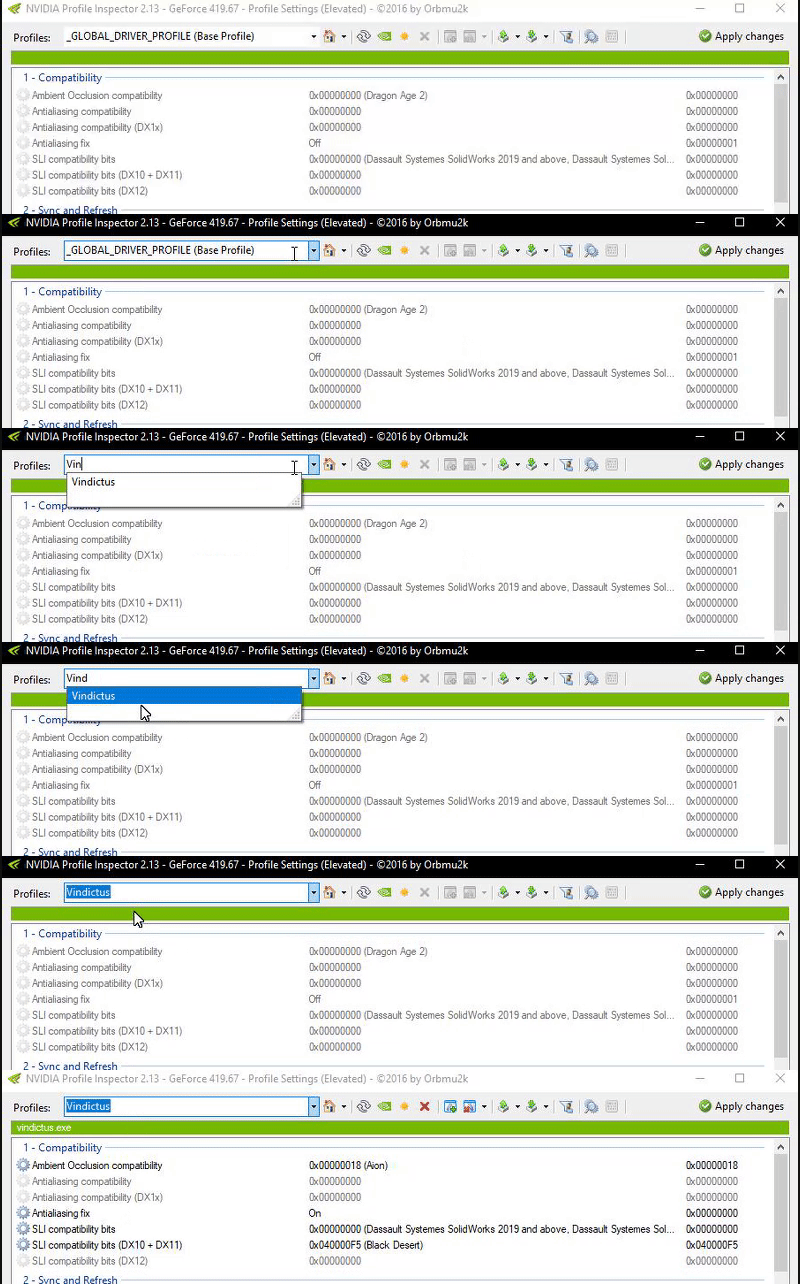
All of my settings should automatically be set
Step 7. Applying Snapchat Filter
Ensure that the Vindictus.exe is in the green text box under your toolbar. Once you have done all the other steps, click APPLY changes!
I always click apply changes multiple times, just to be sure it actually applied the changes as for it will not give a confirmation notification that it saved
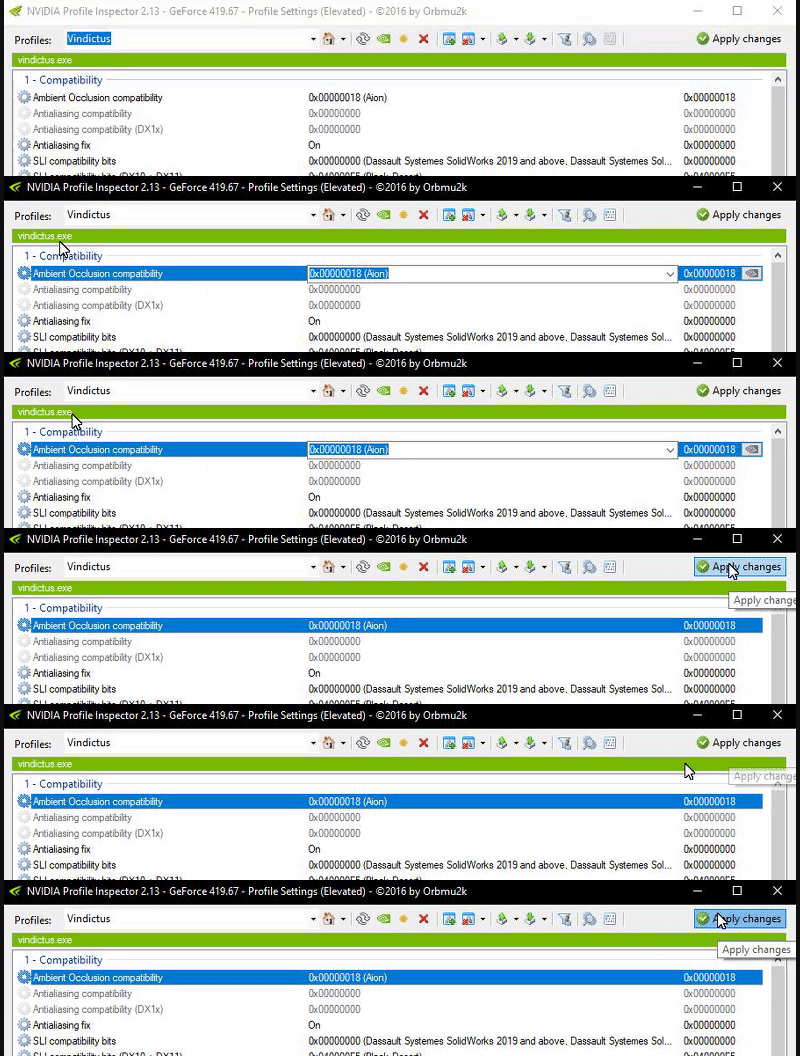
I always click apply changes multiple times, just to be sure it actually applied the changes as for it will not give a confirmation notification that it saved
ALL DONE!
You are now ready to try and compete against Zoe in taking the best screenshots, you will still surely fail, but at least you'll fail in style! MAKE SURE you close nvidiaProfileInspector before launching the game. If you have it open while launching the game, it will NOT work! Why? I DON'T KNOW!!!
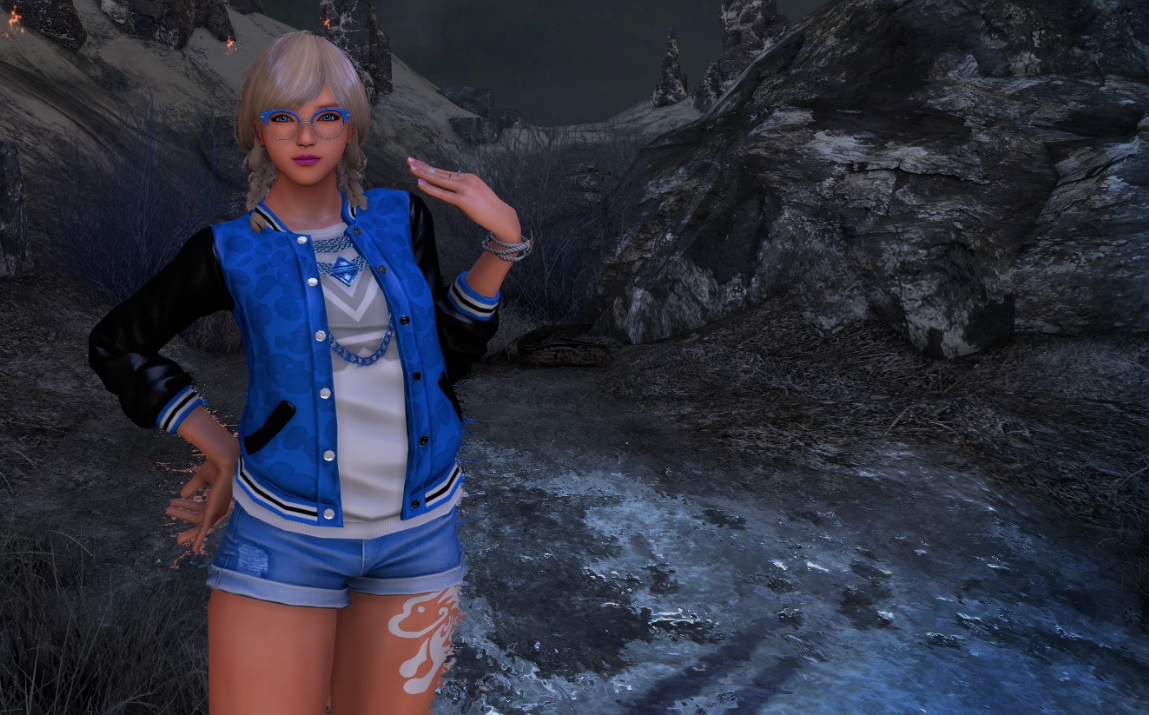
If you have any questions, ask me in the comments. I might answer.
AWARDS ARE GREATLY APPRECIATED.
If you have any questions, ask me in the comments. I might answer.
AWARDS ARE GREATLY APPRECIATED.
More Vindictus guides
- New Player's Finance: How to get enough cash to play the game★ 5 (197)23k views283 ♥20 minUpdated Jan 26, 2015
- Character Selection 101: Finding the right Character for you★ 4 (158)16k views204 ♥66 minUpdated Feb 21, 2016
- All-Encompassing Guide to Vindictus★ 4 (67)7.4k views49 ♥9 minUpdated Jun 20, 2013
- Mastery of Hurk: Living the Max DPS lifestyle★ 4 (72)6.7k views110 ♥13 minUpdated Jun 5, 2015
- How to beat Vindictus★ 3 (117)6.4k views24 ♥1 minBulgarianUpdated Aug 8, 2016
- Vindictus For Idiots★ 3 (30)4.2k views23 ♥2 minUpdated Feb 2, 2015


This guide was created by its original author on the Steam Community. Are you the author and want it removed? Request removal.