A beginner's guide to hordes in Total War: Attila
Starting the game
When you have bought and downloaded the game, you will notice at the side there is an option to select DLCs. which you may or may not have purchased.
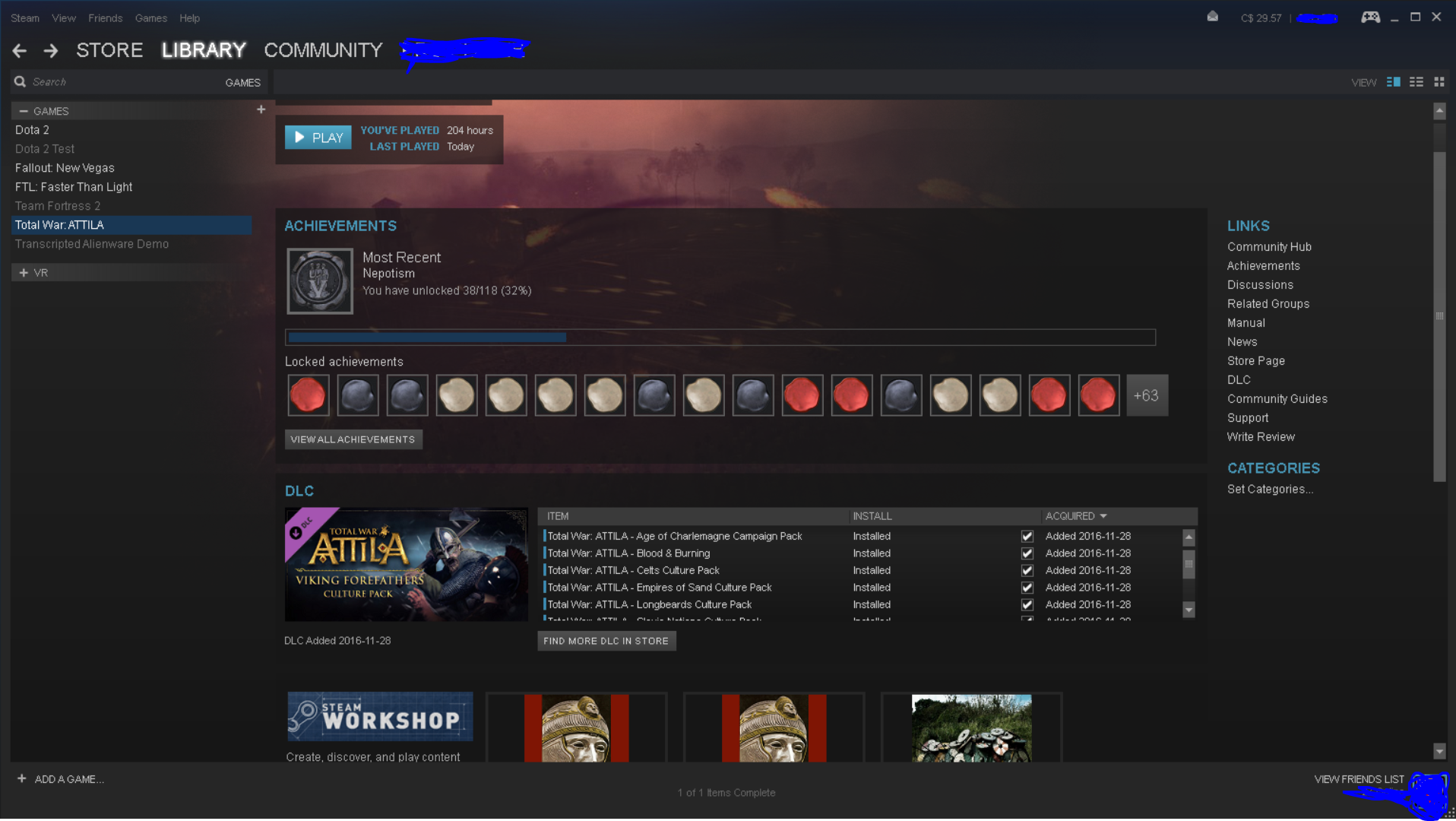
These DLCs contain various additions, two new scenarios, and more playable factions. They will not affect gameplay and mechanics in any way, so you don't have to be worried about having a different version of the game.
Once you've launched the game, you will see a screen like this one.
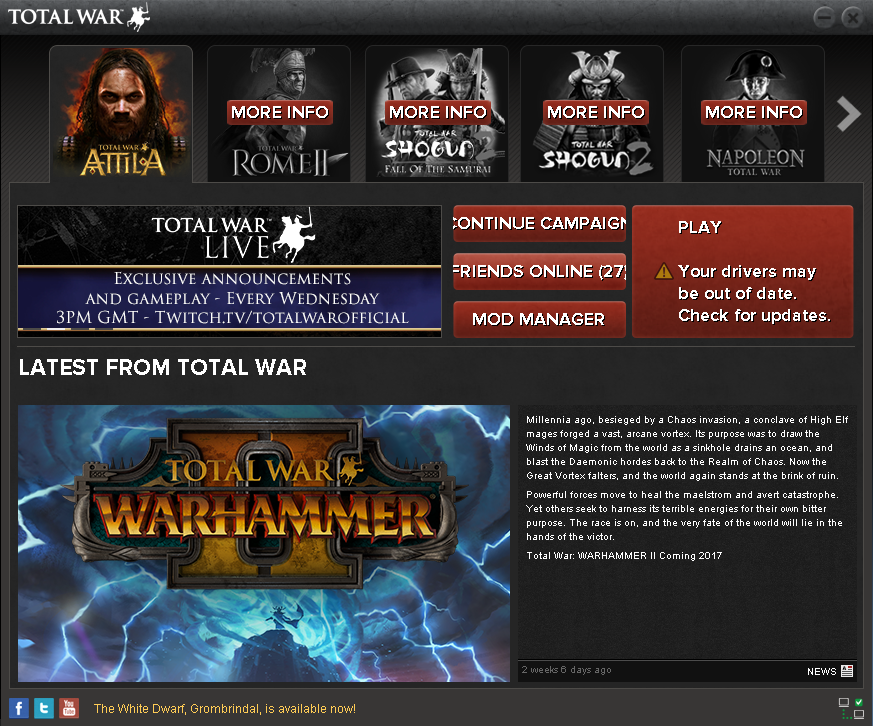 Clicking Mod Manager will allow to to select any mods you have installed for the game, which can be found in the Steam Workshop. Otherwise, press the PLAY button to launch the game.
Once you have started the game, there will be a few screens and a video that plays, you can skip these if you wish.
New Campaign
So, you've opened the game. Congratulations! But what do you do next?
Well, if you just opened the game, you will be prompted to play through the Prologue, which will introduce you to the mechanics and gameplay. I will recommend you play through it until you either win or are defeated (it is pretty hard) and then exit to the Main Menu.
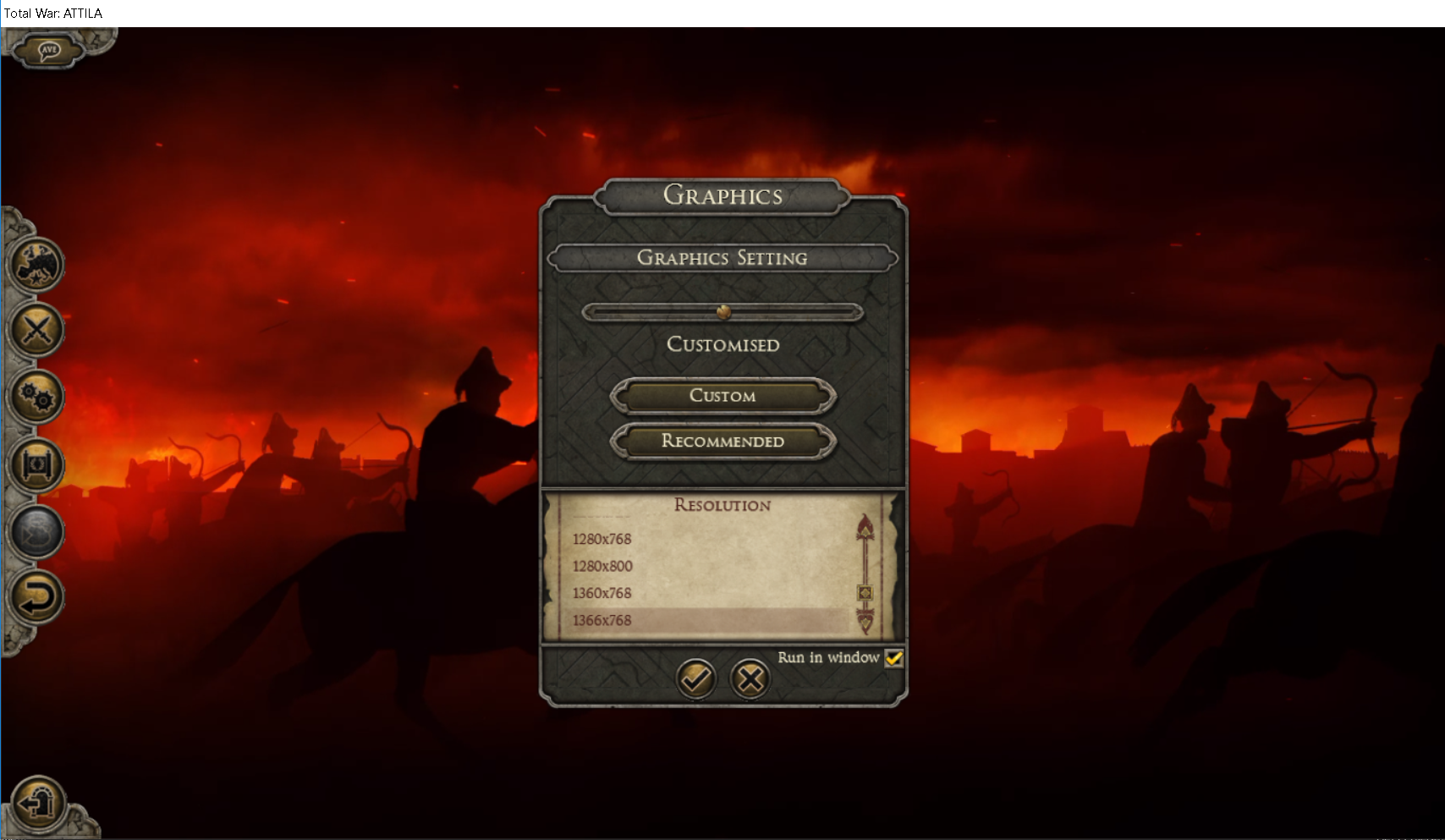 I will draw your attention to the third button on the home screen, which opens up the Options Menu. Unintuitively, under Graphics, you can find the option to change Unit Sizes through
 Graphics --> Custom --> Unit Sizes
The unit sizes can range from 56 to 160, choose whichever you prefer.
The rest of the menu can also help you to optimize your game, changing the brightness, sound levels, and also allowing you to change the graphics if your computer cannot run the game smoothly.
Now, move your mouse over the top button and click "Grand campaign". There are other options to load campaigns, open the Prologue, play Multiplayer campaigns, or play other scenarios if you have the DLC for them. However, we will start with the Grand campaign.
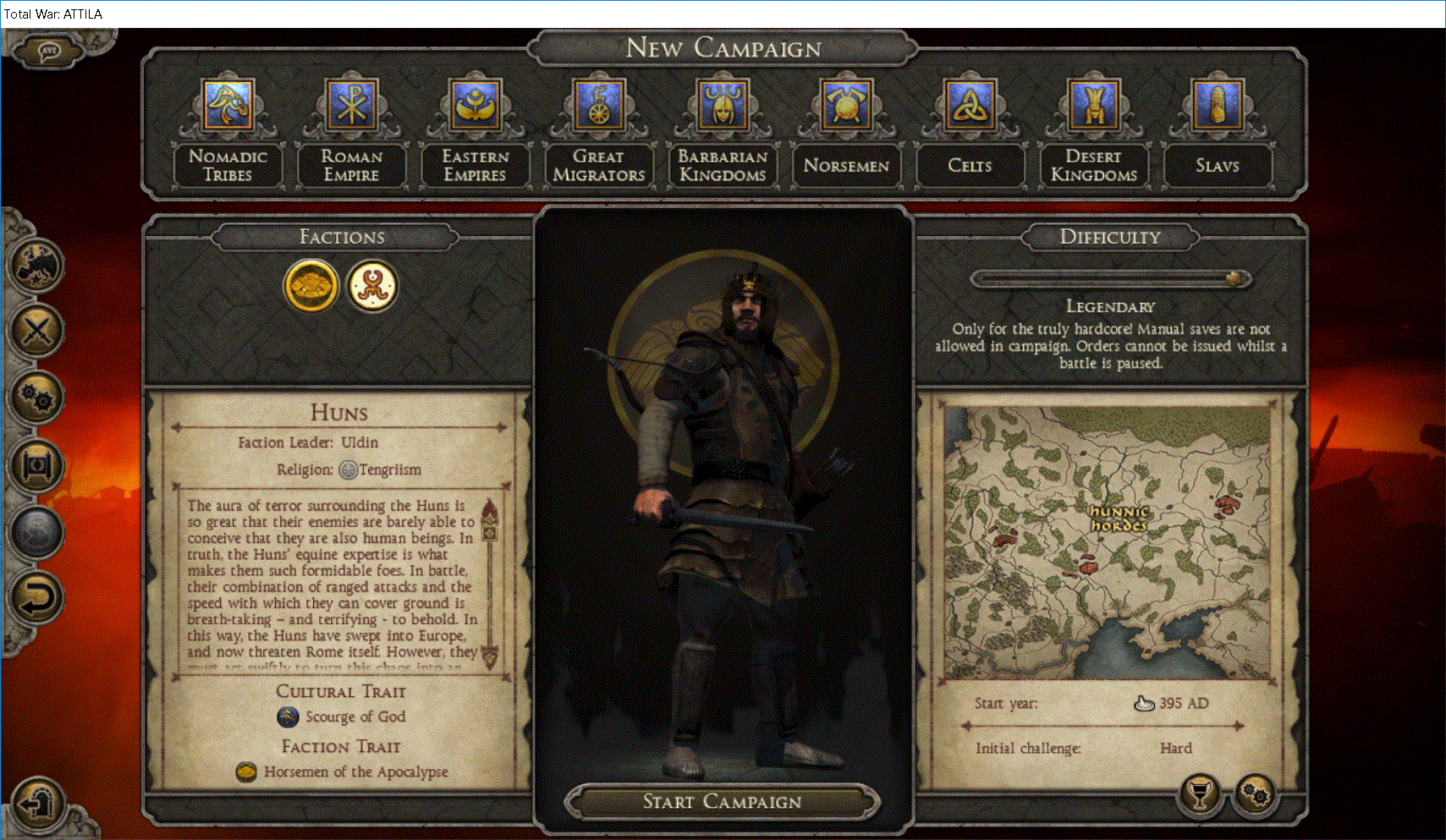
You will see a variety of buttons across the top bar, showing you the varities of faction groups available. For each group, there are a number of factions that can be selected. On the left, you will see each group of factions has a different trait (the "Cultural Trait") while each faction has a unique trait (the "Faction Trait"). As well, different factions have different leaders (the "Faction leader") and religions. On the right side, you will see the starting location of the faction, whether it is a horde or not (if it is a horde, it will say "[Faction's] hordes", while if it is not, it will show the capital city), as well as the start year (395 AD for all factions) and how difficult the faction is relative to others. Take special notice of the slider at the top; it tells you what difficulty you are playing on. Higher difficulties will reduce public order in your provinces (-2 each difficulty increase) and give the AI bonuses, while at legendary difficulty you cannot pause battles or reload previous saves if something goes wrong.
Now, start a game as a horde faction, such as the Huns.
Hordes
First, the interface.
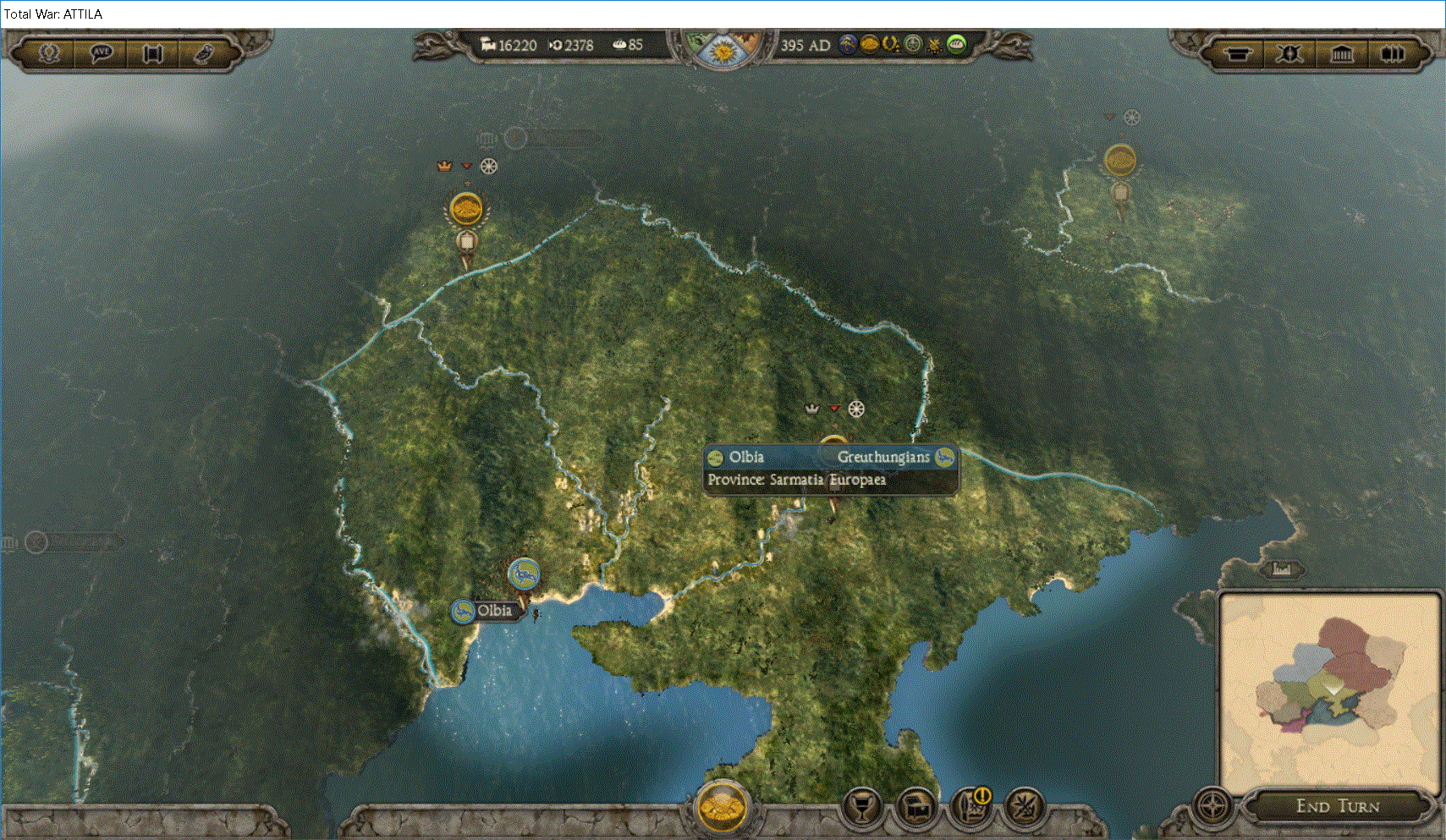
At the top, you will see a bar. At the far left is your treasury amount, and next to that is your income this turn (it CAN be negative). Next to that is your overall food across the entire faction. In the middle, it will show the season - spring makes it cheaper to build agricultural buildings, summer increases the growth of hordes and cities, fall increases your food, while winter increases the income from industrial buildings. These bonuses do not apply to hordes, as far as I am aware.
On the right side of the bar, you see the current year, as well as any other buffs or bonuses to your overall faction, such as your Cultural and Faction traits. On the right side of that, you can quickly scroll through events, and examine your forces, your settlements and the settlements of other factions, as well as showing factions you have met and allowing you to interact with them (by double-clicking). This will become more important later.
At the bottom, the big central button is mostly useful to look through the individuals important to your faction, such as your family tree, or to switch religions and see which factions you are allied with or are fighting a war with. Your faction leader has a family tree - you can directly control anyone in your family, to assassinate other individuals, secure their loyalty (loyalty is measured from 1 to 10 and affected by outside circumstances, when it reaches 0 for someone, a small part of your faction will split off and declare war on you), embezzle money, divorce, marry, adopt others, and also gather support. Note that the success chance of these actions is probably around 50-60%. In order to use these actions, you will need your family members to have a certain amount of influence - influence increases over time for each person. The amount of influence held by your family relative to the total influence within your faction determines your dominion, and gathering support increases your control - both of which will add up to your power, causing both positive and negative effects depending on how powerful you are. At the left of your family tree, you have a list of othher nobles and candidates to become nobles. You can adopt them into your family if you so wish.
At the right side, you can appoint people to different offices, which requires influence but gives certain bonuses. Each person also has an age and a level of loyalty - lower age and higher loyalty are better to have.
Next to the central button, the objectives tab includes Chapter objectives and Victory objectives, where Chapter objectives give you bonuses for completing them before a certain date, and Victory objectives are necessary for well, victory.
The Trade and Finances tab allows you to see where your income is coming from, examine your trade with other factions (Hordes cannot trade) and also to increase or decrease your tax level (increasing taxes will cause you to gain more money, but has other negative effects).
Next, there will be a button with an exclamation mark on it. This is the technology tab, and the exclamation mark shows you that you are currently not researching anything. Researching is free for now, so get right on it. There are two research branches - military and economic, each with different bonuses. Once you have selected one, the exclamation mark turns into a number showing how many turns until you finish researching the next technology. Some technologies require money to research, which will be shown when you mouse over them.
At the end of this bar, the diplomacy button allows you to interact with other factions, much like the button at the top right.
The strategic overview is mostly irrelevant, and the End Turn button allows you to end your turn when you are ready.
Now click on one of your hordes.
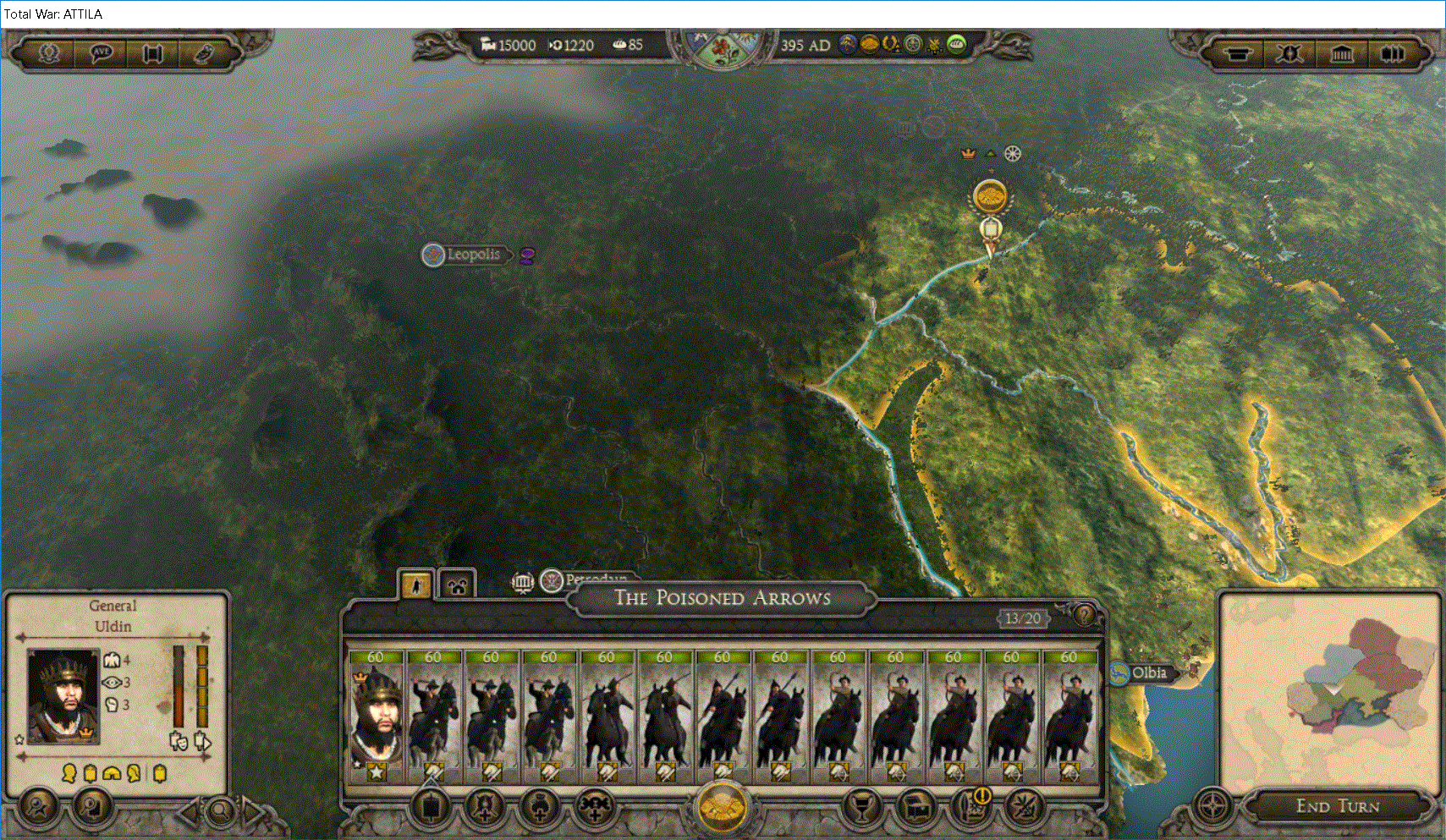
First, you will see a big bar pop up at the bottom. These are your units, and the number of men you have in each unit. If some men in a unit die, your unit can replenish men in friendly territory or when you are in encampment stance. Mousing over a unit tells you it's role and stats, such as attack stats, speed, or armour.
What are stances? If you see the banner in a circle directly underneath and at the left of the big bar, it will allow you to change the stance of your army. The regular stance has no bonuses or negatives, while other stances do. Some stances require a certain amount of movement points left on your army, which can be found above "Action points" on the left side of the screen. You must encamp your hordes to replenish them, build buildings, or recruit more units. Encampment stance also prevents attrition from snow or deserts, which prevents your troops from replenishing and cause army losses.
On the left, you have your general and a portrait of him. Your general can fall in battle, and is part of a unit. I recommend that you go through the "Battle of Olbia" in the Prologue for more information about battles. Your general has certain traits, which can be seen by clicking on "General Details". He also has three stats, Authority, Cunning and Zeal, which have effects shown when you hover over them. Generals have an age and an amount of influence. The older he is, the more likely he is to die of natural causes - the more influence, the more things you can do with him in the family screen mentioned earlier if he is a member of your family.
If you click on "Force Details", it will show your current horde integrity. Integrity is on a scale from 0 to 100, and you can see its change per turn and factors affecting that - if integrity reaches 0, your horde will break off from your faction and declare war on you, so don't let that happen. If integrity is low, you can always decimate your army which increases integrity at the cost of 10% of your troops.
Next to the stance button, you also have two or three other buttons. These allow you to recruit more units into your army (through either direct recruitment, mercenaries, or levying troops). Direct recruitment requires that you encamp your army, and the units that you can recruit are determined by the buildings you have in your horde (more on that later). If you wish to move some units from one horde to another, you can simply move them together and select one, then right click on the other. Mercenaries are more expensive to recruit and maintain than regular troops, but mercenaries are recruited instantly (not requiring a turn or two) and available in all stances. Every region has a certain number of mercenaries that slowly replenishes over time. The option to levy troops is only available if you are in a friendly faction's territory, and that faction is a "Puppet state" or "Tributary" of yours. Levying troops is basically a cheaper version of mercenaries.
Economy
You can also switch from the "Army View" to the "Building View", which is located at the top of the big bar at the bottom of the screen.
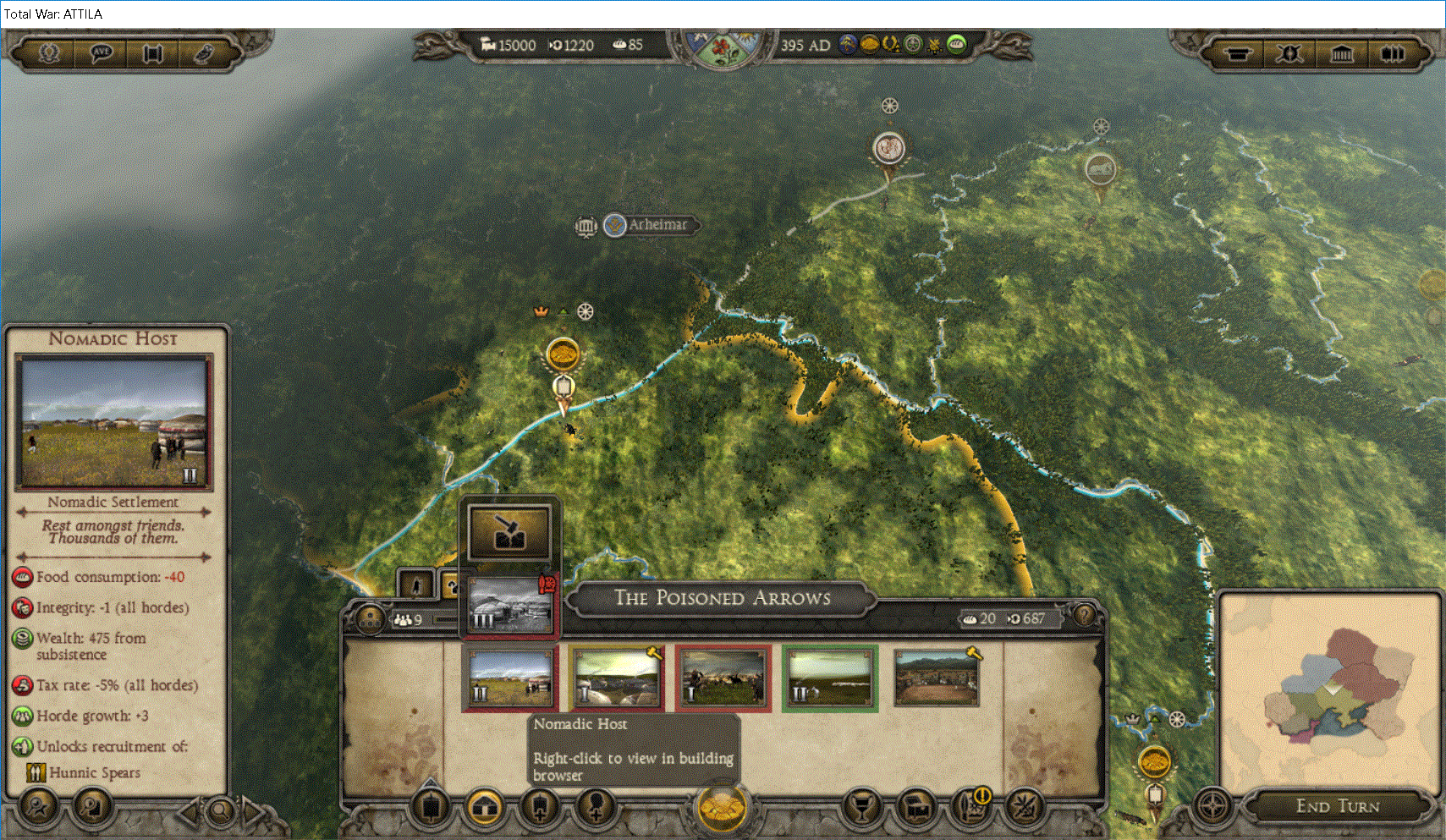
Building view allows you to see your buildings. Buildings allow you to make money (income), have positive or negative effects on integrity, allow additional units to recruit or increase the number of units you can recruit every turn, and also affect food production, tax rate, research rate, and can also supply upgrades to your units. If you want to know more about the buildings available to you, right click on any building and scroll through the options on the left, which each show you what your faction can build. You can only build a certain number of buildings initially, but you get more building slots up to a point by using up accumulated growth. Growth is a number that is seen in the top left corner of the bar, and can be increased by building buildings which influence it or increasing your food supply. Having negative food is rather detrimental to each horde (reducing taxes, growth, integrity), so always try to keep it positive in each horde. If your overall food across the faction becomes negative, then there will be many negative effects, and your troops will constantly suffer attrition.
You can also upgrade your buildings. Your buildings initially cannot be upgraded past a certain point, but additional upgrades are unlocked through researching. Upgrades do have larger negative effects in integrity or food consumption however, so be wary of upgrading before you should do so.
As well, you can create more hordes at the cost of growth in "Building View", by clicking on "Raise Forces". There, you will see options for the general, and also the options to either raise an army or reinstate a legacy. If you noticed earlier when looking under "Force Details", there were "Traditions" that each army can get after a certain amount of experience in battle. If a horde is destroyed, you can "Reinstate Legacy", which raises a horde with the same traditions as a previous one. Otherwise, you can only raise a regular army.
Besides raising armies, you can also recruit agents. Agents are unlocked by certain buildings, and you can unlock priests, champions, and spies. Each agent has different abilities, and cannot be targeted by enemy armies, only by other agents, which makes them very annoying if you have no agents of your own. Agents, like generals, have different skills that are unlocked with skill points obtained through experience.
Diplomacy
Finally, one last section on diplomacy. The diplomacy screen is very simple to navigate.
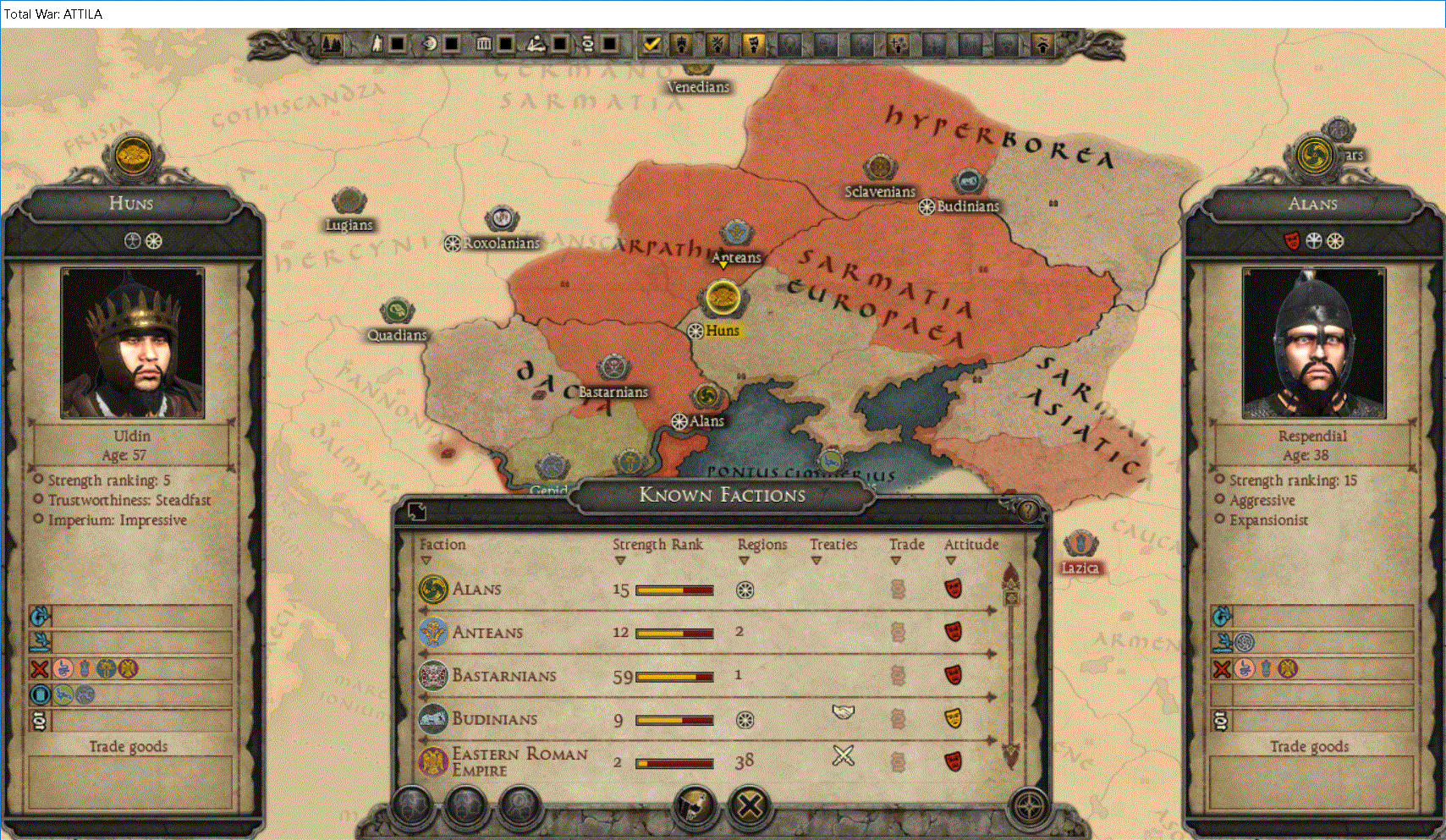
Under Diplomacy, you will see your faction on the left side. In the middle, you have a list of other known factions, their power relative to yours in the "Balance of Power" bar, their overall strength ranking in the game (1 is the strongest faction, 2 is the second-strongest, etc.), the number of regions they have settled or if they are a horde, any treaties you have with them, if you have trade with them, which you don't (hordes cannot trade) and their overall attitude towards you. If you double-click on a faction, you initiate diplomacy with them. There you have several options - you can exchange money, arrange marriages, or make treaties between your factions. There are several treaties possible, if you are not at war. First of all, a non-aggression pact is the first step towards friendship between your two nations. Next, defensive allies help each other when they are attacked. Military allies help each other when attacked, or even when attacking. The better their attitude is towards you, the more likely they are to accept your treaties. However, treaties can still be broken, and if you are attacked, your military or defensive allies can decline to help you and break the treaty - you have the same option. This will affect your trustworthiness, reducing the chances of successful diplomacy with others temporarily. There is also another type of treaty, that is the tributary or puppet state, where one state pays tribute to the other and basically counts as military allies. You can ask other factions to become your tributaries (very unlikely), or you can attack and defeat them in their last settlement (you cannot make hordes your tributaries). When you capture a settlement, you are able to Raze it to the ground or Sack it (as the Huns). You cannot occupy a settlement if you are the Huns or White Huns, but you may as any other horde, ending your migration and destroying all your horde buildings but making you a settled faction. Besides these, when you capture a faction's last settlement, you can subjugate them, making them your tributary.
You will also notice that each faction leader has certain traits, which can have a major impact on their attitude towards you. If you kill their leader with an agent or in battle, you can often get someone on the throne more favorable to you.
Well, I guess that concludes this guide to hordes in Total War: Attila. Hope you enjoy the game!
000 130 0026
- Western Roman Empire: Opening Moves★ 5 (1.2k)40k views1.6k ♥26 minUpdated Mar 5, 2015
- The Obscure mechanics of Attila.★ 5 (304)34k views410 ♥6 minUpdated Sep 27, 2020
- Total War: Attila - The Overall Guide★ 5 (582)33k views1.1k ♥30 minUpdated Mar 16, 2018
- Understanding politics in Attila★ 5 (275)32k views241 ♥3 min
- [HUGE DISCOVERY] How to bring ToB optimization to Attila★ 5 (239)28k views528 ♥3 minUpdated Dec 18, 2018
- How to change your capital city!★ 5 (203)25k views292 ♥2 minUpdated Jul 9, 2015




- Upgrading to PremiumTeam Fortress 2★ 5 (20k)1441k views11k ♥6 minUpdated May 11, 2022
- No More Room in Hell Official ManualNo More Room in Hell★ 5 (2.8k)569k views2.1k ♥29 minUpdated Apr 22, 2019
- NMRiH Community Hosting GuidesNo More Room in Hell★ 5 (526)351k views653 ♥1 minUpdated Aug 10, 2022
- ULTIMATE GUIDE FOR GAME DEV TYCOONGame Dev Tycoon★ 5 (5.8k)326k views10k ♥4 minUpdated 23 Jan, 2014
- How to 'Git Gud' Soon™MORDHAU★ 5 (2k)318k views3k ♥68 minUpdated Nov 16, 2024
- Лучшие кооперативные игры SteamPAYDAY 2★ 5 (1.5k)315k views2.1k ♥56 minRussianUpdated Apr 27, 2025






This guide was created by its original author on the Steam Community. Are you the author and want it removed? Request removal.