A Noob's Guide to Mechwarrior Online
Introduction
With a little information, you can be well on your way to the full spectrum of enjoyment which awaits you within this Big Stompy Mech Mayhem game.
Quick Summary (TLDR)
- Play the tutorials, they give free cash
- Think tank simulator (not FPS)
- Torso and legs operate independently.
- Control scheme is deep with large learning curve (mouse to aim arms and move torso, WASD to move legs)
- Various game modes, Stick to Quickplay at first
- Base Quick play is 15 minutes of pure fun
- Use Weapon Groupings
- Remember your weapon ranges and group accordingly
- Learn to aim and run and chew bubblegum at the same time
- Use cover
- Missiles Hurt
- Run the free Trial Mechs until you find mechs you like
- Purchase and Customize mechs for tons of replay value
- Always buy 3 variants of the same mech for Mastery purposes. (soon to be changed in 2017 with new rules that do not require 3 variants for leveling) (outdated no longer applies)
Pro's and Con's
If you still aren't convinced that MWO is right for you, here are some pro's and con's of playing this Mech Stomping Destruction Derby.
- F2P (not P2W)
- Endless mech customization possibilities with owned mechs
- Quick 15 minute hits of fun with base game mode
- Engaging gameplay as you learn the depth and nuances of piloting and fighting
- BIG STOMPY MECH PRON
- Great graphics and sounds, with nice scaling for lower end systems
- Tutorial available. Gives free cash. Helps you learn the system.
- Avid community of players and backers
- No single player experience
- Community Warfare experience is spotty
- Steep learning curve to master arm, torso, and leg positioning / movement. Use the tutorials to help learn.
- Learning what all the mech customizations really mean can be daunting when trying to customize your mech (as there are A LOT of ways to customize your owned mechs)
Longer Summary
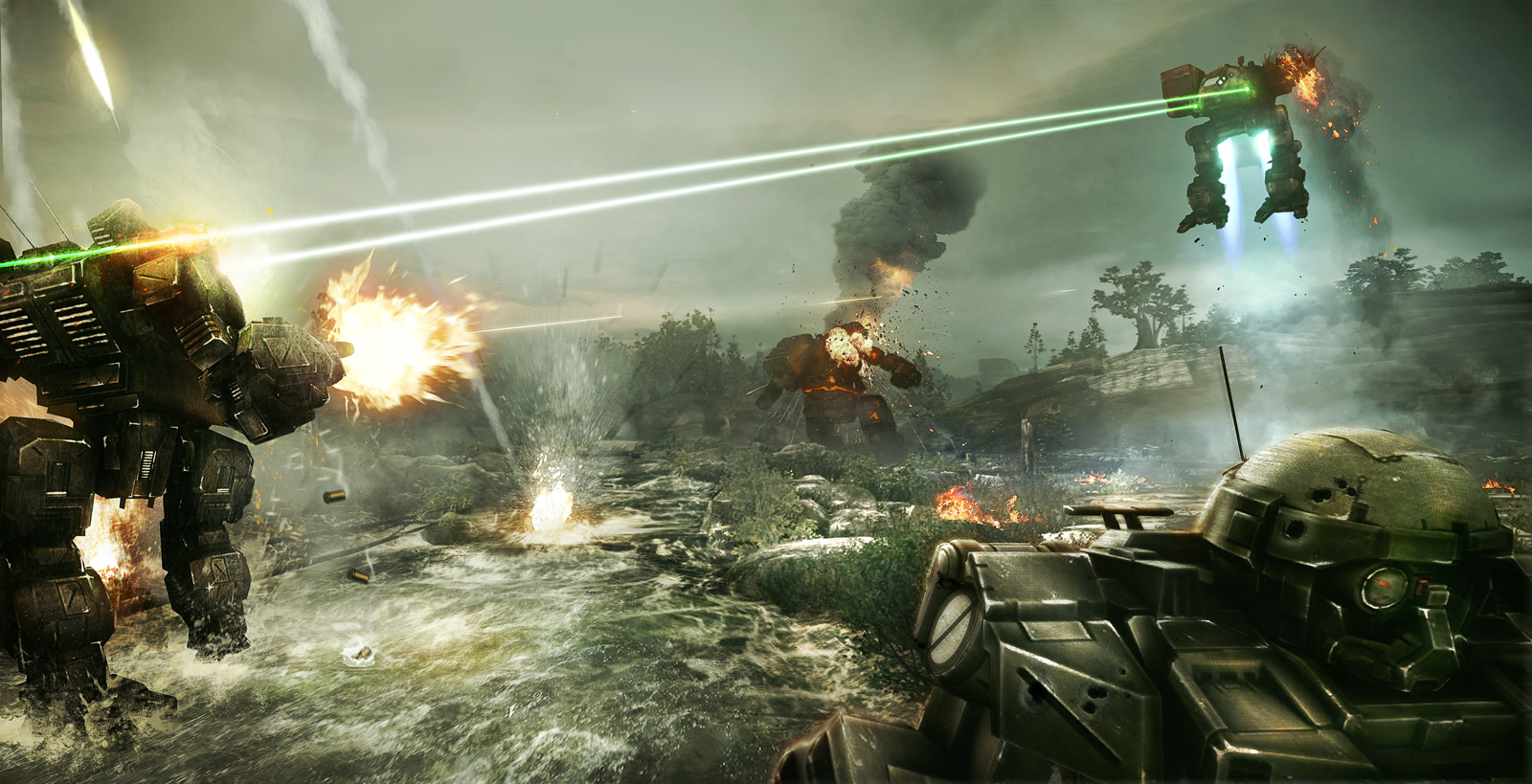
MWO is not your run of the mill Robot action game, or even an FPS. Think Tank simulator with legs and you won't be disappointed. Customization of your owned Mechs gives this game depth and replayability. Make sure you play the tutorials to learn about movement, aiming, and the general basics of controlling your Mechs.
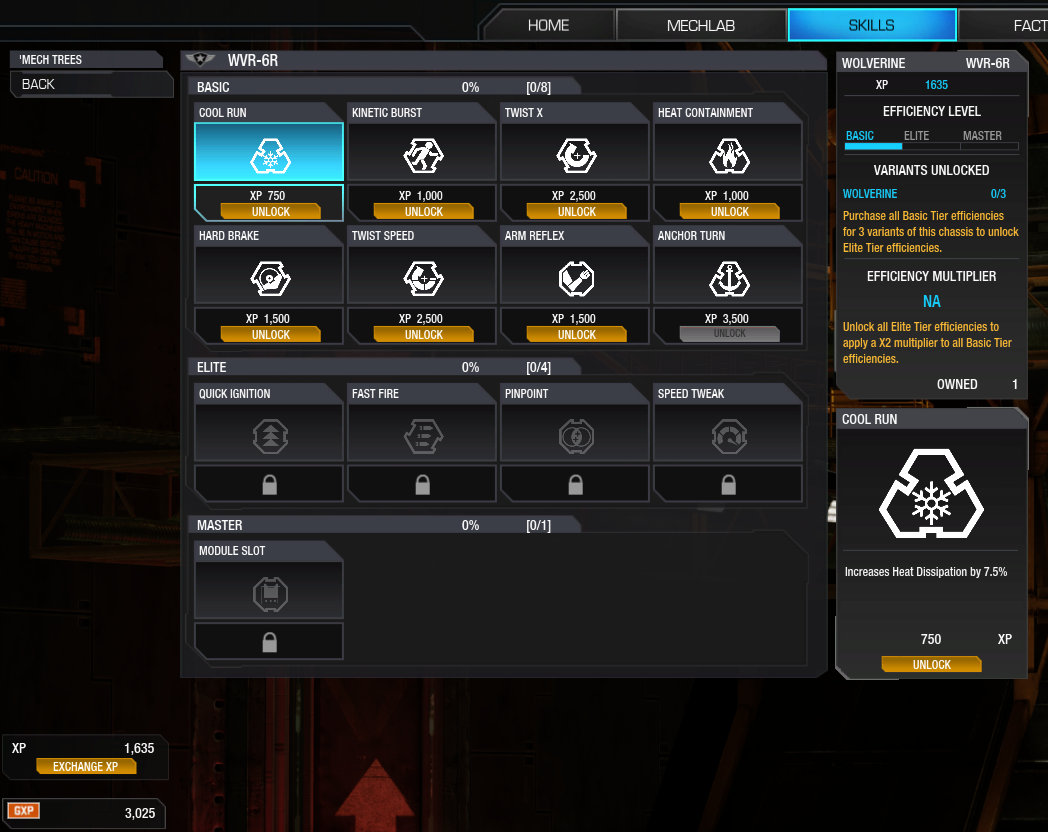
GXP can be applied in the Pilot skill tree to unlock various "Modules" that can give you things such as slightly longer range on your weapons or artillery strikes. We'll talk more about modules later but consider them an advanced feature. You have to unlock them with GXP, then purchase the equipment piece with c-bills to put on your mechs during customization, very similar to how weapons get placed.
As of now, you need 3 chassis variants to fully level your Mech skills (think efficiencies) for a single Named Mech type (i.e. Stormcrows, Atlas, Stalker). Make sure you get your skills to Master on each variant within a mech line as it gives you a significant bump to how the mech performs.
Because of the 3 variant rule for Mastery, it would be wise NOT to fill your initial bays with 1 light, 1 medium, 1 heavy, but to get 3 variants of the same Mech instead so that Mastery is possible.
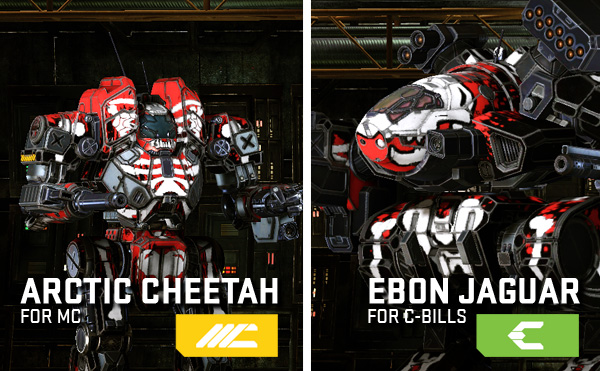
C-bills can be earned by playing matches, MC is the currency that you can purchase with cash. Everything in game (except for a few champion/hero chassis or colors/camo) can be bought with enough C-bills. Champion / Hero chassis (MC variants of mechs) just help you grind faster as they improve the skills points or c-bills you get per match by a percentage. They also have pretty paint schemes and "Hardpoints" that are a little different than standard chassis, but it's nothing you can't do without.
Premium membership will give you a bump in C-bills collected and skills collected, but its a nicety, not a requirement and if you have the time, you can grind both those without the premium membership.
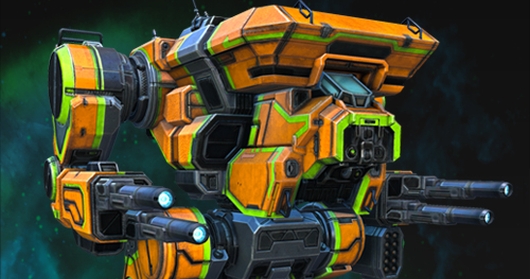
Colors are also limited in what you can purchase for c-bills with most vibrant colors costing MC. Remember? Pay to look pretty.
An important item that you can't get for C-bills are mech bays. You get 4 to start out and after you fill those, you'll have to buy more with MC, before you can purchase more mechs. Some that don't have the cash, just sell their mechs for a loss and buy new ones.
Unlike other F2P, PGI has consistently delivered new features and has a fully fledged roadmap, even recently announcing that they are exploring a single player experience (YAY!). Having been around since closed beta, there have been bumps in the road but all those have been overcome and the problems fixed and/or roadmapped.
General Hints
- Every new player gets cadet bonus money when they first start playing, but only for a certain amount of matches. Don't spend that money until you find a weight class and specific chassis that you like. Use the trials to their fullest until you figure out what mech and weight works for you.
- Because of the 3 variant rule for Mastery, it would be wise NOT to fill your initial bays with 1 light, 1 medium, 1 heavy, but to get 3 variants of the same Mech instead so that Mastery is possible.
- Once you get a general basic understanding of your mech, turn off arm lock in your game settings. Being able to move your arms independently from your torso and aim with your weapons is the difference between an average and good player.
- Learn to group your weapons in and out of game. You can also now change your weapon groups when you customize your mech in the mechbay. Always keep a wide variety of weapon groups around, based on weapon side, range, full damage, and even heat management (there's a chain fire feature with backspace)
- Learn to Torso twist. Torso twist is yanking your torso to one side or another in an effort to hide a damaged area or protect your guns. It's all about timing but will absolutely make the difference in a close fight.
- Find the "Center torso on legs button". Extremely useful when you need to quickly orient yourself with your legs to figure out which way you are going. There is also a "Center Leg on Torso" button.
- There are two triangles on the top and bottom of your reticle. Top is torso direction, bottom is leg direction.
- The Leg direction arrow on the ground is your friend... use it to keep track of which way you are going
- Cover means everything. Learn to peek and shoot. Have a weapon group for each side of your mech and use them when peeking.
- LRM missiles hurt. Don't get caught out in the open. Get to cover or you risk dying.
- Most of all, HAVE FUN! Each chassis and weight class plays differently so find your niche
Default Keyboard Layout
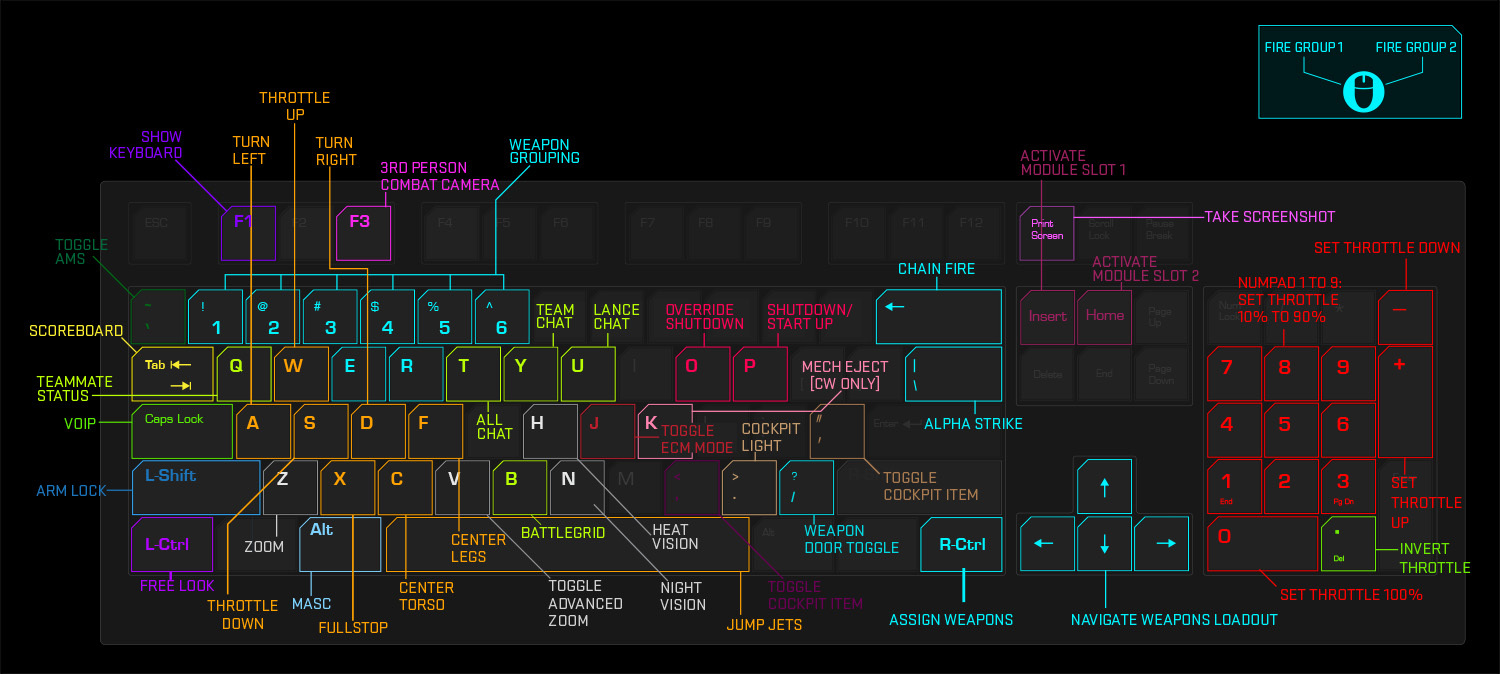
Below, you'll find the default bindings for various commands in the game. These can all be re-mapped in-game via settings.
W,A,S,D - Basic movement
R - Target 'Mech
Spacebar - Activate jump jets
R-Alt - Activate MASC
R-Shift - Unlock Arms
R-Ctrl - Freelook around the cockpit
Tab - View team scoreboard
Q - View sensor details
T,Y,U - Chat with All, Team or Lance players
H - Activate Heat vision
N - Activate Night Vision
Arrow Keys, Left Ctrl, Backspace - Select and modify weapon groups
Backslash - Alpha Strike
Numbers - Fire associated weapon group
Number Pad - Set throttle
F3 - Toggle 3rd person
P - Power on/off
O - Override overheat shutdown
Z - Toggle zoom level
V - Toggle advanced zoom
C - Center torso to legs
F - Center legs to torso
Home, Insert - Use consumables
J - Change ECM mode
Weapon Groupings and HUD Interface
Learn to group your weapons in and out of game as weapon groups are the life blood of any Mechwarrior's life. Remember that all weapons generate heat. On top of that PGI has implemented "ghost heat" to discourage people stacking too many weapons of the same type and shooting them all at once. The essence of heat is that if you fire too many weapons, your mech shuts down. Trust me when I say that's a bad thing because it always happens when you are in the middle of fighting for your life.
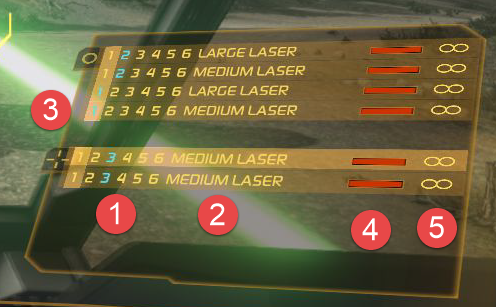
Weapon group numbers correspond to a number on your keyboard and by pressing that number, your mech fires all the weapons assigned to that number group.
The right control key is used to turn a weapon off or on in a weapon group and the up, down, left, and right arrows moves the cursor in-game within the weapons interface. Think of the cursor as a cross-hair targetting a certain weapon in a group and allowing you to turn it off or on. Backspace is your friend when setting up your weapon groups. with a column highlighted in game, hitting back space means weapons in that group will fire one at a time. A life saver when your heat gets too high. You can also now change your weapon groups when you customize your mech in the mechbay.
Always keep a wide variety of weapon groups around, based on weapon side (left and right for shooting around cover), range (short and long for me typically), full damage (alpha strike ftw), and even heat management (there's a chain fire feature with backspace).
If a weapon is out of ammo or jammed, the weapon line will turn red. Jams will clear over time.
Movement and Convergence
Movement and weapon convergence are an integral part of learning to be a skilled pilot. Your torso moves independently of your legs (think tank turret and tracks) so movement can be trickier than one thinks.
A and D turn your legs left and right, and work as described. Watch the arrow on the ground (there by default) to know which way your legs are facing.
If you've unlocked your torso from your arms, you'll notice that your arms (the circle in your cross hairs) moves separately from your torso (the cross). Eventually your torso will catch up to a certain point. Arms however, will always be able to move farther to the side than your torso. Same with tilting up and down. Your arms can aim higher than your torso can twist. Move up with your mouse and your torso and arms move up, Move down with your mouse and your torso and arms move down (along with their cross hairs).
The speed at which your torso catches up with your arms is called convergence and predicting your convergence helps you effectively deliver large coordinated damage on your enemy.
Inner Sphere or Clan?
There really is no right answer to this question. Play both sides and determine which feels best for you. Battletech has a long continuity and back story (think 30 years of playable history). For a bigger relatively complete primer, see the following link[mwomercs.com]. However to play MWO, you don't necessarily need to read 30 years of history. Here is the TLDR:
- Humanity uses big Mechs to fight galactic battles now
- Inner Sphere has been around forever and is broken into squabbling factions
- Clans with higher tech are invading the Inner Sphere to take back what they left in the past
- Most of the points above don't matter in quickplay, just point your weapons at the opposing team mechs, fire away.
For most gameplay, the only thing that really matters is which type of Mech you want to purchase, Clan or IS.
When Clans were initially introduced to the base Battletech universe, they were VERY overpowered but had "role-play" deficiencies that made up for these OP units that were introduced. MWO has worked tirelessly to balance the sides, and it's this author's humble opinion that they have done an effective job. Some would argue that clans are still OP, but experiment around to find out for yourself. (except for the Clan Arctic Cheetah. Screw that mech and may it die in a fire)
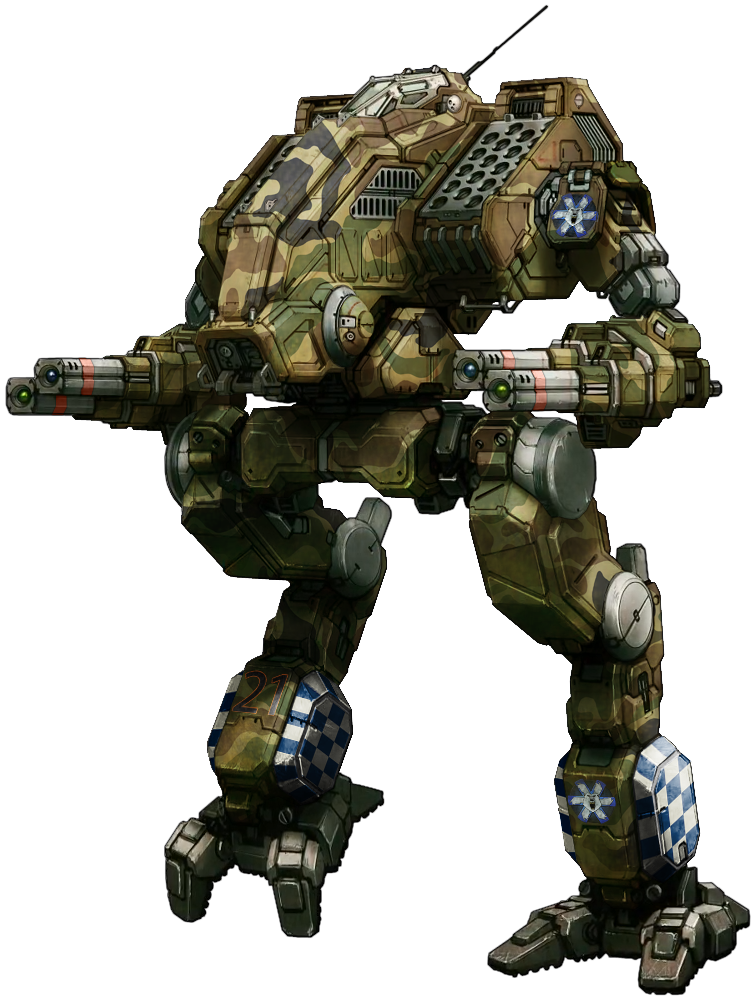
Clans can usually boat a lot of lasers and typically move faster for their weight class (except for lights which are dog slow compared to IS units - excluding Arctic Cheetah). They aren't as customizable as the IS. You can't change out their engines, add jump jets if they dont have them, or switch them away from being double heat sinks, etc.. They use "pods" that have different hardpoint load outs for the different chassis locations which gives the customization experience a different feel. Also, it's the original author's opinion that they "feel" different than an IS mech when piloting around and shooting other mechs.
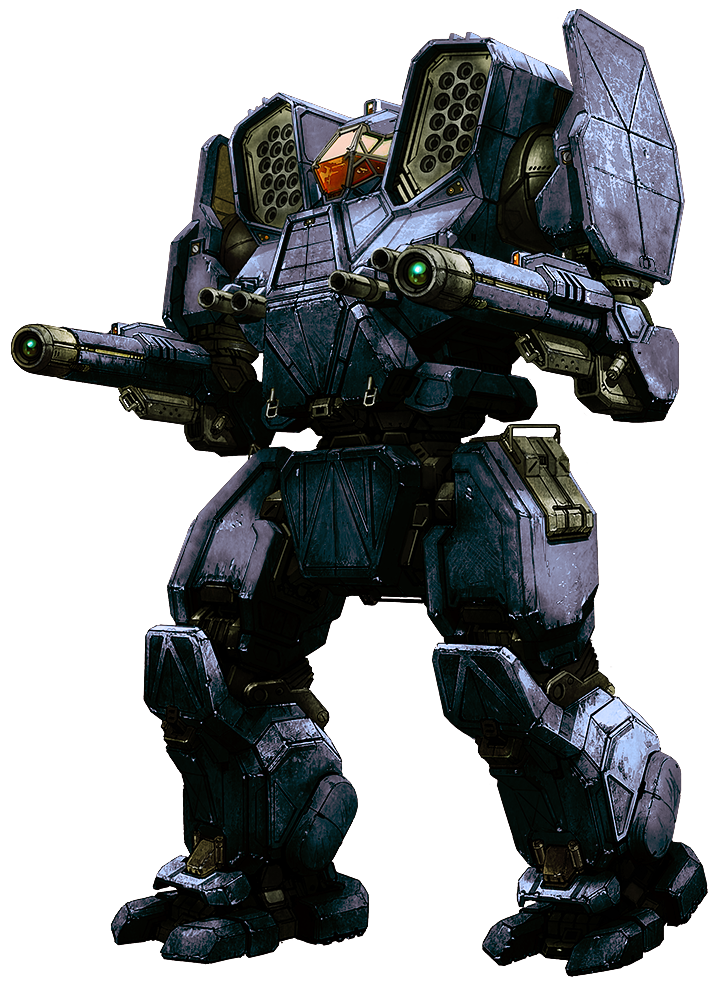
Inner Sphere mechs are more customizable than Clan mechs. You can add or remove jump jets, change engine sizes, or change other things like their heat sink types at will. Their weaponry doesn't shoot as far, performs differently than Clan mechs, but with "quirks" (bonuses the devs have given different weapons and aspects of a mech) they are considered "balanced" with clans. This is a debatable point but it really is just a preference thing to the individual pilots. Balance will change but how you feel in a mech is really what counts. The author of this guide loves IS mechs and is bewildered by clan mechs, but then again, experiences will vary.
Mech Purchases: Buy or Grind?
"Should I spend real money to buy mechs in this game?"
the above question is one of the oft-asked questions by new players outside of "Clan or Inner Sphere?" or "what mechs should I purchase first?". The answer after you shake the 8-ball is "Maybe".
In short, you'll probably end up doing a variant of both. You'll spend some money to shortcut the grind, and use C-Bills for upgrading or purchasing a variety of mechs as well. Unlike other F2P games, there isn't a "Point of no Return" where you HAVE TO SPEND MONEY to remain viable.
 First, any mech you purchase with C-Bills is just as good on the battlefield as those purchased by MC. Champion and Hero mechs (only purchasable by MC) typically come with a unique paint job, C-Bill or skill boost for easier grinding, and a different load out (but not necessarily better load-outs).
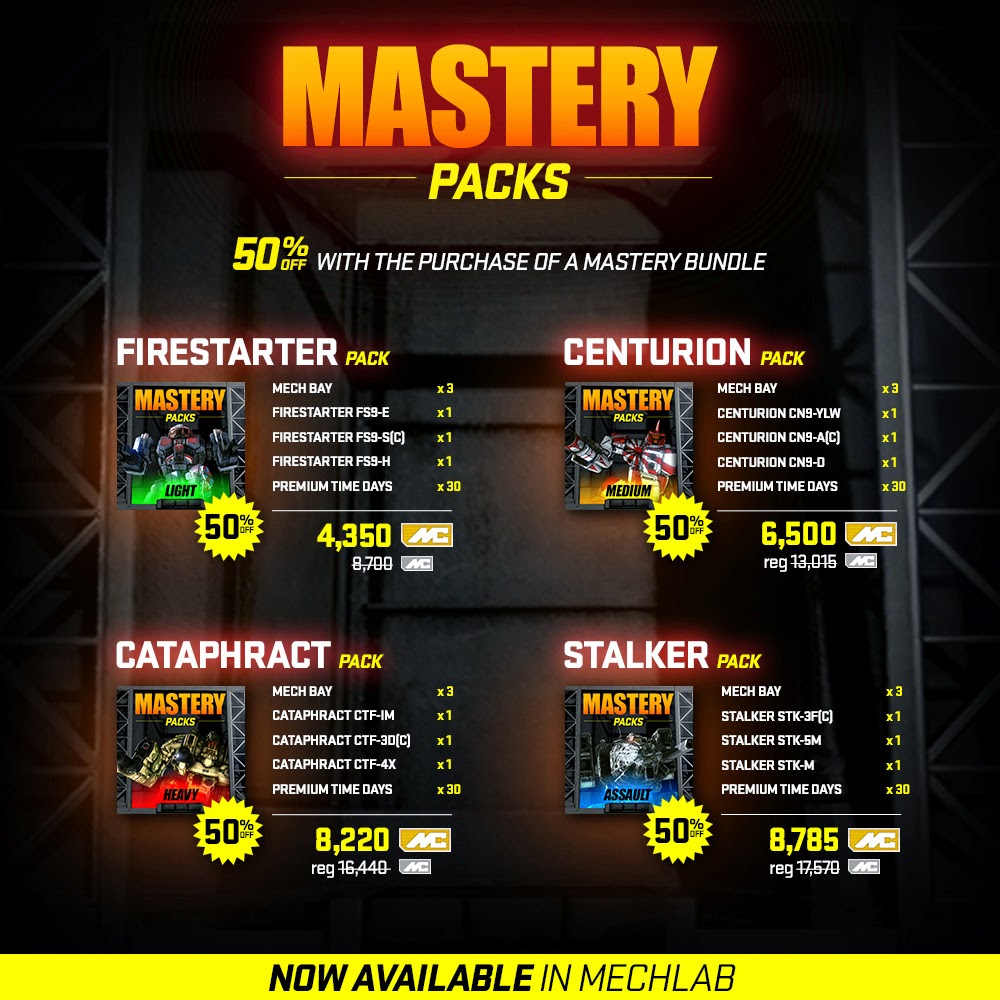
If you are going to spend cash on this game, the best bang for your buck is Mech Bays. The second best bang for your buck is Premium packages (found on the online store[mwomercs.com]), or Mastery Packages (also found on the online store[mwomercs.com] in the "Gift" portion). Why are these the best cash values? They all give you the 3 variants, and Mech Bays, you need to Master a named mech for a single price. Consider it a short cut for grinding.
With the above said, It is totally viable to grind for C-Bills in this game as C-bill purchased mechs are the exact same Mechs as those purchased with MC (excluding champion or Hero Mechs of course).
 You get 4 mechbays for free in MWO currently. Mechbays are the only commodity you cannot C-Bill grind and must purchase with MC (however you can win them in certain season events but I digress). You need 3 Mech variants to Master a named Mech. With 4 mechbays, you can master 1 chassis and get a 4th to have fun with (but never master), all by grinding C-Bills only. You can also sell any chassis you purchase but this author recommends that you never sell to free up slots, unless you're just plain bored and hate clutter (you thought selling your used car is a rip-off, wait until you see what the store is going to give you back for that expensive chassis you purchased).
However, To participate in Community Warfare (another game mode in MWO that requires 4 Mechs in a single drop deck) you really need to be piloting Mastered Mechs (mech's that are skilled up to Mastery level), which means without selling two of your chassis to allow space for the remaining two Mech variants for Mastery on your second named Mech, you won't be very effective in Community Warfare.
With a small cash infusion (Mech bays really are cheap) or waiting for a seasonal event, you can get two more Mech Bays and then grind C-Bills for two more variants.
6 mechs is about what you need to be successful in any of the game modes currently available in Mechwarrior Online.
Weight Class Roles
What Mech should I buy first is a very common question and the answer is "It really depends on your preferences and gameplay style". Here are some general guidelines on the different Mech weight classes and how they play in-game to help you make a more qualified choice.
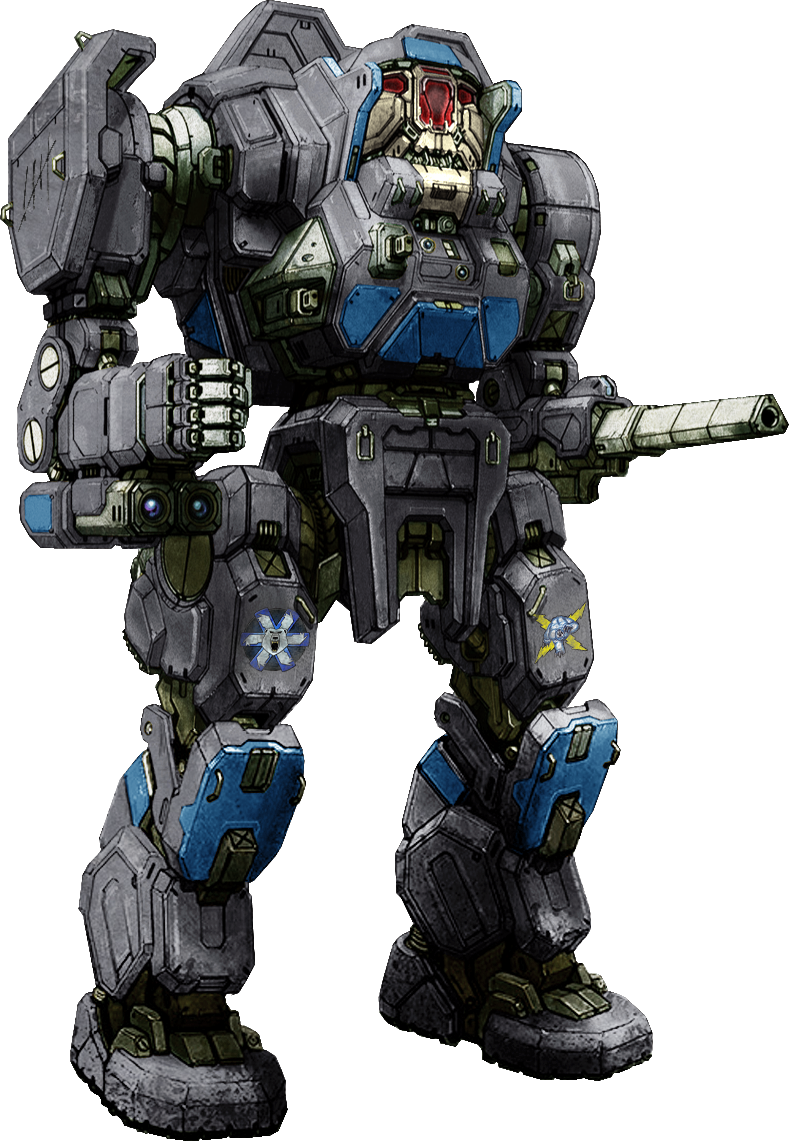
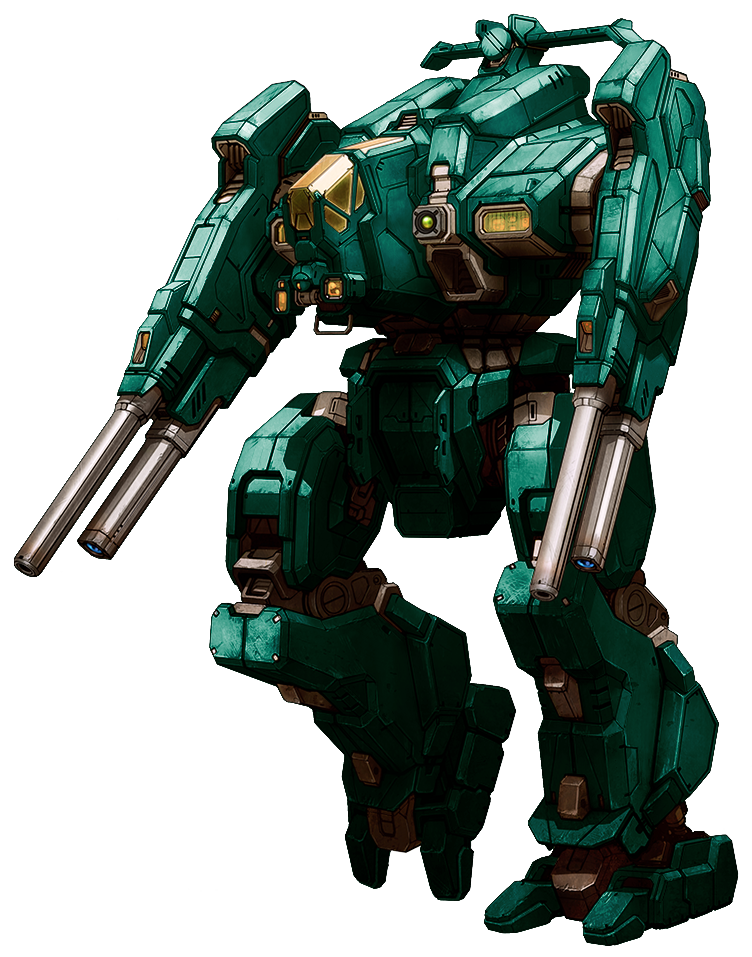
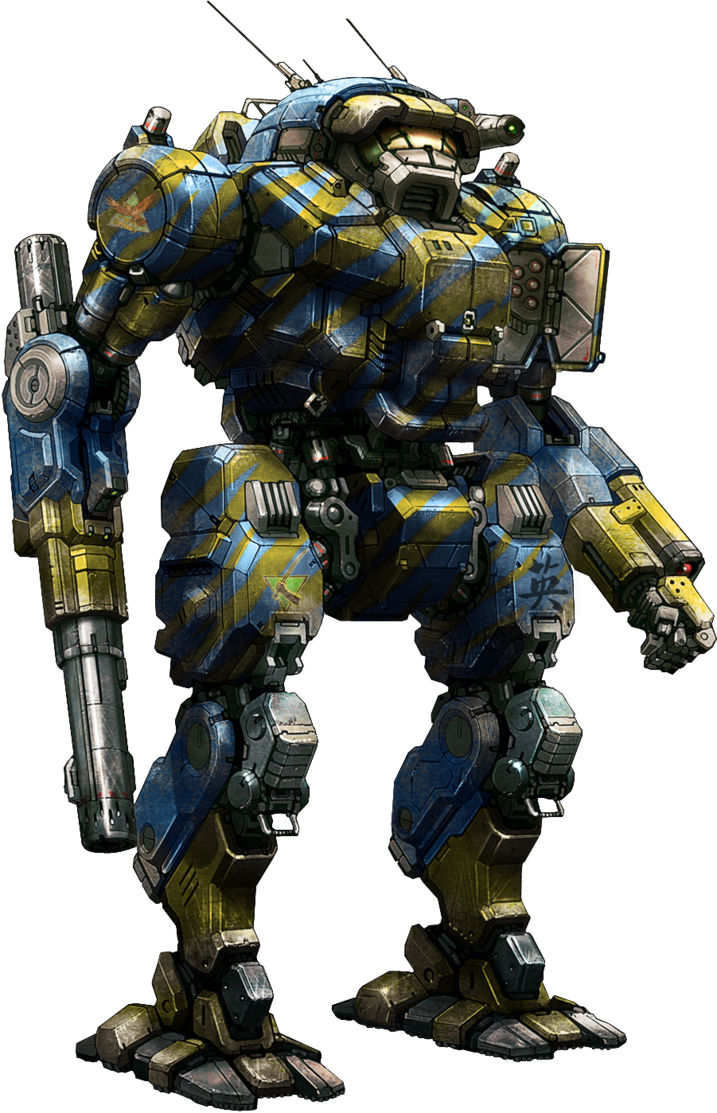
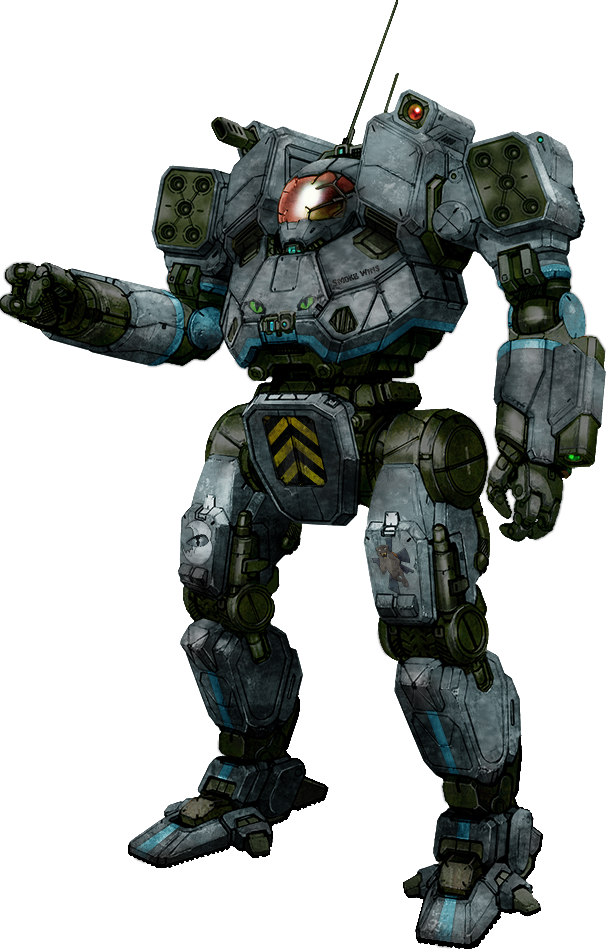
When engaging in a furball as a Light, don't ever stop (except when using the strategy above and its only for a split second). Fast is life, life is Fast. Cover is definitely your best friend, and don't be afraid to loop off out of the fight and loop back in when you start to overheat.
Lights are excellent scouts and can be devastating when utilizing the previous mentioned strategy to get behind slower Fatties. Beware of mediums, they'll typically eat your lunch
Mech Customizations
After learning to pilot, customizing your owned mechs is really where the rest of the depth of the game resides. There are over a hundred different mechs and each mech has variants. Each variant has a "hard point" difference and a starting weaponry difference, or pod difference (for clans) and starting weapon difference. There's no "right" way to customize your owned mechs, although some swear by "meta" builds, which depending on the quirks the devs give the different variants, these can change over times.
Meta build - A build for a certain variant of mech that a lot of people tend to use at any given time because they feel it gives the best bang for the buck and out-performs other mechs.
Hard Points - Each mech variant has given hard points. Hard points are limiters based on weapon or system type. So an energy hard point only allows you to mount lasers or flamers. a Missile Hard point, missiles, and an AMS hard point, an AMS system. Each body part is limited by your POD (for clans) or built in hard points for IS.
Weapon Categories - Energy, Ballistic, Missile. All systems and weapons have a category and can only be equipped in a hard point for a category.
Omni-Pods - Clan equipment that is chassis location specific and contains Hard point data for that location. Can be bought or swapped across all variants of a clan mech.
Modules - Pieces of equipment that can be equipped to improve certain aspects of a mechs and/or weapon performance. Also can be used to add "consumables" to a mech loadout. Requires a multi-step process of unlocking (via GXP) and purchasing the actual piece to equip. Can buy per chassis or swap between chassis.
 Ballistic
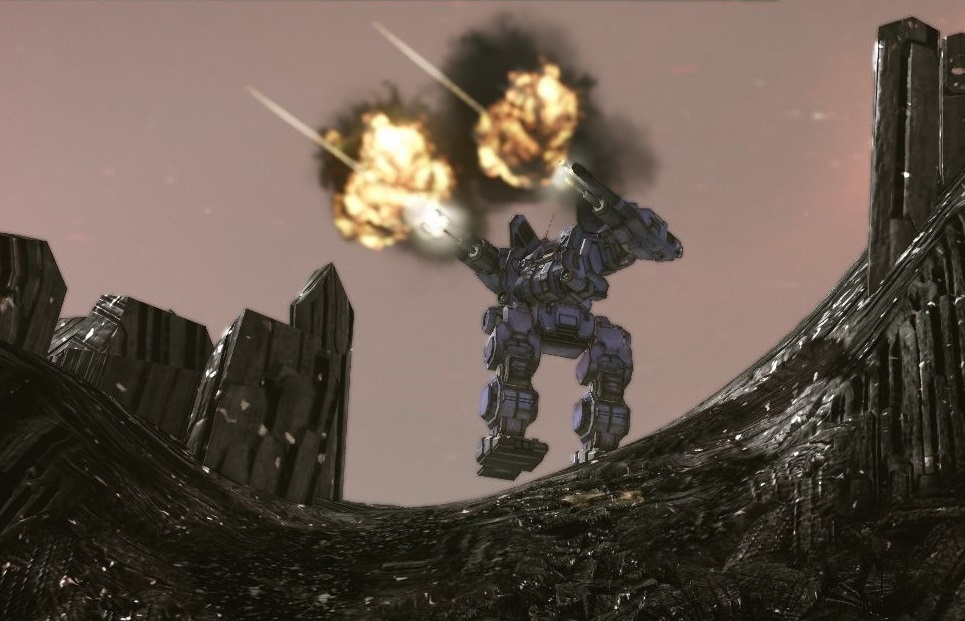
 Weapon class for AC type weapons. Think slow moving slug throwers and you'll be close. Gauss, AC, UAC, LBX, Machine Guns are all AC weapons
Gauss require a couple seconds to charge (hold down fire) and then release to shoot them. Usually a great sniper weapon.
LBX are the shotguns of the Ballistic bunch, they shoot multiple projectiles that spread as the distance gets longer.
AC weapons (2,5,10,20) are slug throwers and act as such, taking a period of time to land when shot. You can also get UAC type of AC weapons which just shoot twice as fast but have a chance of jamming.
 Energy
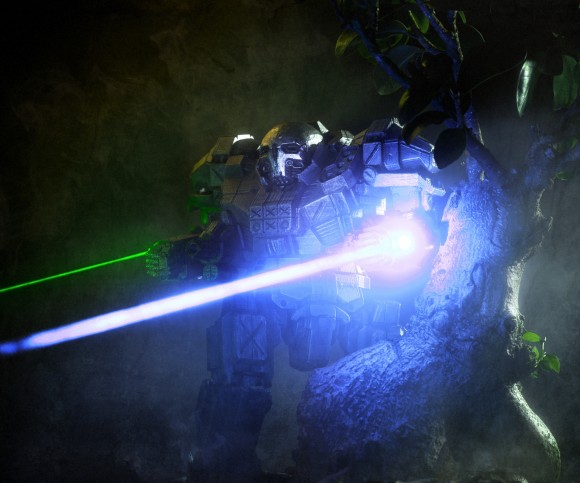
 Weapon class for lasers and similar weapon systems. Flamethrowers, PPC, Lasers are all energy weapon types.
PPC energy weapons kind of act like ballistic, where they shoot energy balls but it takes time for them to travel and land. The actual PPC can only shoot at targets from a long distance and won't damage enemies close to you. The ERPPC generates more heat but can damage anything, close or far away.
Lasers come in all flavors and variety. They all hit instantly but require you to stay on the target for a certain period of time to convey the full damage potential. The amount of time that you have to maintain your aim varies between IS and Clan.
Pulse laser do just that, they pulse and don't require you to stay on target as long but generate a lot more heat.
ER Lasers extend the range of a given laser.
Small, Medium, and Large Lasers denote range and damage differences.
It's also important to note that Energy weapons have an optimal distance but also dish out percentages of damage the farther you go away from their optimal distance (up to their maximum distance).
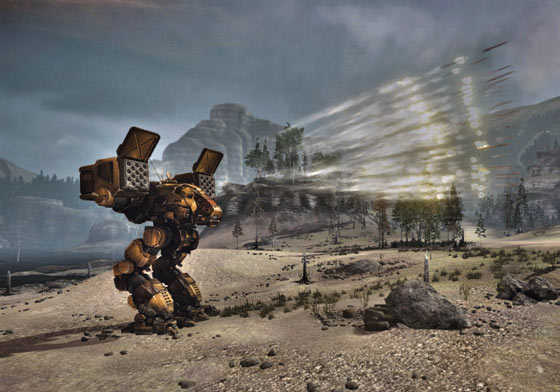 Missile
Weapon class for Missile systems. LRM (Long Range) or SRM (Short Range).
LRM's require "Line of Sight" to lock-on (Tab or "R" and then center your fire reticle until it turns red). They travel for a long time and if you don't keep the target reticle red the whole time, they will more than likely miss. Additionally, Inner Sphere LRMs have a Minimum Range of 180 meters, meaning under 180meters LRMs bounce off your target and are useless. Although Clan LRMs don't "technically" have a minimum range, their damage scales down
Standard SRM are dumb fired (think shotgun) and are short ranged, detonating ineffectively when they reach a certain distance. Missiles of the the SRM type also come in "Streak" variety (SSRM) which require lock on as well but home when fired.
You can modify missile spread by equipping a special system called an Artemis, but that special system takes up tonnage so should be situationally equipped.
AMS can be equipped with ammo if you have an AMS hard point. they knock a percentage of missiles fired at you out of the sky.
NARC are a special type of missile. They require ammo and when striking the enemy, they cause no damage but "stick" to the Mech that was hit. For a period of time, that mech can no longer hide in ECM or behind cover and will appear as targetable to all other Mechs on the battlefield.
there are various upgrades that you can pay for (very expensive) to get better performance or space in your mech within MWO (and battletech).
Endosteel - Your mech has a skeleton. It weighs A LOT. You can upgrade the skeleton by changing it to Endosteel, but it takes extra crit slots and costs more. It is almost always worthwhile to upgrade to Endosteel
Ferro-Fibrous - An upgrade to your standard armor. This takes a CRAP LOAD of crit slots, is expensive, and almost never worth the upgrade, except in a few instances. It does give you back some tonnage however to be used elsewhere
Double Heat Sinks - Almost always worth the upgrade, these structures dissipate heat faster than normal heat sinks. They however cost a lot more C-Bills and take up 3 crit slots each so smaller mechs might not be able to fit them.
Artemis IV - allows tighter grouping for missiles and is situationally worthwhile. Some just prefer to carry more ammo, but if you don't have the crit space and spare tonnage, Artemis might be worth it. Affects both long and short range missile variants
XL Engines - These aren't an option for clan but for IS, you can choose to upgrade your engine. It will take up more crit slots in both torso's an if someone kills your side torso, you die immediately. It does take up less tonnage which allows some builds to pack on more weapons. There's always a huge debate on whether XL is worth it. They do COST A LOT if you go the XL route.
Modules are certain items that can become unlockable and equipable after you pay GXP. These enhance certain aspects of your mech or provide "extra benefits". These are categorized as Mech Modules, Weapon Modules, and Consumables.
Mech Modules
These improve certain aspects of your mech. Things such as radar deprivation (falling off radar when out of site), advanced zoom (get a zoom box), and seismic (show movement on your mini map) are all mech modules
Weapon Modules
These improve your mounted weapons and fall into 2 categories. Minor range or shorter recycle time. You can only mount a few of these and there are separate modules for each type of weapon.
Consumable
These are items that are limited use during combat and have to be replenished after a fight. UAV (seel all your enemies on radar), Artillery (boom! big explosion), and cool shots (instantly get rid of you a certain amount of heat) are all examples of consumables. There are two types, c-bill consumables and MC consumables.
there are three things you can equip to see within your cockpit. Hanging, mounted, and standing. Explore these options as they are funny that you can see while fighting, and others can see while dead and spectating.
Visual Tactics Primer
Conclusion
At the end of the day, the goal of any game is to HAVE FUN! So find the positive aspects that you like and enjoy them. However, gamers beware: Piloting giant stompy mechs and blowing the heck out of other giant stompy mechs is an addiction and there's no cure that I have found as of yet. If you get shellshocked, just step away and come back later. I guarantee this game will be here for years to come.
Links to Useful Resources
- Reddit Outreach
- Smurfy-net Mech Builder[mwo.smurfy-net.de]
- Smurfy Equipment List[mwo.smurfy-net.de]
- Quirks List[snafets.de]
- Official Guide[mwomercs.com]
- Kanajashi's Very Useful Video Guides
- Kin3TicX All-Encompassing Guide[docs.google.com]
- Beginners FAQ
- Knowledge before your first Match[team-dignitas.net]
- Battletech Primer[mwomercs.com]
- http://www.sarna.net/wiki/Main_Page
- MWO Builds[mwo-builds.net]
- Metamech Builder Guides[metamechs.com]
- Battletech Lore: IS Mech Variants for 3050[mwomercs.com]
- NGNG TV Live Stream[www.twitch.tv]
- Online Twitch Streams[www.twitch.tv]
- Clan Warfare Loyalty Rewards[static.mwomercs.com]
- Mechwarrior Online (MWO)Einsteiger Guide/Tutorial Teil 1 Menü/Mechlab
- Mechwarrior Online (MWO)Einsteiger Guide/Tutorial Teil 2 Kaufen/Ausrüsten/Fahren
- Light Mech Combat Guide★ 5 (217)12k views211 ♥19 minUpdated Apr 23, 2016
- Подробное руководство по игре (с картинками!)★ 5 (439)11k views484 ♥70 minRussianUpdated Dec 15, 2024
- A First Buyers Guide: Something to Consider★ 4 (102)11k views79 ♥6 minUpdated Jan 15, 2016
- Running Cold: The Comprehensive Guide to Heat - MWO★ 5 (256)9.2k views240 ♥41 minUpdated Jul 8, 2016
- Heavier Guns: A Quick Glimpse at Free Tonnage (Clan Mechs) - MWO★ 4 (56)6.1k views50 ♥3 minUpdated Apr 14, 2022
- WatDo's Big Book of MechWarrior-ing★ 4 (117)5.4k views87 ♥23 minUpdated Aug 14, 2017




- Upgrading to PremiumTeam Fortress 2★ 5 (20k)1441k views11k ♥6 minUpdated May 11, 2022
- No More Room in Hell Official ManualNo More Room in Hell★ 5 (2.8k)569k views2.1k ♥29 minUpdated Apr 22, 2019
- NMRiH Community Hosting GuidesNo More Room in Hell★ 5 (526)351k views653 ♥1 minUpdated Aug 10, 2022
- ULTIMATE GUIDE FOR GAME DEV TYCOONGame Dev Tycoon★ 5 (5.8k)326k views10k ♥4 minUpdated 23 Jan, 2014
- How to 'Git Gud' Soon™MORDHAU★ 5 (2k)318k views3k ♥68 minUpdated Nov 16, 2024
- Лучшие кооперативные игры SteamPAYDAY 2★ 5 (1.5k)315k views2.1k ♥56 minRussianUpdated Apr 27, 2025






This guide was created by its original author on the Steam Community. Are you the author and want it removed? Request removal.