Arkham City Redux
Intro
Full DirectX 11 compatibility and a simplified install process. Offers improved textures and graphics settings. Compatible with Steam, GOG & EGS versions.
Discord Server[discord.gg]
Optional Difficulty Mod (should be installed before City Redux)
Arkham Origins Remastered Graphics Mod
Redux Comparison
Click on an image for a bigger preview
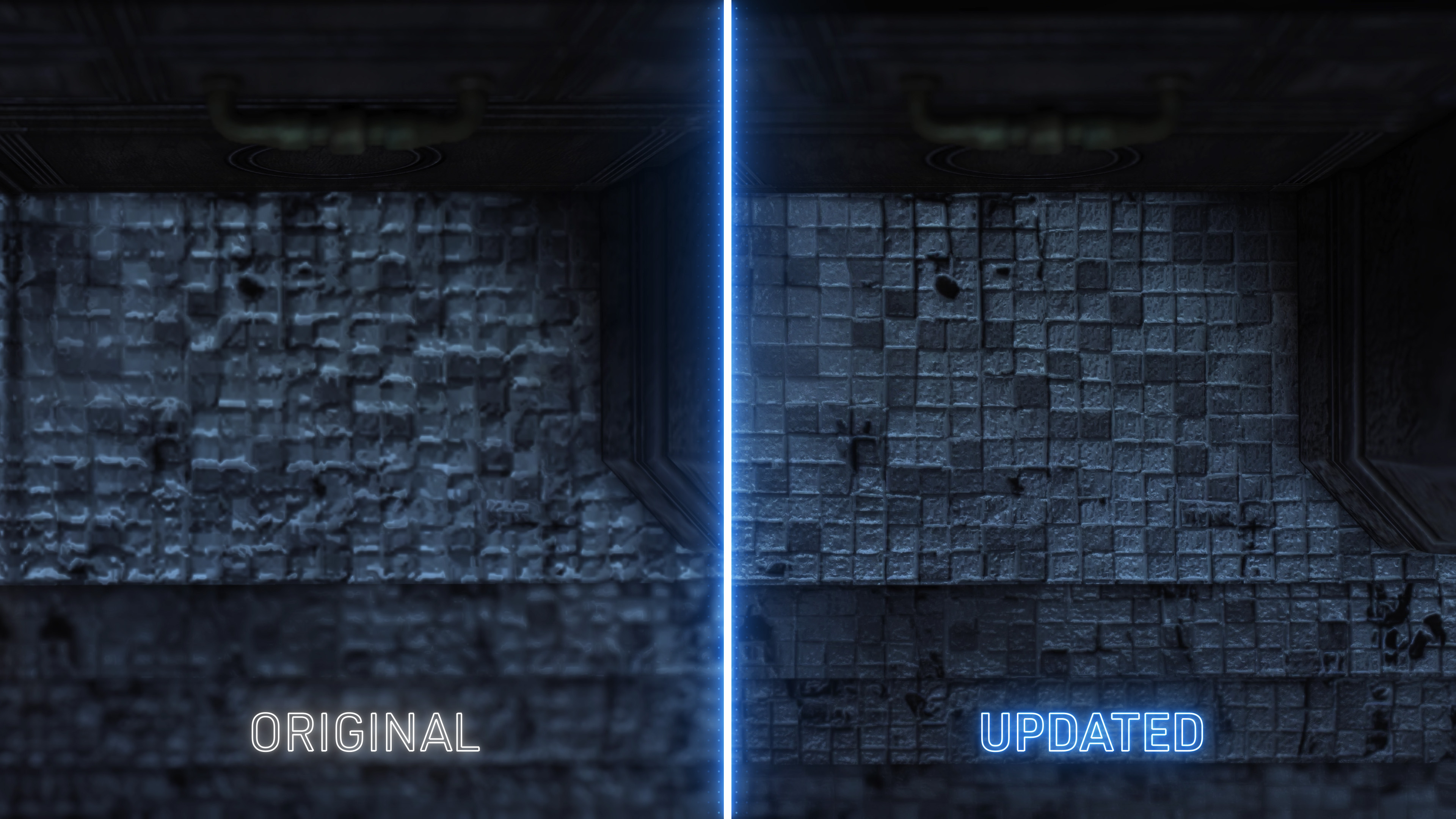
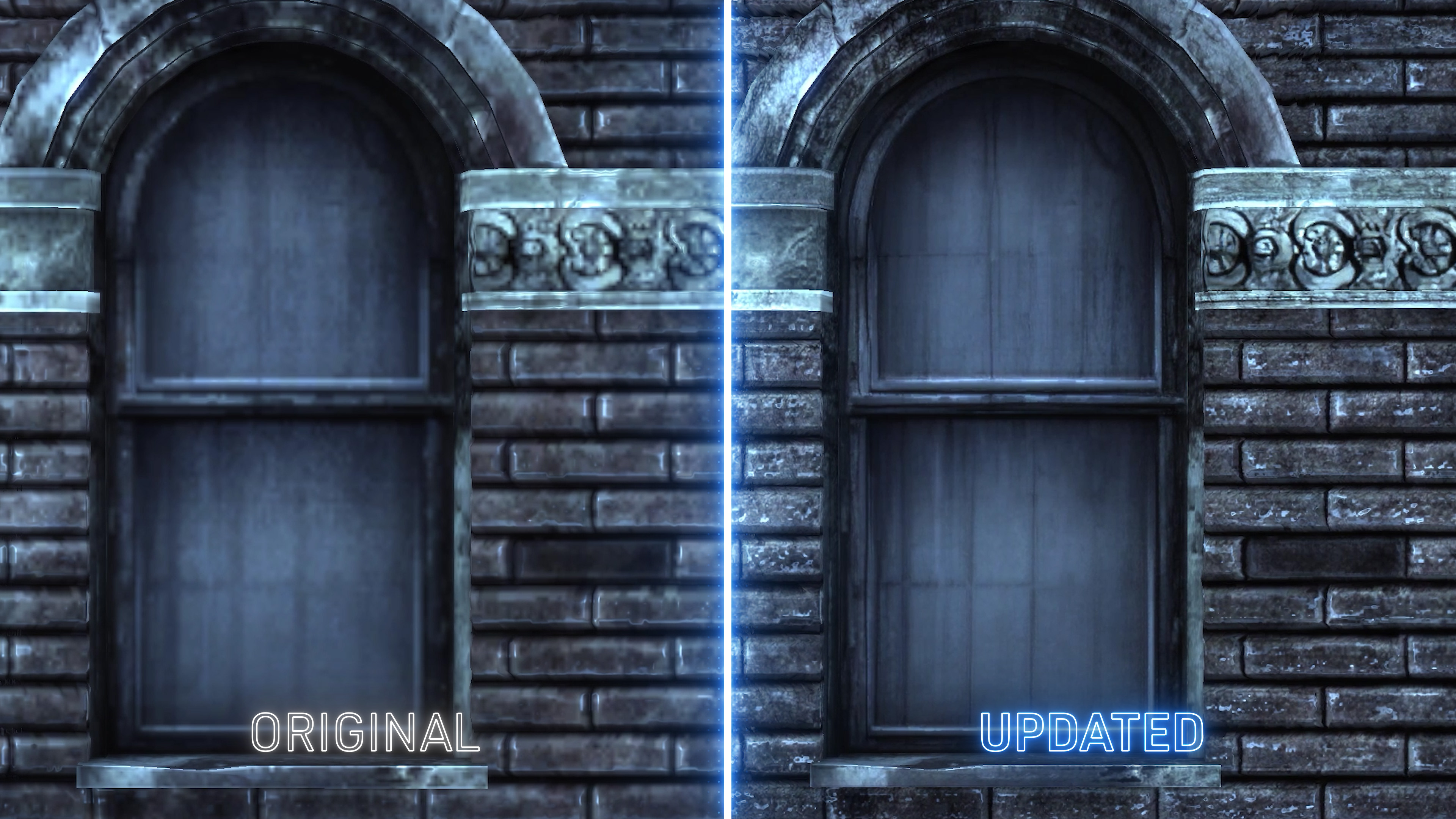
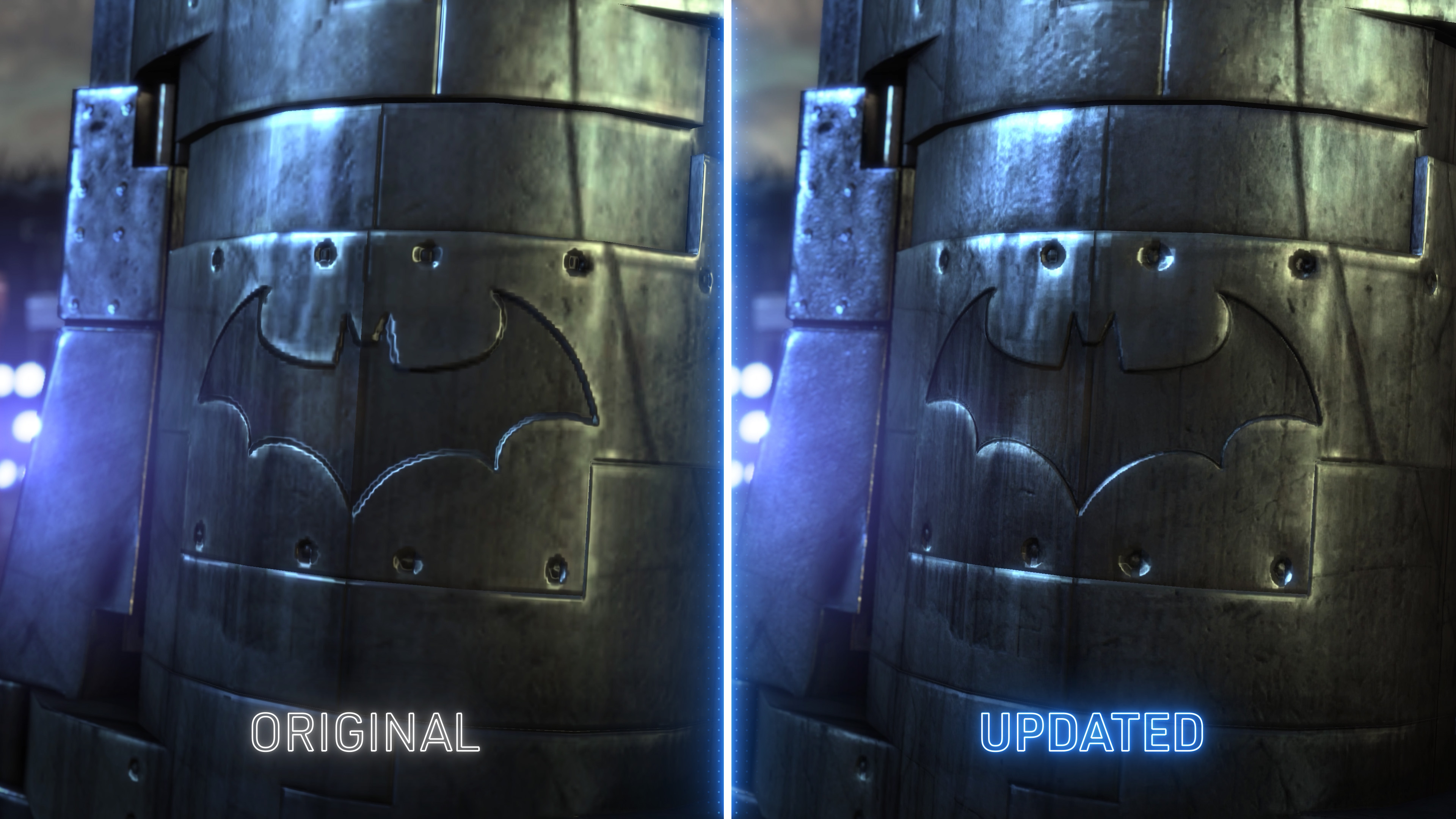 Faithful texture upgrades.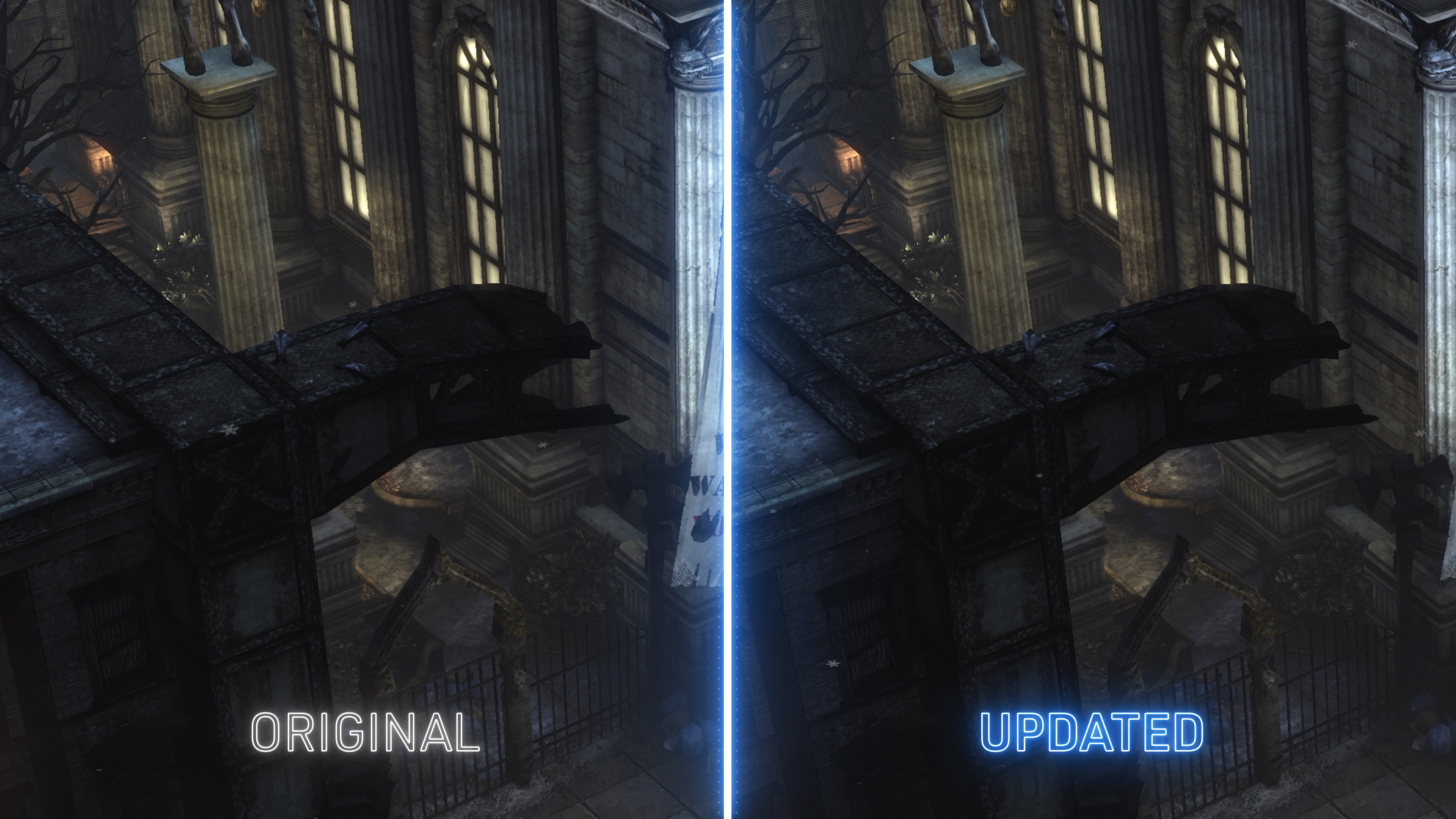
Increased shadow draw distance (check birds).
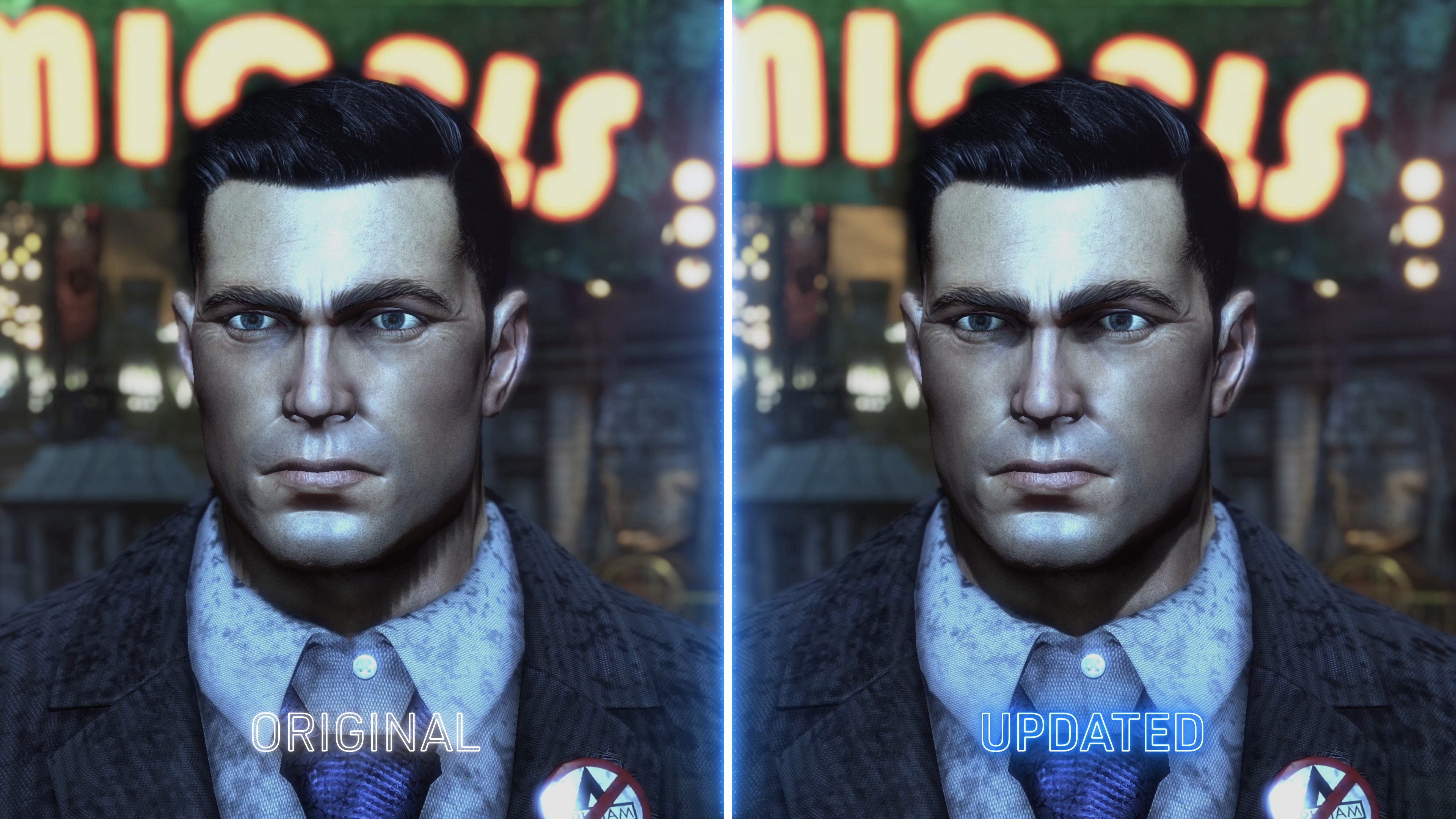
Improved shadow quality.
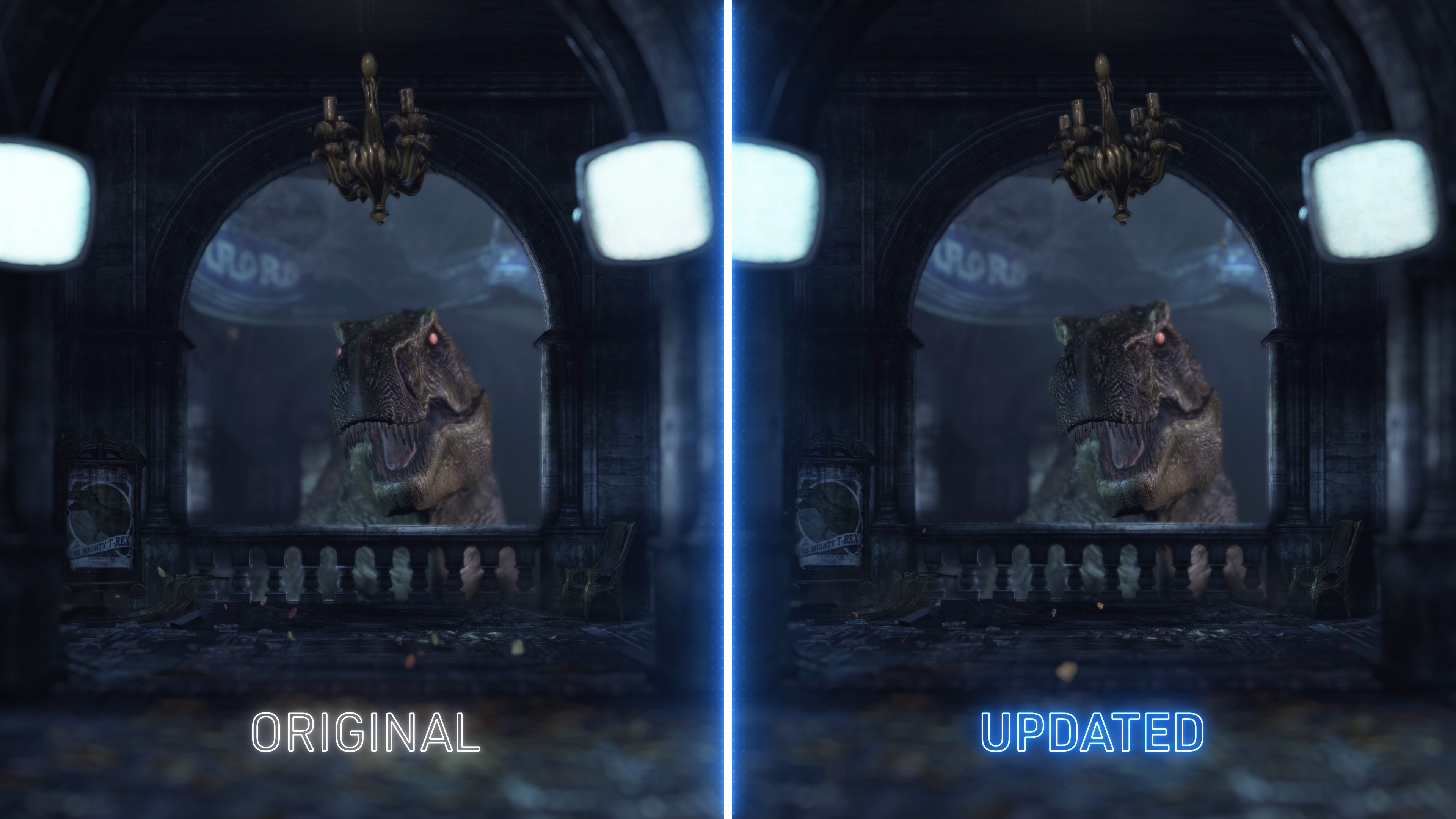
Increased tessellation distance in interiors (check Rex).
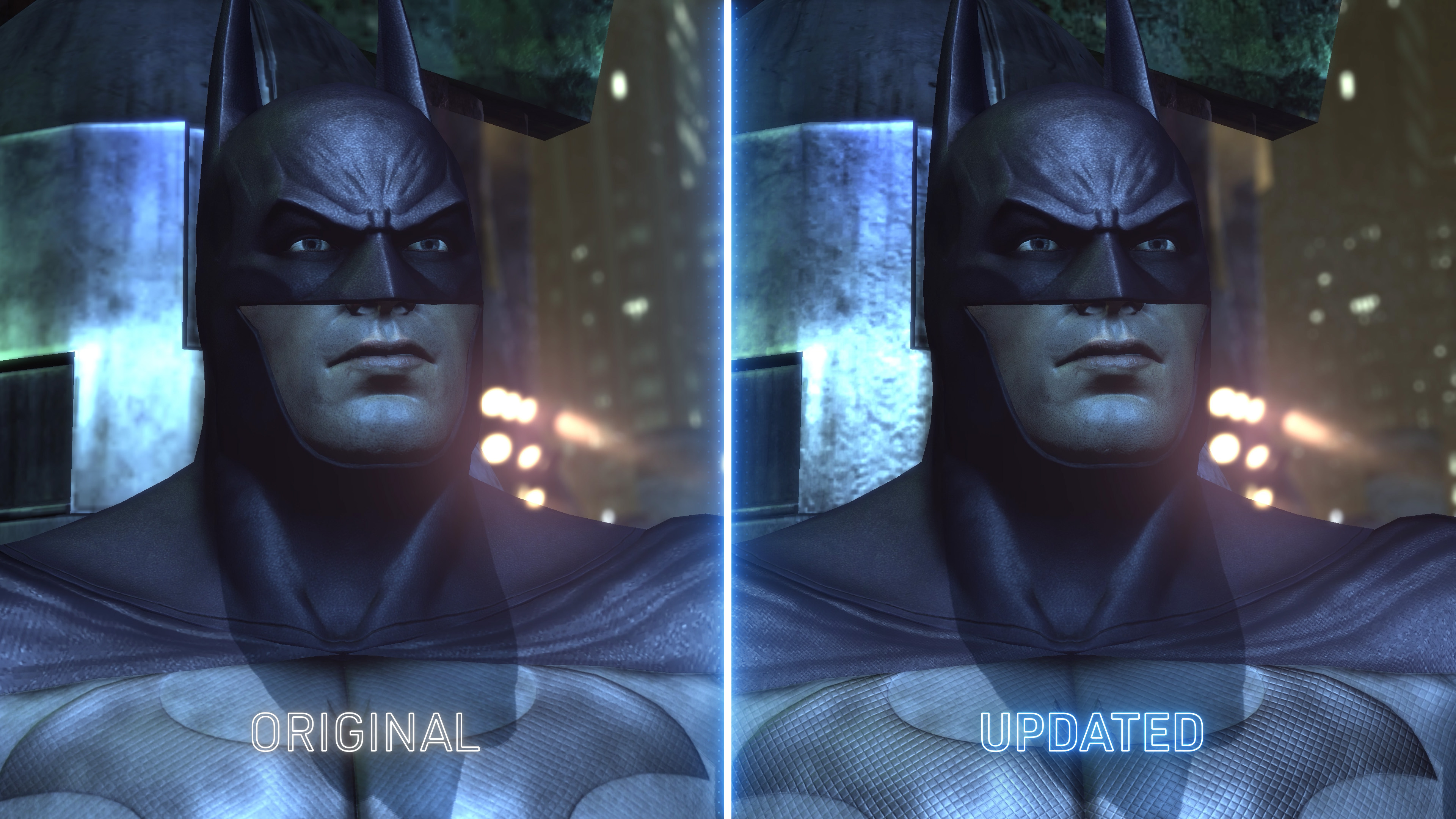
DOWNLOAD
Batman: Arkham City Redux - HD Texture Pack (includes Advanced Launcher)
HD Texture Pack 1.1 - 4.93GB[www.nexusmods.com]
Advanced Launcher - Stand-Alone
Advanced Launcher - 35MB[www.nexusmods.com]
by NeatoDonations are a rarity and hard work goes into these mods. Please consider donating for what are free mods. Donations go a long way and show real appreciation.
Donate to GPUnity's Paypal[www.paypal.com]
Donate to Neato's Paypal[www.paypal.com]
HD Texture Pack
HD Texture Pack
The recommended experience. Updates over a thousand textures. Each texture has been manually inspected and individually treated with care. Alternate Textures
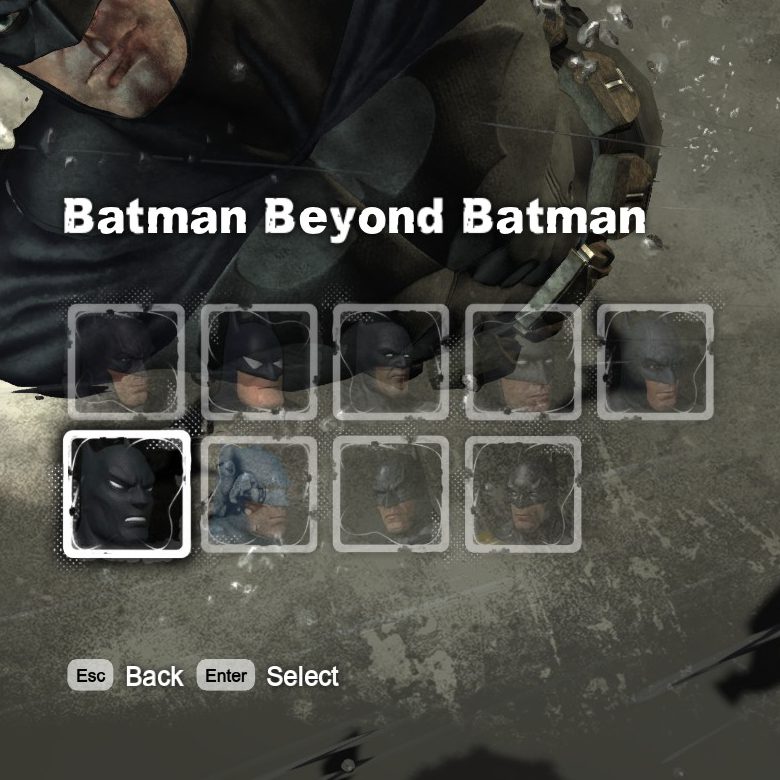
Allows users to customize certain textures to their liking. Includes multiple cape styles, and a black suit version of Batman. Readme included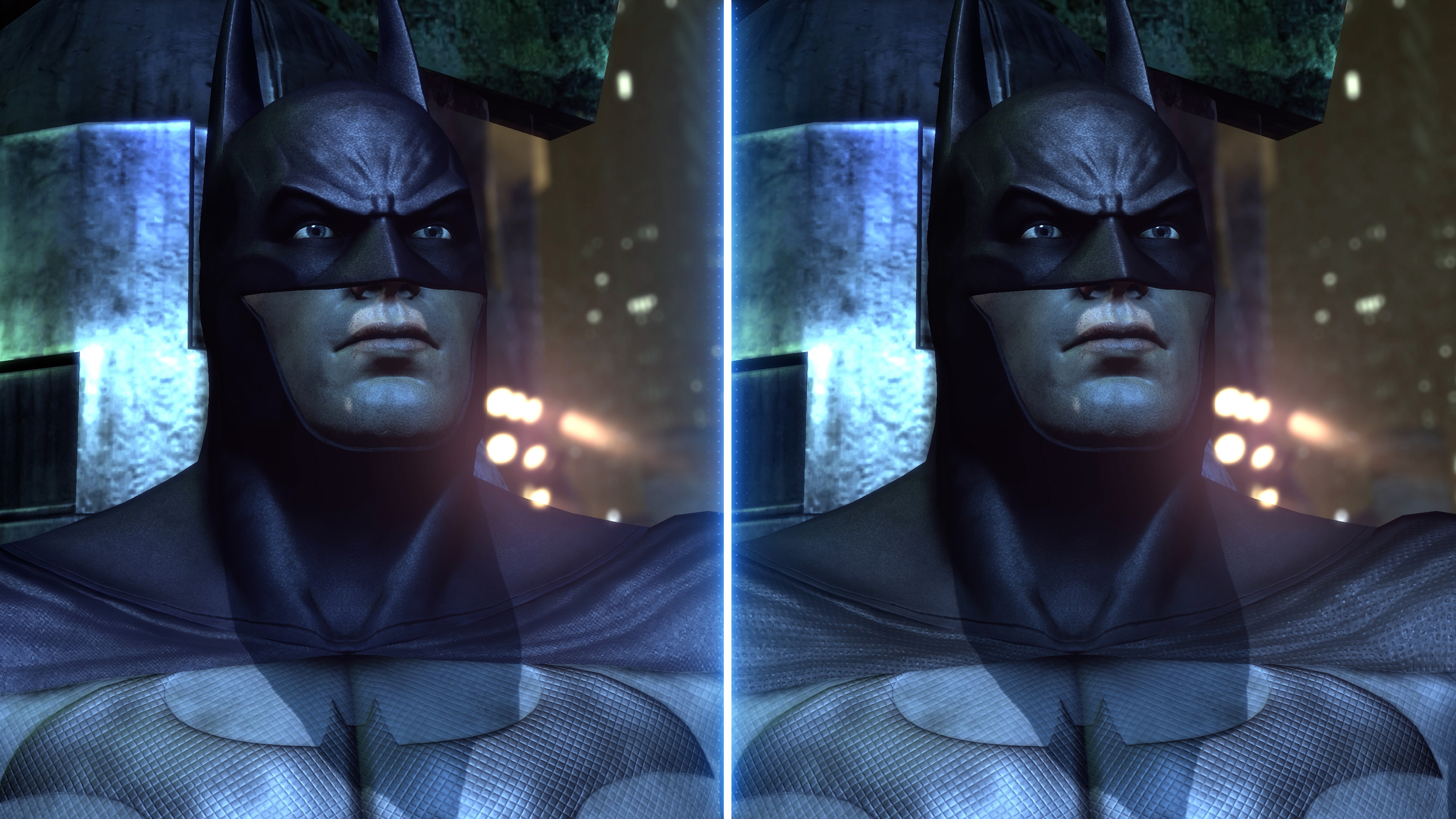 Left: Blue Suit (Default) + Threaded Cape
Right: Black Suit + Studded Cape
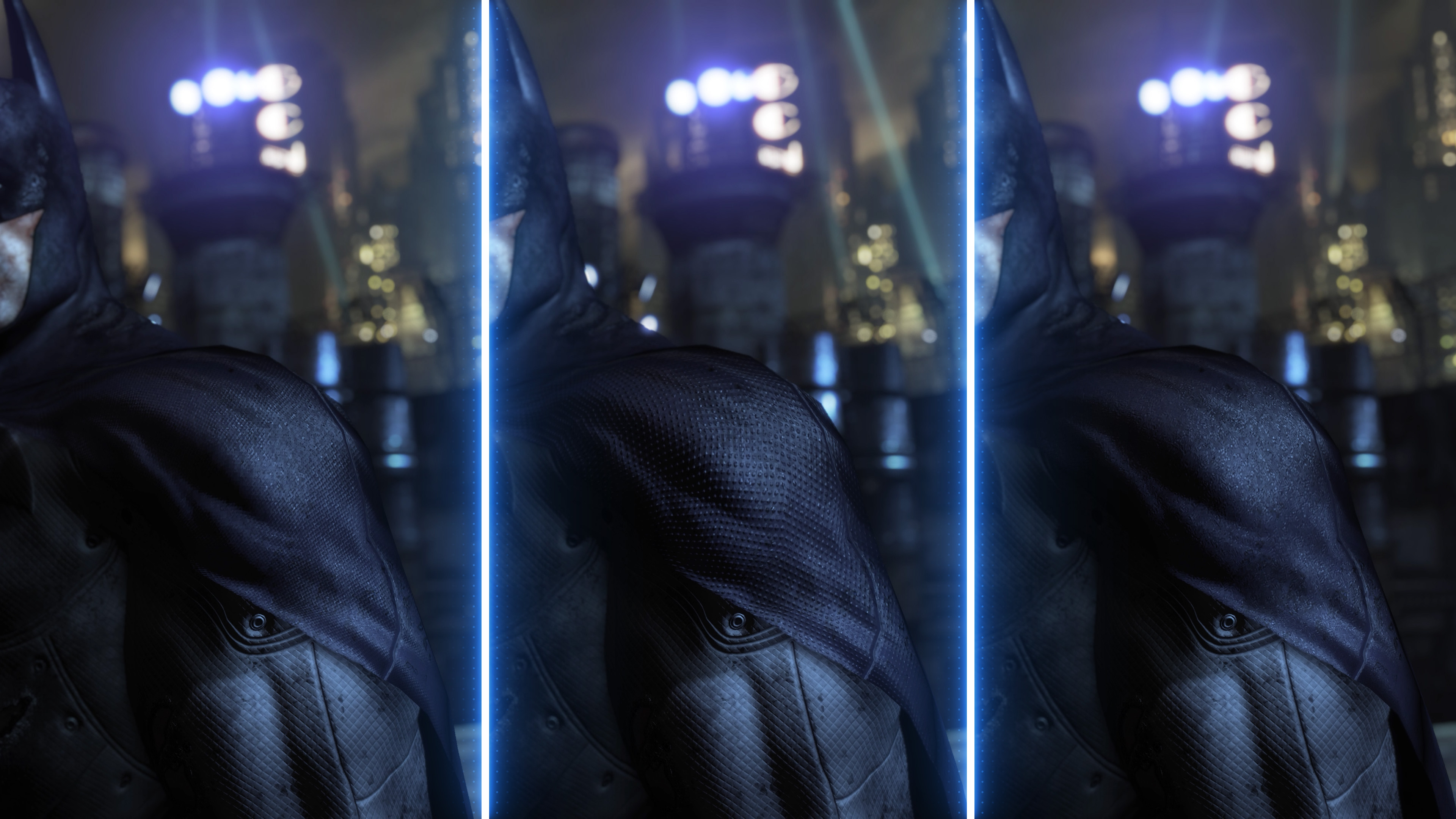 Left: Threaded Cape - Middle: Studded Cape - Right: Velvet Cape
Alternate Texture
Description
Cape - Threaded (Default)
Tries to closely replicate the vanilla look of the cape at a higher resolution, with a threaded material.
Cape - Studded (RTA Style)
Simulates the Return To Arkham cape with the studded surface.
Cape - Velvet
Gives the cape a rough and heavy appearance.
Batman Suit - Blue (Default)
Maintains the blue hue of the vanilla suit.
Batman Suit - Black
Removes the blue tinge of the suit for a more consistent black surface.
Combat Effects - Default
Vanilla effects and trails during combat sections and gliding.
Combat Effects - Realistic
Removes most combat effects, such as distortion and trails for a more realistic look.
Combat Effects - Bloody
Replaces smoke impacts from punches with a red smoke for bloody looking combat. This texture can be used with Default or Realistic combat.
¬ Installation
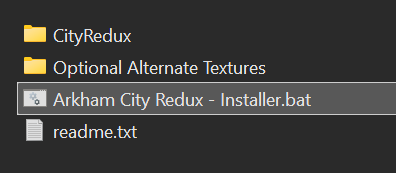
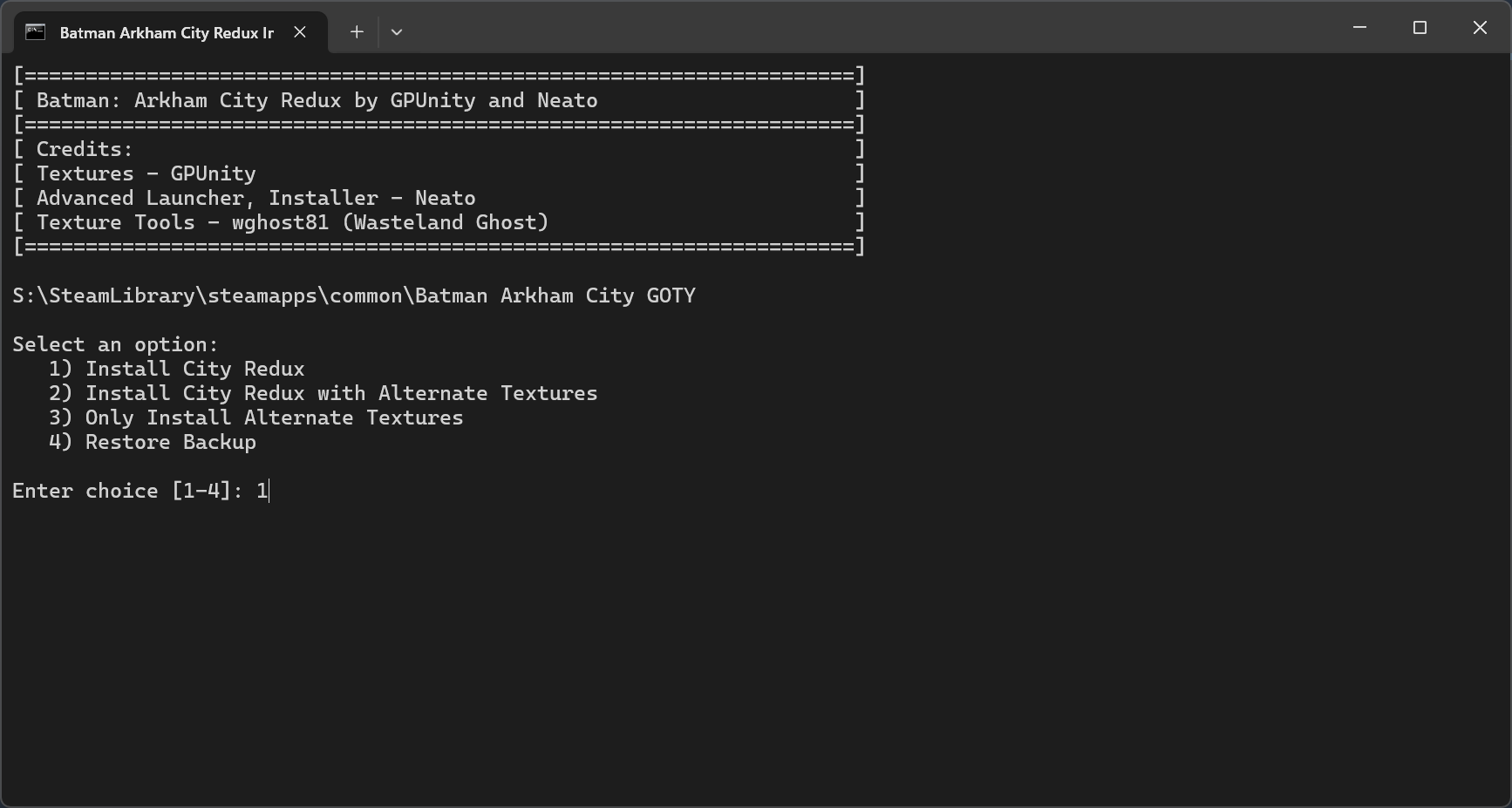
Extract the HD Texture Pack download and open "Arkham City Redux - Installer.bat". Do not copy the file to or extract it to the game's directory.
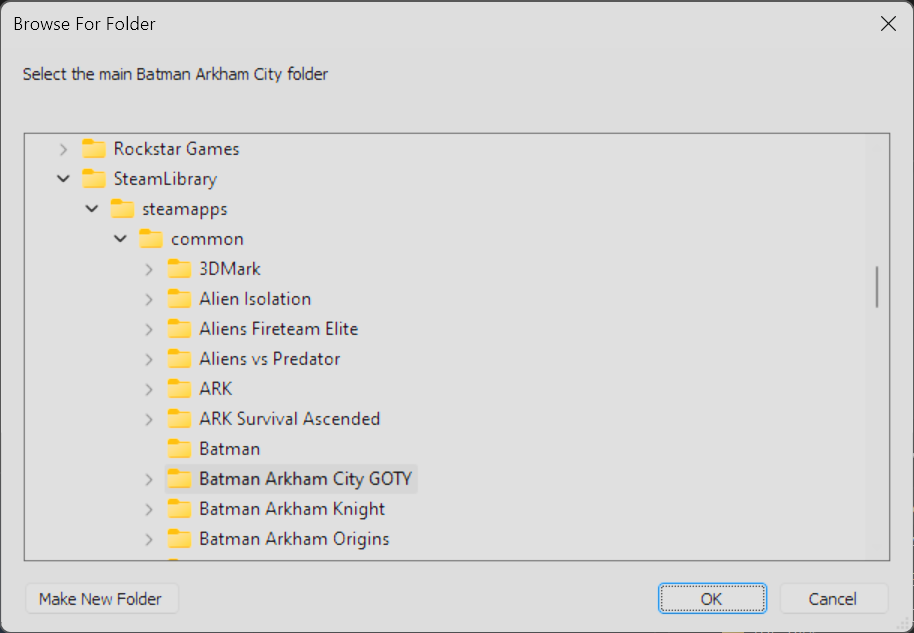
Locate the game directory
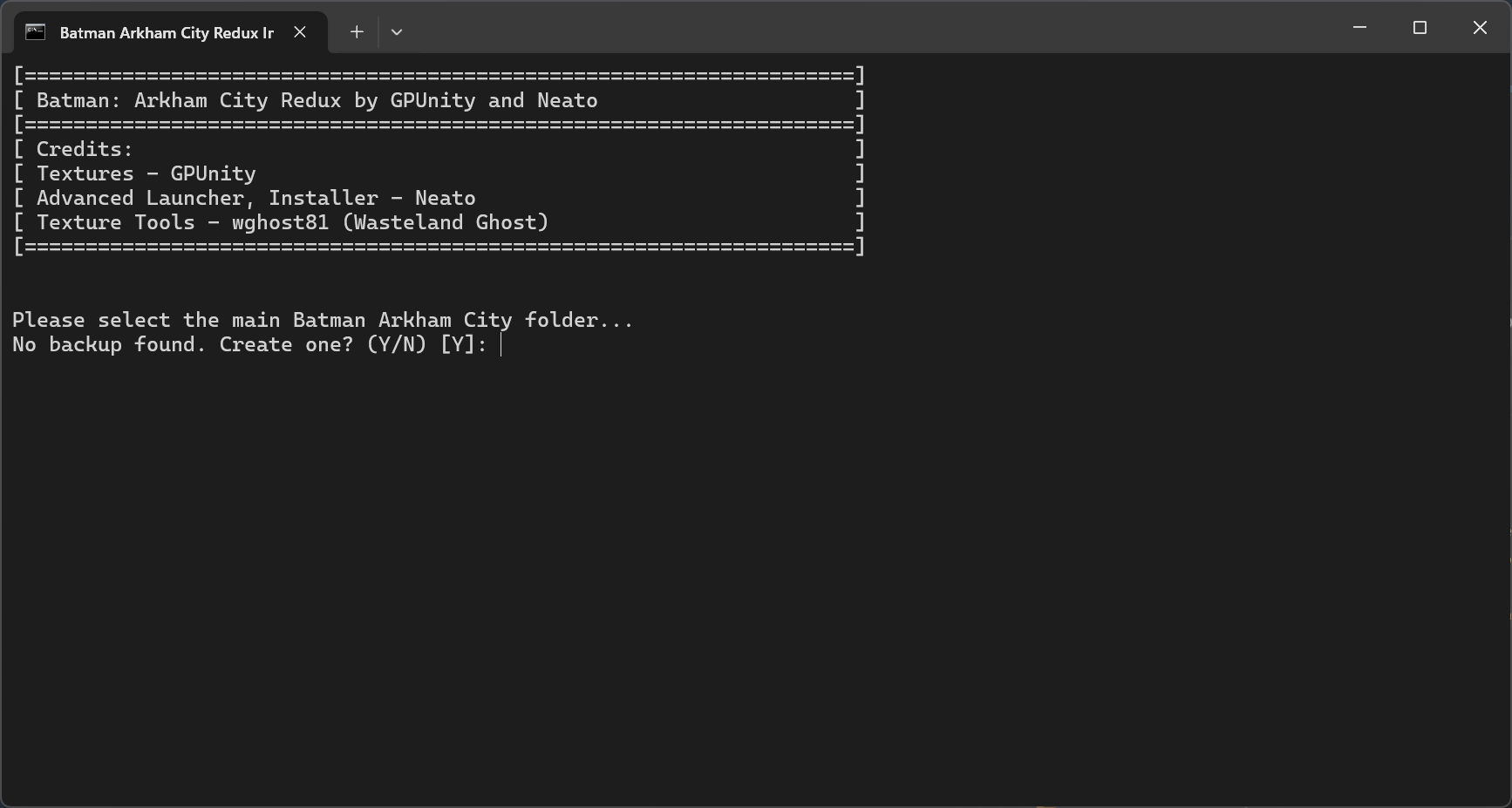
(Optional) Back-up game files
Type 'Y' and press Enter to back-up game files
Choose preferred Texture Pack installation method and press Enter
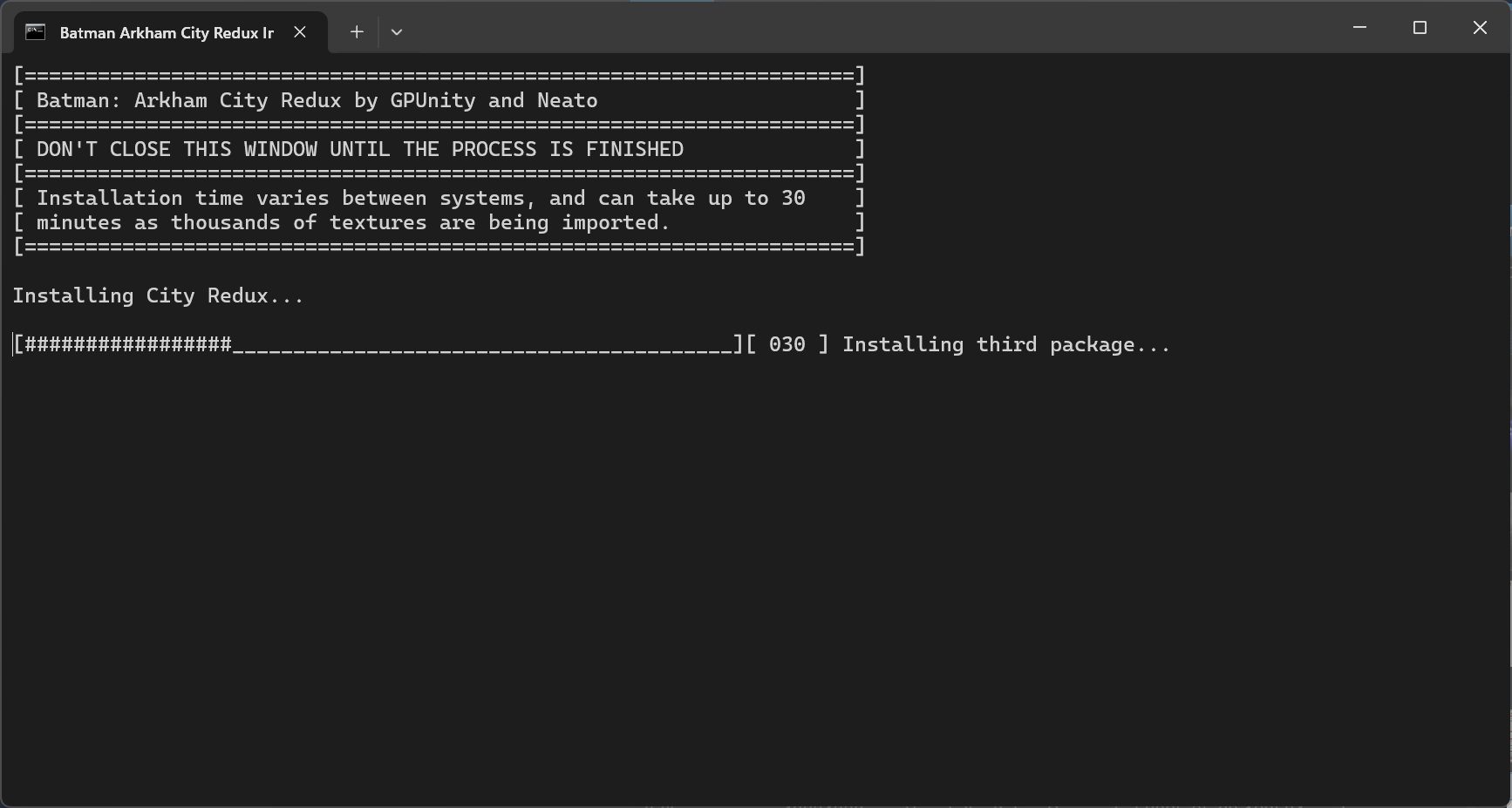
Wait for installation to finish (Advanced Launcher will automatically be installed)
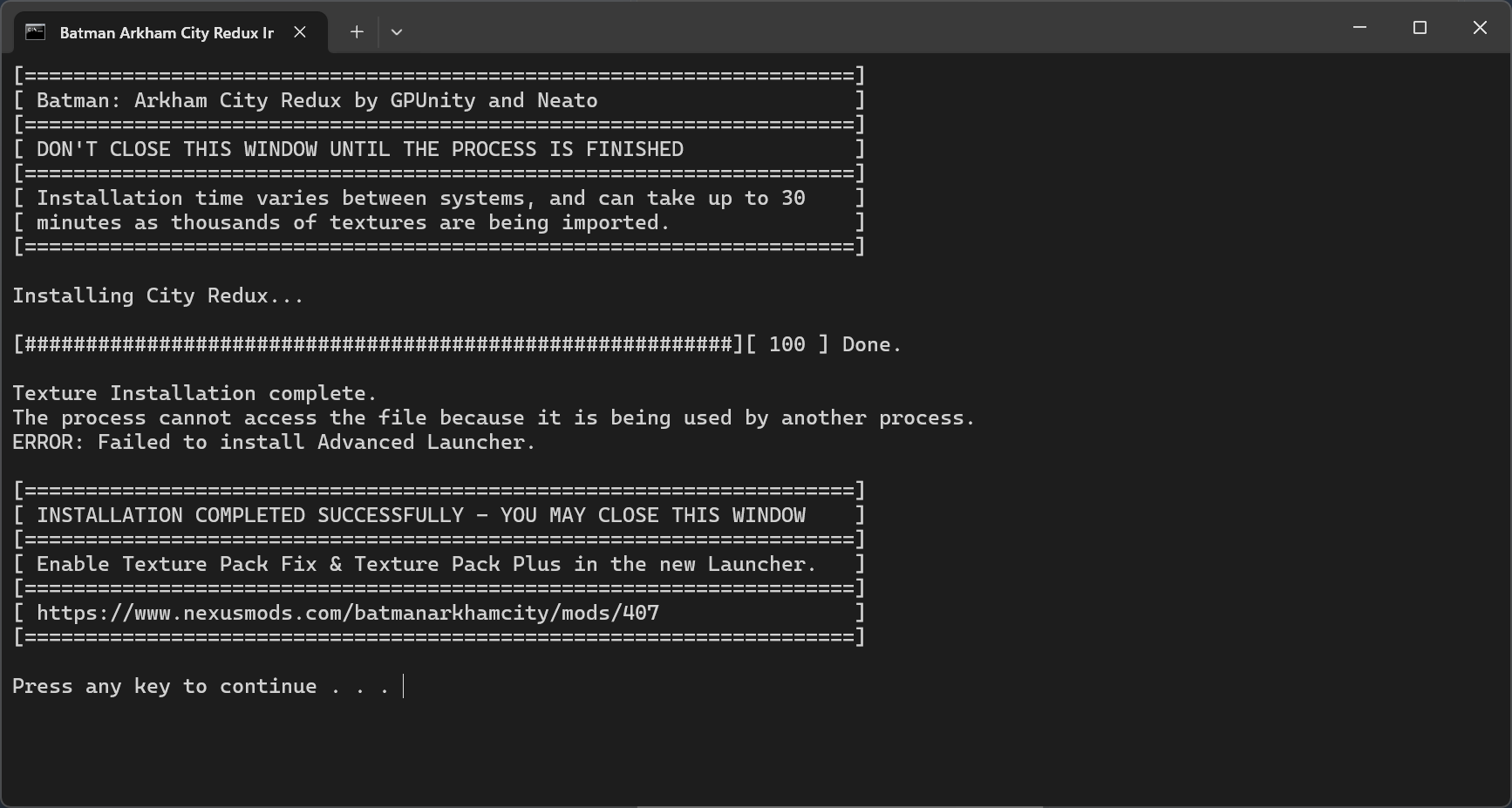
Once installation is finished, close the window
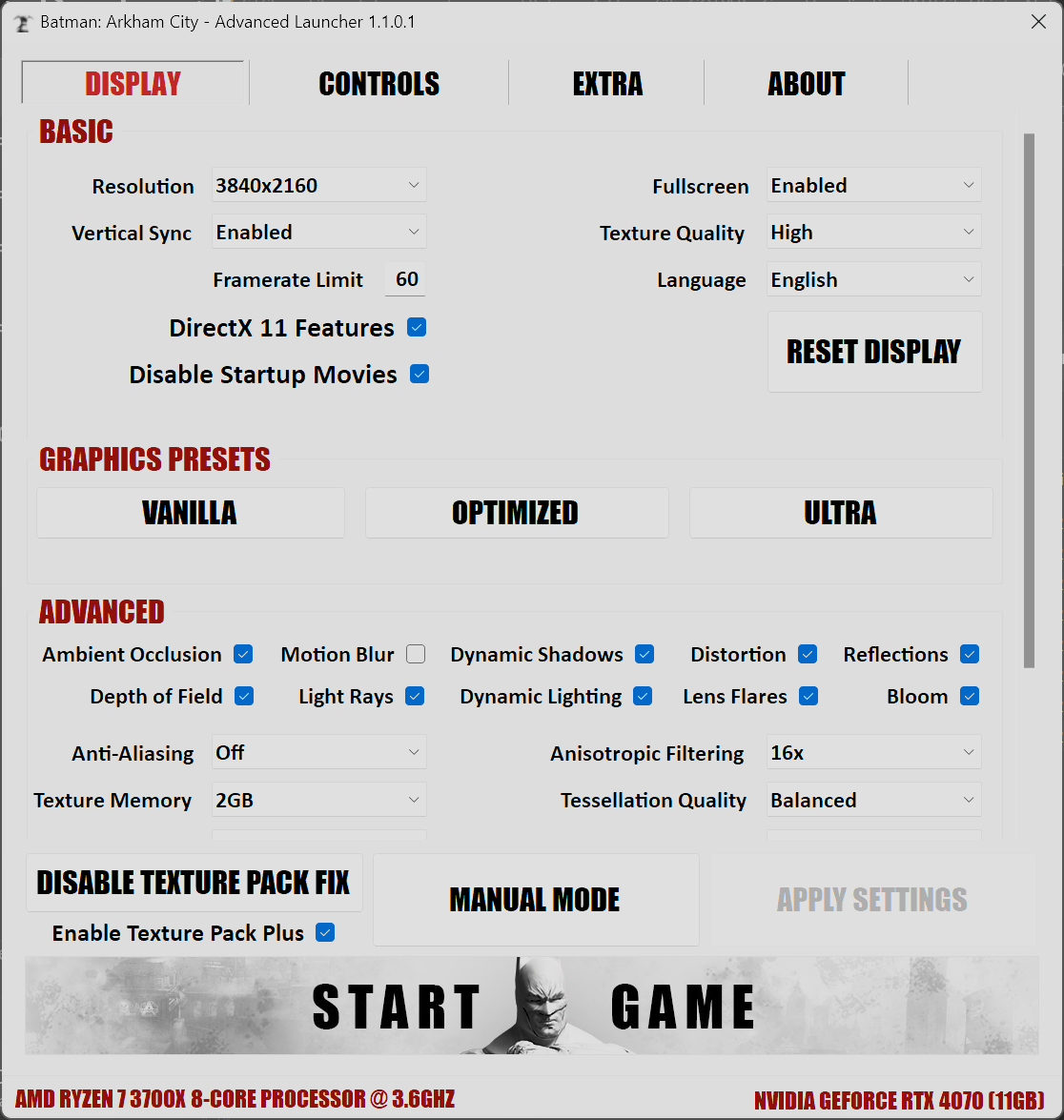
Enable Texture Pack Fix and Texture Pack Plus settings
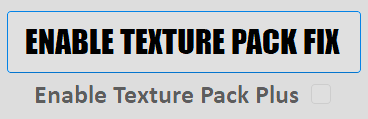
It should look like this
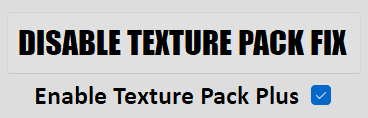
Increase Texture Memory value (should be less than GPU memory)


Locate the game directory
(Optional) Back-up game files
Type 'Y' and press Enter to back-up game files
Choose preferred Texture Pack installation method and press Enter
Wait for installation to finish (Advanced Launcher will automatically be installed)
Once installation is finished, close the window
Launcher Settings
Enable Texture Pack Fix and Texture Pack Plus settings
It should look like this
Increase Texture Memory value (should be less than GPU memory)
Launch the game
¬ Game Location
Locating the game
Version
How to locate
Steam
Right-click the game in the Steam client, select Properties->Local Files->Browse Local Files.
Epic Games
Right-click the game in the Epic Games client and select "Manage". Then click the folder icon in the "Installation" tab.
GOG
Click the icon next to the PLAY button and select "Manage installation->Show folder".
¬ (Optional) Skip Folder Browser
Create custom .bat file next to "Arkham City Redux - Installer.bat"
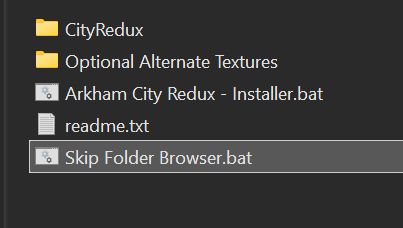
Open with Notepad and add the following text
Add the game directory address, for example
Save and open the .bat file. This will skip the browser prompt.
Open with Notepad and add the following text
".\Arkham City Redux - Installer.bat" "(Game Path)"
Add the game directory address, for example
".\Arkham City Redux - Installer.bat" "S:\SteamLibrary\steamapps\common\Batman Arkham City GOTY"
Save and open the .bat file. This will skip the browser prompt.
¬ Steam Deck
Requirements
- PC needed for the installation process of the Texture Pack.
- Dock to transfer files directly from PC to Steam Deck.
Important
- The method of changing settings will stop the game launcher from working correctly. To revert changes, delete the replaced BmEngine.ini file.
Texture Pack Installation
- Follow the Texture Pack installation procedure on a Windows or Linux PC. - After installation has completed, navigate to the game folder '\SteamLibrary\steamapps\common\Batman Arkham City GOTY\BmGame'.
- Copy 'CookedPC' folder to Steam Deck via USB, and replace SteamDeck's CookedPC folder.
Steam Deck Arkham City directory '/home/deck/.steam/steam/steamapps/common/Batman Arkham City GOTY/BmGame'.
Graphics Settings Installation
Installing the settings file is necessary to support and render the Texture Pack correctly and increase graphics quality beyond vanilla.- Download the Steam Deck Graphics Settings file and extract the zip file
- Navigate to '/home/deck/.local/share/Steam/steamapps/compatdata/200260/pfx/drive_c/users/steamuser/Documents/WB Games/Batman Arkham City GOTY/BmGame/Config'.
- Copy BmEngine variant of your choice from downloaded contents, and rename the file to 'BmEngine.ini'.
- Replacing the existing BmEngine.ini file in the config directory. In the properties setting, set permissions to 'Can Only View' for all categories.
For any other settings changes such as FOV keybinds, refer to the PCGW[www.pcgamingwiki.com] page on how to set up miscellaneous options.
Thanks to RyanReeks for extensive testing on Steam Deck.
Advanced Launcher
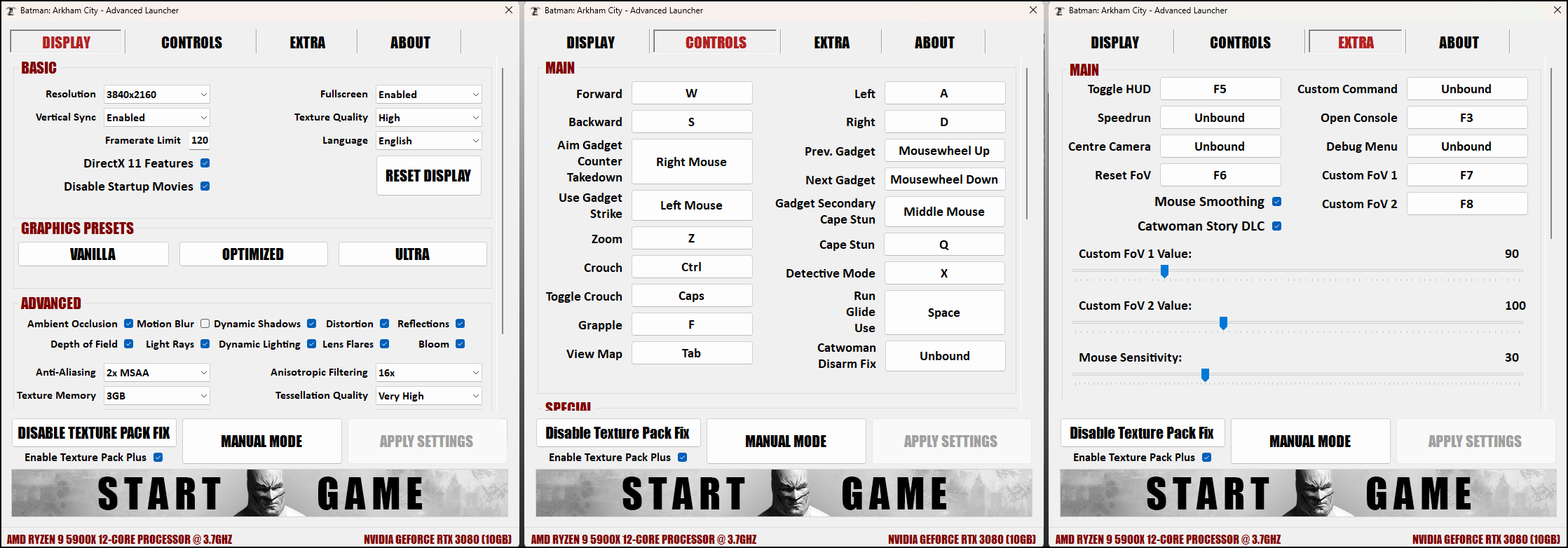
Overview
Similarly to Arkham Asylum, an Advanced Launcher has been developed for Arkham City[neatodev.github.io]. Built from the ground up in C# for .NET 6, the Advanced Launcher removes the need for any manual file configuration and intuitively delivers features such as:
- Support for higher tier graphics options
- Option to toggle Startup Movies
- High customizability
- Adjustable color settings (including pre-made presets)
- Two profiles for improved HDR injection
- Keybind option for Catwoman's “Quickfire Disarm”[www.pcgamingwiki.com]
- DirectX11 Lighting Bug Fix (automatically applied in the background)
- Customizable Field of View Hotkeys
- Compatibility Fixes for City Redux
- Extensive Logging Functionality
- … and more
Tooltips are provided for every configuration option. The Advanced Launcher is included with City Redux and will overwrite the game's default launcher during installation. A stand-alone and a dependency free version of the launcher can be downloaded separately.
¬ Improved Graphics
The Advanced Launcher offers higher tier graphics settings not available in the vanilla game. Check Redux Comparison to see improvements.
Most notable of these improvements are in the Tessellation Quality and Shadow Quality settings. "Balanced" is a new and suggested Tessellation Quality setting for most systems, delivering a more optimized experience.
Vanilla - The maximum available settings provided by the original launcher. Use this as a reference point or for benchmarking against the vanilla version of the game.
Optimized - Pushes graphics further beyond the original game, while keeping performance in mind.
Ultra - Very demanding. A higher-end GPU is recommended.
Most notable of these improvements are in the Tessellation Quality and Shadow Quality settings. "Balanced" is a new and suggested Tessellation Quality setting for most systems, delivering a more optimized experience.
Presets
Three graphics presets are available, covering a wide range of systems. Vanilla - The maximum available settings provided by the original launcher. Use this as a reference point or for benchmarking against the vanilla version of the game.
Optimized - Pushes graphics further beyond the original game, while keeping performance in mind.
Ultra - Very demanding. A higher-end GPU is recommended.
¬ Special Features
Miscellaneous features are stored In the "Extra" tab of the launcher, delivering Quality of Life tweaks amongst other options.
![]()
The Advanced Launcher offers two field of view[en.wikipedia.org] options. The hotkeys and sliders are fully customizable and offer field of view options in a safe range (75-150).
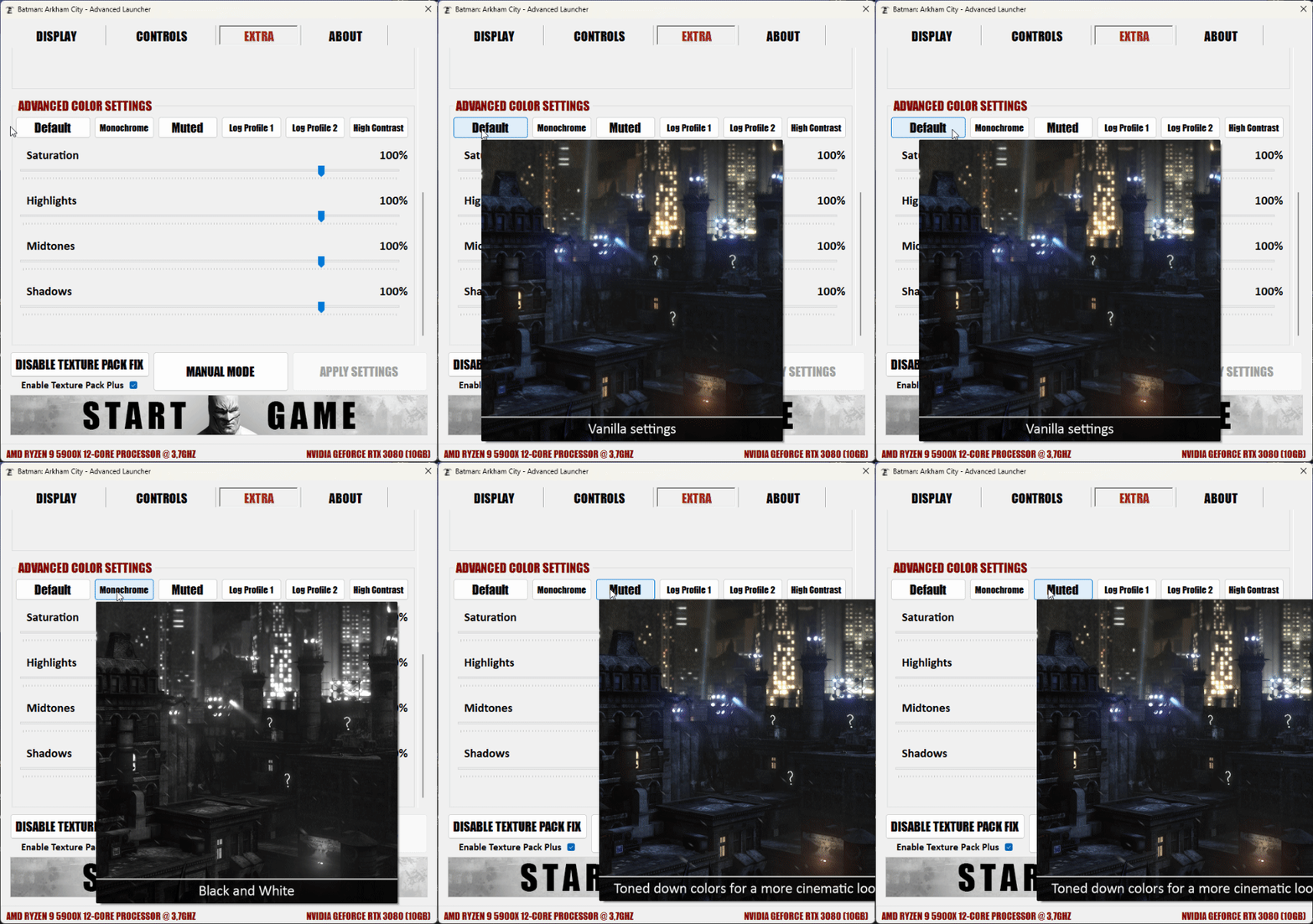
The presets and sliders in the configuration section adds control over the colors and brightness of the game without affecting UI elements. This setting can be used for improved input before injecting HDR, and for capturing cinematic screenshots. Six presets are offered with image tooltips to convey how the setting looks in-game.
1) Field of View (FoV) Options
The Advanced Launcher offers two field of view[en.wikipedia.org] options. The hotkeys and sliders are fully customizable and offer field of view options in a safe range (75-150).
2) Custom Color Settings
The presets and sliders in the configuration section adds control over the colors and brightness of the game without affecting UI elements. This setting can be used for improved input before injecting HDR, and for capturing cinematic screenshots. Six presets are offered with image tooltips to convey how the setting looks in-game.
More Graphics Mods
Arkham Knight HD Texture Pack
Arkham Origins Remastered Graphics
https://steamcommunity.com/sharedfiles/filedetails/?id=1159691355
Alien: Isolation Tweaker[www.nexusmods.com]
https://steamcommunity.com/sharedfiles/filedetails/?id=2566111310
(Neato)
https://steamcommunity.com/sharedfiles/filedetails/?id=1976626676
(GPUnity)
Arkham Origins Remastered Graphics
Alien: Isolation Tweaker[www.nexusmods.com]
https://steamcommunity.com/sharedfiles/filedetails/?id=2566111310
(Neato)
https://steamcommunity.com/sharedfiles/filedetails/?id=1976626676
(GPUnity)
FAQ & Troubleshooting
FAQ
Uninstall
To remove just the Texture Pack, use the Redux Installer's 'Restore Backup' function. For a full uninstall (Texture Pack & Advanced Launcher), delete the game and re-download it, and delete the 'Config' folder in your documents folder:
(User)\Documents\WB Games\Batman Arkham City GOTY\BmGame\Config\
The game will automatically recreate the folder when you run it.
Can you upscale the cutscenes like you did for Asylum?
Neato: You can certainly extract and upscale them, even repack them into USM[amicitia.miraheze.org] files (Arkham City, Origins and Knight use this format), but getting the game to accept the modified files is tricky. We have not yet found a way to address this.Why are the files hosted on NexusMods?
NexusMods has a download points system, which allows us to earn a bit of revenue for what are free mods. Donations are also surprisingly rare (maybe 1 in 10,000 users will donate).Will you work on more graphics mods or texture packs for the Arkham games?
GPUnity: I'm done with texture packs and i don't have any plans for other Arkham games (do not ask for an arkham origins texture pack). I want to fully focus on my career. How can i use community skin mods?
Texmod skins should be ported using the same texture tools used for the HD Texture Pack, as it allows for full DirectX 11 compatibility and keeps the textures installed in the game. https://www.nexusmods.com/batmanarkhamcity/mods/411Troubleshooting:Black textures when near an objectTextures were not installed correctly. Restore back-up and ensure the installation finishes correctly.Loading times very longDon't cap your frame rate with any external tools (Nvidia control panel, RTSS etc). Stick to the Advanced Launcher frame rate cap. Limiting the frame rate using other methods will limit loading screen frame rates and result in longer load times.The game crashes upon launchThis can be a result of incomplete installation. It's very important to let the texture pack installation process finish.
To fix this, first restore the original files. This can be done with the installer's "restore back-up" option. Run the game after restoring files to verify stability, and make sure there is at least 20gb of space available on the drive the game's installed on. Run the texture pack installation again and make sure it reaches 100% completion.Crashes loading levels in-gameDisable Physx. This is a GPU driver issue and you may need to reinstall the drivers to fix Physx compatibility.Black screen on launchDisable MSI Afterburner/Rivatuner or Steam FPS overlay.Colors look offLikely down to NvInspector. Disable DirectX 11 features in the Advanced Launcher or disable Nvinspector super-sampling.My performance drops with the Advanced LauncherIf you push the settings further over the original version, it will reduce performance. You can go back to the original settings by choosing the vanilla preset.
Physx is also a key setting which significantly lowers performance.My issue is not listedPlease keep in mind all the contents of the mod are important and should not be interfered with in any way unless you are a very advanced user. Other mods could also conflict with this mod.
Credits
Main
GPUnity - HD Texture Pack. Configuration file findings and testing,
Neato - Advanced Launcher and Redux Installer. Tested HD Texture Pack and helped manage the project.
Wasteland Ghost - Developed the texture tools (UPKUtils) which enabled importing custom textures into the game.
Additional (alphabetical)
Hybris - Auto-HDR tests.
Icemage - Color adjustments finding and Advanced Launcher testing.
Leebaldz5332 - Advanced Launcher performance testing.
Neko-san - Advanced Launcher testing on Linux.
RyanReeks - Steam Deck testing.
TrumpetMonkey - HD Texture Pack installation and stability tests.
VeryThickBoy - General mod testing.
Wastelander - Advanced Launcher testing.
GPUnity - HD Texture Pack. Configuration file findings and testing,
Neato - Advanced Launcher and Redux Installer. Tested HD Texture Pack and helped manage the project.
Wasteland Ghost - Developed the texture tools (UPKUtils) which enabled importing custom textures into the game.
Additional (alphabetical)
Hybris - Auto-HDR tests.
Icemage - Color adjustments finding and Advanced Launcher testing.
Leebaldz5332 - Advanced Launcher performance testing.
Neko-san - Advanced Launcher testing on Linux.
RyanReeks - Steam Deck testing.
TrumpetMonkey - HD Texture Pack installation and stability tests.
VeryThickBoy - General mod testing.
Wastelander - Advanced Launcher testing.
More Batman: Arkham City GOTY guides
- Unlock DLC Skins During First Playthrough★ 5 (876)38k views1.2k ♥1 minUpdated May 3, 2015
- 100% Achievement Guide: Batman - Arkham City Part 1★ 5 (885)32k views2.5k ♥200 minUpdated May 8
- Batman: Arkham City GOTY - Гайд по достижениям★ 5 (1.8k)31k views2.4k ♥7 minRussianUpdated Jul 18, 2017
- Batman: Arkham City. Путеводитель по загадкам Риддлера★ 5 (1.3k)29k views1.8k ♥12 minRussianUpdated Oct 10, 2016
- Путеводитель по достижениям в игре★ 5 (1.5k)26k views1.9k ♥6 minRussianUpdated Oct 22, 2016
- The Riddler's Secrets Map for Arkham City★ 5 (746)25k views1.7k ♥1 min


This guide was created by its original author on the Steam Community. Are you the author and want it removed? Request removal.