COUNTER STRIKE: CONDITION ZERO DELETED SCENES ERROR
You installed CS: CZ DS and don't working.
Ok. Don't be scared. If this error will show to you, it's not aproblem.
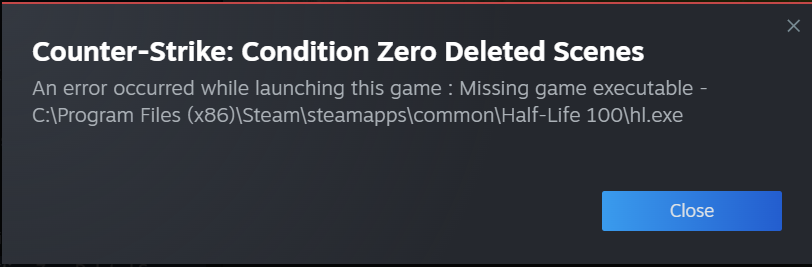
1. Try to close steam. It's really important that thing, because you don't want to do some problems with another Half-Life bassed games.
2. You need to be sure you have Counter Strike Condition Zero Deleted Scenes installed! For this go to .../Steam/steamapps/common, and you need to see a folder with name [Half-Life 100]
3. Open [Half-Life 100] folder, and you will see [czeror] folder. Cut folder or drag in Half-Life folder!
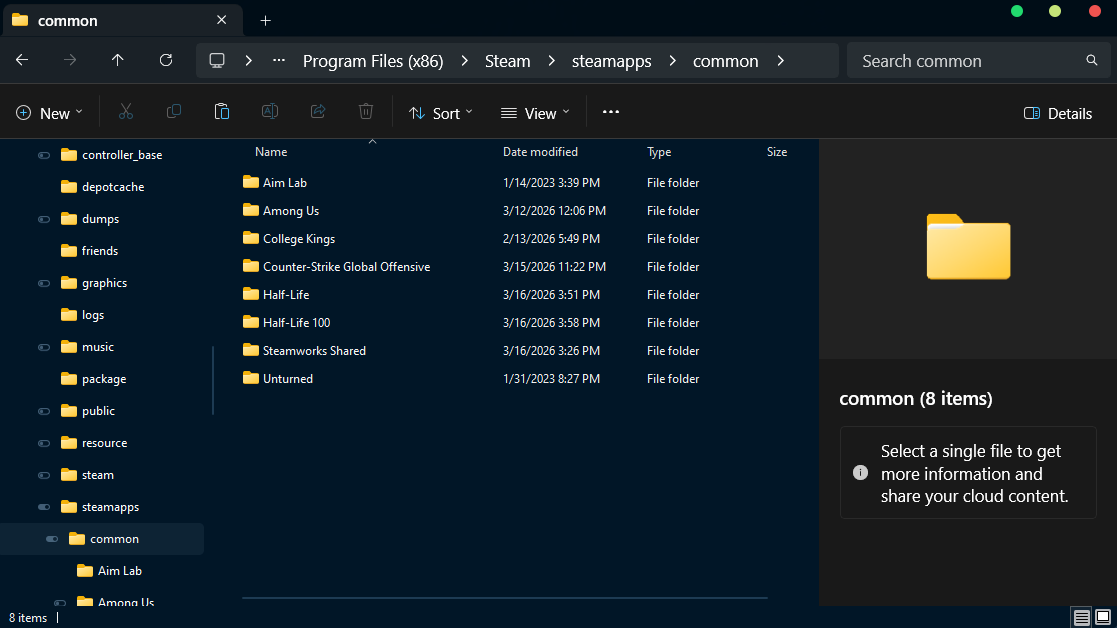
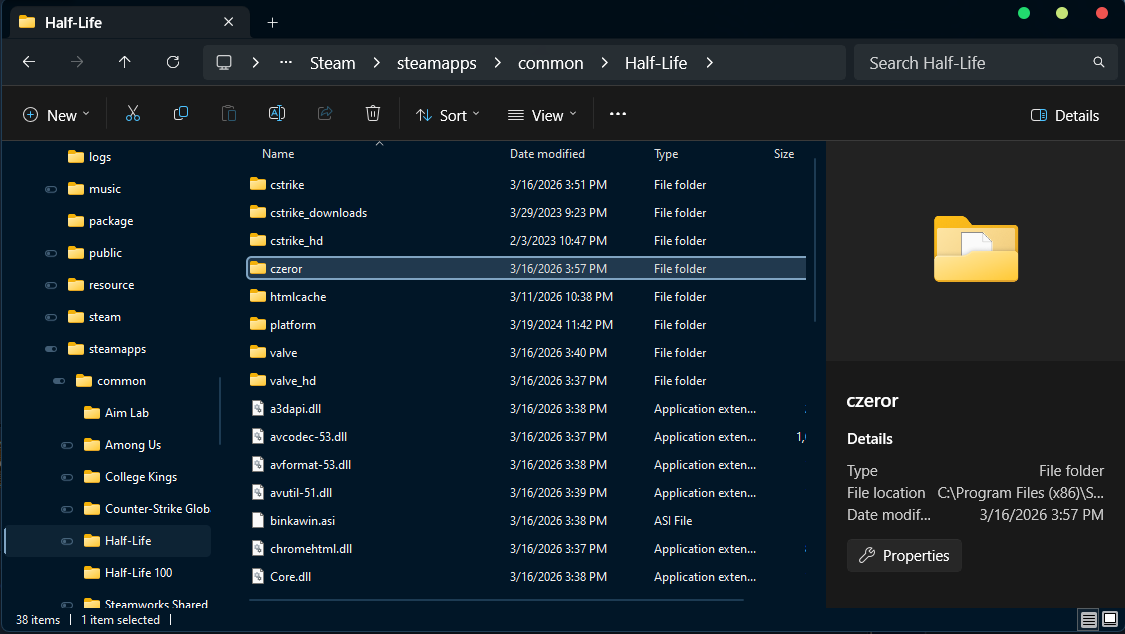
4. Delete your [Half-Life 100] folder. Steam is off, but it will think you need to reinstall the game, or verify integrity files.
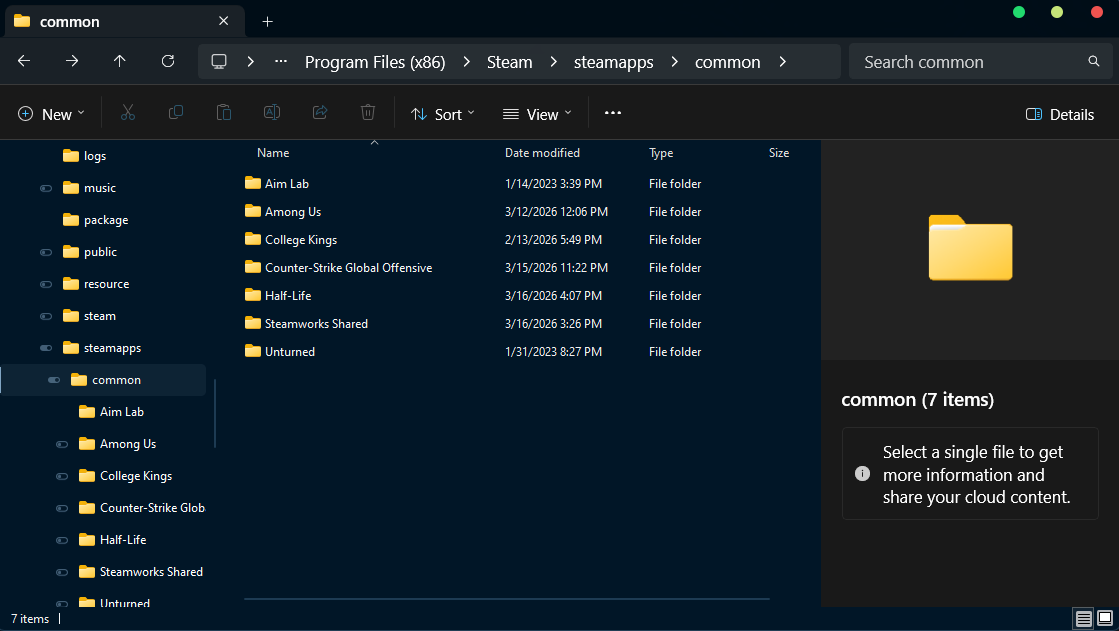
5. In your Steam folder, exatly -> ../Steam/steamapps/, you will see some [acf] files. You need to search [appmanifest_100.acf].
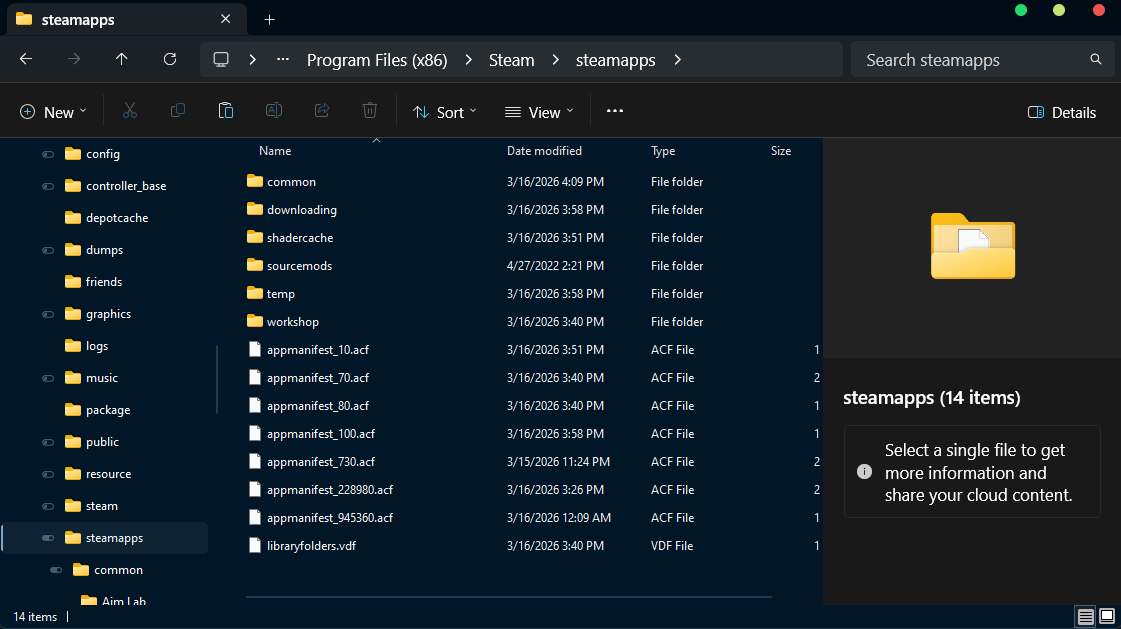
6. Right-click on this, and open with notepad, or any software to edit.
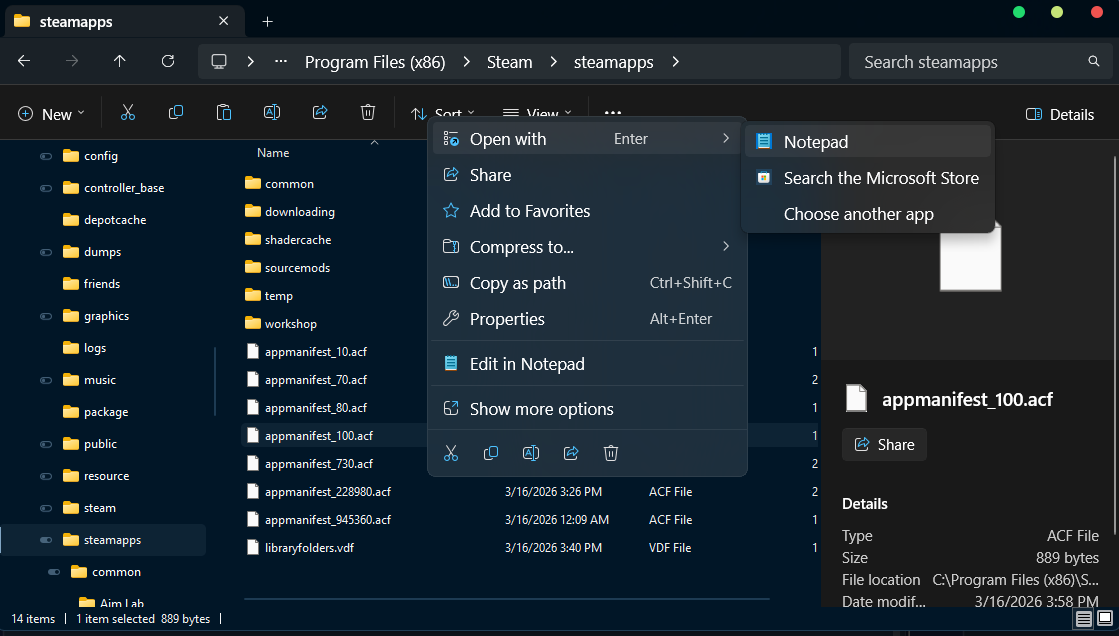
7.The notepad/software it's open, press CTRL+find and search [installdir]. Change from "Half-Life 100" to "Half-Life". Then, save it. If you open again and it's not changed: 1. Close Steam and retry. 2. Save as [.txt] in the same folder, then, delete [.acf] file, and rename [.txt] into [.acf] one!
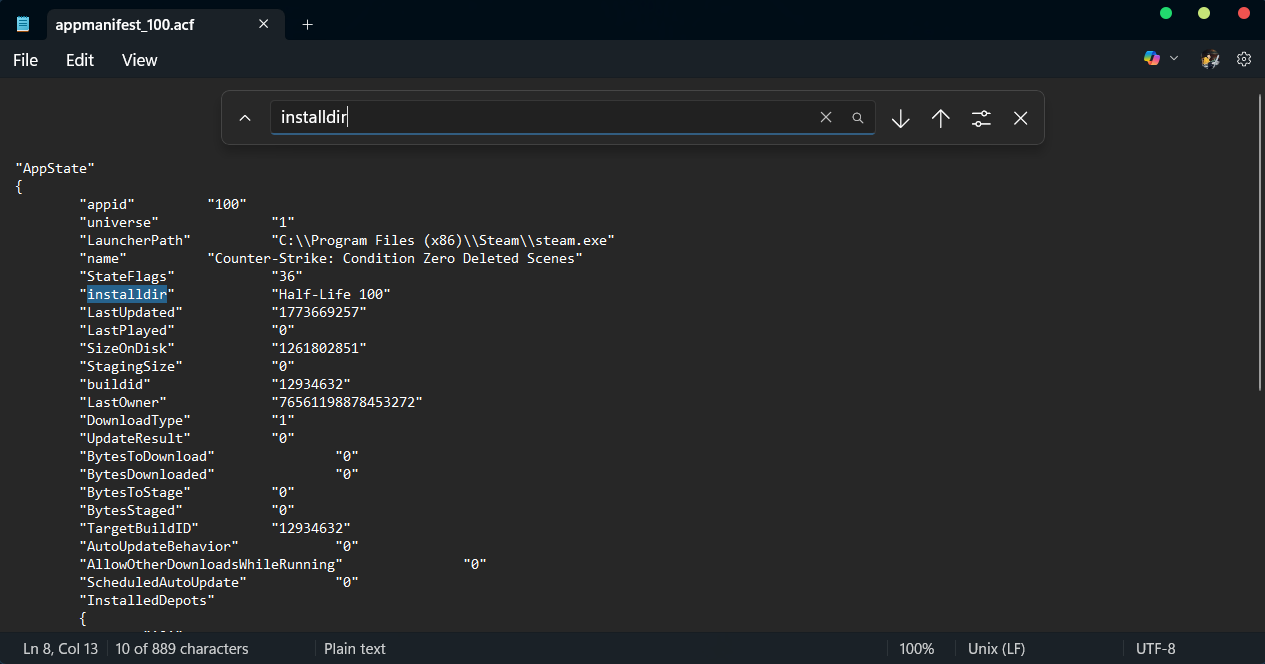
8. Open Steam. Go to the Counter Strike Condition Zero Deleted Scenes, and open Properties.
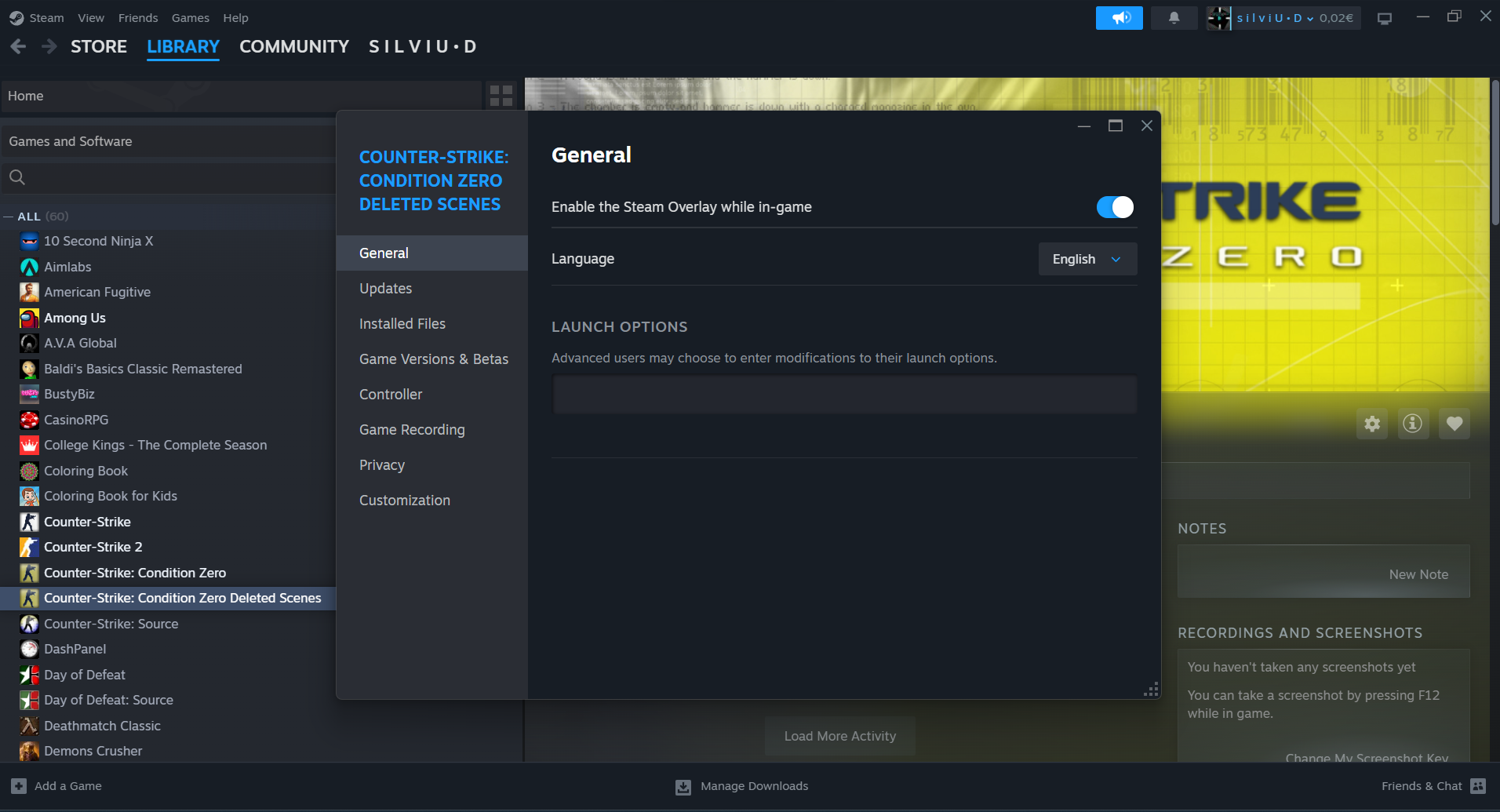
9. On [boot option], type [“-game czeror”] (with the ““!).
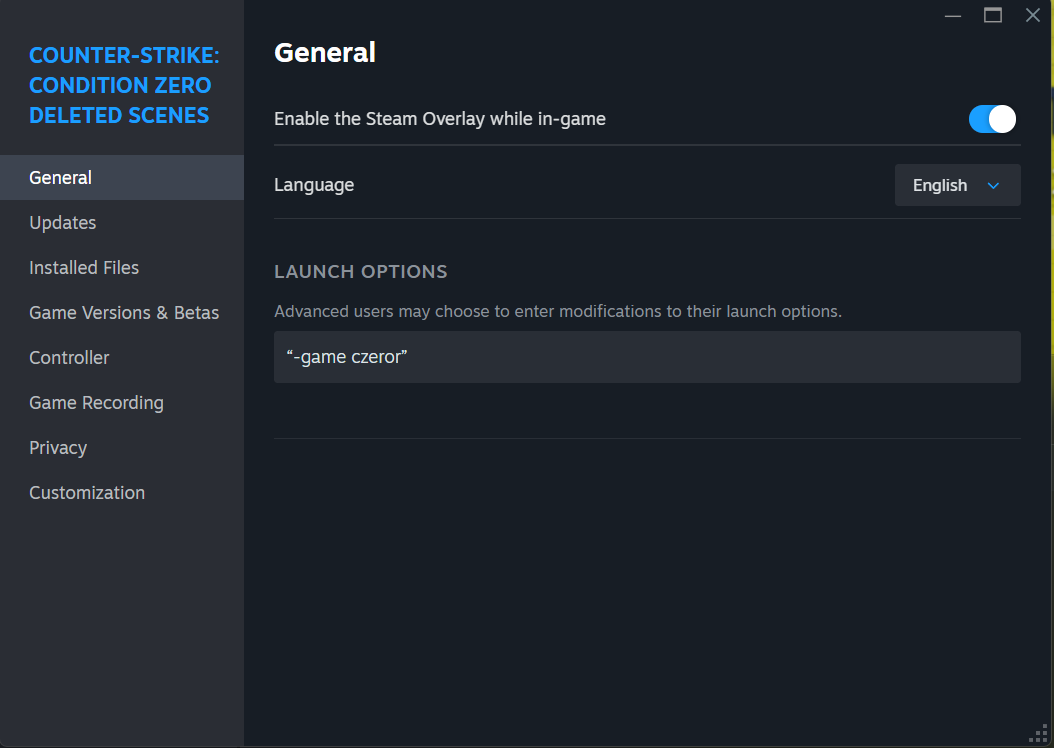
10. Open, and enjoy the game!
GL & HF ALL!
1. Try to close steam. It's really important that thing, because you don't want to do some problems with another Half-Life bassed games.
2. You need to be sure you have Counter Strike Condition Zero Deleted Scenes installed! For this go to .../Steam/steamapps/common, and you need to see a folder with name [Half-Life 100]
3. Open [Half-Life 100] folder, and you will see [czeror] folder. Cut folder or drag in Half-Life folder!
4. Delete your [Half-Life 100] folder. Steam is off, but it will think you need to reinstall the game, or verify integrity files.
5. In your Steam folder, exatly -> ../Steam/steamapps/, you will see some [acf] files. You need to search [appmanifest_100.acf].
6. Right-click on this, and open with notepad, or any software to edit.
7.The notepad/software it's open, press CTRL+find and search [installdir]. Change from "Half-Life 100" to "Half-Life". Then, save it. If you open again and it's not changed: 1. Close Steam and retry. 2. Save as [.txt] in the same folder, then, delete [.acf] file, and rename [.txt] into [.acf] one!
8. Open Steam. Go to the Counter Strike Condition Zero Deleted Scenes, and open Properties.
9. On [boot option], type [“-game czeror”] (with the ““!).
10. Open, and enjoy the game!
GL & HF ALL!
If the first steps don't works!
From a Steam user, https://steamcommunity.com/profiles/76561197974105151, Max, i discovered something! If you change the version of game, it's chances to work, if the first step don't work for your PC.
And, you need to:
Step 1. Go to Library > Counter Strike: Condition Zero Deleted Scenes
Step 2. Go to Properties... (*right-click on the name-game)
Step 3. Go to [Game Versions & Betas] and change to [beta] or [steam_legacy - "Pre - 25 Anniversary Build"].
That's all! For more info please comment, and i will help you!
And, you need to:
Step 1. Go to Library > Counter Strike: Condition Zero Deleted Scenes
Step 2. Go to Properties... (*right-click on the name-game)
Step 3. Go to [Game Versions & Betas] and change to [beta] or [steam_legacy - "Pre - 25 Anniversary Build"].
That's all! For more info please comment, and i will help you!
More Counter-Strike: Condition Zero Deleted Scenes guides
- Немного о Deleted Scenes★ 5 (403)21k views262 ♥2 minRussianUpdated Feb 24, 2013
- Читы для Counter Strike: Condition Zero Deleted Scenes★ 4 (152)10k views170 ♥1 minRussianUpdated Dec 28, 2016
- [RUS]Прохождение CS:CZ Deleted Scenes★ 4 (147)9.6k views163 ♥20 minRussianUpdated May 25, 2020
- [RUS]Установка и запуск доп. миссий★ 4 (157)7.5k views262 ♥2 minRussianUpdated Sep 29, 2019
- All secrets and hidden items★ 4 (126)6.8k views213 ♥20 min
- Easter Eggs ● Secrets ● Bugs ● Glitches - Counter Strike Condition Zero Deleted Scenes★ 4 (104)6.1k views135 ♥10 minUpdated Jan 15, 2017


This guide was created by its original author on the Steam Community. Are you the author and want it removed? Request removal.