Dark Souls 2 Offline Mode
Introduction
Welcome to a guide on blocking the online connection for Dark Souls 2 using the Windows Firewall. By following these steps, you can restrict online features.
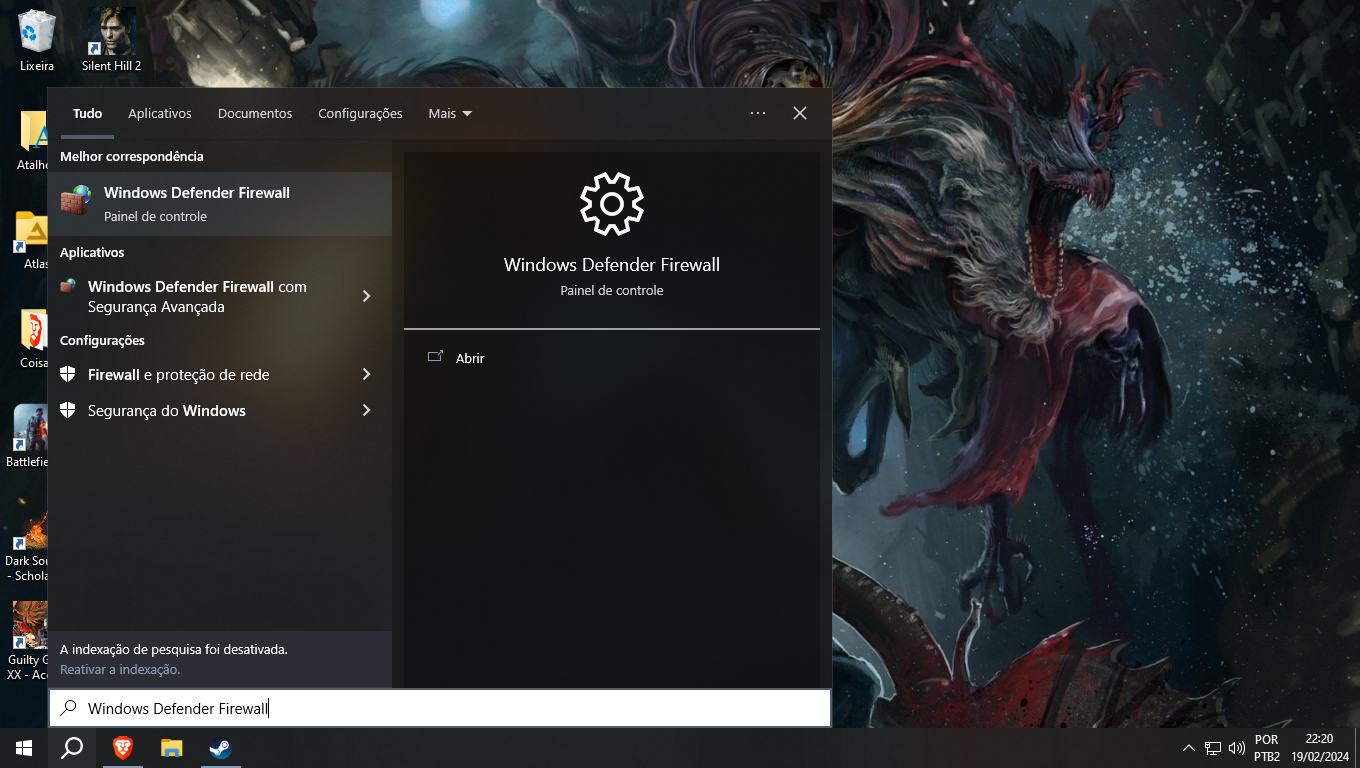
1. Access Firewall Settings
- Press the Windows key + S to open the search bar.
- Type "Windows Defender Firewall" and select it.
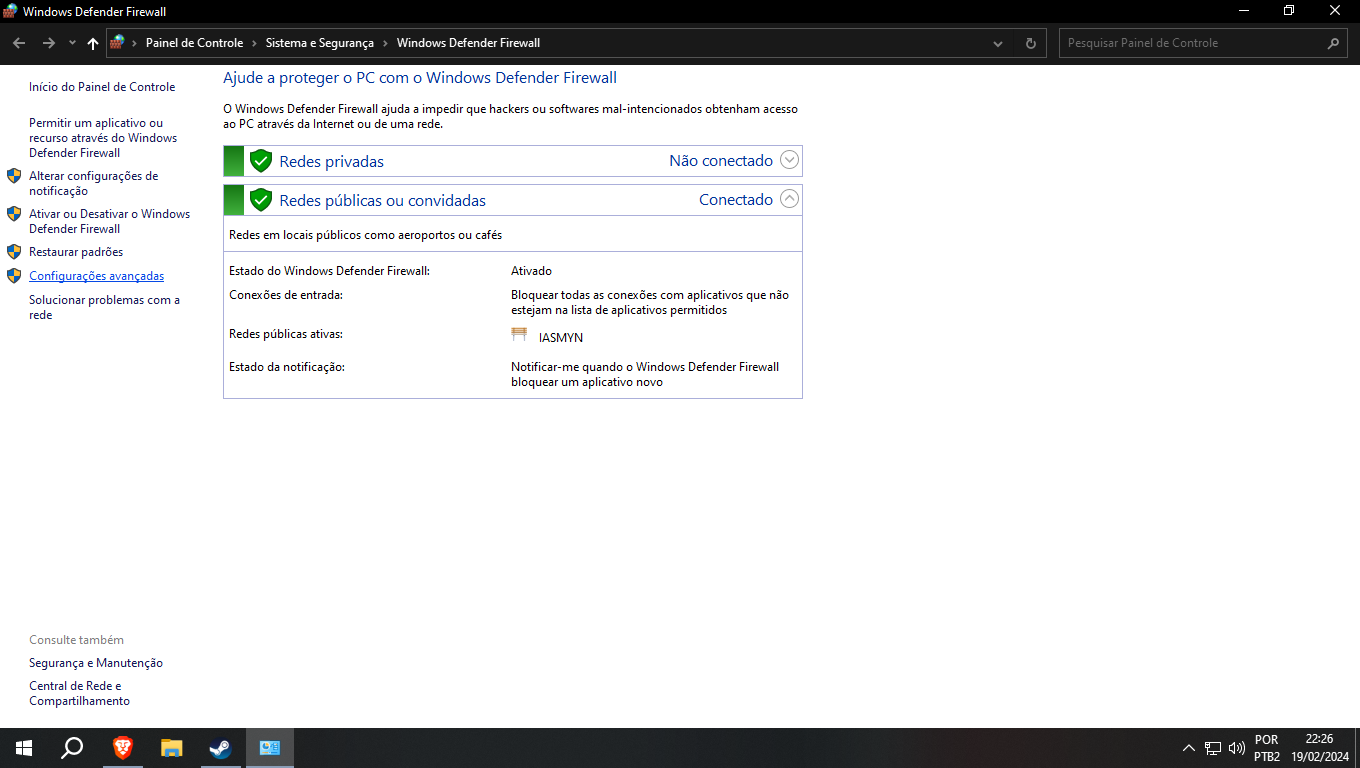
2. Access Advanced Settings
- On the left panel, click on "Advanced settings."
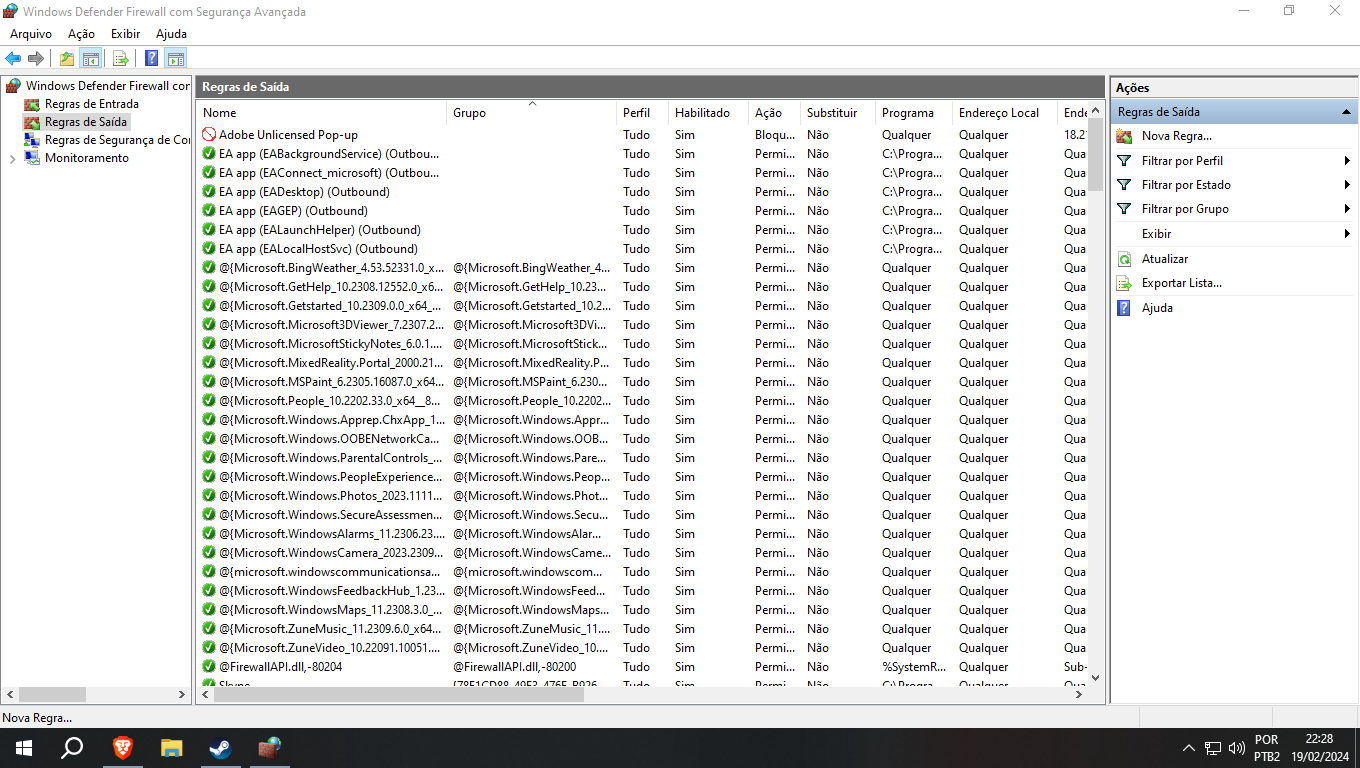
3. Create a New Outbound Rule
- In the left panel, click on "Outbound Rules."
- In the right panel, right-click and choose "New Rule..."
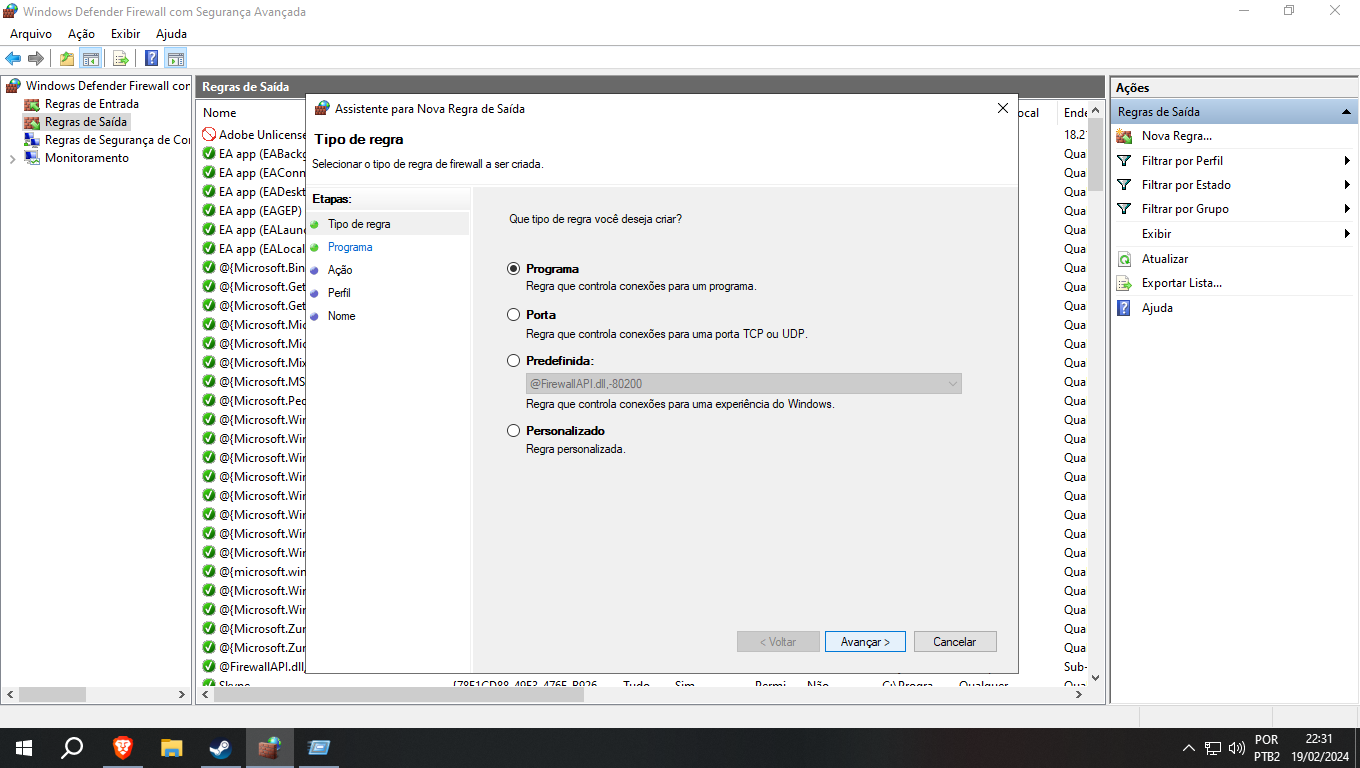
4. Choose Rule Type
- Select "Program" and click "Next."
5. Specify the Program
- Choose "This program path" and click "Browse..."
- Navigate to the Dark Souls 2: Scholar of the First Sin executable and select it.
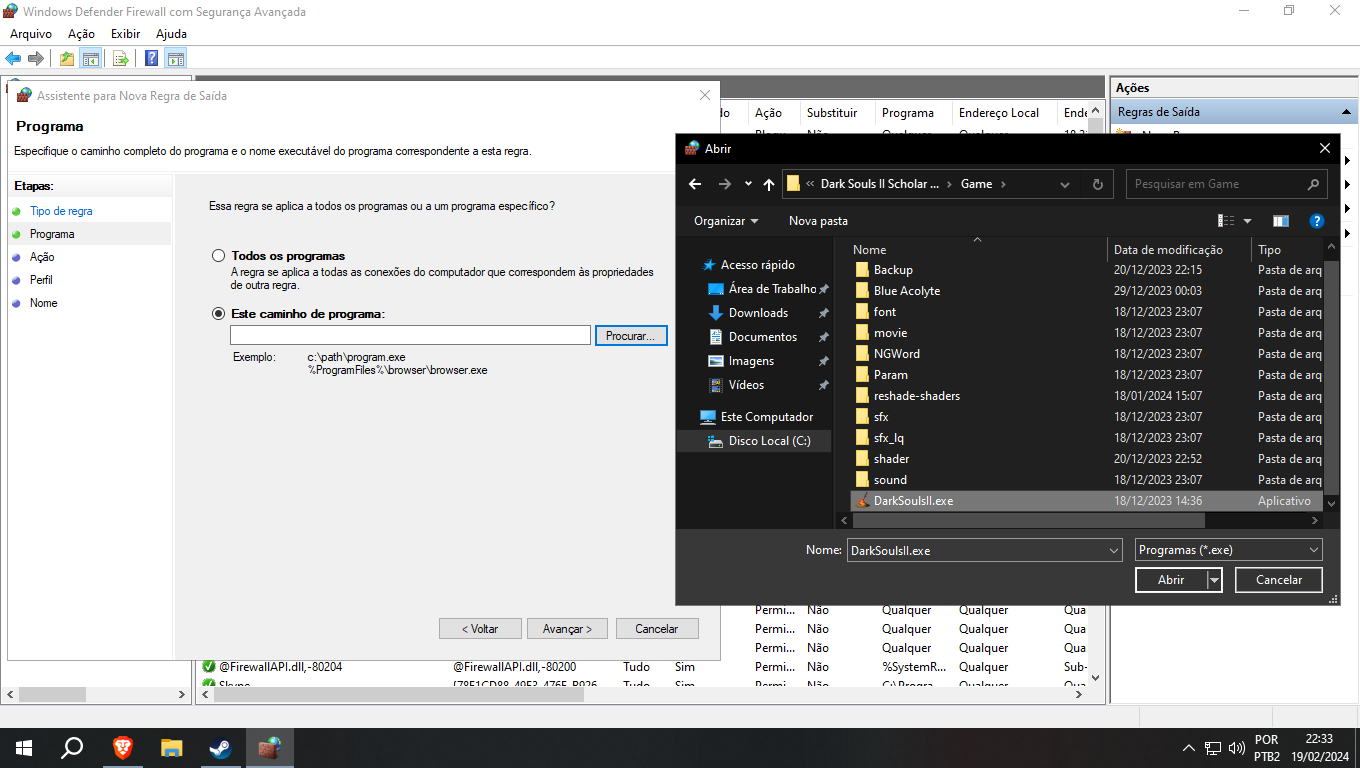
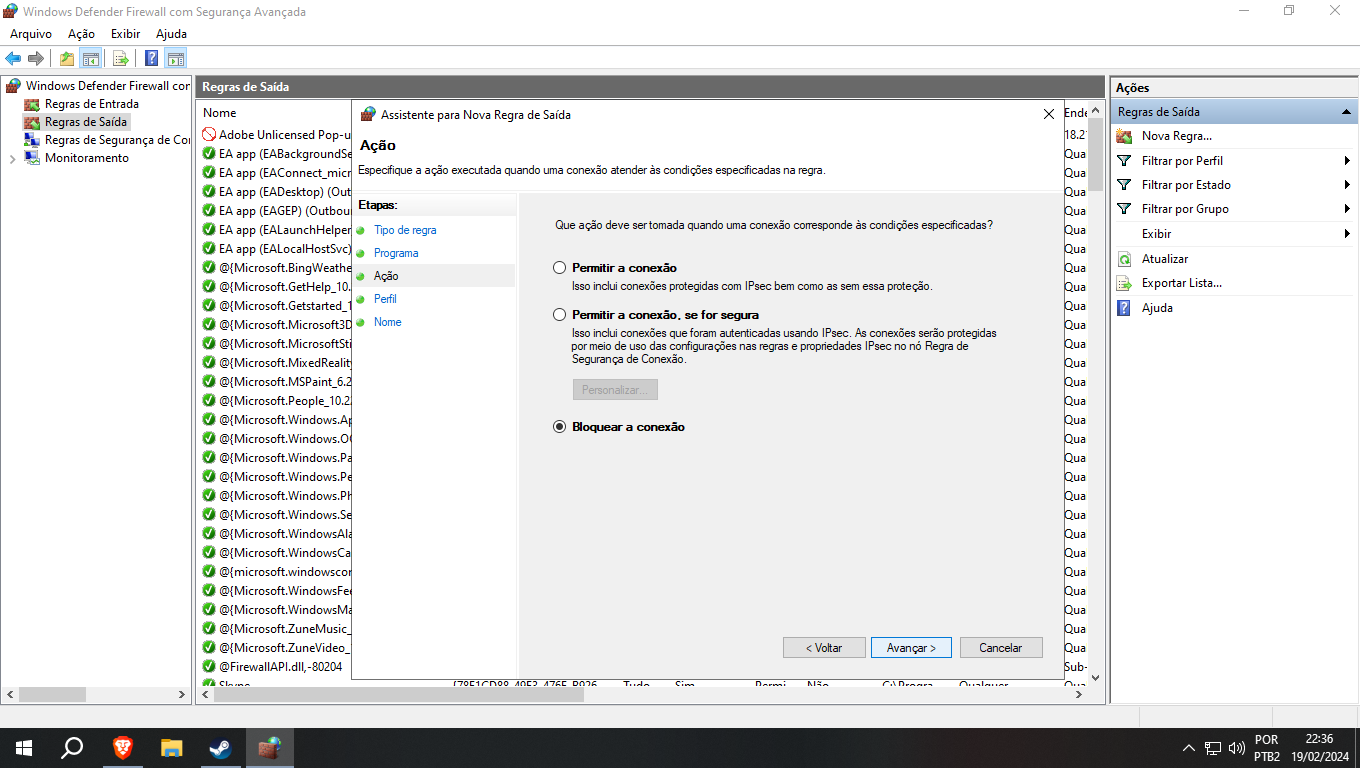
6. Specify the Action
- Choose "Block the connection" and click "Next."
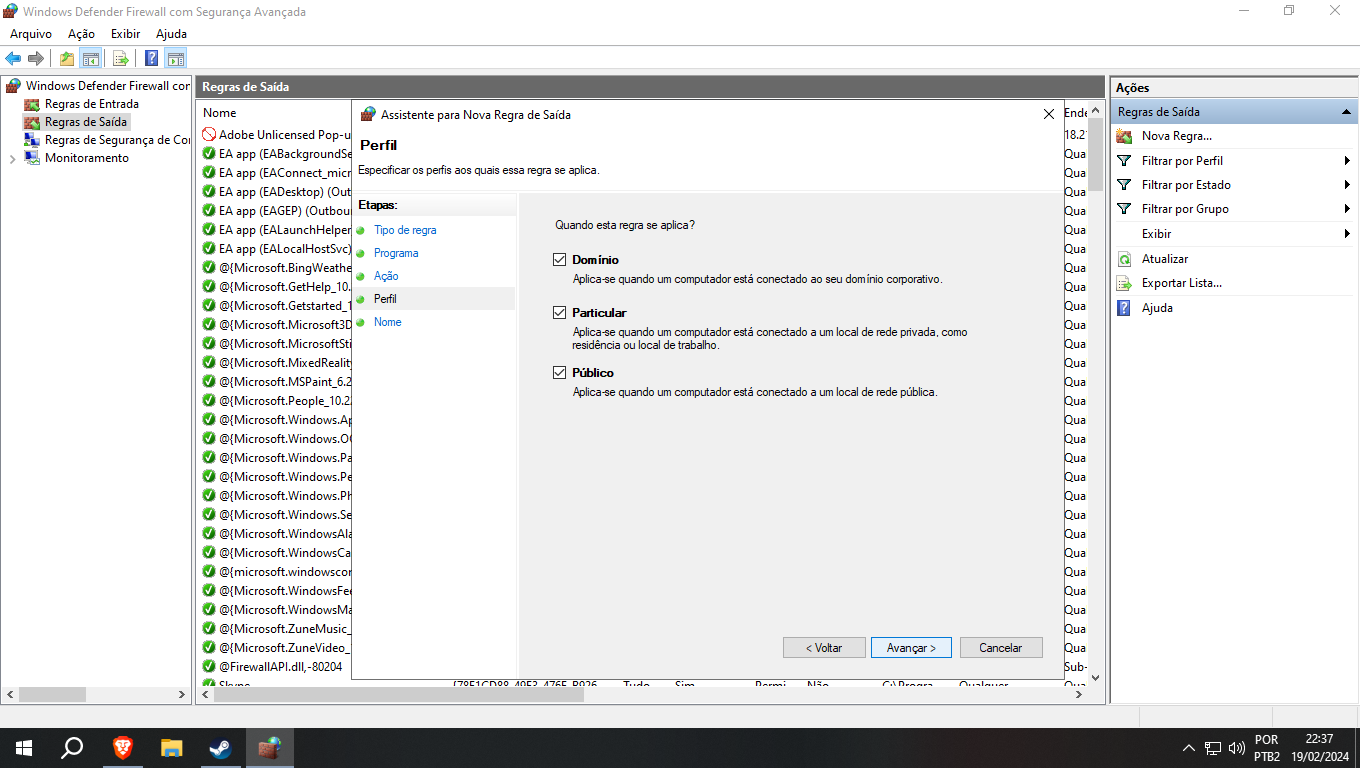
7. Specify When to Apply the Rule
- Choose all options.
- Click "Next."
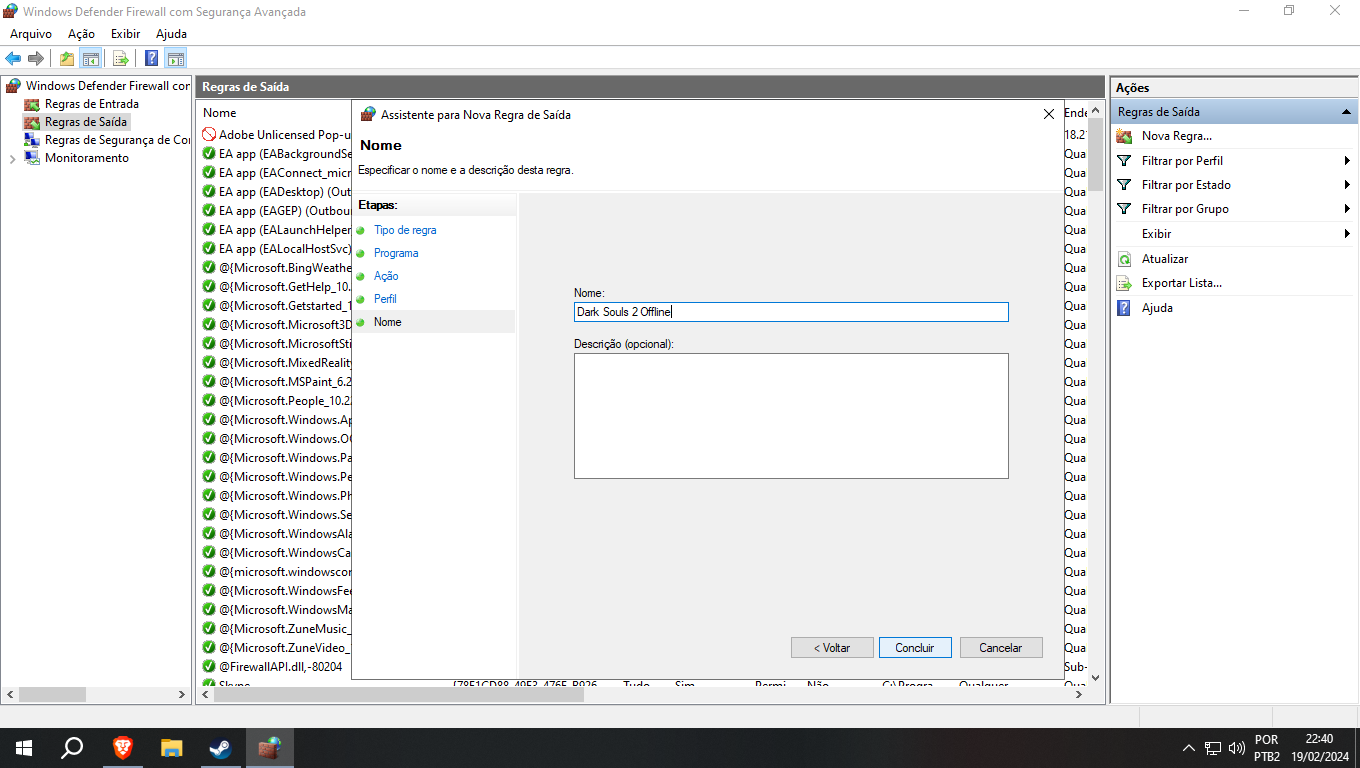
8. Name the Rule
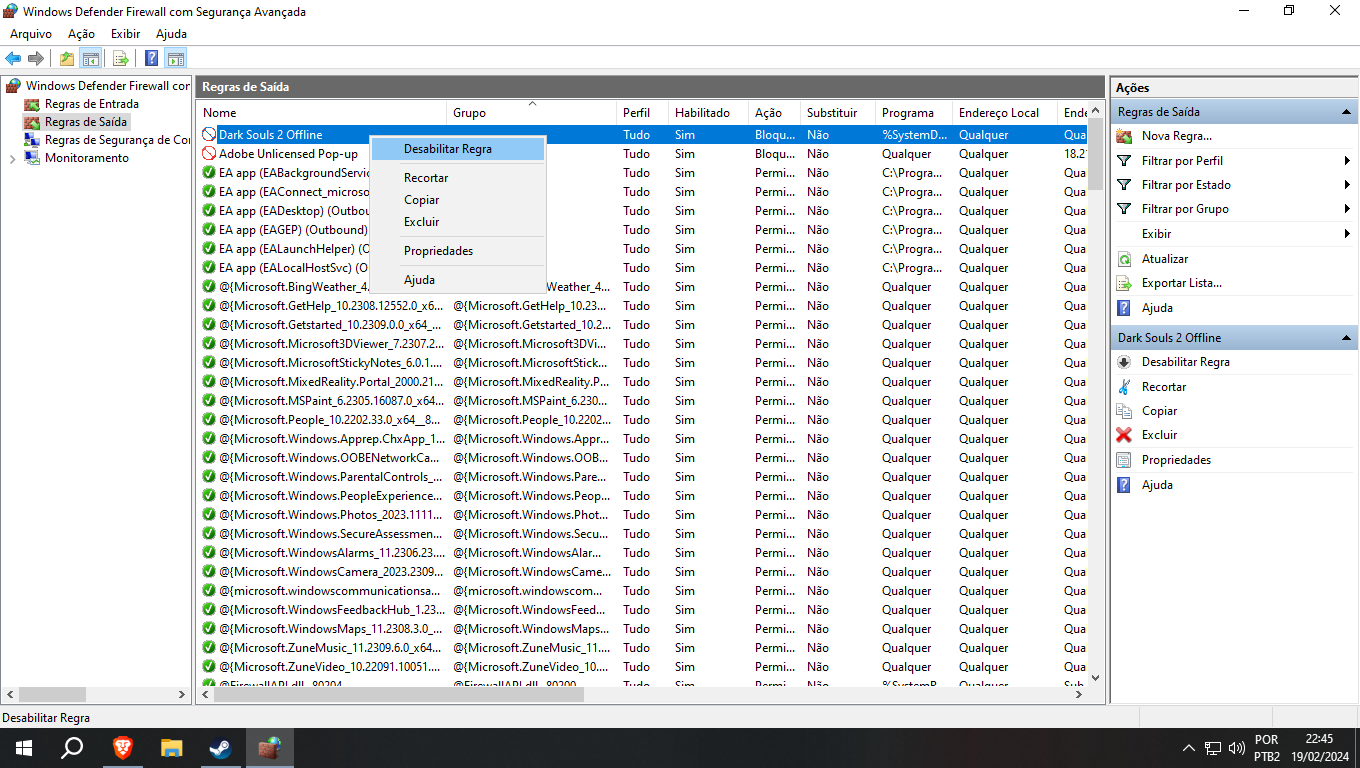
- Enter a descriptive name for the rule, like "Dark Souls 2 Offline" and click "Finish."
All done :)
Now, the rule is set, blocking online connections for Dark Souls 2. To revert, go to Windows Firewall, find the rule, and disable when nedeed.
More DARK SOULS™ II: Scholar of the First Sin guides
- Dark Souls II: Scholar of the First Sin 100% Achievement Guide★ 5 (2.5k)56k views4.6k ♥81 minUpdated 28 Nov, 2021
- 100% Achievement Guide: Dark Souls 2 - SotFS★ 5 (1.8k)42k views5.1k ♥94 minUpdated 8 May
- Пошаговое получение всех достижений★ 5 (2k)30k views3.7k ♥28 minRussianUpdated 6 Dec, 2022
- Достижения DARK SOULS™ II: Scholar of the First Sin★ 5 (981)28k views1.8k ♥28 minRussianUpdated 2 May, 2020
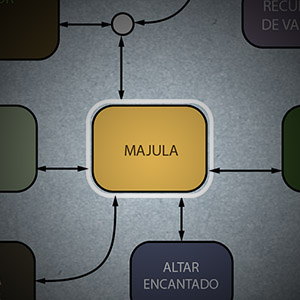
- Mapa Orientativo - DARK SOULS II - Map★ 5 (728)22k views766 ♥1 minUpdated 6 Apr, 2017
- Настройки управления: клавиатура+мышь - это удобно★ 5 (346)20k views650 ♥2 minRussianUpdated 17 Jun, 2022




🔥 Popular guides
- Upgrading to PremiumTeam Fortress 2★ 5 (20k)1441k views11k ♥6 minUpdated May 11, 2022
- No More Room in Hell Official ManualNo More Room in Hell★ 5 (2.8k)569k views2.1k ♥29 minUpdated Apr 22, 2019
- NMRiH Community Hosting GuidesNo More Room in Hell★ 5 (526)351k views653 ♥1 minUpdated Aug 10, 2022
- ULTIMATE GUIDE FOR GAME DEV TYCOONGame Dev Tycoon★ 5 (5.8k)326k views10k ♥4 minUpdated 23 Jan, 2014
- How to 'Git Gud' Soon™MORDHAU★ 5 (2k)318k views3k ♥68 minUpdated Nov 16, 2024
- Лучшие кооперативные игры SteamPAYDAY 2★ 5 (1.5k)315k views2.1k ♥56 minRussianUpdated Apr 27, 2025






This guide was created by its original author on the Steam Community. Are you the author and want it removed? Request removal.