Disable Gold Weapons / Enable Gold Weapons / Add Special Weapons
Tutorial
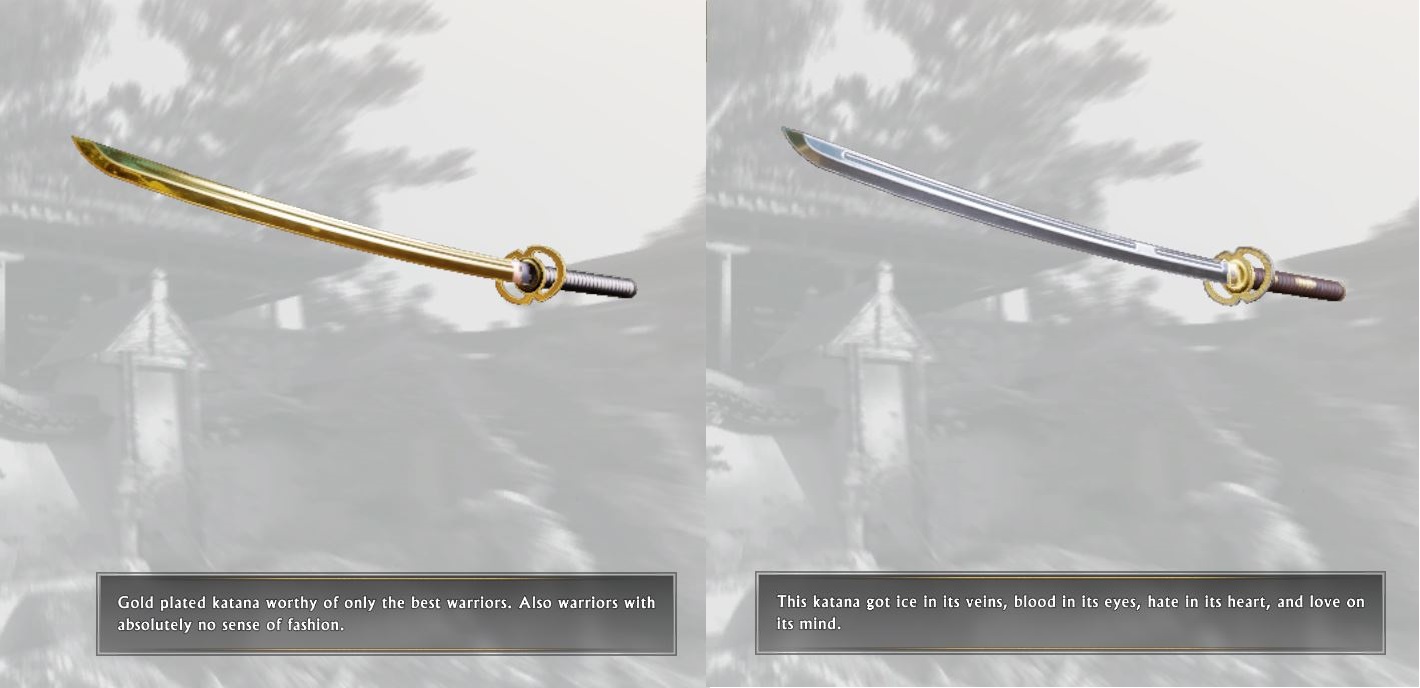
If anyone wants to add or switch gold weapons to base or the other way around, i just bought the deluxe version and found a way to add gold and base and switch between gold and base.
If your game is open go to the Mainmenu.
Always make backups just in case.
Go to : C:\Users\"your user name"\Saved Games\Flying Wild Hog\Shadow Warrior 2\profiles\steam_"bunch of numbers"\"your save file (for example 1)"
Take the "save_auto.bin" file and rename it to "save_auto.zip"
Extract the zip file with Winrar/7Zip
edit the "bin" file inside with Notepad++ or a different editor.
To change the weapons search for:
item = @"melee_katana_sw"
and
item = @"uzi_sw"
Remove the _sw to get the normal weapons, add _sw to get the gold weapons.
To add weapons to your inventory search for
W99 =
[
Notice if you start with a fresh save, that you got to have Weapons in your Inventory, not the Weapon selection. So Deselect weapons to add them in your inventory if you are missing the "W99="
You could also add the Weapons to your Weapon selection directly but i found it more usefull to add them to your inventory.
add these lines for different weapons:
{
CurrentClip = 0.0,
Upgrades =
{
},
item = @"melee_katana",
},
{
CurrentClip = 90.0,
InventorySeen = true,
Upgrades =
{
},
item = @"uzi_sw",
},
{
CurrentClip = 0.0,
Upgrades =
{
},
item = @"melee_katana_sw",
},
{
CurrentClip = 90.0,
InventorySeen = true,
Upgrades =
{
},
item = @"uzi",
},
{
CurrentClip = 0.0,
InventorySeen = true,
Upgrades =
{
},
item = @"chainsaw_sword_preorder",
},
Open the zip file with winrar and override the bin file or pack the files into a zip file.
Rename the "save_auto.zip" to "save_auto.bin"
Enjoy
- List of all weapons and their drop locations.★ 5 (768)36k views1.2k ♥4 minUpdated 9 Feb, 2020
- 50+ Secrets in Shadow Warrior 2★ 5 (798)20k views1.1k ♥5 minUpdated 18 Oct, 2020
- Shadow Warrior 2 | Secrets and Easter Eggs★ 5 (468)16k views662 ♥6 minUpdated 9 Apr, 2017
- Secrets(all the statues) and Easter eggs | Секреты(Все Статуи) и Пасхалки★ 5 (508)14k views495 ♥23 minRussianUpdated 2 Aug, 2024
- 100% Achievements★ 5 (428)14k views674 ♥8 minUpdated 15 Nov, 2016
- Shadow Warrior 2 DLC ♥♥♥♥♥♥♥♥♥♥★ 5 (195)13k views197 ♥1 minUpdated 7 Aug, 2020


- Upgrading to PremiumTeam Fortress 2★ 5 (20k)1441k views11k ♥6 minUpdated May 11, 2022
- No More Room in Hell Official ManualNo More Room in Hell★ 5 (2.8k)569k views2.1k ♥29 minUpdated Apr 22, 2019
- NMRiH Community Hosting GuidesNo More Room in Hell★ 5 (526)351k views653 ♥1 minUpdated Aug 10, 2022
- ULTIMATE GUIDE FOR GAME DEV TYCOONGame Dev Tycoon★ 5 (5.8k)326k views10k ♥4 minUpdated 23 Jan, 2014
- How to 'Git Gud' Soon™MORDHAU★ 5 (2k)318k views3k ♥68 minUpdated Nov 16, 2024
- Лучшие кооперативные игры SteamPAYDAY 2★ 5 (1.5k)315k views2.1k ♥56 minRussianUpdated Apr 27, 2025






This guide was created by its original author on the Steam Community. Are you the author and want it removed? Request removal.