Dragon's Dogma ENB on AMD (5000 and 6000 series) fix
Let's do stuff.
As you may know ENB doesn't really work with modern AMD cards, particularly 5000 and 6000.
Sometimes AMD fixes d3d9 injection in their drivers but most of the times the best you can get is black screen with game cursor. That's it.
After trying messing around different solutions nothing really worked for me (I have 6600 XT) but I managed to get it working.
It's not perfect, there are some performance drops and stuttering but at least it works now.
-----------------------
TESTED ON ADRENALINE 23.5.2 DRIVERS
-----------------------
You need:
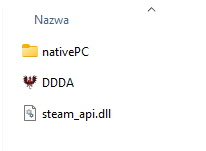
- DXVK from github: https://github.com/doitsujin/dxvk/releases
[Update: you can also use async version for slightly better performance. Also from Github: https://github.com/Sporif/dxvk-async/releases] - Enb mod you want (wickfutENB in my case)
- Enb wrapper version that your enb installation require.
[Update: Link added: http://enbdev.com/download_mod_dragonsdogma.htm]
Steps:
1. Install ENB wrapper so it looks like this: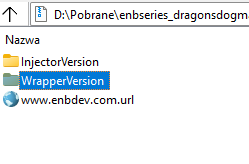
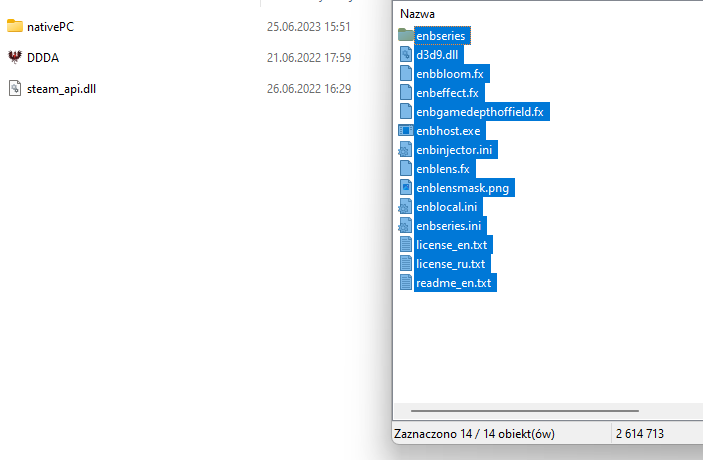
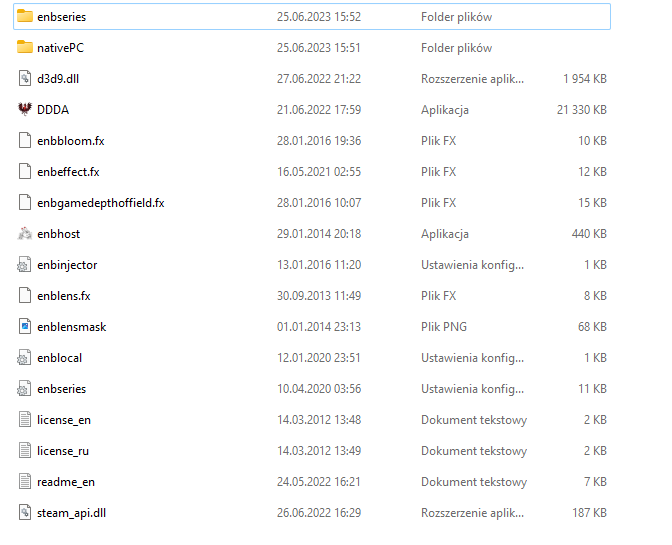
- Install ENB mod and override if prompted.
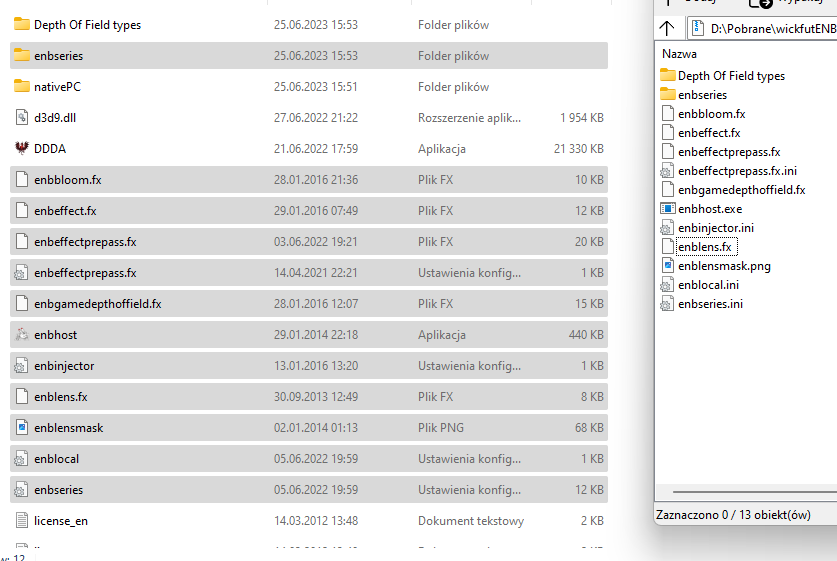 3. Extract d3d9.dll from x32 folder inside DXVK archive somewhere else like desktop for example and rename it to something else like d9vk.dll then paste it to the game folder.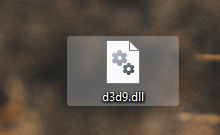
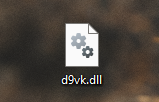
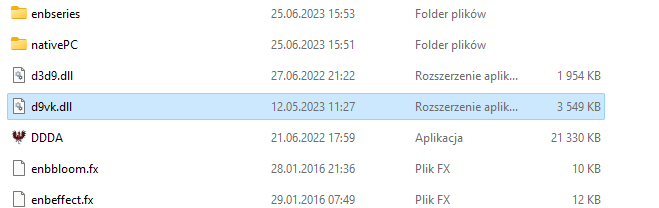 4. Edit enblocal.ini so PROXY section looks like this and save: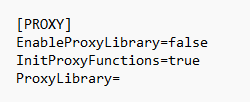
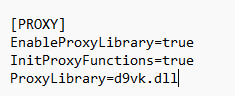
[PROXY]
EnableProxyLibrary=true
InitProxyFunctions=true
ProxyLibrary=d9vk.dll
- Boot the game (it may take a while for load up)
- ENJOY :)
Legacy previous text version.
As you may know ENB doesn't really work with modern AMD cards, particularly 5000 and 6000.
Sometimes AMD fixes d3d9 injection in their drivers but most of the times the best you can get is black screen with game cursor. That's it.
After trying messing around different solutions nothing really worked for me (I have 6600 XT) but I managed to get it working.
It's not perfect, there are some performance drops and stuttering but at least it works now.
-----------------------
TESTED ON ADRENALINE 22.5.2 DRIVERS
-----------------------
You need:
- Clean installation of DDAA (you can use texture mods, just make sure your main game folder only has nativePC folder, steam_api.dll and DDDA.exe)
- DXVK from github: https://github.com/doitsujin/dxvk/releases
- Enb mod you want
- Enb wrapper that your enb installation require.
Steps:
- Install ENB wrapper
- Install ENB mod and override if prompted.
- Extract d3d9.dll from x32 folder inside DXVK archive somewhere else like desktop for example and rename it to something else like d9vk.dll then paste it to the game folder.
- Edit enblocal.ini so PROXY section looks like this and save:
[PROXY]
EnableProxyLibrary=true
InitProxyFunctions=true
ProxyLibrary=d9vk.dll
- Boot the game (it may take a while for load up)
- ENJOY :)
- Hero Achievement and Missable Quests Guide★ 5 (3.5k)58k views7.1k ♥30 minUpdated Aug 2, 2016
- Dragon's Dogma: Dark Arisen. Getting started 101 and "did you know's?"★ 5 (918)53k views1.1k ♥17 minUpdated Jan 20, 2016
- The Arisen's Handbook: A Guide to Adventuring in Gransys★ 5 (1.7k)42k views3.4k ♥91 minUpdated Oct 8, 2023
- The Guide to Vocations and Skills★ 5 (806)42k views1.9k ♥86 minUpdated Jan 1, 2020
- Chronological Quest Guide for dd:da★ 5 (779)33k views2k ♥54 minUpdated Jul 5, 2023
- Vocations, Strengths and Weaknesses, all Part of a Whole - Writings of an Aged Arisen★ 5 (575)32k views873 ♥33 minUpdated Jan 3, 2021



- Upgrading to PremiumTeam Fortress 2★ 5 (20k)1441k views11k ♥6 minUpdated May 11, 2022
- No More Room in Hell Official ManualNo More Room in Hell★ 5 (2.8k)569k views2.1k ♥29 minUpdated Apr 22, 2019
- NMRiH Community Hosting GuidesNo More Room in Hell★ 5 (526)351k views653 ♥1 minUpdated Aug 10, 2022
- ULTIMATE GUIDE FOR GAME DEV TYCOONGame Dev Tycoon★ 5 (5.8k)326k views10k ♥4 minUpdated 23 Jan, 2014
- How to 'Git Gud' Soon™MORDHAU★ 5 (2k)318k views3k ♥68 minUpdated Nov 16, 2024
- Лучшие кооперативные игры SteamPAYDAY 2★ 5 (1.5k)315k views2.1k ♥56 minRussianUpdated Apr 27, 2025






This guide was created by its original author on the Steam Community. Are you the author and want it removed? Request removal.