Fallout 3 only counting hours in the launcher?
The fix
So, you launch fallout 3 but you notice you are showing just as online on steam after the launcher and steam overlay doesn't work, you've come to the right place
How do i know if my Fallout 3 isn't launching properly?
Launch fallout 3 and load to the main menu, if you alt tab out and it looks like the image below then its not launching properly
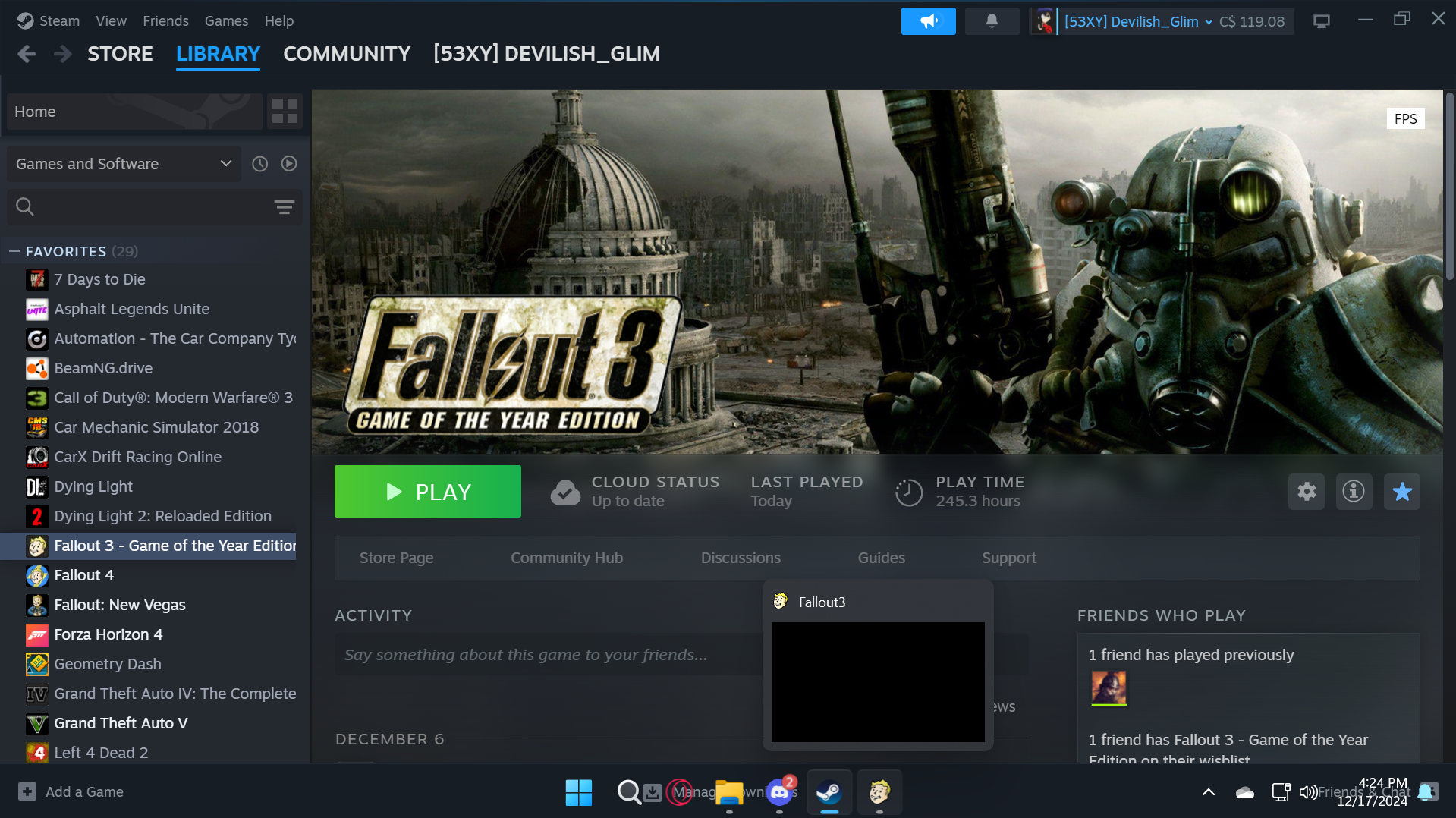
Now if you wanted to count your hours but are lazy you could just click launch again and keep the launcher running in the background as demonstrated below with 2 instances of f3 running
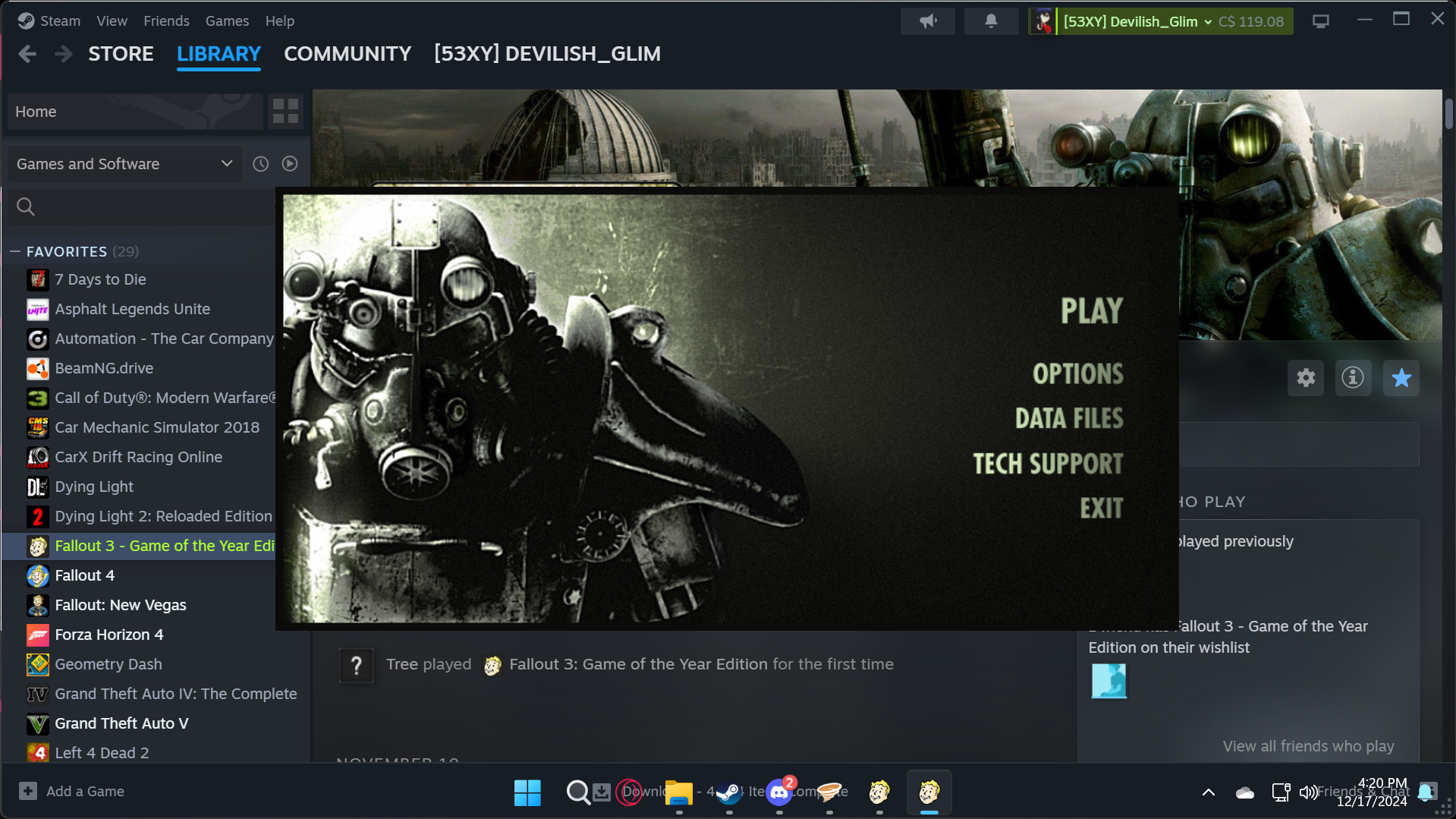
So how do i get a single instance to clock hours again?
Alright so you're gonna want to right click on fallout 3 in your library and click "properties"
in the properties menu you will see a box for launch options, click in that box and paste the line below
"C:\Program Files (x86)\Steam\steamapps\common\Fallout 3 goty\Fallout3.exe" %command%
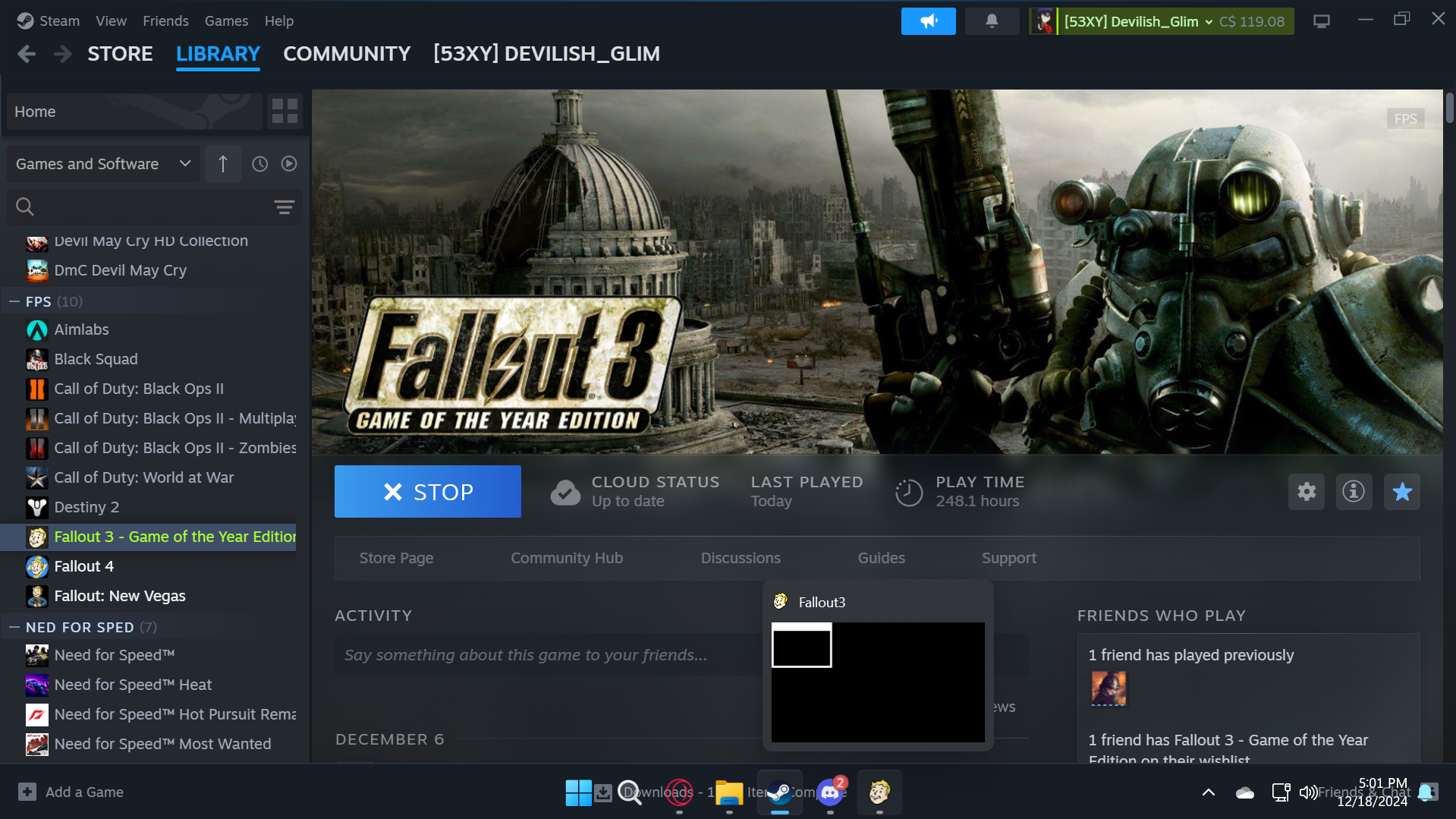
now close the properties tab and launch the game, this will skip the fallout 3 launcher and just open the .exe for the game instead resulting in a single instance still tracking hours as shown below
If this guide helped you please consider adding it to your favorites it or giving an award, have a lovely day :)
How do i know if my Fallout 3 isn't launching properly?
Launch fallout 3 and load to the main menu, if you alt tab out and it looks like the image below then its not launching properly
Now if you wanted to count your hours but are lazy you could just click launch again and keep the launcher running in the background as demonstrated below with 2 instances of f3 running
So how do i get a single instance to clock hours again?
Alright so you're gonna want to right click on fallout 3 in your library and click "properties"
in the properties menu you will see a box for launch options, click in that box and paste the line below
"C:\Program Files (x86)\Steam\steamapps\common\Fallout 3 goty\Fallout3.exe" %command%
now close the properties tab and launch the game, this will skip the fallout 3 launcher and just open the .exe for the game instead resulting in a single instance still tracking hours as shown below
If this guide helped you please consider adding it to your favorites it or giving an award, have a lovely day :)
More Fallout 3 - Game of the Year Edition guides
- The (almost) Perfect Start to a New Game★ 5 (1.5k)102k views3.8k ♥30 minUpdated Mar 2, 2017
- Fallout 3 GOTY Edition: Русификатор★ 5 (3.8k)93k views5.1k ♥1 minRussianUpdated Jan 16, 2024
- Fallout 3 GOTY Edition: Полный Русификатор★ 5 (1.8k)74k views3.4k ♥2 minRussianUpdated Mar 2, 2024
- Perfect Character Guide★ 5 (1.3k)59k views3.6k ♥6 minUpdated Aug 23, 2023
- Fallout 3 GOTY instant crash fix after patch 1.7.0.4★ 5 (700)53k views809 ♥1 minUpdated Dec 5, 2021
- Fallout 3 (2026 Edition)★ 5 (1k)52k views2.5k ♥5 minUpdated Feb 25


This guide was created by its original author on the Steam Community. Are you the author and want it removed? Request removal.