Fallout 3 - Prepare for Modding in 2025
Fallout 3 - Prepare for Modding in 2025
First Step
Make sure your FO3 is fully installed and clean without other stuff like broken mods, files etc.
Click Play so it can detect your video hardware and it will automatically create ini files for you located in Documents/My Games/Fallout3
Click Ok to both popup messages
Go to Options and configure your settings the way you want them
When you're done with your settings click Ok so it will save and exit out of that window
Then click Play (starting the game once will automatically create more files for you in Documents/My Games/Fallout3)
Exit the game when you get to the main menu
FOSE
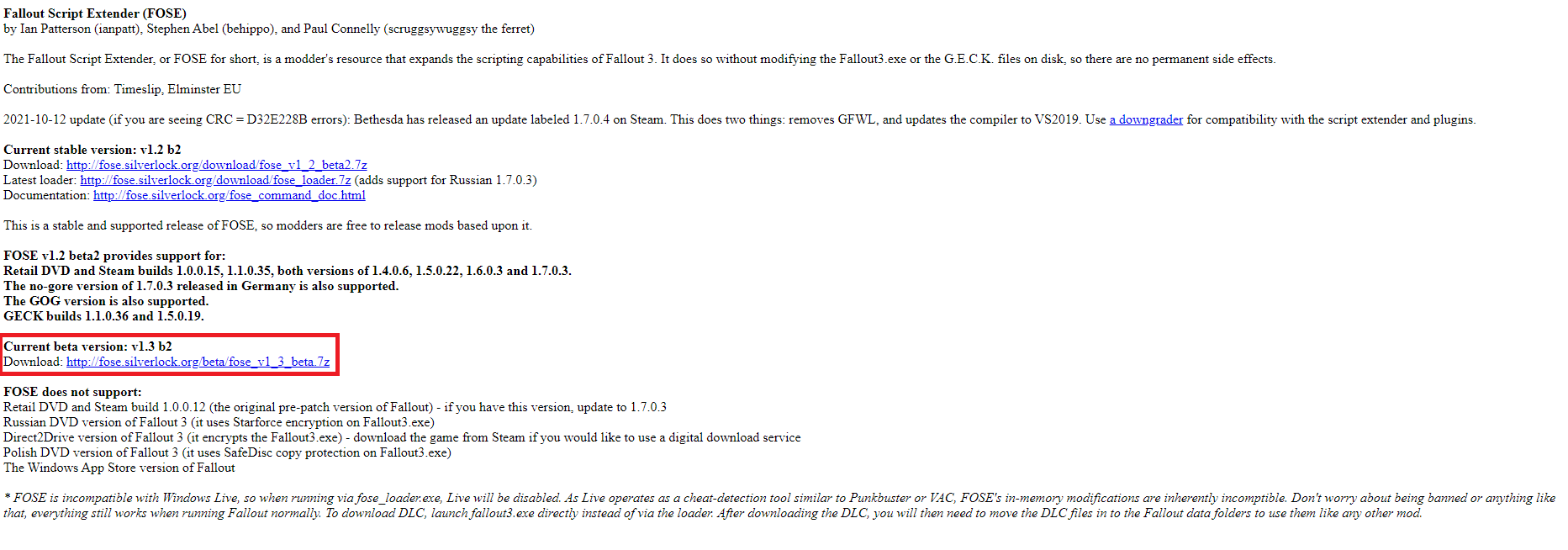
- Download[fose.silverlock.org]
You need the current beta version.
Installation
Extract the file, select everything and copy it into the base directory of Fallout 3.
You're at the main menu, hit
" ~ " (US-Layout)
" ^ " (EU-Layout)
to open console.
Now typing
"getFOSEVersion" (Caps don't matter)
and hit enter and you should see version 1. That's perfect.
Archive Invalidated Patcher
- Download[www.nexusmods.com]
A patcher / downgrader tool for Fallout 3 that makes running a modded game a more comfortable experience.
Features
- Downgrades the game from October 2021 update (1.7.0.4) to 1.7.0.3 which is widely supported by other mods, most notably FOSE
- Removes Games for Windows Live (xlive.dll is no longer loaded by the game) and removes LIVE button from the main menu
- Makes the game 4GB aware
- Automatically loads FOSE when using Fallout3.exe to start the game (if FOSE is installed)
- Fixes a file handle limit and mod limit bug
- New in 1.1: Fixes a crash when using Intel graphics cards to run the game
Compatibility
- The patcher supports latest Steam, GOG and Epic Games versions of the game, both GOTY and regular editions. German low violence (No-Gore) version is not supported.
- GOG version does not need to be downgraded or LAA-patched, so the patcher only applies other improvements to the executable as described above.
Installation
- If you're installing Fallout 3 for the first time, run it once through Steam/GOG to generate INI files.
- Unpack the contents of the archive to Fallout 3 folder and run Patcher.exe.
- You will see black console window with a log of the process. No input is required, but it will tell you if any error has occurred.
- When it's done and you see "Patching completed successfully" printed, you can close the window and proceed to installing other mods, such as FOSE.
- Start the game in any preferred way - through Steam, GOG, the launcher, or any mod manager, but don't use fose_loader.exe. Forget it exists, it's safe to delete it.
Video instructions
https://www.youtube.com/watch?v=9D9QTzezKRQ
Mod Manager
Vortex
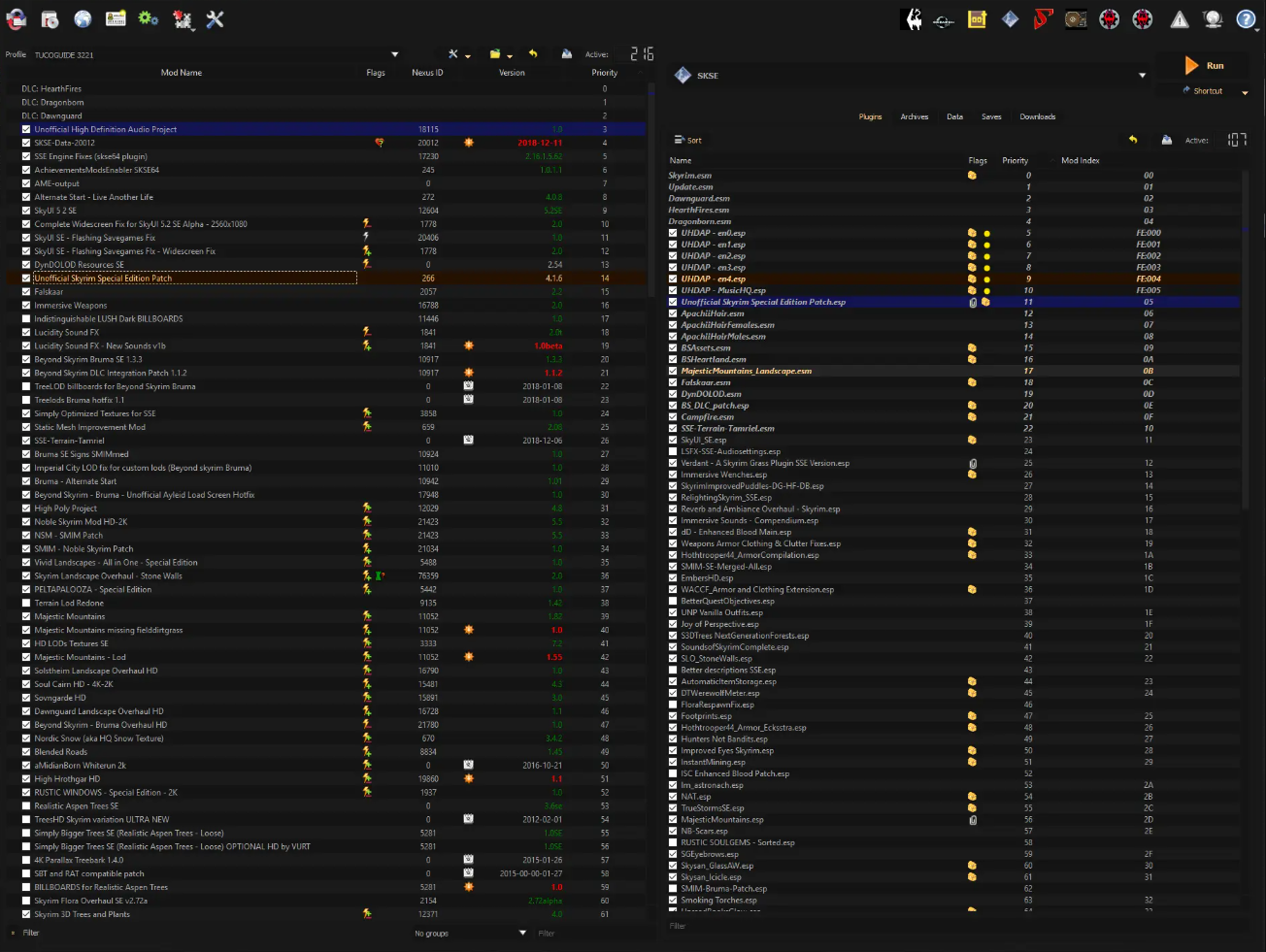
Mod Organizer 2
Fallout Mod Manager - FOMM
- Download[www.nexusmods.com]
https://www.youtube.com/watch?v=_9ZT49X9fvQ
Mod Organizer 2
- Download[www.nexusmods.com]
https://www.youtube.com/watch?v=07-JVWDn7LA
Fallout Mod Manager - FOMM
- Download[www.nexusmods.com]
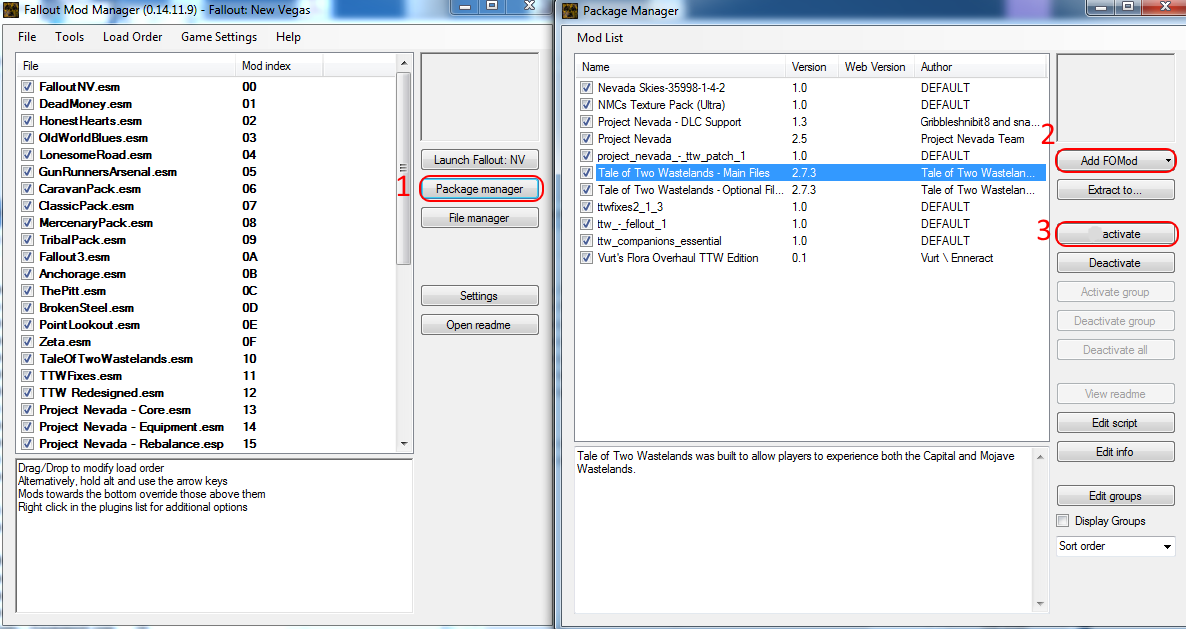
Tick Fix
- Download[www.nexusmods.com]
A lighter, more compatible version of the 64hz stutter bug fix from FOSR. Fully Windows 10 compatible, including Fast Exit. No more fiddling with inis on windows 10.
Installation
Install with a mod manager, or manual install by dumping the ini file and dll file into your fose/plugins folder.
Command Extender
- Download[www.nexusmods.com]
Requirements
Game version 1.7.0.3 - if you're using Steam you will need to run the Anniversary Patcher.
FOSE v1.3 b2 - make sure you have the correct version of FOSE. Reports about FOSE not loading will be ignored.
Bugfixes
- Gaining XP above level 99 no longer crashes the game.
- Equip sound no longer plays if item is already equipped.
- Console functions fully with a controller connected.
- Disabling controller vibration, either via the Settings Menu, or by setting bGamePadRumble=0 in FalloutPrefs.ini, does what it was supposed to do - completely disable any motor vibrations (this should significantly prolong the life of your batteries).
- Fix dead actors T-posing when loading
- Fixed an engine bug where the 'GameDaysPassed' and 'GameHour' global timers would "freeze" and stop increasing in game real-time (they would only increase when sleeping, waiting or fast traveling).
- Fix lag when the target HP bar updates. Particularly noticeable with uncapped framerate or high fire-rate weapons.
- Total player DR updates when a vendor repairs a worn item.
- Fix player placed marker not working properly in modded child worldspaces.
Installation
Use Mod Organizer 2/Nexus Mod Manager/FOMM, or manually extract the .zip file into your Fallout 3 'Data' folder.
The final path will be Fallout 3 goty/Data/FOSE/Plugins/CommandExtender.dll
lStewieAl's Tweaks
- Download[www.nexusmods.com]
Includes Faster Sleep Wait, Deselect Quests, Compass Height Indicator and more.
Installation
Use Mod Organizer 2/Nexus Mod Manager/FOMM, or manually extract the .zip file into your Fallout 3 'Data' folder.
Out Of Memory Fix
- Download[www.nexusmods.com]
Installation
Use Mod Organizer 2/Nexus Mod Manager/FOMM, or manually extract the .zip file into your Fallout 3 'Data' folder.
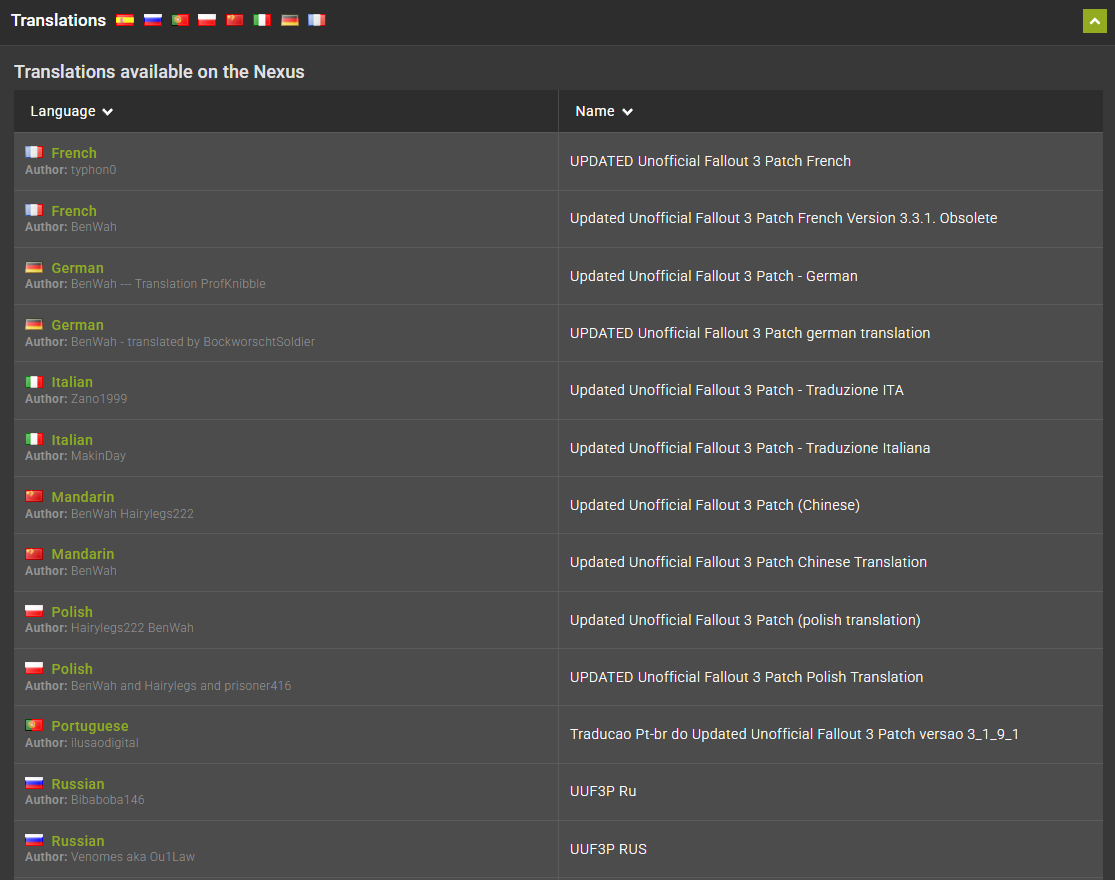
Unofficial Fallout 3 Patch - Updated
- Download[www.nexusmods.com]
Pls use the right translation of your language. It's highly recommended.
CivisRomanus Unofficial Fallout 3 Fixes
- Download[www.nexusmods.com]
Loading order:
1. CivisRomanus Unofficial Fallout 3 Fixes
2. CivisRomanus Unofficial Fallout 3 Fixes Dialogues
3. CivisRomanus Unofficial Fallout 3 Fixes Optional - requires FOSE.
4. CivisRomanus Unofficial Fallout 3 Fixes Cheat Items
*Interiors illumination included in Optional only.
Troubleshooting
- The FOSE link dosen't work.
- I need also ButcherPete - FOSE
- the Steam beta Client update of 2025/3/18 prevented Fallout 3 goty from launching
- there are 3 mod managers is one perhaps preferred? Or do you need all 3 for some reason?
Try this one Unofficial Fallout 3 Patch.
Download[www.nexusmods.com]
- I need also ButcherPete - FOSE
Download[www.nexusmods.com]
ButcherPete FOSE is an extender plugin (similar to Command Extender) that implements some script functions from New Vegas for modders to use, and fixes some existing ones.
- the Steam beta Client update of 2025/3/18 prevented Fallout 3 goty from launching
You need to switch to the non-beta Steam Client.
- there are 3 mod managers is one perhaps preferred? Or do you need all 3 for some reason?
you can choice the one you want
but I prefer Mod Organizer 2.
its easy to use, you see issues and the mods loading seperat. thats mean if you start the game with Mod Organizer 2, you are loading the game with mods. If you start the game about steam, you can play without mods.
thats are 2 different instances.
Check out my other guide for Fallout 3
Check out my simular guide for Fallout New Vegas
Official Ragna_Ikari Steam Guides

Rate, Reward & Add To Favorite!

Changelog
26.04.2025: Added simular guide "Fallout New Vegas - Prepare for Modding in 2025"
29.03.2025: Added "Troubleshooting"
27.02.2025: Added my Guide "Fallout 3 - Remaster & QoL Mod's 2025"
29.03.2025: Added "Troubleshooting"
27.02.2025: Added my Guide "Fallout 3 - Remaster & QoL Mod's 2025"
More Fallout 3 - Game of the Year Edition guides
- The (almost) Perfect Start to a New Game★ 5 (1.5k)102k views3.8k ♥30 minUpdated Mar 2, 2017
- Fallout 3 GOTY Edition: Русификатор★ 5 (3.8k)93k views5.1k ♥1 minRussianUpdated Jan 16, 2024
- Fallout 3 GOTY Edition: Полный Русификатор★ 5 (1.8k)74k views3.4k ♥2 minRussianUpdated Mar 2, 2024
- Perfect Character Guide★ 5 (1.3k)59k views3.6k ♥6 minUpdated Aug 23, 2023
- Fallout 3 GOTY instant crash fix after patch 1.7.0.4★ 5 (700)53k views809 ♥1 minUpdated Dec 5, 2021
- Fallout 3 (2026 Edition)★ 5 (1k)52k views2.5k ♥5 minUpdated Feb 25



This guide was created by its original author on the Steam Community. Are you the author and want it removed? Request removal.