Fallout New Vegas - Prepare for Modding in 2025
Fallout New Vegas - Prepare for Modding in 2025
First Step
Make sure your Fallout New Vegas is fully installed and clean without other stuff like broken mods, files etc.
Click Play so it can detect your video hardware and it will automatically create ini files for you located in Documents/My Games/FalloutNV
Click Ok to both popup messages
Go to Options and configure your settings the way you want them
When you're done with your settings click Ok so it will save and exit out of that window
Then click Play (starting the game once will automatically create more files for you in Documents/My Games/FalloutNV)
Exit the game when you get to the main menu
Archive Invalidation
Tutorial to explain how to activate Archive Invalidation in MO2 or Vortex - Fixing pink body glitched sky and faulty Pip Boy interface issues.
Fallout New Vegas Archive Invalidation are obsolete.
Please use the version included in MO2 and Vortex.
https://steamcommunity.com/sharedfiles/filedetails/?id=3473383559
New Vegas Script Extender (NVSE xNVSE)
- Download[www.nexusmods.com]
The New Vegas Script Extender, or NVSE for short, is a modder's resource that expands the scripting capabilities of Fallout: NV. It does so without modifying the executable files on disk, so there are no permanent side effects.
Once installed, no additional steps are needed to launch Fallout New Vegas with NVSE's added functionality. You can start the game using NVSE from nvse_loader.exe
Important Note 1:
xNVSE is compatible with the Steam and GOG versions of the game.
Not supported: German No Gore, Xbox Gamepass, Epic Games Store, and Bethesda .net versions.
Important Note 2:
For Epic Games Store version owners, consider using lStewieAl's patcher to make that version work with xNVSE.
- Download[www.nexusmods.com]
Epic Games Patcher
- Download[www.nexusmods.com]

- Downgrades the game to the steam version which is widely supported by other mods, most notably NVSE.
- Makes the game 4GB aware
- Automatically loads NVSE when using FalloutNV.exe to start the game (if NVSE is installed)
Installation
- Unpack the contents of the archive to 'Fallout New Vegas English' folder and run Patcher.exe.
- You will see black console window with a log of the process. No input is required, but it will tell you if any error has occurred.
- When it's done and you see "Patching completed successfully" printed, you can close the window and proceed to installing other mods, such as NVSE.
- Start the game through Epic's launcher, or any supported mod manager, but don't use nvse_loader.exe. Forget it exists, it's safe to delete it.
Important Note 1:
Currently does not support playtime or achievements.
- For German "No Gore" version -
- Download[github.com]
The German release uses a "No Gore" version, making it also incompatible with xNVSE. If you have it on Steam, you can use DepotDownloader to download the international EXE.
4GB Patcher
- Download[www.nexusmods.com]

Simple patcher to make Fallout New Vegas 4GB Aware. Supports all known Steam and GoG versions.
The EPIC Games, Bethesda. net and XBOX Game pass versions are NOT supported since NVSE will not support them either.
Installation:
- Place the exe in your Fallout New Vegas game folder and run it as administrator
- It will patch the game and make a backup of the original executable
- Launch the game normally through your mod manager, directly, the Default Launcher, or Steam
- Use JIPLN NVSE so you can put any tweaks into FalloutCustom.ini instead of editing vanilla ini files
Requirements:
VC++ x86 Runtime
Download[support.microsoft.com]
Note 2:
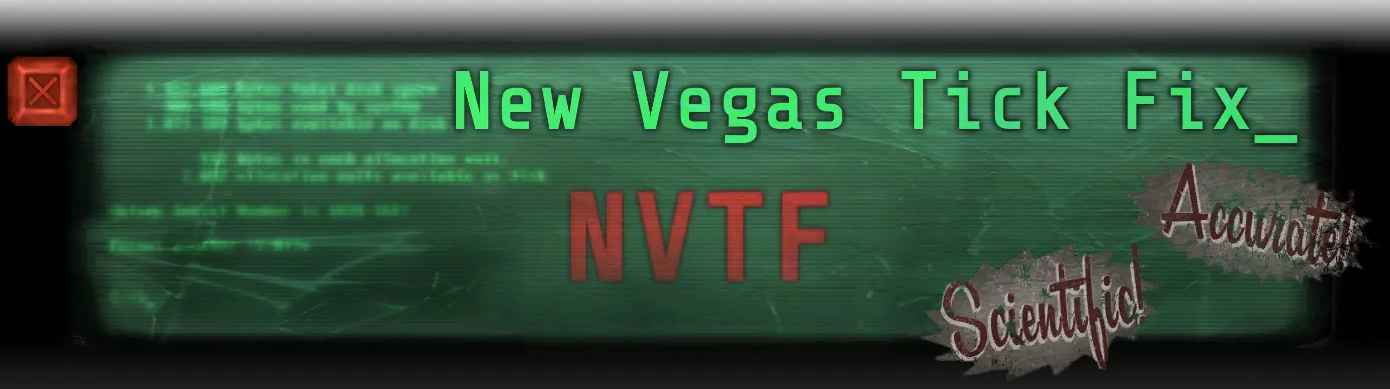
Or you use the Version that does not require the VC++ redist. It's the same link.
NVTF - New Vegas Tick Fix
- Download[www.nexusmods.com]
The newest generation in performance enhancement and stutter fixing. Windows 10 compatible. Featuring fixes to the dreaded micro stutter, and a high FPS Havok fix.
It's also Windows 10/11 Friendly.
Installation
Install with a mod manager, or manual install by dumping the ini file and dll file into your nvse/plugins folder.
Requirements
You need New Vegas Script Extender (NVSE xNVSE)
Link in my Guide.
Yukichigai Unofficial Patch - YUP
- Download[www.nexusmods.com]
Note:
Available in English, French, German, Italian, Spanish, and Russian.
Unofficial Patch NVSE Plus
- Download[www.nexusmods.com]
Requirements:
- All Official DLC
- JIP LN NVSE Plugin (Link in Guide)
- JohnnyGuitar NVSE Plugin (Link in Guide)
lStewieAl's Tweaks and Engine Fixes
- Download[www.nexusmods.com]
Engine bugfixes, optional tweaks and new features with no performance impact. Fully customisable via in-game menu and INIs.

Adds support for Inventory Searching, Cookable Grenades, Manual Reload, Smooth Aiming, WASD Menu Support and more.
Fully compatible with TTW and The Frontier.
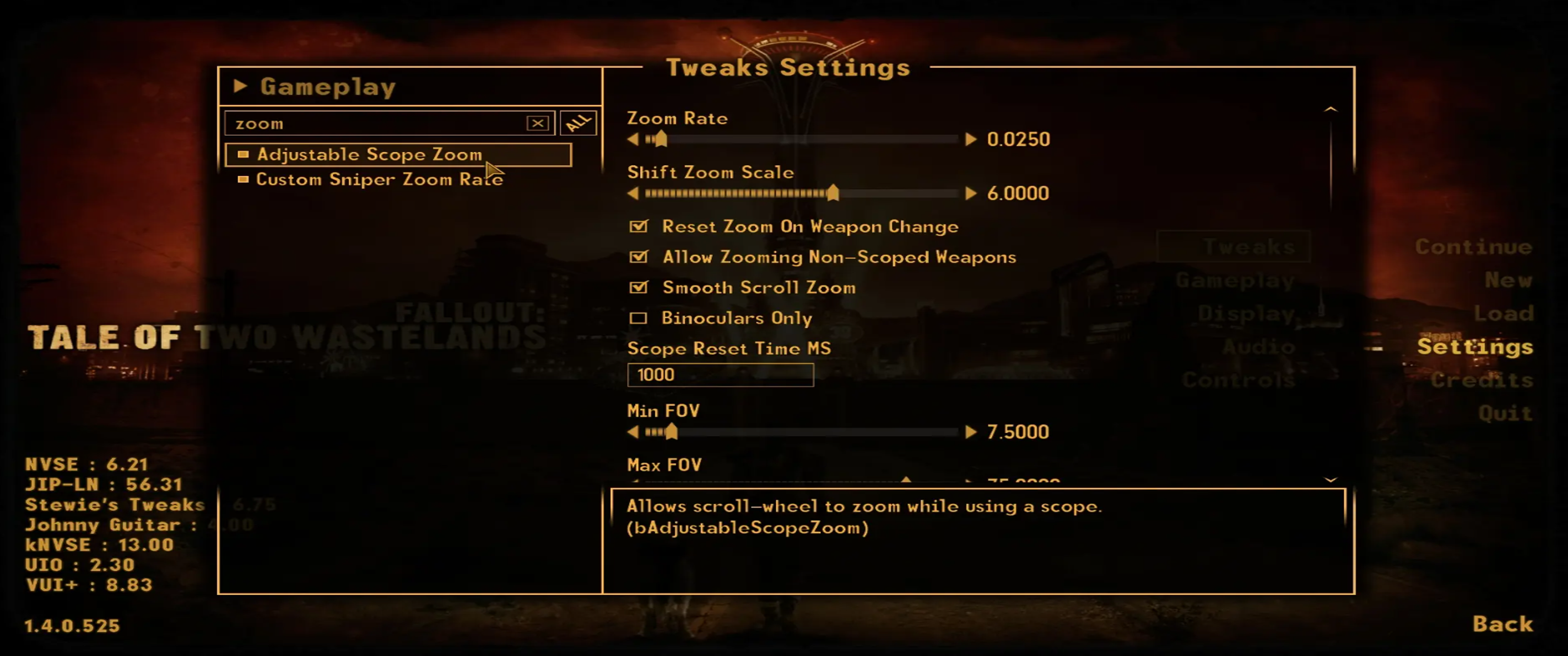
Installation:
Use Mod Organizer 2/Nexus Mod Manager/FOMM, or manually extract the main and menuconfig .zip files into your Fallout New Vegas 'Data' folder.
First time users should download the INI file from the optional files section.
Requirements:
UIO - User Interface Organizer (Link in Guide)
JIP LN NVSE Plugin (Link in Guide)
UIO - User Interface Organizer
- Download[www.nexusmods.com]
An NVSE-powered plugin that is designed to manage and maintain all UI/HUD extensions added to the game by various mods. Once installed, UIO will ensure UI extensions are always properly installed and, when necessary, properly removed; it will automatically detect, resolve and prevent UI-related issues, and will help keep the game's UI intact.
Requirements:
New Vegas Script Extender (NVSE xNVSE) (Link in Guide)
Installation:
Simply download and install it using NMM/FOMM, or manually extract (use 7-Zip) the 7z archive into the game's 'Data' folder. Please note that this is an NVSE plugin, not a standard mod - it doesn't include an ESP/ESM file and will therefore not show in your load-order.
JIP LN NVSE Plugin
- Download[www.nexusmods.com]
Additionally, this mod includes numerous engine bug fixes/tweaks, and restores several broken game features.
Requirements:
New Vegas Script Extender (NVSE xNVSE) (Link in Guide)
Installation:
Use the Nexus Mod Manager/Fallout Mod Manager/Mod Organizer, or manually extract the .7z file into your Fallout: New Vegas 'Data' folder.
JohnnyGuitar NVSE
- Download[www.nexusmods.com]
Requirements:
xNVSE 6.3.0 or newer
Mod Manager
Vortex
Mod Organizer 2
Fallout Mod Manager - FOMM
- Download[www.nexusmods.com]
https://www.youtube.com/watch?v=_9ZT49X9fvQ
Mod Organizer 2
- Download[www.nexusmods.com]
https://www.youtube.com/watch?v=07-JVWDn7LA
Fallout Mod Manager - FOMM
- Download[www.nexusmods.com]
↳ The following mods are highly recommended but not essential
ShowOff xNVSE Plugin
- Download[www.nexusmods.com]
Requirements:
Requires xNVSE v6.3.0 or greater. (Link in Guide)
Installation
ShowOffNVSE.dll
and ShowOffNVSE.ini
must end up under Fallout New Vegas/Data/nvse/plugins/.. (in the plugins folder).
Installing
ShowOffNVSE.pdb
is optional, but it is recommended to install it alongside the other files, as it will make crash loggers give more precise information about how a crash happened.
Installing the primary .zip file from a mod manager should also work.
ShowOffNVSE_INI.zip need only be installed once; new INI options are automatically added to the file.
KEYWORDS
- Download[www.nexusmods.com]
that allows quick and easy way to apply custom metadata to any game form,
which can then be referenced by any mod, with several scripting commands.
Requirements:
JIP LN NVSE Plugin
JohnnyGuitar NVSE
xNVSE version 6.3.3 or higher
INSTALLATION:
Install all required mods first, then this one. Or the mod will not work.
Install it with mod manager or manually by copying files into data folder
Uninstallation: do the same with mod manager (or manually) but in reverse
Ammo Script Fixes
- Download[www.nexusmods.com]
Requirements:
Gun Runners' Arsenal
JIP LN NVSE Plugin
JohnnyGuitar NVSE
KEYWORDS
ShowOff xNVSE Plugin
xNVSE
Asterra's Many Fixes
- Download[www.nexusmods.com]
Ranger Ghost has a couple of lines with bad acoustics (some echo), as can be heard when she begins the dialogue, "You a courier?"
https://www.youtube.com/watch?v=bew3Ui-HyPI
This video showcases some of the dialogue restored by this mod.
https://www.youtube.com/watch?v=Qcf_UpJD7ko
Critical and Effects - Fixes and Tweaks
- Download[www.nexusmods.com]
In the game, many weapons cause additional effects in the event of a critical hit. The most straightforward example is the laser and plasma disintegrations, but there are a few others. You're probably familiar with them.
What's not so familiar is the way the game applies these effects. As far as the game is concerned, they are not caused by you, the attacker, to be applied on your target. They are caused by the target onto itself, which as dumb as it sounds is for the most part harmless, as long as the critical effect itself doesn't cause HP damage. Disintegrations happen only when the target is already dead and there's a killer to blame, knockdowns are a bit iffy but for the most part they do the same no matter who's really "responsible" for them, etc. This also applies to special VATS effects from melee weapons that have them.
But there are a few critical effects from weapons which do actually cause HP damage, and in the event they end up being the cause for the target's demise, you won't be recognized as the party responsible of their death. Which is not much of a big deal as you can imagine, but it's still not ideal.
This is what I've set out to fix in this mod. Amazingly enough, the functions to get a hit's parameters in an attack can also work from these critical effect's scripts, so that way I can correctly gather who's really responsible for causing them, and redirect them to use some custom damaging effects that will trigger crime and killcounts if they end up killing the target.
Some effects I've buffed from their vanilla versions because frankly they are quite underwhelming. Purists beware of the TWEAKED notices where I've (definitely) deviated from the vanilla parameters.
Gauss Impact Fix - ESPless
- Download[www.nexusmods.com]
Throwable Weapon Fixes
- Download[www.nexusmods.com]
This mod is a collection of fixes (and some cosmetic tweaks) I made over the time concerning throwable weapons. Those include all types of throwable explosive devices, throwable knives, hatchets, tomahawks, inversal/proton axes, etc....
Changes were NOT made to weapon stats, so no damage increase or anything. Only stat change is a slightly bigger Fire Bomb blast radius.
https://www.youtube.com/watch?v=mG5Wod8BZbQ
https://www.youtube.com/watch?v=hF0391LXC6g
Installation:
Use your favorite mod manager to install it. Manual installation is not recommended.
Note:
MOD IS NOT COMPATIBLE WITH ANY MOD THAT CHANGES THE PROJECTILES FOR THROWN WEAPONS.
THIS IS INTENDED FOR VANILLA GAME.
Universal Pyromaniac Buff for Fire Effects
- Download[www.nexusmods.com]
As you might know, the Pyromaniac perk adds 50% weapon damage to fire-related weapons like the Flamer, etc. But the latest trend in the block is to consider the lingering fire effects these weapons also apply. Shouldn't those also be affected?
This mod does just so. It scans all fire effects in your game, and setups a system for them to apply EXTRA fire DIP when you have the Pyromaniac perk.
Check out my other guide for Fallout New Vegas
Changelog
01.05.2025 Added Guide: Fallout New Vegas - Remaster & QoL Mod's 2025
01.05.2025 Added Guide: Fallout New Vegas - Archive Invalidation in MO2 or Vortex
01.05.2025 Added Guide: Fallout New Vegas - Archive Invalidation in MO2 or Vortex
Official Ragna_Ikari Steam Guides

Rate, Reward & Add To Favorite!

More Fallout: New Vegas guides
- Simple Guide to Setting up New Vegas in 2026★ 5 (2.9k)122k views8k ♥9 minUpdated May 6
- New Vegas 2024 Essential Modding Guide★ 5 (1.4k)112k views3.9k ♥37 minUpdated Jan 19
- Fallout:NV Console Command List / Weapons / Armor / NPC's and World Objects★ 5 (947)67k views2.4k ♥33 minUpdated Aug 6, 2025
- 100% Achievement Guide: Fallout - New Vegas★ 5 (1.5k)37k views4.6k ♥98 minUpdated May 9
- Interactive Map★ 5 (614)27k views955 ♥1 minBulgarianUpdated Jan 30
- Complete Achievement Guide (Includes DLC)★ 5 (808)22k views2.1k ♥26 minUpdated Aug 5, 2025





This guide was created by its original author on the Steam Community. Are you the author and want it removed? Request removal.