Flying Machine 2.0 Bug
Introduction
So, this guide will be quick as I don't want to waste anyone's time, especially if you are like me then you would have already spent at least 10 minutes swearing at the game because controls weren't working.
It doesn't matter when you choose to do this fix as it can be done before you start the mission or during the mission at any point.
It doesn't matter when you choose to do this fix as it can be done before you start the mission or during the mission at any point.
How To Fix This Annoying Bug
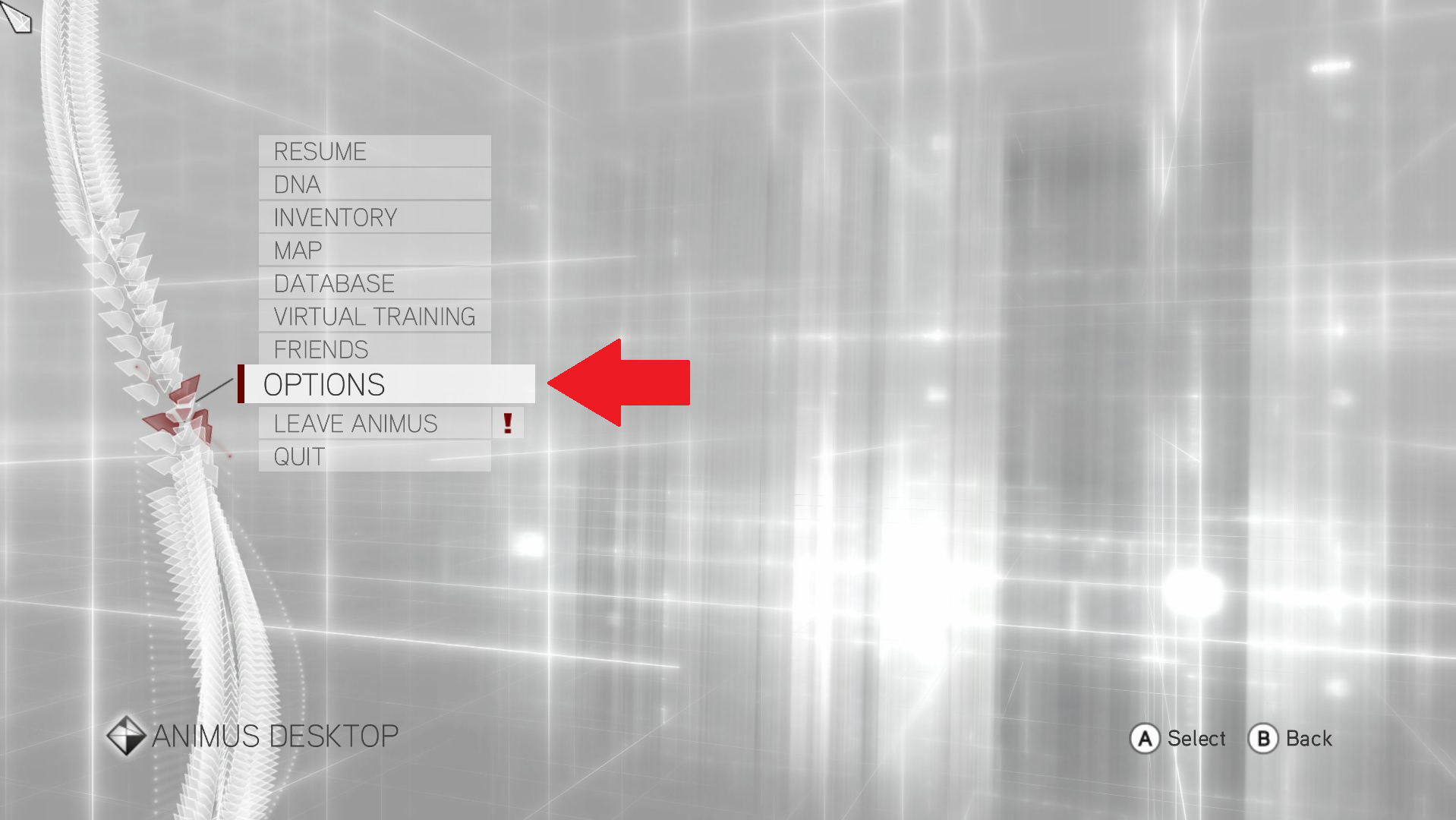
Press pause and go into the options.
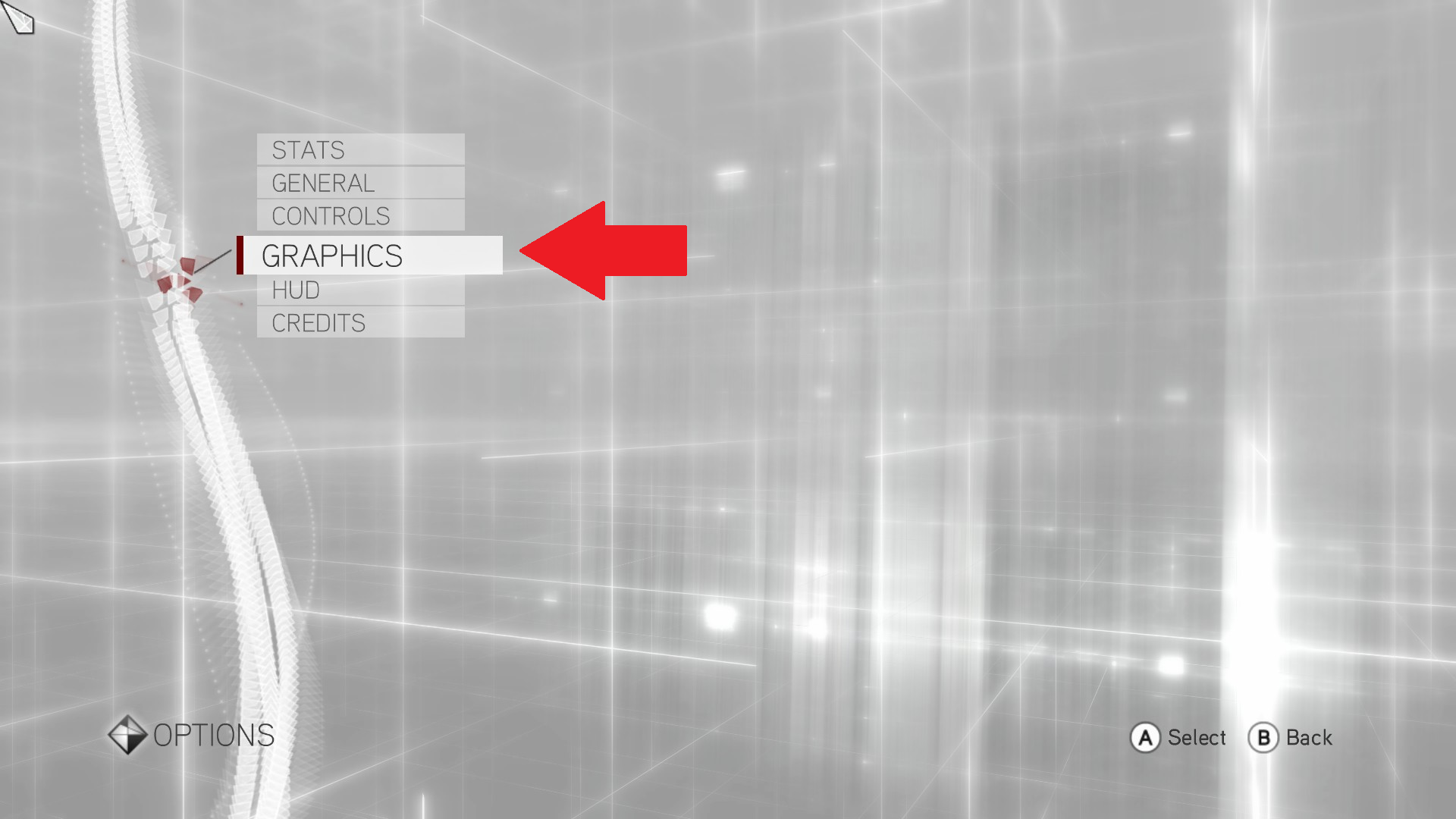
Then go to graphics.
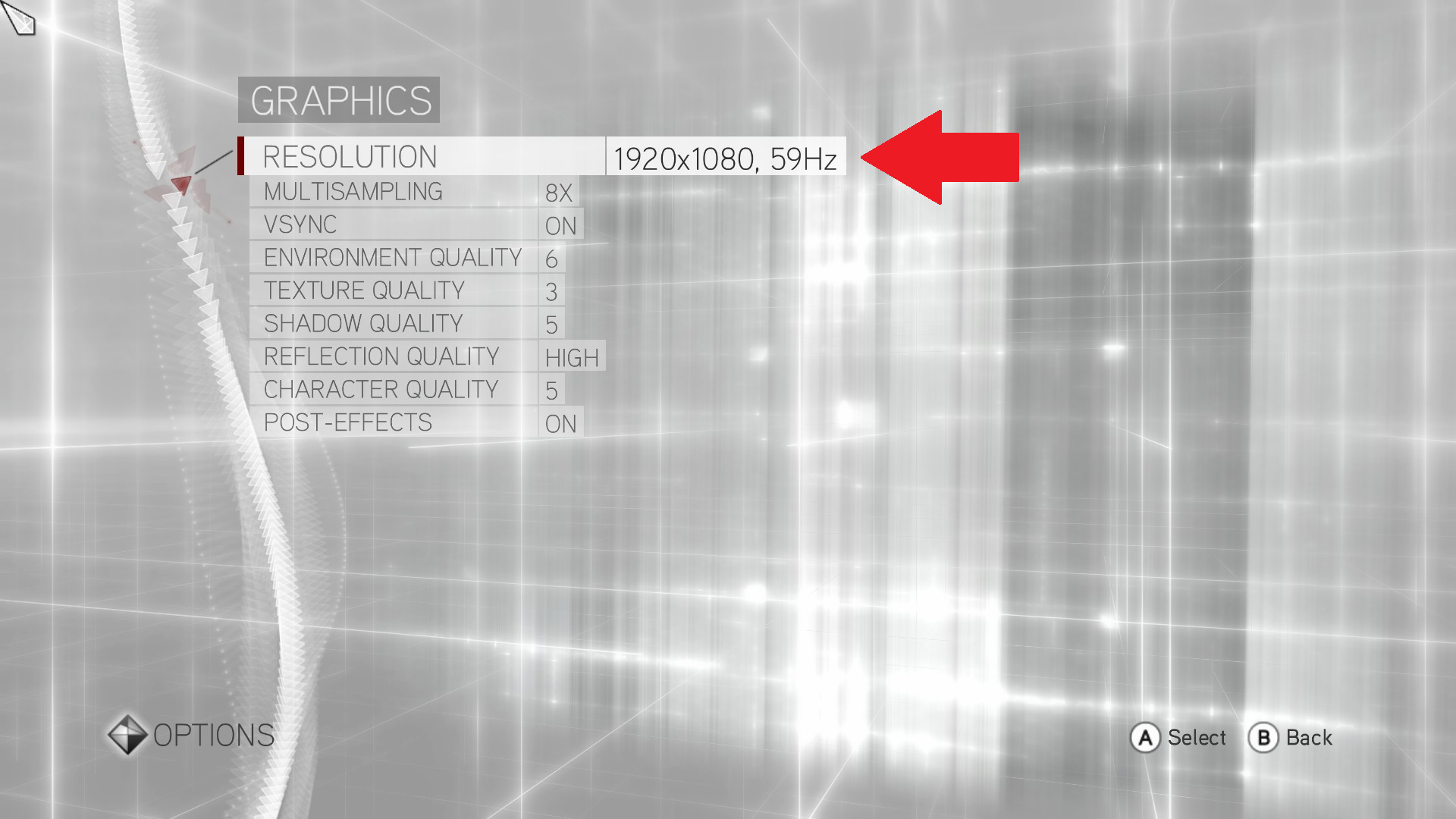
Next go to resolution and change it to 1920x1080p with 60hz or below.
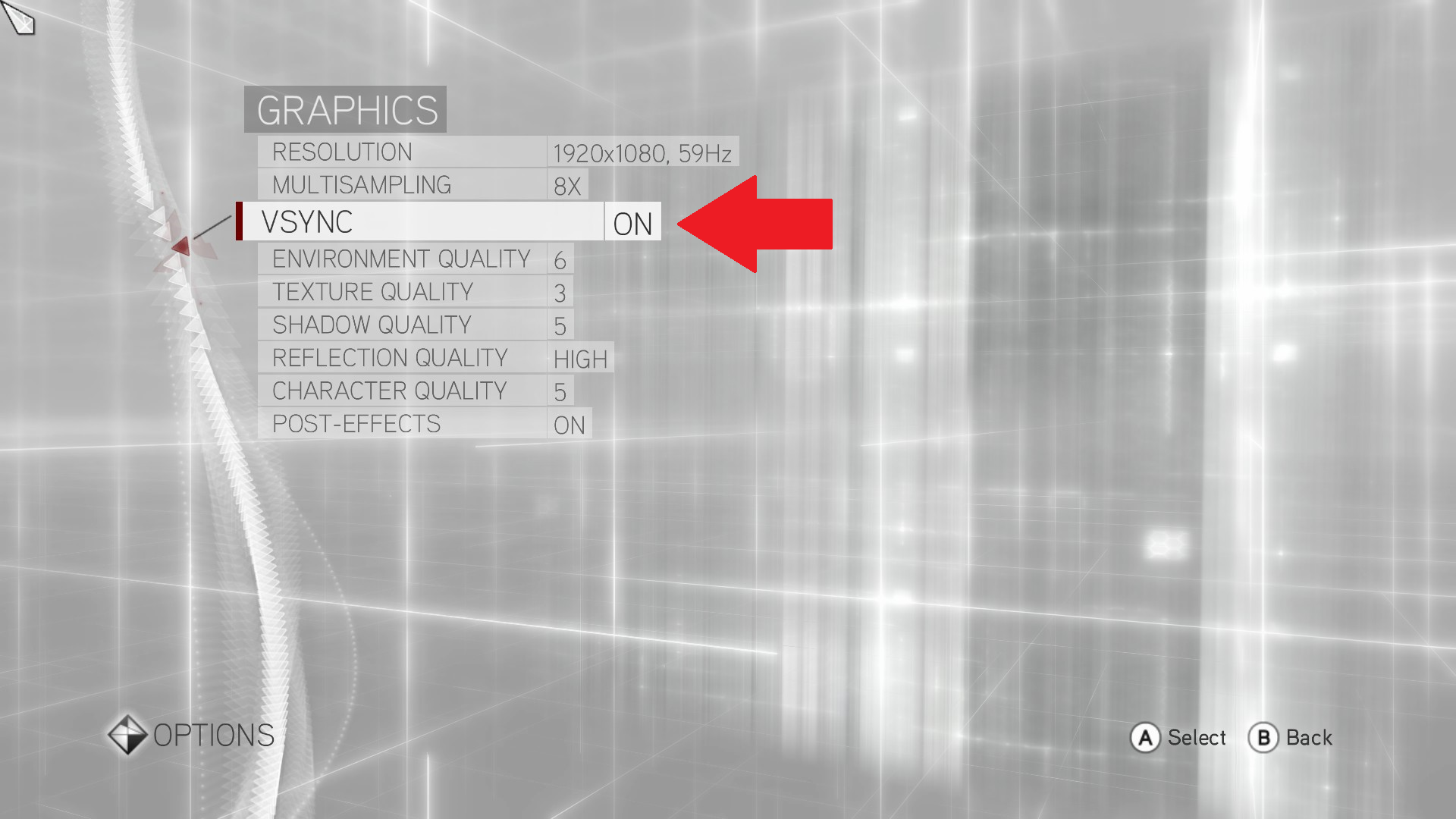
Finally, turn on V-Sync (if you haven't already got it turned on).
Then go to graphics.
Next go to resolution and change it to 1920x1080p with 60hz or below.
Finally, turn on V-Sync (if you haven't already got it turned on).
Conclusion
Now you should be free to play the Flying Machine 2.0 Mission with WORKING CONTROLS, isn't it amazing?
Now, go on, get playing! There's furnaces to bomb!

Now, go on, get playing! There's furnaces to bomb!
More Assassin's Creed Brotherhood guides
- Руссификатор для Assassin`s creed brotherhood★ 5 (551)30k views629 ♥1 minRussianUpdated May 13, 2019
- DLC Copernicus Conspiracy (AC: Brotherhood)★ 5 (304)17k views408 ♥1 minUpdated Dec 28, 2016
- Русификатор озвучки и текста с выбором языка★ 5 (293)16k views461 ♥1 minRussianUpdated Jun 5
- Руководство по ACB★ 5 (301)14k views401 ♥8 minRussianUpdated Jan 7
- Assassin's Creed Bortherhood: A Collectibles Guide★ 5 (345)13k views674 ♥2 min
- AC Brotherhood 100% Check List★ 4 (148)13k views356 ♥11 minUpdated Oct 17, 2023



This guide was created by its original author on the Steam Community. Are you the author and want it removed? Request removal.