focusHUD
NO LONGER MAINTAINED
Due that Splash Damage ending their live development for the game Dirty Bomb, this HUD will also be no longer maintained. Any support or problems won't be fixed my myself or any other authors of the HUD. The HUD will work with the current build of Dirty Bomb
Features
Using a downscaled native resolution
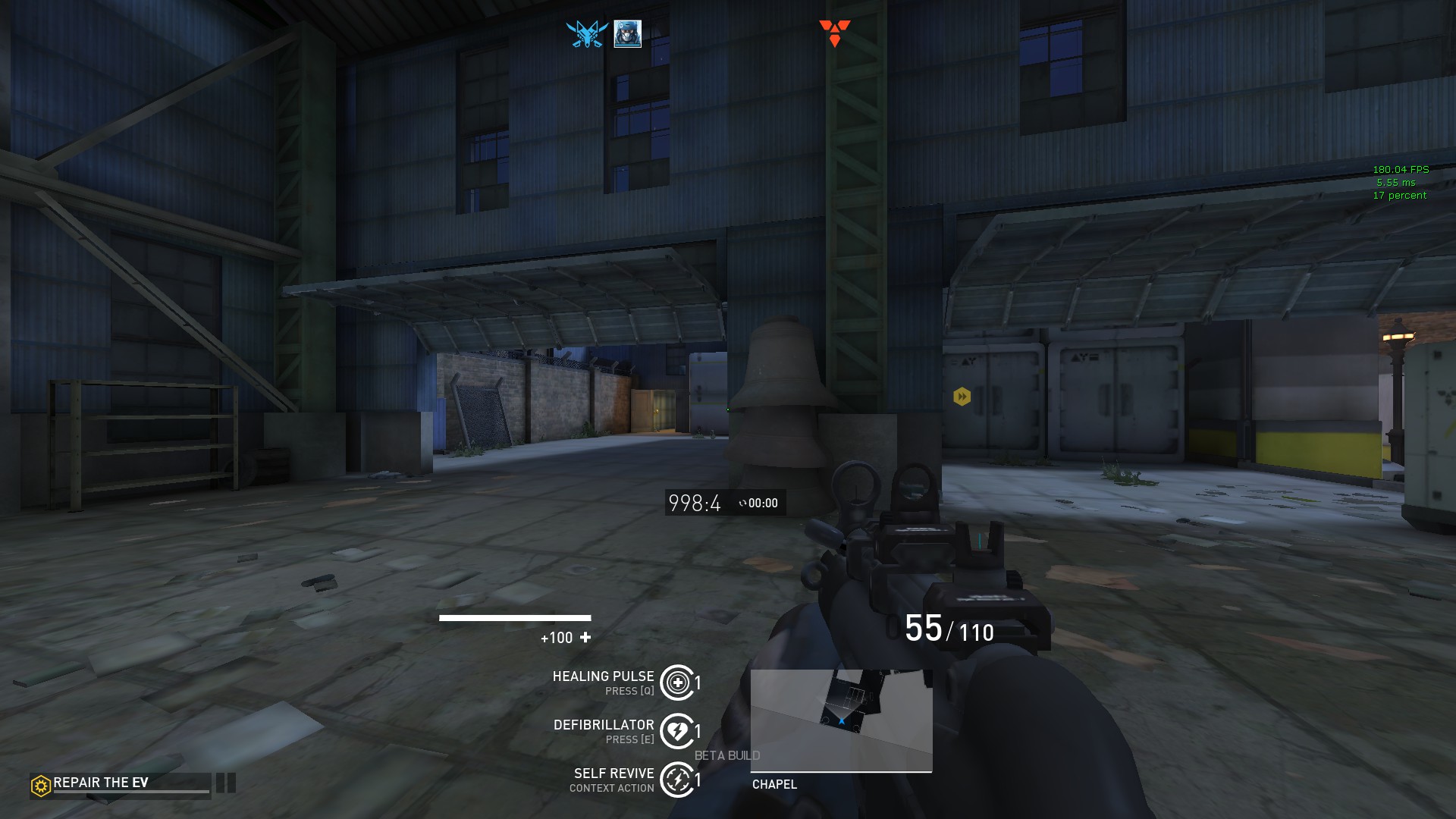
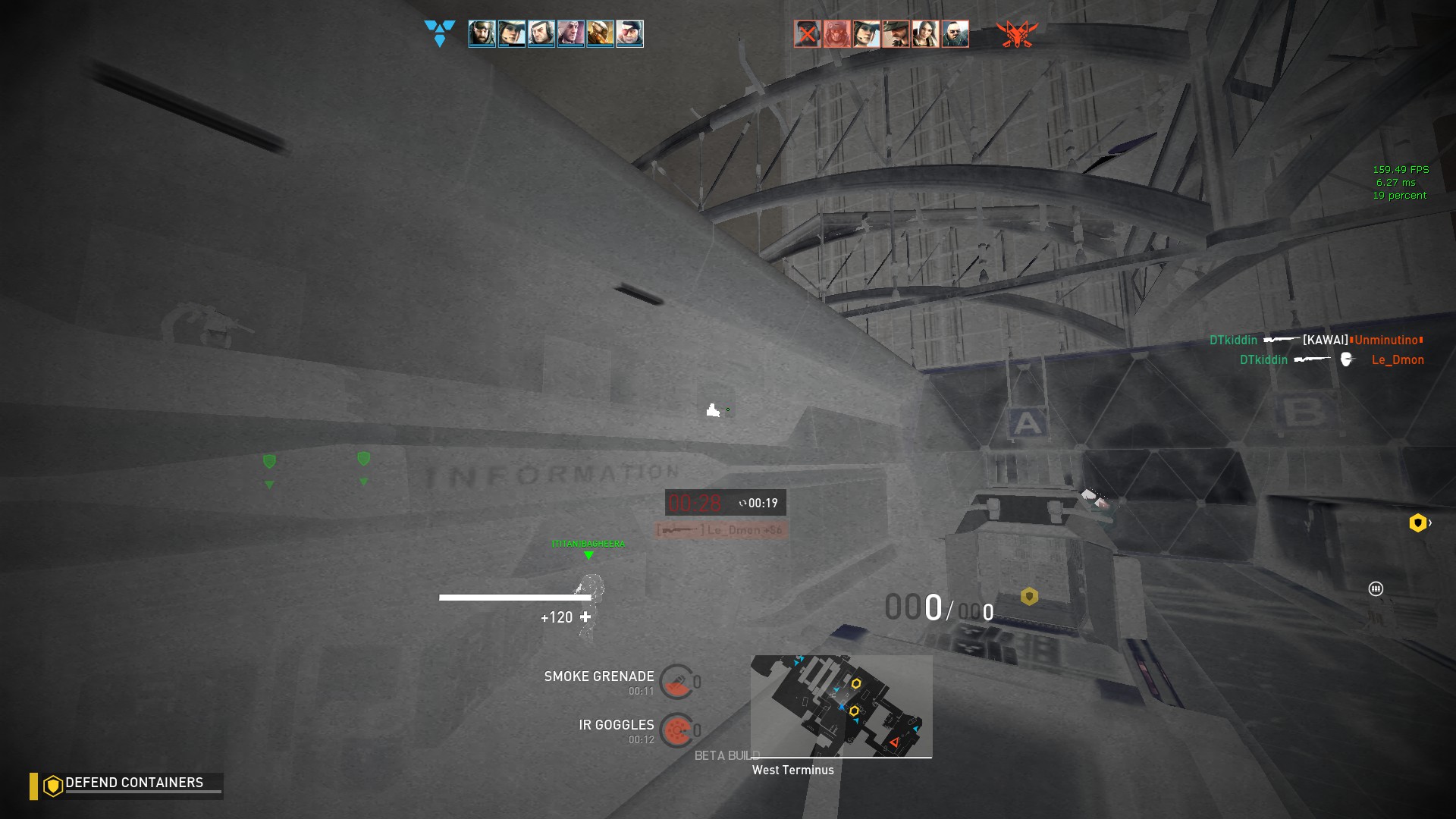
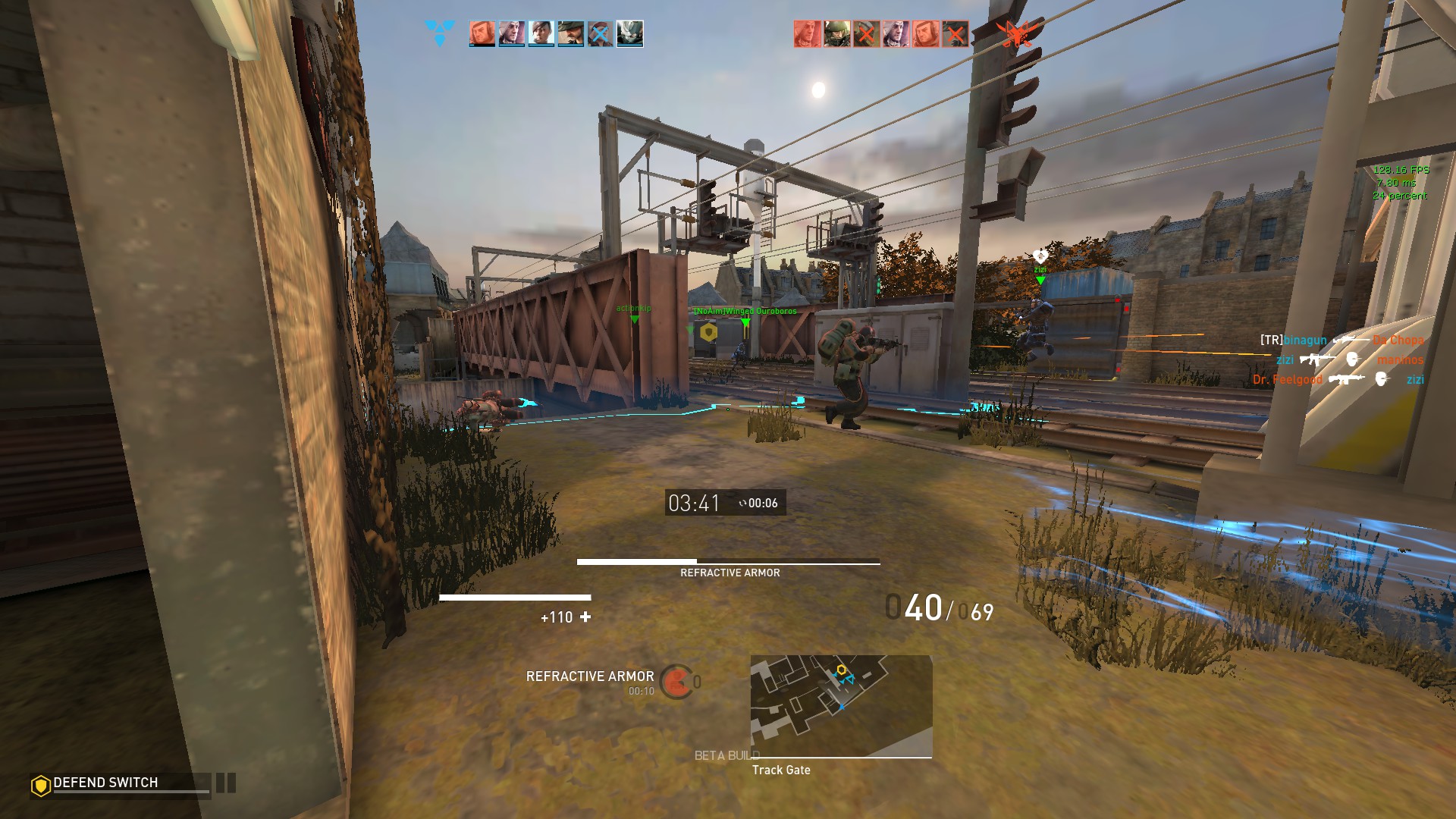
With this, icons that are placed within the map (like the EV location and C4 objective) aren't obstructing the players view. Now you can see 50% more of the objective from any location.
Centralized the core HUD elements
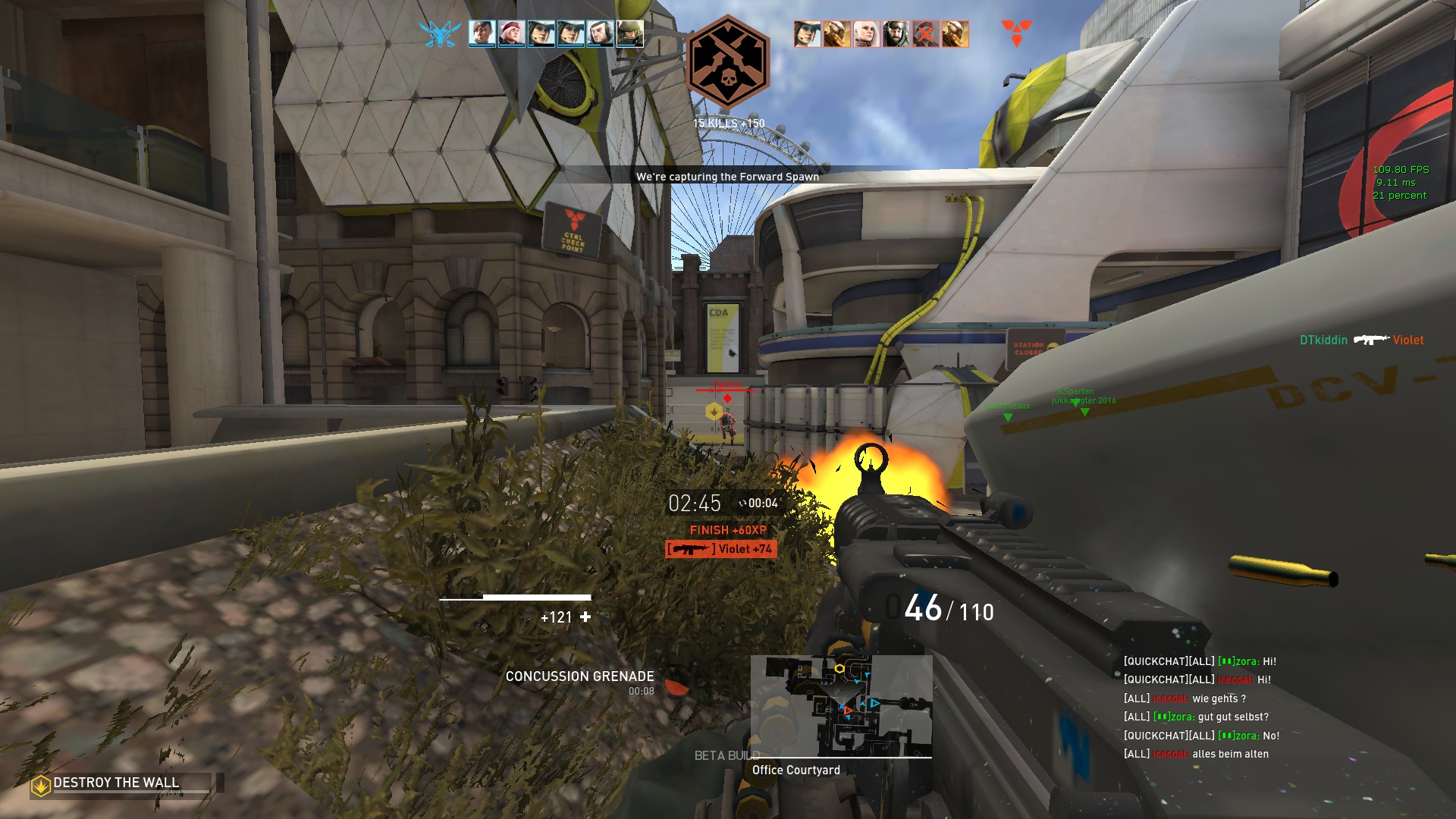
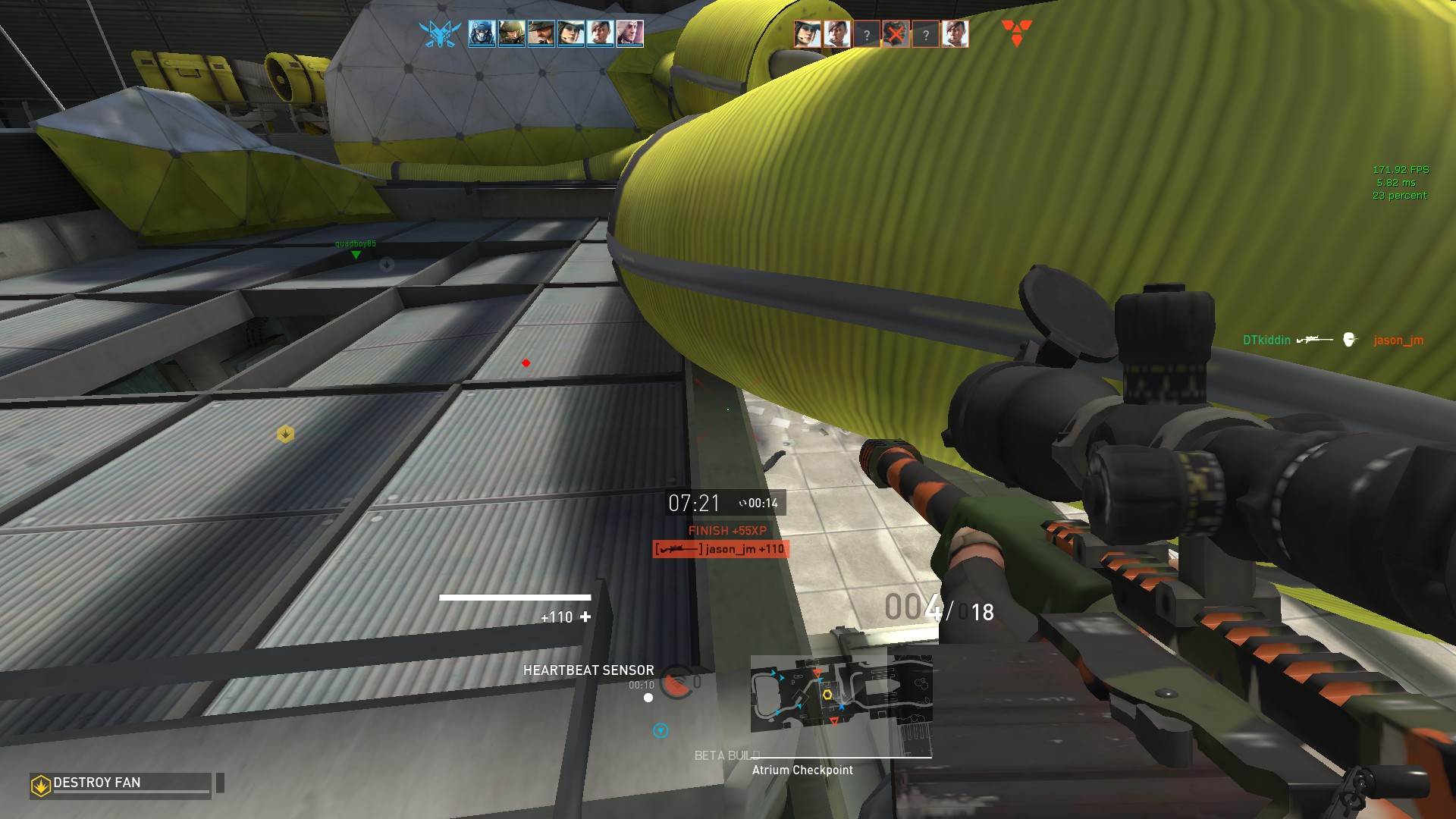
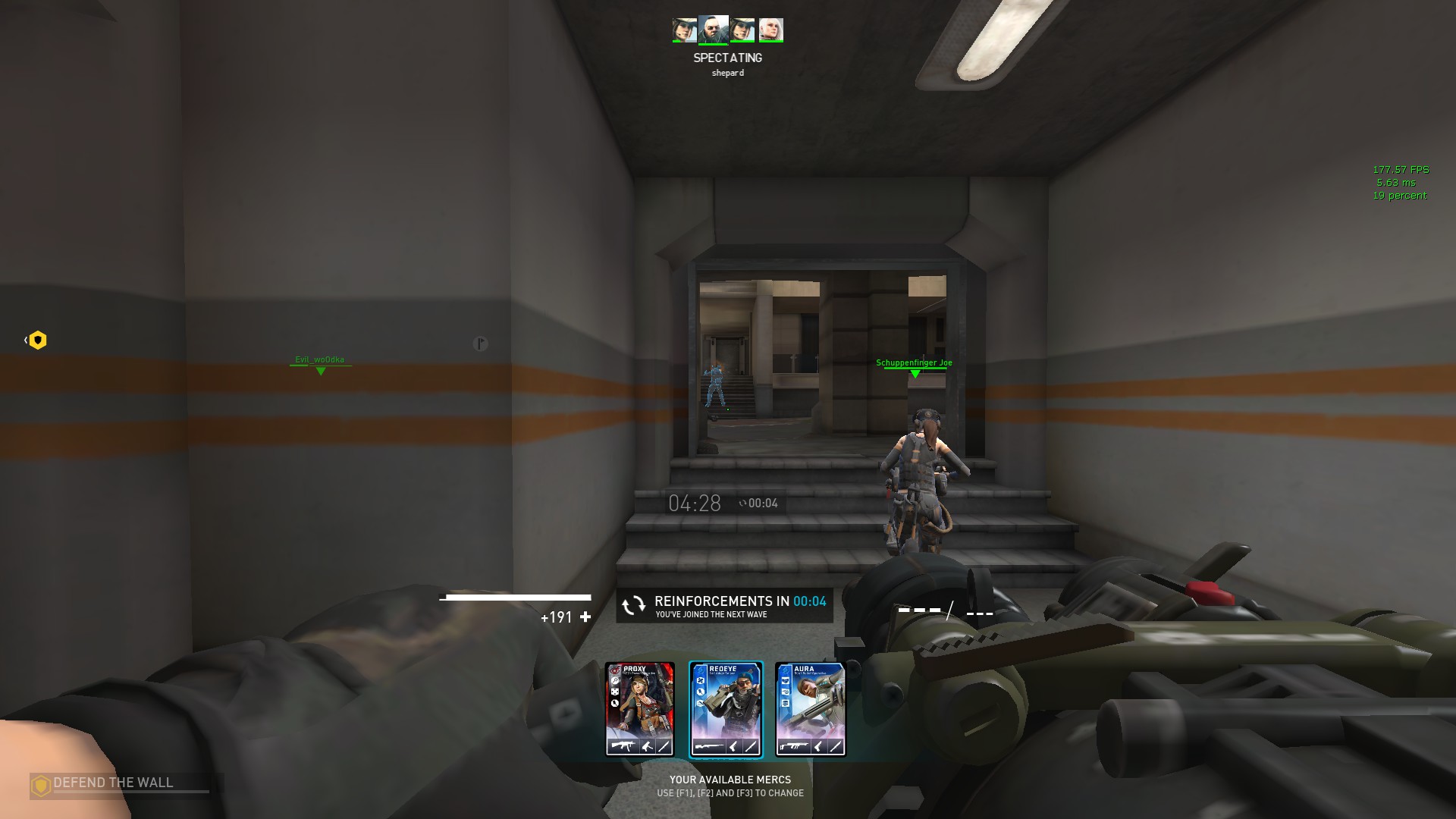
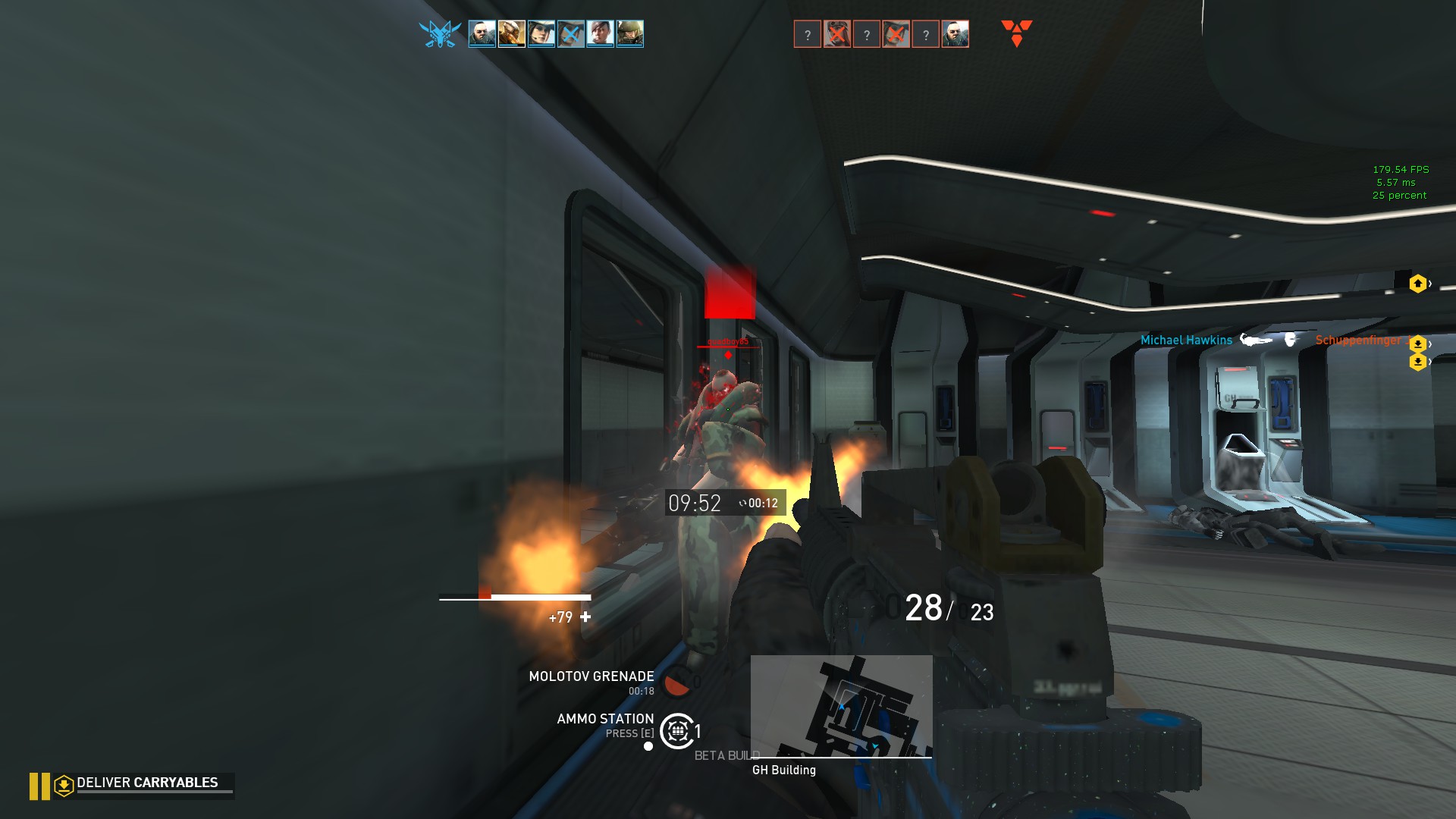
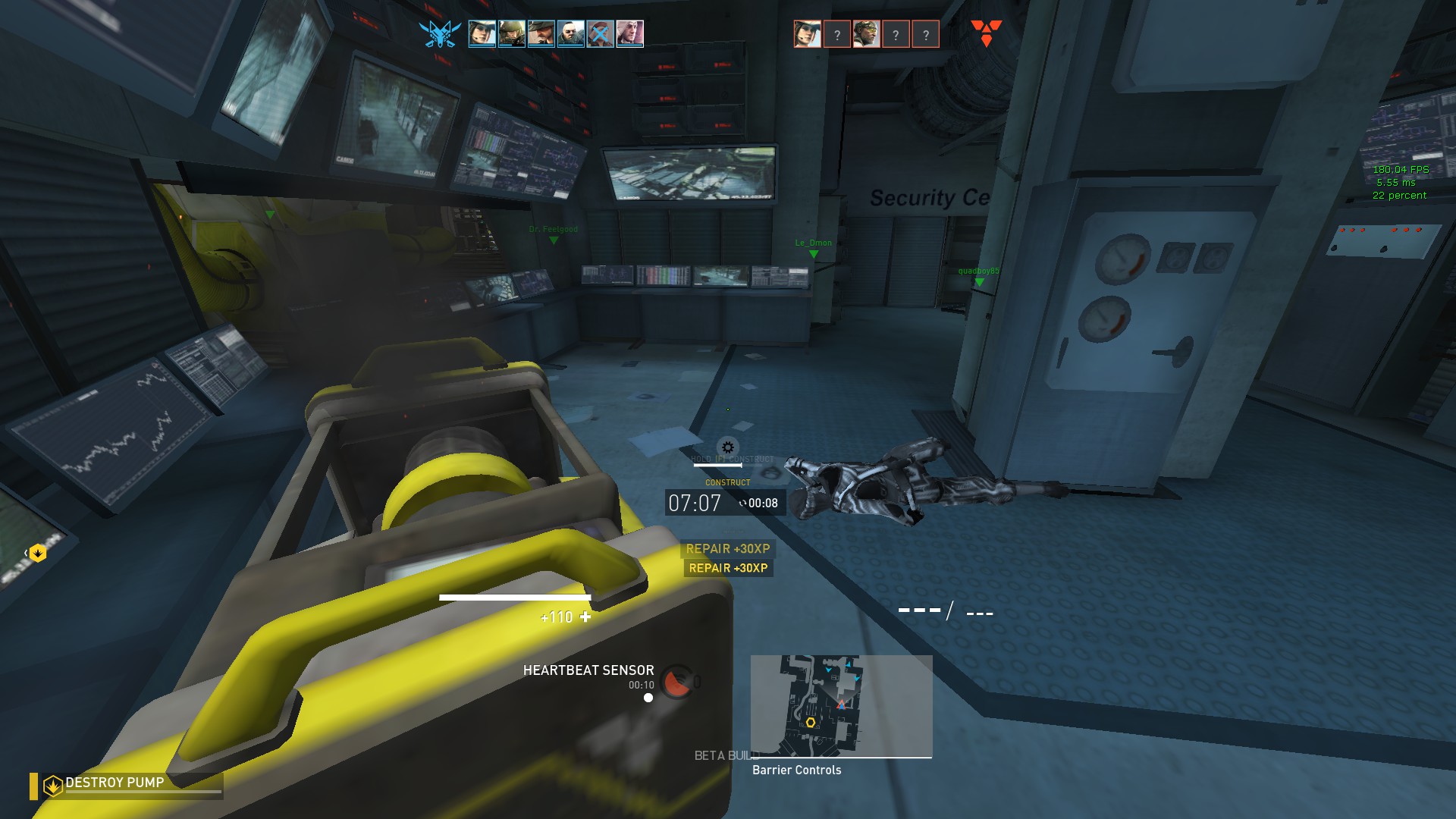
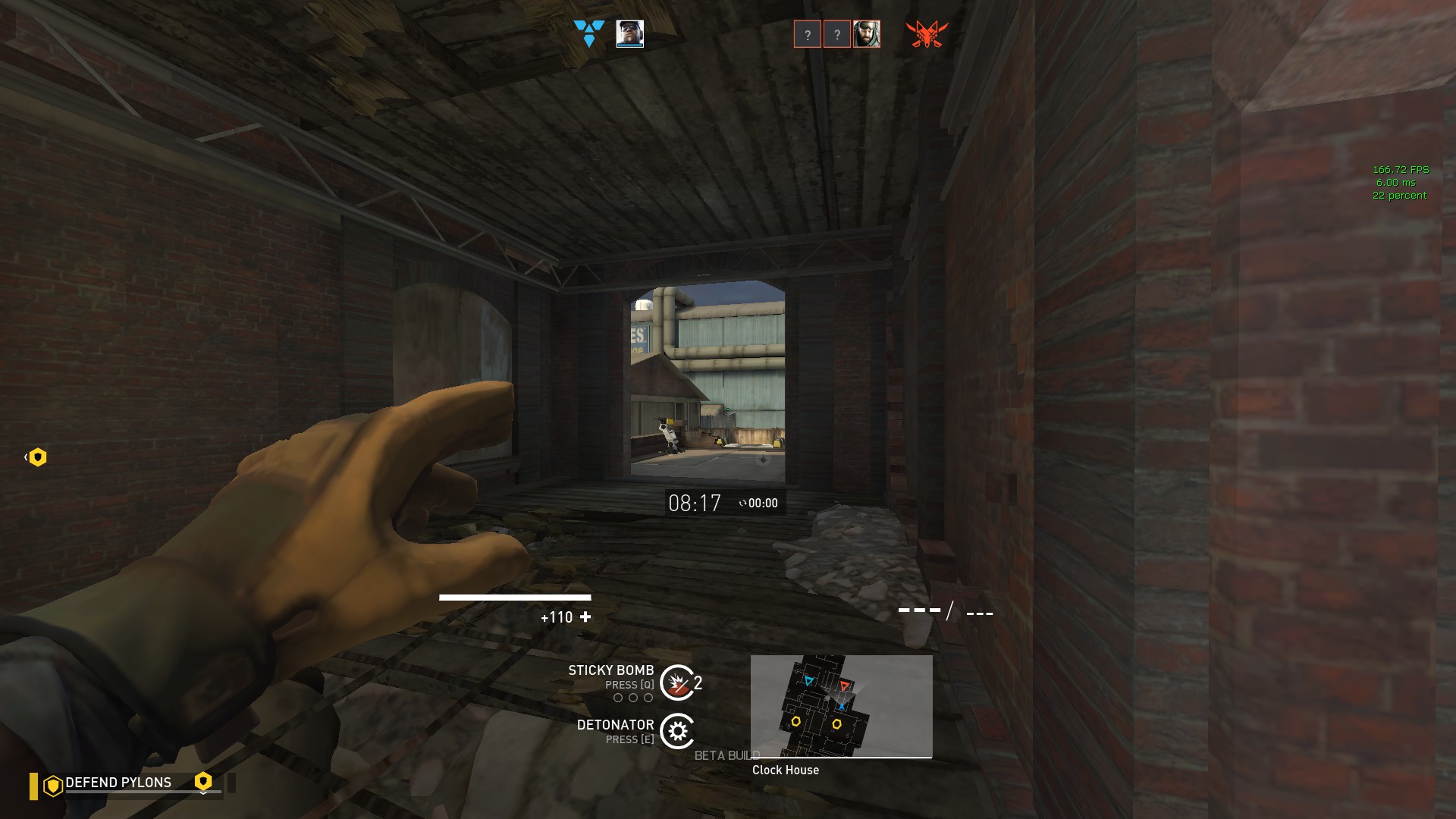
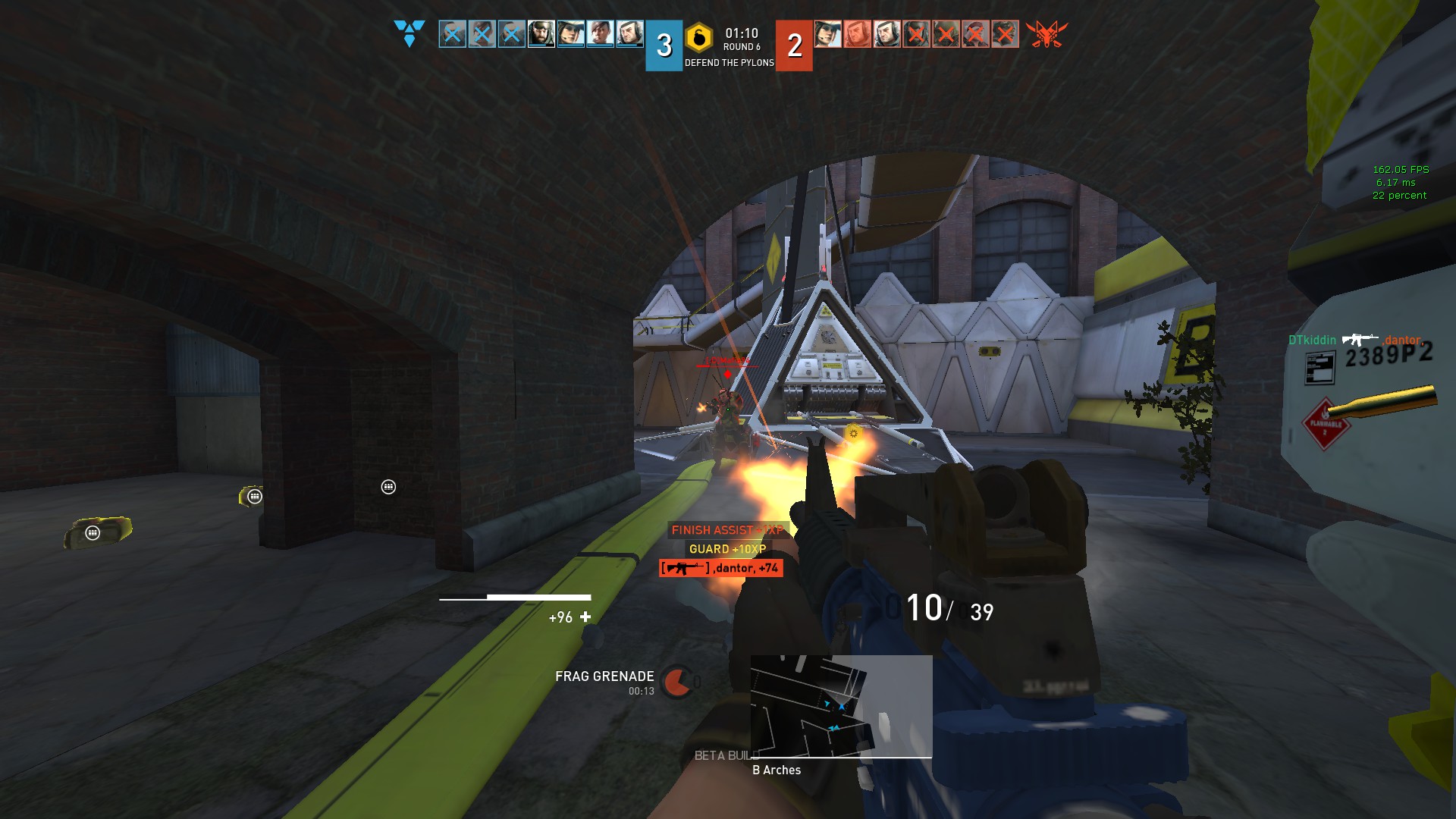
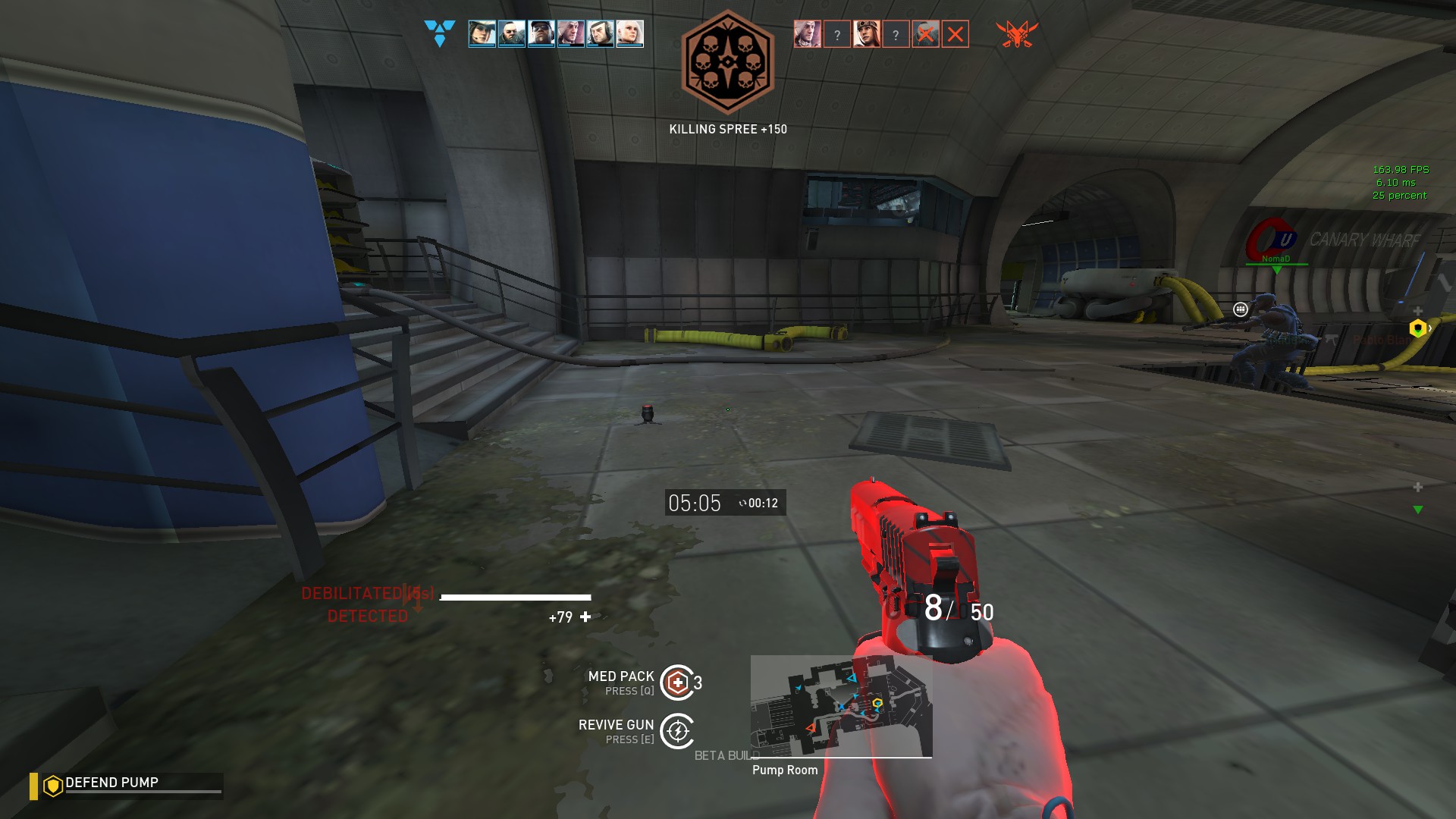
Due most of the player focus is on the center of the screen (and thus its crosshair), having the core HUD elements in your line of sight will help getting back on track where the action and aim is. By moving the Player Health, Weapon Ammo, Ability Cooldown, Minimap and Shieldbar to the bottom center of the screen, you only need to have take a glance to view that important data.
Tracking the spawntimer and XP feed efficiently
In Ranked and Competitive, the spawntimer is second to most crucial data you need that could make or break a match. By moving this even closer to the crosshair (but not too far), you always know when you expect the enemies and your allies. Also by moving the XP feed just below it, you recieve better data what type of XP you gain (i.e if a nade was a direct hit or just a blast damage)
Tidy up the rest
Moved other usefull HUD elements to different locations left and right of the core HUD elements like the chatbox, killfeed, death/spectator card and many more.Pictures
Overview
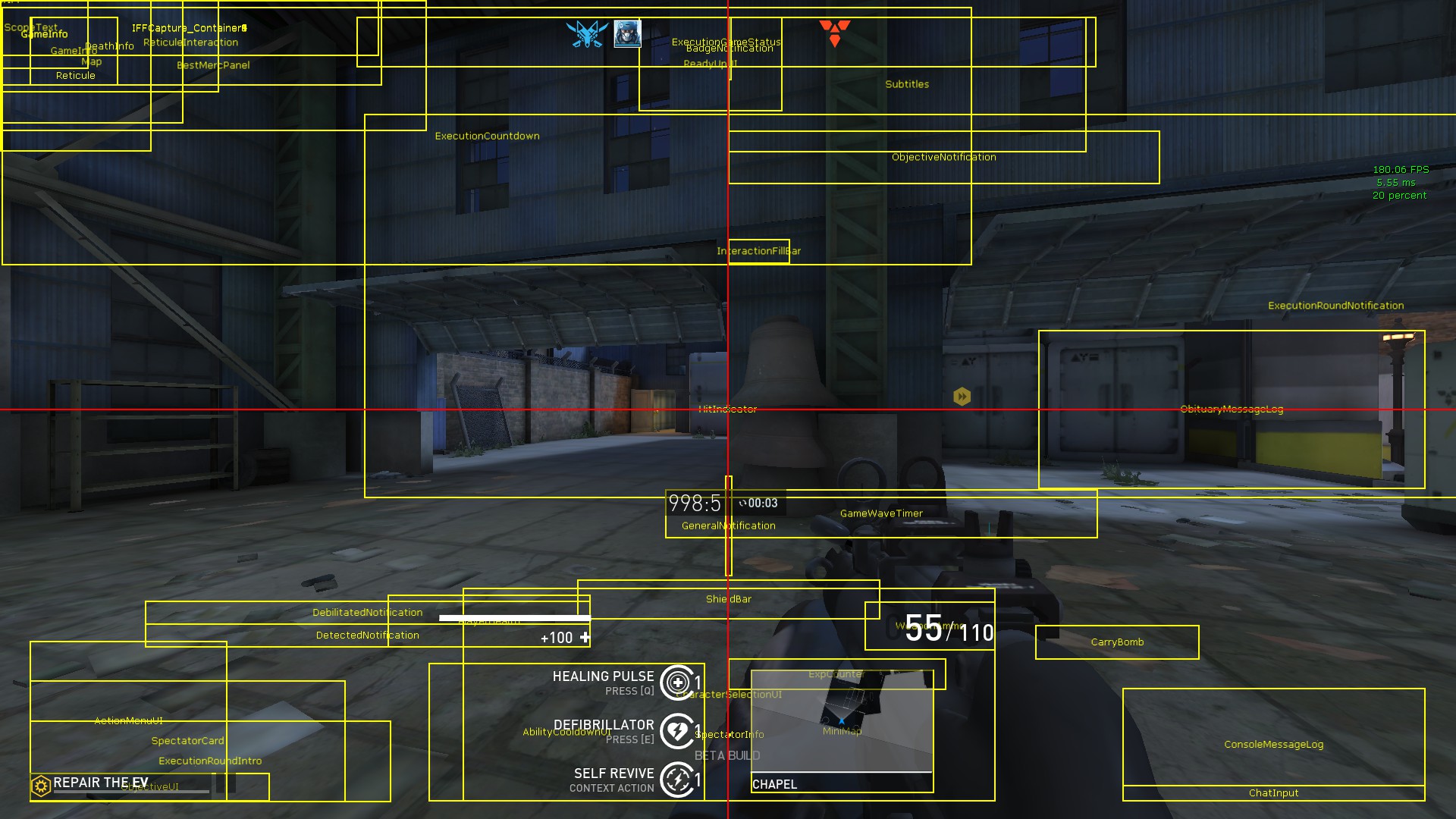
HUD Debug Overview
Ingame
Download
You can download the current and it previous versions from the focusHUD Github[github.com]
Installation
- Download the most recent version from the focusHUD Github[github.com] page
C:\Users\<your username>\Documents\My Games\UnrealEngine3\ShooterGame\Config
- Right-click on the ShooterUI.ini and select Properties from the list
- Under the General tab, check the "Read-only" box.
- Press Apply and close the screen.
Known Issues
AbilityCooldown and WeaponAmmo unintended bottom padding
There is a current issue that 2 elements of the HUD have a unintented empty space below HUD information. A hotfix is deployed that fixed the current miss alignment and positioning, but all elements that are centered in the HUD are moved upwards slighty to counter this issue.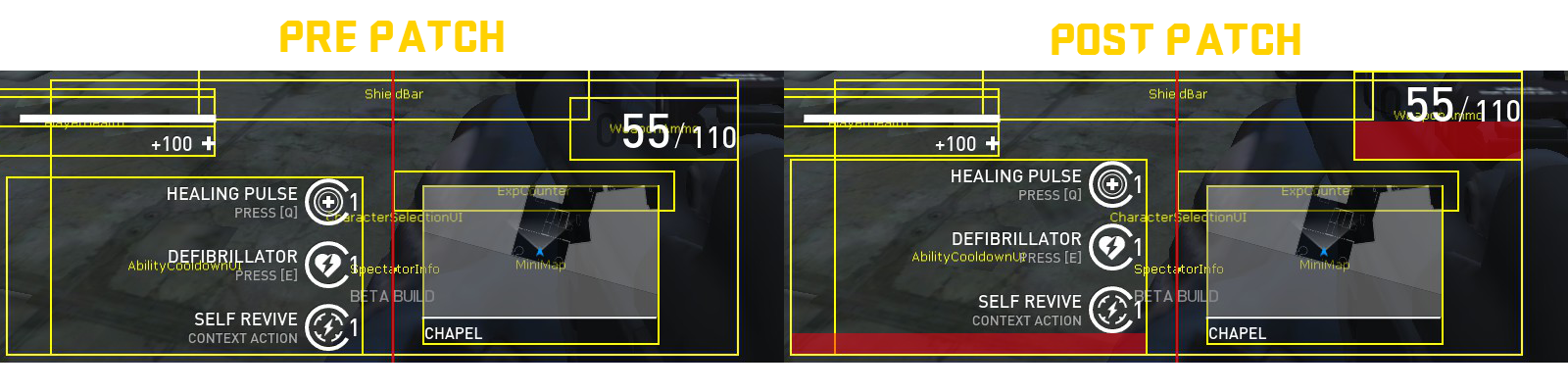
ObjectiveNotification, ExecutionRoundNotification, BestMerc and ExecutionCountdown
Due that these elements are tied to the NativeHUDResolution settings, they will also be downscaled, and displayed in the top/right corner. There is no setting that allows to alter it position and/or scale to work properly with the current NativeHUDResolution.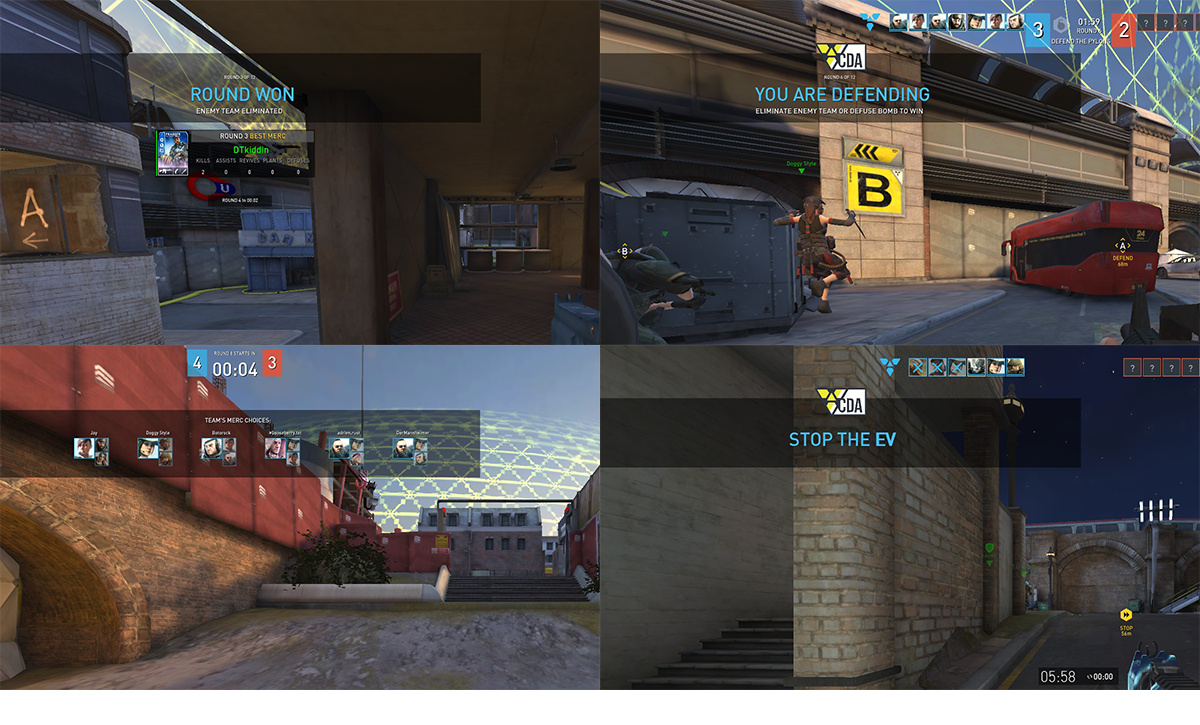
DebilitatedNotification
The Debilitated icon (☈) overlaps with the amount of seconds you are still Delibitated. This can be fixed by setting the alignment of the element to left or right. The sound due and red glow already indicated if you are Debilitated or not, and it's element isnt nessecary to tell if you are in this state.
FAQ
Q: I installed the HUD but it still uses the default HUD. Why?
A: Follow the installation steps again. It might be that you placed it into the wrong folder or forgot to set the ShooterUI.ini file to read-only mode.
Q: Can I change elements of the HUD to my needs?
A: Yes.
Q: Some elements of the HUD overlap or do not align. How come?
A: The way the game engine using position of the hud elements is wierd. I even haven't figured out completly what the exact formula's are for pixel perfect positioning. Let alone due there are alot of different resolution that people use, it uses an different calculation and algoritm based on that resolution, and thus things might not fall into the right place. You are free to fix them on your own.
Q: Can you make this HUD work for resolution X?
A: No. If I need to make a hud for each custom resolution, it would take a long time to make it. Also the HUD can be very cluttered when using a small resolution, due that the HUD elements do not scale with the resolution.
Q: I found a bug/problem with the HUD. Where can I report it?
A: You can simple report it by leaving a comment below this guide.
Q: I do not want to use the HUD anymore. How can I remove it?
A: By simple removing the ShooterUI.ini and restarting the game. The game will generate a new ShooterUI.ini that includes the game default HUD.
Q: How do you show the debug elements of the HUD ingame (like in the HUD Debug Overiew screenshot)?
A: Open your console and type `showdebughud`. You can also use `showhudcentre` to show a horizontal and veritcal red line that indicate the centres of the game and `showhudgrid` for a grid overlay.
Q: In the screenshots you are playing on a low quality. Which settings are you using?
A: Im using my own custom settings to help improve and stabilize the framerates of the game. You can download the latest version from my Dirty Bomb steadyConfig[github.com]More Dirty Bomb guides
- How to try out mercs without buying them or waiting for rotation! (ADDED: Redeye Update!)★ 5 (292)26k views403 ♥3 minUpdated Aug 14, 2015
- Wall Jumps Everyone Should Know★ 5 (520)19k views602 ♥6 minUpdated Jul 1, 2017
- Super Secret Protips + Community Protips★ 4 (156)12k views46 ♥3 minBulgarianUpdated Sep 23, 2015
- Long Jump keybind (Crouch jumps made ez)★ 5 (190)11k views225 ♥1 minUpdated Sep 10, 2016
- List of Loadout Card Variants [Final Update]★ 5 (198)10k views221 ♥24 minUpdated Jul 10, 2020
- Dirty Bomb Console Commands (updated)★ 5 (263)9.4k views416 ♥12 minUpdated Aug 30, 2018



🔥 Popular guides
- Upgrading to PremiumTeam Fortress 2★ 5 (20k)1441k views11k ♥6 minUpdated May 11, 2022
- No More Room in Hell Official ManualNo More Room in Hell★ 5 (2.8k)569k views2.1k ♥29 minUpdated Apr 22, 2019
- NMRiH Community Hosting GuidesNo More Room in Hell★ 5 (526)351k views653 ♥1 minUpdated Aug 10, 2022
- ULTIMATE GUIDE FOR GAME DEV TYCOONGame Dev Tycoon★ 5 (5.8k)326k views10k ♥4 minUpdated 23 Jan, 2014
- How to 'Git Gud' Soon™MORDHAU★ 5 (2k)318k views3k ♥68 minUpdated Nov 16, 2024
- Лучшие кооперативные игры SteamPAYDAY 2★ 5 (1.5k)315k views2.1k ♥56 minRussianUpdated Apr 27, 2025






This guide was created by its original author on the Steam Community. Are you the author and want it removed? Request removal.