Getting Gmod Workshop stuff too SFM
Garry's mod Workshop Extraction
First thing you're going to remember is that it will only work for: Models (Weapon Models just something that isn't you can shoot with in the game/ Hats/ Miscs (stuff like that)
Also download the addon you want in sfm from gmod first
-------------------------------------------------------
Also download the addon you want in sfm from gmod first
-------------------------------------------------------
STEP 2
STEP 2
Download Gmod Gma Extractor [www.treesoft.dk]
Then find C:\Program Files (x86)\Steam\SteamApps\common\GarrysMod\garrysmod\addons. There should be the GMA called the something like the thing you downloaded from the workshop now
-------------------------------------------------------
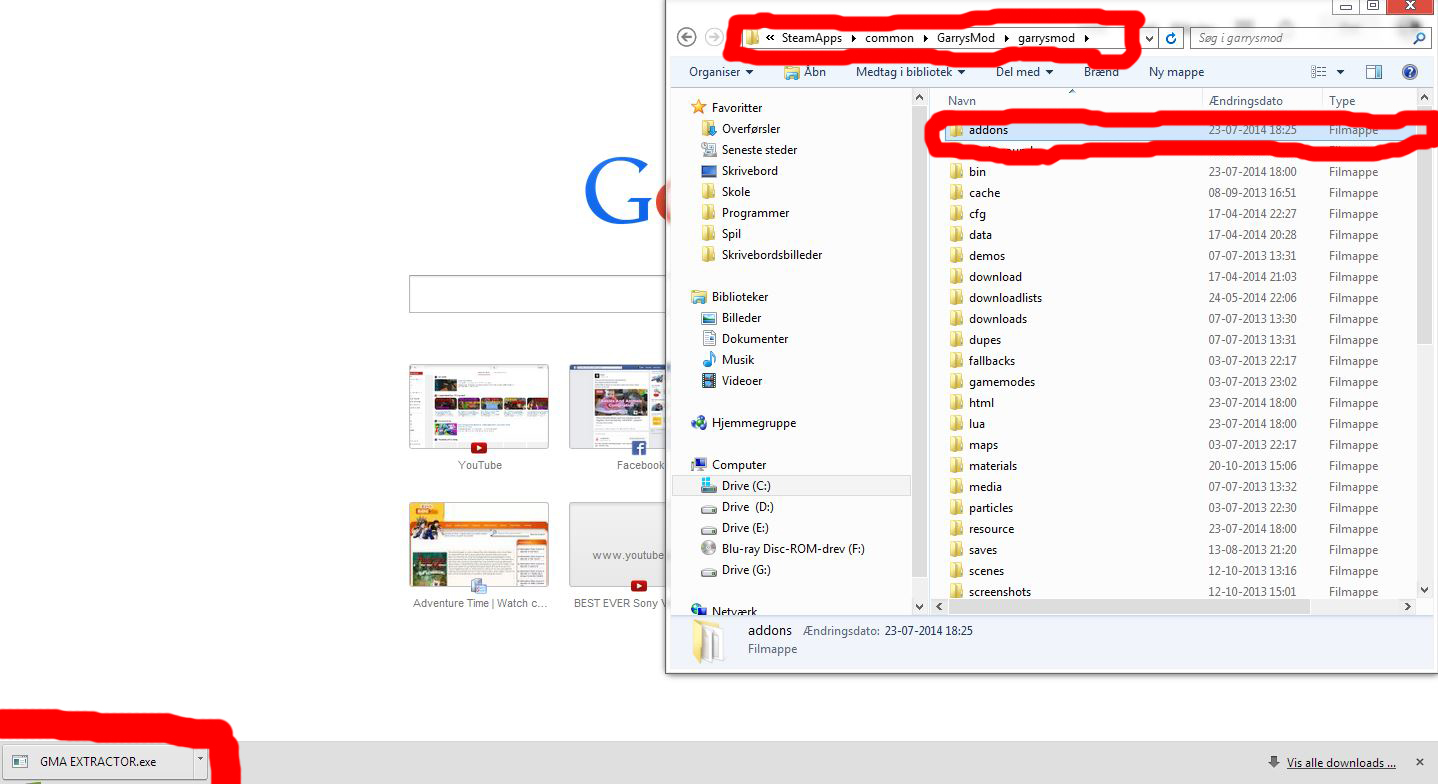
Download Gmod Gma Extractor [www.treesoft.dk]
Then find C:\Program Files (x86)\Steam\SteamApps\common\GarrysMod\garrysmod\addons. There should be the GMA called the something like the thing you downloaded from the workshop now
-------------------------------------------------------
STEP 3
STEP 3
Open the Extractor and click "Convert a single file" then locate the gmod addons folder and find your specific addon.
now open the addons folder and there should be a folder called the specific addons name or something like that.
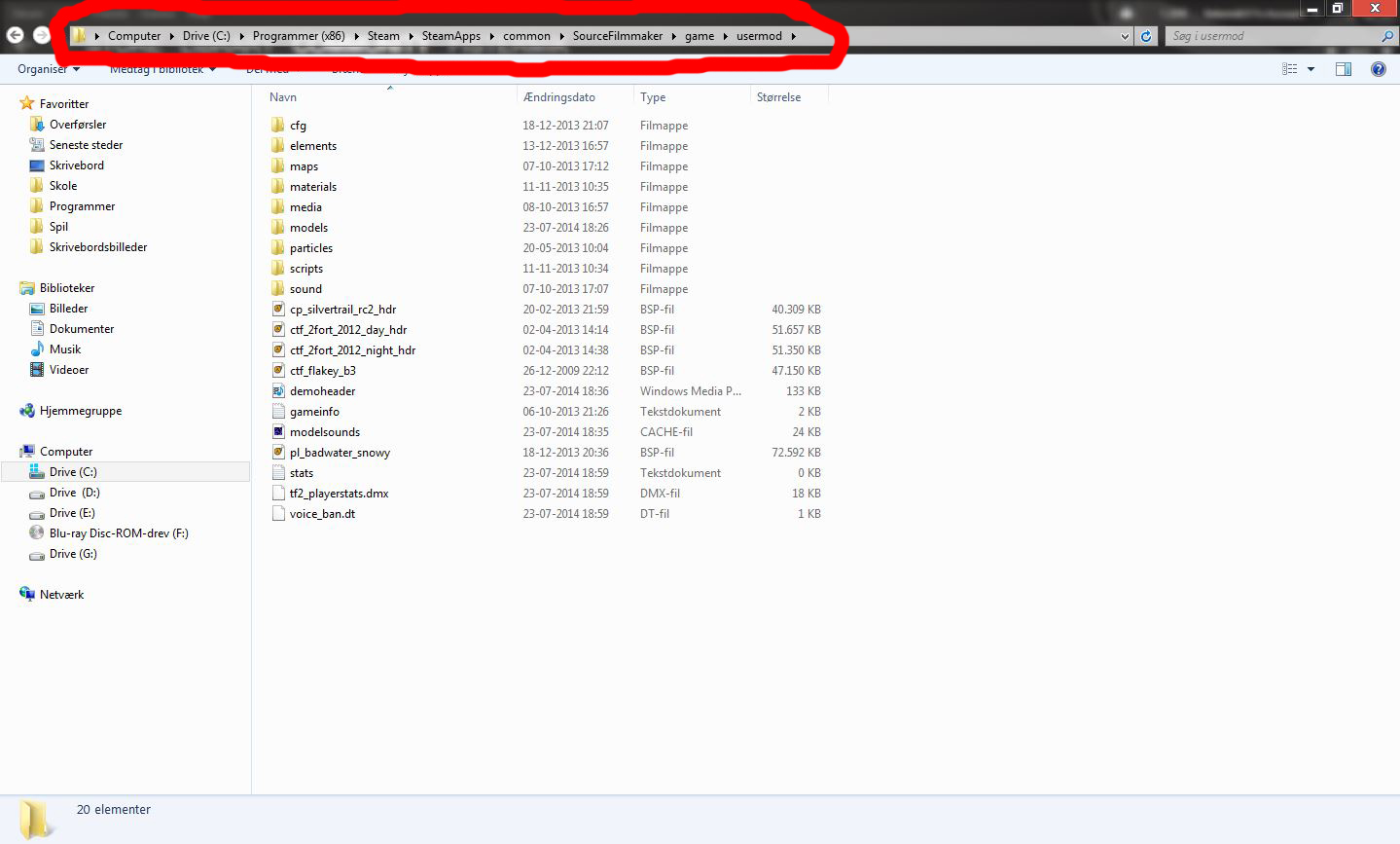
open a new window and locate to C:\Program Files (x86)\Steam\SteamApps\common\SourceFilmmaker\game\usermod
------------------------------------------------------
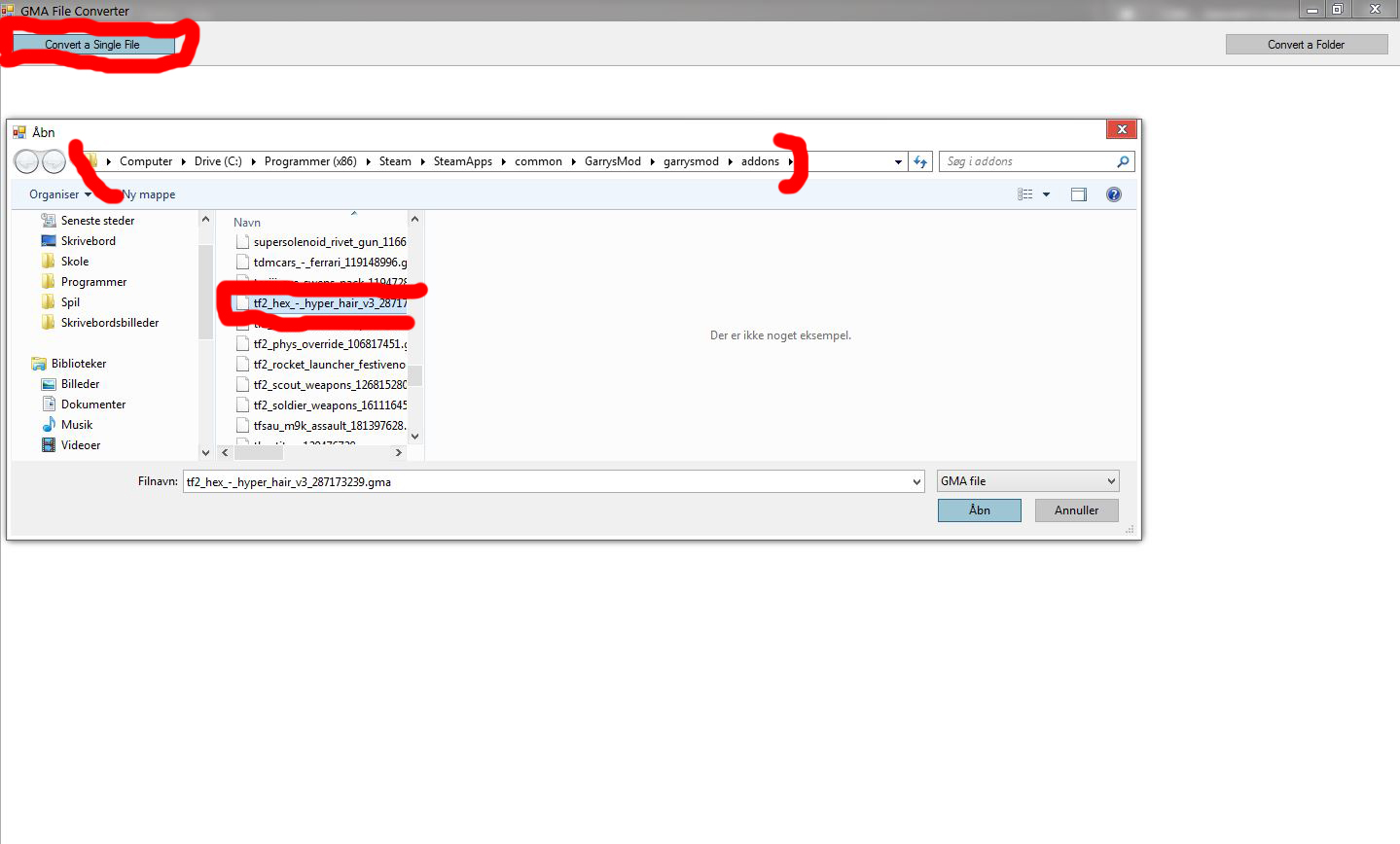
Open the Extractor and click "Convert a single file" then locate the gmod addons folder and find your specific addon.
now open the addons folder and there should be a folder called the specific addons name or something like that.
open a new window and locate to C:\Program Files (x86)\Steam\SteamApps\common\SourceFilmmaker\game\usermod
------------------------------------------------------
STEP 4
STEP 4
Drag the files in the addon name (folder) to usermod
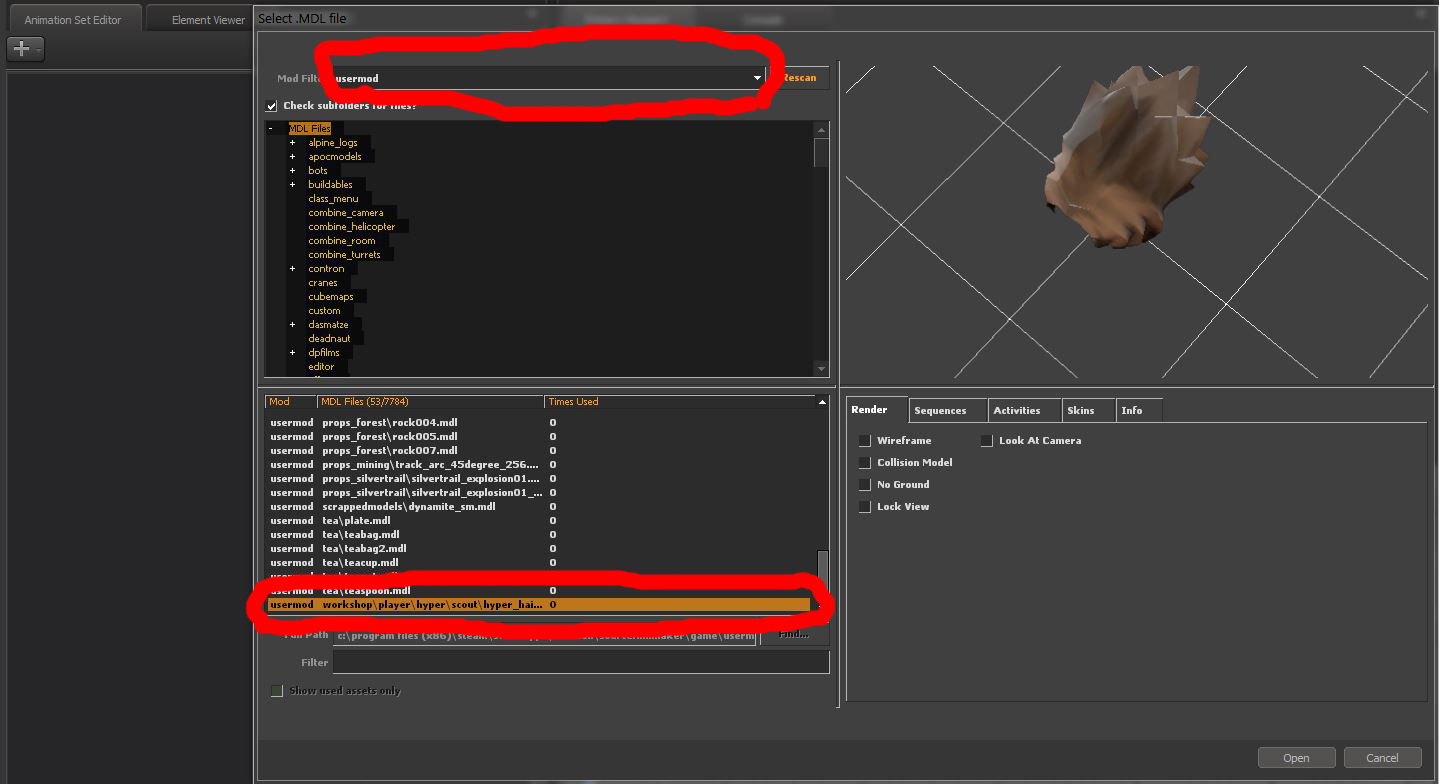
now close the folders and open sfm then "Select MDL. file" and choose usermod and search for the addons name
and open then you're done! :D.
Feel free to rate and question :)
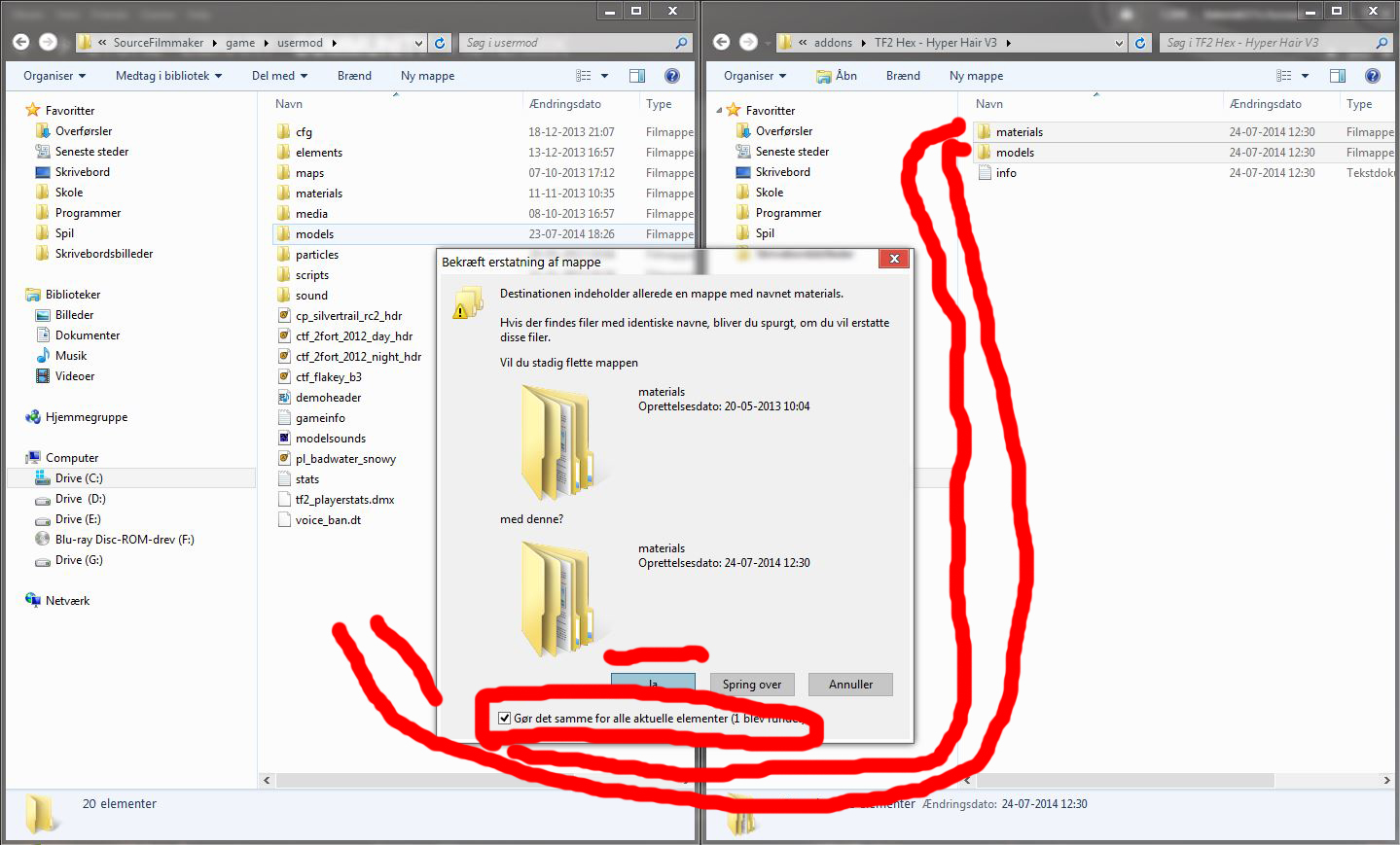
Drag the files in the addon name (folder) to usermod
now close the folders and open sfm then "Select MDL. file" and choose usermod and search for the addons name
and open then you're done! :D.
Feel free to rate and question :)
More Source Filmmaker guides
- Changing Textures Using Material Overrides★ 5 (1.4k)41k views2.7k ♥5 minUpdated Jul 26, 2014
- The Fundamentals of SFM: For Beginners★ 5 (1.3k)25k views3.3k ♥55 minUpdated Apr 29
- Ваш первый постер★ 5 (1.1k)22k views2k ♥5 minRussianUpdated Oct 22, 2024
- Улучшение качества постера в SFM★ 5 (973)14k views2.1k ♥12 minRussianUpdated Jan 17, 2020
- How to Light Characters from the Ground Up (or something)★ 5 (1.1k)12k views2.4k ♥23 minUpdated Mar 21, 2019
- Each Light Setting and What it Does★ 5 (705)9.2k views1.7k ♥9 minUpdated Jan 24, 2022






This guide was created by its original author on the Steam Community. Are you the author and want it removed? Request removal.