How to activate the (hidden) 3D mode
Introduction
Hello! In this guide you're going to learn how to activate the recently discovered hidden 3D mode in Prison Architect. This does not require any mods at all and is a secret in the game! It currently seems really experimental, so I'd only recommend it for viewing your already built prisons, but of cause, you can do whatever you want with it.
The person who originally discovered this (TheLogical Lowdown) and I got the information from made this video on the right, you should definitely watch it!:
I've made this guide so this 3D mode becomes a little more known, but enough of the introduction, here's the guide.
The person who originally discovered this (TheLogical Lowdown) and I got the information from made this video on the right, you should definitely watch it!:
I've made this guide so this 3D mode becomes a little more known, but enough of the introduction, here's the guide.
How to activate the 3D mode
To activate the 3D mode, follow the following steps:
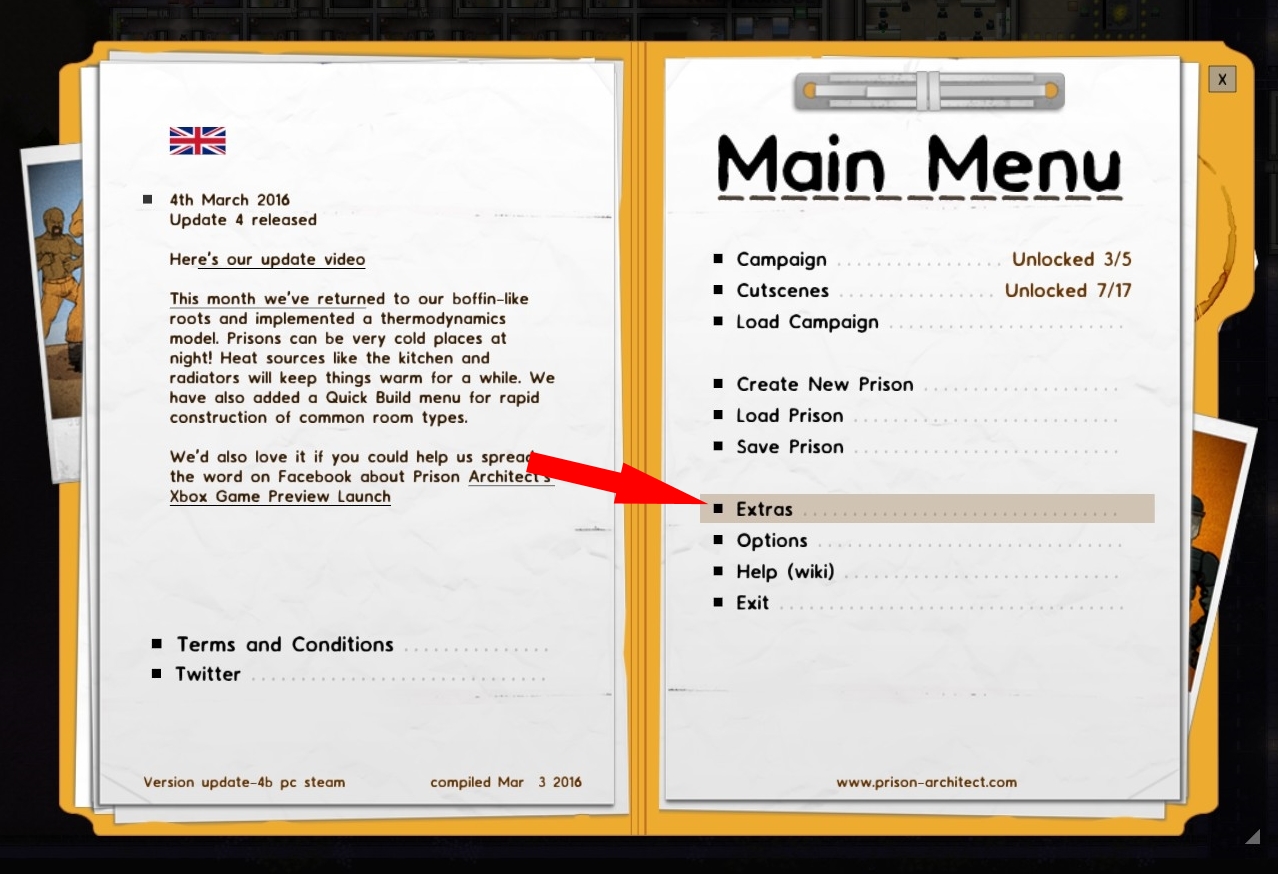
Open the menu and go to Extras:
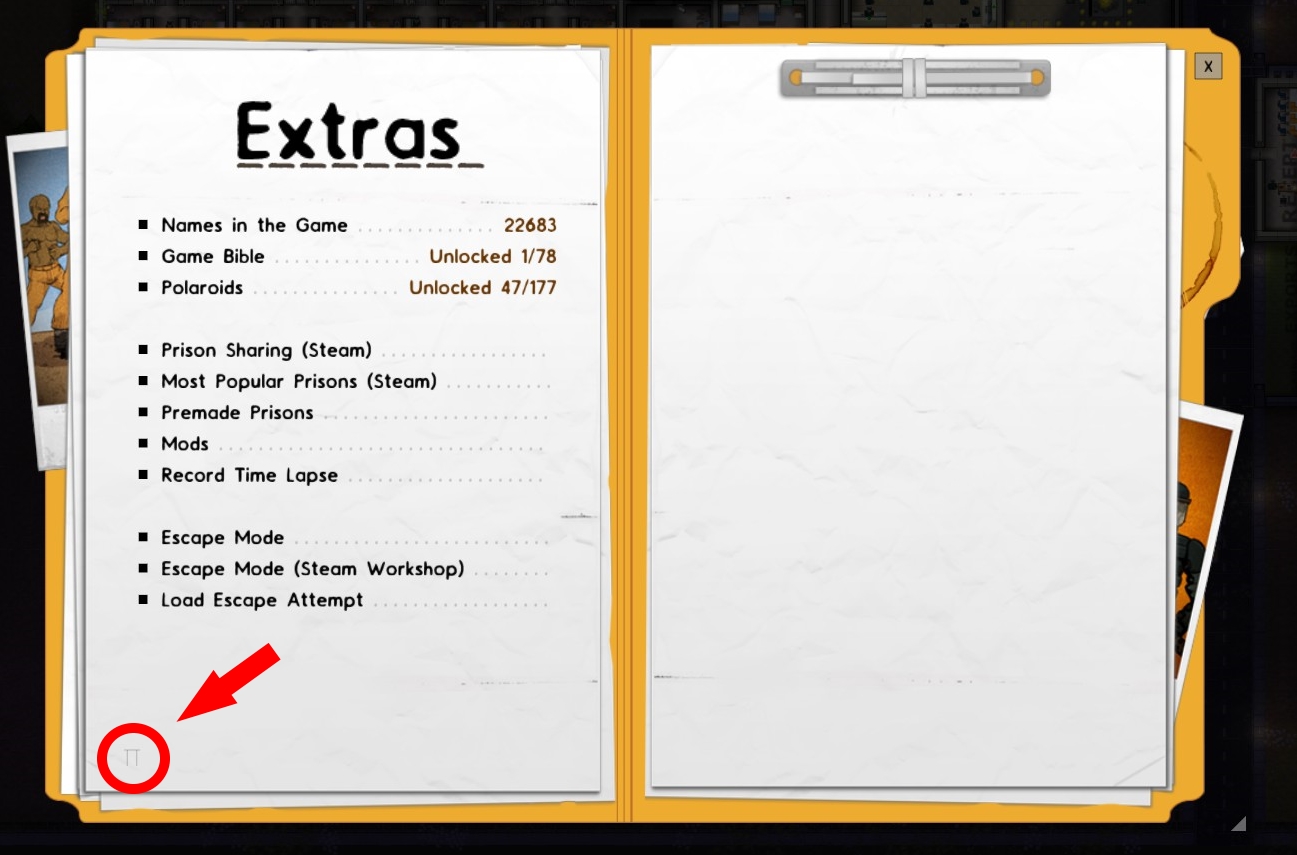
Click on the hidden button highlighted in this image:
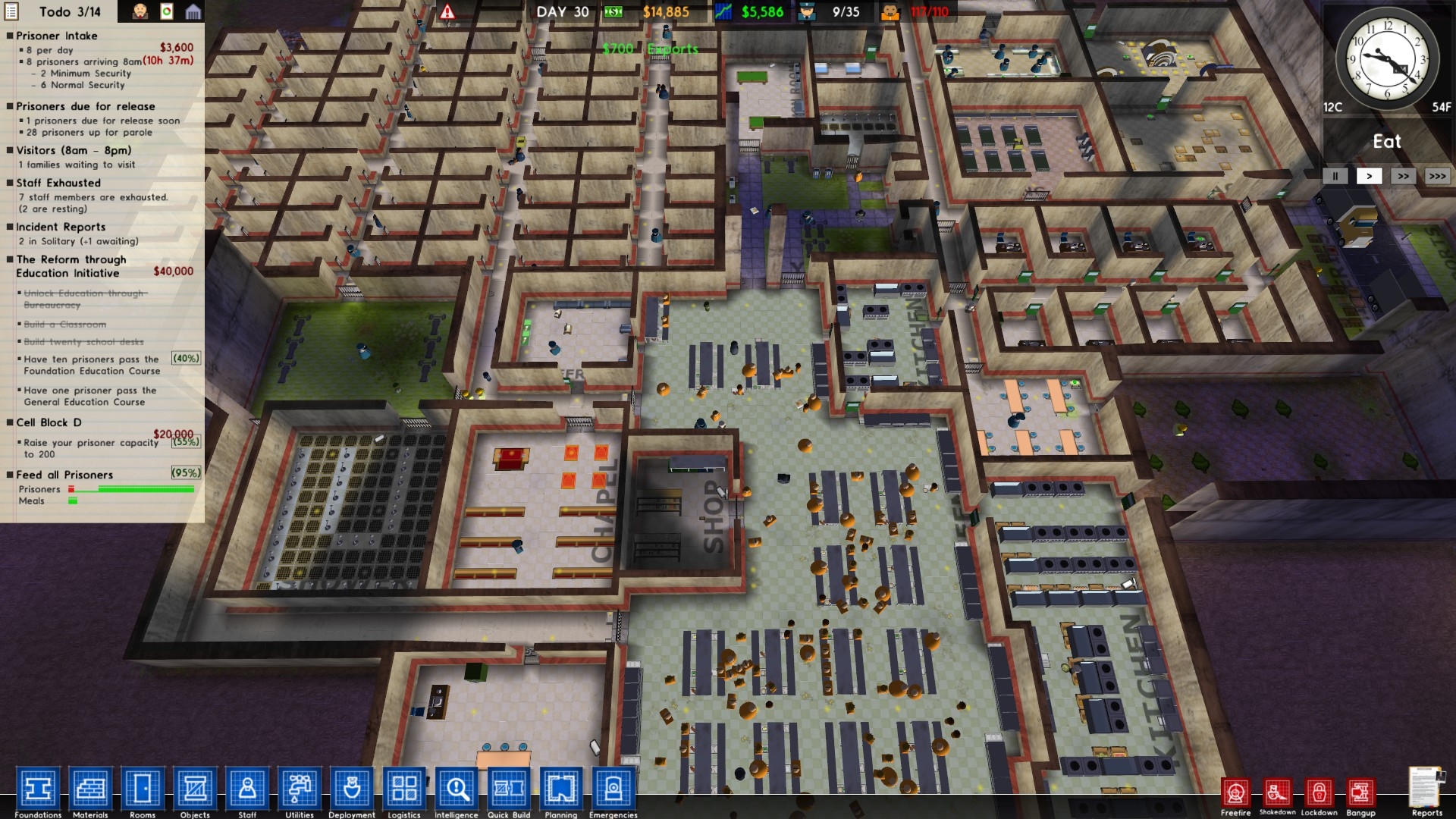
(The button has the shape of a Pi-Symbol π)If everything went right, you'll see your prison in 3D:
Some notes
- You can look around by holding the right mouse button and moving the mouse.
- Not all objects have a model yet, so it's normal that some things are still in 2D.
- The game performs slower when in 3D mode, so it isn't perfect yet, i guess.
Thanks for reading!
Thanks for reading! I hope this guide is what you searched for and that this helped you, but if there's something you didn't like about this small guide, please tell me so I can improve it, fix it and learn from it.
I hope you'll have fun with the 3D mode and with Prison Architect in general!
I hope you'll have fun with the 3D mode and with Prison Architect in general!
Some articles about this 3D mode
Here are some articles about this "3D mode":
- "Prison Architect Has A ‘Hidden’ 3D Mode" by Rock Paper Shotgun
- "Watch someone discover Prison Architect's hidden 3D mode"[www.eurogamer.net] by Eurogamer
More Prison Architect guides
- HOW TO BUILD A PRISON (updated 8/2/2020)★ 5 (1.4k)51k views2.5k ♥25 minUpdated Feb 7, 2021
- GC13's Easy Guide to a Successful Prison★ 5 (689)47k views1.3k ♥30 minUpdated Aug 23, 2015
- Prison Architect Mega-Guide [V.1.7]★ 5 (1k)39k views2k ♥118 minUpdated Jul 27, 2019
- Professional Prison Security★ 5 (684)28k views1.4k ♥4 minUpdated Mar 8, 2019
- Rooms sizes and efficiency (alpha 0.30)★ 5 (550)26k views987 ♥24 minUpdated Dec 23, 2015
- Get ALL 100% Achievements★ 5 (754)26k views1.3k ♥10 minUpdated May 19, 2020





This guide was created by its original author on the Steam Community. Are you the author and want it removed? Request removal.