How to actually fix the resolution: 2026.
Step 1
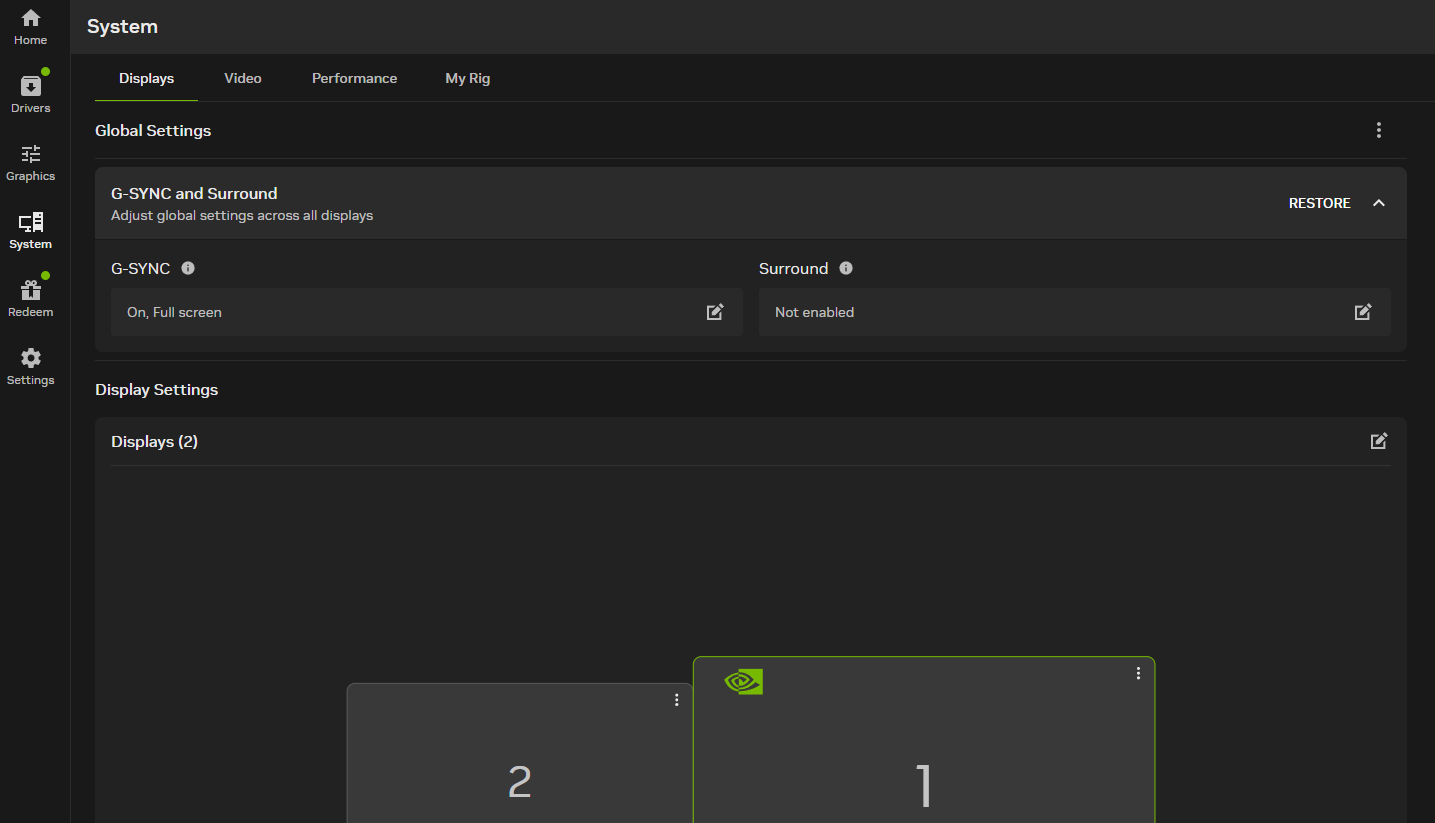
Open the Nvida app and go to "system"
Step 2
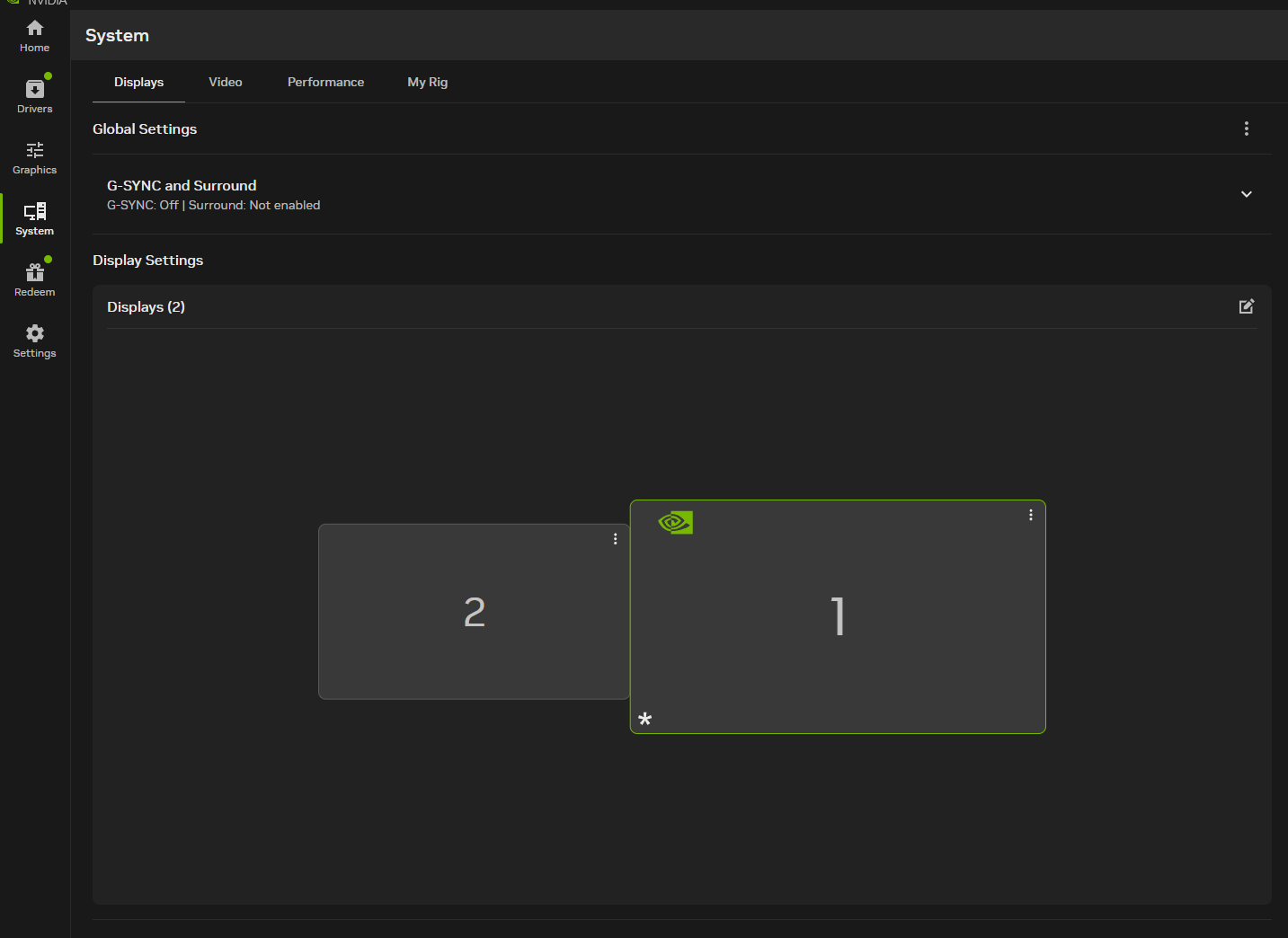
turn off G-SYNC
Step 3
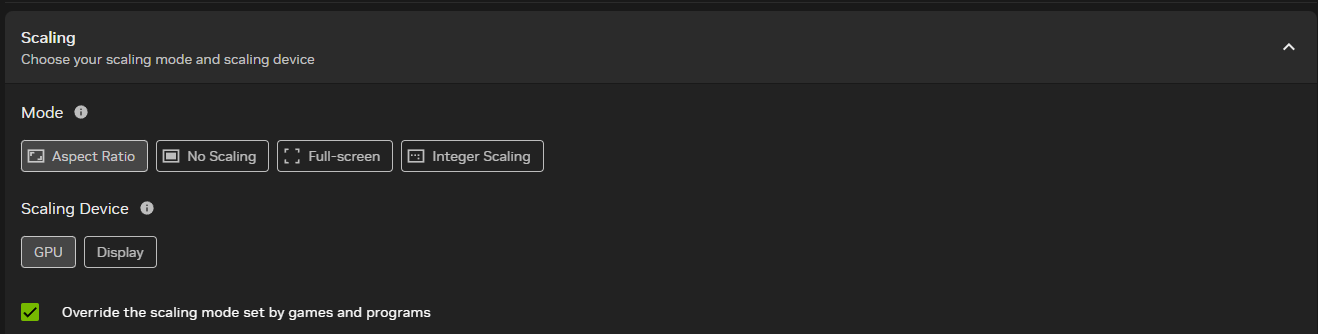
make sure you set "scaling device" to GPU, and turn on "override the scaling mode set by games and programs"
Enjoy the game!
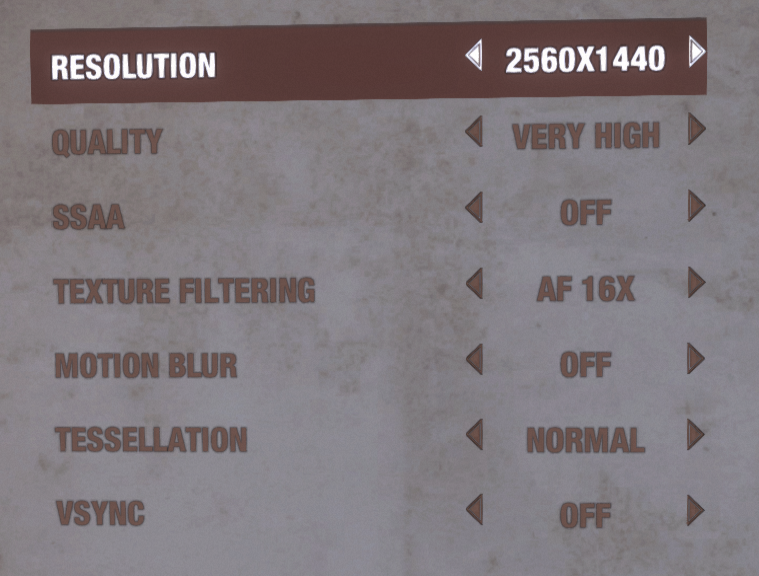
now just set your resolution and play! If this guide fails for you ask in the comments and ill help you fix it!
More Metro 2033 Redux guides
- Достижения Метро 2033 Redux★ 5 (3.9k)66k views4.6k ♥26 minRussianUpdated May 3, 2017
- Сейфы Metro 2033 Redux/ Достижение "Взломщик"★ 5 (869)57k views1.9k ♥5 minRussianUpdated Dec 27, 2024
- Получение хорошей концовки★ 5 (1.1k)57k views1.5k ♥3 minRussianUpdated Jan 7
- 100% Achievement Guide | Walkthrough★ 5 (3.5k)55k views5.5k ♥52 minUpdated Feb 4, 2021
- Metro Redux "Thief" Achievement Guide★ 5 (1k)51k views1.9k ♥12 minUpdated Sep 23, 2020
- 100% Achievement Guide: Metro 2033 - Redux★ 5 (2.3k)48k views4.5k ♥58 minUpdated May 15


🔥 Popular guides
- Upgrading to PremiumTeam Fortress 2★ 5 (20k)1441k views11k ♥6 minUpdated May 11, 2022
- No More Room in Hell Official ManualNo More Room in Hell★ 5 (2.8k)569k views2.1k ♥29 minUpdated Apr 22, 2019
- NMRiH Community Hosting GuidesNo More Room in Hell★ 5 (526)351k views653 ♥1 minUpdated Aug 10, 2022
- ULTIMATE GUIDE FOR GAME DEV TYCOONGame Dev Tycoon★ 5 (5.8k)326k views10k ♥4 minUpdated 23 Jan, 2014
- How to 'Git Gud' Soon™MORDHAU★ 5 (2k)318k views3k ♥68 minUpdated Nov 16, 2024
- Лучшие кооперативные игры SteamPAYDAY 2★ 5 (1.5k)315k views2.1k ♥56 minRussianUpdated Apr 27, 2025






This guide was created by its original author on the Steam Community. Are you the author and want it removed? Request removal.