How to bypass Elusive Target "one chance"
Comodo Firewall Solution
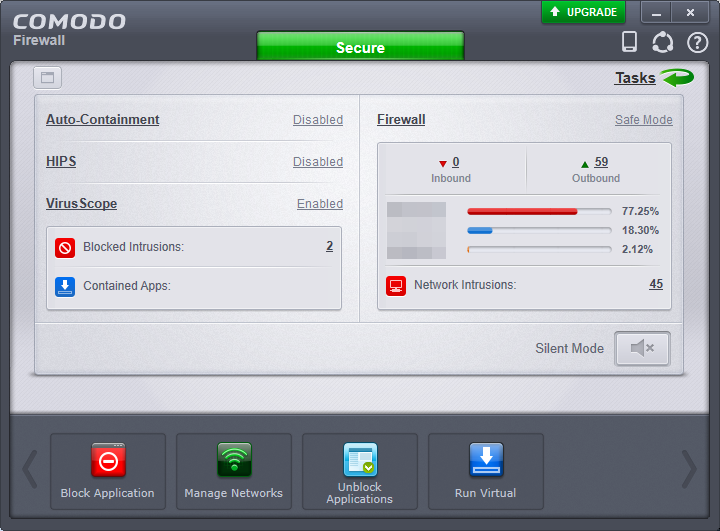 To start, please open your comodo firewall and click on Tasks (top right)
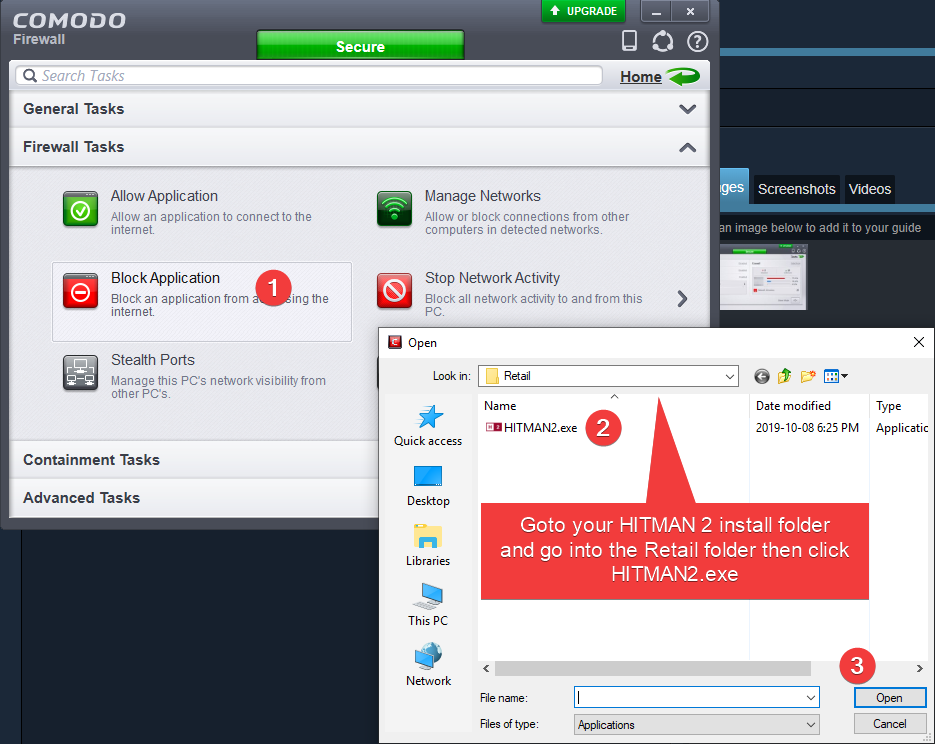 Find your HITMAN 2 install folder then click on HITMAN2.exe then click Open. After you do this the game should begin to lose connection. This will show up.
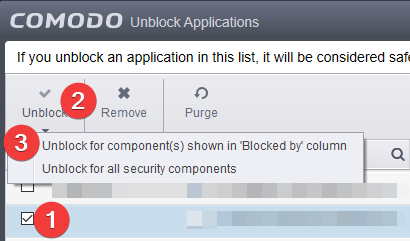
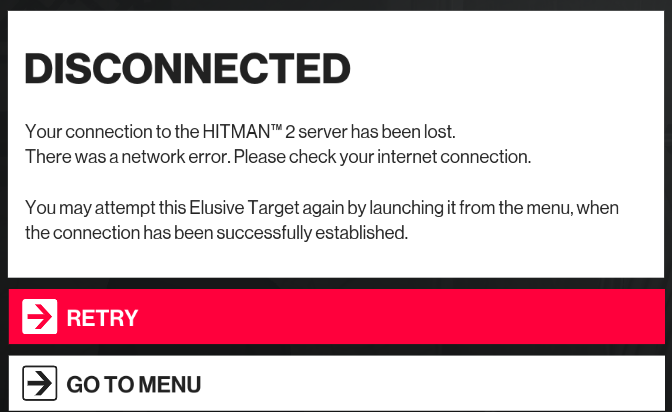 Click "GO TO MENU", When you goto the menu go back into comodo, and click "Unblock Application" Find HITMAN 2 on the list then click Unblock for components.
 Go back into HITMAN 2 then click "GO ONLINE", The elusive target will be back and you can replay it.
Disconnecting your Ethernet cable
The easist trick, disconnect the Ethernet cable and wait for the game to go offline. When the game goes offline, click "GO TO MENU" then click "GO ONLINE" after you re connected your cable. The Elusive Target will be back for you to do it again.
More HITMAN™ 2 guides
- Versions, Legacy and DLC explained (Store Guide)★ 5 (808)50k views643 ♥36 minUpdated Feb 24, 2023
- Hitman 2 Item & Unlock List ~ And What to Get First★ 5 (738)30k views1.4k ♥53 minUpdated Feb 24, 2023
- HITMAN™ 2 - Гайд по достижениям и испытаниям★ 5 (1.3k)27k views2.2k ♥104 minRussianUpdated Jan 24, 2023
- HITMAN 2 | Chameleon | All Disguises★ 5 (196)19k views377 ♥7 minUpdated Mar 8, 2020
- HITMAN™ 2 Achievement Guide★ 5 (721)18k views1.1k ♥9 minUpdated Jan 29, 2022
- HAVEN Island, Last Resort - Challenges, Achievements & Walkthroughs★ 4 (127)14k views165 ♥11 minUpdated Sep 30, 2019




🔥 Popular guides
- Upgrading to PremiumTeam Fortress 2★ 5 (20k)1441k views11k ♥6 minUpdated May 11, 2022
- No More Room in Hell Official ManualNo More Room in Hell★ 5 (2.8k)569k views2.1k ♥29 minUpdated Apr 22, 2019
- NMRiH Community Hosting GuidesNo More Room in Hell★ 5 (526)351k views653 ♥1 minUpdated Aug 10, 2022
- ULTIMATE GUIDE FOR GAME DEV TYCOONGame Dev Tycoon★ 5 (5.8k)326k views10k ♥4 minUpdated 23 Jan, 2014
- How to 'Git Gud' Soon™MORDHAU★ 5 (2k)318k views3k ♥68 minUpdated Nov 16, 2024
- Лучшие кооперативные игры SteamPAYDAY 2★ 5 (1.5k)315k views2.1k ♥56 minRussianUpdated Apr 27, 2025






This guide was created by its original author on the Steam Community. Are you the author and want it removed? Request removal.