How to change the FOV
FOV Adjustment
FOV too low? Serious Sam HD has a very narrow default Field of Vision that was likely meant for 4:3 monitors. Open the SeriousSamHD.ini file located in Steam/userdata/(userid)/41000/local and add the following command that corresponds to your monitor's aspect ratio:
For instance, if you have a 1920x1080 monitor, then you would add the line:
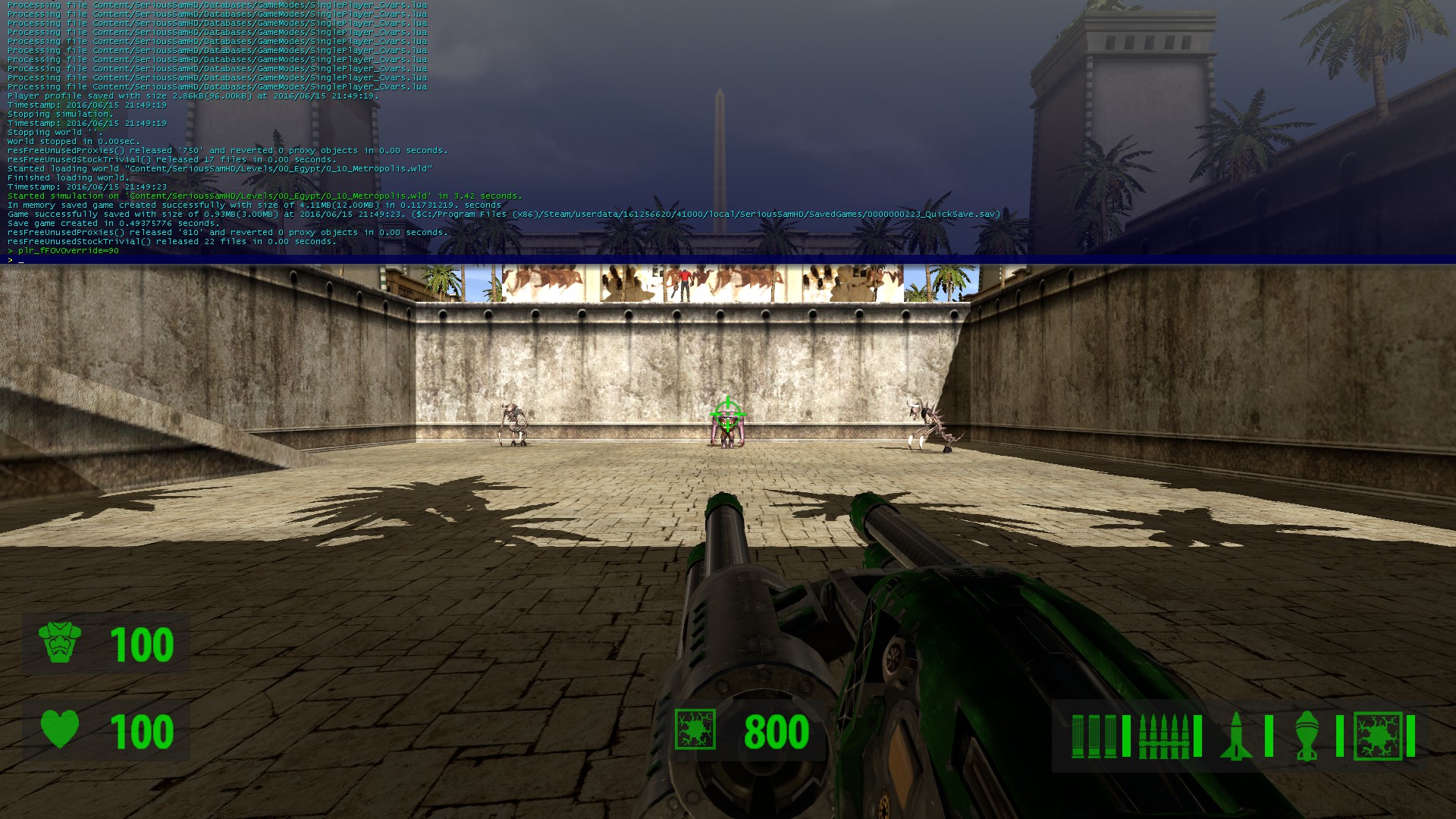
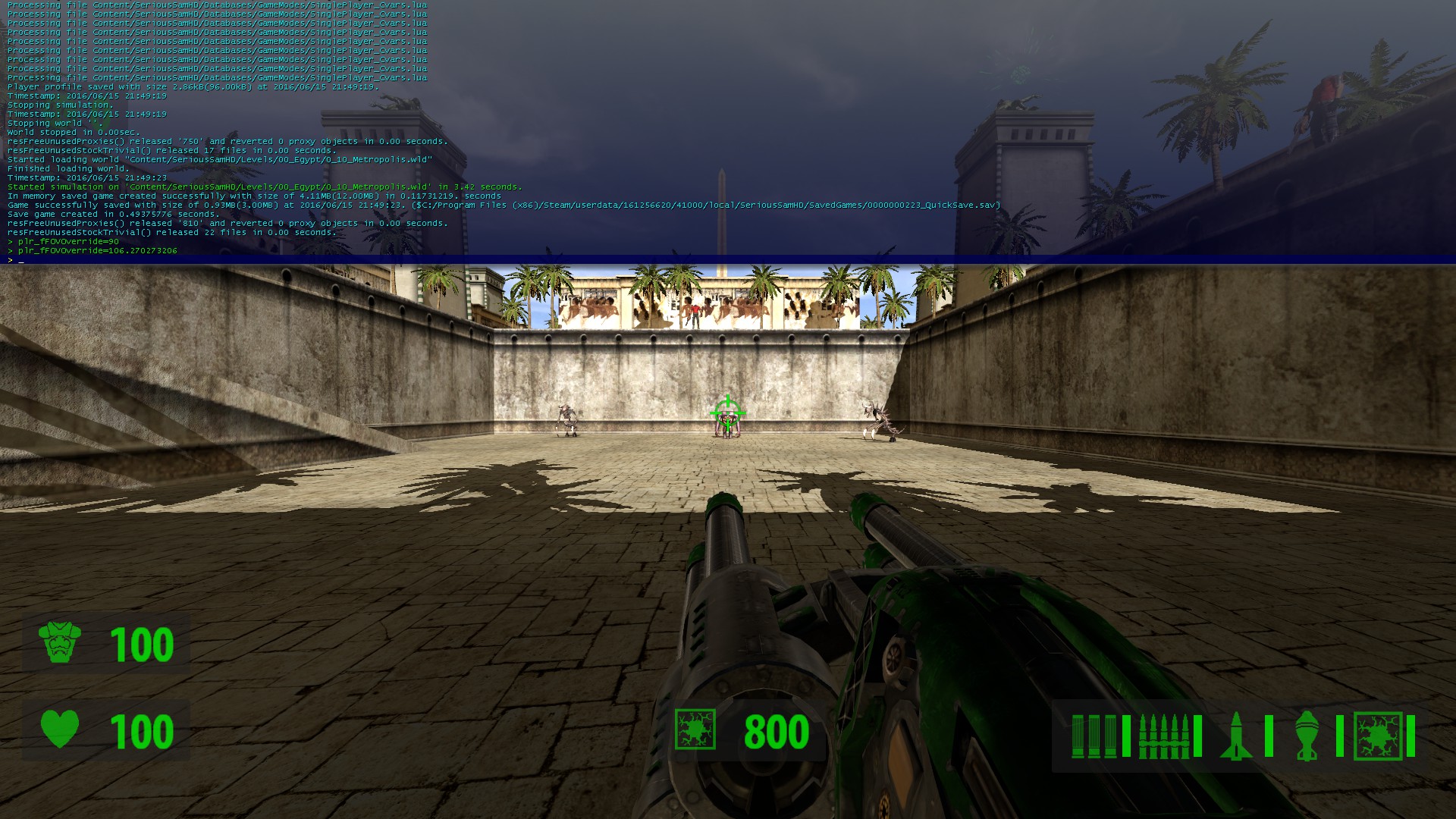 As you can clearly see, the effect is quite noticeable and will make a huge difference in the middle of an enemy horde. You will no longer feel quite as nauseous or claustrophobic.
Thanks for reading my guide. I'd like to give credit to WSGF for the FOV scaling values which I found in their helpful "Half-Life (Non-Steam)" guide.
Command
Value
Aspect
plr_fFOVOverride =
106.270273206;
16:9
plr_fFOVOverride =
100.39487232;
16:10
plr_fFOVOverride = 106.270273206;
Make sure you set the .ini file to Read-Only, or else it will revert back to default the next time you boot up the game!As you can clearly see, the effect is quite noticeable and will make a huge difference in the middle of an enemy horde. You will no longer feel quite as nauseous or claustrophobic.Thanks for reading my guide. I'd like to give credit to WSGF for the FOV scaling values which I found in their helpful "Half-Life (Non-Steam)" guide.
More Serious Sam HD: The First Encounter guides
- Все секреты - гайд по Serious Sam HD: The First Encounter★ 5 (1.1k)23k views1.4k ♥23 minRussianUpdated Oct 10, 2017
- Serious Sam HD: The First Encounter - Secrets Guide★ 5 (846)23k views1k ♥20 minUpdated May 24, 2022
- Все достижения "Serious Sam HD: The First Encounter"★ 5 (676)11k views571 ♥10 minRussianUpdated Apr 29, 2015
- The First Encounter - All Levels★ 4 (65)8.1k views48 ♥1 minBulgarianUpdated Aug 26, 2016
- The First Encounter - All Secrets★ 4 (194)8k views153 ♥1 minBulgarianUpdated Aug 26, 2016
- A Complete Serious Sam Guide★ 4 (91)7.3k views91 ♥49 minUpdated Aug 20, 2017





This guide was created by its original author on the Steam Community. Are you the author and want it removed? Request removal.