How To Enable The Console And Cheats For Enclave.
Disclaimer
I have one simple warning which should be basic common sense for modding:
BACKUP THE FILE THIS GUIDE TELLS YOU TO CHANGE AND BACKUP YOUR SAVE DATA, I HOLD NO RESPONSIBILITY FOR ANY UNINTENDED ISSUES/GLITCHES/BUGS THAT MAY ARISE FROM CHANGING THIS GAME'S FILES.
Your save files are located in your Steam\steamapps\common\Enclave\Sbz1\Save\*Name of Save* (typically the folders are called Game #)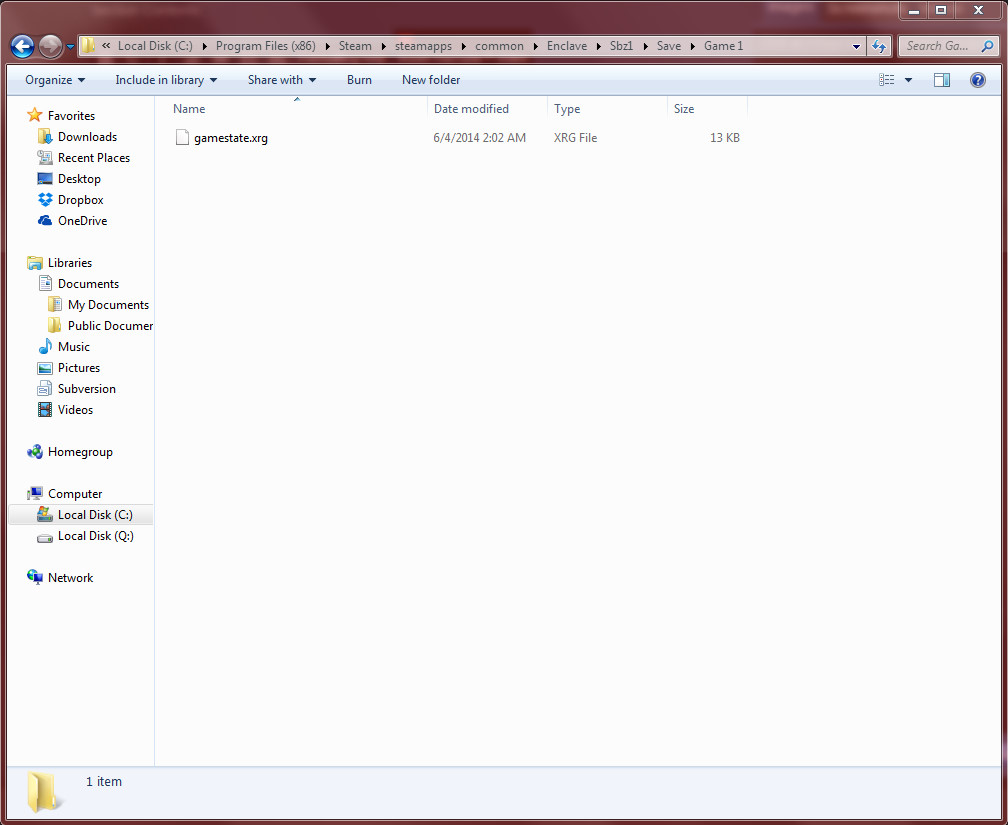
How To Enable The Console
After backing your saves up, go back to the main Enclave folder and backup "environment.cfg." This is the file we will be using to enable the console. After backing that file up, open it in notepad and add the following line to the bottom:
CON_ENABLE=1
After doing that, save and close the file and launch Enclave.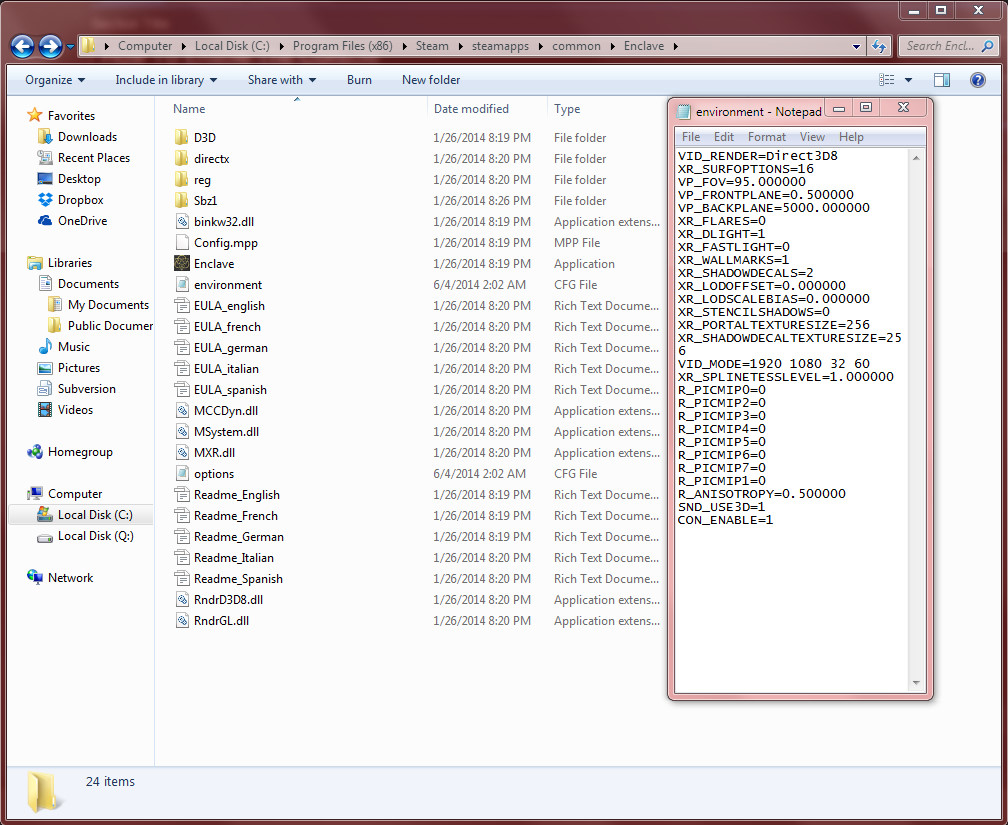
CON_ENABLE=1
After doing that, save and close the file and launch Enclave.
Using The Console and Cheats
After Enclave has been launched and you load up or start a new game, press the tilde key (`) and you will see the console pop up, type any of the following commands into the console:
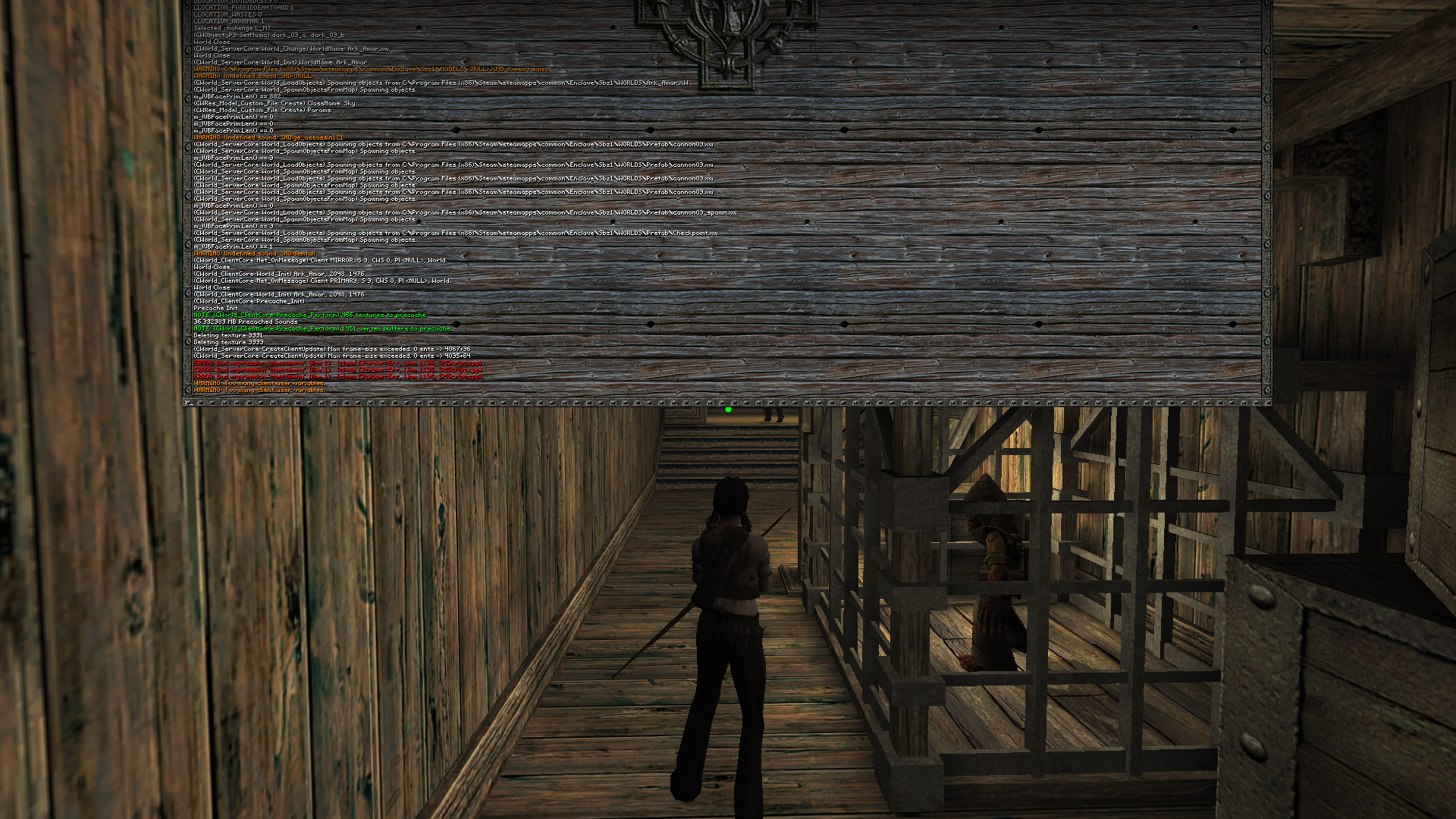
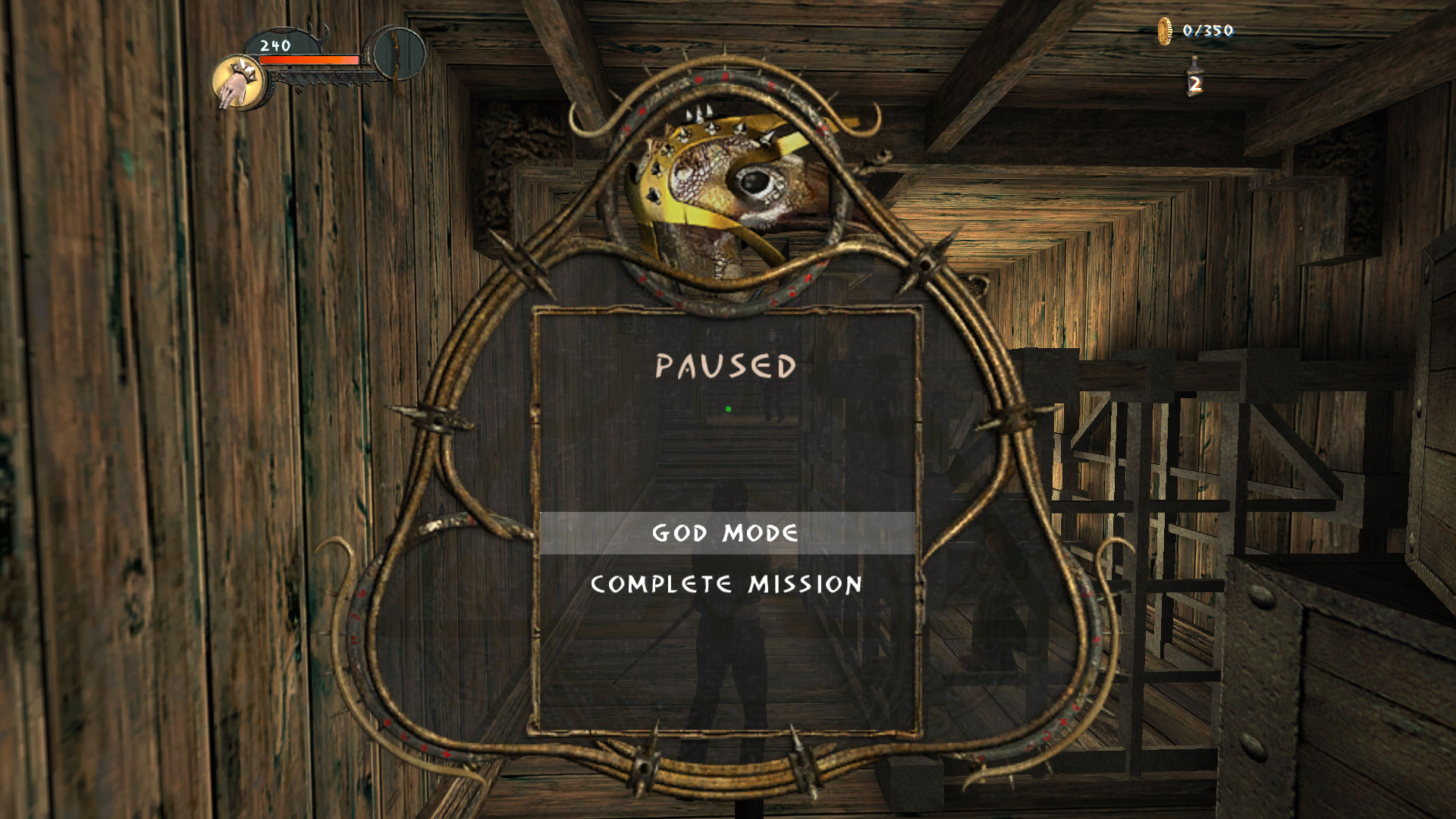
NOTE: When you bring up the cheat menu, you must choose either one of the options or else the game will crash if you press escape to close it. If you don't want God mode, simply retype the menu command and choose it again, you will know if you have God mode by the color of your life bar. If you're in God mode, it'll be an odd green/purple color and if you're not it'll be the regular red.
- cmd giveall - Doesn't actually give you items, but does give you God mode. Retype it to deactivate God mode.
- cmd noclip - no clipping mode (allows you to go through solid objects)
- cg_menu cheatmenu - After typing this and pressing tilde again, it gives you a cheat menu [!] with options for God mode and to complete the mission.
- help - Gives you a list of commands.
NOTE: When you bring up the cheat menu, you must choose either one of the options or else the game will crash if you press escape to close it. If you don't want God mode, simply retype the menu command and choose it again, you will know if you have God mode by the color of your life bar. If you're in God mode, it'll be an odd green/purple color and if you're not it'll be the regular red.
If I or someone else manages to find a fix to that issue I will post it here.
Closing
All in all, I hope you found my guide informative and helpful, especially if you want to get through some of the trickier parts of the game or if you just want to fool around. Thanks for reading.
More Enclave guides
- Русификатор ~ Enclave от Акелла★ 5 (398)14k views337 ♥1 minRussianUpdated 18 Oct, 2025
- Свет и Тьма (Обзор, Описание, Прохождение, Секреты, Читы, Гайд)★ 5 (452)8.9k views344 ♥60 minRussianUpdated 8 May, 2017
- Enclave Easter Eggs★ 5 (183)6.1k views119 ♥7 minUpdated 15 Oct, 2024
- Enclave - Misc FIXES 🔨★ 4 (74)5.5k views84 ♥6 minUpdated 20 Feb
- Cheatcodes for the game Enclave / Чит.коды к игре Анклав.★ 4 (71)3.5k views60 ♥1 minUpdated 8 Dec, 2016
- Как избавиться от периодических вылетов Enclave★ 4 (75)3.5k views65 ♥1 minRussian



🔥 Popular guides
- Upgrading to PremiumTeam Fortress 2★ 5 (20k)1441k views11k ♥6 minUpdated May 11, 2022
- No More Room in Hell Official ManualNo More Room in Hell★ 5 (2.8k)569k views2.1k ♥29 minUpdated Apr 22, 2019
- NMRiH Community Hosting GuidesNo More Room in Hell★ 5 (526)351k views653 ♥1 minUpdated Aug 10, 2022
- ULTIMATE GUIDE FOR GAME DEV TYCOONGame Dev Tycoon★ 5 (5.8k)326k views10k ♥4 minUpdated 23 Jan, 2014
- How to 'Git Gud' Soon™MORDHAU★ 5 (2k)318k views3k ♥68 minUpdated Nov 16, 2024
- Лучшие кооперативные игры SteamPAYDAY 2★ 5 (1.5k)315k views2.1k ♥56 minRussianUpdated Apr 27, 2025






This guide was created by its original author on the Steam Community. Are you the author and want it removed? Request removal.