How to enjoy Getting Over It with Bennett Foddy
Part One - Setup
Step One
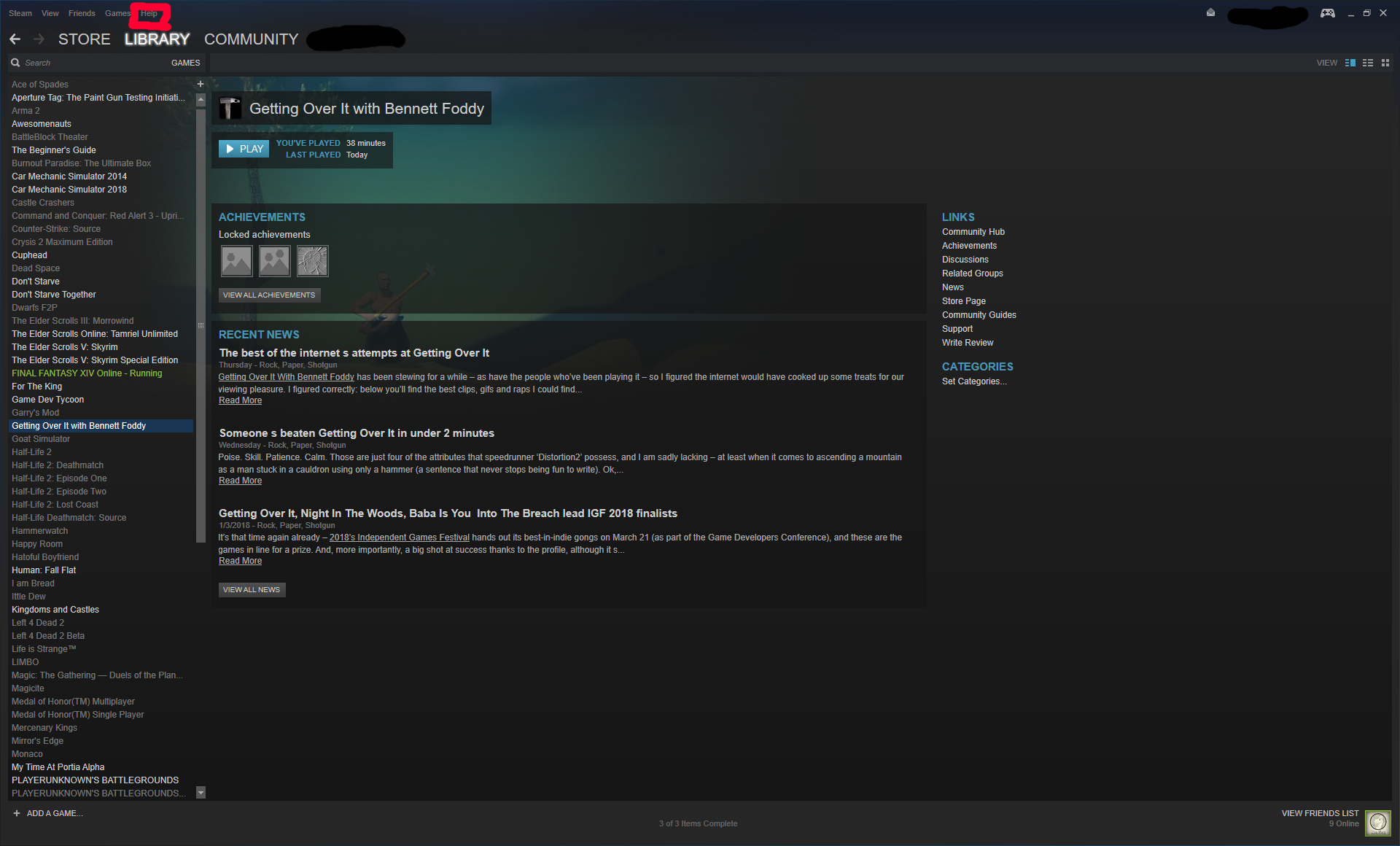
Go to your steam library. On the top left corner of the screen click the 'Help' tab.
 Step Two
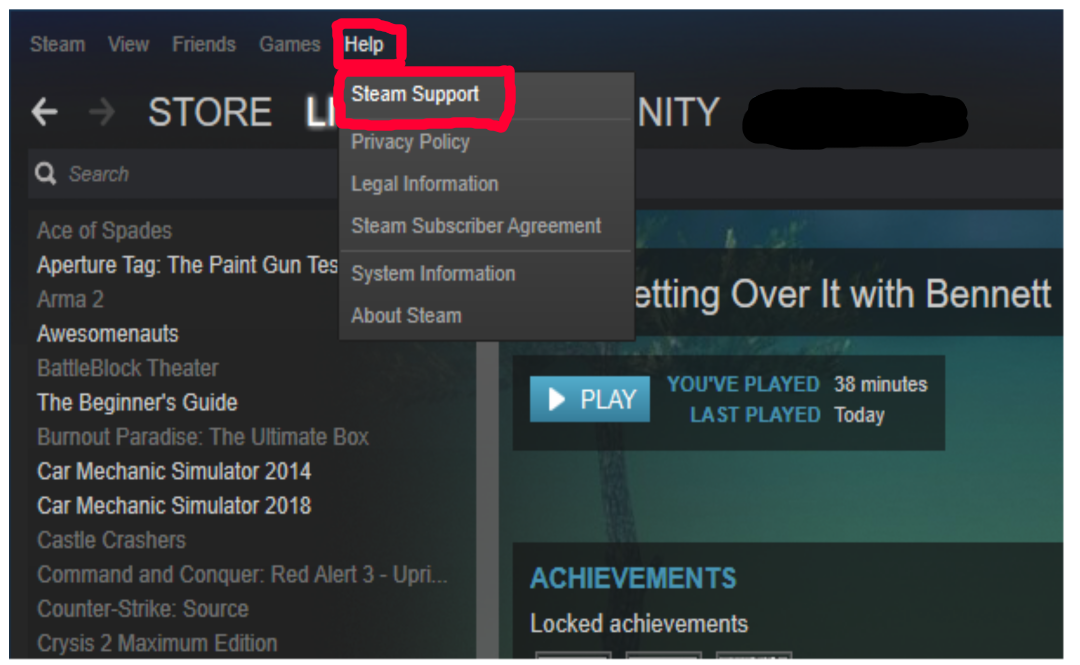
On the 'Help' tab click on 'Steam Support'.
 Step Three
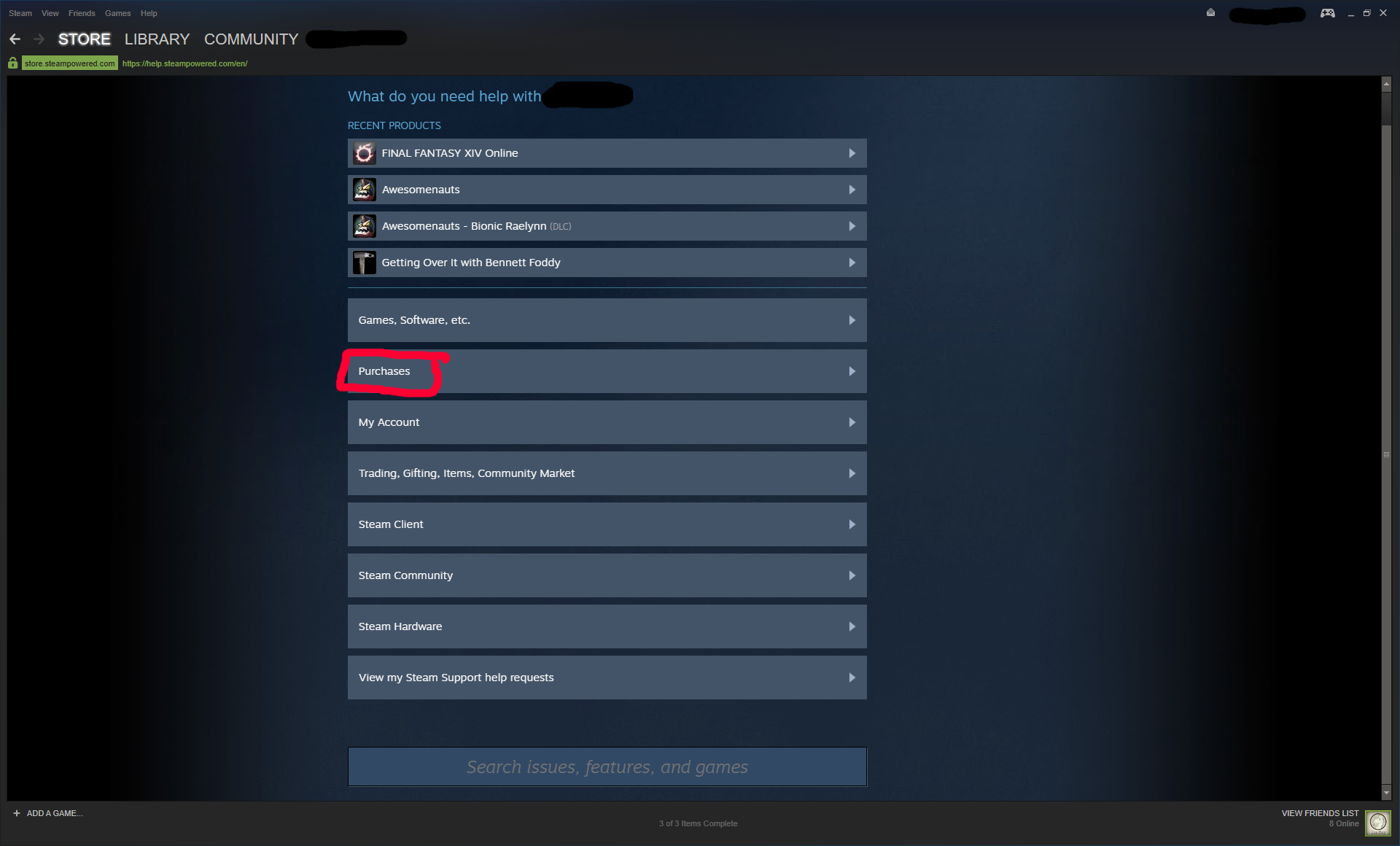
On the Steam Support page click the box that says 'Purchases'.
 Step Four
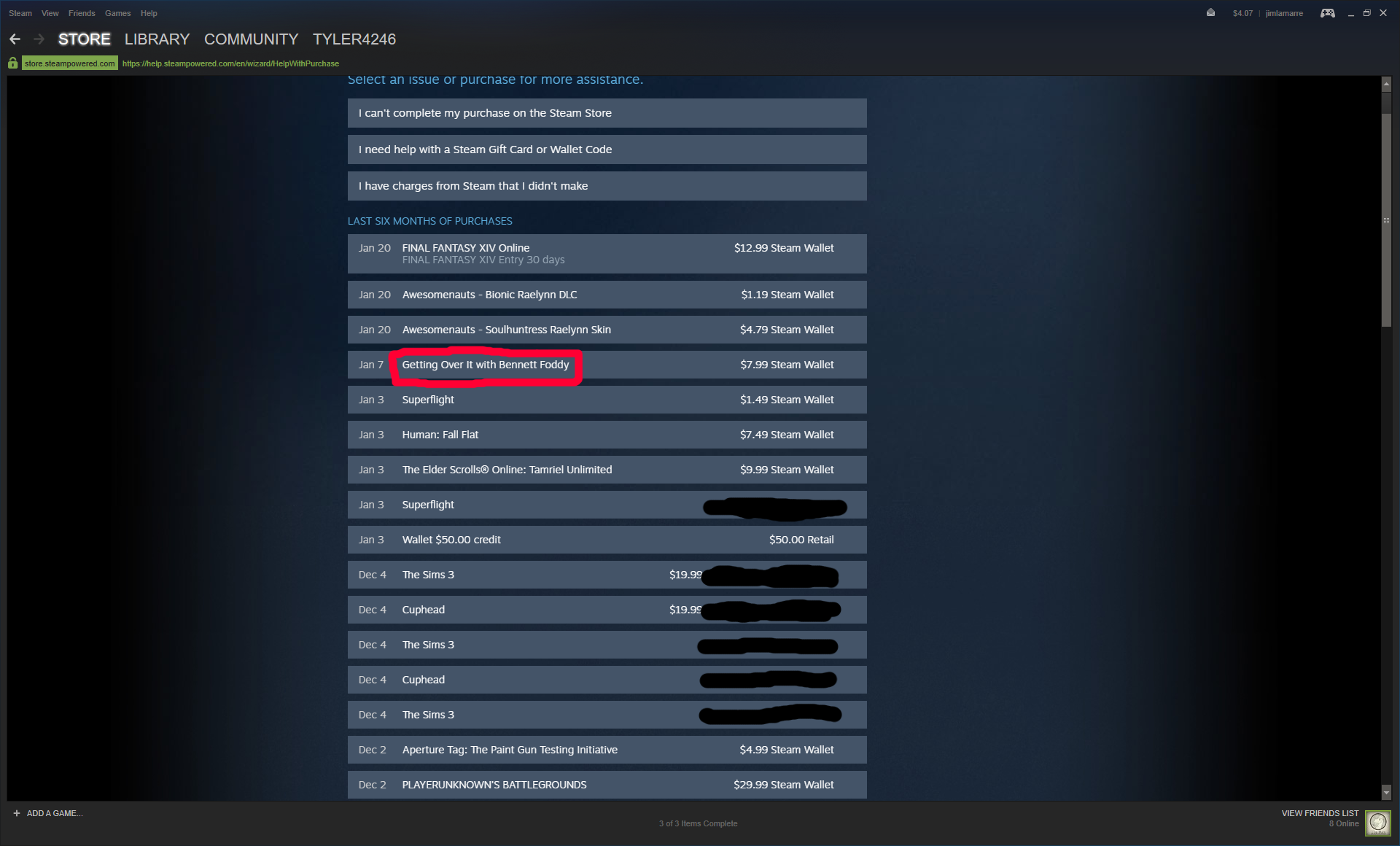
In your purchase history find when you purchased Getting Over It.
 Step Five
Click the box that says 'I would like a refund'.
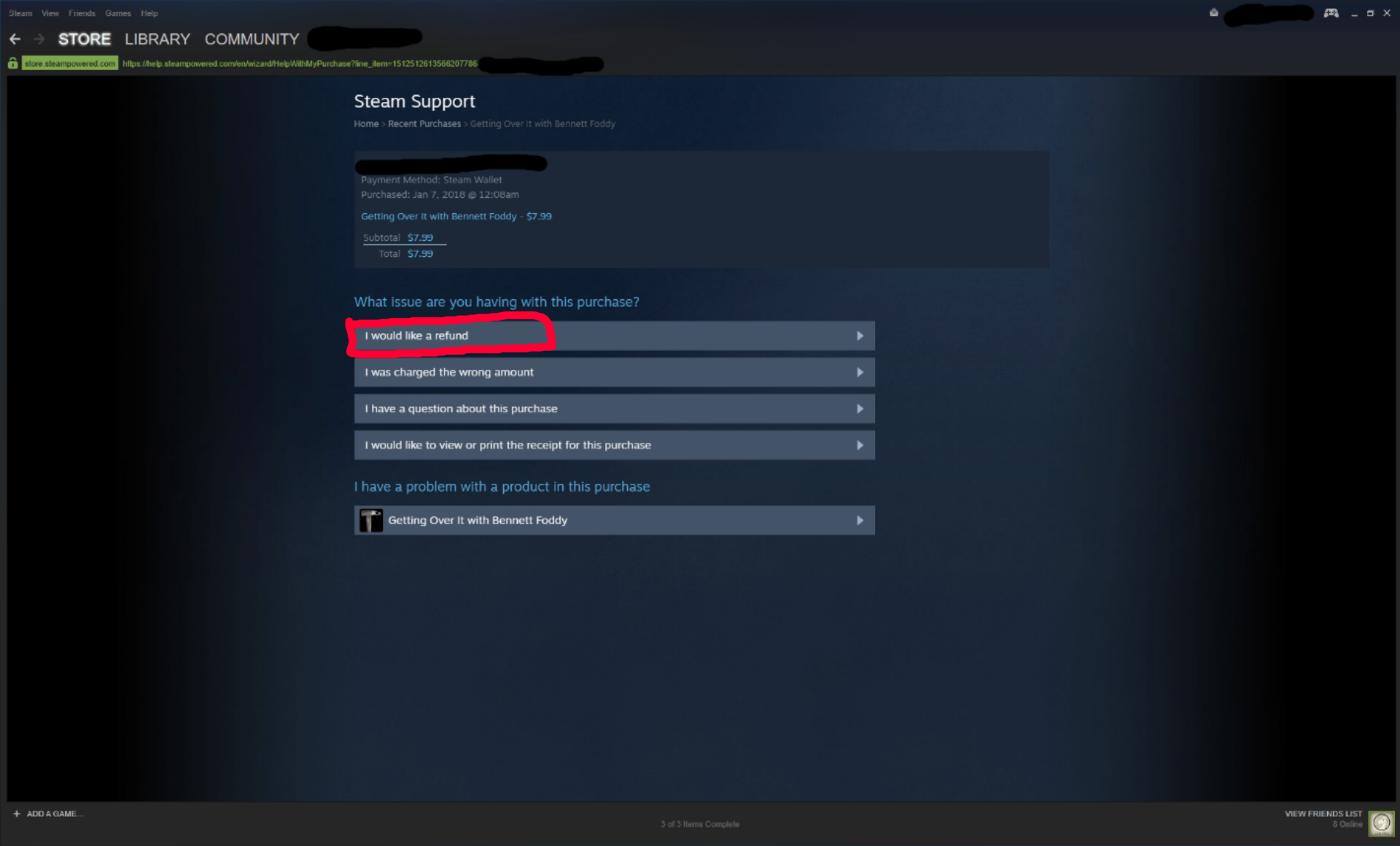 Step Six
On the next page again select 'I'd like to request a refund'.
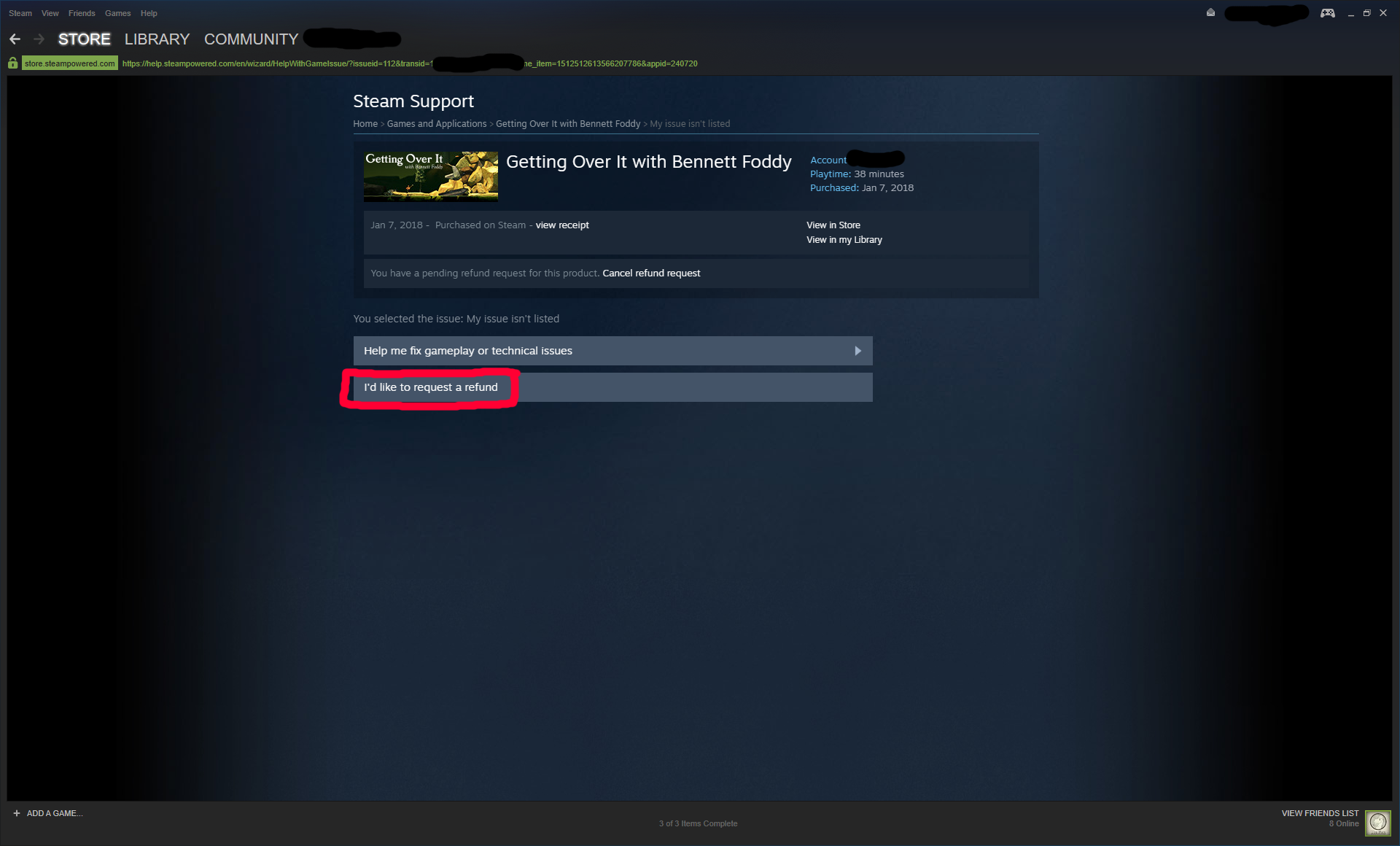 Step Seven
At the bottom of the page, select a reason for requesting a refund then submit the request.
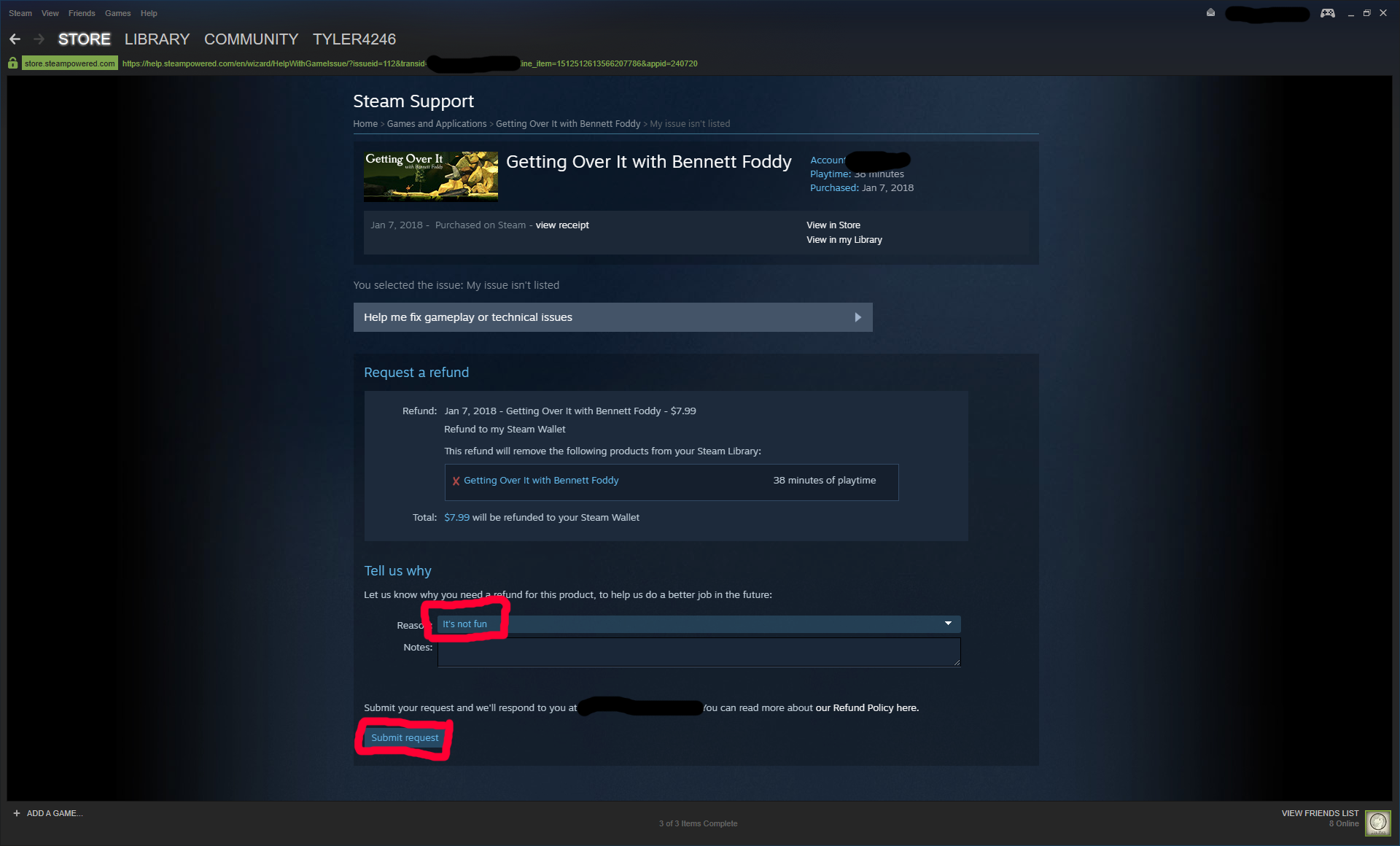
Go to your steam library. On the top left corner of the screen click the 'Help' tab.
Step TwoOn the 'Help' tab click on 'Steam Support'.
Step ThreeOn the Steam Support page click the box that says 'Purchases'.
Step FourIn your purchase history find when you purchased Getting Over It.
Step FiveClick the box that says 'I would like a refund'.
Step SixOn the next page again select 'I'd like to request a refund'.
Step SevenAt the bottom of the page, select a reason for requesting a refund then submit the request.
More Getting Over It with Bennett Foddy guides
- A Map of Bennett Foddy's Mountain★ 5 (831)45k views590 ♥1 minUpdated Mar 7, 2018
- Map of the Mountain★ 5 (313)33k views156 ♥1 minUpdated Dec 24, 2017
- Getting Over It: How To Unlock The PVP Covenants★ 5 (517)21k views217 ♥2 minUpdated Oct 14, 2022
- my experience and tips for getting over it★ 4 (183)18k views62 ♥1 minUpdated Jan 13, 2018
- Another Perspective on Getting Over It★ 5 (199)15k views122 ♥6 minUpdated Sep 1, 2021
- Прохождение и ачивки★ 4 (93)12k views84 ♥2 minRussianUpdated Jul 5, 2019




🔥 Popular guides
- Upgrading to PremiumTeam Fortress 2★ 5 (20k)1441k views11k ♥6 minUpdated May 11, 2022
- No More Room in Hell Official ManualNo More Room in Hell★ 5 (2.8k)569k views2.1k ♥29 minUpdated Apr 22, 2019
- NMRiH Community Hosting GuidesNo More Room in Hell★ 5 (526)351k views653 ♥1 minUpdated Aug 10, 2022
- ULTIMATE GUIDE FOR GAME DEV TYCOONGame Dev Tycoon★ 5 (5.8k)326k views10k ♥4 minUpdated 23 Jan, 2014
- How to 'Git Gud' Soon™MORDHAU★ 5 (2k)318k views3k ♥68 minUpdated Nov 16, 2024
- Лучшие кооперативные игры SteamPAYDAY 2★ 5 (1.5k)315k views2.1k ♥56 minRussianUpdated Apr 27, 2025






This guide was created by its original author on the Steam Community. Are you the author and want it removed? Request removal.