How to fix ERR09
Launch Nvidea GeForce Experience
Launch Nvidea GeForce Experience
Find Dragons Dogma
Click details instead of play
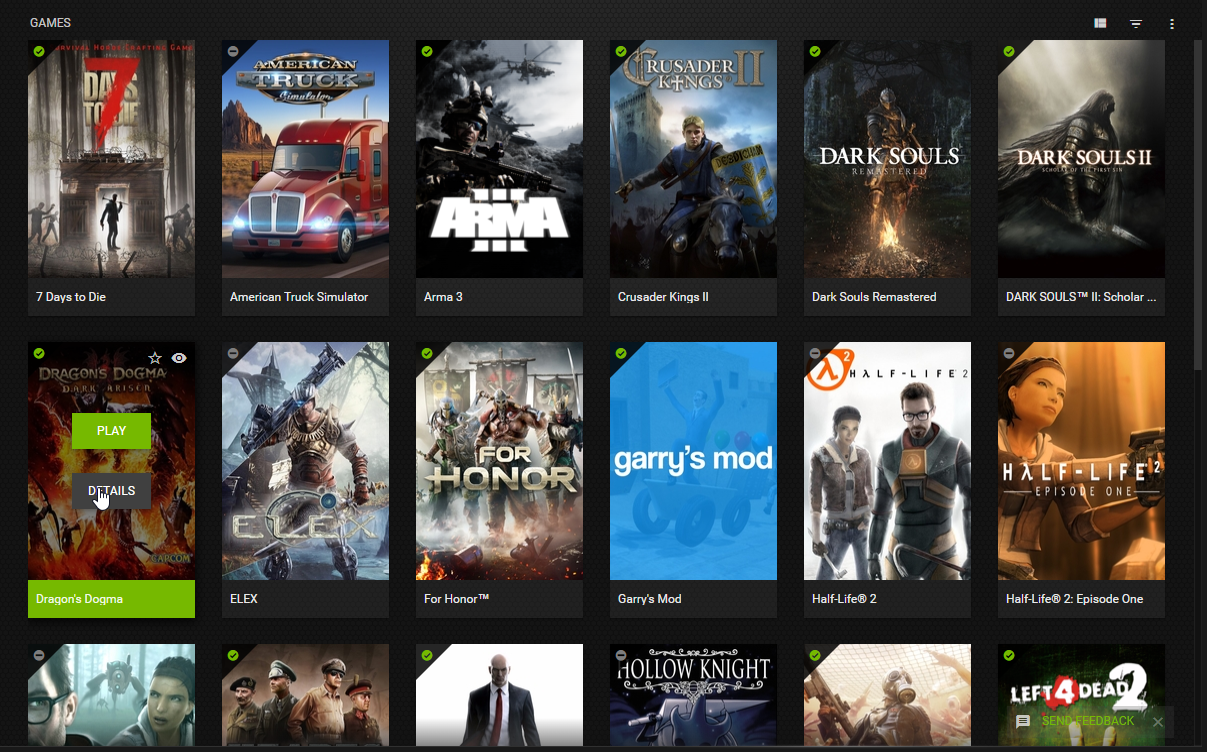
Find Dragons Dogma
Click details instead of play
ERR09 is caused by the game trying to be launched in fullscreen mode
As you can see here both the "CURRENT" and "OPTIMAL" setting are both set to fullscreen this is what's causing the error as the game can no longer be run in fullscreen so your gonna have to change that
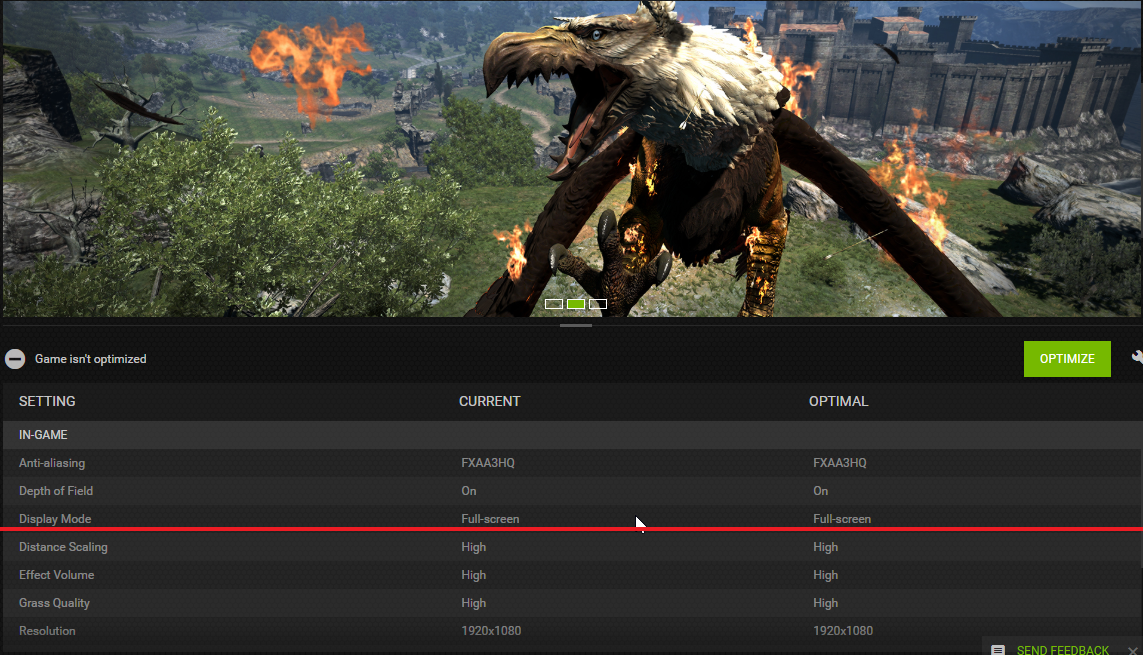
Under "CURRENT" settings it shows what the games current settings are (no duh)
and under "OPTIMAL" it shows what the ideal settings are for a smooth and balnced game. If you were to
 it, it would mearly change to the recomended setting which would still be at fullscreen so don't do that.
So here's what you do know pay attention because Im only gonna type this once
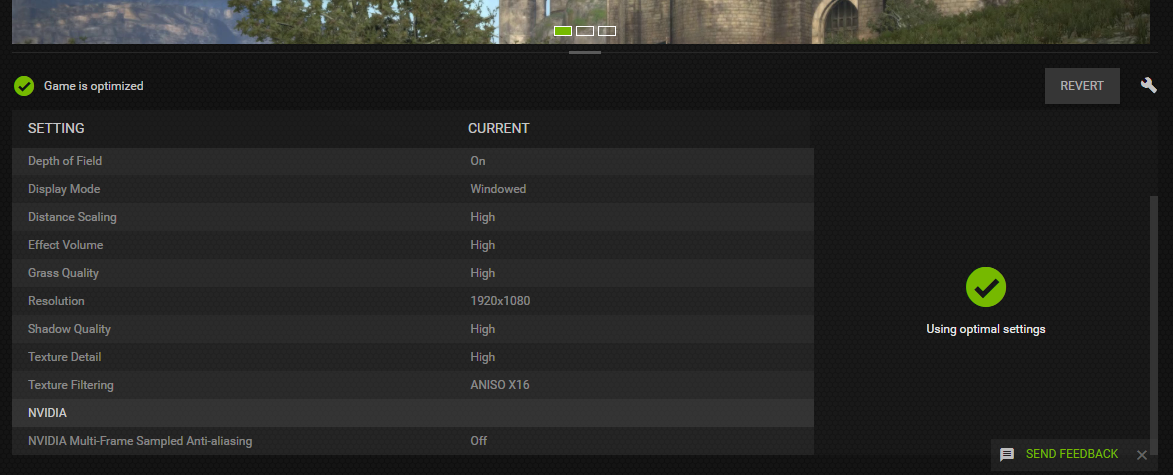
Click on the litte wrench next to the optimize button
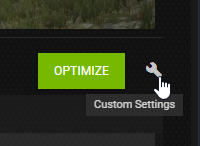
This will bring up custom settings and allow you to manually change the settings
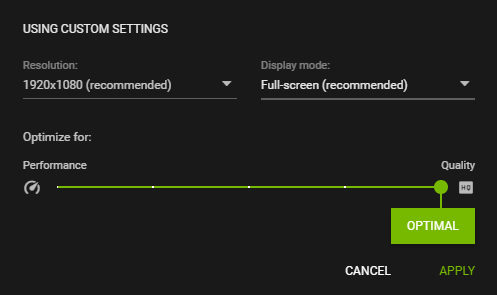
Click on the tab that says Full-screen it will give you an option to play it in windowed, select this and hit APPLY in the bottom right corner
Once thats done click "OPTIMIZE" and it should save the new settings
More Dragon's Dogma: Dark Arisen guides
- Hero Achievement and Missable Quests Guide★ 5 (3.5k)58k views7.1k ♥30 minUpdated Aug 2, 2016
- Dragon's Dogma: Dark Arisen. Getting started 101 and "did you know's?"★ 5 (918)53k views1.1k ♥17 minUpdated Jan 20, 2016
- The Arisen's Handbook: A Guide to Adventuring in Gransys★ 5 (1.7k)42k views3.4k ♥91 minUpdated Oct 8, 2023
- The Guide to Vocations and Skills★ 5 (806)42k views1.9k ♥86 minUpdated Jan 1, 2020
- Chronological Quest Guide for dd:da★ 5 (779)33k views2k ♥54 minUpdated Jul 5, 2023
- Vocations, Strengths and Weaknesses, all Part of a Whole - Writings of an Aged Arisen★ 5 (575)32k views873 ♥33 minUpdated Jan 3, 2021



🔥 Popular guides
- Upgrading to PremiumTeam Fortress 2★ 5 (20k)1441k views11k ♥6 minUpdated May 11, 2022
- No More Room in Hell Official ManualNo More Room in Hell★ 5 (2.8k)569k views2.1k ♥29 minUpdated Apr 22, 2019
- NMRiH Community Hosting GuidesNo More Room in Hell★ 5 (526)351k views653 ♥1 minUpdated Aug 10, 2022
- ULTIMATE GUIDE FOR GAME DEV TYCOONGame Dev Tycoon★ 5 (5.8k)326k views10k ♥4 minUpdated 23 Jan, 2014
- How to 'Git Gud' Soon™MORDHAU★ 5 (2k)318k views3k ♥68 minUpdated Nov 16, 2024
- Лучшие кооперативные игры SteamPAYDAY 2★ 5 (1.5k)315k views2.1k ♥56 minRussianUpdated Apr 27, 2025






This guide was created by its original author on the Steam Community. Are you the author and want it removed? Request removal.