How to fix Forza Horizon online
Network error 0x89235108
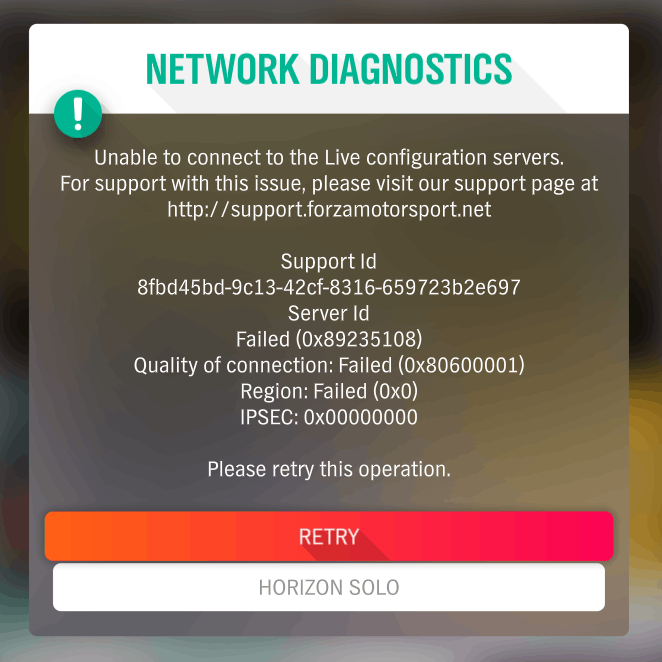
If you can't join the online session and all you see is this message, follow the guide.
Step 1
- Make sure you have the game turned off
- Click the Start button in the lower left corner of Windows, type Credential Manager and press Enter
- In the Credential Manager, click the "Windows Credentials" button.
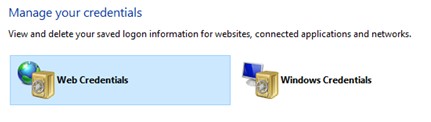
Step 2
- Find entries starting with "Xbl" Example: "Xbl|Device Key"
- Select the expand button to the right of the entry
- Select to "delete" entries
- Delete all entries starting with "Xbl"
- Please note that you may need to sign in to other apps again for this reason.
Step 3
- Enter the game
- Log in to your account
- Enjoy the gameplay online
End of the Guide


More Forza Horizon 4 guides
- Достижения Forza Horizon 4★ 5 (987)26k views1.9k ♥53 minRussianUpdated Jun 29
- Модификация и тюнинг★ 5 (698)23k views1.5k ♥80 minRussianUpdated Oct 29, 2024
- Все раритеты в Forza Horizon 4★ 5 (224)23k views474 ♥1 minRussianUpdated Sep 27, 2023
- Настройки графики★ 5 (414)22k views690 ♥2 minRussianUpdated Apr 6, 2021
- All Influence and Fast Travel boards in Forza Horizon 4★ 5 (400)19k views722 ♥1 minUpdated Sep 12, 2023
- Руководство по дрифт-тюнингу в Forza Horizon 4★ 5 (278)15k views665 ♥10 minRussian




🔥 Popular guides
- Upgrading to PremiumTeam Fortress 2★ 5 (20k)1441k views11k ♥6 minUpdated May 11, 2022
- No More Room in Hell Official ManualNo More Room in Hell★ 5 (2.8k)569k views2.1k ♥29 minUpdated Apr 22, 2019
- NMRiH Community Hosting GuidesNo More Room in Hell★ 5 (526)351k views653 ♥1 minUpdated Aug 10, 2022
- How to 'Git Gud' Soon™MORDHAU★ 5 (2k)318k views3k ♥68 minUpdated Nov 16, 2024
- Лучшие кооперативные игры SteamPAYDAY 2★ 5 (1.5k)315k views2.1k ♥56 minRussianUpdated Apr 27, 2025
- Desert Eagle Heat Treated | Blue GemCounter-Strike 2★ 5 (1.6k)293k views1.5k ♥2 minUpdated Jan 16





This guide was created by its original author on the Steam Community. Are you the author and want it removed? Request removal.