How to fix freezes
Step by step solution:
- Launch the game.
- Open Task Manager ( ctrl + alt + del on keyboard )
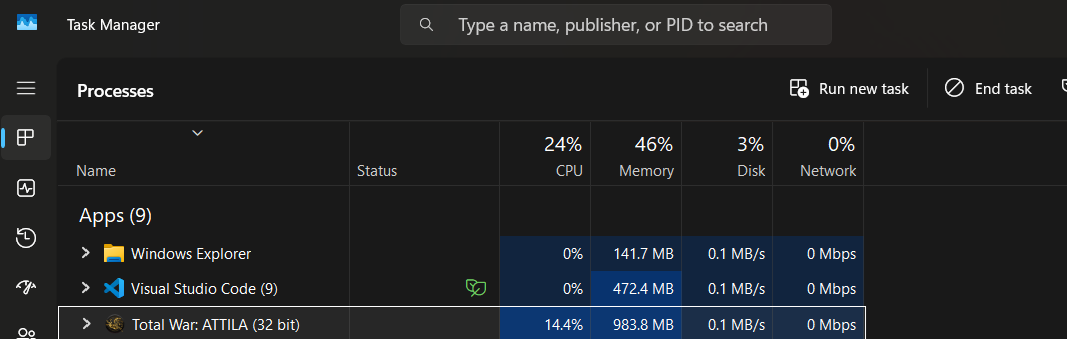
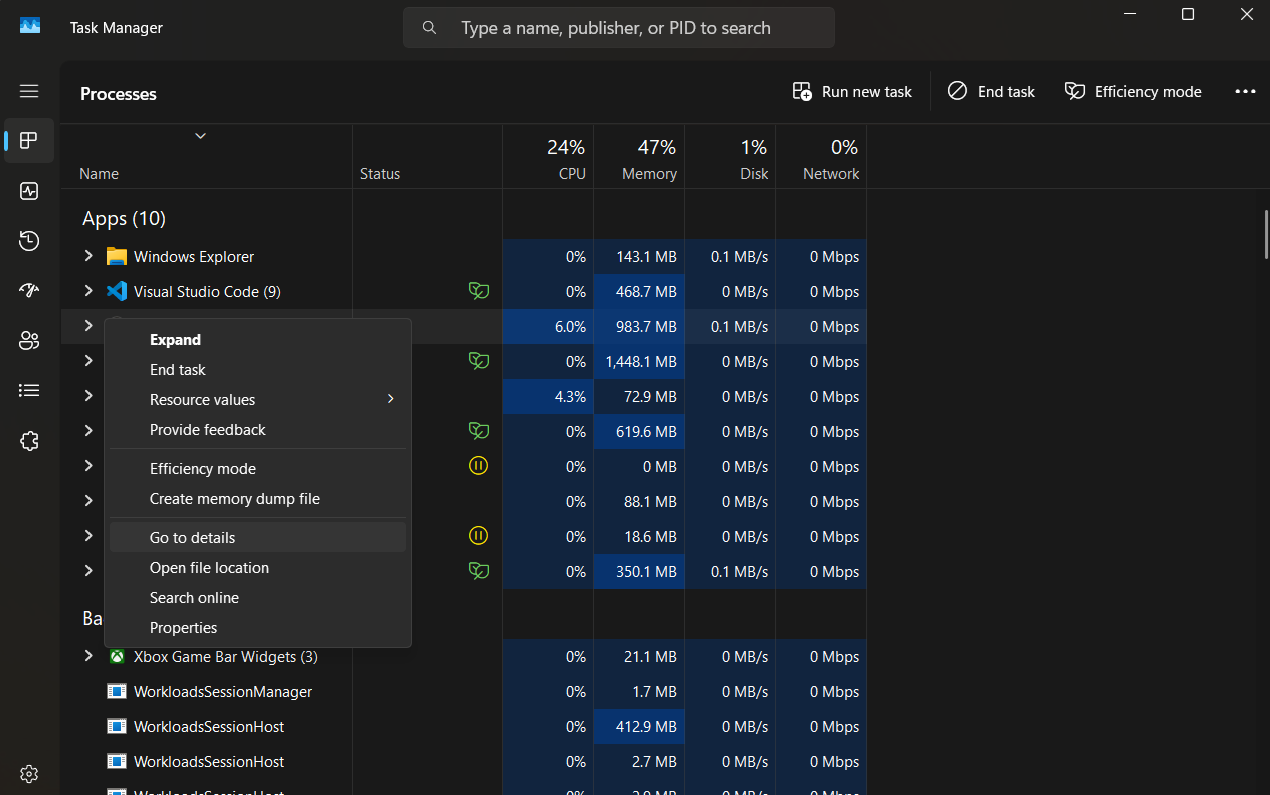 4. Find Attila process again, right click on it, and click 'Set Affinity'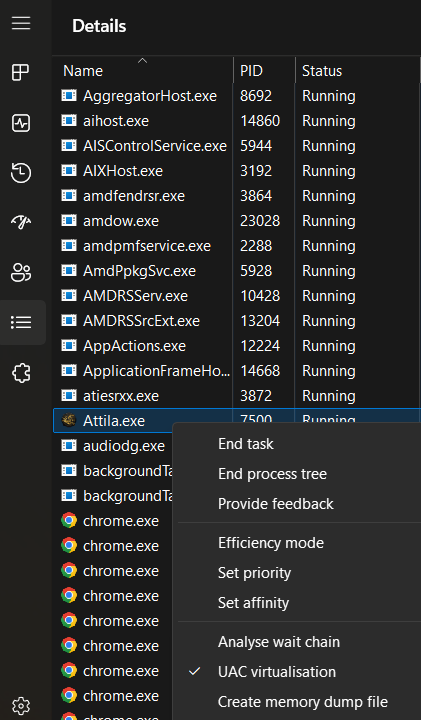
- Make sure only the first 8 cpus are ticked, counting from 0, so in range 0-7. All others should be unticked. Game can't handle more than 8.
- You will need to repeat this on every game launch.
Screenshots attached which should make it clear.
Hope it helps!
Creative Assembly is a disgrace.
More Total War: ATTILA guides
- Western Roman Empire: Opening Moves★ 5 (1.2k)40k views1.6k ♥26 minUpdated 5 Mar, 2015
- The Obscure mechanics of Attila.★ 5 (304)35k views410 ♥6 minUpdated 27 Sep, 2020
- Total War: Attila - The Overall Guide★ 5 (582)33k views1.1k ♥30 minUpdated 16 Mar, 2018
- Understanding politics in Attila★ 5 (275)32k views241 ♥3 min
- ***UPDATED*** How to win battles ***UPDATED***★ 4 (157)30k views175 ♥8 minBulgarianUpdated 26 Feb, 2017
- [HUGE DISCOVERY] How to bring ToB optimization to Attila★ 5 (239)28k views528 ♥3 minUpdated 18 Dec, 2018




🔥 Popular guides
- Upgrading to PremiumTeam Fortress 2★ 5 (20k)1441k views11k ♥6 minUpdated May 11, 2022
- No More Room in Hell Official ManualNo More Room in Hell★ 5 (2.8k)569k views2.1k ♥29 minUpdated Apr 22, 2019
- NMRiH Community Hosting GuidesNo More Room in Hell★ 5 (526)351k views653 ♥1 minUpdated Aug 10, 2022
- ULTIMATE GUIDE FOR GAME DEV TYCOONGame Dev Tycoon★ 5 (5.8k)326k views10k ♥4 minUpdated 23 Jan, 2014
- How to 'Git Gud' Soon™MORDHAU★ 5 (2k)318k views3k ♥68 minUpdated Nov 16, 2024
- Лучшие кооперативные игры SteamPAYDAY 2★ 5 (1.5k)315k views2.1k ♥56 minRussianUpdated Apr 27, 2025






This guide was created by its original author on the Steam Community. Are you the author and want it removed? Request removal.