How to fix stutters and low fps on modern systems
Prerequirements
First of all, this guide has been tested on a modern system (RTX 4070 SUPER + i7-14700K with 32 GB of DDR5 8000 MHz RAM), so I would say the first requirement is to have a modern system, I didn't really test this on old systems.
Secondly, remove the stuttering fixes you have performed from PCGamingWiki, skip this step if you didn't. Those literally do nothing on modern systems, specifically REMOVE these from the system.cfg file:- r_NumBackbuffers=3
- sys_highrestimer=1
Then, you need to set your graphics settings before doing this fix, because the graphics settings will be glitchy after doing this. If you want to skip this step, proceed on your own risk.
For NVIDIA, you need to add a specific DWORD to your GPU's video class registry key. Go to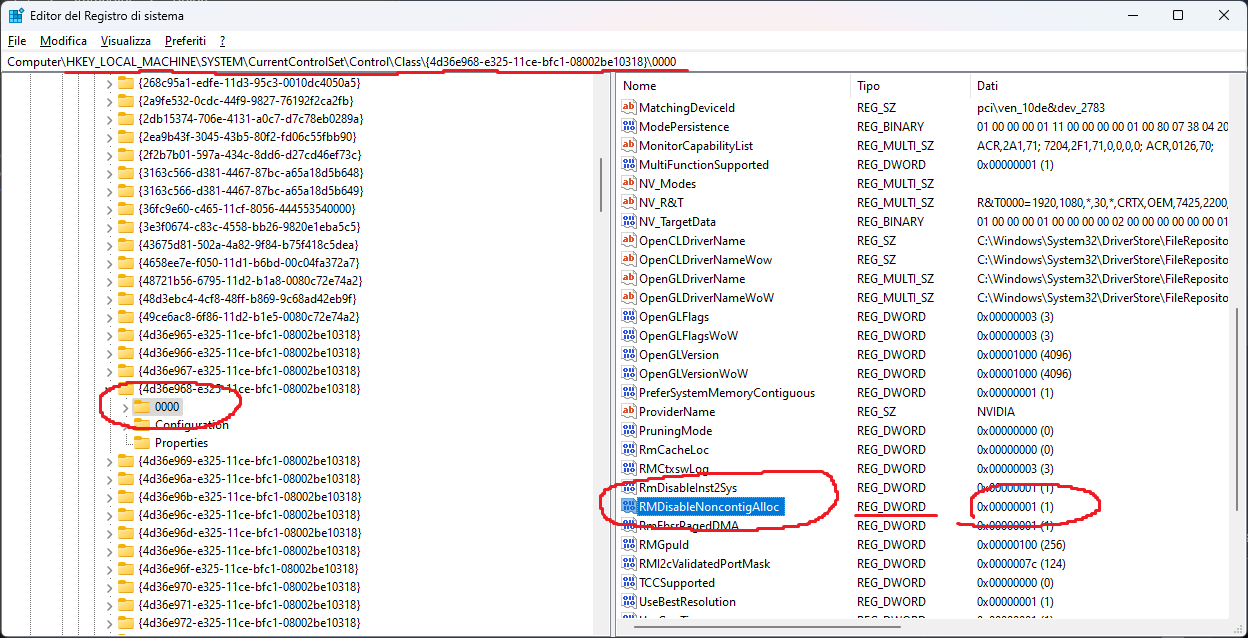
Copy DXVK to the game
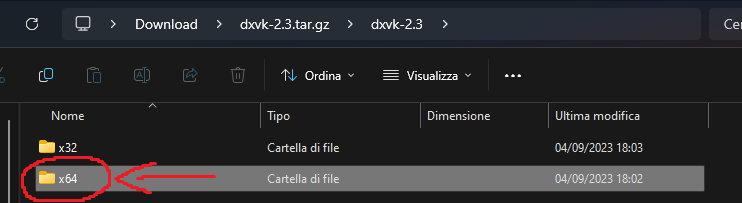
Open the x64 folder in the archive (NOT the x32 folder):
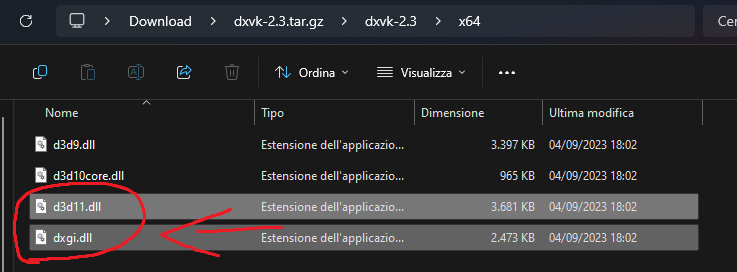
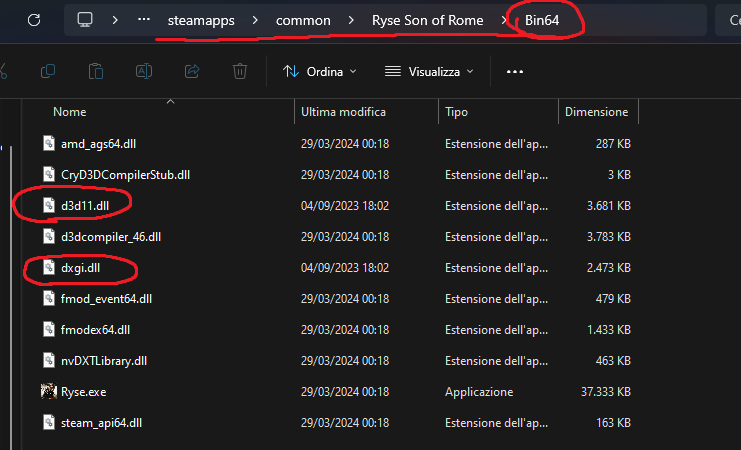
Copy d3d11.dll and dxgi.dll to the Bin64 folder of the game:
Install Special K
Now that you have copied DXVK, you just need to install Special K. Refer to their official website[www.special-k.info] to install Special K.
Once you have set Special K up, open it and launch the game straight from there: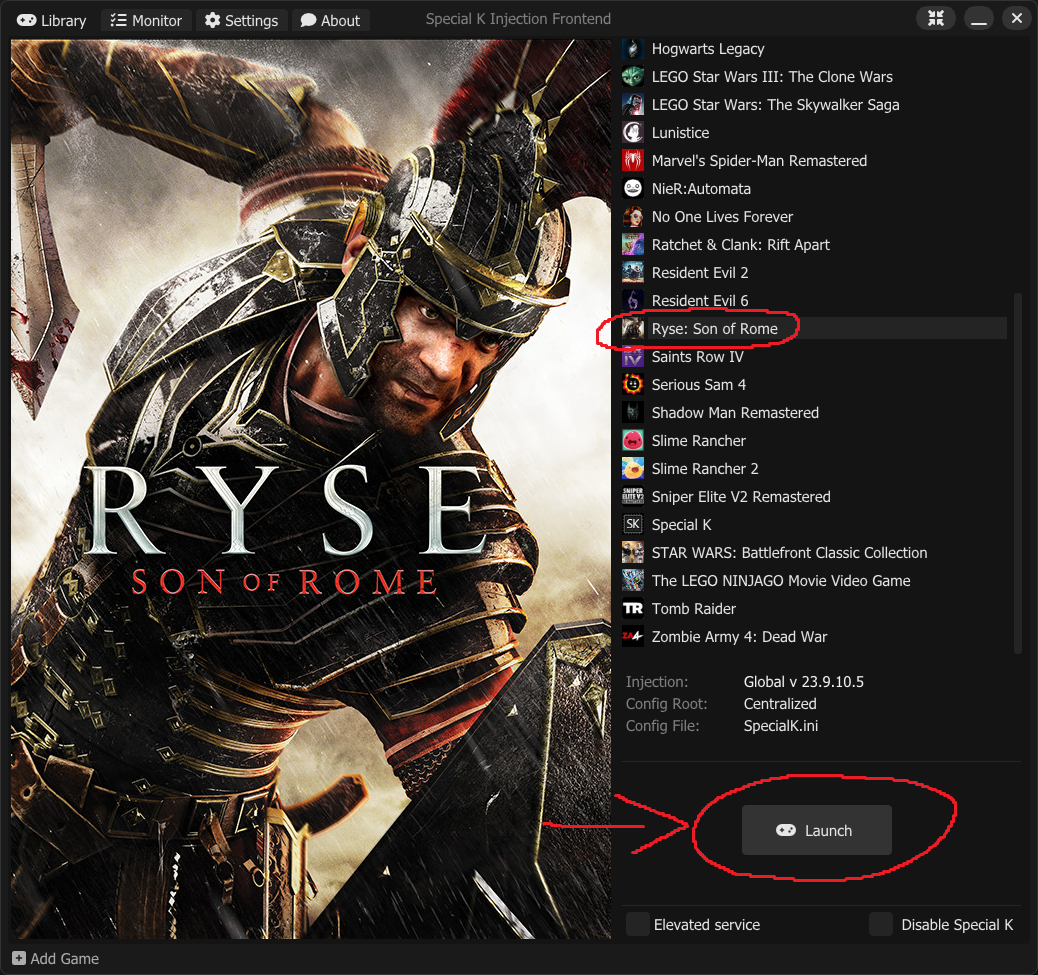
If the game starts on a weird resolution, close it and re-open it. This happens sometimes You can also use
I suggest to also enable sleepless threads in Special K, as these increase framerate even further. Disable "Show OSD in Video Capture" under Direct3D 11 Settings for incredibly higher performance. If this makes performance worse for you, disable it, it's not always the same outcome for everybody.
Troubleshooting
- [Решение/Fix] Как убрать лимит в 30 fps(FPS limit)★ 5 (317)20k views320 ♥1 minUpdated 4 Aug, 2025
- Путеводитель по достижениям в игре★ 5 (796)18k views785 ♥3 minRussianUpdated 29 Oct, 2014
- May help increase performance with Nvidia cards★ 5 (320)18k views348 ♥1 minUpdated 23 Feb, 2022
- Всем тем у кого лагает или фризит на топовых ПК★ 5 (283)14k views217 ♥1 minRussian
- No more Stutter or FPS drop.★ 4 (131)13k views86 ♥1 minUpdated 24 May
- Ryse: Son of Rome - руководство по сетевым достижениям★ 5 (356)10k views397 ♥10 minRussianUpdated 30 Sep, 2023


- Upgrading to PremiumTeam Fortress 2★ 5 (20k)1441k views11k ♥6 minUpdated May 11, 2022
- No More Room in Hell Official ManualNo More Room in Hell★ 5 (2.8k)569k views2.1k ♥29 minUpdated Apr 22, 2019
- NMRiH Community Hosting GuidesNo More Room in Hell★ 5 (526)351k views653 ♥1 minUpdated Aug 10, 2022
- How to 'Git Gud' Soon™MORDHAU★ 5 (2k)318k views3k ♥68 minUpdated Nov 16, 2024
- Лучшие кооперативные игры SteamPAYDAY 2★ 5 (1.5k)315k views2.1k ♥56 minRussianUpdated Apr 27, 2025
- Desert Eagle Heat Treated | Blue GemCounter-Strike 2★ 5 (1.6k)292k views1.5k ♥2 minUpdated Jan 16





This guide was created by its original author on the Steam Community. Are you the author and want it removed? Request removal.