How to fix UE4-RED Game crash fatal error!
Introductory
Every time you open the game, you'll be welcomed with a fatal error. This guide will serve as a simple solution to the issue! Unfortunately however, you'll have to do this fix every single time you want to play the game, including reapplying all your settings!
How to solve the Fatal Error!
When you open the game, you should see an error message that looks exactly like the following...
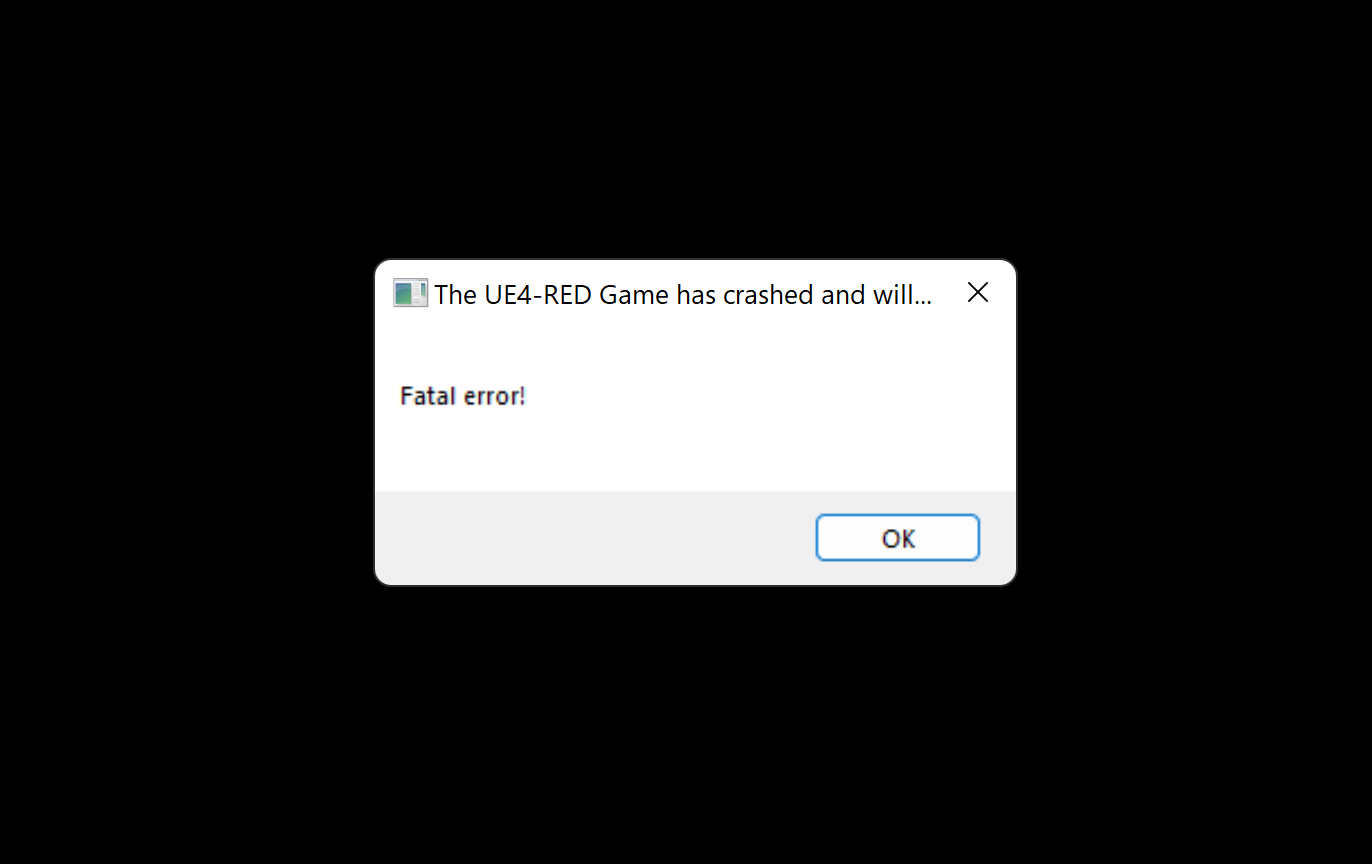
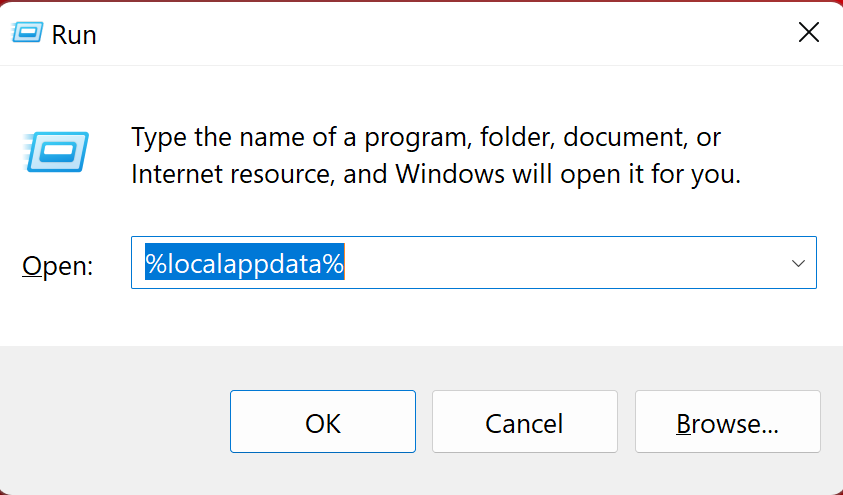
Press "OK" and let the game close. To solve this issue, we're going to do a very simple fix. On your keyboard, press the Windows key and the R key at the exact same time. This should pop up a window labeled "Run". Type the following into the box, and press "Ok"!
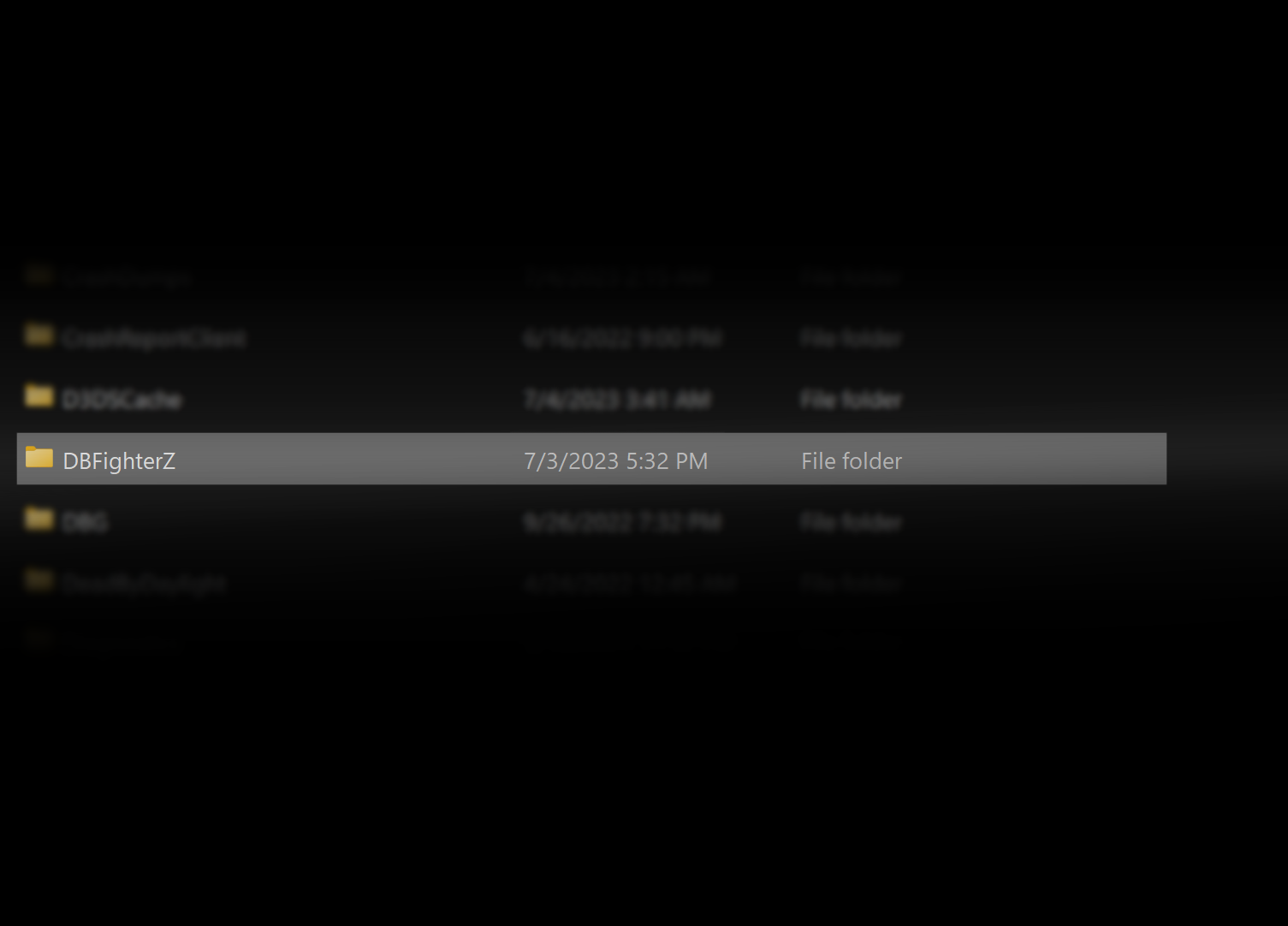
Your computer folder should open a ton of folders. Search for the folder titled "DBFighterZ" and delete it!
From there, just open the game and it should play like it's intended!
Press "OK" and let the game close. To solve this issue, we're going to do a very simple fix. On your keyboard, press the Windows key and the R key at the exact same time. This should pop up a window labeled "Run". Type the following into the box, and press "Ok"!
Your computer folder should open a ton of folders. Search for the folder titled "DBFighterZ" and delete it!
From there, just open the game and it should play like it's intended!
Enjoy playing FighterZ!
Thanks for reading this short guide! This should solve your problem, so enjoy playing Dragon Ball FighterZ! Remember to reapply all of your settings before playing!

More DRAGON BALL FighterZ guides
- Explaining universal mechanics (& their secrets)★ 5 (596)30k views988 ♥20 minUpdated May 7, 2018
- How to play Vegito without mashing Square★ 5 (393)17k views120 ♥1 min
- What to do if you play on wifi★ 4 (583)15k views107 ♥1 minUpdated Feb 20, 2023
- Tutorials for newcomers, how to improve your gameplay !★ 5 (295)15k views497 ♥10 minUpdated Apr 3
- Full guide on how to play TEEN GOHAN★ 5 (328)14k views52 ♥1 min
- Story Mode Guide (Skills, fastest Zeni/EXP farm, builds)★ 5 (235)12k views406 ♥21 min


🔥 Popular guides
- Upgrading to PremiumTeam Fortress 2★ 5 (20k)1441k views11k ♥6 minUpdated May 11, 2022
- No More Room in Hell Official ManualNo More Room in Hell★ 5 (2.8k)569k views2.1k ♥29 minUpdated Apr 22, 2019
- NMRiH Community Hosting GuidesNo More Room in Hell★ 5 (526)351k views653 ♥1 minUpdated Aug 10, 2022
- How to 'Git Gud' Soon™MORDHAU★ 5 (2k)318k views3k ♥68 minUpdated Nov 16, 2024
- Лучшие кооперативные игры SteamPAYDAY 2★ 5 (1.5k)315k views2.1k ♥56 minRussianUpdated Apr 27, 2025
- Desert Eagle Heat Treated | Blue GemCounter-Strike 2★ 5 (1.6k)293k views1.5k ♥2 minUpdated Jan 16





This guide was created by its original author on the Steam Community. Are you the author and want it removed? Request removal.