How to get a stable 60FPS and remove stuttering
PC Specification
I'm working with the following specification:
Windows 10 Pro
i5 6600
16GB DDR4 @ 2800
GTX 970
1920x1080
- All drivers are up to date.
- Windows 10 Pro is also fully up to date.
- No 3rd party Anti-Virus software is installed or running. I use Windows Defender (also up to date) and common sense. :-)
*Windows 10 Pro installed on a SSD
**Game was installed and running from a 7200 RPM HDD
Settings Used
Using my own PC as a baseline, i was able to get a solid 60fps with no stuttering throughout the full game using the following settings below.
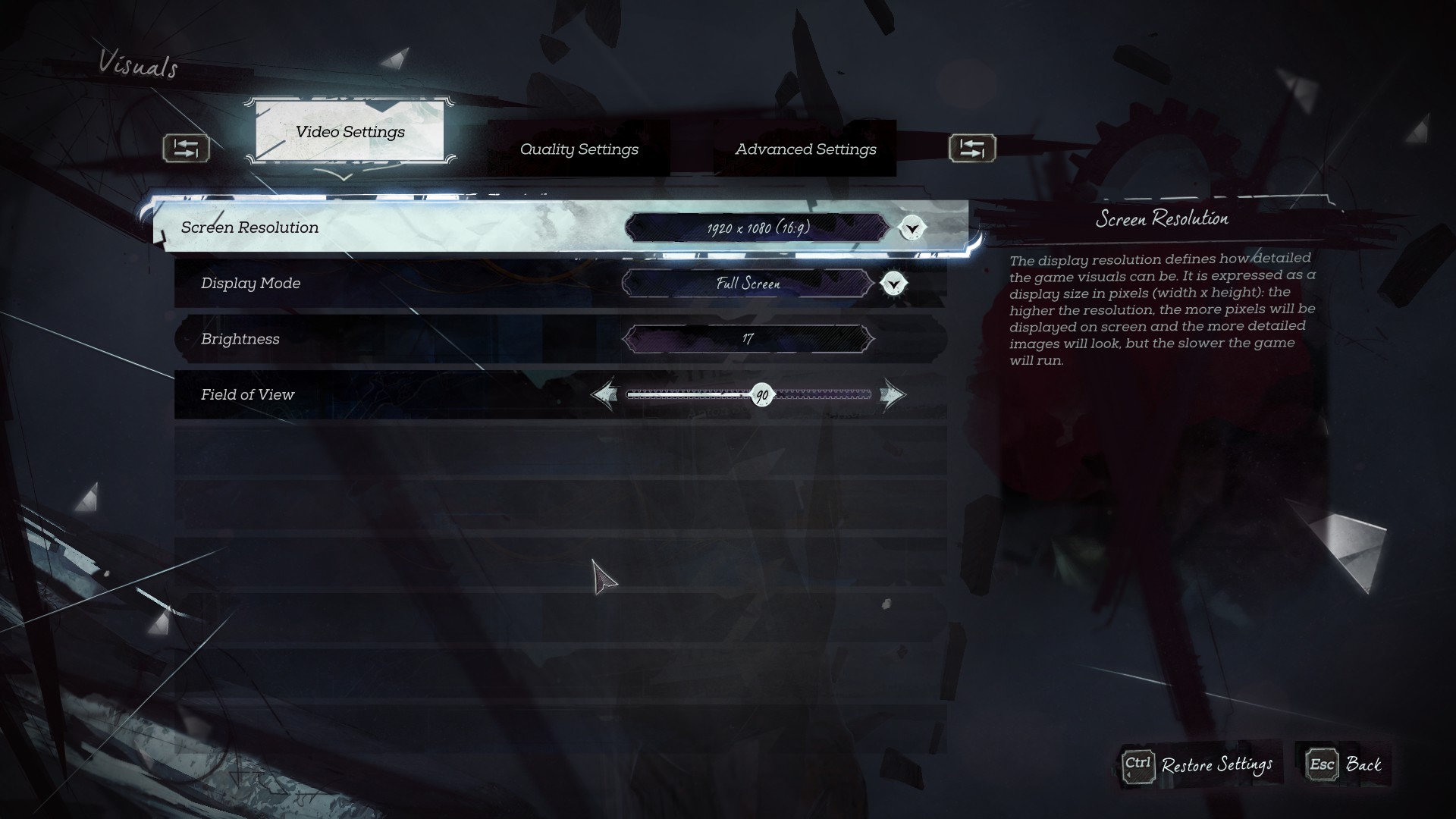
-
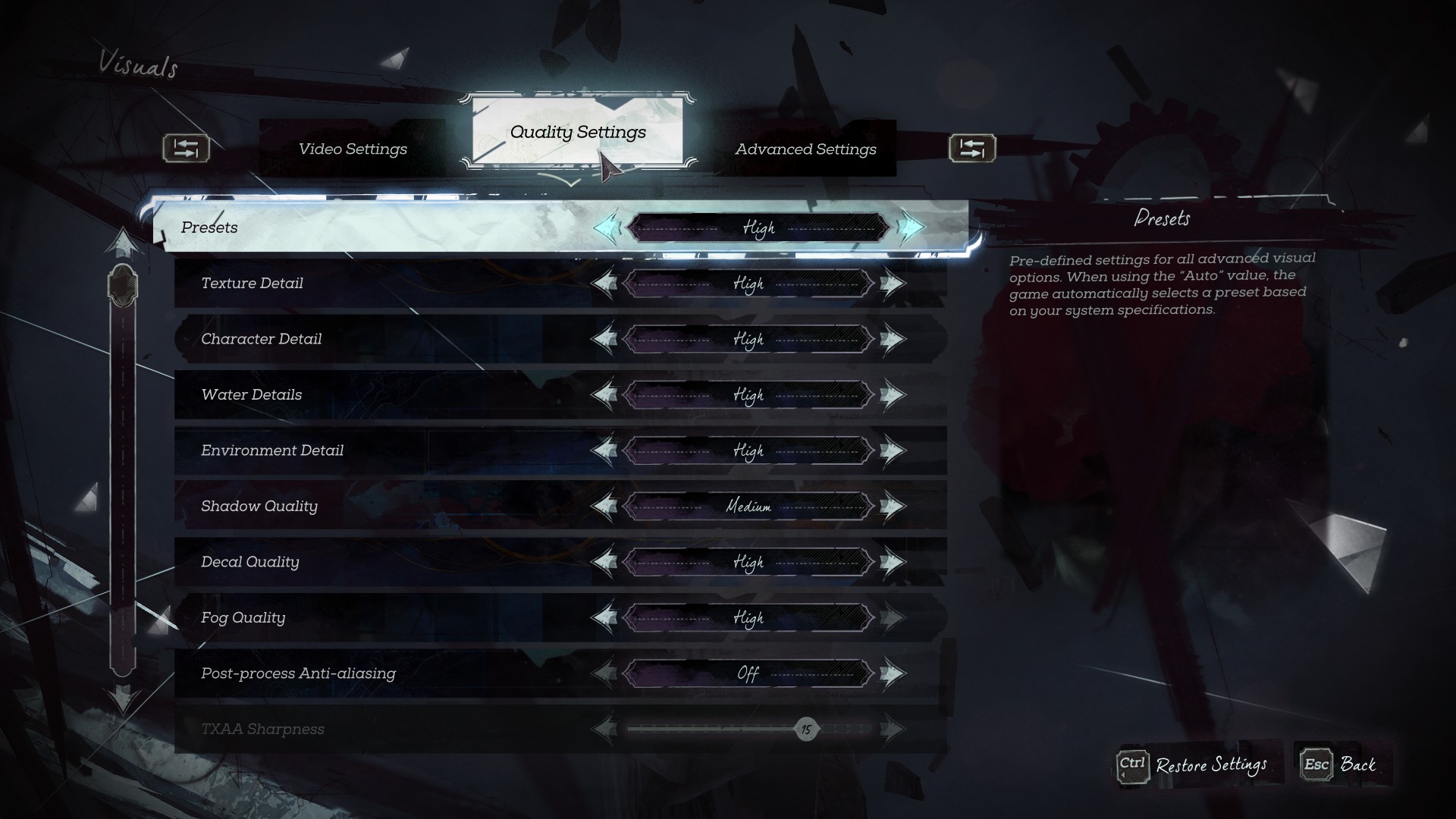
-
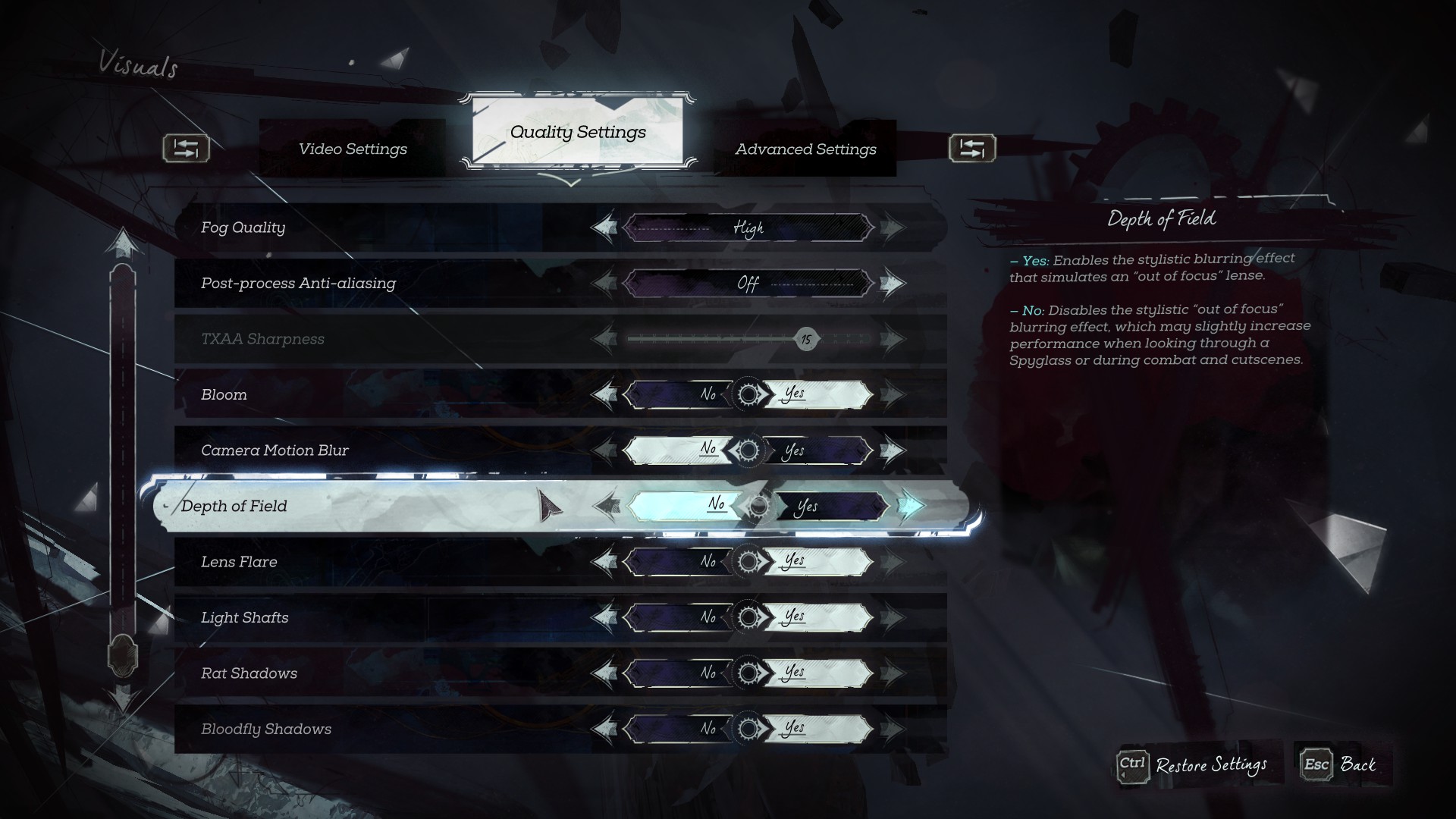
-
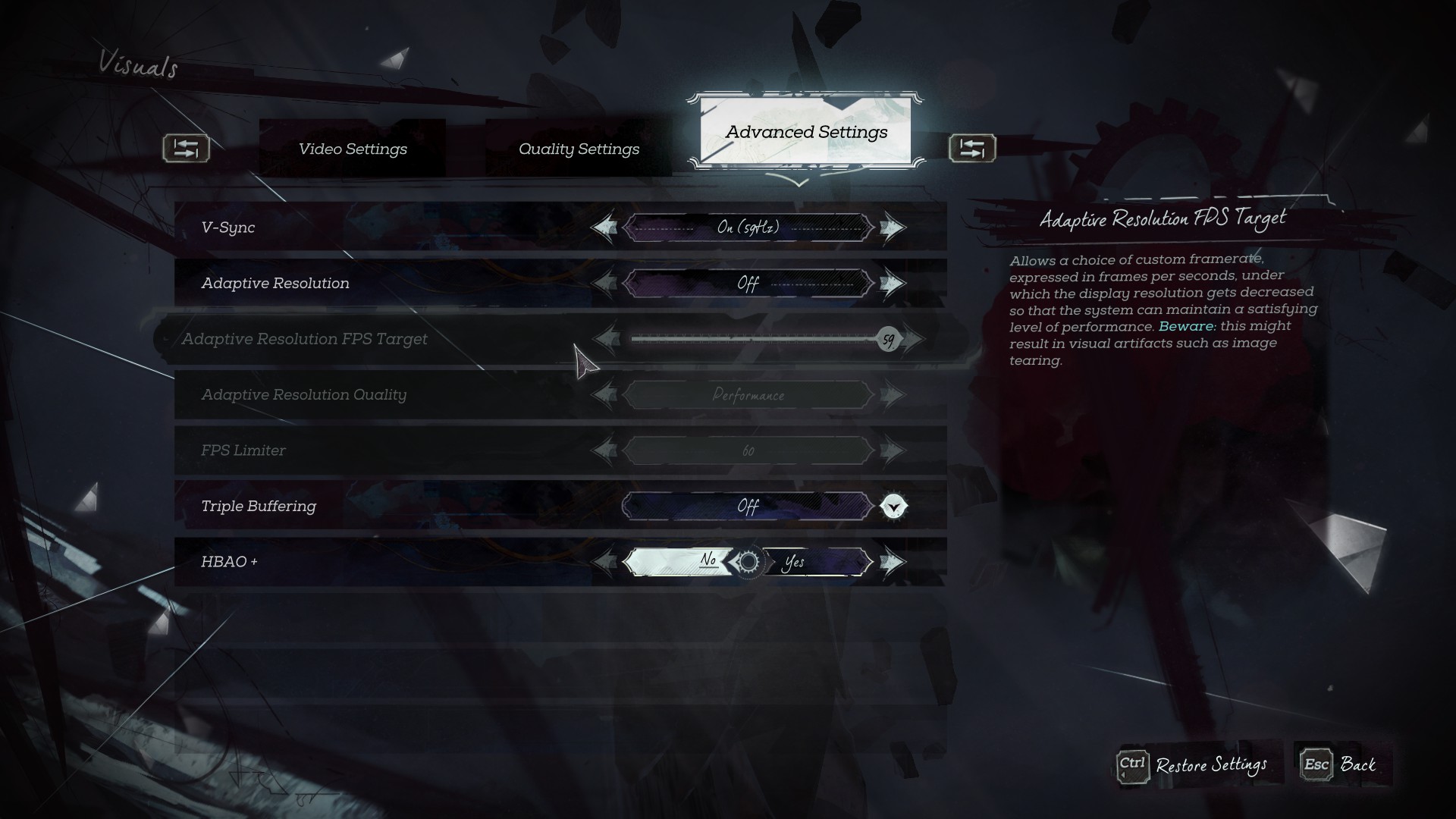
Final Tweaks
The game runs perfect using the above settings. But if you still have issues. Try the following below, combined with the settings used above.
On NVIDIA: Go to the NVIDIA Control Panel -> Manage 3D Settings -> Go to ‘Program Settings’ -> Select Dishonored 2 -> Override the default and change ‘Maximum pre-rendered frames’ to 1 or 2.
On AMD: Use third-party software like RadeonPro to alter these settings.
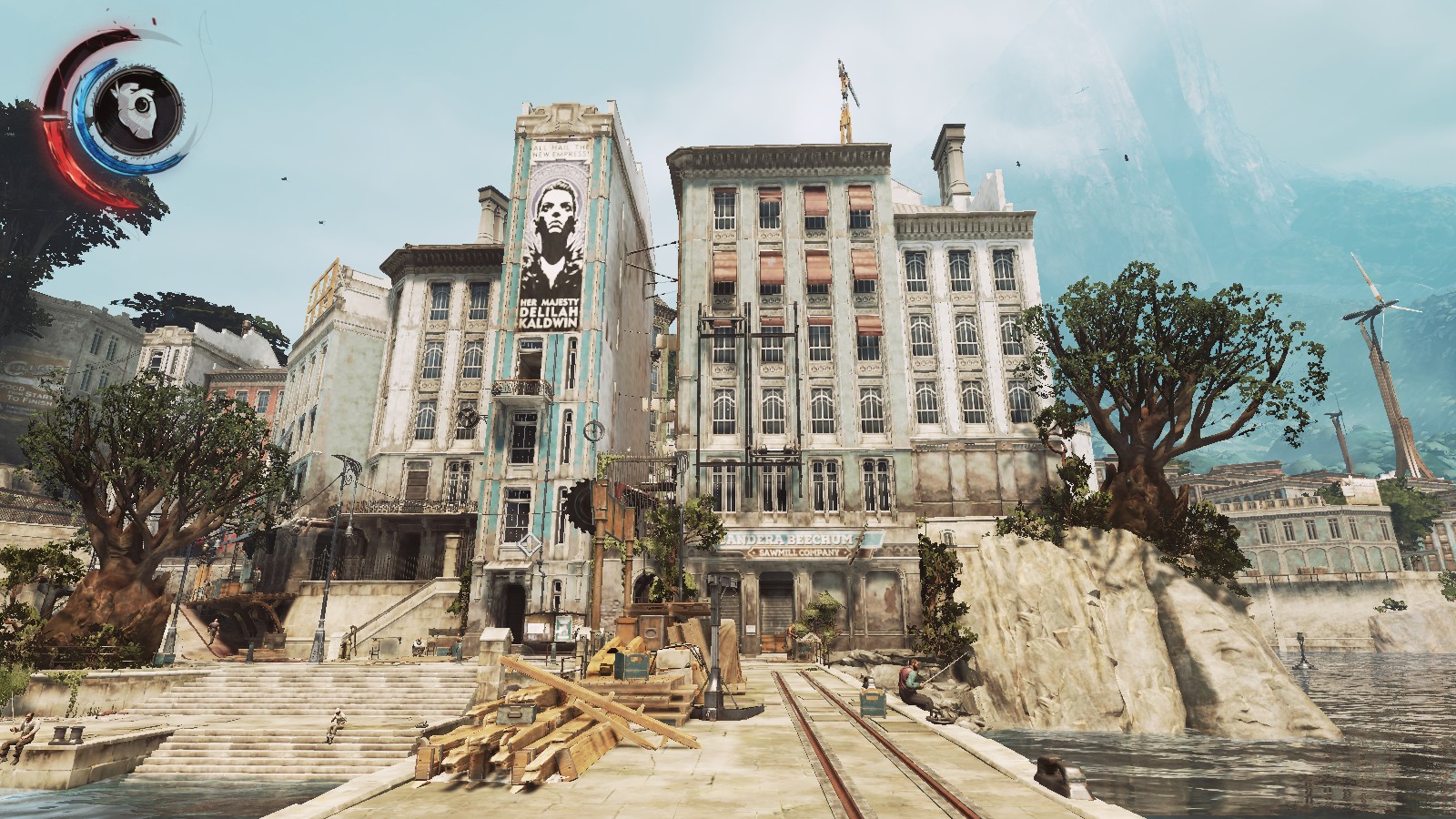
Reduce the resolution to 1600x900 (16:9). Image below.
-
You should now be all good to go.
* If you have a card higher than a GTX 970. Start with the above settings, then tweak each setting one at a time and evaluate the performance of such a change until you get the right balance.
- Why You Have a Kill or Detection Listed in Your Dishonored 2 Stats Even Though You Didn’t Kill or be Detected by Anybody★ 5 (536)51k views516 ♥8 minUpdated Aug 10, 2020
- Dishonored 2 - Complete Achievement Guide★ 5 (1.3k)39k views2.8k ♥22 minUpdated 19 May
- Solving the Jindosh Riddle★ 5 (441)38k views483 ♥1 minUpdated Dec 29, 2016
- Safe Locations / Codes★ 5 (677)38k views1.9k ♥1 minUpdated Mar 21, 2017
- Dishonored 2: All Canonical Choices! - What did Emily do?★ 5 (523)36k views839 ♥8 minUpdated 25 Apr, 2023
- Достижения Dishonored 2★ 5 (2k)33k views3.2k ♥9 minRussianUpdated 19 May





- Upgrading to PremiumTeam Fortress 2★ 5 (20k)1441k views11k ♥6 minUpdated May 11, 2022
- No More Room in Hell Official ManualNo More Room in Hell★ 5 (2.8k)569k views2.1k ♥29 minUpdated Apr 22, 2019
- NMRiH Community Hosting GuidesNo More Room in Hell★ 5 (526)351k views653 ♥1 minUpdated Aug 10, 2022
- ULTIMATE GUIDE FOR GAME DEV TYCOONGame Dev Tycoon★ 5 (5.8k)326k views10k ♥4 minUpdated 23 Jan, 2014
- How to 'Git Gud' Soon™MORDHAU★ 5 (2k)318k views3k ♥68 minUpdated Nov 16, 2024
- Лучшие кооперативные игры SteamPAYDAY 2★ 5 (1.5k)315k views2.1k ♥56 minRussianUpdated Apr 27, 2025






This guide was created by its original author on the Steam Community. Are you the author and want it removed? Request removal.