How to import your save from Mass Effect to Mass Effect 2
Method 1: Using the Mass Effect 2 config utility
Step One
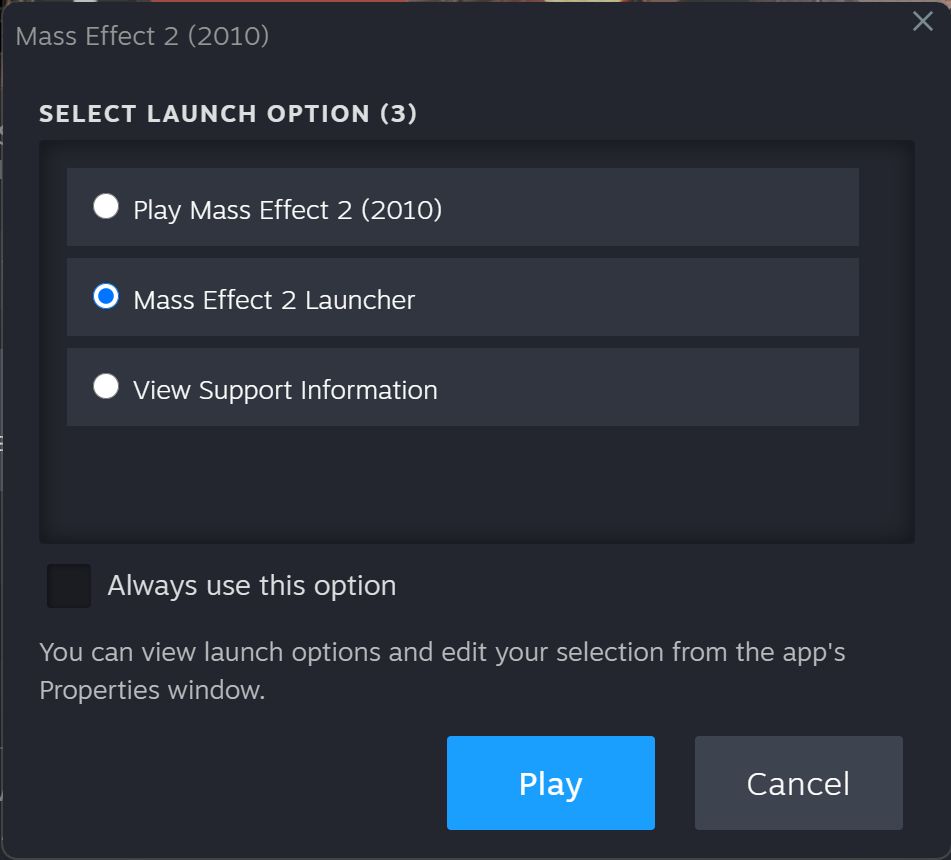
- Click Play on ME2 in Steam and you will see this:
- Select Mass Effect 2 Launcher then click Play.
Step Two
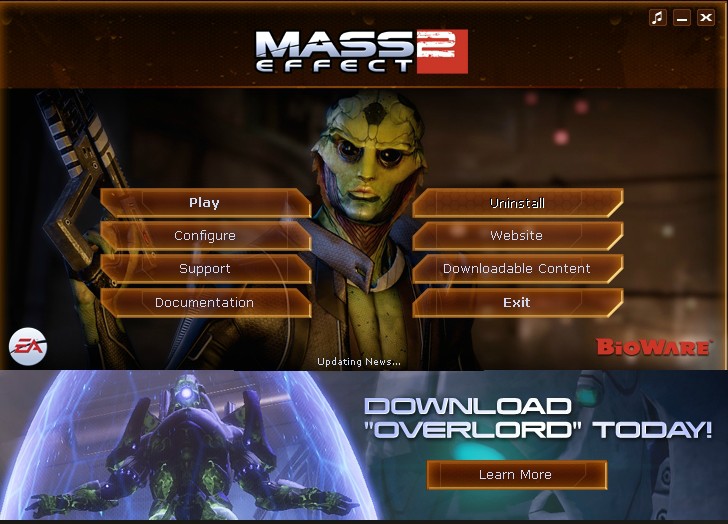
- You will then see this:
- Click Configure.
Step Three
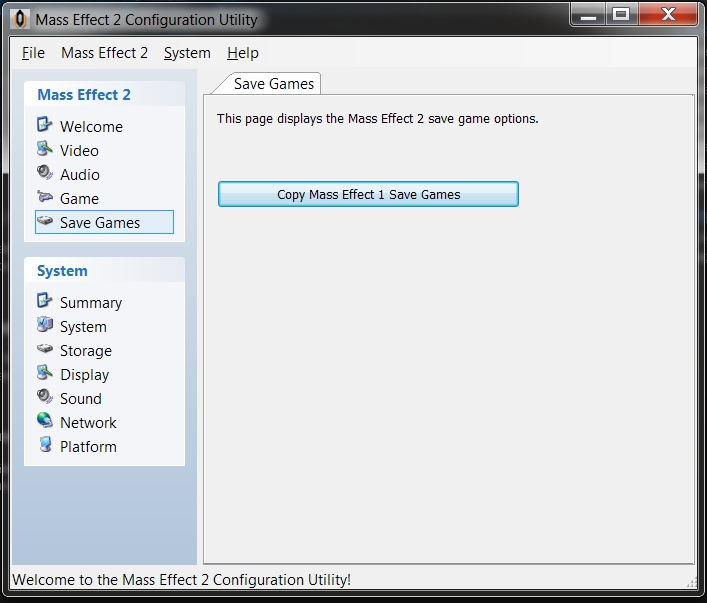
- You will then see this:
- On the left, click Save Games
- Click the Copy Mass Effect 1 Save Games button.
Step Four
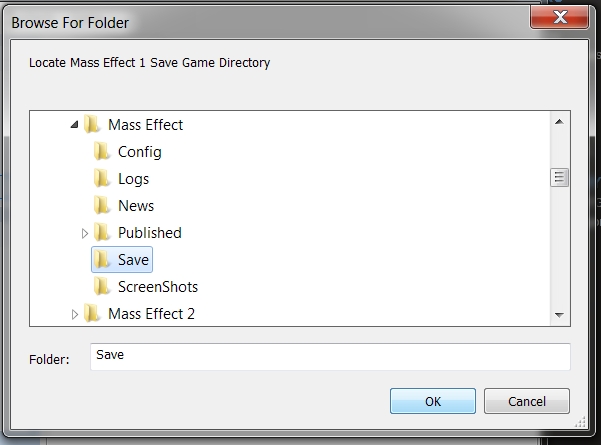
- You will then see this:
- The correct folder should already be selected as in the picture.
- If for some reason it isn't, browse to My Documents\BioWare\Mass Effect\save so it looks like the picture above and click ok.
NOTE: Please ensure you browse to the My Documents folder and not the game's installation folder - You won't get any confirmation that it has done anything but it will work as long as you have save games in there.
Step Five
- Launch Mass Effect 2.
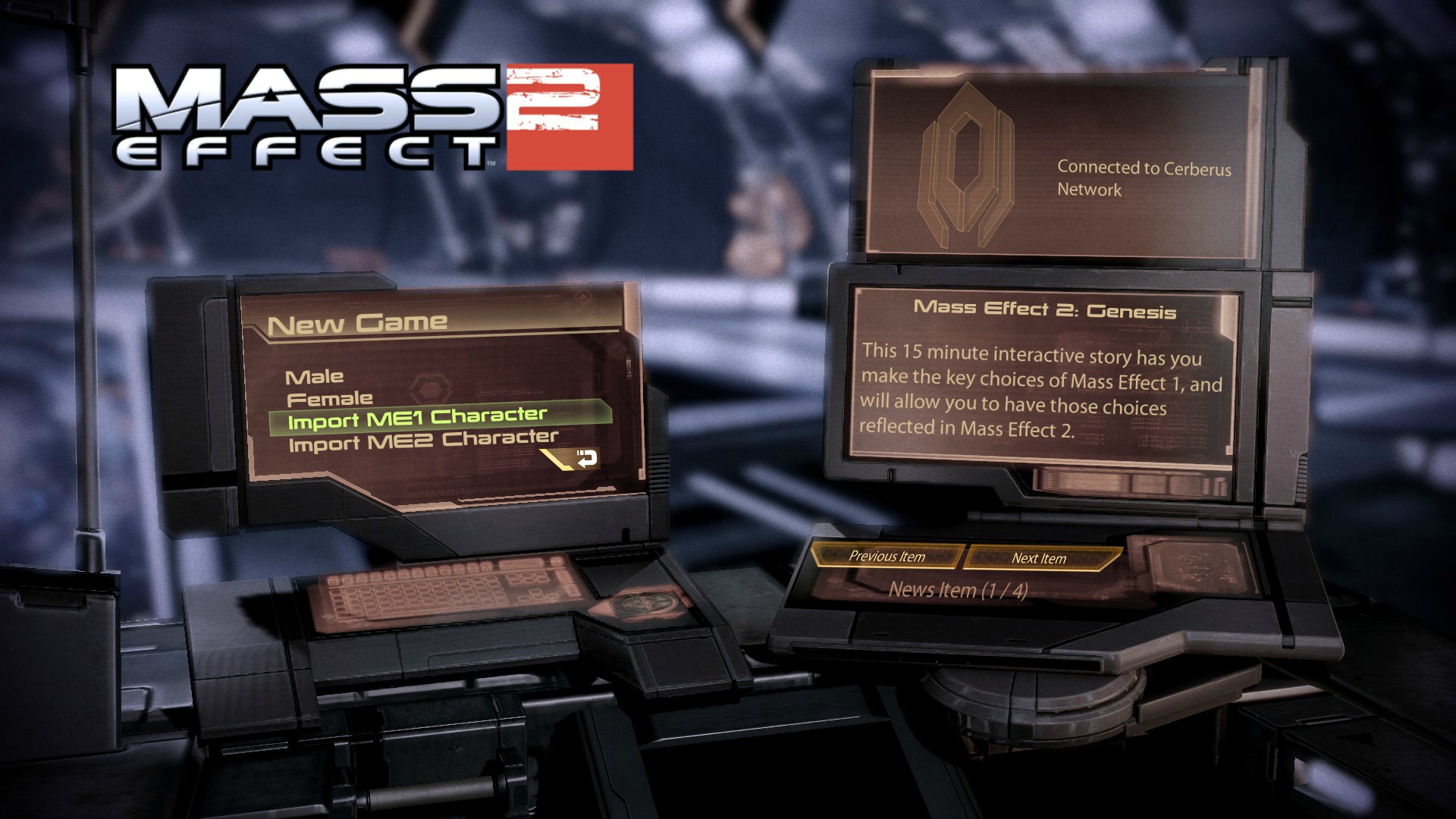
- On the main menu click New Game and you should see this:
- Click Import ME1 character and you should see your ME1 characters there to choose from.
Method 2: Copy the files manually yourself
You can also just copy your saves manually to the correct folder.
- Go to \My Documents\BioWare\Mass Effect\Save\
- Select any files that begin with CHAR_ (These are the completed game saves that can be imported)
- Copy those files to \My Documents\BioWare\Mass Effect 2\Save\ME1\
- If there is no ME1 folder located in the ME2 save folder then simply create the ME1 folder in here yourself.
- Now those saves should show up in-game when you select Import ME1 Character.
More Mass Effect 2 (2010) guides
- HOW TO TAP DAT ASS★ 5 (592)42k views280 ♥9 minUpdated Jul 12, 2013
- Optimal Mission Order★ 5 (337)16k views622 ♥1 minUpdated Nov 24, 2016
- Как пройти самоубийственную миссию без потерь.★ 5 (345)16k views397 ♥2 minRussianUpdated May 9, 2022
- Mass Effect 2 DLC Guide: Worth it?★ 5 (168)15k views119 ♥6 minUpdated Nov 5, 2014
- Mass Effect 2 Free DLC (Cerberus Key?)★ 4 (125)14k views116 ♥1 minUpdated Nov 10, 2019
- Получение всех DLC для МЕ2 без плясок с бубном (legit)★ 5 (302)9.7k views377 ♥2 minRussianUpdated Apr 30, 2023





This guide was created by its original author on the Steam Community. Are you the author and want it removed? Request removal.