How to Install and Play Battlefield 1942 (2026 Edition)
Introduction
Battlefield 1942, released by DICE / Electronic Arts in 2002, was the very first entry in series. Taking players through 22 iconic battles of World War II, the game featured 5 factions across 4 theaters - North Africa, the Pacific, and both Western and Eastern Europe. Later, Expansion Packs would add 3 factions, the Italian Front, and 16 maps. The game has 5 classes - Scout, Assault, Medic, Anti-Tank, and Engineer. Battlefield 1942 introduced the beloved Conquest game mode but also has CTF and Team Deathmatch modes.
If you are a fan of Battlefield 1 or V - I highly recommend playing the OG Battlefield. It features diverse, historical battlefields from the World War era and all-out warfare on a grand scale. In Battlefield 1942, you can roam the fields of Europe in tanks or on foot - but then take the helm of a giant battleship or pilot massive bombers. Of the entire Battlefield series, Battlefield 1 was the only one to come close to 1942's scale of sandbox warfare. It's a treat for new and old players alike.
As of 2025, the game still has a persistent and friendly community. The guidance and resources here are contributions of Moongamers, Hello Gamers, and Team SiMPLE, who all run their own discord and game servers. By writing this guide, I hope to encourage BF1 / BFV fans to give it a try because it is a lot of fun!
So lace up your boots, check your rifle, and let's jump in!
- Added new community fixes
- Currently working on translating this guide for other languages. If you are a native speaker in a language other than English, I could use your help! DM me for information.
- Added installation checklist
Resources:
Me, eelwik! Feel free to DM me for help. :)
Moongamers: http://moon-discord.sytes.net/
Team SiMPLE: https://discord.gg/w35q7AYD
Hello Clan: https://discord.gg/helloclan-the-social-gaming-network-276061597636624395
PC Gaming Wiki: https://www.pcgamingwiki.com/wiki/Battlefield_1942
Finding a Game Copy
So where do you find a copy of a 23-year old game?
If your PC has a AMD RX 580/Nvidia GTX 1080 or newer card you'll want to use this installer.
BF1942_Anthology-Vulkan.exe
https://drive.proton.me/urls/FH233HV5GC#0V0x9I62PWsj
If your PC has an older GPU or onboard video such as an Intel GPU you'll want to use this installer.
BF1942_Anthology-dgVoodoo.exe
https://drive.proton.me/urls/F4T3E0T9DM#HfYNhn7JGBwG
These links are also in Moongamers' discord server. Cheers!
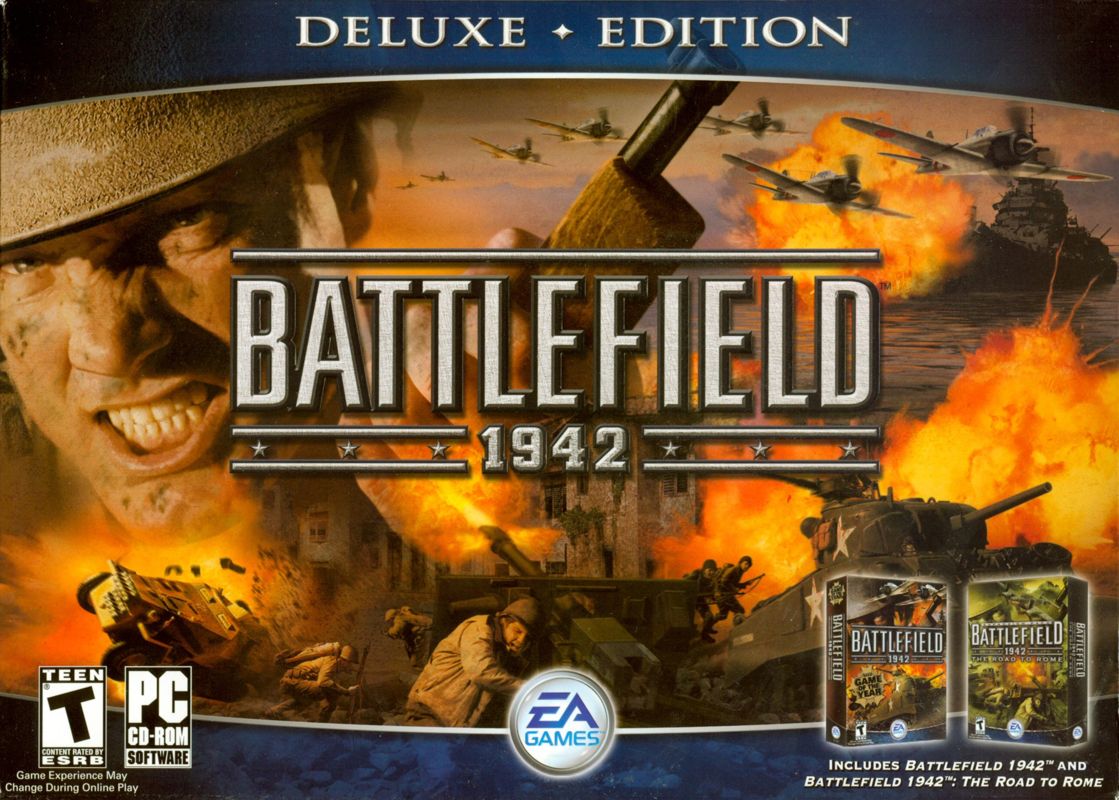
- The Deluxe Edition has both the original game and Road to Rome expansion
- The WWII Anthology pack contains The Road to Rome and Secret Weapons of WW2 expansion packs.
- The Complete Edition contains Battlefield 1942, The Road to Rome, Secret Weapons of WWII, and the sequel Battlefield: Vietnam (which is not covered by this guide).
Note: The Origin and boxed editions do not have any of the community fixes. If you install from a CD or Origin you will have to download and apply these fixes manually.
Installation Guide
The easiest way to install Battlefield 1942 is to use the installer made by Moongamers. Make sure you install the correct version for your hardware.
If you installed the game from an outdated source or from a CD. Please follow the steps below to make sure you have the most up-to-date patches and community fixes.
To make sure the game runs smoothly on Windows 10/11, there are some windows settings we also need to look at.
Note: It is highly recommended to install the game and patches with your anti-virus software disabled.
The latest patch for Battlefield 1942 is 1.61. Download and install the 1.6.19 Full and 1.61b Incremental patches from PCGamingWiki[www.pcgamingwiki.com] (Under the section "Essential Improvements")
If you need to check which version you are running, open the file "<path-to-game>\Mods\bf1942\init.con" and find the line "game.setCustomVersion"
This very little tool patches x86 executables in order to let them have 4GB (instead of only 2) of virtual memory on x64 platforms. This tool comes very handy for applications which need a great amount of virtual memory like games, 3D renderization, multimedia etc. To gain these 2GB, you just have to use this tool to patch the executable (*.exe file) of the software you want to have these additional GBs of virtual memory. It can be used by clicking on it and choosing the file or through command line (e.g.: “4gb_patch file.exe”). It automatically creates a backup copy of the original executable.
Download here[ntcore.com]
If you used Moongamers' installation, you're all set! These are listed here for folks that are using a different method. There are also some options for different players' needs.
Master Server [github.com] - Gamespy's servers went down in 2014. Since then the community has stepped in to create their own master server. With the most recent one made by Henk, from Moongamers.
DataField1942[github.com] - Automatic map/mod downloads when joining servers.
Borderless1942[github.com] - DoctorDalek created this patcher to automatically set the game to windowed at the main display's resolution.
2xFont [drive.google.com]- Improves the legibility of player name tags and chat in higher resolutions where the fonts are distorted. Included by default in Moongamers installer. Also see 1xFont[drive.google.com] (BF1942 default), 3xFont[drive.google.com], 3.5xFont[drive.google.com], 4xFont[drive.google.com] if you need different options.
Before we boot up the game, let's check the Windows settings.
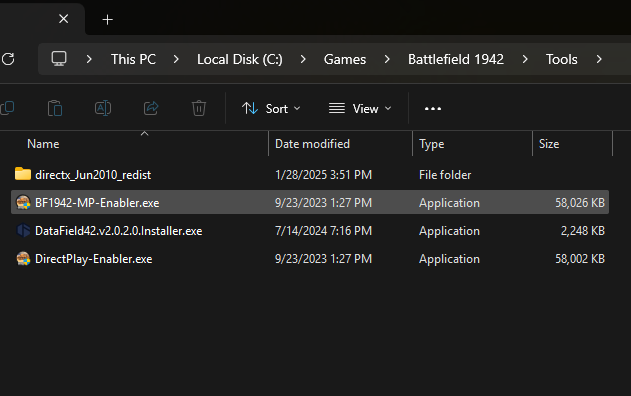
(Note: these changes are made automatically with Moongamers' own installer. If you have issues or want to check, run "DirectPlay-Enabler.exe" from the Tools folder in your gamer directory.)
Press the windows key and type "Features." Click "Turn Windows Features On or Off," which is also in the Control Panel.
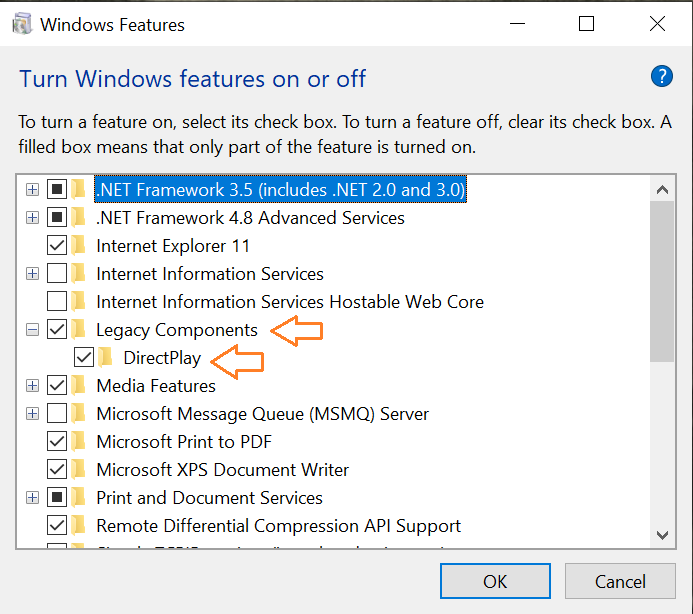
Check "Legacy Components" and click the + to expand. Check "DirectPlay"
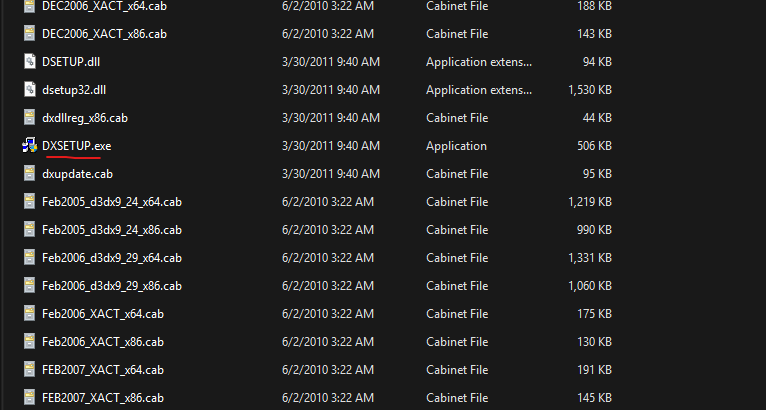
It's not a bad idea to use the DirectX installer included in the Moongamer's Installation. Look in the "Tools" folder for "directx_Jun2010_redist" and run "DXSETUP.exe"
Lastly, I would double-check your Windows Graphics Settings to make sure that bf1942.exe uses your dedicated video card, if you have one.
- Patch game 1.6.19 and 1.61b
- 4GB Patch
- Windows legacy components and DirectPlay / Run as administator
- API Wrapper - DXVK or dgVoodoo
- Check for updates - Master Server
- Borderless 1942
- Creative ALChemy Universal Installer (if having sound issues)
Troubleshooting
Here are some fixes for known issues. Many other issues are addressed in more detail on the PCGamingWIKI Battlefield 1942[www.pcgamingwiki.com] page.
It is highly recommended that you run Battlefield 1942 with a DirectX API wrapper. The two most commonly used are dgVoodoo 2[dege.freeweb.hu] and DXVK[github.com]. Pick one or the other. DXVK is recommended for modern video cards, and dgVoodoo is better for integrated video. If you are installing Battlefield from a CD or older installer, these are not included by default. Follow the instructions on each wrapper's webpage.
Special note: If you are using MoonGamer's installation package and having graphics issues. Reinstall DXVK or dgVoodoo with the most recent installers from the links above. Updating these wrappers seems to solve most issues.
If servers do not update when you click "Update" in the game's Server Browser, you likely haven't downloaded and installed the Master Server patch. There are cases where if I'm reinstalling the game, I have to re-install the patch manually. It doesn't hurt to run the installer a second time.
Master Server[github.com]
Most servers do not use the anti-cheat software Punkbuster anymore and it's recommended that you move the contents of the "<game directory>/pb" folder to a separate backup folder.
If you need to install Punkbuster, follow the instructions at PCGamingWIKI[www.pcgamingwiki.com] or download the Punkbuster Installer from Team SiMPLE.[team-simple.org]
If you are having issues starting the game, check these two places:
- 1. Disable sound hardware acceleration
- Go to "<path-to-game>\Mods\bf1942\Settings\Profiles\Custom\" and open "Sound.con".game.setHardware 1- Find this line and Set value to "0" - 2. Modify "VideoDefault.con"
- Go to "<path-to-game>\Mods\bf1942\Settings\"
- Open "VideoDefault.con"
- Add the linerenderer.allowAllRefreshRates 1
If you are having issues such as crackling or fast playing sounds, I recommend using Creative ALchemy's Universal Installer. These installers make registry entries for sound drivers that old games typically used. You can find the installer here[community.pcgamingwiki.com].
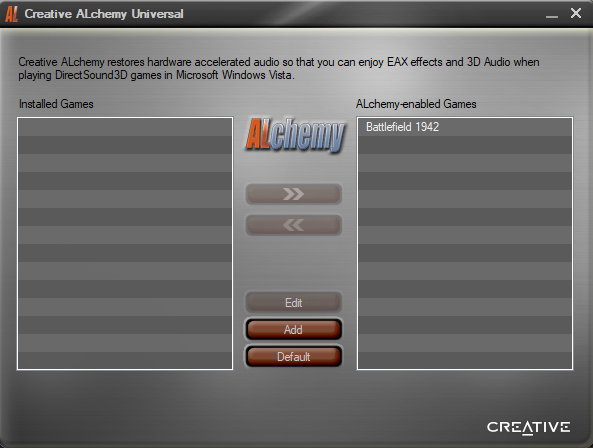
This installer was modified to work on all sound devices. By finding and enabling Battlefield 1942 I was able to address the issues I was having and get better audio performance from the game.
If you are playing with a monitor that uses a high refresh rate, the game engine might have issues. Try capping the framerate to your refresh rate. Open up the VideoDefault.con in your Battlefield 1942 directory and add or edit this line:
(# being your desired framerate.)
Quick Tips for New Players
For new players, and even those coming from more recent titles, here are some tips to get you started.
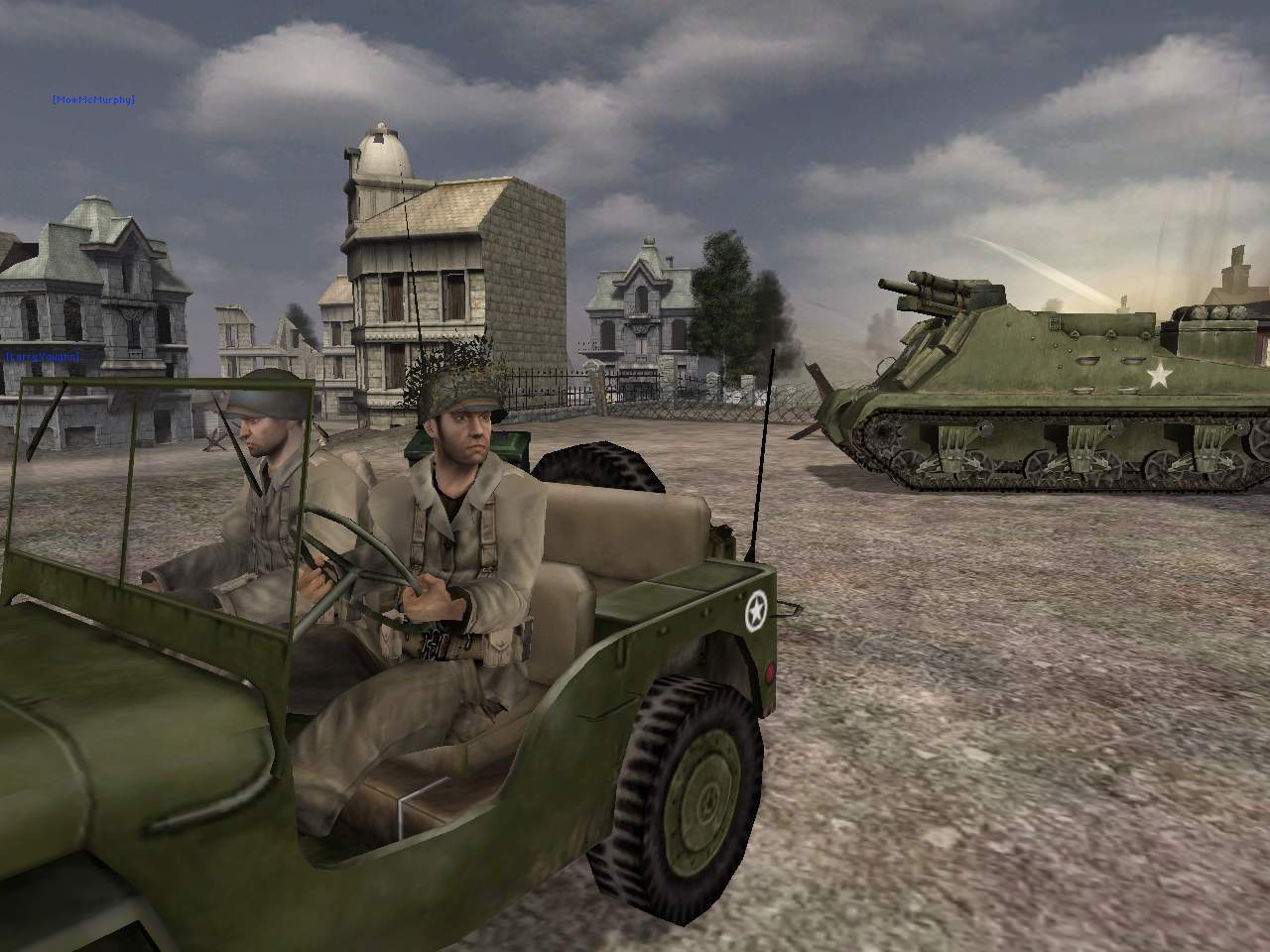
However! If you find an APC or Halftrack, this is the only mobile spawn point in the game. Move it closer to the front but out of sight from enemies and it will give your team an edge in the fight.
Couple of pointers regarding vehicles:
- Don't be a jerk. Don't idle waiting for a plane or tank. Get to the front where your team needs you. Above all, don't ever teamkill to get a vehicle you want. It's rude and an instant kick on many servers.
- Landing crafts deploy from ships with the forward "W" key. Enter with the "E" key like all other vehicles. When your up on the beach press the up arrow to lower the ramp.
If you're an engineer and need to move your explosives or mines, equip the wrench at "repair" them. They will be added back to your inventory.
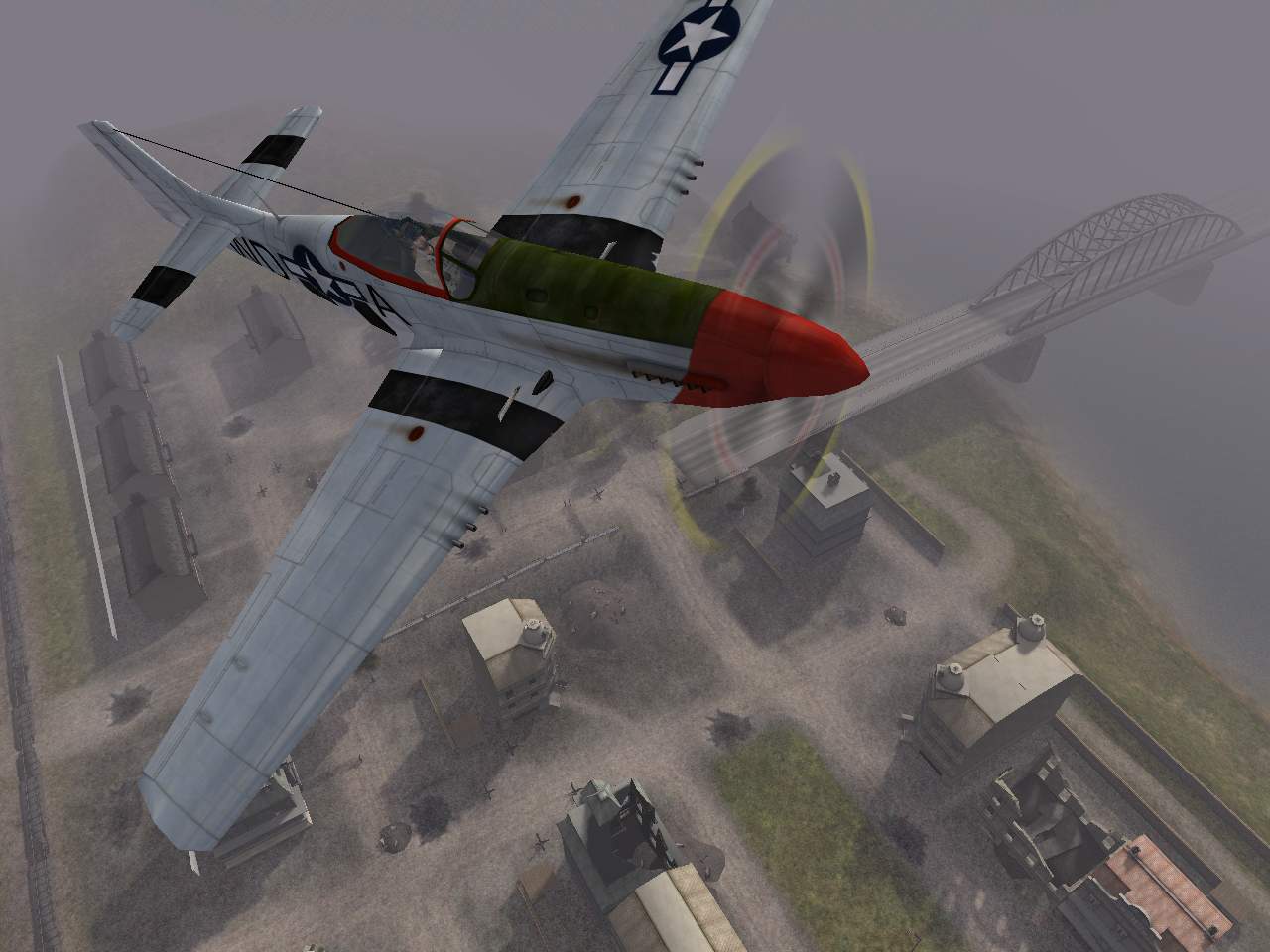
The Scout uses their binoculars to create a target. Right click to zoom in and left click to place the target. This will also relay a message to the team that there is a target available.
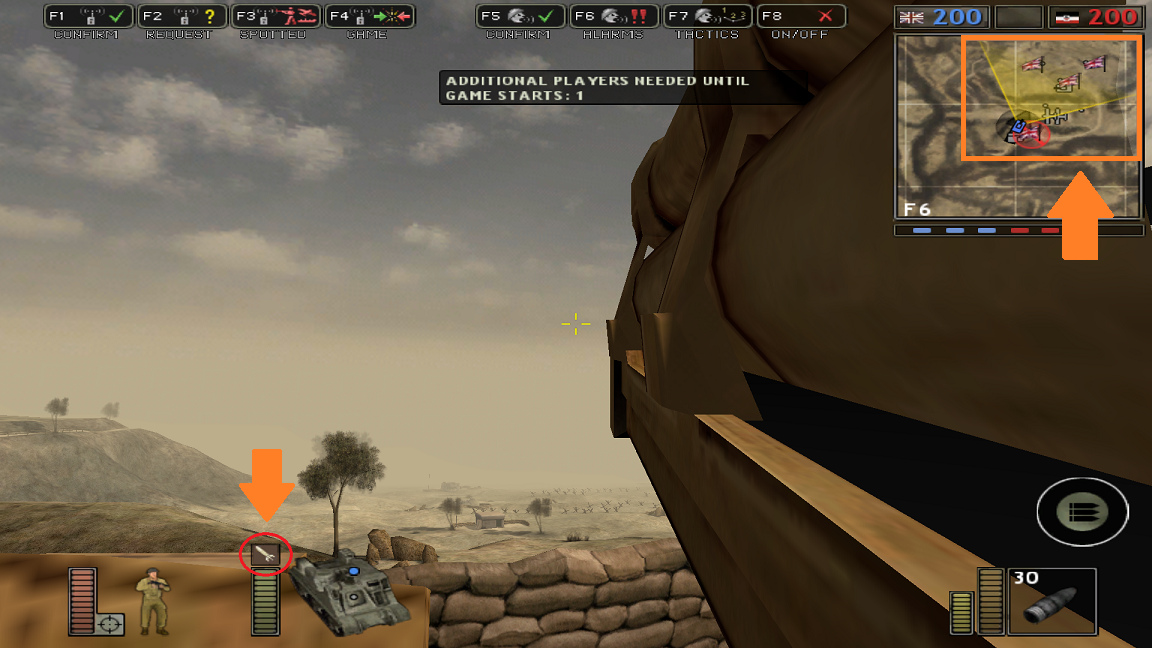
The player on the artillery gun will see a missile icon above their vehicle status as well as a yellow angle drawn over the map. This gives you an idea of where the scout wants to direct fire and you may have to move or rotate your vehicle for a better shot. Note that with some vehicles, you need to be in the secondary spot (not the driver's position) to fire and see targets. Right click brings up the artillery screen.
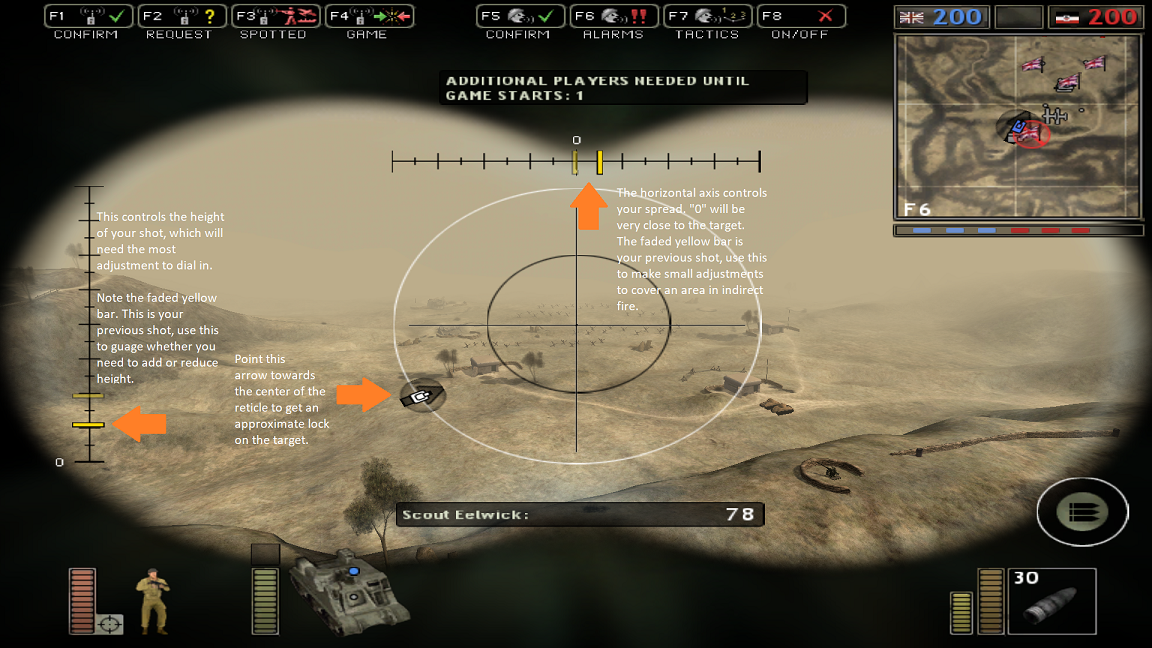
In this screen the artillery player will see two bars on the x and y-axis, as well as a center reticle. Moving the mouse will move the yellow bars across both axis. The center of the horizontal bar will line up very close to the target, but the vertical yellow bar will have to be dialed in - this is the height or arc or your shot. left-click to fire and see if your shot over or undershoots your target and adjust. The faded yellow bar is your last shot and allows you to see the changes you make. After you dial in the x-axis, make small adjustments to both x and y-axis as needed.
Keep an ear out and be ready to turn quickly around and snap fire at approaching enemy planes.
---
There are some great tips and loads of information here: http://www.realtimerendering.com/erich/bf1942/faq.html
Graphics Tweaking
Here I'll list some tips for getting the best visual experience from Battlefield 1942. For a 20 year old game, it is still quite beautiful.
Note: Widescreen resolutions are included with the installer listed in the installation guide. If you need to enable widescreen on your own, I recommend using Borderless1942.
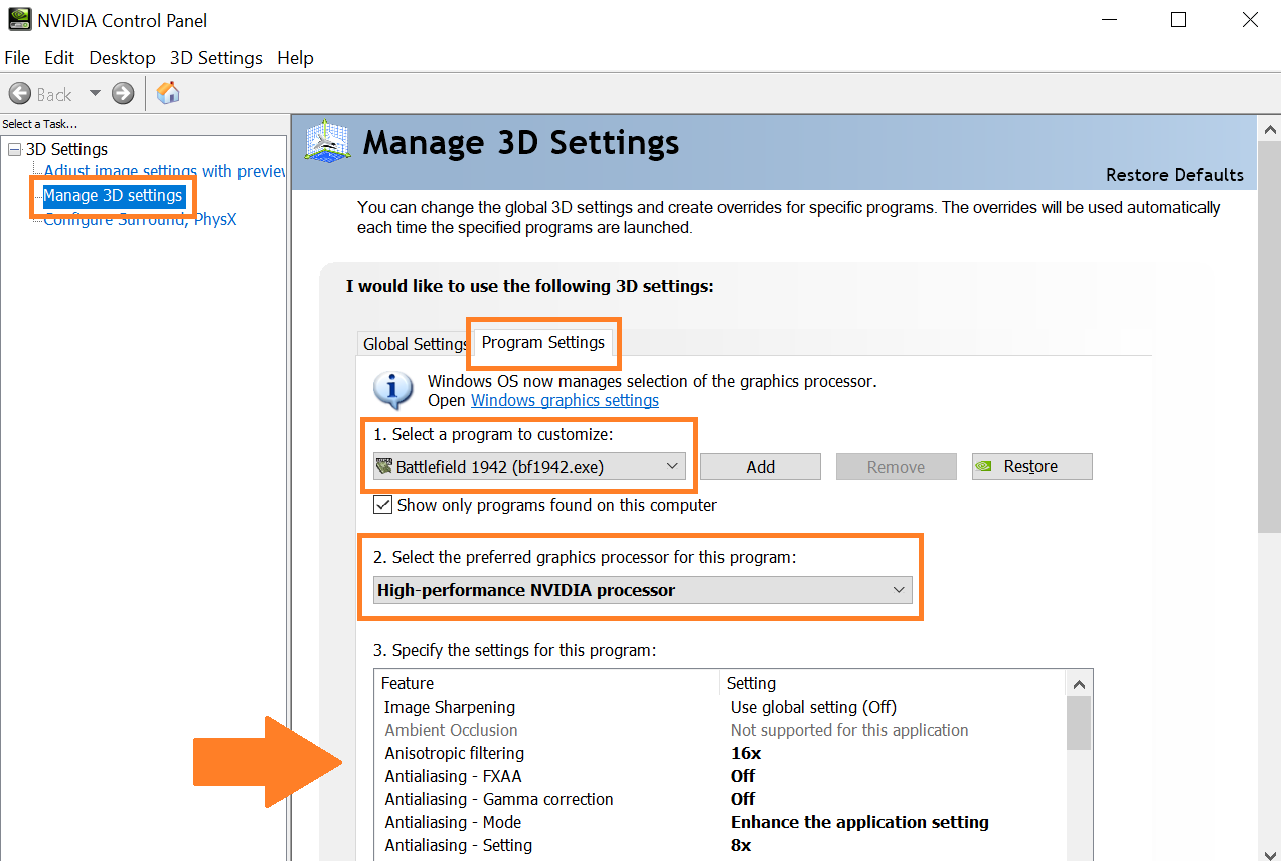
Where it says "Select a program to customize," open the drop-down menu and select "Battlefield 1942 (bf1942.exe)" If you don't see this, click "Add" and search for bf1942.exe in your installation folder.
Check that your preferred graphics processor is set to "High-Performance NVIDIA processor" (if you have a dedicated card). Otherwise, it will default to your integrated card.
Finally, change these items in the settings:
Anisotropic Filtering - 16x
Antialiasing FXAA - Off
Antialiasing Gamma Correction - Off
Antialiasing Mode - Enhance the application setting
Antialiasing Setting - 8x
Antialiasing Transparency - Off
Multi-Frame Sampled AA (MFAA) - On
Texture Filtering - Anisotropic Sample Optimization - Off
Texture Filtering - Negative LOD Bias - Clamp
Texture Filtering - Quality - High Quality
Texture Filtering - Trilinear Optimization - On
Threaded Optimization - On
Triple Buffering - On
Vertical Sync - Use the 3D Application Setting
Press "~" to close the console!
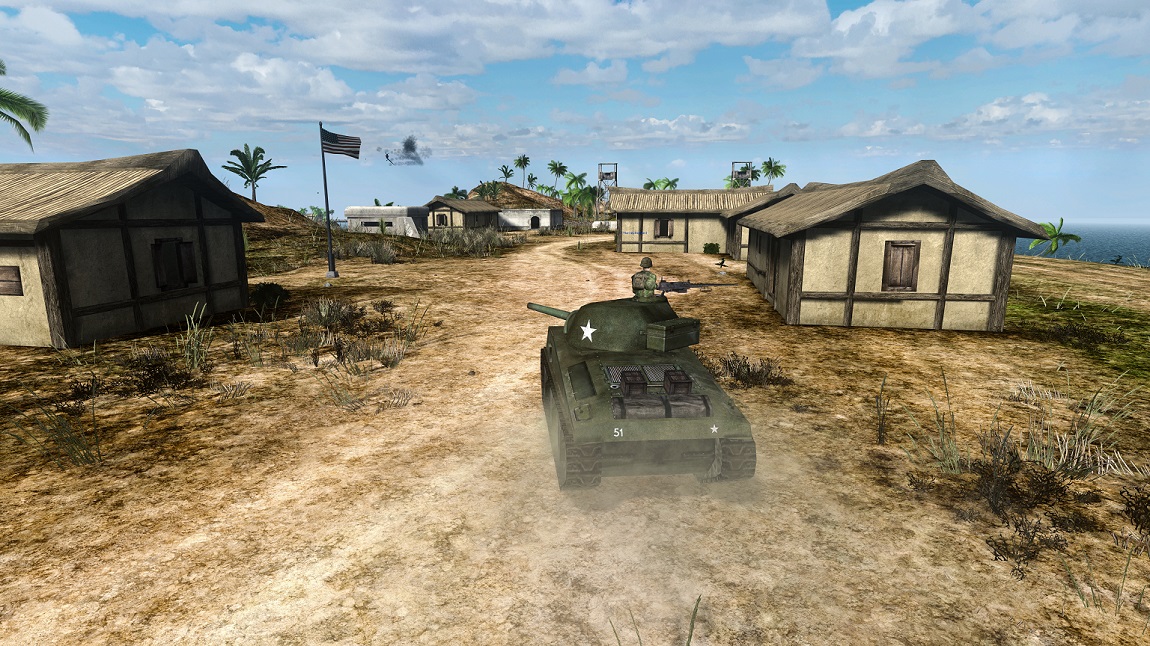
ScureHD has been making wonderful progress with their HD remaster mod. For multiplayer, this mod adds high-resolution environmental, weapon, and vehicle textures for Battlefield 1942 and it's two expansion packs. It is a major overhaul to the game's visuals but stays true to the look and feel of the original. As a stand-alone mod it adds new vegetation, water effects, and more! Great for single player and co-op matches.
This mod includes ReShade/dgVoodoo which provides nice color correction and post processing effects. Use caution as this might not work correctly with your API wrapper and cause the game to crash. I recommend making a back up of your install files before using this mod. The textures can be installed without ReShade/dgVoodoo by only dragging the "MODS" folder to your install location.
Battlefield 1942 High Definition Remaster - ModDB Latest version is 1.0
Note that this mod increases the game's system requirements significantly!
Mod Recommendations
Now that you're all set up, here are some mods you might want to try!
All mods are installed to the "MODS" folder in the game directory. You can run them from their shortcuts or activate them in the "Custom Game" menu in Battlefield 1942.
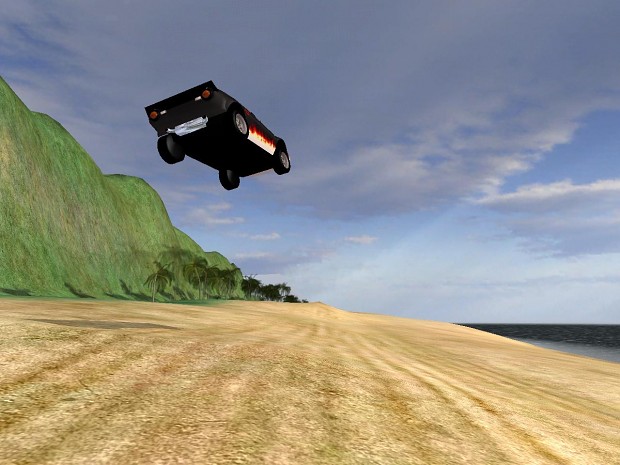
Interstate 82 is a massive mod, with over 250+ maps and a thriving online community. Based on the vehicular combat genre of the late 90's / early 2000's, this game pits two rival factions in competitive racing and arena style game modes. Well worth a try!
Interstate 82 - ModDB Latest version is 1.81
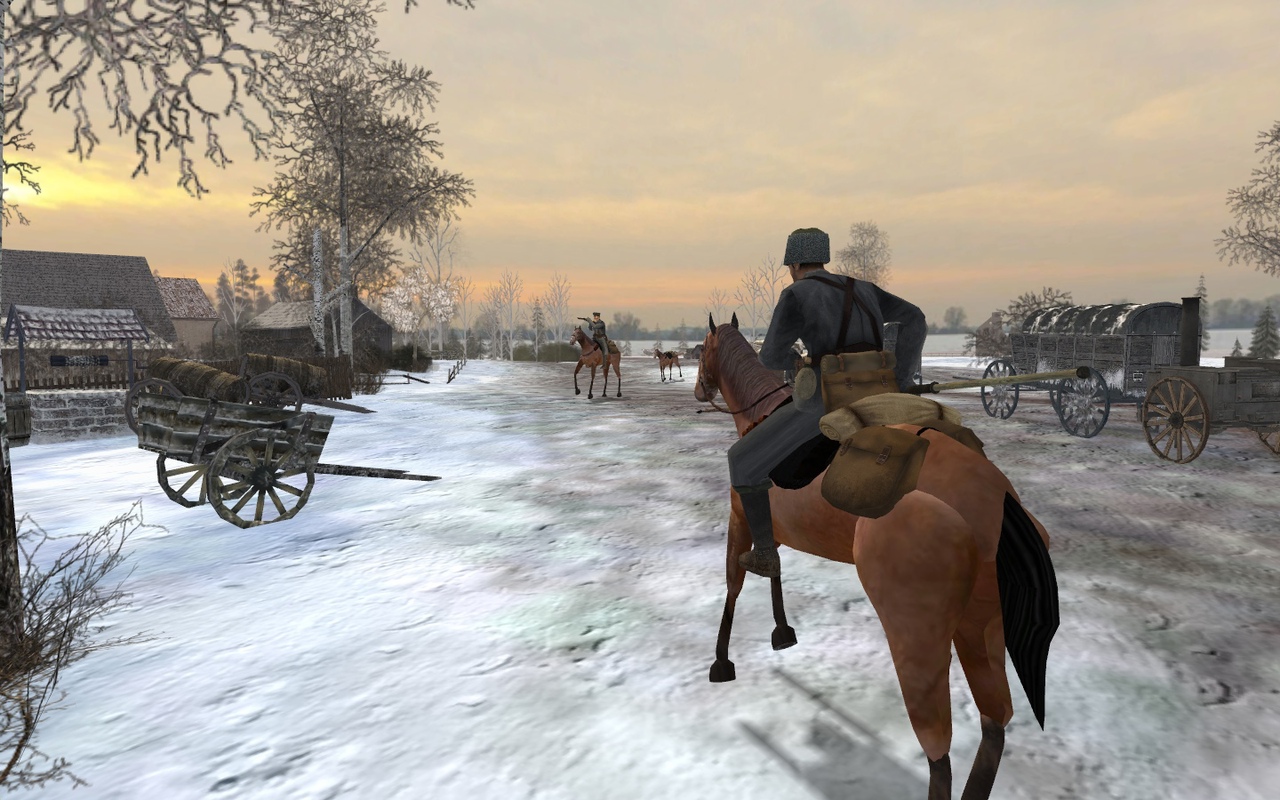
Battlefield 1918 is a great, polished WWI total conversion that has been supported for many years. Featuring many of the same battles you might know from Battlefield 1, but also many other lesser known ones. Generally speaking, Battlefield 1918 has more realistic loadouts for the time period, but also the game also still throws in lots of fun and history.
Winner of ModDB's Editor's Choice Multiplayer Mod of the Year 2024!
Battlefield 1918 - ModDB Latest version is 3.4/20th Anniversary Edition
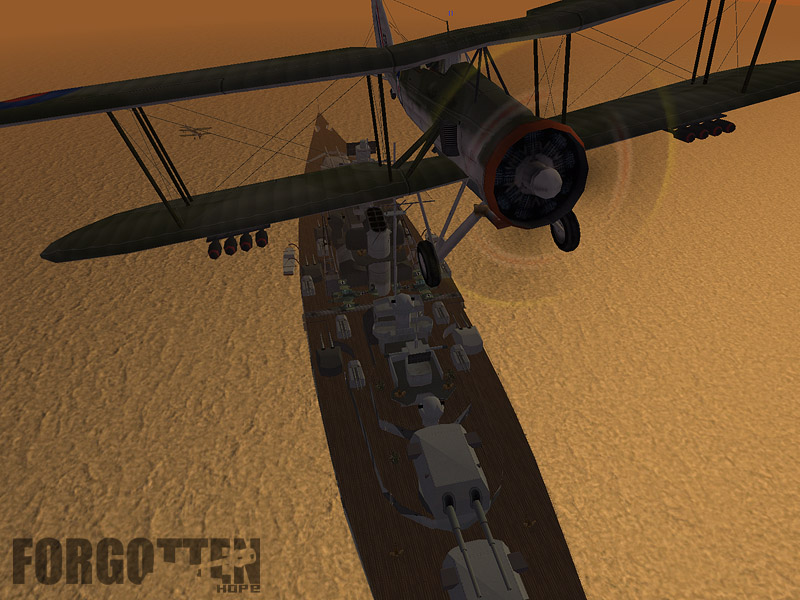
Probably one of the most well-known battlefield mods of all time, Forgotten Hope started as a realism mod for Battlefield 1942 before it became Forgotten Hope 2 for Battlefield 2. This is a WWII realism mod that builds and improves upon every aspect of the game. It features tons of high-quality historical equipment, tanks, vehicles, and maps.
Forgotten Hope - ModDB Latest version is .07
If you like Forgotten Hope, you might also want to try the unofficial add-on Forgotten Hope: Secret Weapon which adds loads of new vehicles. These include many secret weapons which saw limited or no action during the war. It also features many "what-if" / alternative history battles. This mod has a pretty active player base.
Forgotten Hope: Secret Weapon - ModDB Latest release 0.621
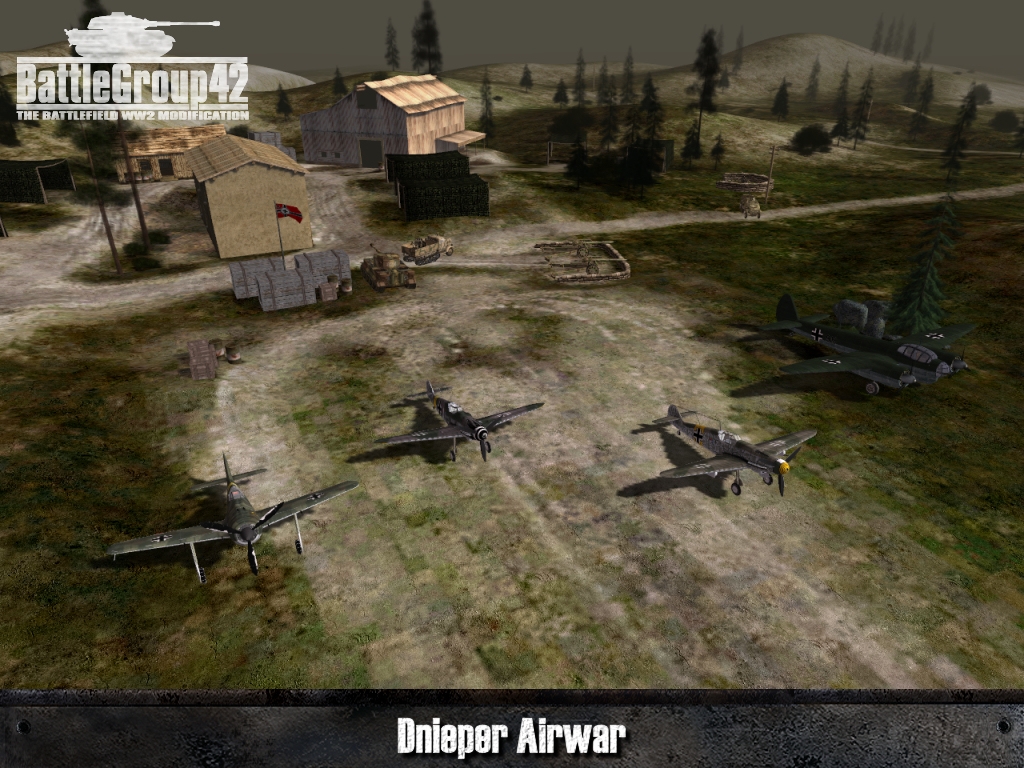
This one is my personal favorite on this list. Battlegroup42 is a teamwork and historical accuracy mod for Battlefield 1942. It improves Battlefield 1942's existing gameplay and balance while adding a huge amount of content and features. Not quite as hardcore as Forgotten Hope so easy to pick up and play with friends.
Battlegroup42 - ModDB Latest version is Final RC4
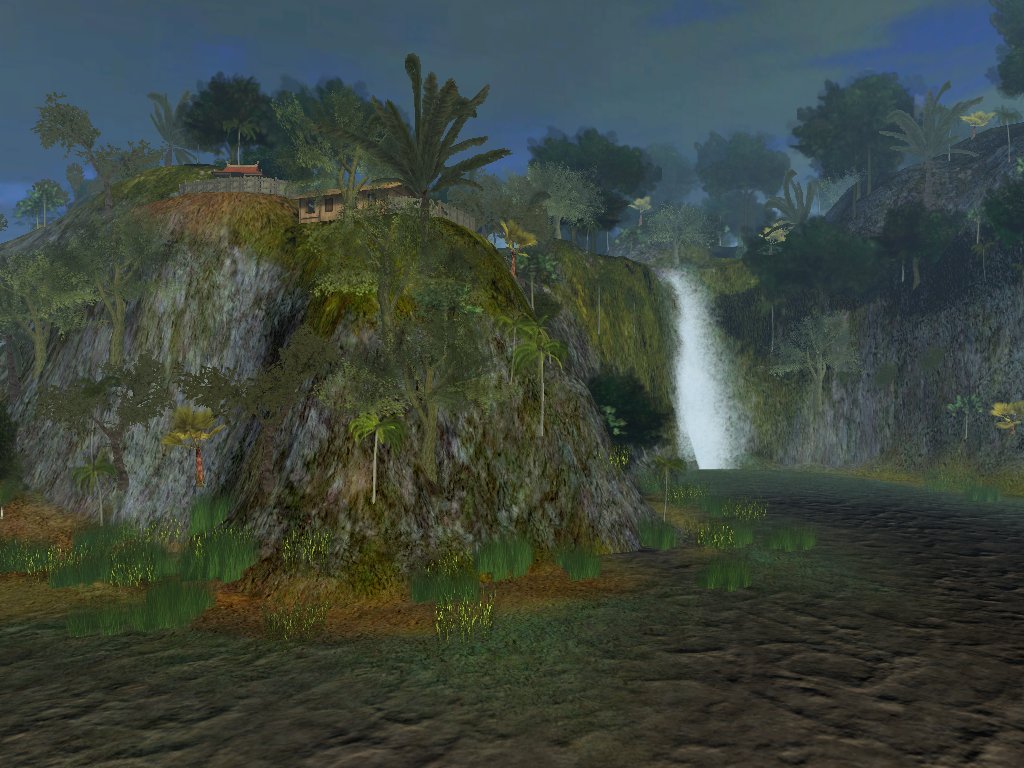
This total conversion takes players to some of the most fierce battles of the Vietnam War. New features include helicopters, jets, and modern firearms. Eve of Destruction tells an honest story about the war and covers some of its lesser known aspects. Well worth a try!
Eve of Destruction - ModDB Latest version is v2.51
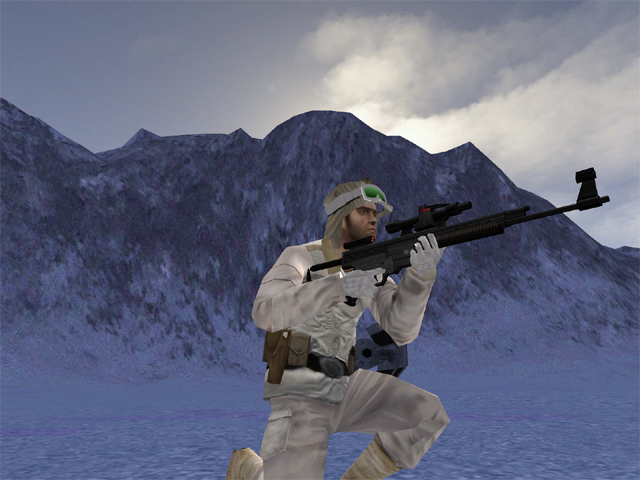
The mod puts you in the boots of Rebel and Imperial soldiers in the Star Wars Universe. Has been continuously supported for many years. The mod features many land and air vehicles and even large space battles!
Team SiMPLE hosts Galactic Conquest events! The information is on their Discord.
Galactic Conquest - ModDB Latest Version is 8.4
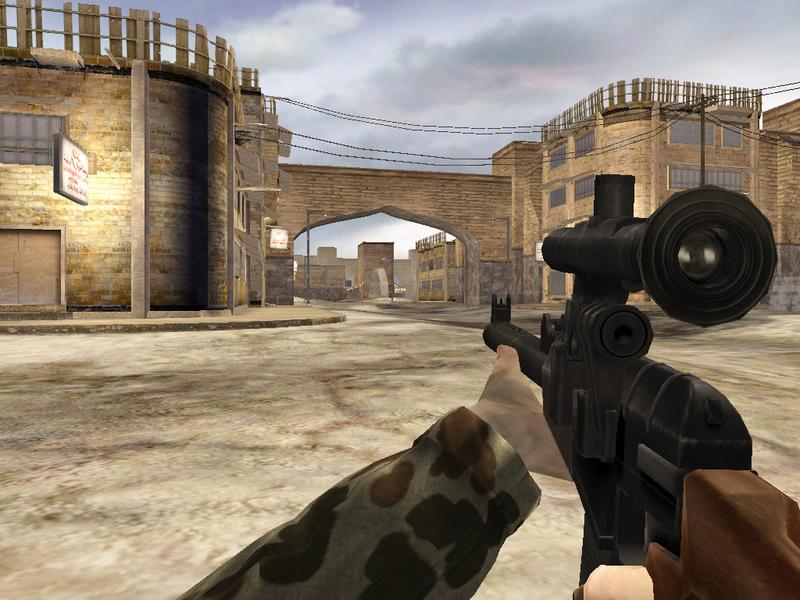
Probably one of the most popular and award-winning BF1942 mods of all time. Take Battlefield to the Gulf War and introduces a full suite of modern weapons and vehicles.
Desert Combat - Latest version is Final
---
This list will get you started but there are countless other mods to discover. Check out ModDB for a full list.
- ГАЙД: ЧИТЕР. Что делать если против Вас играет читер?★ 5 (695)18k views117 ♥1 minRussian
- How to cheat Battlefield 1★ 5 (676)16k views41 ♥1 minUpdated 9 Feb, 2023
- Helpful Tips and Tricks and Facts★ 5 (577)16k views975 ♥20 minUpdated 15 May, 2022
- How to Not Get Caught Cheating [FREE]★ 5 (551)14k views36 ♥1 minUpdated 8 Feb
- Battlefield™ 1 - Гайд по достижениям★ 5 (515)13k views1.2k ♥17 minRussianUpdated 29 Aug, 2023
- Гайд по всем достижениям Battlefield 1★ 5 (301)12k views684 ♥16 minRussianUpdated 28 Jun, 2022



- Upgrading to PremiumTeam Fortress 2★ 5 (20k)1441k views11k ♥6 minUpdated May 11, 2022
- No More Room in Hell Official ManualNo More Room in Hell★ 5 (2.8k)569k views2.1k ♥29 minUpdated Apr 22, 2019
- NMRiH Community Hosting GuidesNo More Room in Hell★ 5 (526)351k views653 ♥1 minUpdated Aug 10, 2022
- How to 'Git Gud' Soon™MORDHAU★ 5 (2k)318k views3k ♥68 minUpdated Nov 16, 2024
- Лучшие кооперативные игры SteamPAYDAY 2★ 5 (1.5k)315k views2.1k ♥56 minRussianUpdated Apr 27, 2025
- Desert Eagle Heat Treated | Blue GemCounter-Strike 2★ 5 (1.6k)293k views1.5k ♥2 minUpdated Jan 16





This guide was created by its original author on the Steam Community. Are you the author and want it removed? Request removal.